Is Hdr Important for Gaming Monitors
Key Takeaways
- HDR enhances visual realism: It significantly expands the range of colors and brightness, making games appear more lifelike with deeper blacks and brighter whites.
- Not all HDR is equal: Look for DisplayHDR certifications (like DisplayHDR 400, 600, 1000) to understand a monitor’s actual HDR capabilities, as basic HDR support can be minimal.
- Consider your hardware and content: Your graphics card and the games you play must support HDR for you to experience its benefits.
- HDR can be demanding: Higher-end HDR monitors and the processing power needed to run games in HDR can increase costs and system requirements.
- Potential drawbacks exist: Poorly implemented HDR can lead to washed-out colors or crushed blacks. Additionally, some users might experience eye strain or find that HDR doesn’t significantly improve their gaming experience.
- Decide based on priorities: If vibrant visuals and immersive realism are paramount, a good HDR monitor is a worthy investment. If budget or simplicity is key, a high-quality SDR monitor might be sufficient.
Is HDR Important for Gaming Monitors?
You’re in the market for a new gaming monitor. The specs are flying at you: refresh rate, resolution, response time, and then… HDR. High Dynamic Range. Suddenly, you’re wondering, “Is HDR actually important for gaming monitors?” This is a question many gamers grapple with. On one hand, the promise of stunning visuals, incredibly vivid colors, and a more immersive experience sounds fantastic. On the other hand, there’s the added cost, the potential for compatibility headaches, and the nagging doubt: is it just a gimmick, or a genuine game-changer?
In this comprehensive guide, we’re going to demystify HDR for gaming monitors. We’ll break down what HDR actually is, explore its advantages and disadvantages for gamers, and most importantly, help you figure out if investing in an HDR-capable gaming monitor is the right move for your setup and your gaming style. By the end, you’ll have a clear understanding of whether HDR is a must-have or a nice-to-have for your next gaming display.
Understanding HDR: What Does It Mean?
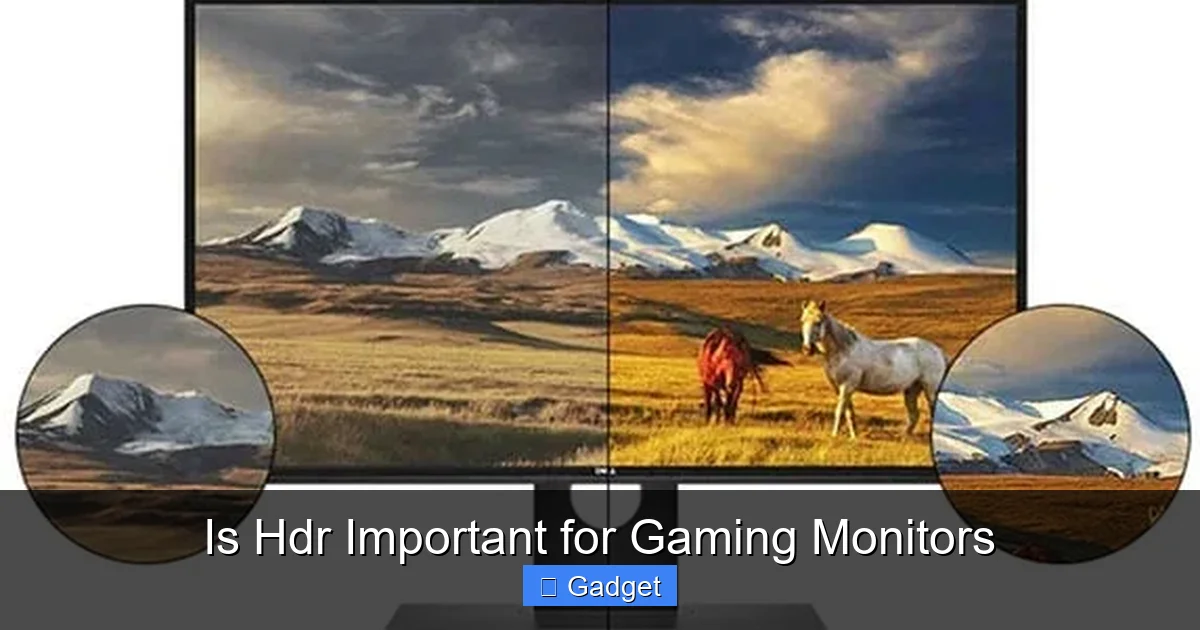
Before we dive into whether HDR is important, let’s make sure we’re all on the same page about what HDR actually is. The term “High Dynamic Range” refers to the contrast ratio between the brightest whites and the darkest blacks a display can produce. Think of it as expanding the “dynamic range” of colors and brightness.
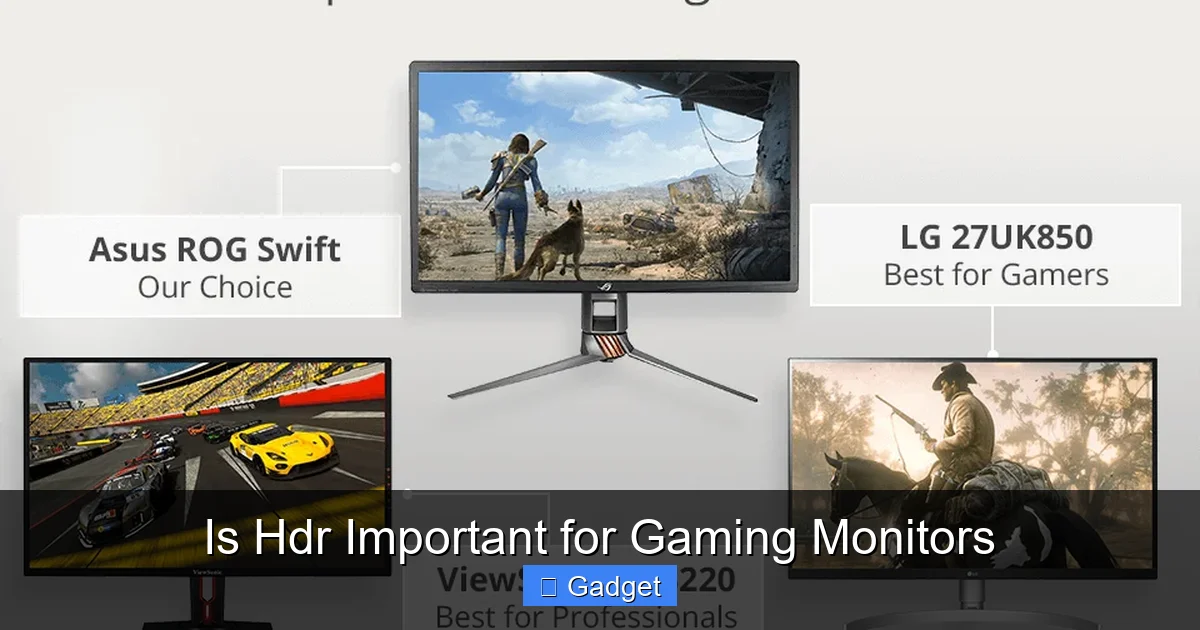
Visual guide about Is Hdr Important for Gaming Monitors
Image source: fixthephoto.com
The Difference Between SDR and HDR
Standard Dynamic Range (SDR) is what most of us have been used to for decades. It has a limited range of brightness and color. When you see a bright sun in an SDR image, it might look a bit blown out, losing detail. Similarly, dark shadows can appear as just a murky black blob, hiding any detail within them. Colors tend to be less vibrant and nuanced.
HDR, on the other hand, aims to replicate the vast range of light and color that we see in the real world. An HDR display can achieve much higher peak brightness levels and deeper black levels. This allows for more detail to be visible in both the brightest and darkest parts of an image simultaneously. Colors are also significantly richer, more saturated, and can display a wider spectrum of hues.
Key Components of HDR
For HDR to work effectively, several components need to align:
- Peak Brightness: This is measured in nits. SDR monitors typically top out around 100-300 nits. HDR monitors aim for much higher, often 400 nits and above, with premium displays reaching 1000 nits or more. Higher peak brightness is crucial for those dazzling highlights, like reflections on water or the glint of sunlight.
- Black Levels: This refers to how dark the display can get. Advanced backlighting technologies, like local dimming or OLED panels, are essential for achieving deep, inky blacks without looking like a dull grey.
- Color Gamut: HDR supports a wider color gamut than SDR. This means it can display a broader range of colors. Standards like DCI-P3 (often used in cinema) are common targets, providing much richer and more accurate colors than the older sRGB standard typically used for SDR content.
- Bit Depth: HDR often utilizes 10-bit color depth (or more), compared to the 8-bit depth of most SDR content. This allows for smoother color gradients and prevents “banding” (visible steps between colors), especially in subtle transitions like skies or sunsets.
The Benefits of HDR for Gaming
Now that we understand what HDR is, let’s talk about why it’s being touted as a big deal for gaming. The potential for enhanced visual fidelity is significant.
Visual guide about Is Hdr Important for Gaming Monitors
Image source: displayninja.com
Unparalleled Visual Realism and Immersion
This is the headline benefit. Imagine stepping into a game world where the lighting is more natural and dramatic. Sunlight glinting off armor, the deep shadows in a spooky cave, the explosion of a distant firework – these elements become far more impactful with HDR.
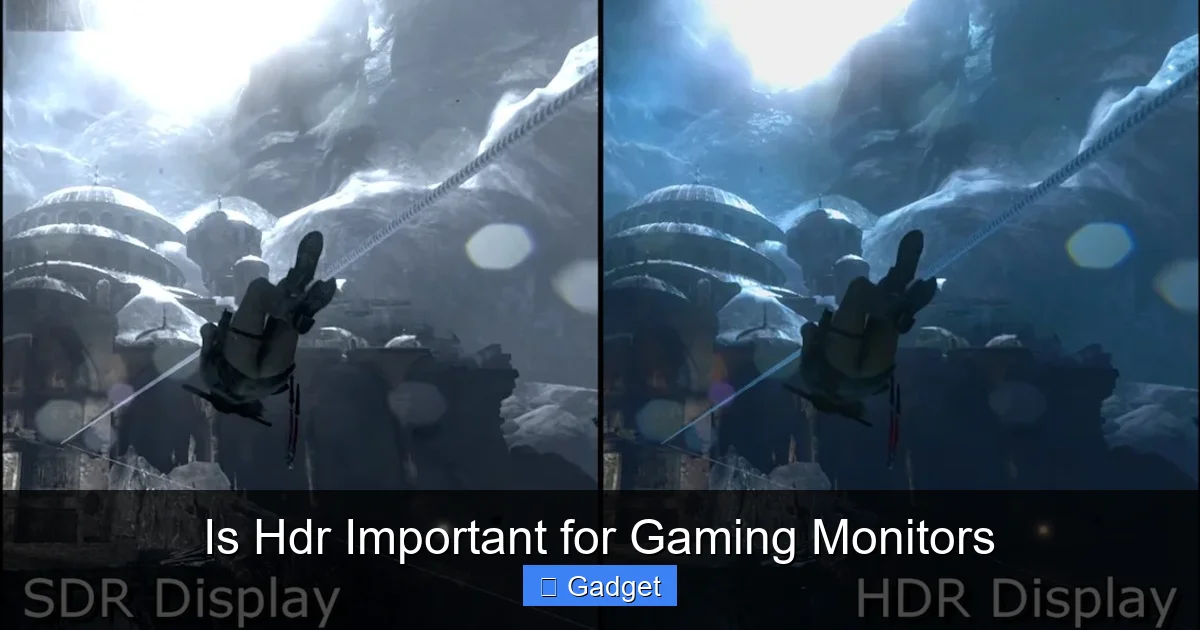
- Deeper Blacks and Brighter Whites: Games with high contrast scenes, like a brightly lit desert at noon or a starry night sky, truly shine. You can see details in the darkest corners of a dungeon without the whole scene looking grey, and the brightest lights don’t get blown out into pure white, retaining detail.
- Richer and More Vibrant Colors: The expanded color gamut means that the greens of foliage, the blues of the sky, and the reds of an explosion appear more vivid, saturated, and lifelike. This can make game worlds feel more alive and engaging.
- Improved Detail in Extreme Lighting: In scenes with both very bright and very dark areas, HDR allows you to see detail in both. This can be crucial for gameplay, helping you spot enemies hiding in shadows or avoid hazards in blinding light.
- Enhanced Atmosphere and Mood: Developers can use HDR to create more dramatic lighting scenarios that contribute significantly to a game’s atmosphere. Think of the mood created by flickering torchlight in a dark castle or the oppressive glare of a futuristic cityscape.
Better Gameplay Clarity
Beyond just looking pretty, HDR can sometimes offer practical gameplay advantages:
- Spotting Enemies in Shadows: In competitive shooters, the ability to see an enemy lurking in a dark corner can be the difference between winning and losing. Properly implemented HDR can make these details visible without sacrificing the overall visual quality.
- Navigating Complex Environments: Games with intricate environments can become clearer. Subtle visual cues that might be lost in SDR could be more apparent in HDR, helping you navigate more effectively.
The Downsides and Considerations of HDR Gaming
While the benefits are compelling, HDR isn’t a magic bullet. There are several important considerations and potential downsides to be aware of.
Visual guide about Is Hdr Important for Gaming Monitors
Image source: i.stack.imgur.com
The “Not All HDR is Created Equal” Problem
This is perhaps the biggest hurdle for consumers. The term “HDR” is often used loosely. A monitor might technically be HDR compatible, but its capabilities might be so limited that the effect is barely noticeable or even detrimental.
Understanding HDR Standards and Certifications
To help consumers navigate this, organizations like VESA (Video Electronics Standards Association) have introduced HDR certifications. These are crucial to understand:
- DisplayHDR 400: This is the entry-level certification. It requires 400 nits of peak brightness and a wide color gamut. While it’s technically HDR, the difference from high-end SDR monitors can be subtle for many users. It might offer a slight improvement in color, but the contrast boost is limited.
- DisplayHDR 600: This is a significant step up. It requires 600 nits of peak brightness and better contrast ratios, often with local dimming. This is where you start to see a more noticeable and impactful HDR experience.
- DisplayHDR 1000 and above: These are premium certifications, demanding 1000 nits or more of peak brightness, excellent contrast, and advanced local dimming or OLED technology. These monitors offer the most stunning HDR experiences.
Tip: Always check for these VESA certifications. A monitor advertised as “HDR Ready” or just “HDR” without a specific certification might be a disappointment.
Hardware and Software Requirements
To enjoy HDR, you need more than just an HDR monitor. Your entire chain needs to support it:
- Graphics Card (GPU): Your graphics card needs to be powerful enough to output HDR signals and potentially handle the increased rendering demands. Modern GPUs are generally capable, but older ones might struggle.
- Operating System: Your OS (Windows 10/11, macOS) needs to support HDR output.
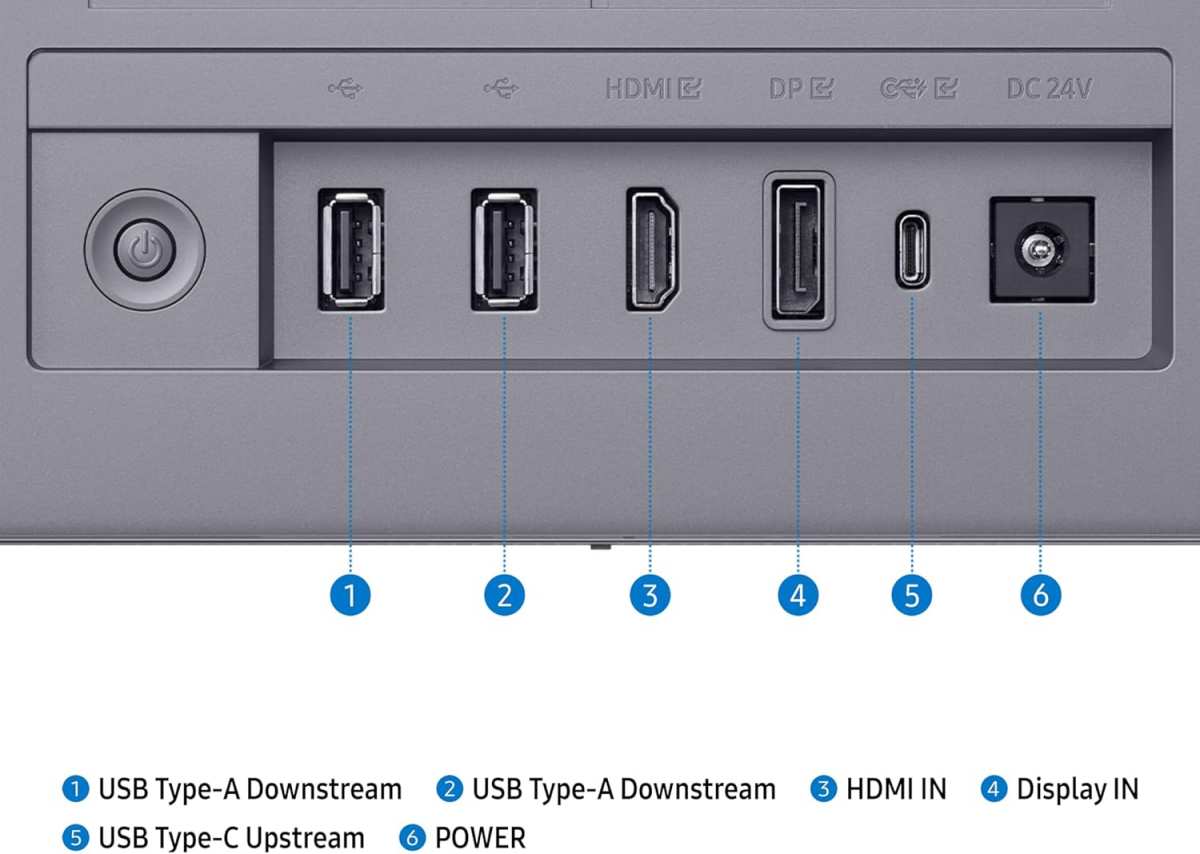
- Cables: You’ll need an appropriate cable, usually DisplayPort 1.4 or HDMI 2.0 or higher, capable of handling the higher bandwidth required for HDR signals.
- Content: Most importantly, the games you play must actually support HDR. Not all games are designed with HDR in mind, and even if they are, the implementation can vary wildly.
The Cost Factor
HDR gaming monitors, especially those with good HDR certifications (DisplayHDR 600 and above), tend to be more expensive than their SDR counterparts with similar specifications like resolution and refresh rate. This is due to the more advanced panel technology, backlighting systems, and processing required.
Potential for Poor Implementation
Even with a capable monitor, a game’s HDR implementation can be flawed:
- Washed-out Colors: Sometimes, HDR can make colors look less saturated or muddy if not calibrated correctly.
- Crushed Blacks: In other cases, the darkest areas can lose all detail, appearing as solid black.
- Eye Strain: The increased brightness and contrast, especially if too high, can be fatiguing for some users during long gaming sessions.
- Inconsistent Experience: You might find that HDR looks great in some games but is unnoticeable or even distracting in others.
How to Choose an HDR Gaming Monitor
So, you’re convinced HDR is something you want to explore. How do you pick the right monitor?
Step 1: Define Your Budget
Be realistic about what you can spend. Entry-level HDR (DisplayHDR 400) monitors are more affordable but offer minimal benefits. Mid-range (DisplayHDR 600) provides a good balance of performance and price. High-end (DisplayHDR 1000+) is a premium experience but comes with a premium price tag.
Step 2: Look for VESA DisplayHDR Certifications
As mentioned, this is your most reliable indicator of HDR quality. Prioritize monitors with DisplayHDR 600 or higher if you want a truly impactful HDR experience. If your budget is tight, DisplayHDR 400 is a starting point, but manage your expectations.
Step 3: Consider Panel Technology
- IPS Panels: Generally offer good color accuracy and wide viewing angles. They are common in mid-range HDR monitors.
- VA Panels: Excel at contrast ratios, making them good for deep blacks, which is beneficial for HDR. However, they can sometimes have slower response times and poorer viewing angles compared to IPS.
- OLED Panels: Offer perfect blacks, infinite contrast, and incredible response times. They are the pinnacle of HDR performance but are also the most expensive and can be susceptible to burn-in.
Step 4: Check Peak Brightness and Local Dimming
Higher peak brightness (nits) is essential for those bright highlights. For deeper blacks and better contrast, look for monitors with effective local dimming zones. The more zones, and the more sophisticated the dimming technology, the better the HDR effect will be. Mini-LED backlighting is becoming increasingly common in high-end HDR monitors and offers a good balance between brightness and local dimming capability.
Step 5: Ensure Your Hardware is Compatible
Double-check that your graphics card, cables, and operating system can handle HDR output. Most modern systems are fine, but it’s always good to confirm.
Step 6: Research Specific Games You Play
Look up reviews or forum discussions about how HDR performs in the specific games you enjoy. Some games have excellent HDR implementations, while others are less successful. This can help you gauge how much value HDR will bring to *your* personal gaming library.
Is HDR a Must-Have for Gaming Monitors in 2024?
The answer is nuanced. For many gamers, especially those who prioritize visual fidelity and immersion above all else, a good HDR monitor is becoming increasingly important. The leap in visual quality from SDR to a well-implemented HDR experience can be genuinely breathtaking.
However, for budget-conscious gamers, those playing older titles, or individuals who prioritize raw performance metrics like refresh rate and response time above all else, HDR might still be a secondary concern. A high-quality SDR monitor can still provide an exceptional gaming experience.
Here’s a simple decision tree:
- Do you want the absolute best visual experience and are willing to pay for it? Yes -> Look for DisplayHDR 600 or 1000+ monitors.
- Are you on a tighter budget but still want a noticeable improvement over SDR? Yes -> Consider DisplayHDR 400 or entry-level DisplayHDR 600.
- Are you primarily focused on competitive gaming where every millisecond counts, and budget is a concern? Maybe -> A top-tier SDR monitor might be a better fit.
- Do you play a lot of older games or games with known poor HDR implementation? Maybe -> Invest in a great SDR monitor and save HDR for newer titles.
Conclusion
So, is HDR important for gaming monitors? The answer is evolving. For the most immersive and visually stunning gaming experiences, a good HDR monitor is undoubtedly a significant upgrade. The ability to see more detail in bright highlights and dark shadows, coupled with richer, more vibrant colors, can transform how you perceive game worlds.
However, the effectiveness of HDR is highly dependent on the quality of implementation, both on the monitor itself and within the games you play. Entry-level HDR can be underwhelming, and poorly implemented HDR can be worse than no HDR at all. It also comes with added costs and potential hardware considerations.
Ultimately, whether HDR is “important” for *you* depends on your priorities, budget, and the type of games you play. If you’re looking to push the boundaries of visual realism and can invest in a quality HDR display, it’s a feature that can dramatically enhance your gaming. If budget or simplicity are your main concerns, don’t discount the excellent experiences still offered by high-quality SDR monitors. Make an informed choice based on what truly matters for your gaming setup!

Similar Posts