Is 144Hz Monitor Future Proof
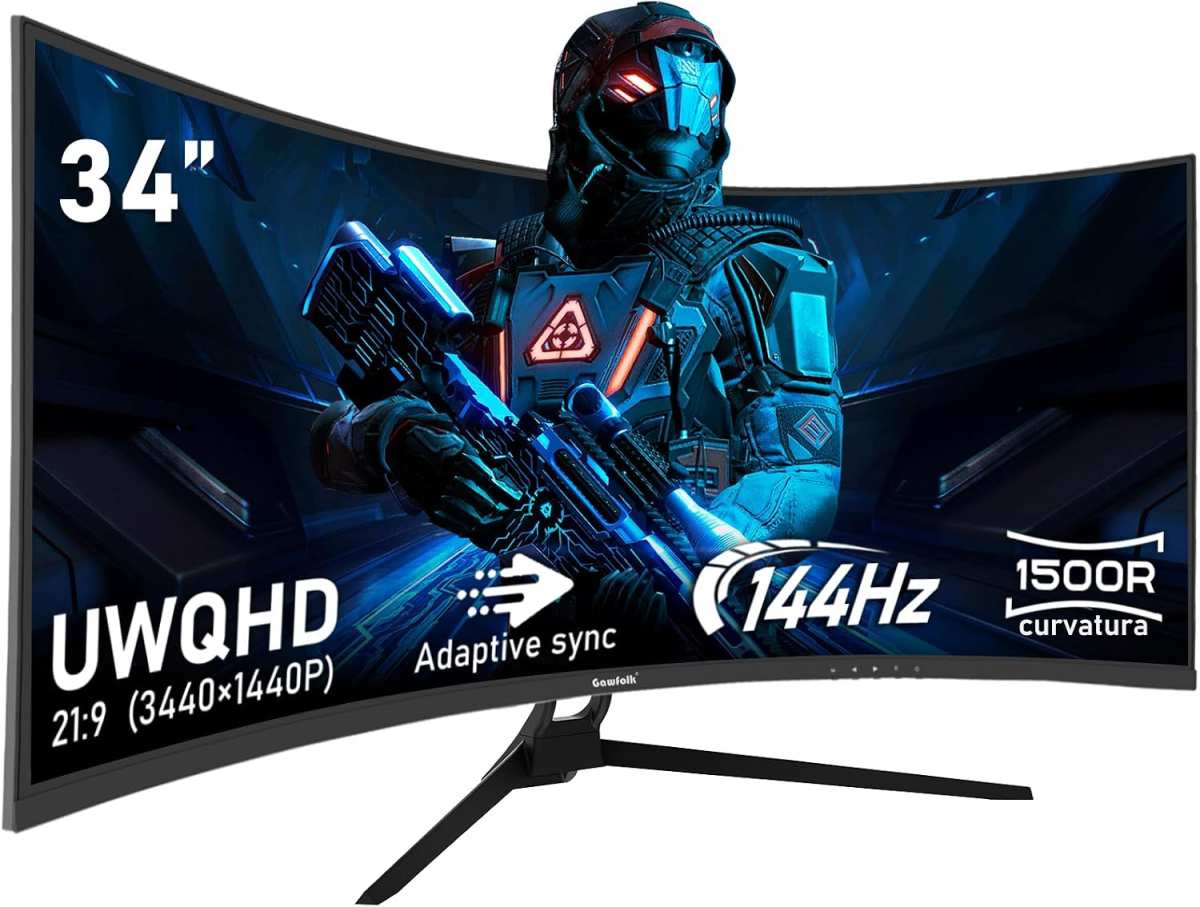
Let's cut straight to it. If you're wondering is 144hz monitor future proof, the honest answer is yes for most people, but with real caveats that depend entirely on what you play, what hardware you own, and what resolution you're running. A 144Hz display still delivers a genuinely smoother experience over 60Hz, and it's not going obsolete anytime soon.
The catch is that "future proof" doesn't mean "best forever." As of 2026, 240Hz and 360Hz panels have become the new standard for competitive gaming, and 4K 144Hz monitors are dropping in price fast. So 144Hz sits in an interesting middle ground. It's mature, affordable, and widely supported, but it's no longer the ceiling.
Let's break down what that actually means for your next purchase.
Quick Answer
144Hz remains a solid choice for most gamers in 2026. It delivers smooth motion and low input lag at a reasonable price. It's not the cutting edge anymore, but it's far from outdated.
For competitive esports players, higher refresh rates offer diminishing returns. For everyone else, 144Hz hits the sweet spot.
What "Future Proof" Actually Means for Monitors
Future proofing a monitor means buying something that won't feel limiting two to three years from now. For a display, that comes down to three things. Can your GPU push enough frames to take advantage of the refresh rate?
Are the resolution and panel technology still competitive? And will the connectivity standards remain relevant?
A 144Hz monitor checks most of those boxes for 1080p and 1440p gaming. The technology is mature, meaning manufacturers have refined it over years of production. You're not buying into a dying standard the way you would with, say, a 75Hz panel in 2026.
But here's the thing most people miss. Future proofing depends way more on your GPU than your monitor.
If you buy a 144Hz 4K display but your graphics card can only push 60 frames per second at that resolution, you've wasted your money. The monitor doesn't create smoothness. Your hardware does.
So when we talk about whether 144Hz is future proof, we're really asking whether your system can sustain 144 FPS in the games you play, at the resolution you want, with settings you find acceptable.
For a mid-range PC targeting 1080p or 1440p, 144Hz is absolutely still relevant. For a high-end rig pushing 4K, you might want to look at 4K 144Hz panels that have become significantly more affordable over the past year.
How Refresh Rates Work and Why 144Hz Became the Sweet Spot
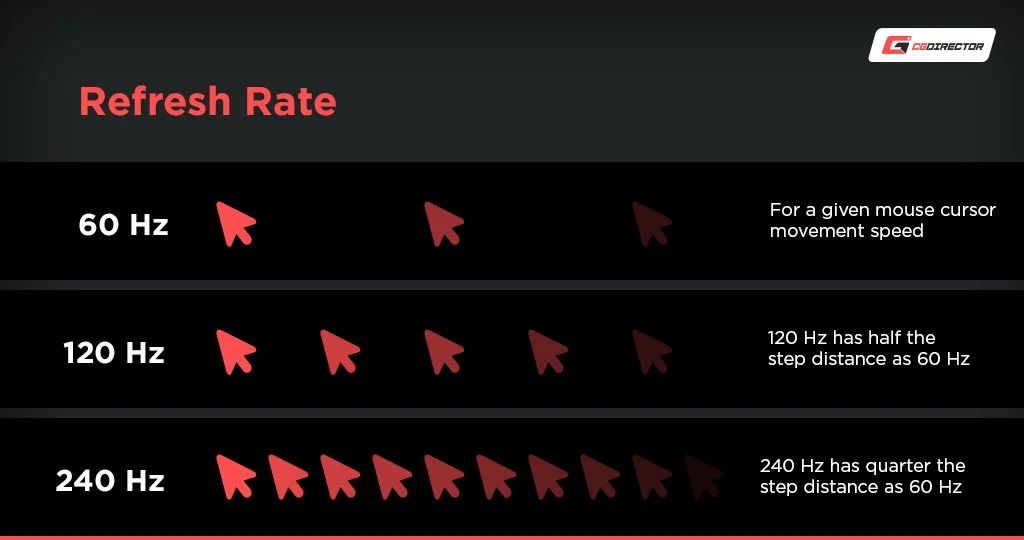
Refresh rate is simply how many times per second your monitor draws a new image. A 60Hz display refreshes 60 times per second. A 144Hz display refreshes 144 times.
That means each frame lasts just 6.94 milliseconds on a 144Hz panel compared to 16.67 milliseconds on a 60Hz one.
The jump from 60Hz to 144Hz is dramatic. Motion looks noticeably smoother, input lag drops, and tracking fast-moving objects in games becomes easier. Your eyes pick up on the difference immediately, even on the desktop just moving a mouse cursor around.
It's one of those things that's hard to unsee once you've experienced it.
144Hz became the gaming sweet spot because it hit the right balance of performance and affordability. Early high-refresh monitors were expensive and required top-end hardware to drive. As panel manufacturing matured, prices dropped steadily.
By 2020, 144Hz was the default recommendation for anyone building a gaming PC. It remained that way for years.
But here's where things get interesting. The human eye doesn't see in frames per second. Perception of smoothness improves at higher refresh rates, but the gains diminish.
Going from 60Hz to 144Hz is a massive leap. Going from 144Hz to 240Hz is noticeable but smaller. Going from 240Hz to 360Hz is subtle and mostly relevant to professional esports players.
That diminishing return curve is exactly why 144Hz has stayed relevant so long. It sits at the point where the experience improvement is huge but the hardware demands are reasonable. You don't need a $1,500 GPU to hit 144 FPS in most competitive titles at 1080p.
A solid mid-range card will do it.
144Hz vs 60Hz: The Difference You'll Actually Notice
This isn't even close. If you've been gaming at 60Hz and you switch to 144Hz, the difference hits you within seconds. Everything feels more responsive.
Camera movements in third-person games feel fluid. Aiming in first-person shooters feels tighter and more precise. Even scrolling a web page feels smoother.
The reason comes down to two things: motion clarity and input lag. At 144Hz, objects in motion appear sharper because the display updates more frequently. There's less perceived blur.
And because the screen refreshes faster, the delay between your mouse click and what you see on screen shrinks. We're talking about roughly 10 milliseconds less input lag compared to 60Hz.
For competitive gaming, that matters. A lot. Professional players across titles like Counter-Strike 2, Valorant, and Apex Legends overwhelmingly use high-refresh displays.
It's not just preference. It's a measurable advantage. You see enemies sooner, you track targets more easily, and your reactions translate to the screen faster.
For casual or single-player gaming, the benefit is more about enjoyment than competition. Games feel more immersive when motion is smooth. It's the difference between watching a slideshow and watching a video.
Once you've experienced 144Hz, going back to 60Hz feels sluggish and stuttery.
Here's a quick comparison to put it in perspective:
| Factor | 60Hz | 144Hz |
|---|---|---|
| Frame time | 16.67ms | 6.94ms |
| Motion clarity | Noticeable blur | Significantly sharper |
| Input lag | Higher | ~10ms lower |
| Competitive advantage | Baseline | Measurable improvement |
| GPU requirement | Moderate | Moderate to high |
| Price (as of 2026) | $100–$200 | $150–$400 |
The price gap between 60Hz and 144Hz has narrowed so much that there's almost no reason to buy a new 60Hz gaming monitor in 2026. Even budget 144Hz panels perform well. Unless you're strictly using a display for office work or media consumption, 144Hz is the baseline you should be targeting.
144Hz vs 240Hz vs 360Hz: Is Going Higher Worth It?
This is where the "future proof" question gets complicated. 240Hz monitors have been around for a few years now, and 360Hz panels are becoming more common in the esports space. So is 144Hz starting to look slow?
The short answer: not for most people. Let's break down who actually benefits from going above 144Hz.
240Hz makes sense if you play competitive FPS titles at the highest level and your GPU can consistently push 240+ FPS. We're talking about games like Valorant, CS2, and Overwatch 2 at 1080p with competitive settings. The improvement over 144Hz is real but smaller.
You'll notice slightly smoother tracking and marginally lower input lag. For casual players, it's overkill.
360Hz is almost exclusively for professional or aspiring esports athletes. The hardware demands are extreme. You need a top-tier GPU and a CPU that can push 360+ FPS consistently.
Even then, the perceptual difference from 240Hz to 360Hz is subtle. Unless you're competing for prize money, it's hard to justify the cost.
Here's the reality check most reviews won't tell you. If your GPU can't sustain the frame rate that matches your refresh rate, buying a higher refresh monitor gives you zero benefit. A 360Hz display running at 150 FPS looks worse than a 144Hz display running at 144 FPS because of frame stuttering and inconsistent frame times.
The sweet spot depends on your situation:
- 1080p mid-range GPU (RTX 4060, RX 7600): 144Hz is your target. You'll hit 144+ FPS in esports titles and 60, 100+ FPS in demanding AAA games.
- 1440p upper-mid GPU (RTX 4070, RX 7800 XT): 144Hz works great. Consider 240Hz if you mainly play competitive games.
- 4K high-end GPU (RTX 4080/4090, RX 7900 XTX): Look at 4K 144Hz or 4K 240Hz panels. 144Hz at 4K is fine but you're leaving performance on the table.
For future proofing specifically, 144Hz remains the safest bet for the majority of gamers. The hardware required to drive 240Hz or 360Hz at meaningful resolutions is still expensive. Games are also getting more demanding.
Titles like Cyberpunk 2077, Alan Wake 2, and Starfield push even high-end hardware to its limits at 1440p and above.
The honest truth is that 144Hz has reached a point of really good enough for most use cases. Going higher is a luxury, not a necessity. And that's exactly why 144Hz monitors aren't going anywhere.
They'll remain relevant for years because the value proposition is just too strong.

Similar Posts





















