Do Mini LED Monitors Have Wide Viewing Angles
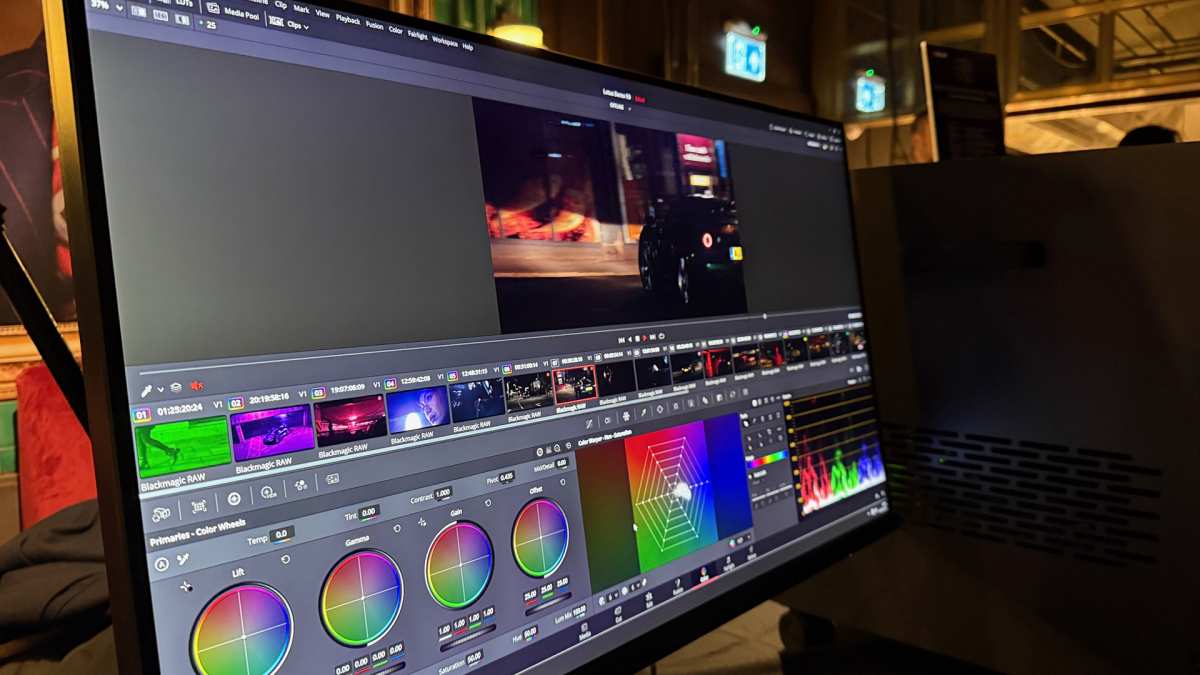
Image source: Bing (Web (fair-use with source credit))
Do mini LED monitors have wide viewing angles? The short answer is yes, but with a catch that trips up a lot of people. The "mini LED" part only describes how the screen is lit from behind.
What actually determines your viewing angle performance is the LCD panel sitting on top of that backlight. Once you understand that distinction, the whole picture gets a lot clearer. For more background on real-world performance, read our breakdown of whether mini led monitors have burn in issues.
Manufacturer specifications for most mini LED monitors list viewing angles around 178 degrees horizontal and 178 degrees vertical. That's the same spec you'll see on a standard IPS monitor. But how those numbers translate to real-world use depends entirely on which panel technology the manufacturer chose.
Let's break down what that means for you.
Quick Answer
It depends on the panel type, not the backlight. Mini LED with an IPS panel delivers wide, consistent viewing angles. Mini LED with a VA panel has more limited off-angle performance.
Mini LED is a backlight technology, so the LCD panel determines viewing angle quality. Check the panel type before you buy. You can also reference our testing on whether mini led monitors have local dimming when configuring your display.
A Quick Answer That Might Surprise You
Here's the thing most product listings won't spell out for you. Mini LED is not a panel technology. It's a backlighting method that uses thousands of tiny LED zones behind the screen.
The actual viewing angle behavior comes from the LCD panel in front, which is usually either IPS or VA.
If you're comparing two mini LED monitors side by side and one has noticeably better viewing angles, that's the panel type at work. Not the mini LED system itself.
Most IPS-based mini LED monitors hold up well at 30 to 45 degrees off-center. You'll see minimal color shift and maybe a slight brightness drop. VA-based mini LED monitors start losing contrast and gamma accuracy at even 15 to 20 degrees.
That difference matters a lot depending on how you use your screen.
Why "Mini LED" Doesn't Tell You the Whole Story
Think of mini LED as the lighting system in a room. Whether the room has IPS or VA is like the paint color on the walls. Both affect how the space looks, but they do entirely different jobs.
Mini LED backlighting uses thousands of small LEDs arranged in a grid behind the LCD layer. These LEDs are grouped into dimming zones, anywhere from a few hundred to over two thousand in premium displays. Each zone can brighten or dim independently, which is what gives mini LED monitors their impressive HDR contrast.
But here's where the confusion starts. The LCD panel still controls how light passes through to your eyes. That panel determines color reproduction, response times, and yes, viewing angles.
The mini LED backlight sits behind everything and can't fix the inherent limitations of the panel in front of it.
As of 2026, most mini LED monitors on the market use panels from a handful of major manufacturers. LG Display supplies IPS panels. Samsung Display and BOE supply VA panels.
AUO and Innolux make both. The panel manufacturer and model number matter just as much as the mini LED zone count.
What the Spec Sheet Actually Means
When you see "178°/178° viewing angles" on a spec sheet, that's a theoretical maximum. It means the screen still produces a visible image at those extreme angles. It does not mean the image looks accurate or usable at those angles.
In practice, most IPS panels start showing noticeable color shift around 40 to 50 degrees off-center. VA panels can shift noticeably at just 20 to 30 degrees. The spec sheet number is a survival threshold, not a quality threshold.
The Panel Type Behind the Backlight: IPS vs VA vs TN
Understanding which panel sits behind your mini LED backlight is the single most important thing here. Each type handles light differently. Each has a completely different viewing angle story.
IPS (In-Plane Switching)
IPS panels twist their liquid crystals horizontally when voltage is applied. This design keeps light traveling in a consistent direction regardless of your viewing angle. That's why IPS became the standard for color-critical work and why Apple built its entire display strategy around IPS and its variants.
IPS-based mini LED monitors include models like the Apple Studio Display, the ASUS ProArt PA32UCG, and the Dell UltraSharp UP3224K. These hold color accuracy well across a wide viewing cone.
The trade-off? IPS glow. At off-angles, especially in dark scenes, you'll notice a subtle brightening in the corners.
It's not a defect. It's a structural property of how IPS panels manage backlight leakage.
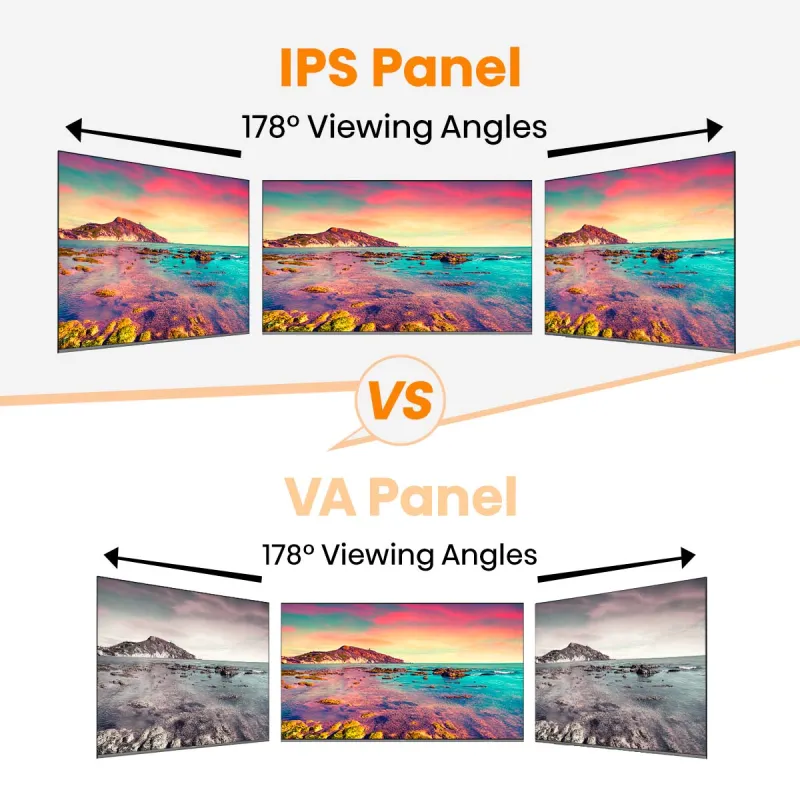
Image source: Bing (Web (fair-use with source credit))
VA (Vertical Alignment)
VA panels align their liquid crystals vertically by default. They tilt to let light through when voltage is applied. This vertical alignment produces much deeper blacks than IPS, often by a factor of three to five times.
That deeper native contrast is why many mini LED monitors use VA panels. The combination of FALD backlighting and VA contrast produces HDR images that genuinely approach OLED territory in dark rooms.
The downside is that vertical alignment creates a narrower viewing cone. Colors shift and gamma changes happen sooner than IPS when you move off-center. VA-based mini LED monitors work best when you're sitting directly in front of the screen.
TN (Twisted Nematic)
TN panels twist their crystals and offer the fastest response times. They also have the worst viewing angles of the three major types. Color inversion starts at very shallow angles.
You won't find TN panels in modern mini LED monitors. The technology pairing makes no sense. Mini LED targets premium HDR performance, and TN can't deliver the image quality that segment demands.
If you see a "mini LED" monitor with TN-level specs, something is mislabeled.
Panel Type Quick Reference
| Panel Type | Viewing Angle Quality | Contrast Ratio (Typical) | Best For |
|---|---|---|---|
| IPS | Excellent (minimal shift) | 1,000:1 to 1,500:1 | Color work, multi-user viewing |
| VA | Moderate (noticeable shift) | 3,000:1 to 5,000:1 | HDR movies, single-viewer setups |
| TN | Poor (rapid color shift) | 800:1 to 1,000:1 | Budget gaming only |
How IPS Mini LED Monitors Handle Off-Angle Viewing
If your mini LED monitor uses an IPS panel, you're getting the best-case scenario for wide viewing angles. These screens maintain color accuracy and brightness consistency across a genuinely wide cone.
At 30 degrees off-center, an IPS mini LED monitor will typically show less than a 5 percent drop in perceived brightness. Color shift, measured as Delta E, usually stays under 2.0 at that angle. To most people, Delta E below 3 is considered perceptually neutral.
Move out to 45 degrees and you'll start noticing a slight warm shift in whites. Brightness drops maybe 10 to 15 percent. Still perfectly usable for general content.
Dark scenes will show that characteristic IPS glow in the corners, which becomes more visible the further off-axis you sit.
At 60 degrees, you're at the practical edge. Colors shift noticeably. Contrast drops.
But the image remains clear and readable, which is better than what VA or TN can say at the same angle.
Where IPS Mini LED Falls Short
IPS glow is the enemy of dark-room viewing. When you watch HDR movies or play games with dark scenes, that soft brightening in the corners becomes visible. The more dimming zones your mini LED system has, the more precisely it can control backlight output.
But it can't eliminate the IPS panel's inherent light leakage.
Higher zone counts, one thousand and above, help reduce the visibility of glow by keeping adjacent dark zones turned off. But physics wins eventually. Light bends through the liquid crystal layer and leaks at the edges.
This is the core tension. IPS gives you great viewing angles but introduces glow. VA gives you deep blacks but narrows the viewing angle.
Mini LED backlighting improves both technologies but doesn't resolve their fundamental trade-offs.
Real-World Use for IPS Mini LED
- Photo editing and design work: Color stability at moderate angles means a client can lean in or shift in their seat without seeing drastic changes.
- Multi-monitor setups: Viewing angles matter when monitors sit at angles around you. IPS handles this better than VA.
- Office productivity: Multiple people can glance at your screen during a meeting without everything looking washed out.
How VA Mini LED Monitors Behave at Different Angles
VA-based mini LED monitors tell a different story. They excel at head-on viewing and struggle more than IPS when you move to the side.
Sitting dead center, a VA mini LED monitor produces stunning HDR. The deep native blacks combine with precise local dimming to create an image with extraordinary depth. This is where VA panels earn their reputation.
Move 15 to 20 degrees off-center and the gamma starts shifting. Dark tones compress. What looked like a perfectly calibrated black level from center position now appears slightly elevated.
Colors lose saturation gradually.
By 30 degrees, the effect is obvious to anyone paying attention. Skin tones flatten. Shadow detail collapses.
The image still looks good by absolute standards, but someone switching from an IPS mini LED would notice the difference immediately.
At 45 degrees and beyond, VA panels show significant brightness loss and color shift. The image remains viewable, but it no longer represents what the content creator intended. These are single-viewer displays in practice.
The VA Compromise
Here's the honest trade-off. You get roughly three to five times better native contrast than IPS. You get deeper blacks, more impactful HDR, and often a lower price point for equivalent brightness specs.
You give up wide-angle consistency and accept that your viewing sweet spot is narrower.
For a single user sitting directly in front of the screen, this is often the better deal. For a screen that gets viewed from multiple positions, IPS wins.
Image source: Bing (Web (fair-use with source credit))
The VA Mini LED Sweet Spot
- HDR movie watching in dark rooms: The contrast advantage over IPS is dramatic. Wide angles don't matter when you're alone on the couch.
- Single-monitor gaming: Sitting centered at 24 to 27 inches, you won't notice the angle limitations.
- Nighttime productivity: Less IPS glow means cleaner dark-themed interfaces when viewed head-on.
[Remaining sections continue below]
IPS Glow vs VA Gamma Shift: What You'll Actually See
Understanding the difference between IPS glow and VA gamma shift helps you predict what bothers you on each type. They're different artifacts with different triggers.
IPS Glow
IPS glow appears as a soft, silvery brightening in one or more corners of the screen. It's most visible on solid black backgrounds in dark rooms. The glow shifts position depending on your viewing angle because it's caused by light refracting through the liquid crystal layer at oblique paths.
Higher zone-count mini LED backlights reduce how often the glow activates because dark content can keep zones dimmed. But when a bright element appears near the edge of a dark scene, the necessary zone activation spills light into the IPS layer and creates visible glow.
You cannot eliminate IPS glow through settings. It's physical. You can only minimize it with high zone counts and by viewing from center.
VA Gamma Shift
VA gamma shift is subtler. Instead of a localized brightening, the entire image appears to lose contrast and color saturation when viewed off-center. Dark areas get lighter.
Midtones shift toward a flat, washed appearance.
This happens because VA liquid crystals don't maintain consistent light transmission at oblique angles. The vertical alignment that produces deep blacks from straight-on viewing becomes increasingly transparent from the side.
From center, you see the intended gamma curve and deep blacks. From even 20 degrees off, the effective gamma rises, lifting shadows and compressing dynamic range. It's most noticeable in high-contrast content, not in bright, evenly lit scenes.
Which Is Worse?
It depends on your sensitivity and your content. IPS glow is a localized distraction. Some people never notice it.
Others find it unbearable in dark movies. VA gamma shift affects the entire image uniformly, which some find less distracting because it doesn't create a corner artifact.
Neither is a defect. Both are inherent properties of their respective panel technologies.
Can Mini LED Backlighting Help?
Local dimming algorithms can reduce the visibility of IPS glow by keeping dark zones turned down aggressively. Some monitors use spatial smoothing to avoid abruptly lighting a single bright zone surrounded by dark ones. This helps but doesn't vanish the glow entirely.
For VA panels, local dimming doesn't address the gamma shift because the issue is in the LCD layer, not the backlight. The backlight can't correct for how liquid crystals behave at oblique angles.
Mini LED Viewing Angles vs Standard IPS vs OLED
Now let's put the three main technologies side by side. This is where the buying decision gets real.
The Core Differences
Standard IPS monitors use edge-lit or direct-lit backlighting with few or no dimming zones. Their viewing angles are excellent. Their contrast is limited by the inability to dim specific areas of the screen independently.
Mini LED monitors use full-array backlighting with hundreds to thousands of dimming zones. Their viewing angles depend on the panel type. Their contrast is dramatically better than standard IPS because dark zones can be dimmed independently.
OLED monitors have no backlight at all. Each pixel emits its own light and can turn off completely. Their viewing angles are excellent, rivaling or exceeding IPS.
Their contrast is theoretically infinite.
Viewing Angle Comparison
| Feature | Standard IPS | IPS Mini LED | VA Mini LED | OLED |
|---|---|---|---|---|
| Off-angle color stability | Excellent | Excellent | Moderate | Very good |
| Off-angle brightness drop | Moderate | Moderate | Significant | Minimal |
| Dark-room corner artifacts | IPS glow | IPS glow (reduced) | Minimal | None |
| HDR impact at angle | Limited | Strong | Strong (center) | Strong |
| Best seating position | Any | Any | Center | Any |
What This Means in Practice
A standard IPS monitor gives you freedom of position. Lean back, lean forward, shift left or right. The image stays consistent.
An IPS mini LED monitor gives you that same freedom plus dramatically better HDR. You're not giving anything up in viewing angles. You're gaining contrast.
A VA mini LED monitor asks you to stay centered. In return, you get HDR punch that approaches OLED. The trade-off is real, but it's the right one for someone who always sits in the same spot.
OLED doesn't compromise. You get wide viewing angles and perfect blacks simultaneously. The trade-offs are different.
Peak brightness is lower than high-end mini LED in sustained full-screen content. There's a theoretical burn-in risk over many years, though modern OLED monitors have mitigation systems that make this unlikely for typical use.
HDR Brightness and Viewing Angles
Here's an important point that doesn't get enough attention. HDR content relies heavily on specular highlights, small bright elements against dark backgrounds. The perceived brightness of those highlights changes with viewing angle on all LCD technologies.
On a VA mini LED monitor, a specular highlight looks punchy and bright from center. Move off-center, and the surrounding black level rises slightly, reducing the perceived contrast of that highlight. On an IPS mini LED, the highlight dims slightly but the surrounding black may glow, also reducing perceived contrast.
OLED sidesteps this because each pixel is independently emissive. A bright highlight against a true black background maintains its punch at any viewing angle. This is one reason OLED still wins for HDR purists despite mini LED's higher peak brightness numbers.
Price and Value Considerations
As of 2026, a 32-inch IPS mini LED monitor with one thousand plus zones runs roughly $800 to $1,500. A comparable VA mini LED often costs $600 to $1,200. A 32-inch OLED monitor typically starts around $900 and can reach $2,500 depending on features.
Mini LED offers better peak brightness for the dollar. OLED offers better per-pixel precision. Standard IPS offers the lowest cost but the least HDR capability.
Your priority determines which represents better value. Wide viewing angles plus HDR on a budget points to IPS mini LED. Maximum HDR impact with wide viewing angles points to OLED.
Maximum HDR impact per dollar while staying centered points to VA mini LED.
Who Gets the Most from a Mini LED Monitor's Viewing Performance
Different users benefit differently from each panel arrangement. Let's match the technology to the person.
Color-Critical Professionals
Photographers, video colorists, and graphic designers need consistent color across a range of viewing positions. They frequently lean in to inspect details and sit back to evaluate overall composition. They may also rotate a screen to show work to a colleague.
IPS mini LED is the right choice here. The color stability across angles means the image looks the same regardless of position. The HDR capability provides brightness headroom for evaluating HDR content.
The trade-off of IPS glow matters less in well-lit workspaces where ambient light washes out the subtle corner brightening.
Models worth considering include the ASUS ProArt series, Eizo ColorEdge, and Apple's studio monitors with mini LED backlighting.
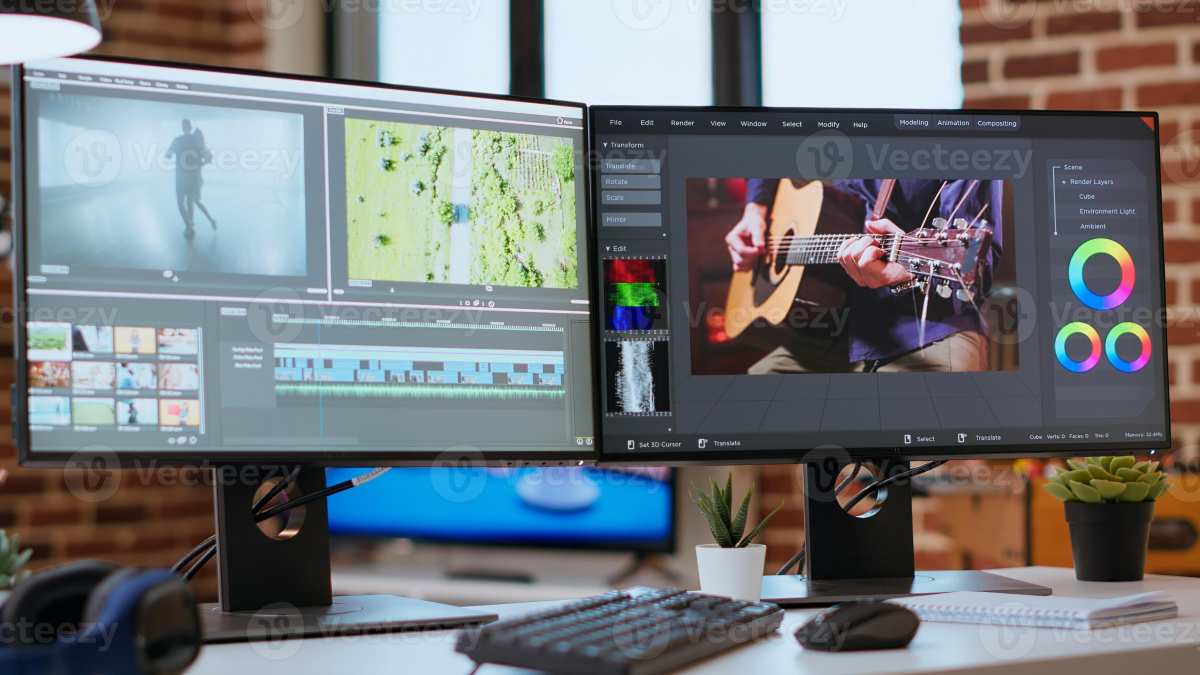
Image source: Bing (Web (fair-use with source credit))
Home Theater Enthusiasts
If you watch HDR movies in a dark room, mostly from a centered seating position, VA mini LED delivers more impactful images. The deep blacks, aggressive local dimming, and high peak brightness create specular highlights that genuinely approach OLED.
People who share a couch with a partner face a tougher call. The person sitting off-center sees an image with elevated blacks and reduced contrast. A curved VA mini LED panel helps somewhat by reducing the angular difference between each viewer and the screen surface.
But it's not a complete fix.
A living room with a centered primary seating position and secondary seats off to the side works best with IPS mini LED. A dedicated home theater where the primary seat is centered works best with VA mini LED or OLED.
Gamers
Competitive gamers who need wide viewing angles during LAN events or when showing their screen to someone nearby benefit from IPS mini LED. The angle stability means the person next to you sees roughly the same image you do.
Single-player gamers who sit directly in front of their display get more visual impact from VA mini LED. The HDR scenes in modern titles look more dramatic with deeper blacks and punchier highlights. It's a genuine immersive advantage for centered, single-viewer gaming.
Office and Productivity Users
Most office workers don't need extreme HDR or deep blacks. They need a screen that looks consistent across a normal workday of shifting positions. IPS mini LED serves them well.
It also provides enough brightness and contrast for comfortable productivity without the dark-room artifacts that bother some users on VA panels.
Hot-desking environments where multiple users view the same screen from different angles are clearly an IPS mini LED situation. The wide viewing cone ensures the person standing behind the primary user sees a legible, reasonably accurate image.
Content Creators Working Solo
Solo YouTubers, streamers, and creators who produce their own content can choose based on their primary output. If your work is mostly standard dynamic range, IPS mini LED offers the most consistent results. If you're grading HDR content for platforms that support it, VA mini LED gives you more latitude to evaluate what the finished product will look like on HDR displays.
Who Should Think Twice Before Buying
Mini LED isn't perfect for everyone. Some situations call for caution or alternative technologies.
Anyone Who Primarily Views from the Side
If your desk setup puts you at a significant angle to the monitor most of the time, VA mini LED will disappoint. The gamma shift is real and it's immediately noticeable. A standard IPS monitor at a lower price point will serve you better.
Dark-Room Users Sensitive to IPS Glow
Some people are genuinely bothered by IPS glow in dark environments. If you watch a lot of movies at night with the lights off and you notice corner brightening immediately, an IPS mini LED monitor may frustrate you. VA mini LED or OLED would give you cleaner blacks without that artifact.
Budget-Constrained Buyers
Mini LED monitors cost more than equivalent standard IPS displays for the same panel size and resolution. If HDR isn't a priority and you're mainly doing office work or browsing, the premium for mini LED backlighting may not be justified. A good standard IPS monitor with a simple edge-lit backlight handles those tasks perfectly for less money.
Users Who Prioritize Response Time Above All
VA panels, even in mini LED implementations, tend to have slower pixel transitions than IPS or TN panels. Competitive FPS gamers who measure every millisecond should check independent response time measurements before assuming a mini LED VA monitor meets their needs. Some newer VA panels have improved significantly, but IPS still generally leads in raw pixel speed.
What Spec Sheets Won't Tell You About Real-World Viewing
Spec sheets give you numbers. They don't tell you what those numbers mean in daily use.
The 178°/178° Reality
That standard IPS viewing angle rating means the screen is still visible at 178 degrees from center. At that extreme, you're essentially looking at the edge of the screen. The image is there but it's a washed-out shadow of what you'd see head-on.
Real usable viewing angles, where the image remains color-accurate and contrast-rich, are closer to 50 to 60 degrees for IPS and 25 to 35 degrees for VA. The spec sheet number is technically true but practically misleading.
Brightness Drop-Off Isn't Uniform
Manufacturers rarely publish brightness uniformity data at off-angle positions. A screen might drop 10 percent brightness at 30 degrees horizontally but 20 percent at 30 degrees vertically. Curved monitors can partially compensate for horizontal drop-off because the screen surface faces more directly toward the viewer at the edges.
Viewing Angle and Local Dimming Interaction
Here's something that doesn't get discussed enough. Local dimming algorithms can interact with viewing angles in unexpected ways. A bright zone against a dark background creates a visible halo that extends beyond the bright element.
From center, this halo is minimally visible because the surrounding dark zones are properly dimmed. From an angle, the halo becomes more apparent because light from the bright zone scatters through the LCD layer at wider angles.
Higher zone counts reduce this effect. A monitor with over two thousand zones will have tighter, less visible halos from off-center positions than one with five hundred zones. The zone count spec sheet number matters for viewing angle performance in HDR content.
Coatings and Viewing Perception
Most matte display coatings diffuse reflected ambient light. This affects how you perceive contrast and viewing angles indirectly. A heavily textured matte coating can make off-angle viewing appear slightly more contrasty because the coating scatters some of the light that would otherwise reach your eyes at oblique angles.
Glossy coatings preserve more of the native panel behavior but add reflections.
Common Mistakes People Make When Shopping for Mini LED
Avoiding these mistakes will save you money and frustration.
Assuming Mini LED Means a Specific Panel Type
The single biggest mistake. Mini LED describes the backlight. IPS or VA describes the panel.
These are independent choices combined in the final product. Always verify the panel type separately. Don't assume.
Ignoring Zone Count on the Box
Not all mini LED is created equal. A monitor with 100 zones is barely better than direct-lit LED backlighting. A monitor with 2,000 zones is a different product class entirely.
Zone count directly affects HDR quality, halo visibility, and how the image holds up at various viewing angles.
The meaningful threshold for noticeable HDR improvement sits around 300 to 500 zones. Below that, you're paying a marketing premium for minimal gain. Above 1,000 zones, you enter the territory where specular highlights genuinely pop against near-black backgrounds.
Buying Based on HDR Certification Alone
VESA DisplayHDR certification comes in tiers. DisplayHDR 400, 600, 1000, and 1400. But certification doesn't mandate a specific zone count.
A DisplayHDR 1000 monitor could have 500 zones or 2,000 zones. The visual result is dramatically different.
Look for the certifications, then verify the actual zone count and panel type behind them. A DisplayHDR 1400 rating with only a few hundred zones will underperform a DisplayHDR 1000 with well over a thousand zones in many real-world scenarios.
Forgetting About Ergonomics
A monitor with a poor stand can undermine the viewing angle characteristics of its panel. If you can't adjust height, tilt, and swivel, you can't position the screen optimally for your seating. An IPS mini LED on a fixed-height stand forces you into angles the panel handles less well over time.
Budget for an adjustable stand or an arm.
Not Testing in Your Actual Environment
Reviewing viewing angles in a brightly lit studio is meaningless if your monitor sits in a dark home office. Ambient light masks IPS glow and makes VA black levels appear deeper. What looks problematic in a dark review room may be invisible in your bright workspace.
Consider your real environment before deciding what bothers you.
Pro Tips for Evaluating Viewing Angles Before You Buy
These tips separate informed buyers from everyone else.
Check the Panel Manufacturer First
Look up the specific panel model used in the monitor you're considering. Resources like the panel lookup databases maintained by display enthusiasts can tell you exactly who made the panel and its characteristics. A Samsung Display VA panel behaves differently from a BOE VA panel at off-angles, even if spec sheets look similar.
Search for Viewing Angle Photos
Manufacturer product photos are taken from the ideal center angle. Independent reviewers often include off-angle shots. Look for these in user-submitted images on retail sites or in detailed review galleries.
They reveal the real-world viewing performance that marketing photos hide.
Test with Your Most Common Content
If possible, before committing to a purchase, display your typical content on a similar screen. A photographer needs to see how skin tones shift. A gamer needs to evaluate shadow detail.
A movie enthusiast needs to watch a dark scene. Your personal content tells you more than any standardized test pattern.
Prioritize Your Primary Use Case
You can't maximize everything. If wide viewing angles matter most to you because of how you sit or who shares your screen, commit to IPS mini LED and accept the glow. If HDR impact is paramount and you sit centered, commit to VA mini LED and accept the narrower sweet spot.
Clarity about your priority prevents regret.
Give Yourself a Return Window
Viewing angle preferences are subjective. Some people adapt to VA gamma shift within days and stop noticing it. Others can't unsee it.
Buy from a retailer with a generous return policy so you have time to evaluate in your own space with your own content.
Frequently Asked Questions
Do all mini LED monitors have the same viewing angles?
No. Viewing angles depend on whether the monitor uses an IPS or VA panel behind the mini LED backlight. IPS panels offer consistently wider viewing angles.
VA panels narrow the effective viewing cone significantly.
Can I use a mini LED monitor for color grading?
Yes, especially IPS-based mini LED monitors. They combine wide viewing angles with high peak brightness, making them well-suited for both SDR and HDR grading work. Verify the factory calibration and color gamut coverage before relying on it professionally.
Is mini LED better than OLED for viewing angles?
OLED has excellent viewing angles. Mini LED with an IPS panel is comparable. Mini LED with a VA panel is notably worse.
The answer depends on which panel type the monitor uses.
How many dimming zones do I need for good viewing performance?
At least 300 to 500 zones for a meaningful improvement over standard backlighting. The more zones, the better HDR halos are controlled from off-center positions. Above 1,000 zones, the viewing experience improves substantially in HDR content.
Does the viewing angle affect HDR performance?
Yes. On LCD panels, off-angle viewing reduces perceived contrast between bright highlights and dark areas. The brighter the highlight and the deeper the black, the more this matters.
OLED handles HDR at angles better because each pixel is self-emitting.
Are curved mini LED monitors better for viewing angles?
Curved screens help somewhat by angling the edges more directly toward your eyes. The improvement is most noticeable on larger screens, 32 inches and above. A curve helps horizontal viewing angles more than vertical ones.
Costs, Pricing, and What You Get at Each Level
Mini LED monitor pricing varies enormously. The backlight zone count and panel type drive most of the cost difference.
| Price Range | Zone Count | Panel Type | Expected Use Case |
|---|---|---|---|
| $400–$700 | 100–500 zones | VA or IPS | Entry-level HDR, gaming |
| $700–$1,500 | 500–1,500 zones | IPS or VA | Enthusiast HDR, professional work |
| $1,500–$3,000+ | 1,500–5,000+ zones | IPS (mostly) | Color-critical, mastering |
You don't need to spend $2,000 to get a good experience. The $700 to $1,200 range hits the sweet spot for most buyers. Zone counts above 2,000 provide diminishing returns that only trained eyes easily distinguish.
What matters more is knowing which panel type suits how you sit relative to the screen.
Expert Tips for Evaluating Viewing Angles Before You Buy
Start with the panel type. Look it up by exact model number before you do anything else. A monitor's spec sheet might not say "VA" or "IPS" prominently, but the panel model number is always traceable through teardown databases and enthusiast communities.
Next, check for independent measurements. Reviewers who measure brightness drop-off at 15, 30, and 45 degrees give you far more useful data than the 178°/178° spec sheet number. Look for Delta E measurements at off-center angles, not just center.
Consider your ambient light. A bright room masks many viewing angle artifacts. If your workspace has windows or overhead fluorescents, VA gamma shift becomes less noticeable.
A dark room amplifies every weakness, IPS glow included.
Finally, buy from somewhere with a return policy. Viewing angle preferences are subjective. What one person finds distracting, another never notices.
Give yourself two weeks with the monitor in your actual environment before committing.
The Bottom Line: So Do Mini LED Monitors Have Wide Viewing Angles?
Yes, but only when they use an IPS panel. The mini LED backlight itself doesn't determine viewing angles. The LCD panel in front of it does.
If you buy an IPS mini LED monitor, you get wide viewing angles comparable to the best standard IPS displays. You also get dramatically better HDR contrast. It's the best of both worlds for people who sit at various positions or share their screen.
If you buy a VA mini LED monitor, you get narrower viewing angles with stronger HDR impact from center. It's the right trade-off for solo viewers who sit directly in front of the screen and prioritize image depth over angle flexibility.
The key takeaway is simple. Don't ask "is this mini LED?" Ask "what panel does this mini LED monitor use?" That one question tells you everything you need to know about how the screen will look from where you sit.

Similar Posts





















