Do Mini LED Monitors Have Local Dimming
If you've been shopping for a monitor lately, you've probably seen "mini LED" thrown around as a premium feature. But do mini LED monitors have local dimming, or is it just marketing fluff? It's a fair question, because not every mini LED display handles dimming the same way.
The short answer is yes, most mini LED monitors do include local dimming. But the quality of that dimming varies wildly depending on how many zones the monitor uses and how well the dimming algorithm is tuned. Let's break down what actually matters before you spend your money.
The Short Answer
Yes, mini LED monitors have local dimming. That's essentially the whole point of the technology.
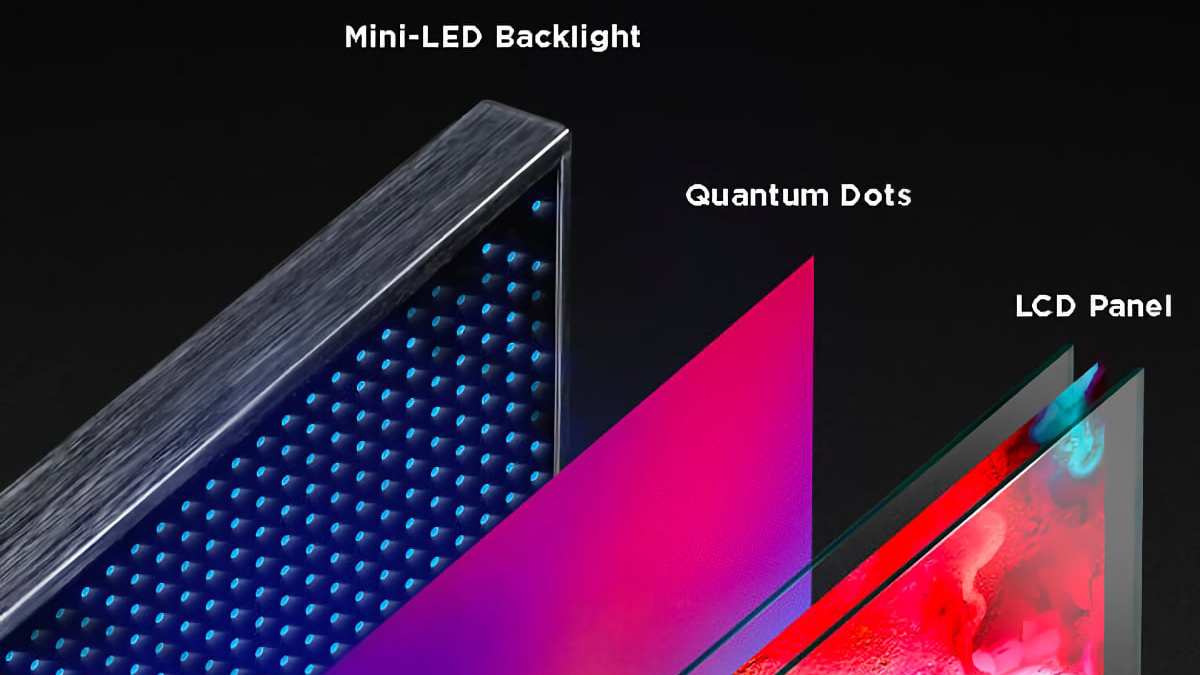
Mini LED backlighting uses thousands of tiny LED zones behind the screen. Each zone can dim or brighten independently. This creates deeper blacks and brighter highlights in the same image.
But here's the catch. Not all mini LED implementations are equal. A budget mini LED monitor might have as few as 16 zones.
A premium model can pack in over 1,000.
The more zones you get, the more precise the dimming. And precision is what separates a stunning HDR experience from a screen with distracting bright halos around every white subtitle.
How Mini LED Backlighting Actually Works
Traditional LED monitors use a strip of LEDs along one or two edges of the screen. The light spreads across the panel through a diffuser. That means the entire screen is basically one brightness level.
Mini LED changes this completely. Instead of a few large LEDs, manufacturers pack in thousands of tiny LED chips directly behind the panel. Each chip controls a specific zone of the screen.
When a scene shows a bright starry sky, the zones behind the stars stay bright. The zones behind the dark sky dim down or turn off entirely. This is local dimming in action.
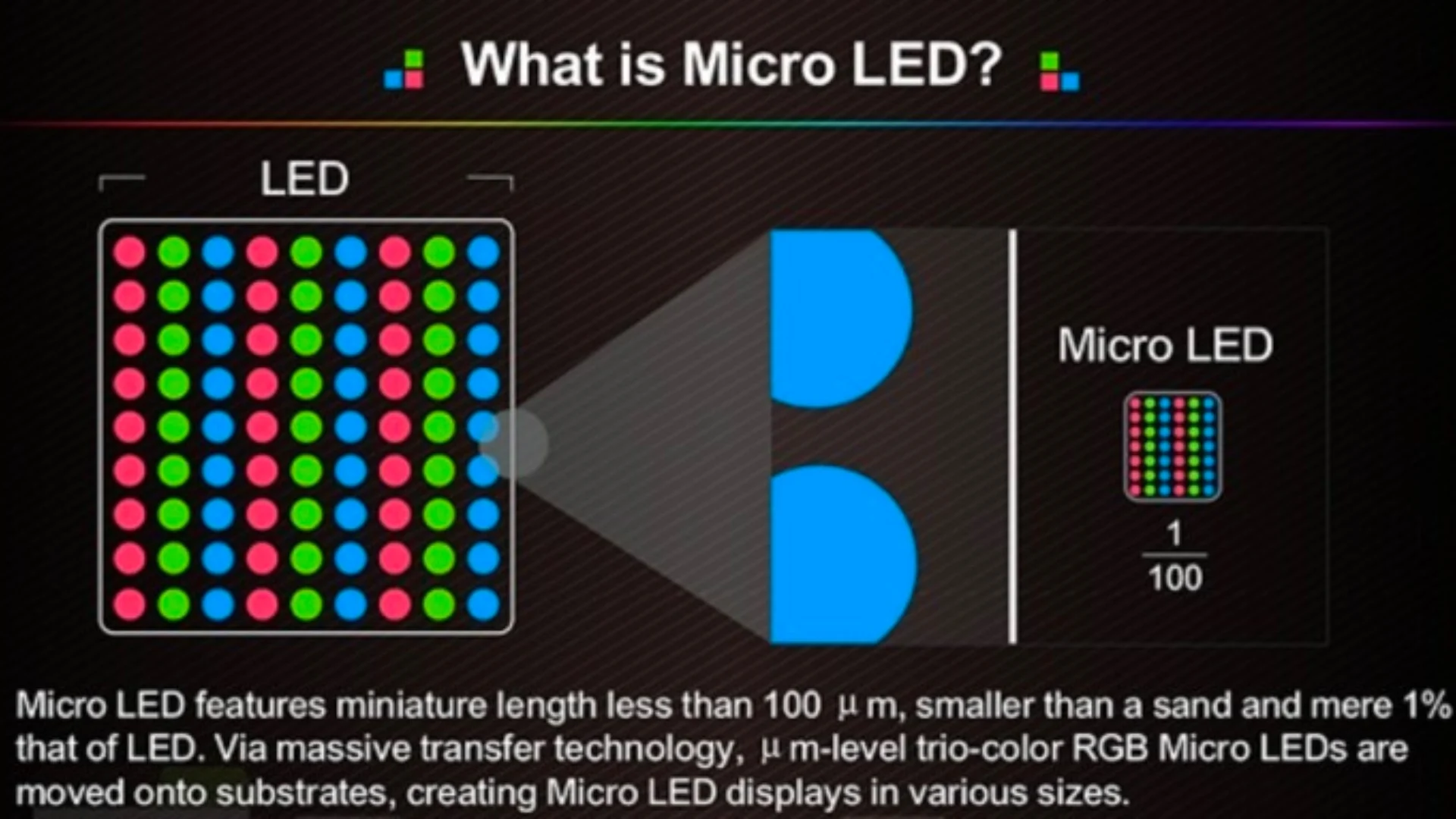
The "mini" in mini LED refers to the physical size of each LED chip. They're typically between 100 and 200 micrometers. That's small enough to fit hundreds or thousands of them behind a single display panel.
Manufacturer specifications confirm that mini LED technology enables zone counts ranging from 16 on entry-level models to over 2,000 on flagship displays as of 2026.
Local Dimming on Mini LED: Not All Monitors Are Equal
Here's where things get tricky. The term "local dimming" gets used loosely. And not every monitor that claims local dimming actually delivers a good experience.
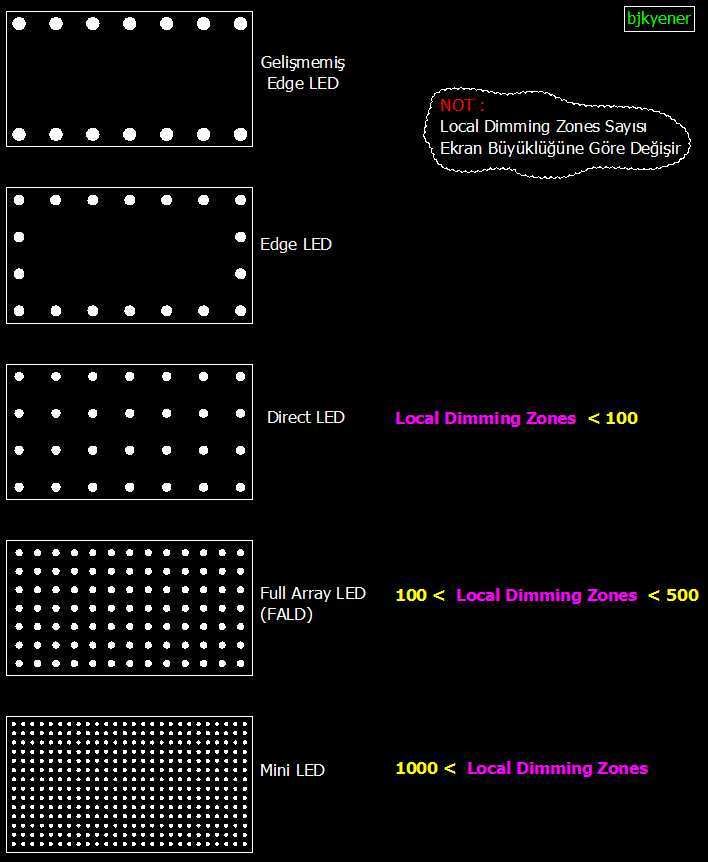
There are three main types of local dimming you'll encounter:
- Edge-lit local dimming: LEDs along the edges only. Zones are large and imprecise. This is the weakest implementation.
- Direct-lit / full-array local dimming (FALD): LEDs spread across the back of the panel. Much better control. Mini LED falls into this category.
- Mini LED with high zone count: The best version. Thousands of tiny zones give you precise, pixel-level-ish control over brightness.
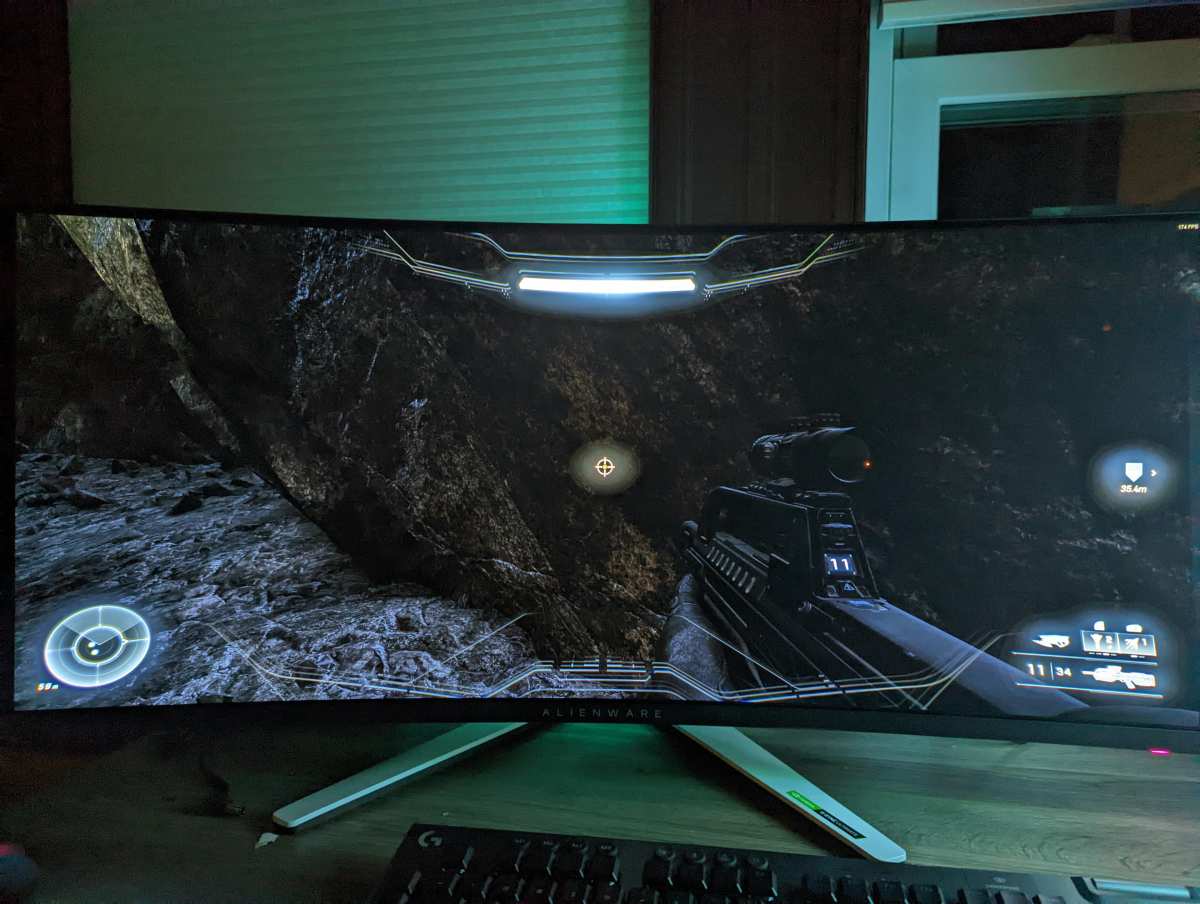
A monitor with only 16 dimming zones will show obvious blocks of light in dark scenes. You'll see a bright rectangle around a white cursor on a black background. That's the telltale sign of low-zone-count local dimming.
A monitor with 576 or more zones handles the same scene much more gracefully. The transitions between bright and dark areas look natural. You won't notice the zones unless you're specifically looking for them.
The dimming algorithm matters just as much as zone count. A well-tuned algorithm on a 384-zone monitor can look better than a poorly tuned one on a 1152-zone display. The algorithm decides how quickly each zone responds to changes on screen and how aggressively it dims.
Zone Count Is the Number That Actually Matters
When you're comparing mini LED monitors, zone count is the single most important spec to check. It tells you how many independent dimming areas exist behind the panel.
Here's a quick breakdown of what different zone counts actually look like in practice:
| Zone Count | What to Expect | Typical Price Range |
|---|---|---|
| 16-32 zones | Basic local dimming, visible blooming, blocky transitions | $250-$400 |
| 100-384 zones | Decent HDR, some blooming in demanding scenes, good for most users | $400-$800 |
| 576-1152 zones | Strong HDR performance, minimal blooming, noticeable improvement | $800-$1,500 |
| 1152+ zones | Excellent HDR, blooming barely visible, near-OLED contrast | $1,500-$3,000+ |
Manufacturer specs don't always advertise zone count prominently. Sometimes you have to dig into technical reviews or the manual to find the exact number. If a brand doesn't mention zones at all, that's usually a red flag.
VESA's DisplayHDR certification gives you a rough idea too. DisplayHDR 400 monitors typically have minimal or no real local dimming. DisplayHDR 1000 and DisplayHDR 1400 monitors almost always include meaningful local dimming with higher zone counts.
Mini LED vs. OLED: The Real Comparison
This is the comparison everyone wants to make. And it's the one that actually matters if you're trying to decide where to put your money.
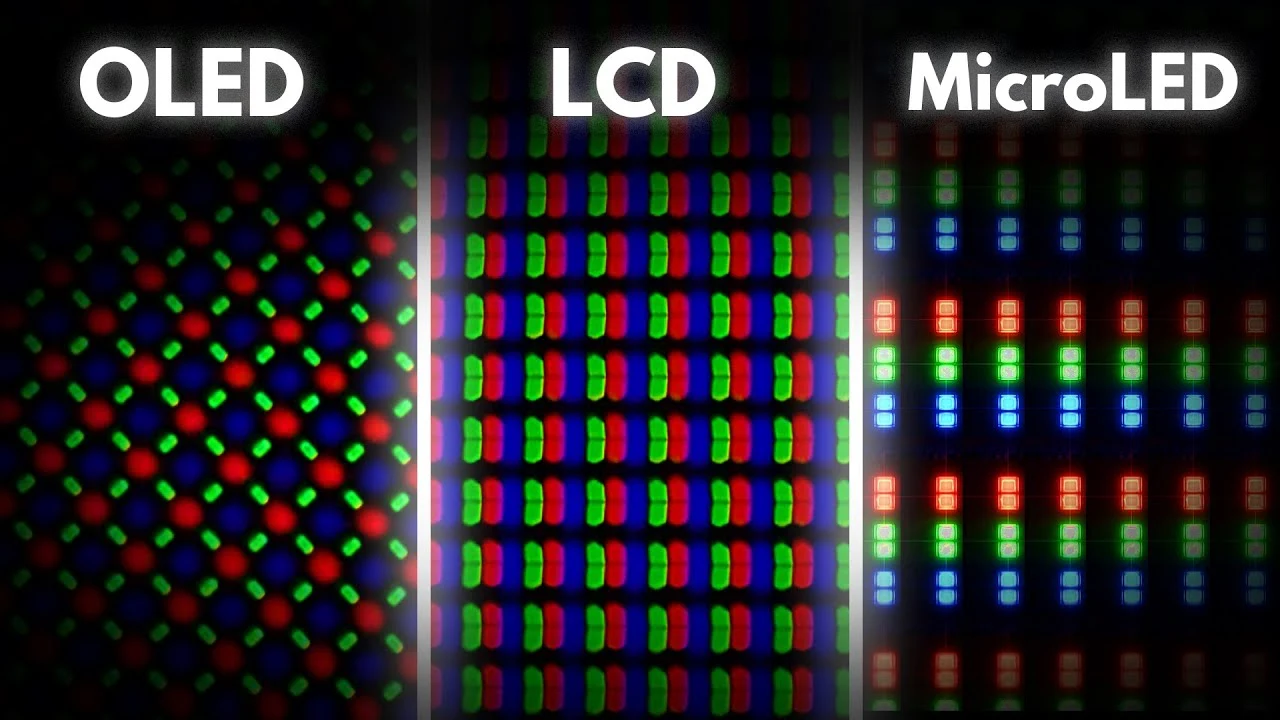
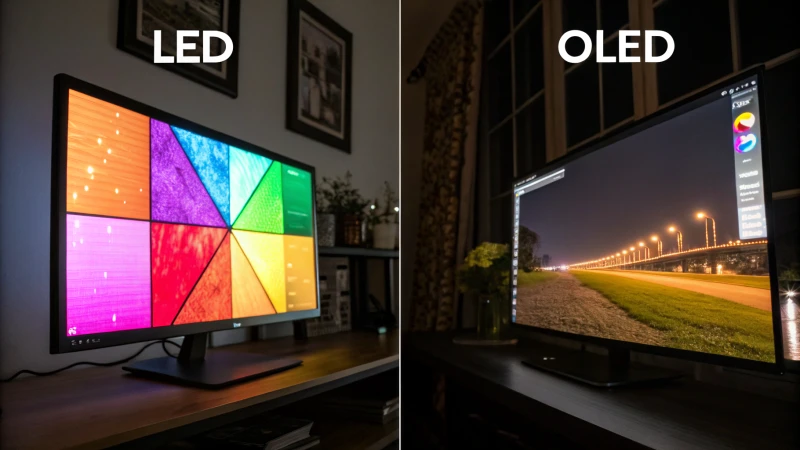
OLED monitors produce their own light at the pixel level. Each pixel can turn off completely for perfect blacks. There's zero blooming because there's no backlight at all.
Mini LED can't match that per-pixel precision. But it does have some real advantages:
- No burn-in risk: OLED panels can retain static images over time. Mini LED doesn't have this problem.
- Higher peak brightness: Mini LED monitors can hit 2,000 nits or more. OLED typically tops out around 1,000 nits for sustained content.
- Better for static content: Taskbars, spreadsheets, and desktop icons won't cause uneven wear on a mini LED display.
- Lower price at larger sizes: A 32-inch mini LED monitor costs significantly less than a 32-inch OLED.
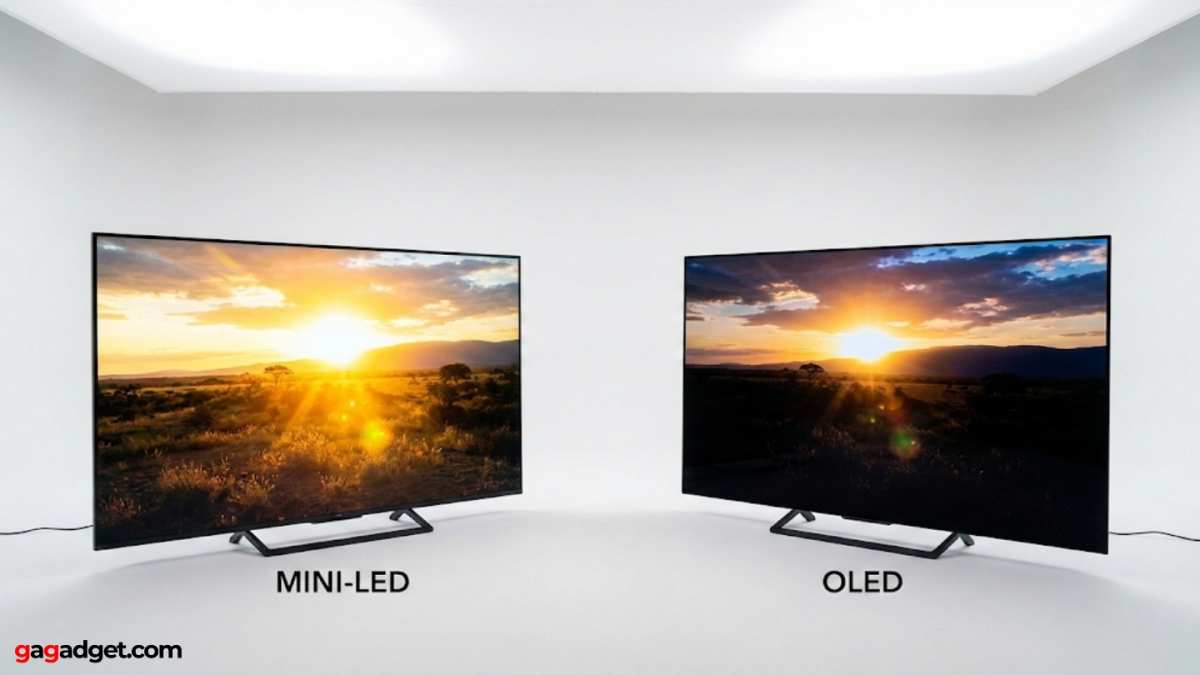
The tradeoff is contrast. OLED still wins on pure black levels and shadow detail in dark rooms. Mini LED has improved dramatically, but blooming around bright objects on dark backgrounds remains its biggest weakness.
For HDR gaming and movie watching in a bright room, mini LED often looks better simply because it can get so much brighter. For dark room viewing and professional color work where black levels matter, OLED still holds the crown.
Mini LED vs. Standard LED vs. Edge-Lit Local Dimming
If you're wondering whether mini LED is actually a meaningful upgrade over regular LED, the answer depends on what you're comparing it to.
Standard edge-lit LED monitors have no real local dimming. The LEDs sit along the edge and the whole screen is one brightness level. You might see "dynamic contrast" settings in the menu, but that's just adjusting the backlight globally based on average scene brightness.
It's not true local dimming.
Direct-lit LED monitors place LEDs behind the panel but in fewer, larger zones. These might offer 8 to 32 dimming zones. It's better than edge-lit, but you'll still see blooming and blocky transitions.
Mini LED with a proper zone count (384+) is a genuine leap forward. The difference is visible immediately when watching HDR content or playing games with dark scenes.
Here's a quick comparison:
| Feature | Edge-Lit LED | Direct-Lit LED | Mini LED (High Zone) |
|---|---|---|---|
| Zone count | 0 (global) | 8-32 | 384-2300+ |
| Blooming | N/A (no dimming) | Noticeable | Minimal to moderate |
| Black uniformity | Poor | Fair | Good to excellent |
| HDR capability | Very limited | Basic | Strong |
| Price | $150-$300 | $250-$500 | $500-$3,000+ |
If you're currently using an edge-lit monitor and you watch any HDR content at all, a mini LED display with decent zone count will feel like a massive upgrade. The jump in contrast and brightness is immediately obvious.
Which Mini LED Monitors Get Local Dimming Right
Not every mini LED monitor deserves your money. Based on aggregate reviews and manufacturer specifications, here's what separates the good ones from the mediocre.
What to look for:
- At least 384 dimming zones for a 27-inch or 32-inch display
- VESA DisplayHDR 1000 certification or higher
- A well-reviewed dimming algorithm (check independent reviews)
- VA panel for better native contrast, or a high-quality IPS panel if you need viewing angles
Red flags to watch for:
- No mention of zone count anywhere in the specs
- VESA DisplayHDR 400 certification (this tier rarely has meaningful local dimming)
- "Dynamic contrast" listed as a feature without true FALD
- Reviews mentioning heavy blooming in dark scenes
Some manufacturers are better at this than others. Samsung, Dell, ASUS, and Acer have released mini LED monitors with strong local dimming implementations. Apple's Pro Display XDR uses a mini LED backlight with 576 zones and it performs well for professional work.
The key takeaway is simple. Don't just buy a monitor because it says "mini LED" on the box. Check the zone count.
Read reviews that specifically test local dimming performance. That's where you'll find the real difference between a good display and a marketing exercise.
Best Use Cases for Mini LED with Local Dimming
Mini LED monitors with proper local dimming shine in specific scenarios. If your use case matches any of these, you'll notice the benefit immediately.
HDR gaming: This is where mini LED really earns its price tag. Games with dark environments and bright highlights look dramatically better with local dimming enabled. Explosions pop against dark skies.
Neon signs glow without washing out the surrounding scene.
Video editing and color grading: If you work with HDR content, a mini LED monitor gives you a more accurate preview of how your final output will look on HDR displays. The improved contrast range lets you see detail in shadows and highlights that edge-lit monitors simply can't show.
Movie watching: Streaming HDR content on Netflix, Disney+, or Apple TV+ looks significantly better on a mini LED display. The added brightness and contrast make cinematic content feel more immersive.
Photo editing: For photographers who deliver HDR content or work in bright environments, the higher peak brightness and improved contrast are genuine workflow improvements.
Where it matters less: Basic office work, web browsing, and non-HDR gaming don't benefit as much from local dimming. You're paying for a feature you won't fully use if your workflow is mostly spreadsheets and email.
Common Mistakes When Buying a Mini LED Monitor
People get burned by mini LED purchases more often than you'd think. Here are the most common mistakes and how to avoid them.
Assuming all mini LED is the same: A 16-zone mini LED monitor and a 1152-zone mini LED monitor share a name but deliver completely different experiences. Always check the zone count before buying.
Ignoring the dimming algorithm: Zone count tells you the hardware capability. The algorithm tells you how well that hardware is used. A 576-zone monitor with a poor algorithm can look worse than a 384-zone monitor with good tuning.
Read independent reviews that test blooming specifically.
Expecting OLED-level blacks: Mini LED has gotten very good. But it still can't match OLED's per-pixel precision. If perfect blacks are your top priority, you'll still be happier with OLED.
Buying based on HDR logo alone: DisplayHDR 400 is the lowest tier and often has no real local dimming. Look for DisplayHDR 1000 or 1400 for meaningful performance.
Not testing with your own content: If possible, test the monitor with content you actually use. A monitor that looks great in review blooming tests might still bother you in the specific games or applications you use most.
What You'll Actually Pay
Mini LED monitors span a wide price range. Here's what you can expect to spend as of 2026.
Budget tier ($250-$500): These monitors typically have 16 to 48 dimming zones. They're fine for general use and light HDR content, but don't expect dramatic contrast improvements. Examples include some entry-level models from Acer and KOORUI.
Mid-range ($500-$1,000): This is the sweet spot for most users. You'll find monitors with 100 to 576 zones that deliver genuinely good HDR performance. The Samsung Odyssey Neo G7 and ASUS ROG Swift PG27AQN fall into this range.
Premium ($1,000-$2,000): High zone counts, excellent build quality, and professional-grade color accuracy. The Dell UltraSharp U3225QE and Apple Pro Display XDR sit here.
Ultra-premium ($2,000+): 1152+ zones, reference-grade color accuracy, and features aimed at professional content creators. The Samsung Odyssey Neo G9 57-inch and high-end ASUS ProArt displays occupy this tier.
The price jumps significantly once you cross the 576-zone threshold. Decide whether that extra precision is worth it for your specific use case.
How to Check If Your Mini LED Monitor Has Proper Local Dimming
If you already own a mini LED monitor or you're testing one in a store, there are a few ways to verify the local dimming performance.
Check the specs sheet: Look for "dimming zones," "local dimming zones," or "FALD" in the technical specifications. If you can't find zone count listed, contact the manufacturer directly.
Use a blooming test: Display a white cursor or white box on a completely black background. Move it around the screen. If you see a large, obvious halo of light following the cursor, the zone count is low.
A tight, minimal halo indicates better dimming.
Enable local dimming in settings: Some monitors ship with local dimming disabled by default. Check both the monitor's on-screen display (OSD) menu and your graphics card's control panel. NVIDIA and AMD drivers both have settings that can affect how local dimming behaves.
Test with real HDR content: Play an HDR video or game that has both bright and dark elements. Look for how the monitor handles transitions between these areas. Good local dimming should feel natural and unobtrusive.
Look for firmware updates: Some manufacturers improve local dimming algorithms through firmware updates. Check the support page for your specific monitor model to make sure you're running the latest version.
Frequently Asked Questions
Do all mini LED monitors have local dimming?
Yes, local dimming is a core feature of mini LED technology. However, the quality and effectiveness of that dimming varies significantly based on zone count and the dimming algorithm. A high-zone-count monitor with good tuning delivers a much better experience than a budget model with minimal zones.
Is mini LED better than OLED for gaming?
It depends on your priorities. Mini LED offers higher peak brightness and zero burn-in risk, which is great for competitive gaming with static HUD elements. OLED provides perfect blacks and slightly better response times.
For most gamers, mini LED is the safer long-term choice.
How many dimming zones do I actually need?
For a 27-inch monitor, 384 zones is the minimum for a noticeably good HDR experience. 576 zones or more is ideal. For larger screens like 32-inch or ultrawide displays, you want at least 576 zones to maintain the same level of precision across the bigger panel.
Can I turn off local dimming on a mini LED monitor?
Yes, most monitors let you disable local dimming through the on-screen display menu. Some also offer adjustable aggressiveness settings. Turning it off eliminates blooming but you lose the improved contrast that makes mini LED worth buying in the first place.
Does local dimming affect input lag?
On most modern monitors, local dimming adds negligible input lag. The processing happens quickly enough that competitive gamers won't notice a difference. However, some budget models may introduce slight delay.
Check reviews for your specific monitor if input lag is a concern.
Will mini LED replace OLED?
Not anytime soon. Mini LED and OLED serve different needs. Mini LED excels in bright rooms and for users worried about burn-in.
OLED remains the choice for perfect black levels and per-pixel precision. Both technologies are improving rapidly and they'll likely coexist for years.
The Bottom Line: Should You Buy One?
If you watch HDR content, play modern games, or work with video and photo editing, a mini LED monitor with proper local dimming is worth the investment. Just make sure you're buying one with enough zones to deliver a real improvement.
Check the zone count. Read reviews that specifically test blooming. Don't assume that "mini LED" on the box guarantees a great experience.
For most people, a mid-range mini LED monitor with 384 to 576 zones hits the best balance of price and performance. You'll get a visible upgrade over standard LED without paying a premium for diminishing returns.
If you're coming from an edge-lit monitor, the jump in picture quality will be immediately obvious. And that's really all you can ask for from a display upgrade.

Similar Posts