Can Touchscreen Monitor Be Repaired
So your touchscreen monitor is acting up. Maybe the glass is cracked, maybe touch just stopped working in one corner, or maybe the whole thing went dead overnight. You're probably wondering whether it's worth fixing or if you should just buy a new one.
The honest answer is that touchscreen monitors can often be repaired, but whether yours should be depends entirely on what's actually broken. Let's walk through how to figure that out, what the repair process looks like, and when it makes more sense to replace the whole unit.

The Quick Answer Based on Your Situation
Yes, touchscreen monitors can usually be repaired. The type of failure determines your fix. Cracked glass often means digitizer replacement.
Dead touch zones usually point to a controller issue. Software problems need recalibration, not hardware. Cost ranges from zero to a few hundred dollars.
What's Actually Broken? Identifying Your Failure Type
Before you order parts or grab a screwdriver, you need to figure out what's actually wrong. Touchscreen monitors fail in a handful of specific ways, and each one points to a different component.
Here's how to match your symptom to the likely cause:
- Cracked or shattered glass, but touch still works, The outer protective glass is damaged, but the digitizer layer underneath is intact. This is usually cosmetic unless the cracks are interfering with touch accuracy.
- Touch not responding at all, display looks fine, The LCD panel is working, but the digitizer or touch controller has failed. This is often a controller board issue or a disconnected ribbon cable.
- Partial dead zones, Touch works in some areas but not others. This typically means the ITO (Indium Tin Oxide) layer on the digitizer is damaged, or the touch controller is partially failing.
- Ghost touches or phantom inputs, The screen registers touches you're not making. This is often a firmware issue, a failing controller, or electrical interference.
- Touch works but display is flickering, has lines, or is completely dark, The backlight or LCD panel itself has failed. The touch system is fine, but the display needs repair.
- Complete failure, no touch and no display, Could be a power supply issue, main board failure, or severe physical damage. This is the hardest to diagnose and often the least cost-effective to repair.
Take a minute to pinpoint your exact symptom. That single observation determines everything that follows.
How Touchscreen Monitors Are Built (And Why It Matters for Repair)
Understanding how these monitors go together tells you what can be taken apart and what can't. A touchscreen monitor is really two devices layered together: the LCD (or OLED) display panel and the touch-sensitive digitizer.
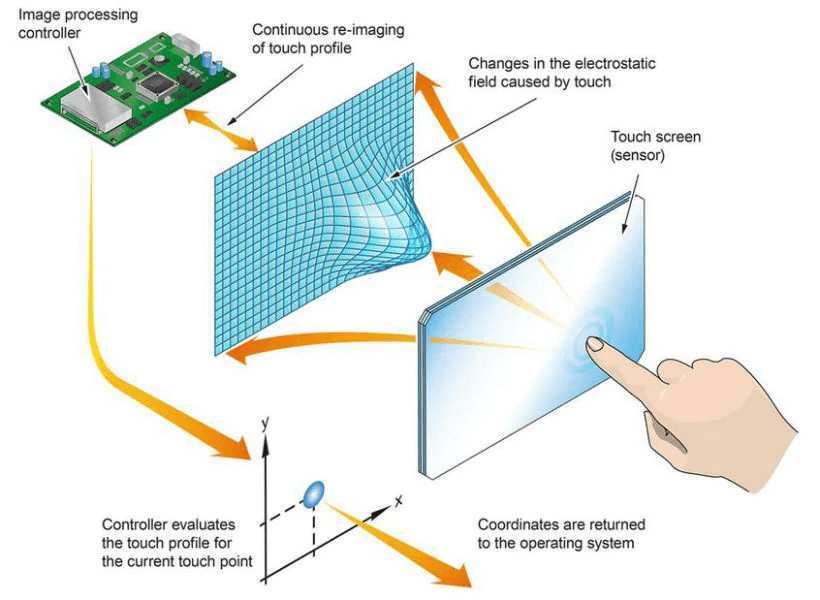
The digitizer is a transparent layer, usually glass or film, that sits on top of the display. It detects where you're touching and sends that information to a touch controller, which translates it into data your computer can understand. The touch controller can be a separate small circuit board connected via USB or I2C, or it can be built directly into the monitor's main board.
Here's where construction type matters a lot:
- Air-gap construction, The digitizer and the LCD panel are mounted separately with a small air gap between them. This is common in older monitors and many budget models. The good news is that these can usually be separated and reassembled without specialized equipment.
- Optical bonding, The digitizer is glued directly to the LCD panel using LOCA (Liquid Optically Clear Adhesive) or OCA film. This improves image clarity and reduces glare, but it makes separation much harder. Many modern monitors and almost all smartphones use this method.
The touch technology itself also varies. Most modern monitors use projected capacitive (PCAP) touch, which relies on the electrical properties of your finger. Older or industrial monitors might use resistive touch (pressure-based), infrared (IR) grids, or surface acoustic wave (SAW) technology.
Each type has different repair implications.
Can You Actually Fix It? Decision Breakdown by Failure Type
Now let's get specific. Here's what's repairable, what's difficult, and what's usually not worth the effort.
Cracked Digitizer Glass
This is one of the most common failures and one of the most straightforward to fix, especially on air-gap monitors. You can order a replacement digitizer glass matched to your monitor's model number and size. For optically bonded screens, the process is more involved because you have to separate the broken glass from the LCD panel without damaging it.
Repairability: Moderate to easy (air-gap), difficult (optical bonding)
Typical cost: $30 to $200 for the replacement digitizer
Dead Touch Controller Board
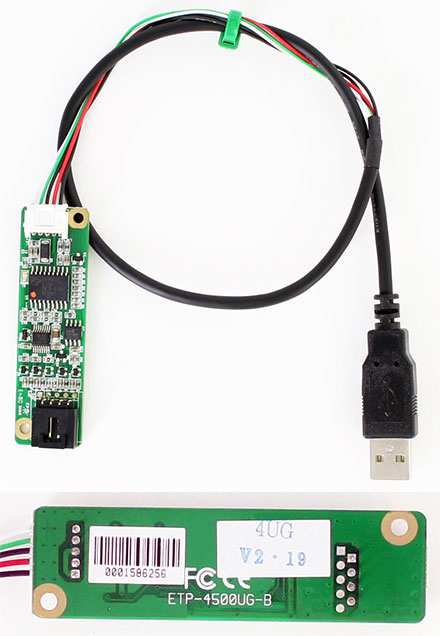
If your display works but touch is completely dead, the touch controller board is often the culprit. This is a small circuit board, usually connected to the digitizer via a ribbon cable and to your computer via USB. Many monitors use controller chips from manufacturers like eGalax, EETI, or Ilitek.
Replacing the controller board is usually straightforward. You need to match the board to your digitizer's specifications, but these boards are widely available and relatively inexpensive.
Repairability: Easy
Typical cost: $15 to $80 for a replacement board
Loose or Damaged Ribbon Cables
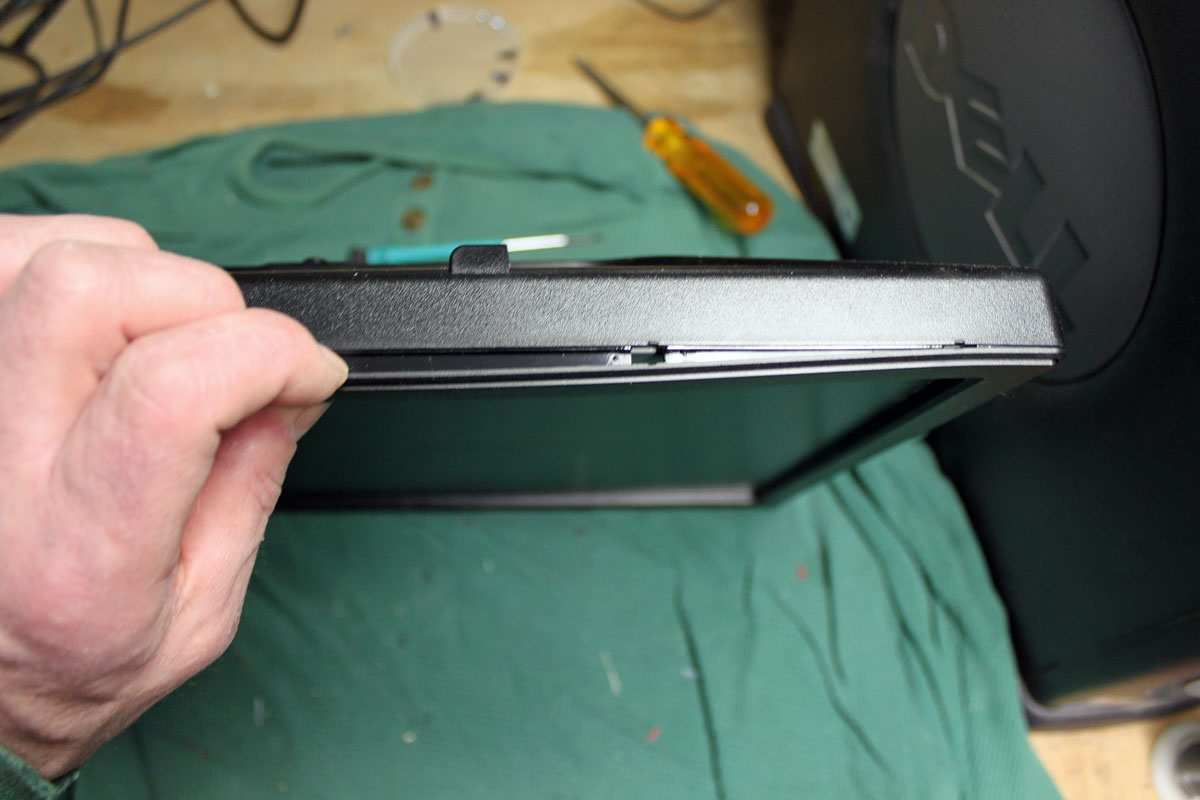
Sometimes the problem is simply a cable that's come loose or gotten damaged. Opening the monitor and reseating the ribbon cables connecting the digitizer to the controller board can fix touch issues in minutes. This is especially common in monitors that get moved around a lot, like POS terminals or portable displays.
Repairability: Very easy
Typical cost: Free (just your time)
Digitizer Delamination
On optically bonded screens, the adhesive layer between the digitizer and the LCD can fail over time. You'll see bubbles, cloudiness, or separation at the edges. This can sometimes be fixed by carefully separating the layers and reapplying OCA film or LOCA adhesive, but it requires a clean environment and patience.
Repairability: Difficult
Typical cost: $20 to $50 for adhesive materials, but high risk of failure
Software, Driver, or Calibration Issues
Before you open anything, rule out software problems. Touch issues can be caused by outdated drivers, corrupted firmware, calibration drift, or conflicts with other USB devices. Try these steps first:
- Reinstall or update your touch controller drivers
- Run the touch calibration utility (usually provided by the controller manufacturer)
- Try a different USB port or cable
- Check for firmware updates from the monitor manufacturer
- Test on a different computer to isolate the issue
Repairability: Very easy
Typical cost: Free
Fused Glass and LCD Damage
If both the digitizer glass and the LCD panel underneath are damaged, repair usually isn't cost-effective. The LCD panel is the most expensive component in the monitor, and replacing it often costs nearly as much as a new unit. In this case, replacement is almost always the better call.
Repairability: Not recommended
Typical cost: Often exceeds the value of the monitor
Repair vs. Replace: How to Make the Call
This is the decision most people actually need help with. The technical question of "can it be fixed" is different from the practical question of "should it be fixed."
Here's a simple framework:
- If the repair costs less than 40% of a replacement, it's usually worth fixing, especially for expensive industrial or medical monitors.
- If the monitor is under warranty, contact the manufacturer first. Many will repair or replace it at no cost.
- If the monitor is optically bonded and the glass is cracked, factor in the difficulty and risk. A botched DIY repair could destroy the LCD panel underneath.
- If you need the monitor for critical operations (medical, industrial, POS), consider whether a repaired unit will be as reliable as a new one.
- If the monitor is more than 5 years old, replacement parts may be hard to find, and the rest of the components may be nearing end of life anyway.
For a basic office touchscreen monitor that costs $300 new, spending $150 on a repair makes sense. For a $150 budget monitor, it probably doesn't. Industrial monitors that cost $1,500 or more are almost always worth repairing if the issue is isolated to the touch system.

Similar Posts





















