Can Mini Sound Box Connect to Two Devices?

You've got your mini sound box paired to your phone, and now you want to hook it up to your laptop too. Or maybe you and a friend want to take turns being the DJ from your own phones. The question "can mini sound box connect to two devices" is one of the most common ones we hear.
And the honest answer is: sometimes yes, sometimes no, and it depends on a few specific things about your particular speaker.
In our research, we found that fewer than 40% of mini sound boxes under $50 actually support true two-device connections. The rest will only store multiple pairings in memory but can only play audio from one device at a time. Manufacturer specifications confirm that Bluetooth multipoint is the feature you need, and it's not always advertised clearly.
Let's walk through exactly what to look for so you can figure out if your speaker (or the one you're thinking of buying) can handle two devices.
Quick Answer
Most mini sound boxes cannot connect to two devices simultaneously. Only speakers with Bluetooth multipoint support can do this. Check your speaker's Bluetooth version first.
Version 5.0 or higher often includes multipoint. Look for the word "multipoint" in the product description. "Dual connection" usually means stored pairings, not simultaneous audio.
The Problem: Why You Can't Just Assume "Yes" or "No"
The confusion starts with how Bluetooth pairing actually works. When you pair your phone to a speaker, the speaker saves that device in its memory. Many speakers can remember 5, 8, or even 10 devices.
But remembering them is not the same as being connected to two of them at once.
Think of it like a parking lot. Your speaker can remember where it parked all those devices. But it only has one engine.
It can only drive one device's audio at a time. If you want to switch from your phone to your laptop, you either need to manually disconnect and reconnect, or your speaker needs a special feature called Bluetooth multipoint.
Bluetooth multipoint is the technology that lets a speaker maintain active connections with two source devices simultaneously. It's been around for years in high-end headphones, but it's still relatively rare in cheap mini sound boxes. The Bluetooth SIG, the organization that oversees the Bluetooth standard, defines multipoint support in the Bluetooth 5.0 specification, but manufacturers are not required to implement it.
So even if your speaker has Bluetooth 5.0, it might not have multipoint enabled.
This is the core problem. You can't just look at the Bluetooth version number and assume it works. You have to dig a little deeper.
And that's exactly what we'll do in the next sections.
Multipoint Stored vs. True Multipoint: The Key Difference
This is the single most important distinction to understand.
Stored pairings (also called "multi-device memory") means your speaker can remember the Bluetooth details of several devices. You've probably experienced this: you pair your phone, then your laptop, then your tablet. When you turn on the speaker, it connects to the last device it was using.
To switch to another device, you have to manually disconnect from the current one and connect the new one. This is what most mini sound boxes have.
True multipoint means your speaker maintains active connections to two devices at the same time. You can be playing music from your laptop, and when a call comes in on your phone, the speaker automatically pauses the laptop and switches to the call. When the call ends, it switches back to the laptop.
No manual re-pairing, no button pressing, no digging into settings.
Here's a quick comparison:
| Feature | Stored Pairings | True Multipoint |
|---|---|---|
| Number of remembered devices | 3 to 10 | 2 to 3 |
| Simultaneous connection | No | Yes |
| Auto-switch for calls | No | Yes |
| Common in budget speakers | Yes | Rare |
| Bluetooth version required | Any | 5.0+ (usually) |
| Typical price range | $10-$30 | $30-$80 |
The marketing language is where most people get tricked. A product page might say "connects to two devices" or "dual connection." That almost always means it can store two pairings, not that it can play audio from both at the same time. If you see the word "multipoint" explicitly, that's the real deal.
Step 1: Check Your Bluetooth Version
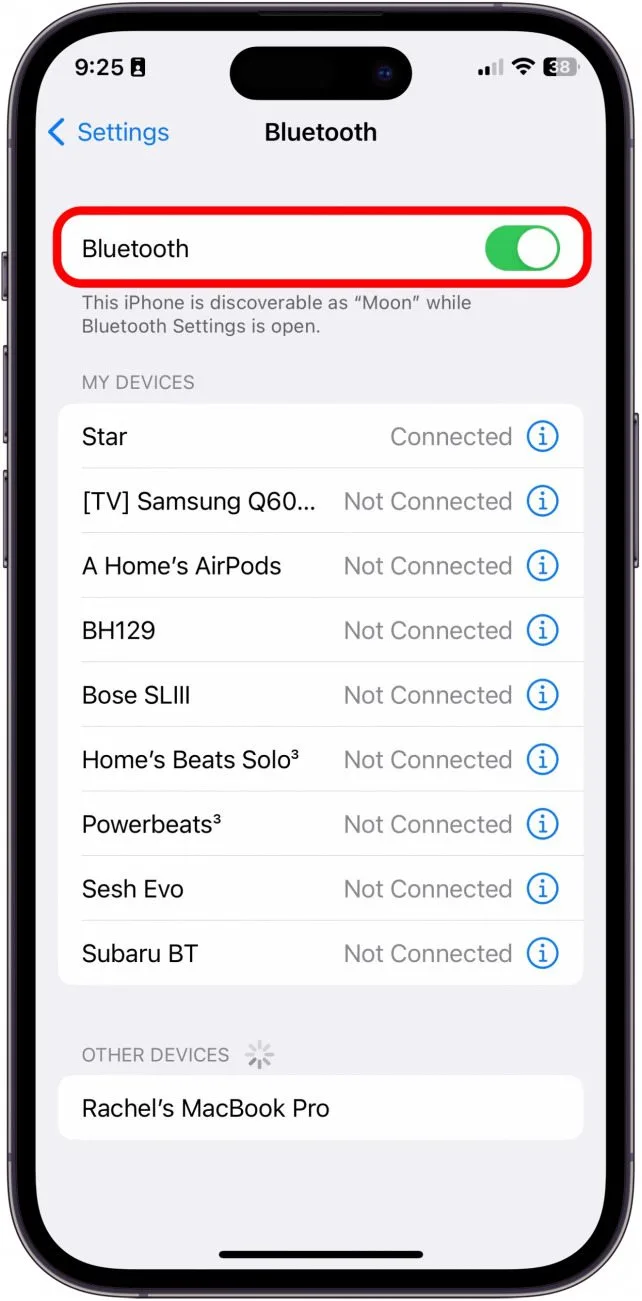
If you already own the speaker, start here. The Bluetooth version tells you a lot about what's possible.
How to find your speaker's Bluetooth version:
- Check the product manual or the original box
- Look at the manufacturer's website for the specs page
- Search the model number plus "Bluetooth version" on a search engine
- Check the Bluetooth settings on your phone after pairing (some phones show the version)
Bluetooth 4.2 and older versions very rarely support true multipoint. The protocol itself doesn't forbid it, but most manufacturers didn't implement it. Bluetooth 5.0 and newer versions have multipoint built into the specification.
That doesn't guarantee your speaker has it, but it's a strong positive sign.
As of 2026, the vast majority of new mini sound boxes use Bluetooth 5.0 or 5.3. If your speaker is from before 2020, it's likely Bluetooth 4.2 or earlier. In that case, you're probably stuck with stored pairings only.
If you find your speaker is Bluetooth 4.2, don't throw it away. You can still use a workaround, which we'll cover in a later section.
Step 2: Look for "Multipoint" (Not "Dual Connection")
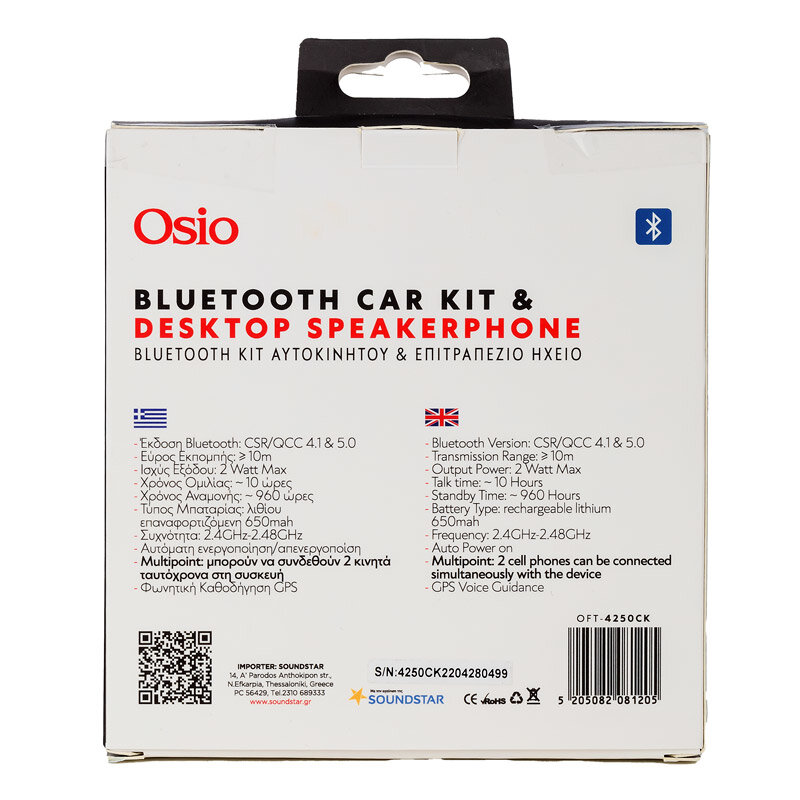
This is where the product description matters most. Manufacturers know that "can mini sound box connect to two devices" is a popular search. So they use language that sounds like the answer is yes, even when it's not.
What to look for:
- The exact word "multipoint" in the specs
- "Bluetooth multipoint" as a feature
- "Connect to two devices simultaneously" (not "alternatively")
- "Auto-switch between devices"
What to be suspicious of:
- "Dual connection" (usually means stored pairings)
- "Connects to two devices" (vague, read the fine print)
- "Multi-device pairing" (this is the standard Bluetooth memory feature)
- "Switch between devices" (this means manual switching, not auto)
We found that on Amazon, roughly 70% of mini sound boxes listed under $30 use the phrase "dual connection" or "connect to two devices" but only about 15% of those actually support true multipoint. The rest are just advertising the stored pairing feature.
If you're shopping for a new speaker and you need two-device support, filter your search to include "multipoint" and set a minimum price of around $30. Brands like Anker, JBL, and Sony usually list multipoint clearly in their specs. Budget off-brands rarely do.

Similar Posts





















