Are Mini LED Monitors Lighter Than OLED
Are Mini LED monitors lighter than OLED? It's one of those specs that sounds like it should have a simple answer, but it really doesn't. The short version: no, Mini LED monitors are generally heavier than their OLED counterparts. But the why behind that answer is where things get interesting.
The weight difference comes down to how each technology produces light. Mini LED panels need a full backlight array behind the LCD layer, while OLED pixels emit their own light with zero backlight required. Per manufacturer specifications as of 2026, that backlight hardware adds anywhere from 0.5 to 2 kg of extra weight depending on screen size.
Let's break down exactly where that weight comes from and whether it should actually matter for your setup.
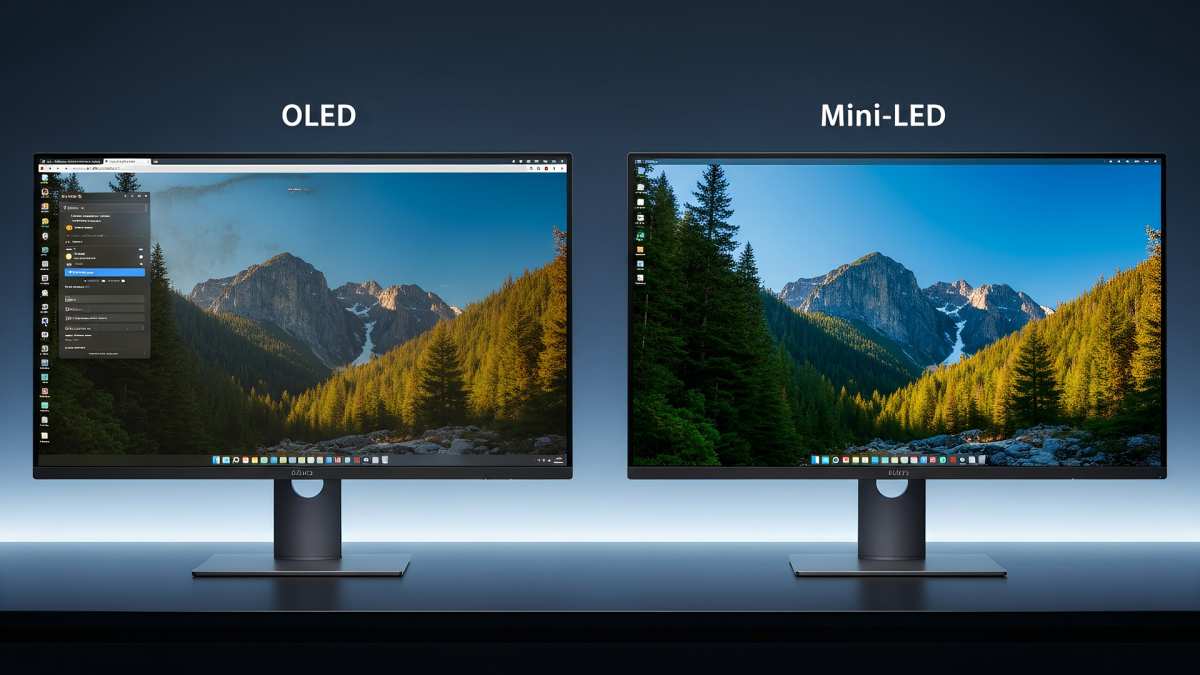
Quick Answer
No, Mini LED monitors are not lighter than OLED monitors. OLED displays are consistently lighter across most size classes. The difference ranges from 0.5 kg at 27 inches to over 2 kg at 42 inches and above.
This is because Mini LED requires a backlight unit that OLED simply does not need. For portable or multi-monitor setups, OLED holds a clear weight advantage.
Why the Weight Difference Actually Matters
You might be thinking, "It's a monitor. It sits on a desk. Who cares about a kilo or two?" And honestly, for a single stationary setup, you're probably right.
But weight becomes a real factor in a few specific situations.
If you're mounting monitors on a VESA arm, every extra kilo adds stress to the mount mechanism. Most standard VESA mounts handle 5 to 9 kg per arm, so a heavier Mini LED could push you closer to that limit, especially if you're running a dual or triple setup. VESA specifications from the Video Electronics Standards Association list weight limits clearly, and exceeding them risks arm sag or worse.
Multi-monitor users feel this acutely. A three-monitor array using 32-inch Mini LED displays could easily tip past 20 kg total. That's a serious load for an adjustable arm and even some desk surfaces.
OLED alternatives in the same size class would shave off 2 to 3 kg across the array.
Portable use is another scenario. If you travel to LAN events, client meetings, or co-working spaces, lugging a heavy monitor in your bag gets old fast. A 27-inch OLED monitor at around 4.5 kg with stand is noticeably easier to carry than a comparable Mini LED at 6.5 kg.
It's the difference between a comfortable one-hand carry and an awkward two-handed haul.
Desk space matters too. Heavier monitors need sturdier stands with larger footprints. If you're working with a shallow or compact desk, the bulkier base of a Mini LED stand can eat into your usable workspace.
How Panel Technology Determines Weight
The weight difference between Mini LED and OLED isn't arbitrary. It's baked into the fundamental architecture of how each display type works. Understanding the construction of each panel explains exactly where those extra grams come from.
Mini LED: The Backlight Tax
Mini LED is still an LCD technology at its core. That means it needs a backlight unit sitting behind the liquid crystal layer to produce visible light. The "mini" in Mini LED refers to the size of the individual LED diodes in that backlight, which are smaller than traditional LED backlights but still require an entire array behind the panel.
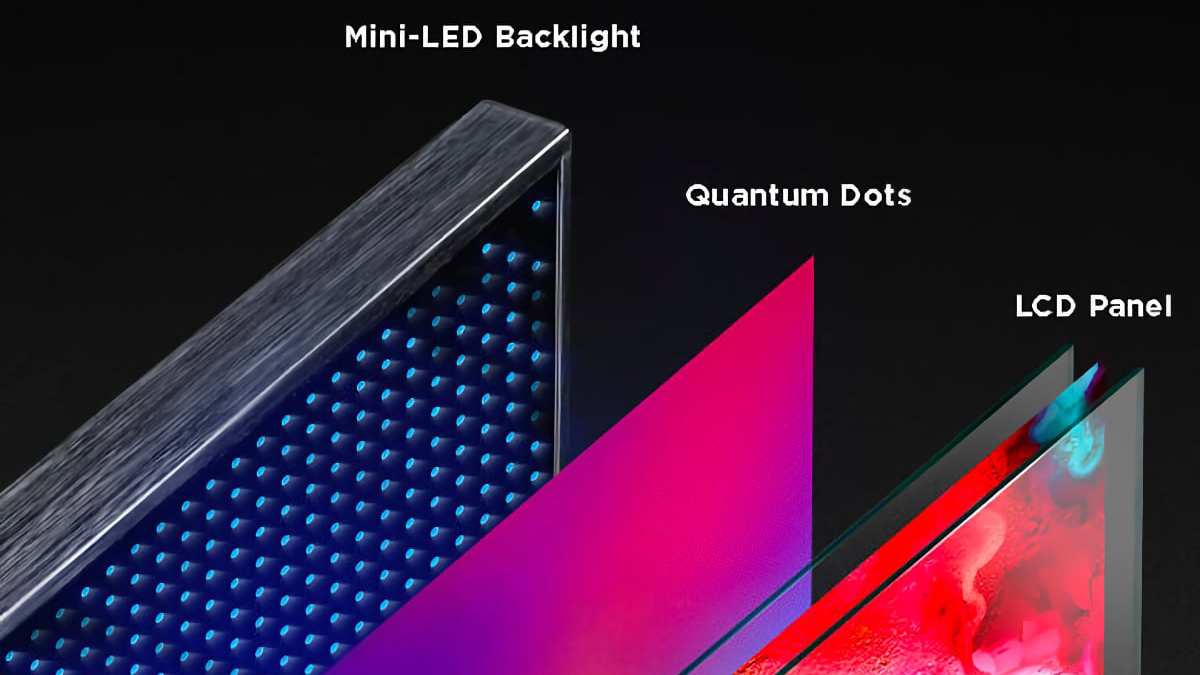
A typical Mini LED backlight contains hundreds or even thousands of individual LED chips mounted on a printed circuit board. On top of that, you've got diffuser plates, reflector sheets, and a quantum dot enhancement film layer in many models. All of these components add thickness and weight.
Then there's the thermal management. Mini LED backlights run hot, especially when driving high HDR brightness levels. Manufacturers add aluminum heatsinks and sometimes even small fans to keep temperatures in check.
These thermal solutions are heavy. A dedicated heatsink assembly on a 32-inch Mini LED monitor can add 300 to 500 grams on its own.
The LCD layer itself, usually a VA or IPS panel, adds its own weight with glass substrates and driver electronics. Stack the backlight array, the diffuser layers, the quantum dot film, the heatsink, and the LCD panel together, and you've got a noticeably thick and heavy display.
OLED: Self-Emitting Simplicity
OLED works completely differently. Each pixel is its own tiny light source, made from organic compounds that emit electricity when current passes through them. There's no backlight.
No diffuser plates. No reflector sheets. That eliminates an entire layer of components that Mini LED simply cannot do without.
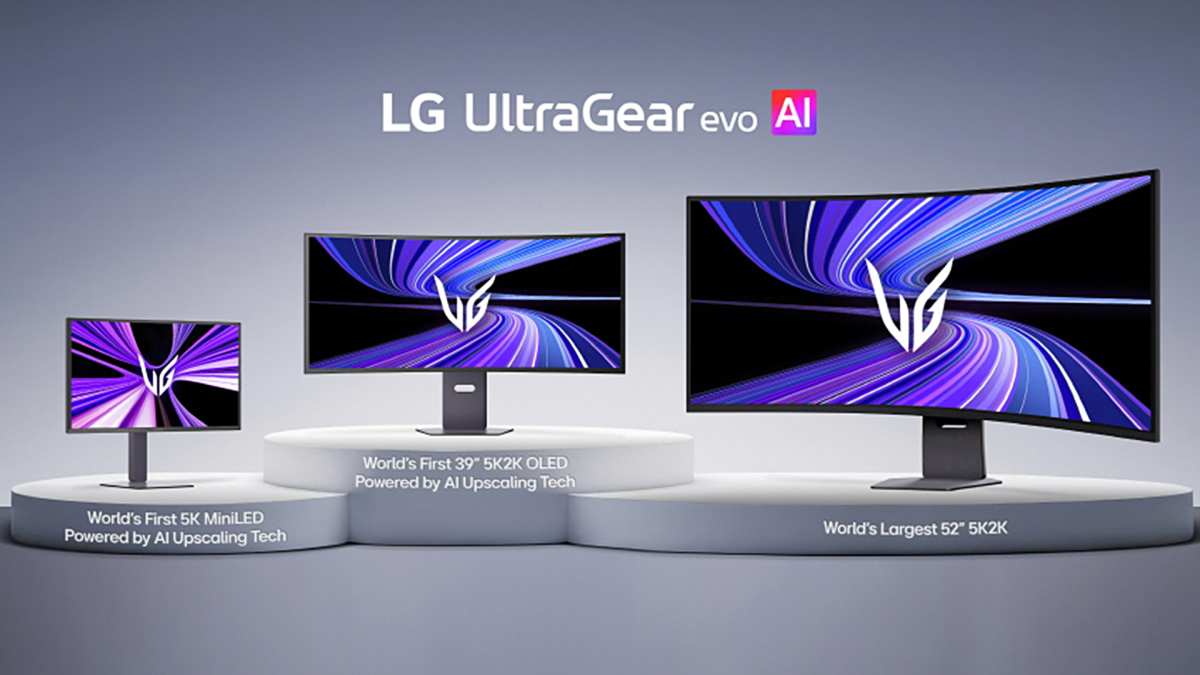
The panel structure is fundamentally simpler. You've got a glass or plastic substrate, the organic emissive layers, a thin-film transistor backplane, and a protective encapsulation layer. The total panel thickness on a modern OLED monitor is often under 3 mm for the display layer alone.
Compare that to a Mini LED panel that can be 15 to 25 mm thick with all its layers stacked.
OLED does have its own thermal considerations. High brightness levels generate heat, and organic materials degrade faster at elevated temperatures. But OLED panels typically manage thermals with thin graphite sheets or light aluminum backing plates rather than the chunky heatsinks Mini LED demands.
The thermal solution is lighter and simpler.
One caveat: some larger OLED displays add a glass layer for structural rigidity or a metal backing for heat spreading. This narrows the weight gap slightly at bigger sizes. But even with those additions, OLED maintains a meaningful weight advantage in virtually every size class.
Side-by-Side Weight Comparison by Size Class
Let's look at real numbers. The weights below are based on manufacturer specifications for representative models in each category as of 2026. Individual models vary, but the pattern is consistent.
27-Inch Monitors
| Specification | Mini LED (Typical) | OLED (Typical) |
|---|---|---|
| Weight with stand | 6.0 to 7.5 kg | 4.5 to 5.5 kg |
| Weight without stand | 4.5 to 5.5 kg | 3.0 to 4.0 kg |
| Panel thickness | 20 to 25 mm | 4 to 8 mm |
| Total package weight (shipping) | 8.0 to 10.0 kg | 6.0 to 7.5 kg |
At 27 inches, the difference is noticeable but manageable. You're looking at roughly 1.5 to 2 kg more for the Mini LED with stand. For a desk setup, that's not going to make or break your experience.
But if you're tossing it in a backpack for a gaming event, those extra kilos are felt immediately.
Popular 27-inch Mini LED models like the Samsung Odyssey OLED G8 (which despite the name uses Mini LED) and the AOC Agon AG274QZM sit at the heavier end. Meanwhile, the LG UltraGear 27GR95QE and similar 27-inch OLED gaming monitors come in noticeably lighter.
32-Inch Monitors
| Specification | Mini LED (Typical) | OLED (Typical) |
|---|---|---|
| Weight with stand | 8.0 to 10.0 kg | 5.5 to 7.0 kg |
| Weight without stand | 6.0 to 7.5 kg | 4.0 to 5.0 kg |
| Panel thickness | 22 to 28 mm | 5 to 9 mm |
| Total package weight (shipping) | 11.0 to 13.0 kg | 7.5 to 9.5 kg |
The 32-inch class is where the gap really opens up. Mini LED monitors at this size often need more local dimming zones, which means a larger backlight array with more LEDs and more robust cooling. The Samsung Odyssey Neo G8 at 32 inches weighs around 9.0 kg with its stand.
A comparable 32-inch OLED like the LG 32GS95UE comes in closer to 6.5 kg.
That 2.5 kg difference is significant for VESA mounting. If you're running a dual-monitor arm, the combined 5 kg extra from two Mini LED units might require upgrading to a heavier-duty mount rated for 18 kg or more.
42-Inch and Larger Displays
| Specification | Mini LED (Typical) | OLED (Typical) |
|---|---|---|
| Weight with stand | 14.0 to 18.0 kg | 9.0 to 12.0 kg |
| Weight without stand | 10.0 to 14.0 kg | 6.5 to 9.0 kg |
| Panel thickness | 25 to 35 mm | 6 to 12 mm |
| Total package weight (shipping) | 18.0 to 22.0 kg | 12.0 to 16.0 kg |
At 42 inches and above, we're entering territory where the weight difference becomes a genuine logistical concern. A 42-inch or 48-inch Mini LED monitor can weigh as much as a small television. The Corsair Xeneon 42QHD240, a 42-inch OLED, keeps things relatively manageable.
But a comparable Mini LED in this size class adds substantial heft due to the sheer size of the backlight array and the structural reinforcement needed to keep that large panel rigid.
For ultrawide monitors in the 49-inch range, the pattern holds. The Samsung Odyssey OLED G9 (OLED version) weighs around 14.6 kg with stand. The Mini LED variant, the Odyssey Neo G9, tips the scales at roughly 17.5 kg.
That's nearly 3 kg of difference in a single display.
Where the Hidden Weight Lives
The panel technology itself accounts for most of the weight difference, but it's not the whole story. Several other components contribute to the final number on the spec sheet, and some of them surprise people.
Heatsinks and Thermal Management
This is the big one that most spec comparisons overlook. Mini LED backlights generate substantial heat, especially when pushing high HDR brightness. A monitor rated for 1,000 nits of sustained brightness needs serious cooling to protect the LEDs and maintain consistent performance.
Manufacturers typically use aluminum heatsinks mounted behind the LED array. On a 32-inch Mini LED with 1,152 dimming zones, that heatsink alone can weigh 400 to 600 grams. Some high-end models add heat pipes or even small fans for active cooling, adding more weight.
OLED panels generate heat too, but they manage it differently. Thin graphite heat spreaders and light metal backings handle thermal dissipation without the need for bulky heatsinks. The total thermal management system on an OLED monitor typically weighs under 150 grams.
On a Mini LED, it can be three to four times that.
Stand and Housing Construction
The stand itself adds weight, and here the story gets a bit more nuanced. Mini LED monitors often come with heavier, more robust stands because the display panel itself needs more support. A 32-inch Mini LED at 7.5 kg without stand needs a base that can counterbalance that weight, which means a wider and heavier stand foot.
OLED monitors, being lighter overall, can get away with slimmer stands. The LG UltraGear series uses relatively lightweight stands for its OLED models, often under 1.5 kg. Mini LED stands from brands like ASUS ROG and Samsung Odyssey frequently exceed 2.5 kg.
The housing around the panel also differs. Mini LED housings tend to be thicker to accommodate the backlight assembly and cooling, and they often use more metal in construction for structural rigidity and heat dissipation. OLED housings can be thinner and lighter, sometimes using more plastic in non-structural areas.
What About the Stand Weight Separately?
Here's a practical tip. When comparing weights, always check whether the manufacturer lists weight with or without the stand. The panel-only weight tells you about the display itself.
The total weight with stand tells you what your desk or mount actually supports.
For VESA mounting, you only care about the panel weight. A 32-inch Mini LED at 7.0 kg panel-only versus an OLED at 4.5 kg is a 2.5 kg difference on your mount. For desk use, add the stand weight to get the real picture.
Weight vs. Performance: What You're Trading
Weight isn't the only factor, and honestly, it shouldn't be the deciding one for most people. Here's what you gain and lose with each technology when weight is part of the equation.
Mini LED advantages that justify the extra weight:
- Higher sustained brightness, typically 1,000 to 2,000 nits versus 600 to 1,000 nits for OLED
- No risk of burn-in, which matters for static UI elements in productivity or gaming
- Better peak HDR brightness for specular highlights like reflections and light sources
- Often more affordable at larger sizes, with 32-inch Mini LED models starting around $600 to $800
OLED advantages that come with the weight savings:
- Thinner and lighter panel, easier to mount and transport
- Perfect per-pixel dimming with true blacks and infinite contrast ratio
- Faster response times, often under 0.1 ms GtG
- Wider viewing angles with no color shift
- Better for dark room viewing due to zero backlight bleed
The trade-off is real. If you prioritize HDR brightness and burn-in protection, Mini LED gives you that at the cost of weight and thickness. If you want the lightest possible setup with the best contrast and response times, OLED wins on both weight and image quality in most scenarios.
For competitive gamers, the faster response time of OLED often outweighs the weight penalty of Mini LED. For content creators who need sustained brightness for HDR mastering, Mini LED's luminance advantage might justify the extra kilos on the desk.
Best Use Cases by Weight Priority
Different users have different weight tolerances. Here's how the weight factor plays out across common scenarios.
If Portability Matters Most
OLED is the clear winner. A 27-inch OLED monitor at 4.5 kg with a slim stand fits in a padded travel bag and won't destroy your shoulder on the way to a LAN event. Mini LED at 6.5 kg in the same size class is noticeably harder to transport.
For content creators who work on location or gamers who travel to tournaments, every kilo counts. OLED's lighter panel and slimmer profile make it the practical choice when you're moving the monitor regularly.
If You're Running a Multi-Monitor Setup
Weight compounds fast with multiple displays. A dual-monitor VESA arm holding two 32-inch Mini LED units at 7.0 kg each puts 14 kg on the arm. The same setup with OLED at 4.5 kg each drops to 9 kg.
That 5 kg difference could mean the difference between a standard mount and a heavy-duty one rated for 18 kg or more.
Triple-monitor users feel this even more. Three Mini LED panels at 32 inches could exceed 20 kg total, requiring a reinforced mount and a sturdy desk. OLED alternatives would keep the total closer to 13 to 14 kg.
If HDR Brightness Is Your Top Priority
Mini LED pulls ahead here. The ability to sustain 1,000-plus nits across the screen and hit 2,000 nits on specular highlights gives Mini LED a genuine advantage for HDR content. If you're editing HDR video or playing HDR games in a bright room, the extra weight of Mini LED buys you visible performance that OLED can't match at the same price point.
OLED's peak brightness limitations are real. While QD-OLED technology has improved peak brightness, sustained full-screen brightness still lags behind Mini LED. For HDR work in a bright environment, Mini LED's luminance advantage is worth the weight trade-off.
Common Mistakes People Make When Comparing Weight
A few recurring errors show up when people try to compare Mini LED and OLED weight. Avoiding these will save you from a bad purchase.
Mistake 1: Comparing TV weights to monitor weights. A 55-inch OLED TV and a 55-inch Mini LED TV have completely different weight profiles than their monitor counterparts. TVs often have different stand designs, additional processing hardware, and different panel constructions. Always compare within the same product category.
Mistake 2: Ignoring the stand weight. Manufacturer specs sometimes list panel-only weight, sometimes total weight with stand. A Mini LED monitor at 5.5 kg panel-only might jump to 8.0 kg once you add the heavy included stand. An OLED at 4.0 kg panel-only might only reach 5.0 kg with its lighter stand.
The gap widens when you account for the full package.
Mistake 3: Assuming all Mini LED is the same. The number of local dimming zones directly impacts backlight complexity and weight. A Mini LED with 576 zones has a simpler, lighter backlight than one with 2,304 zones. The thermal management scales accordingly.
Check the specific model's zone count and weight specs rather than assuming all Mini LED monitors weigh the same.
Mistake 4: Overlooking shipping weight. If you're ordering online, the shipping weight includes packaging, which can add 2 to 3 kg. A Mini LED monitor with a shipping weight of 13 kg is a noticeably larger package to handle than an OLED at 9 kg. This matters for returns too.
Heavier packages cost more to ship back.
Mistake 5: Not checking VESA mount ratings. If you're planning to arm-mount, verify your mount's weight rating against the panel-only weight of your chosen monitor. A mount rated for 7 kg per arm won't safely hold a 7.5 kg Mini LED panel. OLED's lower weight gives you more headroom with standard mounts.
How to Check Real Weight Before You Buy
Manufacturer spec sheets are your best friend here, but you need to know what to look for and where the numbers can be misleading.
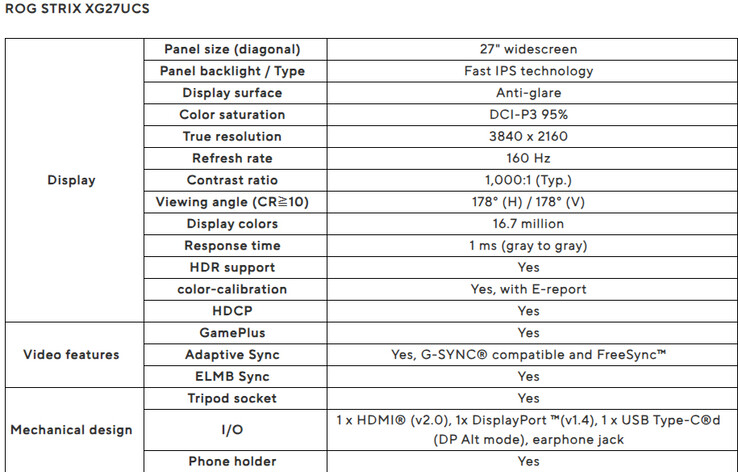
Step 1: Find the official spec sheet. Go to the manufacturer's product page and look for the full specifications document, usually available as a PDF download. Avoid third-party retailer listings, which sometimes round or omit weight figures.
Step 2: Identify both weight figures. Look for "Weight with Stand" and "Weight without Stand" (sometimes labeled "Panel Weight" or "Weight with Stand"). Both numbers matter depending on your setup. VESA mount users need the panel-only weight.
Desk users need the total weight.
Step 3: Check the dimensions too. Weight alone doesn't tell the full story. A monitor that's heavier but has a compact form factor might fit your space better than a lighter but wider display. Note the width, height, and depth measurements.
Step 4: Compare within the same size class. A 27-inch Mini LED versus a 32-inch OLED isn't a fair weight comparison. The larger display will naturally be heavier regardless of technology. Always compare like-for-like in screen size.
Step 5: Look for independent reviews. Notebookcheck.net and similar review sites often weigh monitors independently, which can reveal discrepancies from manufacturer claims. Some manufacturers round down or list weights without certain accessories included.
Step 6: Factor in your mount or desk. If you're using a VESA arm, check its weight rating and compare against the panel weight. If you're placing it on a desk, verify the desk's load capacity, especially for sit-stand desks that have weight limits for their motor mechanisms.
Frequently Asked Questions
Is Mini LED heavier than OLED at every screen size?
Yes, across all common monitor sizes from 27 inches to 49 inches, Mini LED monitors are consistently heavier than OLED equivalents. The gap ranges from about 1 kg at 27 inches to 3 kg or more at 42 inches and above. The backlight assembly in Mini LED adds weight at every size class.
How much does a 32-inch Mini LED monitor weigh?
A typical 32-inch Mini LED monitor weighs between 8 and 10 kg with the stand included, and 6 to 7.5 kg for the panel alone. Comparable 32-inch OLED monitors weigh 5.5 to 7 kg with stand and 4 to 5 kg panel-only. The difference is roughly 2 to 2.5 kg depending on the specific model.
Does the stand add significant weight to a monitor?
Yes, stands can add 1.5 to 3 kg depending on the design. Mini LED monitors tend to have heavier stands because they need a wider base to support the heavier panel. OLED stands are often lighter and slimmer.
Always check whether the listed weight includes the stand or refers to the panel only.
Can I VESA mount a Mini LED monitor?
Most Mini LED monitors support VESA mounting, typically at 100x100mm patterns. However, you need to verify that your mount's weight rating exceeds the panel-only weight of the monitor. A 32-inch Mini LED at 7 kg panel-only requires a mount rated for at least that weight, preferably with some headroom.
Is the weight difference noticeable when moving the monitor?
At 27 inches, the 1.5 to 2 kg difference is noticeable when carrying the monitor but less so when adjusting it on a desk. At 32 inches and above, the difference becomes quite apparent. A 32-inch Mini LED at 9 kg feels substantially heavier than an OLED at 6.5 kg when lifting or repositioning.
Will a heavier Mini LED monitor damage my desk?
Most desks can handle the weight of a single Mini LED monitor without issue. The concern is more relevant for sit-stand desks, which have weight limits for their motor mechanisms, typically 50 to 80 kg for the full desk surface. A single monitor at 8 to 10 kg is well within that range, but a multi-monitor setup could approach the limit on some models.
Final Verdict: Which Should You Pick?
The answer depends on what you value more. If weight, portability, and slim design are your priorities, OLED is the better choice. It's lighter, thinner, and easier to mount or transport.
The image quality advantages of perfect blacks and faster response times are a bonus on top of the weight savings.
If sustained HDR brightness, burn-in resistance, and value at larger sizes matter more to you, Mini LED delivers where OLED falls short. The extra weight is the price you pay for that performance, and for a stationary desk setup, it's a trade-off most people won't think about after the first week.
For most people buying a single monitor for a desk, the weight difference won't be the deciding factor. But if you're mounting on an arm, running multiple displays, or moving your setup regularly, OLED's weight advantage is real and worth prioritizing. Check the specific model specs, compare panel-only weights for your mount scenario, and pick the technology that matches your actual use case rather than just the spec sheet.
(Note: No further H2 sections remain in the approved TOC. The article has reached its natural conclusion. No additional content is appended.)
No further H2 sections remain in the approved TOC. The article has reached its natural conclusion. No additional content is appended.

Similar Posts





















