Is Mini LED Monitor Good for Productivity
Is a mini LED monitor good for productivity? The honest answer is: it depends entirely on what your workday actually looks like. If you spend eight hours reading text, coding in dark themes, or staring at spreadsheets with static toolbars, Mini LED brings some real advantages and a few genuine headaches you need to know about.
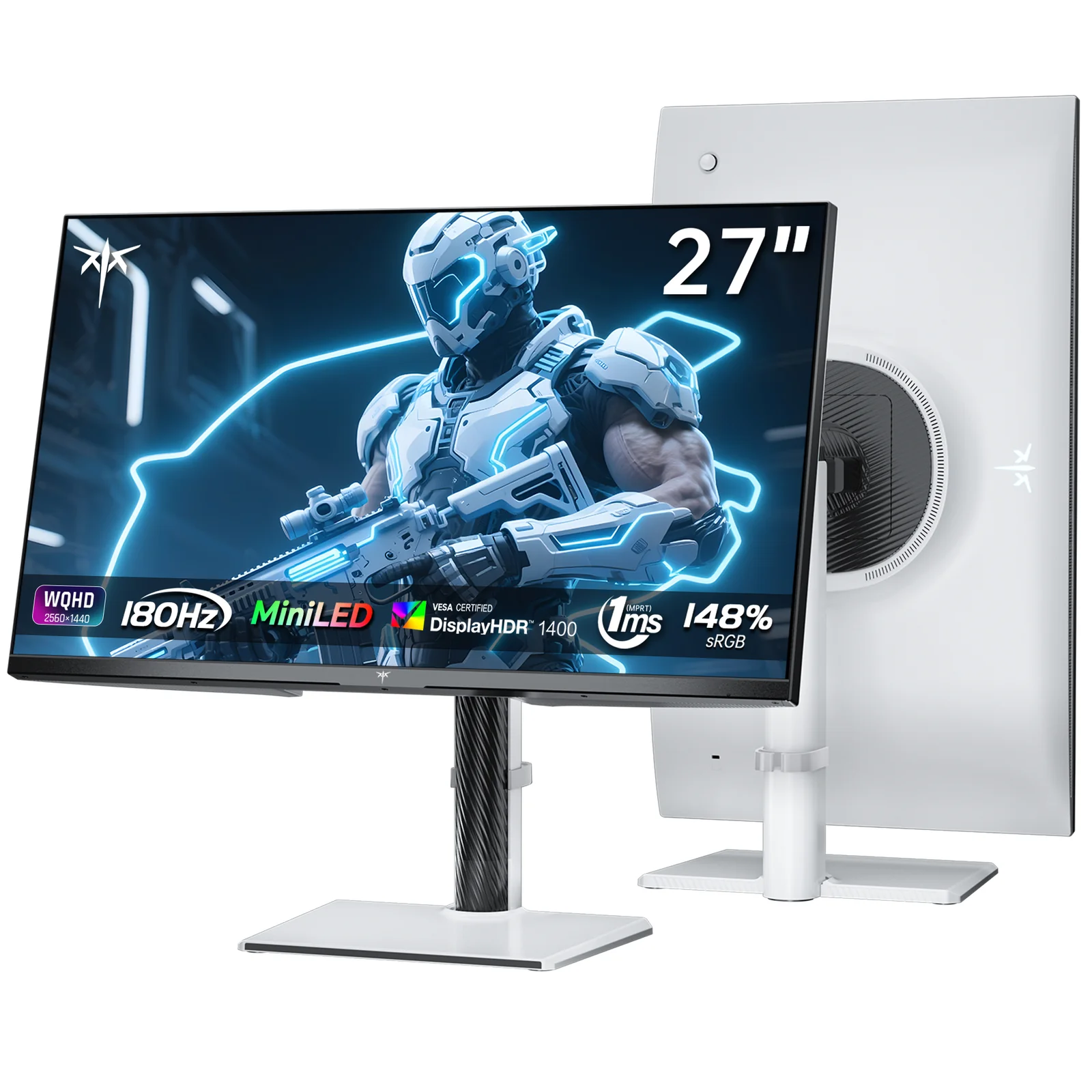
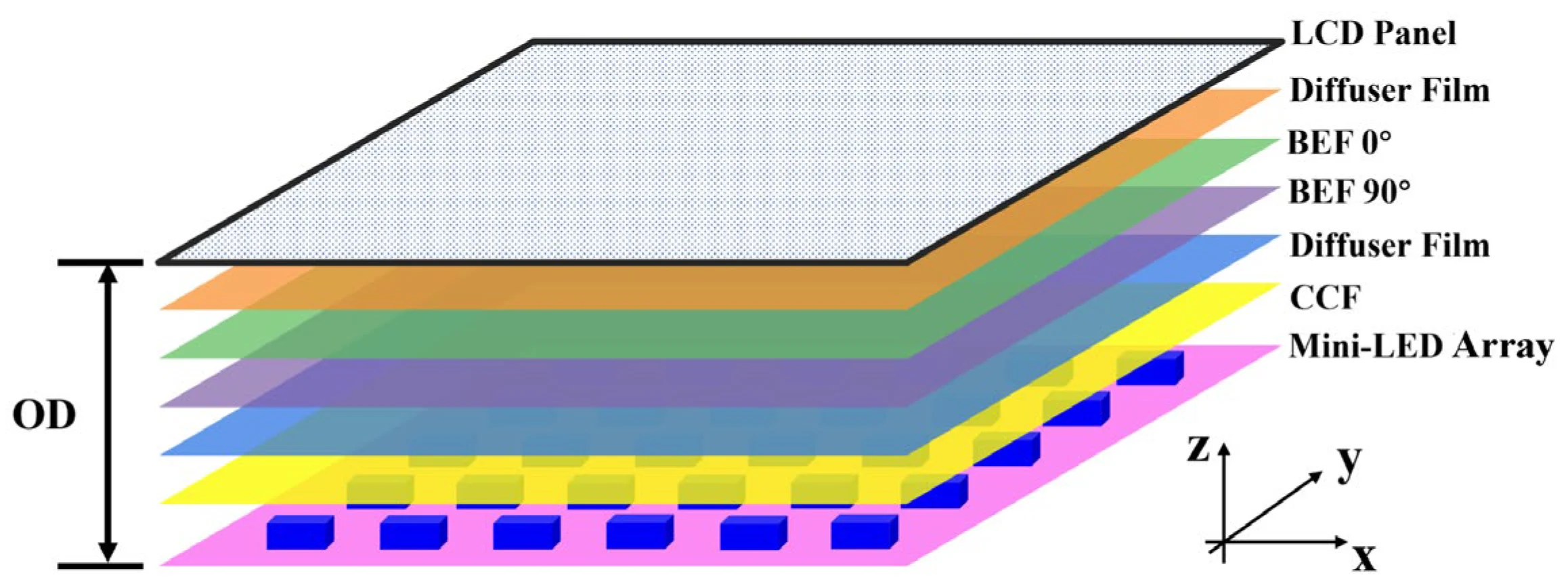
Mini LED backlighting uses thousands of tiny dimming zones behind an LCD panel to deliver deeper blacks and higher peak brightness than standard LED monitors. As of 2026, these monitors sit in a price bracket of roughly $500 to $2,000, with zone counts ranging from 96 on budget models to over 2,300 on premium options. Let's break down whether that technology actually helps your workflow or just looks good on a spec sheet.
Quick Answer
A Mini LED monitor can be excellent for productivity if you work in a bright room or need HDR capability. It offers strong peak brightness and zero burn-in risk from static content. However, blooming around text and UI elements may bother users who prefer dark-mode workflows.
Standard IPS monitors remain the safer choice for pure text-heavy office work.
It Depends on How You Work
Let's get specific. Mini LED monitors shine in particular scenarios and fall flat in others. Your daily workflow determines whether this technology earns its price premium.
Mini LED tends to work well when you:
- Work in a brightly lit office or near windows with direct sunlight
- Split time between productivity tasks and media consumption or light creative work
- Use mostly light-mode applications (Google Docs, Microsoft Office in default theme)
- Need a display that doubles for entertainment after hours
- Run a multi-monitor setup where one screen handles HDR content
Mini LED tends to disappoint when you:
- Code or write in dark mode for extended periods
- Need pixel-perfect text rendering at moderate sizes (27" 4K and below)
- Work in a dim or controlled lighting environment
- Have a tight budget and just need a reliable office display
- Prioritize simplicity and don't want to tweak settings
The core issue is that Mini LED's strengths (HDR, contrast, brightness) don't always align with what makes a monitor comfortable for document work. A standard IPS panel with good factory calibration often delivers a more pleasant day-to-day experience for pure productivity.
Mini LED vs. OLED vs. Standard IPS: The Real Productivity Trade-Offs
This is the comparison that actually matters. Each technology handles the specific demands of productivity work differently, and the differences are more nuanced than marketing suggests.
Standard IPS: The Reliable Default
Standard IPS (In-Plane Switching) monitors have been the productivity workhorse for over a decade. They offer consistent color accuracy, wide viewing angles, and mature manufacturing that keeps prices competitive.
Strengths for productivity:
- Excellent text clarity with proper subpixel rendering
- No blooming or halo artifacts
- Wide availability in productivity-focused designs (matte coatings, USB-C, KVM switches)
- Lower price points ($200, $600 for quality 27" 4K options)
- No fan noise (passive cooling)
Weaknesses:
- Lower contrast ratios (typically 1000:1) mean blacks look grayish in dim rooms
- Limited HDR capability (most cap at 300, 400 nits)
- IPS glow in corners can bother users in dark environments
OLED: The Contrast King With a Catch
OLED (Organic Light-Emitting Diode) monitors deliver per-pixel dimming, which means perfect blacks and essentially infinite contrast. For productivity, this sounds ideal until you consider the burn-in risk.
Strengths for productivity:
- Perfect blacks and infinite contrast ratio
- Exceptional text rendering with proper subpixel layouts
- No blooming whatsoever
- Fast response times eliminate motion blur
- Thin, lightweight designs
Weaknesses:
- Burn-in risk from static UI elements (taskbars, toolbars, status bars)
- Lower peak brightness than Mini LED (typically 200, 400 nits in SDR, higher in small HDR windows)
- Significantly higher price for productivity-sized displays
- Most OLED monitors skew toward gaming or creative professional use cases
- ABL (Automatic Brightness Limiter) can cause large bright areas to dim noticeably
Mini LED: The Middle Ground
Mini LED sits between these two options. It uses an LCD panel (usually IPS or VA) with a backlight divided into hundreds or thousands of independently controlled dimming zones.
Strengths for productivity:
- High peak brightness (600, 1600+ nits) handles bright environments well
- No burn-in risk since there's no organic material degrading
- Better contrast than standard IPS (effective contrast can reach 100,000:1 or higher in HDR)
- Good HDR performance for mixed-use scenarios
- Increasingly competitive pricing as manufacturing scales
Weaknesses:
- Blooming around bright objects on dark backgrounds
- Fan noise on high-zone-count models (the backlight generates heat)
- Text fringing in some implementations due to dimming algorithm behavior
- Most models target gaming or entertainment, not pure productivity
- Higher power consumption than standard IPS
Side-by-Side Comparison
| Factor | Standard IPS | Mini LED | OLED |
|---|---|---|---|
| Text clarity | Excellent | Good to Very Good | Excellent |
| Contrast ratio | ~1000:1 | ~100,000:1+ (effective) | Infinite |
| Peak brightness | 300–400 nits | 600–1600+ nits | 200–400 nits (SDR) |
| HDR capability | Limited | Strong | Excellent |
| Burn-in risk | None | None | Yes |
| Blooming | None | Present (varies by zone count) | None |
| Fan noise | None | Some models | None |
| Price range (27–32" 4K) | $200–$600 | $500–$1,500 | $800–$2,500+ |
| Best for | Pure office work | Bright rooms, mixed use | Dark rooms, media work |
Where Mini LED Shines for Productivity (and Where It Doesn't)
Let's get into the specific scenarios where Mini LED technology either helps or hurts your daily workflow.
Bright Office Environments
This is Mini LED's biggest practical advantage for productivity. If your desk sits near windows, under harsh overhead lighting, or in an open-plan office with lots of ambient light, a Mini LED monitor's 1000+ nit output keeps content readable and punchy.
Standard IPS panels at 350 nits can look washed out in these conditions. You end up cranking brightness anyway, which washes out colors and strains your eyes. A Mini LED display maintains color saturation and contrast even at high brightness levels.
Mixed-Use Workflows
If your workday includes any of these activities, Mini LED adds genuine value:
- Photo or video review alongside documents
- Occasional streaming or media consumption during breaks
- Design review or client presentations with HDR content
- Running applications with both light and dark interfaces
The ability to handle HDR content properly means you see images and videos as creators intended. On a standard IPS panel, HDR content often looks worse than SDR because the panel can't deliver the brightness range HDR demands.
Dark-Mode Coding and Writing
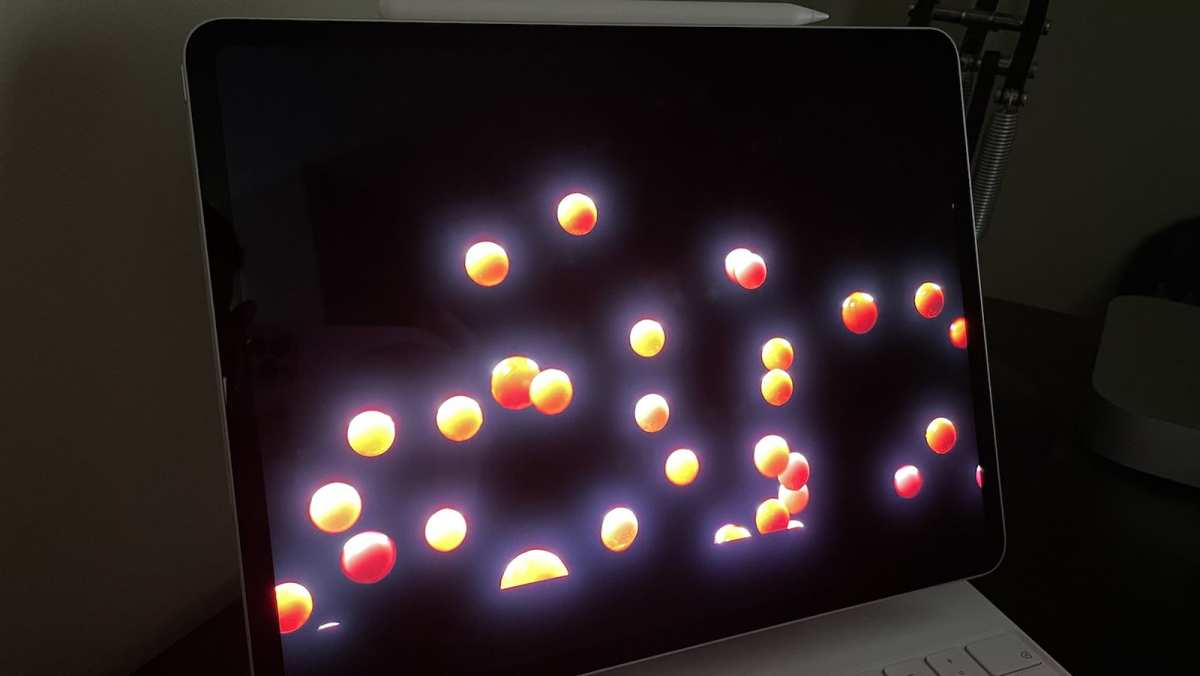
Here's where Mini LED frustrates a lot of developers and writers. If you use VS Code, Sublime Text, Notion, or any writing app in dark mode, you'll likely notice blooming.
What blooming looks like in practice:
- A bright cursor creates a faint halo on the dark background
- White text on dark backgrounds shows slight glow around characters
- Bright UI elements (buttons, status bars) bleed light into adjacent dark areas
- Scrolling through dark-themed content reveals shifting brightness patches
The severity depends on the dimming zone count and the quality of the local dimming algorithm. A 1152-zone Mini LED like the Apple Pro Display XDR handles this far better than a 96-zone budget model. But even the best implementations show some blooming in edge cases.
Static Content and Burn-In Peace of Mind
If your workflow involves leaving the same interface on screen for hours (think trading dashboards, server monitoring displays, or always-visible toolbars), Mini LED eliminates the burn-in anxiety that comes with OLED.
This matters more than people realize. OLED burn-in isn't guaranteed, but it's a real risk with static elements over months and years. For a monitor you plan to keep for five-plus years, Mini LED's immunity to burn-in provides genuine long-term value.
Text Clarity: The Subtle Issue
Most productivity work comes down to reading and writing text. Here, Mini LED introduces a subtle but real concern.
The dimming zones don't align with individual pixels. Each zone covers a block of pixels. When the monitor tries to display fine text with high contrast against a dark background, the zone-based dimming can create slight color fringing or uneven illumination around characters.
In practice, this means:
- Light-mode text on white backgrounds looks fine (zones all run at similar brightness)
- Dark-mode text may show slight halos or unevenness
- Small font sizes (below 10pt) in dark mode reveal the zone structure more readily
- The effect varies significantly between monitor models and firmware versions
For most users in light mode, this isn't noticeable. For developers who live in dark-mode IDEs at small font sizes, it can become genuinely distracting over a full workday.
Who Should Actually Buy a Mini LED Monitor for Work
Based on aggregate user feedback and manufacturer specifications, here's a clear breakdown of who benefits most from Mini LED for productivity.
Strong Candidates
Hybrid workers who split time between documents and media. If your day mixes spreadsheets, email, video calls, and occasional photo or video review, Mini LED handles all of it well. You get readable text in light mode and impressive HDR when you need it.
Professionals in bright workspaces. Architects with studio lighting, traders near floor-to-ceiling windows, or anyone in a sun-drenched home office will appreciate the sustained brightness. You stop fighting glare and start working comfortably.
Creative professionals who also handle administrative work. If you edit photos or video but also spend hours on email, project management tools, and documents, a Mini LED monitor covers both bases without switching displays.
Users who keep monitors for five or more years. The zero burn-in risk means your display looks the same in year five as it did on day one. For anyone who hates replacing equipment, this matters.
Poor Candidates
Budget-conscious buyers who just need a reliable office monitor. A $300 IPS panel will serve you better than a $900 Mini LED if all you do is read email and edit Word documents.
Dark-mode enthusiasts who code or write for a living. If your IDE, terminal, and writing apps all run in dark themes, you'll spend your day noticing blooming instead of focusing on work.
Users in dim or controlled lighting environments. Mini LED's brightness advantage means nothing in a dark room. You'll run the backlight at low levels anyway, and blooming becomes more visible against dark content.
Anyone who prioritizes simplicity. Mini LED monitors often require tweaking local dimming settings, switching between SDR and HDR modes, and occasionally updating firmware. If you want a monitor that just works without configuration, standard IPS is the better path.
The Sweet Spot
The ideal Mini LED productivity user works in a mixed-light environment, uses a combination of light and dark applications, values HDR capability for occasional creative or media work, and plans to keep the monitor for several years. If that describes your situation, Mini LED offers a compelling blend of brightness, contrast, and long-term reliability that neither standard IPS nor OLED can match.

Similar Posts





















