Are Mini LED Monitors Good for Stock Trading
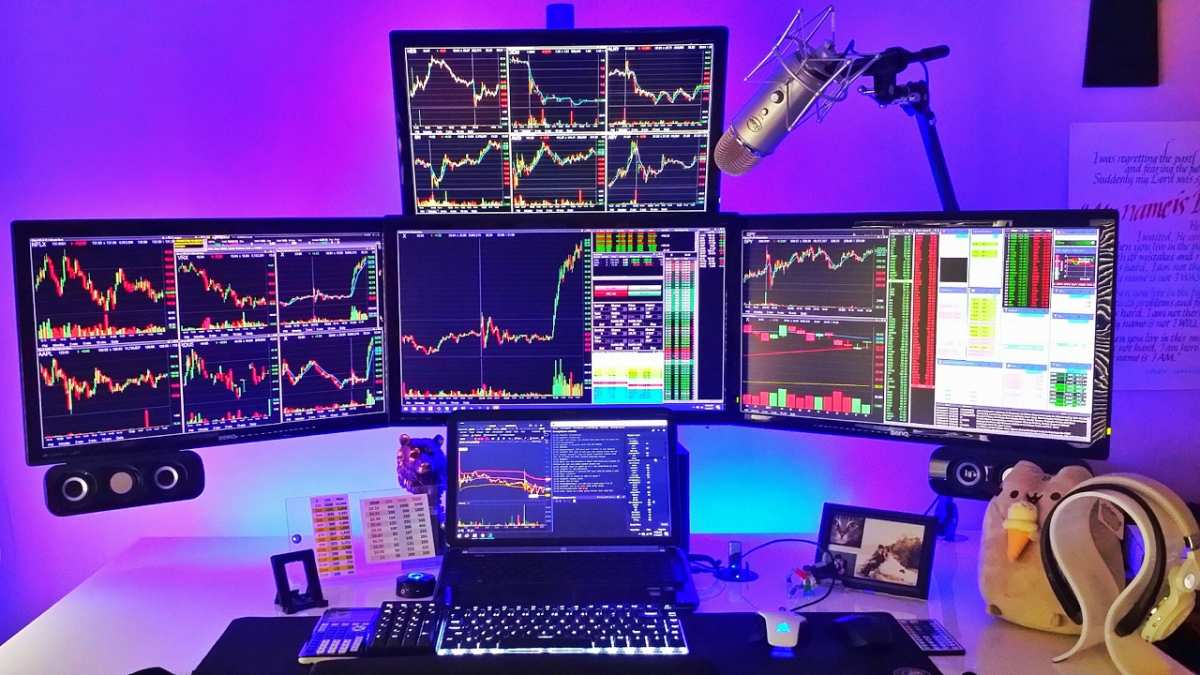
are mini led monitors good for stock trading
If you're setting up a trading desk in 2026, you've probably noticed Mini LED monitors everywhere. They promise deeper blacks, brighter highlights, and better contrast than traditional screens. But stock trading has unique demands that most monitor reviews don't address.
The short answer is yes, Mini LED monitors are good for stock trading, but they're not automatically the best choice. Your ideal pick depends on how you trade, how many hours you stare at charts, and whether the trade-offs matter for your specific setup. Let's break it down so you can make the right call.
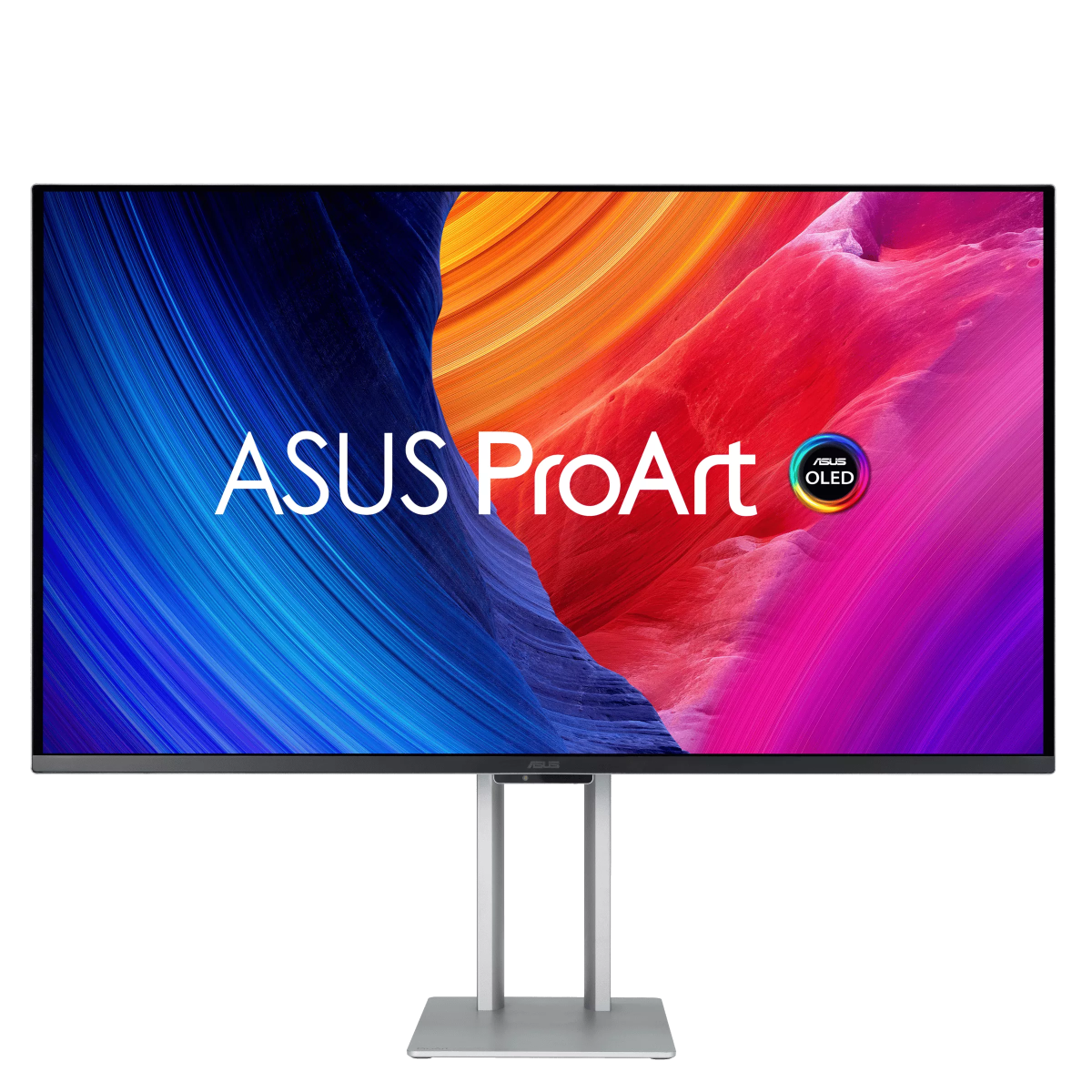
Image source: Bing (Web (fair-use with source credit))
Quick Answer
Mini LED monitors work well for stock trading. They offer strong contrast for chart visibility. There is no burn-in risk during long sessions.
Text clarity is good but not perfect. Consider your trading style before buying.
Why This Comparison Matters for Traders
Most monitor reviews focus on gaming or video editing. They talk about HDR movies and color grading. That's fine, but it doesn't tell you what you need to know.
Stock trading is different. You're staring at static charts, numbers, and indicators for hours. You need text that's razor-sharp at small font sizes.
You need consistent brightness across the whole screen. And you definitely don't want burn-in after six months of running the same Bloomberg terminal layout.
Mini LED technology sits between standard IPS panels and OLED. It uses thousands of tiny dimming zones to control brightness in different areas of the screen. This gives you deeper blacks than a regular LED monitor without the burn-in risk of OLED.
For traders, that's a meaningful middle ground.
The catch? Not all Mini LED implementations are equal. Zone count, dimming algorithm quality, and panel type all affect real-world performance.
A 384-zone Mini LED behaves very differently from a 2304-zone model. We'll get into those details below.
How Mini LED Technology Actually Works
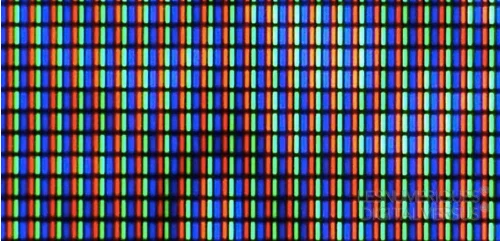
Mini LED isn't a panel type like IPS or VA. It's a backlighting method. The actual display panel (usually IPS) stays the same, but behind it sits an array of much smaller LEDs than traditional edge-lit or direct-lit monitors.
These LEDs are grouped into dimming zones. Each zone can brighten or dim independently based on what's displayed. When a chart shows a bright white candlestick on a dark background, the zones behind that candle glow bright while surrounding zones dim.
That's how you get deeper blacks and better contrast.
What Zone Count Actually Means
More zones generally mean better performance. Here's how the tiers break down:
| Zone Count | Typical Price Range | Trading Suitability |
|---|---|---|
| 16-64 zones | $250-$400 | Minimal improvement over standard LED |
| 128-384 zones | $400-$700 | Good for most traders |
| 576-1152 zones | $700-$1,200 | Excellent contrast control |
| 2000+ zones | $1,000+ | Best-in-class, near-OLED blacks |
The sweet spot for most traders sits in the 384-1152 zone range. You get meaningful blooming reduction without paying a premium for diminishing returns.
Active Cooling and Power Draw
High-end Mini LED monitors often have small fans for active cooling. This matters for your workspace. A monitor that hums quietly during a 10-hour trading session can become annoying fast.
Check reviews specifically for fan noise before buying.
Power consumption also runs higher than standard IPS panels. Expect 60-100W during normal use versus 30-45W for a typical 32-inch IPS. It's not a dealbreaker, but it's worth knowing.
Mini LED vs IPS vs OLED: The Trading Monitor Breakdown
This is where the real decision happens. Each technology has strengths and weaknesses for trading. Let's compare them head-to-head.
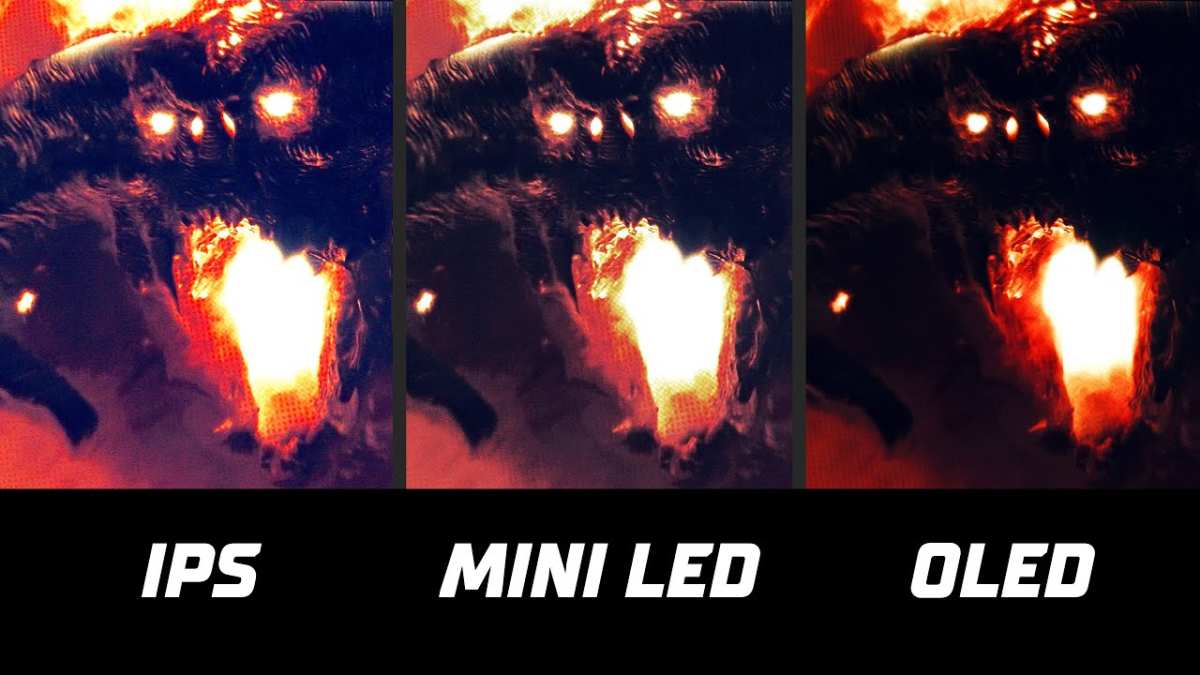
Image source: Bing (Web (fair-use with source credit))
Mini LED vs Standard IPS
Standard IPS monitors are the workhorses of trading desks worldwide. They're affordable, reliable, and offer good color accuracy. But they struggle with contrast.
Blacks look grayish, especially in dim rooms.
Mini LED solves this problem. With local dimming engaged, you get significantly deeper blacks and better contrast ratios. Manufacturer specs claim ratios of 1,000,000:1 versus 1,000:1 for standard IPS.
Real-world performance is less dramatic, but the difference is visible.
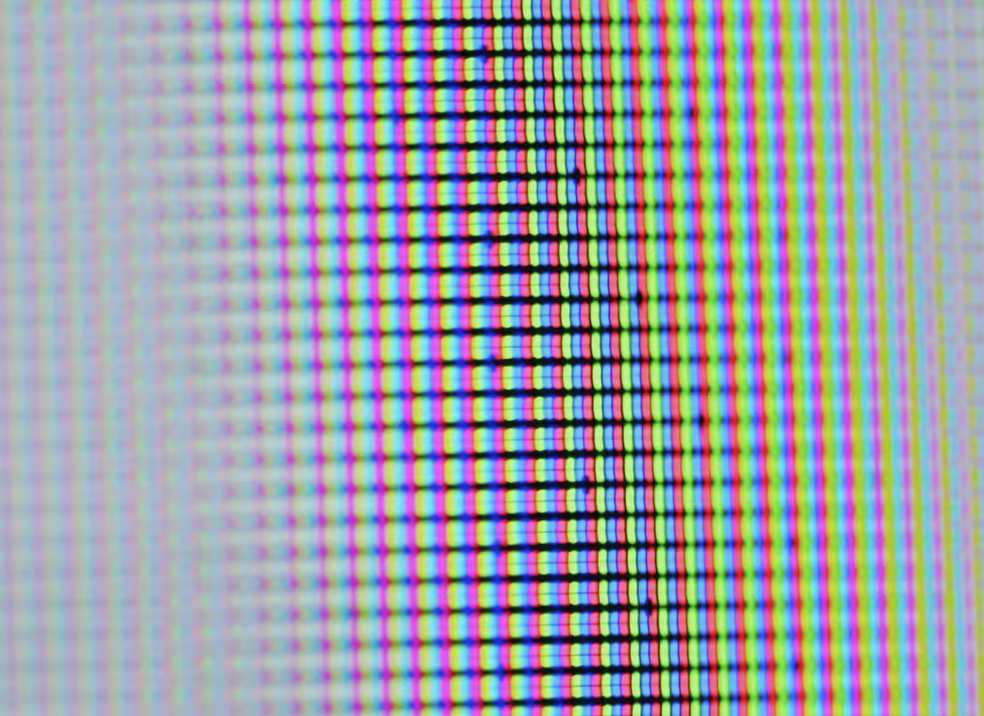
The trade-off is blooming. Bright objects on dark backgrounds can create a halo effect. For traders, this shows up as a faint glow around white or green candlesticks on dark chart backgrounds.
Higher zone counts reduce this, but they don't eliminate it entirely.
Choose Mini LED over IPS if: You trade in low lighting, value deep blacks, and want better contrast for chart analysis.
Stick with IPS if: You're on a tight budget, trade in bright rooms, or find blooming distracting.
Mini LED vs OLED
OLED monitors deliver perfect blacks and infinite contrast. Each pixel produces its own light and can turn off completely. For visual quality, OLED wins hands down.
But OLED has a burn-in problem. Static elements like toolbars, chart axes, and indicator panels can leave permanent ghost images over time. Manufacturers include mitigation features like pixel shifting and screen savers, but the risk remains for traders who display the same layout for 8-12 hours daily.
Mini LED doesn't have burn-in risk. The LED backlight degrades slowly over years, but you won't get permanent image retention from leaving your trading platform open. For professional traders running static layouts, this matters a lot.
Choose Mini LED over OLED if: You run static layouts for long sessions, want zero burn-in risk, or prefer a lower-maintenance display.
Choose OLED if: You prioritize perfect image quality, don't mind burn-in mitigation practices, and want the best text clarity available.
Mini LED vs VA Panels
VA panels offer better native contrast than IPS, typically around 3000:1 versus 100:1. They're cheaper than Mini LED and don't have blooming issues. For traders on a budget, VA is worth considering.
The downside is slower response times and more ghosting. Fast-moving tick charts and scrolling order books can look smudged on VA panels. If you day trade or watch Level 2 data, this becomes a real problem.
Mini LED with an IPS panel gives you faster response times than VA. You get better contrast than standard IPS without the ghosting penalty of VA panels.
Choose Mini LED over VA if: You need fast response times for active trading and want better contrast than standard IPS.
Choose VA if: You're a swing or position trader who doesn't need fast pixel response and want good contrast at a lower price.
Side-by-Side Comparison Table
| Feature | Mini LED | Standard IPS | OLED | VA |
|---|---|---|---|---|
| Contrast Ratio | 100,000:1+ | 1,000:1 | Infinite | 3,000:1 |
| Black Levels | Very Good | Fair | Perfect | Good |
| Burn-In Risk | None | None | Yes | None |
| Text Clarity | Very Good | Very Good | Excellent | Good |
| Response Time | Good (IPS) | Good | Excellent | Fair |
| Blooming | Some | None | None | None |
| Price Range | $400-$1,500+ | $200-$600 | $800-$2,000+ | $250-$500 |
| Best For | All-around trading | Budget setups | Image quality priority | Budget contrast |
What Matters Most in a Trading Monitor
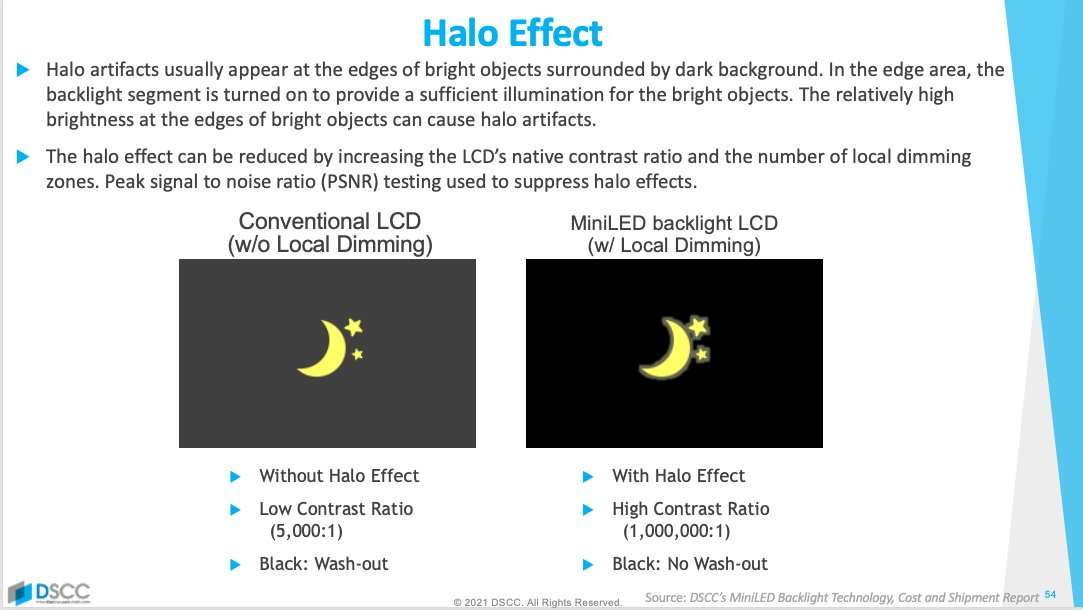
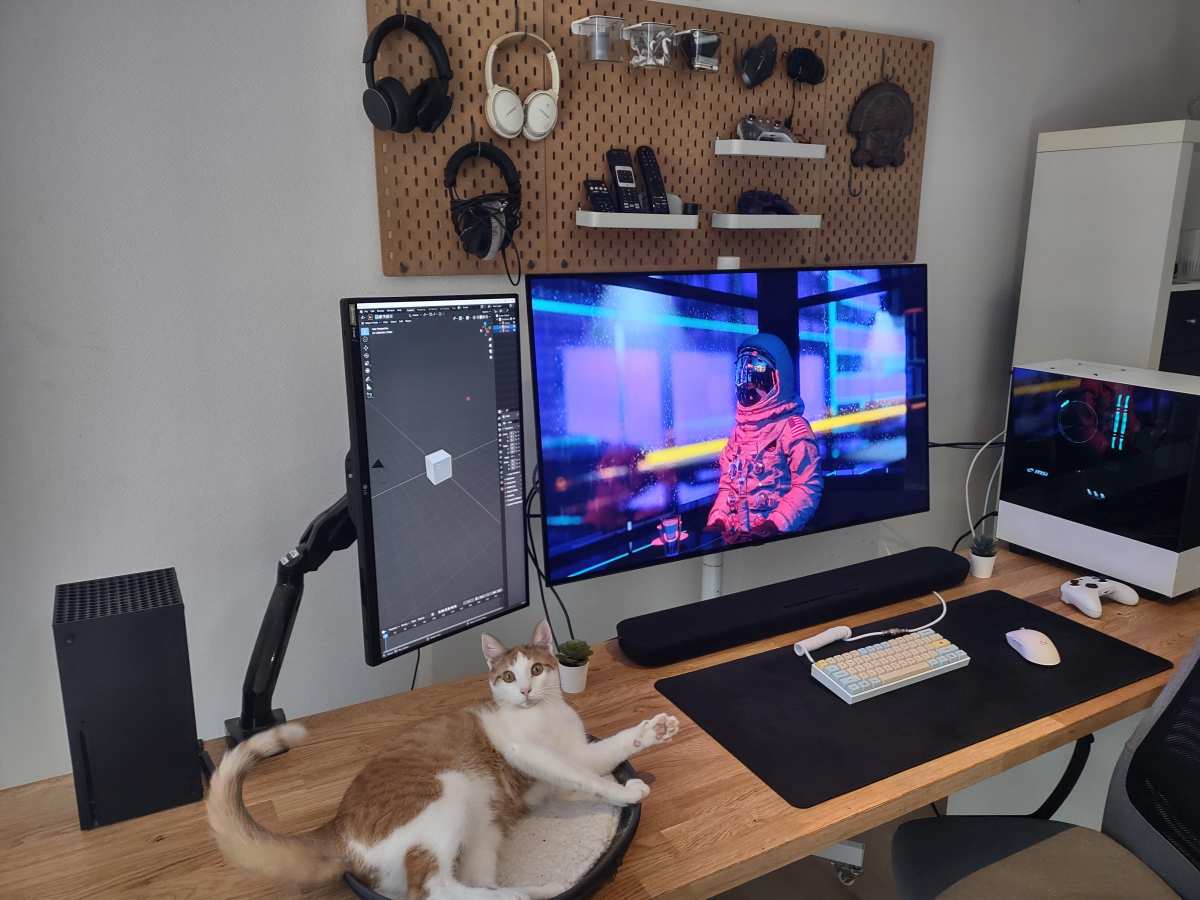
Image source: Bing (Web (fair-use with source credit))
Not every spec sheet number matters for trading. Here's what actually affects your day-to-day experience.
Text Clarity and Chart Readability
You're reading numbers all day. Small font sizes on watchlists, order windows, and indicator labels need to be crisp. Mini LED monitors with IPS panels deliver good text clarity, but the local dimming algorithm can sometimes interfere with fine text rendering.
Look for monitors with high pixel density. A 32-inch 4K panel gives you 138 PPI, which is sharp for trading. Some traders prefer 27-inch 1440p displays at 109 PPI because text appears larger without scaling.
Both work fine. Just avoid 4K at 32 inches if you don't want to use display scaling.
Contrast and Dark Background Performance
Most trading platforms use dark backgrounds. This is where Mini LED shines. The ability to dim zones behind dark areas while keeping chart elements bright makes data pop.
It reduces eye strain during long sessions compared to the grayish blacks of standard IPS.
However, blooming can be distracting. If you use a black background with bright green or white candlesticks, you may notice halos around those elements. This varies by monitor model and zone count.
Higher-end models handle this better, but it's worth checking reviews specifically for trading use.
Response Time and Ghosting
For day traders and scalpers, response time matters. You need fast-moving tick charts and order book data to look clean. Mini LED monitors with IPS panels typically offer 1ms to 5ms GtG response times, which is adequate for most trading.
VA-based Mini LED monitors exist but are rare. If you find one, check response time specs carefully. The slower pixel transition of VA can create ghosting that's distracting for active trading.
Burn-In Risk for Static Content
This is Mini LED's biggest advantage over OLED for traders. Your trading platform probably has static elements. Toolbars, chart axes, watchlist headers, and indicator panels stay in the same place for hours.
OLED monitors can develop burn-in from this static content over months. Mini LED doesn't have this problem. The backlight may dim slightly over years of use, but you won't get permanent ghost images.
For professional traders who can't afford display degradation, this is a significant factor.
Brightness in Different Lighting
Mini LED monitors can get very bright. HDR1000 models hit 1,000 nits peak brightness. This is overkill for most trading setups, but it helps in bright rooms or near windows.
Standard IPS panels typically max out at 300-400 nits. If your trading room gets a lot of natural light, Mini LED's higher brightness range gives you more flexibility. You can also dim these monitors very low for comfortable night trading.
Best Mini LED Monitors for Trading (2024-2025)
We can't recommend specific products without knowing your budget and setup. But we can point you toward the categories and features that matter most for traders.
What to Look For
Prioritize these specs when shopping:
- Zone count: 384 minimum, 576+ preferred
- Resolution: 4K at 32 inches or 5K2K ultrawide at 34 inches
- Panel type: IPS for color accuracy and response time
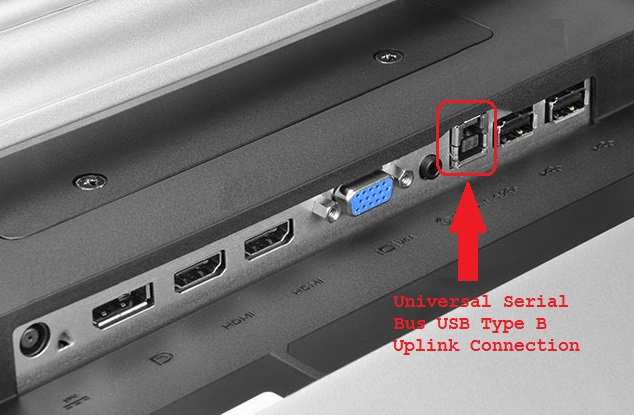
- Connectivity: DisplayPort 1.4 and HDMI 2.1 at minimum
- VESA mount: 100x100mm for arm mounting
- Anti-glare coating: Matte finish reduces reflections
Price Tiers That Make Sense
Budget around $500-$700 for a solid 32-inch 4K Mini LED with 384-576 zones. This range hits the sweet spot for most retail traders. Spending more gets you higher zone counts and better build quality, but the trading-specific benefits diminish above $1,200.
Avoid the cheapest Mini LED options with fewer than 128 zones. The contrast improvement over standard IPS is minimal at that level. You're paying for a spec bump you won't notice.
Who Should Choose Mini LED for Trading
Not every trader benefits equally from Mini LED. Here's how to decide based on your style.
Day Traders
You need fast response times and clear visibility of rapid price movements. Mini LED with an IPS panel works well here. The contrast helps you read Level 2 data and time-and-sales windows.
Just make sure the monitor has a 1ms GtG response time spec.
Avoid VA-based Mini LED panels. The slower pixel response creates ghosting on fast tick charts. You'll miss details in rapid order flow.
Swing and Position Traders
You're analyzing daily and weekly charts. You don't need extreme response times. Mini LED's contrast advantage shines here.
Candlestick patterns and indicator lines pop against deep black backgrounds.
A 32-inch 4K Mini LED with 576+ zones is ideal. You get sharp text for small indicators and excellent contrast for long chart timeframes. This is probably the best use case for Mini LED in trading.
Multi-Monitor Setup Users
Running three or more monitors? Mini LED works well as a primary chart monitor. Use cheaper IPS panels for secondary screens showing news, email, or data feeds.
This approach gives you the contrast benefit where it matters most. You save money on screens that don't need deep blacks. Your main chart display gets the premium treatment.
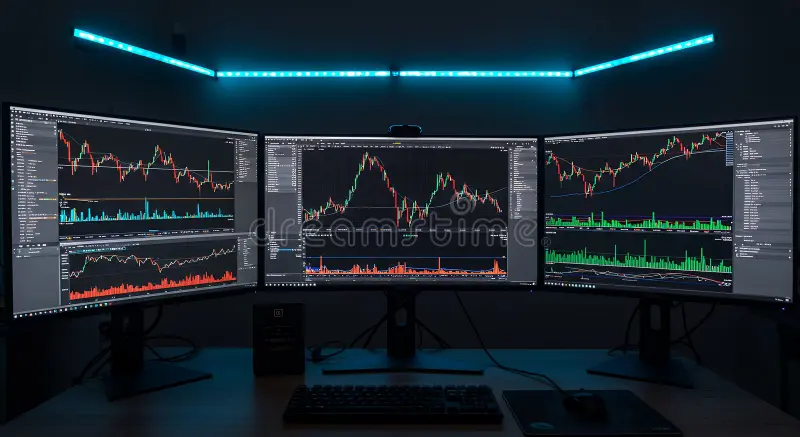
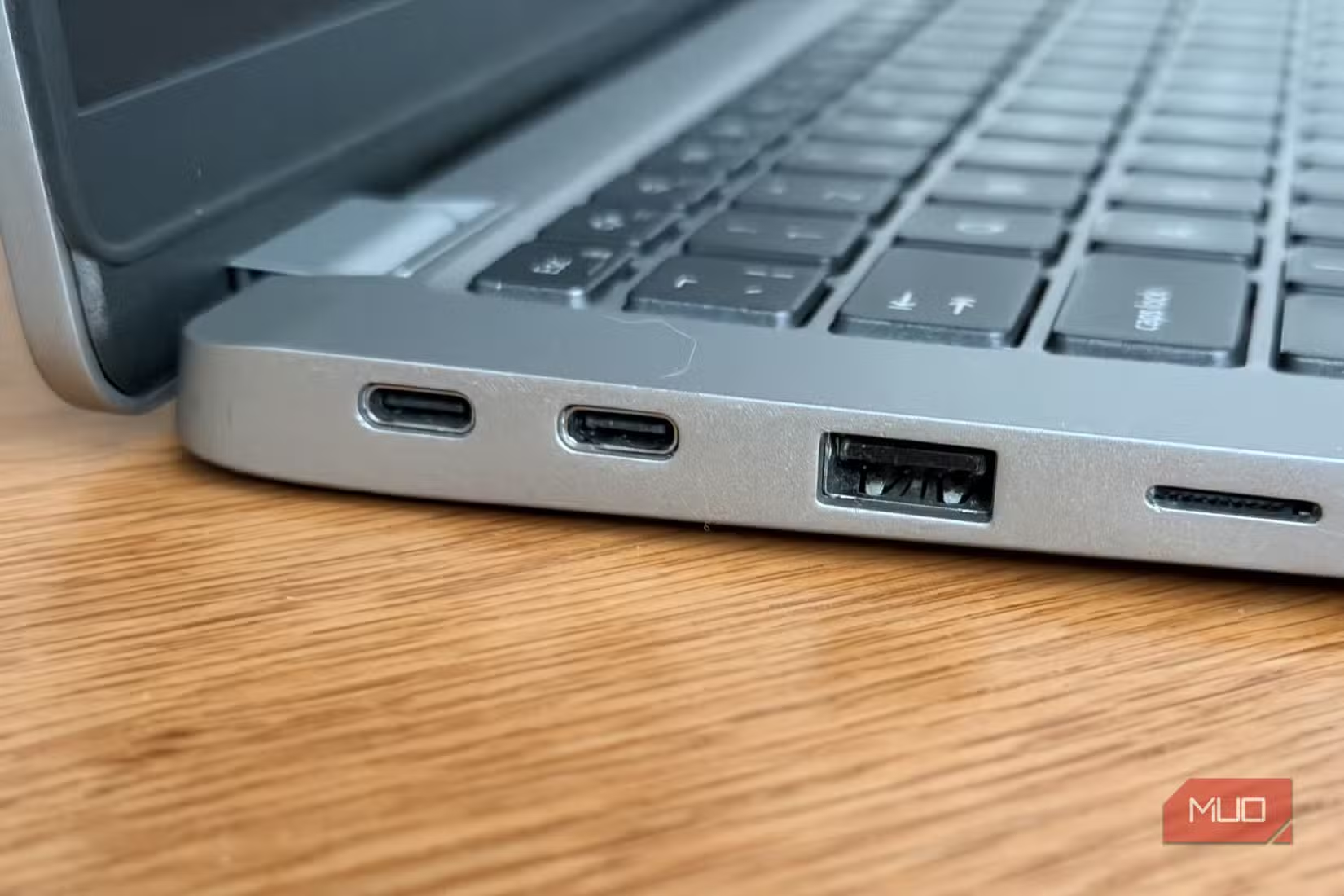
Image source: Bing (Web (fair-use with source credit))
Common Mistakes When Buying a Mini LED for Trading
Traders make these errors more often than you'd think.
Ignoring fan noise. Some high-end Mini LED monitors have active cooling fans. Check reviews for noise levels. A quiet hum during market hours can become maddening over a full trading day.
Buying based on zone count alone. A 1152-zone monitor with a poor dimming algorithm can look worse than a well-tuned 576-zone model. Read reviews that specifically test blooming with bright-on-dark content.
Forgetting about scaling. 4K at 32 inches requires display scaling to read text comfortably. Some trading platforms don't handle scaling well. Test your platform at different scaling levels before committing.
Overpaying for HDR. HDR1000 looks impressive in demos. But most trading platforms don't use HDR. You're paying for a feature that won't benefit your workflow.
A good HDR400 or HDR600 monitor is plenty.
Not checking connectivity. Make sure your GPU can drive the resolution and refresh rate you want. Multiple 4K displays require significant GPU output. Older laptops may struggle with external Mini LED monitors at full resolution.
Costs and Value: Is the Premium Worth It?
Mini LED monitors cost more than standard IPS panels. The question is whether the benefits justify the price for your specific use case.
A decent 32-inch 4K IPS trading monitor runs $300-$450. A comparable Mini LED with 384+ zones costs $500-$800. That's a $200-$350 premium for better contrast and deeper blacks.
For traders who work in dim or dark rooms, the upgrade is worth it. The reduced eye strain alone justifies the cost over months of use. If you trade in a bright office with overhead lighting, the contrast advantage is less noticeable.
Consider the total cost of ownership too. Mini LED monitors should last 5-7 years without significant degradation. Spread that $600 cost over six years and it's about $8 per month.
For a tool that helps you make trading decisions, that's reasonable.
Final Verdict: Should You Buy a Mini LED Monitor for Trading?
Mini LED is a strong choice for stock trading. It offers meaningful improvements over standard IPS without the burn-in risk of OLED. The contrast advantage helps with dark-themed trading platforms and reduces eye strain during long sessions.
The technology isn't perfect. Blooming can be distracting on high-contrast charts. Fan noise on some models is annoying.
And you'll pay a premium for the best implementations.
But for most serious traders, Mini LED hits the right balance. You get better image quality than IPS, better longevity than OLED, and a price that makes sense for professional use. If you're setting up a new trading desk in 2026, Mini LED deserves serious consideration.
Frequently Asked Questions
Does Mini LED work well with Thinkorswim?
Yes. Thinkorswim's dark interface benefits from Mini LED's contrast. Make sure your GPU can handle the resolution.
Some users report minor scaling issues at 4K, but these are adjustable in the platform settings.
Will I notice blooming on candlestick charts?
You might. Bright candles on dark backgrounds can show slight halos. Higher zone counts reduce this effect.
If blooming bothers you, look for monitors with 576+ zones and good dimming algorithms.
Is Mini LED better than IPS for 8-hour trading sessions?
For most traders, yes. The deeper blacks reduce eye strain in dim environments. Standard IPS works fine in bright rooms.
Your room lighting matters more than the monitor technology here.
Can I use Mini LED for trading and gaming?
Absolutely. Mini LED handles both well. You get good response times for gaming and excellent contrast for trading.
Many models include preset modes for different use cases.
How long do Mini LED monitors last?
Expect 5-7 years of good performance. The LED backlight dims gradually over time, but this is a slow process. You won't face the sudden burn-in issues that affect OLED panels.
Quick Answer
Mini LED monitors work well for stock trading. They offer strong contrast for chart visibility. There is no burn-in risk during long sessions.
Text clarity is good but not perfect. Consider your trading style before buying.
Why This Comparison Matters for Traders
Most monitor reviews focus on gaming or video editing. They talk about HDR movies and color grading. That's fine, but it doesn't tell you what you need to know.
Stock trading is different. You're staring at static charts, numbers, and indicators for hours. You need text that's razor-sharp at small font sizes.
You need consistent brightness across the whole screen. And you definitely don't want burn-in after six months of running the same Bloomberg terminal layout.
Mini LED technology sits between standard IPS panels and OLED. It uses thousands of tiny dimming zones to control brightness in different areas of the screen. This gives you deeper blacks than a regular LED monitor without the burn-in risk of OLED.
For traders, that's a meaningful middle ground.
The catch? Not all Mini LED implementations are equal. Zone count, dimming algorithm quality, and panel type all affect real-world performance.
A 384-zone Mini LED behaves very differently from a 2304-zone model. We'll get into those details below.
How Mini LED Technology Actually Works
Mini LED isn't a panel type like IPS or VA. It's a backlighting method. The actual display panel (usually IPS) stays the same, but behind it sits an array of much smaller LEDs than traditional edge-lit or direct-lit monitors.
These LEDs are grouped into dimming zones. Each zone can brighten or dim independently based on what's displayed. When a chart shows a bright white candlestick on a dark background, the zones behind that candle glow bright while surrounding zones dim.
That's how you get deeper blacks and better contrast.
What Zone Count Actually Means
More zones generally mean better performance. Here's how the tiers break down:
| Zone Count | Typical Price Range | Trading Suitability |
|---|---|---|
| 16-64 zones | $250-$400 | Minimal improvement over standard LED |
| 128-384 zones | $400-$700 | Good for most traders |
| 576-1152 zones | $700-$1,200 | Excellent contrast control |
| 2000+ zones | $1,000+ | Best-in-class, near-OLED blacks |
The sweet spot for most traders sits in the 384-1152 zone range. You get meaningful blooming reduction without paying a premium for diminishing returns.
Active Cooling and Power Draw
High-end Mini LED monitors often have small fans for active cooling. This matters for your workspace. A monitor that hums quietly during a 10-hour trading session can become annoying fast.
Check reviews specifically for fan noise before buying.
Power consumption also runs higher than standard IPS panels. Expect 60-100W during normal use versus 30-45W for a typical 32-inch IPS. It's not a dealbreaker, but it's worth knowing.
Mini LED vs IPS vs OLED: The Trading Monitor Breakdown
This is where the real decision happens. Each technology has strengths and weaknesses for trading. Let's compare them head-to-head.
Image source: Bing (Web (fair-use with source credit))
Mini LED vs Standard IPS
Standard IPS monitors are the workhorses of trading desks worldwide. They're affordable, reliable, and offer good color accuracy. But they struggle with contrast.
Blacks look grayish, especially in dim rooms.
Mini LED solves this problem. With local dimming engaged, you get significantly deeper blacks and better contrast ratios. Manufacturer specs claim ratios of 1,000,000:1 versus 1,000:1 for standard IPS.
Real-world performance is less dramatic, but the difference is visible.
The trade-off is blooming. Bright objects on dark backgrounds can create a halo effect. For traders, this shows up as a faint glow around white or green candlesticks on dark chart backgrounds.
Higher zone counts reduce this, but they don't eliminate it entirely.
Choose Mini LED over IPS if: You trade in low lighting, value deep blacks, and want better contrast for chart analysis.
Stick with IPS if: You're on a tight budget, trade in bright rooms, or find blooming distracting.
Mini LED vs OLED
OLED monitors deliver perfect blacks and infinite contrast. Each pixel produces its own light and can turn off completely. For visual quality, OLED wins hands down.
But OLED has a burn-in problem. Static elements like toolbars, chart axes, and indicator panels can leave permanent ghost images over time. Manufacturers include mitigation features like pixel shifting and screen savers, but the risk remains for traders who display the same layout for 8-12 hours daily.
Mini LED doesn't have burn-in risk. The LED backlight degrades slowly over years, but you won't get permanent image retention from leaving your trading platform open. For professional traders running static layouts, this matters a lot.
Choose Mini LED over OLED if: You run static layouts for long sessions, want zero burn-in risk, or prefer a lower-maintenance display.
Choose OLED if: You prioritize perfect image quality, don't mind burn-in mitigation practices, and want the best text clarity available.
Mini LED vs VA Panels
VA panels offer better native contrast than IPS, typically around 3000:1 versus 100:1. They're cheaper than Mini LED and don't have blooming issues. For traders on a budget, VA is worth considering.
The downside is slower response times and more ghosting. Fast-moving tick charts and scrolling order books can look smudged on VA panels. If you day trade or watch Level 2 data, this becomes a real problem.
Mini LED with an IPS panel gives you faster response times than VA. You get better contrast than standard IPS without the ghosting penalty of VA panels.
Choose Mini LED over VA if: You need fast response times for active trading and want better contrast than standard IPS.
Choose VA if: You're a swing or position trader who doesn't need fast pixel response and want good contrast at a lower price.
Side-by-Side Comparison Table
| Feature | Mini LED | Standard IPS | OLED | VA |
|---|---|---|---|---|
| Contrast Ratio | 100,000:1+ | 1,000:1 | Infinite | 3,000:1 |
| Black Levels | Very Good | Fair | Perfect | Good |
| Burn-In Risk | None | None | Yes | None |
| Text Clarity | Very Good | Very Good | Excellent | Good |
| Response Time | Good (IPS) | Good | Excellent | Fair |
| Blooming | Some | None | None | None |
| Price Range | $400-$1,500+ | $200-$600 | $800-$2,000+ | $250-$500 |
| Best For | All-around trading | Budget setups | Image quality priority | Budget contrast |
What Matters Most in a Trading Monitor
Not every spec sheet number matters for trading. Here's what actually affects your day-to-day experience.
Text Clarity and Chart Readability
You're reading numbers all day. Small font sizes on watchlists, order windows, and indicator labels need to be crisp. Mini LED monitors with IPS panels deliver good text clarity, but the local dimming algorithm can sometimes interfere with fine text rendering.
Look for monitors with high pixel density. A 32-inch 4K panel gives you 138 PPI, which is sharp for trading. Some traders prefer 27-inch 1440p displays at 109 PPI because text appears larger without scaling.
Both work fine. Just avoid 4K at 32 inches if you don't want to use display scaling.
Contrast and Dark Background Performance
Most trading platforms use dark backgrounds. This is where Mini LED shines. The ability to dim zones behind dark areas while keeping chart elements bright makes data pop.
It reduces eye strain during long sessions compared to the grayish blacks of standard IPS.
However, blooming can be distracting. If you use a black background with bright green or white candlesticks, you may notice halos around those elements. This varies by monitor model and zone count.
Higher-end models handle this better, but it's worth checking reviews specifically for trading use.
Response Time and Ghosting
For day traders and scalpers, response time matters. You need fast-moving tick charts and order book data to look clean. Mini LED monitors with IPS panels typically offer 1ms to 5ms GtG response times, which is adequate for most trading.
VA-based Mini LED monitors exist but are rare. If you find one, check response time specs carefully. The slower pixel transition of VA can create ghosting that's distracting for active trading.
Burn-In Risk for Static Content
This is Mini LED's biggest advantage over OLED for traders. Your trading platform probably has static elements. Toolbars, chart axes, watchlist headers, and indicator panels stay in the same place for hours.
OLED monitors can develop burn-in from this static content over months. Mini LED doesn't have this problem. The backlight may dim slightly over years of use, but you won't get permanent ghost images.
For professional traders who can't afford display degradation, this is a significant factor.
Brightness in Different Lighting
Mini LED monitors can get very bright. HDR1000 models hit 1,000 nits peak brightness. This is overkill for most trading setups, but it helps in bright rooms or near windows.
Standard IPS panels typically max out at 300-400 nits. If your trading room gets a lot of natural light, Mini LED's higher brightness range gives you more flexibility. You can also dim these monitors very low for comfortable night trading.
Best Mini LED Monitors for Trading (2024-2025)
We can't recommend specific products without knowing your budget and setup. But we can point you toward the categories and features that matter most for traders.
What to Look For
Prioritize these specs when shopping:
- Zone count: 384 minimum, 576+ preferred
- Resolution: 4K at 32 inches or 5K2K ultrawide at 34 inches
- Panel type: IPS for color accuracy and response time
- Connectivity: DisplayPort 1.4 and HDMI 2.1 at minimum
- VESA mount: 100x100mm for arm mounting
- Anti-glare coating: Matte finish reduces reflections
Price Tiers That Make Sense
Budget around $500-$700 for a solid 32-inch 4K Mini LED with 384-576 zones. This range hits the sweet spot for most retail traders. Spending more gets you higher zone counts and better build quality, but the trading-specific benefits diminish above $1,200.
Avoid the cheapest Mini LED options with fewer than 128 zones. The contrast improvement over standard IPS is minimal at that level. You're paying for a spec bump you won't notice.
Who Should Choose Mini LED for Trading
Not every trader benefits equally from Mini LED. Here's how to decide based on your style.
Day Traders
You need fast response times and clear visibility of rapid price movements. Mini LED with an IPS panel works well here. The contrast helps you read Level 2 data and time-and-sales windows.
Just make sure the monitor has a 1ms GtG response time spec.
Avoid VA-based Mini LED panels. The slower pixel response creates ghosting on fast tick charts. You'll miss details in rapid order flow.
Swing and Position Traders
You're analyzing daily and weekly charts. You don't need extreme response times. Mini LED's contrast advantage shines here.
Candlestick patterns and indicator lines pop against deep black backgrounds.
A 32-inch 4K Mini LED with 576+ zones is ideal. You get sharp text for small indicators and excellent contrast for long chart timeframes. This is probably the best use case for Mini LED in trading.
Multi-Monitor Setup Users
Running three or more monitors? Mini LED works well as a primary chart monitor. Use cheaper IPS panels for secondary screens showing news, email, or data feeds.
This approach gives you the contrast benefit where it matters most. You save money on screens that don't need deep blacks. Your main chart display gets the premium treatment.
Image source: Bing (Web (fair-use with source credit))
Common Mistakes When Buying a Mini LED for Trading
Traders make these errors more often than you'd think.
Ignoring fan noise. Some high-end Mini LED monitors have active cooling fans. Check reviews for noise levels. A quiet hum during market hours can become maddening over a full trading day.
Buying based on zone count alone. A 1152-zone monitor with a poor dimming algorithm can look worse than a well-tuned 576-zone model. Read reviews that specifically test blooming with bright-on-dark content.
Forgetting about scaling. 4K at 32 inches requires display scaling to read text comfortably. Some trading platforms don't handle scaling well. Test your platform at different scaling levels before committing.
Overpaying for HDR. HDR1000 looks impressive in demos. But most trading platforms don't use HDR. You're paying for a feature that won't benefit your workflow.
A good HDR400 or HDR600 monitor is plenty.
Not checking connectivity. Make sure your GPU can drive the resolution and refresh rate you want. Multiple 4K displays require significant GPU output. Older laptops may struggle with external Mini LED monitors at full resolution.
Costs and Value: Is the Premium Worth It?
Mini LED monitors cost more than standard IPS panels. The question is whether the benefits justify the price for your specific use case.
A decent 32-inch 4K IPS trading monitor runs $300-$450. A comparable Mini LED with 384+ zones costs $500-$800. That's a $200-$350 premium for better contrast and deeper blacks.
For traders who work in dim or dark rooms, the upgrade is worth it. The reduced eye strain alone justifies the cost over months of use. If you trade in a bright office with overhead lighting, the contrast advantage is less noticeable.
Consider the total cost of ownership too. Mini LED monitors should last 5-7 years without significant degradation. Spread that $600 cost over six years and it's about $8 per month.
For a tool that helps you make trading decisions, that's reasonable.
Final Verdict: Should You Buy a Mini LED Monitor for Trading?
Mini LED is a strong choice for stock trading. It offers meaningful improvements over standard IPS without the burn-in risk of OLED. The contrast advantage helps with dark-themed trading platforms and reduces eye strain during long sessions.
The technology isn't perfect. Blooming can be distracting on high-contrast charts. Fan noise on some models is annoying.
And you'll pay a premium for the best implementations.
But for most serious traders, Mini LED hits the right balance. You get better image quality than IPS, better longevity than OLED, and a price that makes sense for professional use. If you're setting up a new trading desk in 2026, Mini LED deserves serious consideration.
Frequently Asked Questions
Does Mini LED work well with Thinkorswim?
Yes. Thinkorswim's dark interface benefits from Mini LED's contrast. Make sure your GPU can handle the resolution.
Some users report minor scaling issues at 4K, but these are adjustable in the platform settings.
Will I notice blooming on candlestick charts?
You might. Bright candles on dark backgrounds can show slight halos. Higher zone counts reduce this effect.
If blooming bothers you, look for monitors with 576+ zones and good dimming algorithms.
Is Mini LED better than IPS for 8-hour trading sessions?
For most traders, yes. The deeper blacks reduce eye strain in dim environments. Standard IPS works fine in bright rooms.
Your room lighting matters more than the monitor technology here.
Can I use Mini LED for trading and gaming?
Absolutely. Mini LED handles both well. You get good response times for gaming and excellent contrast for trading.
Many models include preset modes for different use cases.
How long do Mini LED monitors last?
Expect 5-7 years of good performance. The LED backlight dims gradually over time, but this is a slow process. You won't face the sudden burn-in issues that affect OLED panels.

Similar Posts