Are Mini LED Monitors Good for Creative Professionals
Are mini LED monitors good for creative professionals? The short answer is yes, with some important caveats. Mini LED technology has matured significantly since its consumer debut, and as of 2026, these displays offer genuine advantages for color-critical work.
But whether one is right for you depends entirely on what kind of creative work you do and where the trade-offs fall for your specific workflow. For more background on real-world performance, read our breakdown of why are mini led monitors good for hdr content.
Manufacturer specifications indicate that current mini LED monitors deliver peak brightness levels exceeding 1,000 nits, cover 99% or more of the DCI-P3 color gamut, and offer substantially better contrast than standard LED-backlit displays. Let's break down what that actually means for your daily work.
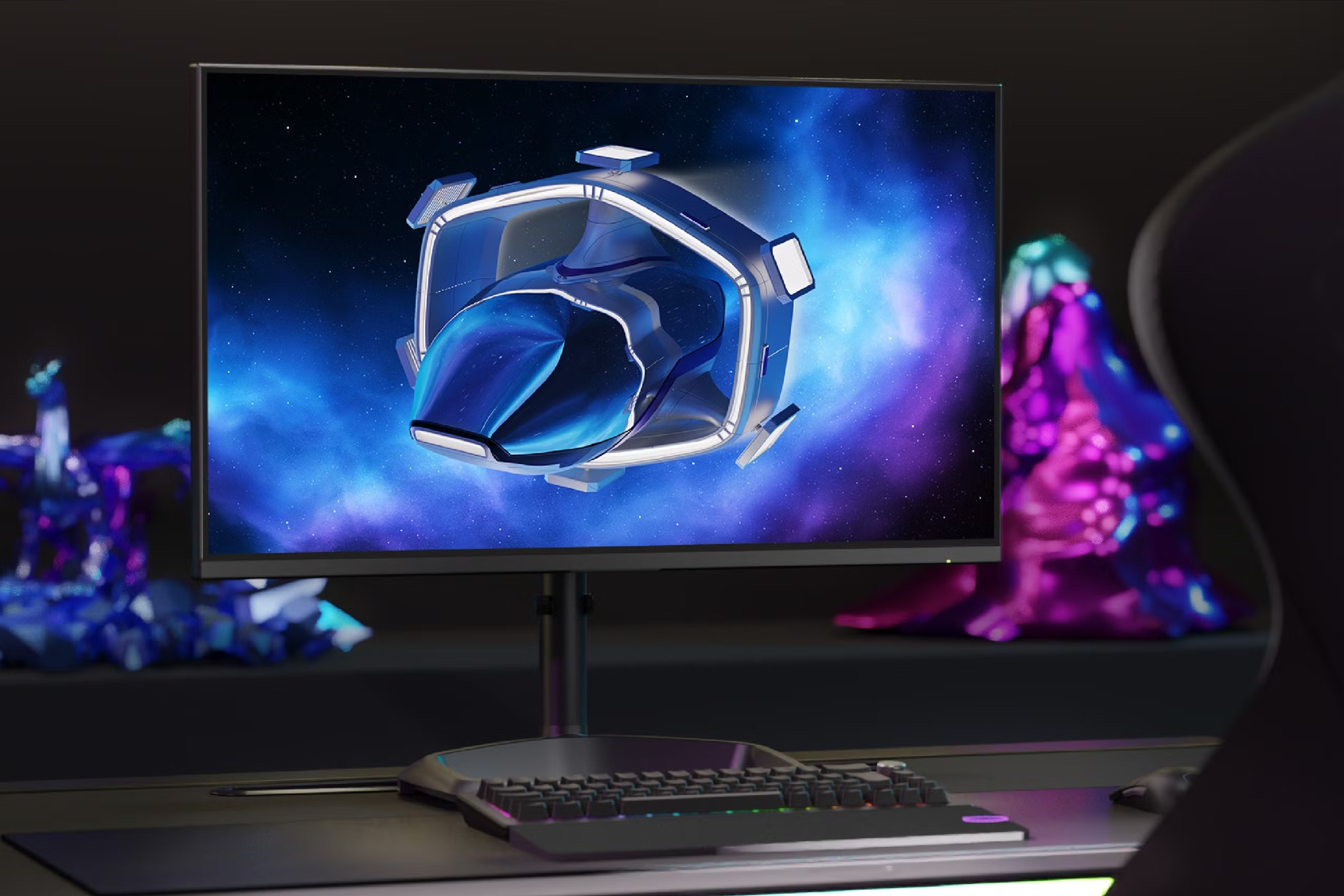
Quick Answer
Mini LED monitors are good for creative professionals who work in HDR. They deliver strong brightness and wide color gamut coverage. They avoid the burn-in risk of OLED displays.
They are less ideal for dark-room color grading due to blooming. Your specific workflow should drive this decision. To see how this holds up against alternate models, explore whether mini led monitors good for netflix.
What Mini LED Actually Is and Why Creative Pros Are Talking About It
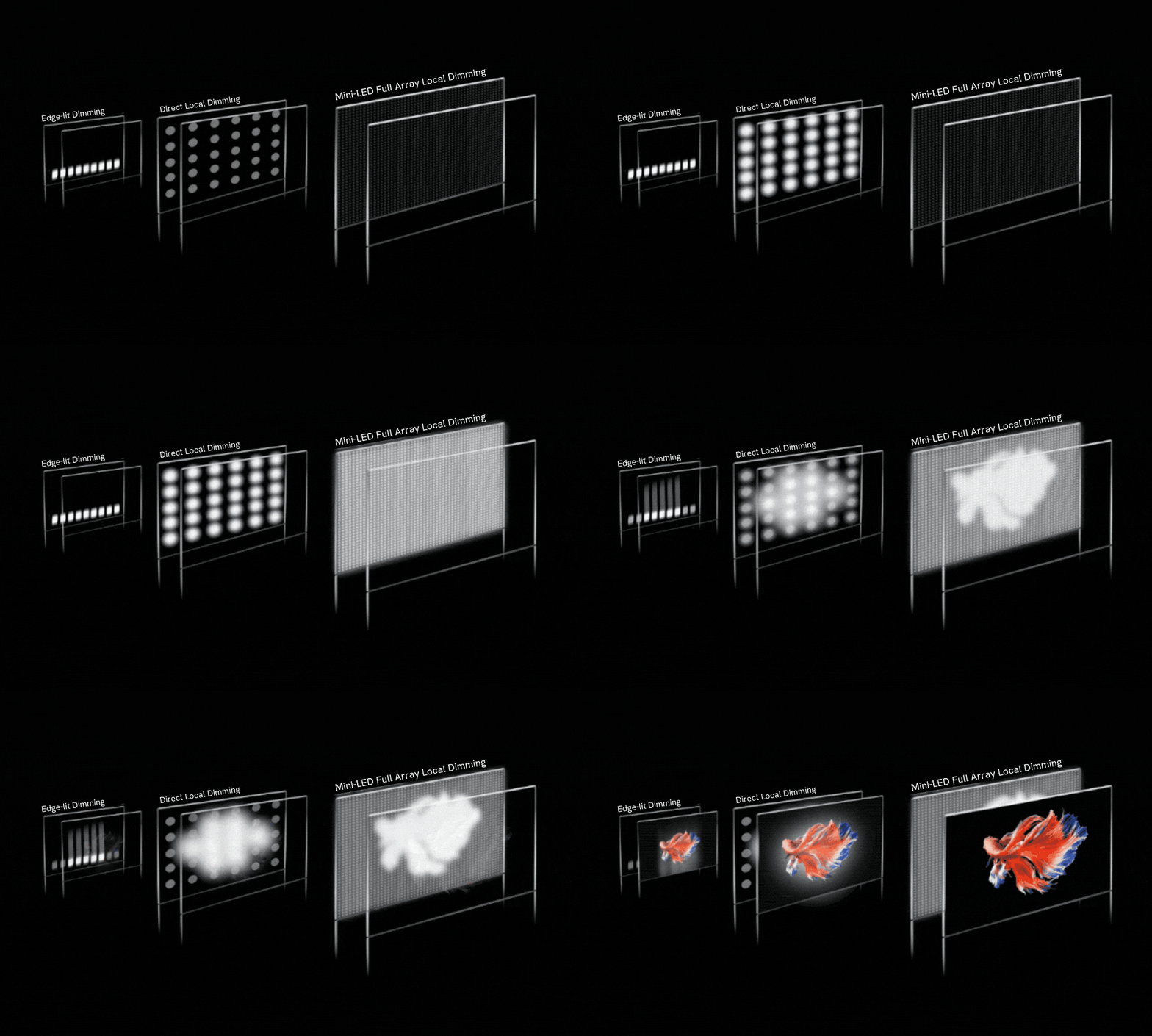
Mini LED is a backlight technology, not a panel technology. That distinction matters. The display panel itself is still typically an IPS or VA LCD layer.
What changes is what sits behind it. Instead of a few dozen or a few hundred large LED zones, mini LED packs thousands of tiny LED diodes into the backlight array. Each diode measures roughly 0.2mm or smaller, which allows for far more precise control over which areas of the screen are lit at any given moment.
This is what enables local dimming. The monitor can dim or turn off specific zones of the backlight independently while keeping other zones at full brightness. The result is deeper blacks in dark areas of the image while bright areas remain punchy.
Standard LED monitors either have no local dimming at all or use edge-lit systems with maybe 8 to 16 zones. Mini LED monitors commonly ship with 384 to 1,152 zones in premium models, and some newer panels push beyond 2,000 zones.
For creative professionals, the appeal is straightforward. You get a display that can show HDR content closer to how it will appear on high-end consumer TVs and cinema screens. You get better shadow detail.
You get a wider effective contrast range. And you don't have to worry about the burn-in issues that come with OLED panels, which is a real concern for people who keep static UI elements on screen for hours every day.
How Mini LED Performs for Color-Critical Work
Peak Brightness and HDR Preview Accuracy
Peak brightness is where mini LED genuinely shines. Most professional-grade mini LED monitors hit 1,000 nits sustained and 1,600 nits or higher in peak HDR mode. Some reference-class models push past 2,000 nits.
Compare that to a standard professional IPS monitor, which typically tops out at 350 to 600 nits.
This matters for HDR content creation. If you're grading video for streaming platforms, mastering content for HDR10 or Dolby Vision delivery, or working in any workflow that involves HDR deliverables, you need a display that can actually show you what those highlights look like. A 400-nit monitor simply cannot do that accurately.
Aggregate reviews from professional display testing indicate that mini LED monitors with 576 or more zones can render HDR content with convincing specular highlight detail. Sun reflections, light sources, and bright UI elements pop in a way that standard LED displays cannot replicate.
Color Gamut and Bit Depth
Color gamut coverage on quality mini LED monitors is strong. Most professional-targeted models cover 99% or more of DCI-P3 and 95% or more of Adobe RGB out of the box. Some models also reach into Rec. 2020 territory, though full Rec. 2020 coverage remains limited across all current display technologies.
Bit depth is another key factor. True 10-bit panels are available in the mini LED space, which means you get over a billion colors. This matters for gradient-heavy work like sky retouching, color grading, and any application where banding would be visible.
Many models also support 10-bit output over DisplayPort with the appropriate graphics card and software configuration.
Local Dimming Zones and What They Actually Do
The number of dimming zones directly affects how well the monitor can handle mixed-brightness scenes. More zones mean finer control. A monitor with 1,152 zones will handle a white cursor on a black background far better than one with 192 zones.
But zone count isn't everything. The dimming algorithm matters just as much. A well-tuned 576-zone monitor can outperform a poorly tuned 1,152-zone model.
Some manufacturers use aggressive dimming that crushes shadow detail. Others use conservative approaches that minimize blooming but sacrifice contrast. This is where hands-on evaluation or detailed professional reviews become essential.
The Real Problem: Blooming and Uniformity Issues
Blooming is the single biggest complaint creative professionals raise about mini LED displays. It appears as a halo or glow around bright objects on dark backgrounds. White text on a black screen, bright stars in a night sky, or a light subject against a dark background can all trigger visible blooming.
The severity depends on three factors: the number of dimming zones, the aggressiveness of the dimming algorithm, and the specific content being displayed. Monitors with fewer than 384 zones tend to show blooming more obviously. Models with 1,000+ zones and mature firmware handle it much better, though it's never fully eliminated the way it is on OLED.
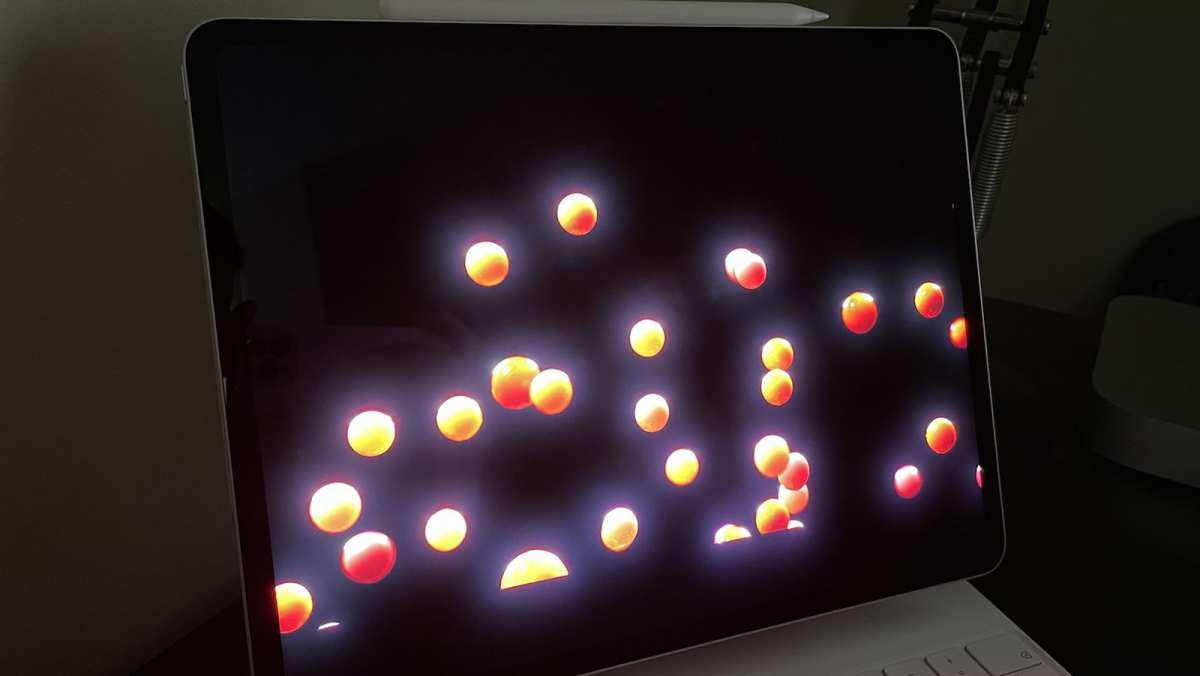
Uniformity is another concern. Because the backlight is divided into zones, you can sometimes see visible transitions between zones, especially in gradients that span from bright to dark. This is sometimes called "zone visibility" or "dirty screen effect." It varies unit to unit and model to model, which means buying without testing carries some risk.
For photographers who work extensively with dark images, night photography, or astrophotography, blooming can be genuinely distracting. For video editors working with mixed-brightness content, it's usually manageable. For graphic designers working primarily in bright, flat-color environments, it's rarely an issue at all.
Mini LED vs. OLED vs. Standard LED: Which Creative Pros Should Choose
The Comparison Table
| Feature | Mini LED | OLED | Standard LED |
|---|---|---|---|
| Peak Brightness | 1,000-2,000+ nits | 400-1,000 nits | 250-600 nits |
| Contrast Ratio | 100,000:1+ | 1,000,000:1 | 1,000:1-3,000:1 |
| Black Levels | Very Good | Perfect | Moderate |
| Blooming | Present | None | N/A |
| Burn-in Risk | None | Present | None |
| Color Gamut (DCI-P3) | 99%+ | 99%+ | 90-99% |
| HDR Performance | Excellent | Excellent | Limited |
| Price (32" Pro Model) | $1,200-$3,500 | $2,000-$4,000 | $400-$1,200 |
| Best For | HDR work, bright rooms | Dark-room grading, print | General design, web |
When Mini LED Wins
Mini LED is the strongest choice when you work in HDR regularly. If your deliverables include HDR10, Dolby Vision, or HLG content, you need a display that can show you what those highlights actually look like. Mini LED handles this better than almost anything else at its price point.
It's also the better choice for bright working environments. OLED struggles in rooms with significant ambient light because its lower peak brightness can't compete. Mini LED's high brightness output keeps HDR content visible and punchy even with overhead lights on.
If burn-in concerns you, mini LED eliminates that worry entirely. OLED burn-in is real, especially for users who keep toolbars, timelines, or static UI elements on screen for extended periods. For professionals who use the same monitor for six or eight hours a day, every day, that risk adds up.
When OLED Is the Better Call
OLED remains the gold standard for absolute black levels and per-pixel precision. If you do color grading in a controlled dark environment, OLED gives you true blacks that mini LED simply cannot match. The contrast is infinite because pixels turn off completely.
For print-focused photographers and pre-press professionals who need to simulate how an image will look in a dark viewing environment, OLED's black levels provide a more accurate preview. The same applies to anyone working primarily with dark content, film grading, or night photography.
OLED also eliminates blooming entirely. If you find blooming distracting even on high-zone-count mini LED models, OLED is the answer, provided you're willing to manage burn-in risk and accept the higher price.
When Standard LED Still Makes For general graphic design, web design, illustration, and social media content creation, a high-quality standard IPS monitor is often perfectly sufficient. You don't need HDR preview capability for sRGB web content. You don't need 1,000 nits for a logo design. A well-calibrated 4K IPS monitor with good Adobe RGB coverage will serve you well at a fraction of the cost.
Standard LED monitors also offer the best value for professionals who are early in their careers or working with clients who don't require HDR deliverables. The money you save can go toward a better calibration tool or a more capable computer.
Best Mini LED Monitors for Creative Professionals in 2025
The market has matured enough that you have genuine options across different price points and use cases. Here are the models that consistently perform well in professional workflows.
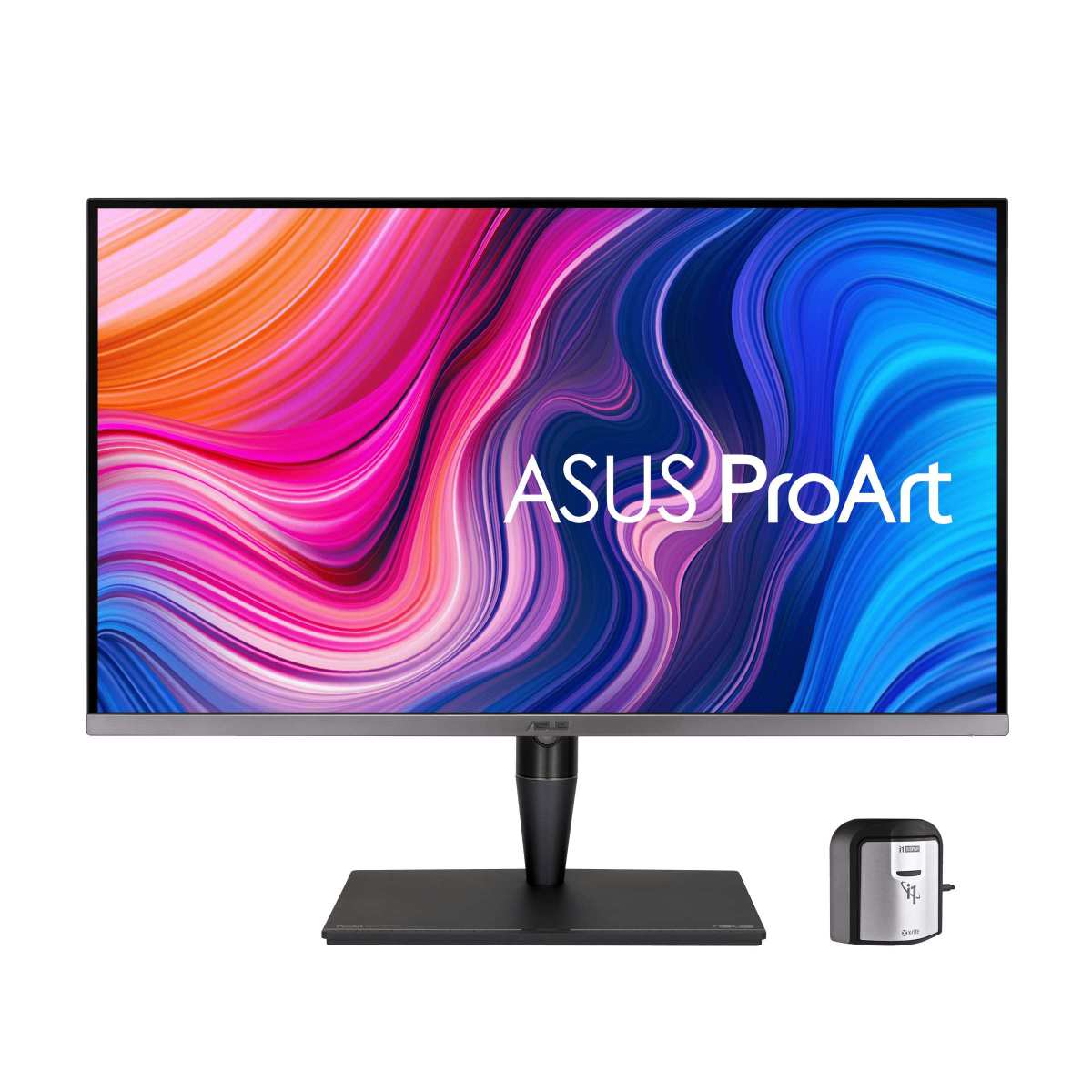
ASUS ProArt PA32UCG
This 32-inch 4K monitor targets video professionals directly. It packs 1,152 dimming zones and hits 1,000 nits sustained brightness with 1,600 nits peak. Factory calibration ships with a Delta E under 2, and it covers 99% of DCI-P3 and 95% of Adobe RGB.
The ProArt line also includes calibration software that works with major colorimeters. That's a meaningful advantage if you're managing your own calibration workflow rather than sending the monitor out for service.
BenQ SW321C
BenQ's SW series has a strong reputation among photographers. This model uses a 32-inch 4K IPS panel with mini LED backlighting and 736 zones. It covers 99% of Adobe RGB and 95% of DCI-P3.
What sets BenQ apart is their uniformity compensation technology. It helps address the zone-visibility issue that plagues some mini LED displays. For photographers who work with smooth gradients and large areas of uniform color, that matters.
Dell UltraSharp UP3221Q
Dell's 32-inch 4K mini LED monitor was one of the first to market with this technology. It features 2,000 dimming zones, which was groundbreaking at launch. It covers 93.8% of Rec. 2020, which is notable for HDR work targeting wider gamuts.
The built-in colorimeter is a standout feature. It allows you to calibrate the monitor without purchasing a separate device. For professionals who calibrate frequently, that integration saves time and reduces workflow friction.
Apple Pro Display XDR
Apple's 6K reference display uses mini LED with 576 zones. It hits 1,600 nits peak and 1,000 nits sustained full-screen. The tight integration with macOS and Final Cut Pro makes it a natural choice for Apple-ecosystem video professionals.
The price is steep, and the lack of a built-in colorimeter means you'll need your own calibration tools. But for HDR mastering on macOS, it remains one of the most polished options available.
Who Should Buy a Mini LED Monitor (and Who Shouldn't)
Ideal For:
- Video editors and colorists working with HDR deliverables
- Content creators producing HDR content for streaming platforms
- Motion graphics artists who need accurate HDR preview
- Professionals working in bright office environments
- Anyone concerned about OLED burn-in for long editing sessions
- Photographers who shoot and edit HDR photography
Think Twice If:
- You primarily work in sRGB for web and social media
- You do color grading in a fully dark controlled environment
- Your budget is under $800 for a professional display
- You work extensively with astrophotography or night photography
- You need perfect black levels for print proofing
- You primarily work with static UI elements and worry about burn-in (in which case, OLED is the concern, not mini LED)
Common Mistakes Creative Pros Make with Mini LED Monitors
Buying based on zone count alone is the most frequent mistake. A 1,152-zone monitor with a poor dimming algorithm will look worse than a well-tuned 576-zone model. Always check real-world reviews that test blooming specifically, not just spec sheets.
Skipping calibration is another common error. Mini LED monitors ship with factory calibration, but that calibration can drift over time. Professional work requires regular recalibration every 30 to 60 days.
The factory report is a starting point, not a permanent solution.
Ignoring the dimming mode settings catches some users off guard. Many mini LED monitors have multiple local dimming modes, and the default setting is often not the most accurate one. Some modes prioritize contrast over accuracy, which can crush shadow detail.
You need to find the mode that balances performance with color fidelity for your specific work.
Not accounting for the fan is a surprise some people encounter. High-end mini LED monitors with aggressive brightness targets sometimes include small fans for cooling. In a quiet editing room, that fan noise can be distracting.
Check reviews for noise levels if you work in a silent environment.
Calibration and Setup: Getting the Most Out of Your Mini LED Display
Hardware calibration is essential for professional use. You'll need a colorimeter like the Calibrite ColorChecker Display Pro or the X-Rite i1Display Pro. Software options include Calibrite's own profiler, DisplayCAL (free and open source), or the monitor's bundled calibration utility if one is provided.
Start by selecting the correct color space for your workflow. If you're working in video, set the monitor to DCI-P3. For print work, use Adobe RGB.
For web and sRGB delivery, use sRGB mode. This prevents the monitor from displaying colors you can't actually deliver.
Set your target luminance to 120 nits for SDR work in a controlled environment. For HDR work, use the monitor's HDR mode and follow the relevant EOTF curve (ST.2084 for HDR10, Dolby Vision profile for Dolby content). White point should target D65 (6500K) for most professional workflows.
Run the calibration with local dimming enabled if you plan to work with it on. Some monitors behave differently with local dimming active versus disabled. Calibrating in the mode you actually work in gives you the most accurate results.
Recalibrate every 30 to 60 days. LCD panels shift over time, and mini LED backlights can exhibit slight changes in zone behavior as firmware updates are applied. A regular schedule keeps your display accurate.
Pricing and Value: What You're Actually Getting for Your Money
Professional mini LED monitors range from roughly $1,000 to $5,000 as of 2025. The sweet spot for most creative professionals sits between $1,200 and $2,500. At that level, you get a 32-inch 4K display with 500 or more zones, strong factory calibration, and professional-grade connectivity.
Below $1,000, you'll find consumer-oriented mini LED monitors. These often have fewer zones and less accurate factory calibration. They can still be usable for creative work if you calibrate them yourself, but you're making trade-offs.
Above $2,500, you're paying for reference-grade accuracy, higher zone counts, built-in colorimeters, and wider gamut coverage. This tier is justified for professionals whose income depends on color accuracy, broadcast studios, and post-production houses.
Compared to OLED, mini LED offers better value at larger sizes. A 32-inch professional mini LED monitor costs significantly less than a comparable OLED. At 32 inches and above, mini LED is the more practical choice for most budgets.
Frequently Asked Questions
Is mini LED good enough for professional color grading?
Yes, for HDR grading in bright environments. Mini LED with 576 or more zones and good factory calibration handles HDR grading well. For dark-room SDR grading where perfect blacks matter, OLED remains preferable.
How many dimming zones do I need for photo editing?
384 zones is a reasonable minimum for photo editing. Models with 576 or more zones handle gradients and mixed-brightness images noticeably better. Zone count matters more for photography than for video editing in many cases.
Do mini LED monitors suffer from burn-in?
No. Mini LED uses an LCD panel, which does not experience burn-in. The LED backlight does degrade very slowly over tens of thousands of hours, but this is not the same phenomenon as OLED burn-in.
You can safely leave static UI elements on screen.
Can I use a mini LED monitor for print-focused work?
Yes, with caveats. Make sure the monitor covers Adobe RGB well (95% or higher) and calibrate it regularly. The local dimming can sometimes affect uniformity in ways that matter for print proofing, so test your specific workflow before committing.
How long do mini LED monitors last?
LED backlights are rated for approximately 30,000 to 50,000 hours before significant brightness reduction. That translates to 10 to 15 years of professional use under normal conditions. The LCD panel itself has a similar lifespan.
Final Verdict: The Decision Guide for Creative Professionals
Mini LED monitors are genuinely good for creative professionals. That answer comes with context. Your specific workflow determines whether the investment makes sense for you right now.
If you work in HDR content creation, mini LED is arguably the best display technology available today. The brightness, color gamut, and lack of burn-in risk make it a practical daily driver for video professionals. The blooming issue has improved dramatically, and it will continue to improve as zone counts increase and algorithms mature.
If you do primarily SDR work in print or web, a high-quality standard IPS monitor paired with a good calibration setup will serve you well for less money. There's no need to pay a premium for HDR capability you won't use.
If you need absolute black levels and work in a controlled dark environment, OLED remains the benchmark. Mini LED is closing the gap. It hasn't surpassed OLED in per-pixel precision yet.
The Simple Decision Framework
Ask yourself three questions. Do I work with HDR content regularly? Do I work in a bright or variable-light environment?
Do I keep static UI elements on screen for hours?
If you answered yes to at least two of those, a mini LED monitor is likely a strong fit for your workflow. If you answered no to most of them, your money may be better spent elsewhere, or OLED may serve you better.
What to Look For When Shopping
Color accuracy out of the box should be your first filter. Look for Delta E under 2 in factory calibration reports from professional reviews or the manufacturer. Check the warranty and return policy carefully.
Mini LED panels can vary unit to one, so having the option to exchange a problematic unit matters.
Buy based on verified blooming performance, then check connectivity. Make sure the monitor has the inputs your workflow requires. DisplayPort 1.4 with DSC or DisplayPort 2.0 is important for 4K at high bit depth.
HDMI 2.1 matters if you're working with external playback devices or cameras.
Set a realistic budget. A quality mini LED monitor paired with a good calibration device will cost between $1,200 and $2,800 total. That's a significant investment.
For professionals whose income depends on accurate color, it pays for itself quickly in reduced revision cycles and more reliable output.

Similar Posts





















