Are Mini LED Monitors Fragile

Mini LED monitors aren't fragile in the way we tend to think. The panel itself is comparable to standard LCD displays. The real vulnerabilities are the backlight coating, the thin chassis, and heat stress over time.
If you treat it like a normal monitor, it'll last years. If you're shipping it across the country every week, you've got real risks to manage.
Mini LED technology has exploded in popularity since 2020, bringing OLED-beating brightness to mainstream displays. As of 2026, you'll find mini LED panels everywhere from budget gaming monitors to professional HDR reference displays. Prices have dropped into the $400 to $800 range for quality 27-inch models, with premium options pushing past $2,000.
The question "are mini LED monitors fragile" doesn't have a simple yes or no answer. It depends entirely on what part of the monitor you're talking about, how you're using it, and what kind of stress it faces. Let's break down exactly where the real risks are and where the marketing hype doesn't match reality.
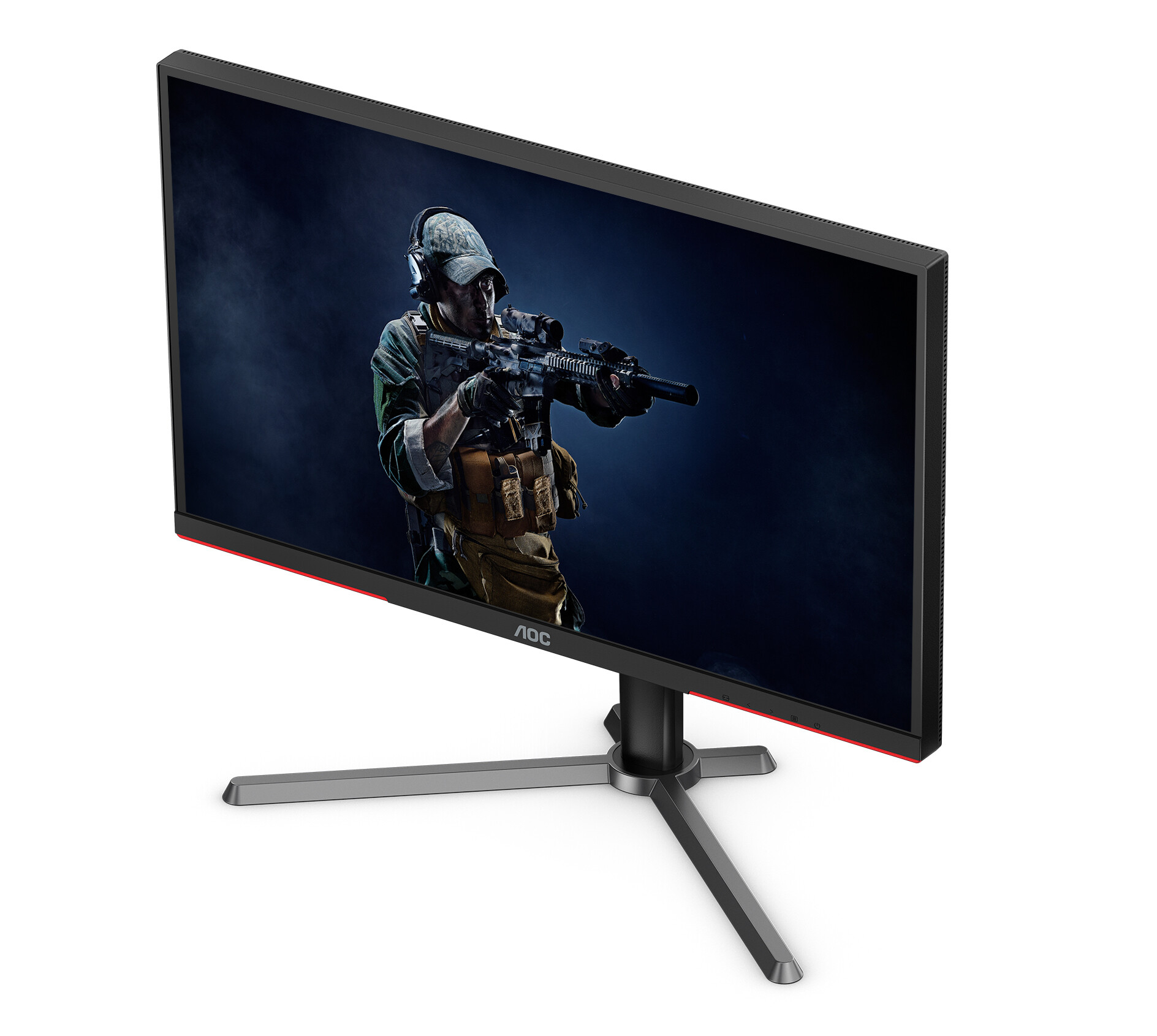
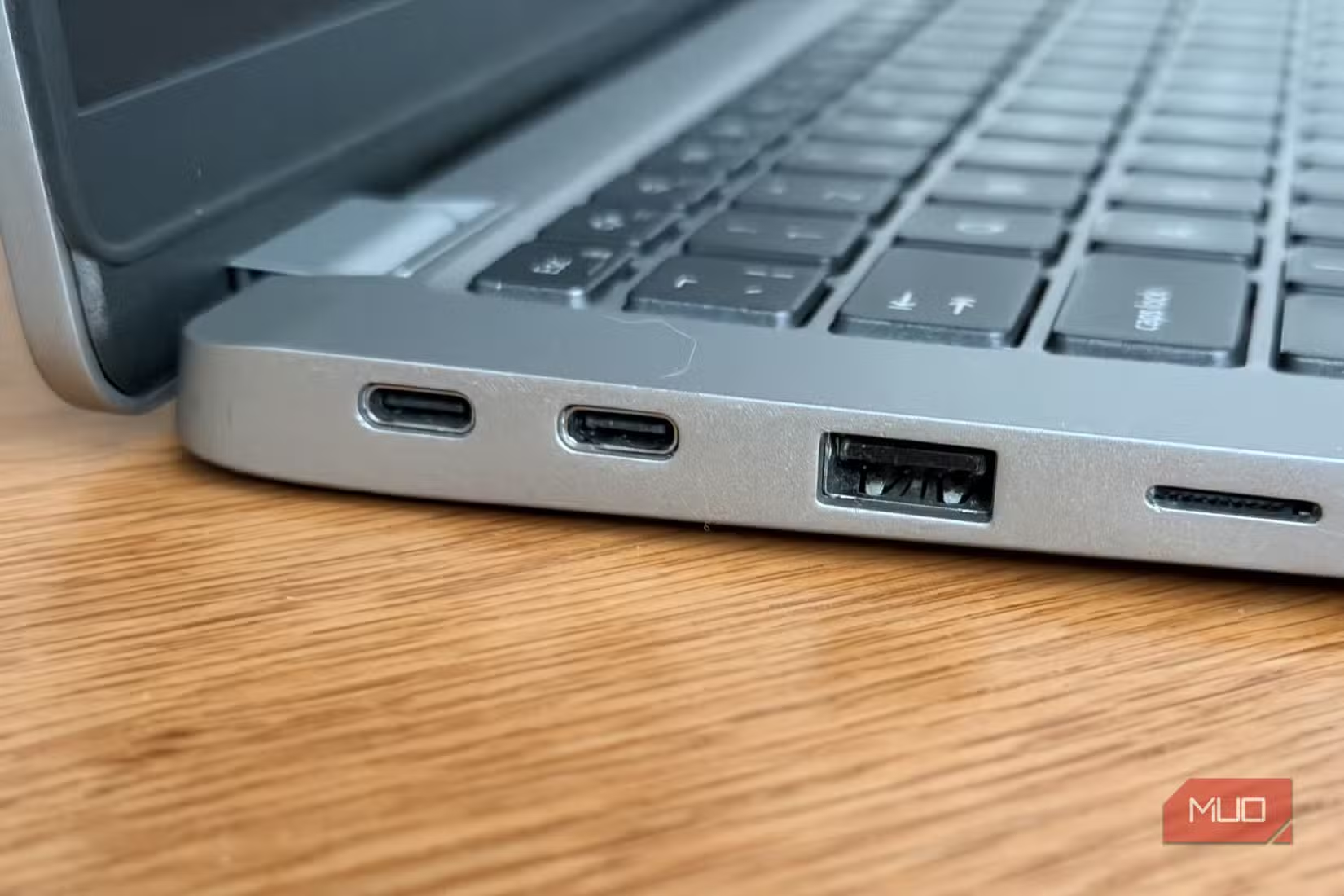
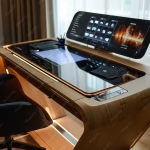
Image source: Bing (Web (fair-use with source credit))
The Quick Answer Most People Actually Need
Are mini led monitors fragile? Not under normal desk use. They're built on standard LCD panel technology, so the core display is no more fragile than any other LED-backlit monitor. The vulnerabilities are specific: the anti-glare coating can be damaged by improper cleaning, the thin chassis flexes more under pressure, and the dense backlight array generates heat that stresses components over time.
If you're setting one up on a desk and leaving it there, you've got very little to worry about. If you're transporting it frequently or mounting it on a wobbling arm, the risk profile changes significantly.
What Makes Mini LED Monitors Different From Regular Displays
Mini LED isn't a different panel type. It's a backlight technology layered behind a standard LCD panel. The actual liquid crystal layer works the same way it does in any other LED monitor.
What changes is what's behind it.
Traditional edge-lit monitors run LEDs along one or two edges of the screen and rely on diffusion sheets to spread light across the panel. Full-array monitors place LEDs across the entire back surface but usually pack fewer than 100 zones. Mini LED packs thousands of tiny LED chips into that same back surface.
High-end models as of 2026 can carry over 5,700 individual dimming zones, though most consumer monitors ship with somewhere between 192 and 2,000 zones depending on price point.
The LEDs themselves measure roughly 0.1 to 0.2 millimeters across. Each one corresponds to a local dimming zone, an independently controlled brightness area that allows the display to show deep blacks right next to bright highlights. This is what gives mini LED its HDR advantage.
Peak brightness ratings commonly hit 1,000 to 1,400 nits on consumer models, with professional reference displays pushing 2,000 to 4,000 nits.
The panel stack itself consists of multiple layers bonded together. Light from the mini LED array passes through a diffusion layer, then a brightness enhancement film, then a quantum dot layer on models that include it, then the liquid crystal panel, then the surface coating. Total panel thickness on most modern mini LED monitors runs 25 to 45 millimeters.
That's thin enough to look elegant but thick enough to maintain structural rigidity under normal conditions.
The Panel Layer Stack: Where Fragility Actually Lives
The LCD panel surface itself is glass or optical-grade acrylic bonded to the liquid crystal layer. It's not dramatically different in durability from any other LCD monitor. You can scratch it, crack it, or shatter it roughly as easily as you would a standard display.
A drop, a hard impact at the right angle, or pressure concentrated on a single point will do damage.
Where mini LED monitors differ from OLED panels here comes down to pressure sensitivity. OLED displays use thin-film encapsulation layers that can deform under sustained pressure. Mini LED panels use more robust LCD substrate construction.
Aggregate repair data suggests mini LED panels handle incidental surface pressure better than OLED. You won't get permanent pressure marks from a fingerprint the way some OLED owners report.
The anti-glare coating represents a genuine vulnerability. Most mini LED monitors ship with a matte anti-glare surface treatment. This coating is a microscopically thin chemical layer applied to the panel surface.
It diffuses reflected light so you can work without distracting glare. It's also surprisingly sensitive to abrasion and chemical damage.
Ammonia-based cleaners, alcohol wipes, microfiber cloths with too much pressure, and even some paper towels can degrade this coating over time. Once damaged, you can't repair it without replacing the entire panel surface. This is probably the most common form of "fragility" monitor owners actually encounter.
Thermal management adds another layer of complexity. The dense LED array generates significant heat during operation, especially at sustained high brightness. Monitor manufacturers address this with heat sinks, thermal pads, and ventilation channels built into the chassis.
Under normal conditions, these systems keep internal temperatures within safe operating ranges. In sustained high-ambient-temperature environments or with blocked ventilation, thermal cycling can stress solder joints on the LED array and accelerate component aging over years of use.
Where Mini LED Monitors Are Actually Fragile
Mini LED monitors are fragile in specific ways and surprisingly robust in others. Understanding the difference saves you from both unnecessary worry and preventable damage.
What's Tougher Than You'd Expect:
- The LCD panel substrate handles incidental contact and light pressure without permanent damage
- The LED backlight array is soldered to a rigid PCB and well-protected behind diffusion layers
- VESA mount points on quality monitors are engineered to support 2 to 3 times the monitor's actual weight
- Panel uniformity and color accuracy remain stable through typical 20,000 to 30,000-hour lifespans
What's More Vulnerable Than Expected:
- The anti-glare surface coating degrades with chemical or abrasive contact
- The thin chassis flexes more during transport or when gripped at the edges
- LED zone solder joints can fail under sustained thermal stress
- The dense backlight array creates more potential points of failure than edge-lit designs
- Original packaging provides calibrated protection that generic boxes can't replicate
The Backlight Array: Tiny LEDs, Big Heat, Real Vulnerability
The mini LED backlight is what separates this technology from traditional LCD displays. Understanding its construction helps explain both the performance advantages and the durability considerations.
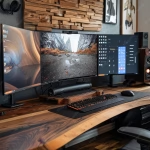
Image source: Bing (Web (fair-use with source credit))
How The Zone System Works
Each dimming zone contains multiple mini LED chips wired in series or parallel configurations. A 1,000-zone monitor might contain 3,000 to 5,000 individual LED chips behind that panel. These chips mount on a printed circuit board substrate, typically aluminum-core for better heat dissipation.
The PCB sits behind the diffusion stack that spreads light evenly across the panel surface.
When a zone needs to display black in an HDR image, the monitor's processing system cuts power to that zone or reduces it dramatically. When a bright highlight appears on a dark background, that zone ramps to maximum brightness while surrounding zones dim. This local dimming is what produces the impressive contrast ratios mini LED monitors are known for.
Spec sheets commonly list contrast ratios of 100,000:1 to 1,000,000:1.
The zone count matters for both performance and durability context. More zones mean more individual LED chips, which means more solder joints and more potential points of failure. It also means more granular dimming control, which produces better images and reduces thermal stress per zone since each chip handles a smaller area.
Thermal Cycling and Solder Joint Stress
The backlight array experiences thermal cycling every time you turn the monitor on and off, or when brightness levels shift significantly during use. The LED chips and their solder connections expand when heated and contract when cooled. Over thousands of thermal cycles, these joints can develop micro-fractures.
Manufacturer specifications for LED backlight lifespans commonly cite 30,000 to 60,000 hours before brightness drops to 50% of original output. This accounts for gradual LED degradation rather than sudden failure. Solder joint failure rates increase with higher operating temperatures and more frequent thermal cycling.
A monitor that runs at sustained HDR brightness in a warm room will experience more thermal stress than one used for office productivity at moderate brightness.
Quality manufacturers use lead-free solder with higher thermal fatigue resistance and design their thermal management systems to keep junction temperatures within rated ranges. Budget models may cut corners on thermal pad quality or heat sink surface area, which accelerates aging.
Mura Effect and Zone Failure
Individual LED zones can fail over time. When this happens, you get a small area of the screen that stays bright when it should be dark, or stays dark when it should be bright. This is sometimes reported as the "mura effect" in user forums, though technically mura refers to initial uniformity issues rather than progressive failure.
Zone failure rates are difficult to quantify independently since most monitor warranties cover any defects within the first one to three years. Aggregate user feedback across the mini LED category doesn't show dramatically higher failure rates than standard LED backlit monitors. The technology has matured significantly since its initial consumer introduction.
Early adopter reports from 2021 to 2022 mentioned more backlight uniformity issues than recent 2025 and 2026 model year reports.
The Five Damage Risk Zones
Every monitor has vulnerable points, but mini LED designs concentrate risk in specific areas that differ from what you might expect.
Pressure Points on the Panel Surface
The entire panel surface can handle distributed pressure. Resting a hand flat against the screen while adjusting a cable won't cause damage. What causes damage is concentrated pressure on a small area.
A single fingernail pressed hard against the surface, a screwdriver tip slipping during a repair, or a small object compressed between the panel and a keyboard in a closed laptop configuration.
LCD panels fail when pressure deforms the liquid crystal layer enough to disrupt pixel alignment or crack the thin-film transistor substrate. Mini LED monitors use the same LCD substrates as standard monitors, so the pressure tolerance is similar. You'd need a fairly firm, concentrated push to cause damage.
You won't hurt anything by gently pressing a finger to check for a dead pixel.
Thermal Stress from Sustained High Brightness
Running an HDR display at peak brightness for hours generates substantial internal heat. The monitor's thermal management system handles this under normal conditions. Problems arise when ventilation is blocked, ambient temperature is high, or the monitor is pushed against a wall without clearance.
Sustained high temperatures accelerate LED lumen depreciation and can cause thermal interface materials to degrade faster. Most monitors include thermal protection circuits that reduce brightness automatically if internal temperatures exceed safe limits. If you notice your monitor suddenly dimming during a bright scene, it's likely thermal protection activating.
This is the monitor protecting itself, not a sign of imminent failure. Give it ventilation and let it cool.
Transport and Mount Flex Stress

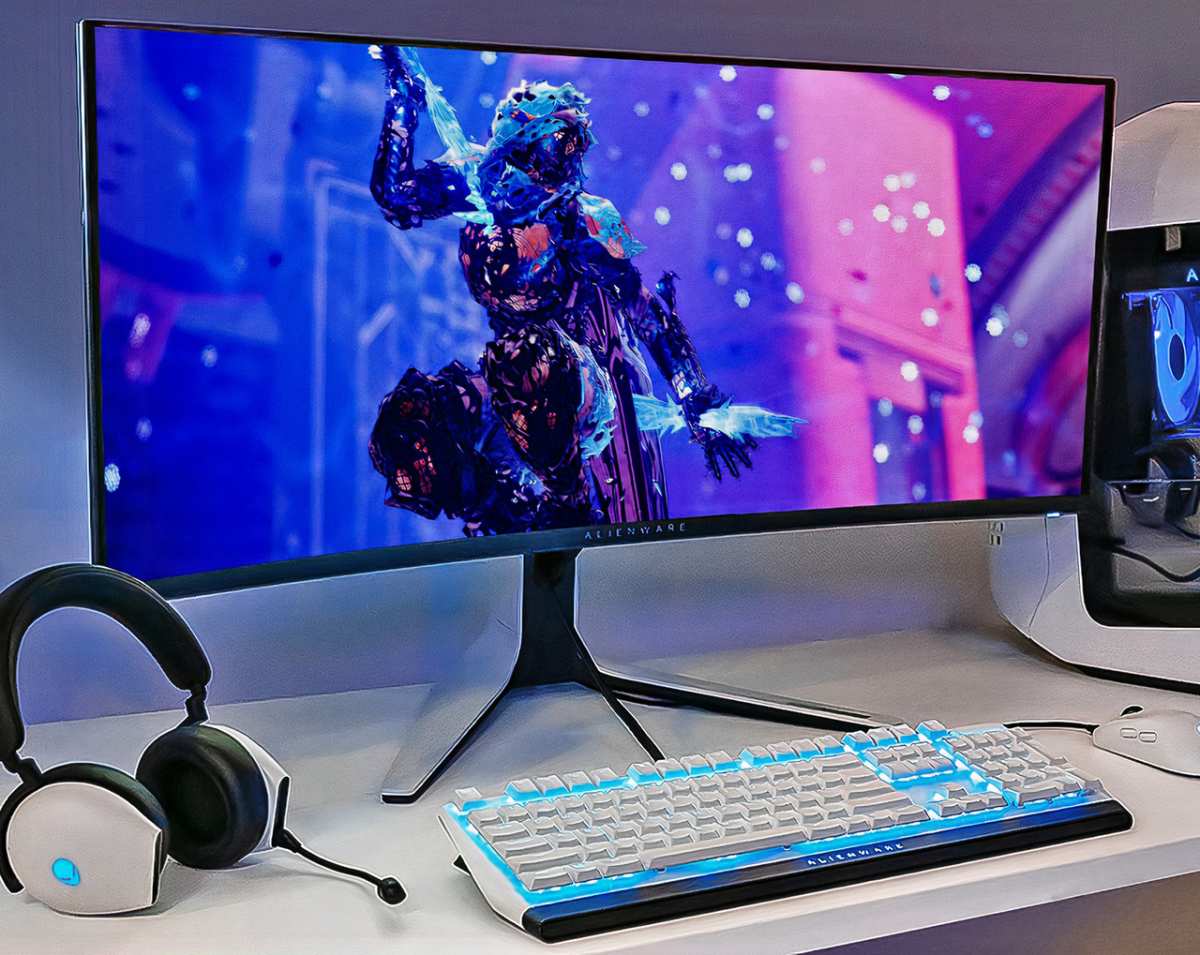
Image source: Bing (Web (fair-use with source credit))
Chassis flex represents a genuine vulnerability specific to thin mini LED monitors. The thin profile that looks great on a desk means less material to resist bending forces. During transport, a monitor in an unsupported box or bag can flex enough to stress internal connections.
The LED backlight PCB, panel ribbon cables, and controller board all connect through flex cables and connectors that can loosen or damage if the chassis bends.
VESA mounting introduces another flex risk. A monitor mounted on an arm experiences different forces than one sitting on a desk stand. The mount concentrates stress at four screw points.
If the mounting surface isn't rigid or the arm isn't rated for the monitor's weight, vibration and movement can work those mounting points over time.
Cleaning Chemical and Cloth Compatibility
This is the damage vector most likely to affect real users. The anti-glare coating on modern monitors degrades faster than the panel itself under improper cleaning. Ammonia-based glass cleaners, isopropyl alcohol, acetone, and Even diluted vinegar solutions can strip or cloud the coating.
Standard microfiber cloths are safe when clean. A dusty or debris-laden microfiber cloth becomes sandpaper at a microscopic level. Wiping with too much pressure, even with a clean cloth, can wear the coating over months of daily cleaning.
Stand and Hinge Mechanisms
Monitor stands and hinges are mechanical components that wear over time, especially on monitors frequently adjusted for height, tilt, or swivel. The stand neck on many mini LED monitors connects to the panel through a relatively thin metal bracket. Aggressive adjustment or accidental impacts can deform this connection.
VESA adapters and third-party monitor arms introduce additional stress points. Ensure any arm or mount is rated for your monitor's weight and that VESA bolts are tightened to manufacturer specifications. Over-tightening strips threads.
Under-tightening allows wobble and eventual fatigue failure.
The Coating Problem Nobody Warns You About
The anti-glare coating on your mini LED monitor is its surface defense and its most repairable-via-replacement-only vulnerability. Understanding how to preserve it saves you from the most common form of cosmetic damage.
Matte anti-glare coatings work by creating a microscopically rough surface that scatters reflected light rather than reflecting it as a mirror would. This rough surface is inherently more vulnerable to abrasion than a bare glass or glossy surface. It also absorbs oils from fingerprints more readily, making it look dirty faster and tempting more aggressive cleaning.
The coating bonds chemically to the panel surface. You can't peel it off or reapply it without specialized equipment and clean room conditions. Once damaged, the affected area shows as a visible difference in how it handles reflections.
A scratched or clouded area looks permanently different from the surrounding coating. There's no consumer-applied fix.
Safe cleaning requires a clean microfiber cloth dampened with either distilled water or a solution specifically formulated for anti-glare coatings. Never spray directly on the screen. Spray onto the cloth, then wipe gently in a single direction.
Never use circular motions with pressure. If a spot is stubborn, dampen the cloth further rather than pressing harder.
The Coating Cleaning Rule:
- Distilled water on microfiber: safe daily
- Commercial anti-glare screen cleaner: safe when labeled for matte coatings
- 70% isopropyl alcohol diluted 1:1 with distilled water: use sparingly, not recommended for daily cleaning
- Ammonia-based glass cleaners: never
- Paper towels or tissues: never
- Dry microfiber with pressure: avoid
What You're Most Likely to Damage
Based on aggregate user reports and repair data, here's a prioritized list of what actually goes wrong with mini LED monitors in real-world use.
Most Common Issues:
- Anti-glare coating damage from improper cleaning
- Cosmetic scratches from contact with jewelry, watches, or rough surfaces
- Stand or mount loosening from vibration or adjustment
- Backlight uniformity complaints (often subjective, not actual failure)
Less Common But Serious:
- Panel cracks from impact or flex stress during transport
- Individual dead pixels (usually covered under warranty if above manufacturer threshold)
- LED zone failure causing bright or dark spots
- Thermal damage from sustained high brightness in poorly ventilated installations
Rare Failure Modes:
- Power supply coil whine or failure
- Controller board firmware corruption
- Solder joint failure on the LED array from aggressive thermal cycling
A dead pixel is generally not grounds for warranty replacement under most manufacturer policies unless it falls in the central display area or there are multiple failures. VESA's DisplayPixel defect class guidelines suggest Class 0 panels have zero tolerance for bright or dark pixel defects, but most consumer monitors ship under Class 1 standards allowing a small number of pixel defects.
Comparing Mini LED to Other Display Technologies
Understanding how mini LED fragility compares to alternatives helps put the risk in context. Each technology has different vulnerabilities.
Mini LED vs OLED: Mini LED wins on surface durability and burn-in resistance. OLED panels use organic compounds that degrade with use, displaying retention of static images after extended display of the same elements. Mini LED panels use inorganic LEDs and liquid crystal layers that don't degrade in the same way.
A channel logo displayed for hours daily on an OLED will eventually leave a faint afterimage. On mini LED, that same usage pattern causes no retention whatsoever.
OLED has its own fragility concerns, mainly around the thin-film encapsulation layer that seals organic compounds from moisture. This barrier can crack if the panel flexes, leading to immediate and progressive pixel death. Mini LED has no equivalent failure mode.
Mini LED vs Standard Edge-Lit LED: Standard edge-lit monitors have fewer backlight components and simpler construction. They're slightly more resilient in theory because there's less to fail. In practice, the difference in real-world failure rates is negligible.
Edge-lit designs run warmer per LED because fewer chips handle the entire backlight load. Thermally, mini LED distributes heat across more chips at lower per-chip temperatures, which can be an advantage over time.
Mini LED vs QD-OLED: QD-OLED combines quantum dot color conversion with self-emitting OLED pixels. The surface coating fragility is similar, but the underlying panel technology shares OLED's burn-in vulnerability. QD-OOLED currently costs significantly more than mini LED at equivalent sizes.
For users who display static content for long hours, mini LED's zero burn-in risk represents a meaningful durability advantage.
| Technology | Surface Durability | Burn-In Risk | Thermal Sensitivity | Impact Resistance | Typical Repair Cost |
|---|---|---|---|---|---|
| Mini LED | Moderate | None | Moderate | Moderate | Moderate |
| Standard LED | Moderate | None | Low-Moderate | Moderate | Low |
| OLED | Low-Moderate | High | Moderate | Low | High |
| QD-OLED | Low-Moderate | Moderate-High | Moderate | Low | Very High |
| Mini LED Transport Risk | Higher due to thin chassis |
The Decision Framework: Should YOU Worry?
Your specific situation determines whether fragility should concern you. Let's break down the real risk profiles by use case.
You're a Desk-Only User
Risk level: Low. If your monitor sits on a desk, stays in one place, and you don't routinely touch the screen surface, you have minimal fragility concerns. Treat it like any other quality electronic device.
Clean the screen properly, don't let direct sunlight bake it at maximum brightness for hours, and keep liquids away from the ventilation ports. You'll get years of reliable service without incident.
You Transport Your Monitor Regularly
Risk level: Moderate to High. If you move your monitor between locations weekly or even monthly, fragility becomes a real concern. Each transport cycle introduces flex stress, potential impact events, and the risk of improper packing.
Original manufacturer packaging provides foam inserts designed specifically for your monitor's chassis shape. Reusing that packaging for each transport is the single most effective thing you can do.
If you've discarded the original box, a double-walled cardboard box with at least 3 inches of foam padding on all sides provides reasonable protection. Never transport a monitor screen-down on a hard surface. Always position it screen-up with padding between the screen and any objects above it.
You Use a Monitor Arm or Wall Mount
Risk level: Moderate. Monitor arms concentrate mounting stress at four screw points and introduce vibration that a desk stand doesn't. Ensure your arm is rated for at least 1.5 times your monitor's weight to provide a safety margin.
Check VESA mount bolt tightness every few months. A loose mount allows wobble that works the connection point over time.
For wall mounts, verify that the wall material and anchors can handle the combined weight of the monitor plus a safety margin. Drywall alone cannot reliably support a monitor without proper anchors. A fully stud-mounted bracket is always preferable.
You're Buying for a Commercial or Industrial Environment
Risk level: Depends on conditions. Commercial environments with controlled climate, fixed mounting, and limited handling present minimal additional risk. Retail displays, trade show environments, and field production setups face much higher stress cycles.
For commercial applications, prioritize monitors with metal chassis construction, reinforced mounting points, and extended warranty availability.
Real-World Damage Scenarios People Experience
These are common failure modes we see across user forums and repair communities. Names and details are generalized, but the situations reflect real patterns. These illustrate the kind of avoidable damage that happens regularly.
The Cleaning Mistake
A professional photographer developed cloudy patches across the center of a 32-inch mini LED monitor after several months of cleaning with standard glass cleaner and paper towels. The anti-glare coating degraded visibly, creating a rough rectangle in the center where reflections handled differently than the edges. The manufacturer quoted panel replacement at nearly half the original monitor cost.
The Shipping Gamble
A competitive gamer purchased a high-end mini LED display for tournament use. During its second event shipping without the original box, in a padded generic shipping container, the panel arrived with a hairline crack at the top-left corner and a cluster of dead zones radiating from the impact point. The crack wasn't visible during packing but developed from flex stress during transit.
Total loss, partial warranty coverage.
The Thermal Trap
A video editor in an unair-conditioned workspace in a warm climate ran a 34-inch mini LED reference display at sustained HDR mastering brightness throughout summer. After six months, the display developed a persistent bright spot in the upper-right corner. Thermal damage to the local dimming zone driver in that area.
The monitor worked but showed an artifact in dark content. Warranty didn't cover it because the operating environment exceeded rated specifications. Expensive lesson.
How to Handle, Clean, and Transport Without Ruining It
These are the practical steps that minimize fragility risks. Follow these and you'll avoid the most common damage scenarios.
Daily Cleaning Done Right
- Power off the monitor and let it cool for a few minutes before cleaning
- Use a clean, lint-free microfiber cloth. Launder it regularly without fabric softener, which leaves residue.
- Dampen the cloth slightly with distilled water. It should be barely moist, not wet.
- Wipe gently in one direction, top to bottom. Avoid circular scrubbing.
- For stubborn spots, apply more moisture to the cloth, not more pressure.
- Never spray any liquid directly onto the screen surface.
If you prefer a dedicated screen cleaning solution, choose one explicitly labeled as safe for matte or anti-glare coatings. Read the label, not just the marketing. Many products marketed as "screen safe" contain alcohol or ammonia at concentrations that degrade coatings over time.
Moving It Across the Room
- Power off and disconnect all cables first. Pull connectors, not cables.
- Support the monitor from the bottom with both hands. Never lift by the top edge or by one corner.
- Keep the screen facing your body while moving. This puts the structural back panel on the outside.
- Don't squeeze the screen edges. Grip the bottom bezel or stand, not the panel perimeter.
- Set it down on a flat surface with the screen facing up.
That's it. The panel is not going to explode if you move it carefully across the room twice a year. The risk comes from bad habits repeated hundreds of times, not from single careful moves.
Shipping or Long-Distance Transport

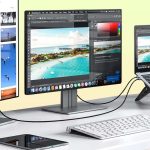
Image source: Bing (Web (fair-use with source credit))
- Use the original packaging whenever possible. This is the single most important factor.
- If you don't have the original box, wrap the monitor in a soft cotton sheet first.
- Place 3+ inches of foam or bubble wrap beneath the monitor, 2+ inches on sides, 3+ inches above screen.
- Fill all voids in the box so the monitor can't shift during transport.
- Mark the box as fragile and keep it upright. Never lay a monitor box flat on a truck floor.
- Photograph the monitor condition before packing in case you need to file a claim.
The Stiffness Factor: Repairability vs. Durability
Mini LED monitors present a mixed picture on repairability. The technology concentrates complexity in components that are difficult to replace individually.
Panel replacement is straightforward in concept but costly in practice. Most monitors are designed with the panel as the primary structural component. Everything else mounts to it.
Swapping a panel requires disassembling the entire monitor down to the bare LCD layer. Parts availability varies. Some manufacturers sell replacement panels through authorized service centers.
Others don't, effectively treating any panel issue as a full-unit replacement.
Backlight repair sits in a middle ground. If individual LED zones fail, a skilled technician with access to replacement LED strips and the proper soldering equipment can potentially repair the backlight array. This is not a consumer-level repair.
It requires disassembly, knowledge of the backlight circuit, and the ability to replace individual components on the LED PCB.
Controller board repair is more accessible. Power supply failures, input board issues, and firmware problems are often fixable by replacing modular boards. Some manufacturers sell these boards directly or through parts distributors.
Most Common Warranty Claims:
- Dead pixels beyond manufacturer allowance
- Backlight bleeding or bright edges
- Power supply failure
- Input or connectivity issues
- Cosmetic damage from manufacturing (not user damage)
Most Common Out-of-Warranty Repairs:
- Power supply replacement
- Panel replacement (often approaches new-monitor cost)
- Backlight array repair (rare, usually panel replacement instead)
- Controller board replacement
Frequently Asked Questions
How long do mini LED monitors typically last?
Most mini LED monitors are rated for 30,000 to 60,000 hours of use. At eight hours daily, that's roughly 10 to 20 years before significant brightness degradation becomes noticeable. The backlight LEDs age gradually rather than failing suddenly.
Can I touch the screen without damaging it?
Brief, light touches won't damage the LCD panel. Avoid repeated pressure, rubbing, or pressing with sharp or hard objects. The anti-glare coating degrades faster from abrasion than the panel itself wears from contact.
Is mini LED more fragile than a regular LED monitor?
Not meaningfully in daily use. The LCD panel durability is equivalent. The main additional vulnerability is the thin chassis design, which flexes more during transport.
In a fixed desk setup, durability is functionally identical.
Will my mini LED monitor break if I ship it?
Not if packed properly. Use the original box and foam inserts. If those aren't available, wrap the monitor in soft material and surround it with at least 3 inches of padding in a double-walled box.
The risk comes from poor packing, not from inherent fragility.
Why do some mini LED monitors develop bright spots?
Bright spots or zones can indicate individual LED failure in the backlight array or, less commonly, thermal damage to the LED driver. These are covered under warranty if they appear within the warranty period. Damage caused by excessive operating temperatures may not be covered.
Can a damaged anti-glare coating be repaired?
Not by the consumer. The coating is applied during panel manufacturing. Once damaged, it can only be replaced by replacing the entire panel surface.
Focus on prevention through proper cleaning.
Final Verdict: It's Not Fragile, But It's Not Invincible
Mini LED monitors sit in a sensible middle ground for durability. They're tougher than OLED in several meaningful ways. They're comparable to standard LED LCD monitors for daily desk use.
They're more vulnerable to transport damage than bulkier, thicker displays.
The real fragility story comes down to three factors: the anti-glare coating, the thin chassis, and thermal management. Respect those three things and your mini LED monitor will outlastNeglect any of them and you'll encounter problems that feel like fragility even though they're really just maintenance failures.
If you're a standard desk user who keeps the monitor in one place, sets it up, and cleans it properly, fragility should be the least of your concerns when choosing a mini LED display. Focus on panel quality, zone count, color accuracy, and connectivity instead. The monitor will take care of itself.
If you're a mobile professional, a frequent transporter, or someone who rough-handles equipment, factor fragility into your decision. Budget for quality shipping protection, prioritize monitors with reinforced chassis construction, and consider whether the performance benefits of mini LED outweigh the practical challenges of keeping it intact in your specific use case.
The OLED Comparison People Always Ask About
This is the comparison that comes up in every forum thread and buyer's guide. Let's clear the air.
Mini LED's biggest durability advantage over OLED is burn-in immunity. OLED panels display retention of static elements over time, a result of the organic compounds degrading unevenly. Taskbars, channel logos, and navigation elements burned into OLED screens are a documented, widespread issue.
Mini LED uses inorganic LEDs and a liquid crystal layer that doesn't degrade in this pattern. You can leave the same image on screen for months and it won't stick.
Surface durability also favors mini LED. OLED panels rely on thin-film encapsulation to protect moisture-sensitive organic layers. This barrier can crack if the panel bends even slightly.
Mini LED panels use more robust glass or acrylic substrates with no equivalent vulnerability. Pressure marks from incidental contact are more common on OLED than mini LED.
OLED still wins on contrast in per-pixel terms. Each OLED pixel produces its own light and can turn off completely for true black. Mini LED relies on zone dimming, so very small bright objects on dark backgrounds can exhibit blooming, a halo of light leaking from the bright zone into adjacent dark zones.
For users who prioritize absolute image quality above all else, this is the tradeoff to understand.
Bottom line for fragility: mini LED is tougher for daily longevity. OLED is more fragile over time due to material degradation, not sudden physical damage. Choose based on whether you fear physical knocks or material aging.
Standard LED/LCD: Less Refined but Simpler to Repair
Standard LED-backlit monitors, especially edge-lit models with fewer components, offer a simplicity advantage that translates into easier repairs and potentially longer service life through modular replacement.
Edge-lit designs place LEDs along one or two edges of the panel. A failed backlight means replacing a single LED strip, often a $20 to $50 part and a straightforward repair at any competent electronics shop. Mini LED backlights contain hundreds or thousands of individual chips on a PCB.
A single zone failure can require replacing the entire backlight assembly. The repair costs more and requires more specialized parts.
Standard LED monitors also tend to be physically thicker. That extra material provides more rigidity and impact resistance. They're heavier, yes, but heavier often means more structural material between the panel and the outside world.
Panel availability tilts toward standard LED too. Standard panels are commodity parts used across dozens of monitor models. Finding a replacement panel or compatible backlight is easier.
Mini LED panels are more model-specific, and parts availability depends on the manufacturer's support commitment.
If fragility during transport or repair proximity is your primary concern, standard LED holds practical advantages. The image quality tradeoff is significant, you lose HDR precision and brightness ceiling, but durability through simplicity is real.
QD-OLED: Better Picture, Different Fragility Profile
QD-OLED combines quantum dot technology with OLED's self-emitting pixels. The result is excellent color volume and per-pixel dimming without blooming. The fragility profile, however, inherits OLED's core vulnerabilities with few of mini LED's mitigating factors.
Burn-in remains a concern for QD-OLED, as it does for all OLED variants. The organic compounds in the display still degrade unevenly with static content. Manufacturers implement pixel shifting, brightness limiting, and panel refresh cycles to mitigate this, but the underlying material vulnerability has no complete engineering fix as of 2026.
Surface coating fragility is similar across all modern display types. QD-OLED monitors use anti-glare coatings just like mini LED. The same cleaning precautions apply identically.
This is a wash, neither technology is meaningfully better or worse.
Price tilts heavily against QD-OLED. A 32-inch QD-OLED monitor costs roughly two to three times an equivalent-sized mini LED with similar HDR performance. For users whose primary concern is fragility, QD-OLED's higher cost means any damage is proportionally more expensive.
Insurance or extended warranty coverage becomes a more significant factor.
Real-World Damage Scenarios People Experience
These are the failure modes that surface in user forums, warranty claims, and repair aggregate reports. They're generalized but represent patterns that repeat across model lines and manufacturers.
The Cleaning Disaster
A photographer noticed cloudy patches forming across the center of a 32-inch mini LED display over several months. Cause was routine cleaning with standard glass cleaner and paper towels. The anti-glare coating degraded visibly, creating a rectangle that reflected light differently from the surrounding area.
Panel replacement quote came back at nearly half the cost of a new monitor.
The Shipping Gamble
A competitive gamer bought a high-end mini LED monitor for tournament use. During its second event transport, in a generic padded box without the original packaging, the monitor arrived with a hairline crack at the top-left corner. A cluster of dead dimming zones radiated from the impact point.
The crack wasn't visible when packing but developed from flex stress during transit. Warranty didn't cover user-caused transport damage. Total loss.
The Thermal Trap
A video editor running a 34-inch mini LED reference display at sustained HDR mastering brightness through summer in an unair-conditioned room developed a persistent bright spot in the upper-right corner after six months. Thermal damage to the local dimming zone driver in that area. Warranty coverage was denied because operating conditions exceeded rated environmental specifications.
Expensive lesson in thermal management.
How to Handle, Clean, and Transport Without Ruining It
These are the practical steps that keep your investment intact. Most damage comes from accumulated bad habits, not single incidents.
Daily Cleaning Done Right
Power off and let the monitor cool. Use a clean microfiber cloth dampened with distilled water, never spray directly on the screen. Wipe gently in one direction.
For stubborn spots, wet the cloth more, don't press harder.
Original packaging is your best friend. Save the box and foam inserts. If you ship the monitor at all, that custom-fit packaging provides protection that generic boxes can't match.
If you've discarded it, wrap the monitor in soft material and surround it with at least 3 inches of foam in all directions. Fill all voids. Keep the box upright during transit.
What Most People Get Wrong
They press too hard on the screen when cleaning. They use whatever cloth is handy, including paper towels and tissues. They leave the monitor in a hot car.
They toss it in a box with minimal padding when moving. These individual actions feel harmless. Accumulated over months, they cause the damage that gets reported as "these monitors are fragile."

Similar Posts