Are Mini LED Monitors Durable
Are mini LED monitors durable? That's the question on a lot of people's minds right now, especially with prices dropping and more models hitting the market. If you're spending $500 to $1,500 on a display, you want to know it'll hold up for years, not just look great out of the box.
The short answer is yes, mini LED monitors are generally quite durable, and in some key ways they outlast OLED. But the full picture depends on what you're comparing them to, how you use them, and what "durable" actually means for your situation. Let's break it all down. For more background on real-world performance, read our breakdown of why are mini led monitors better than normal led.
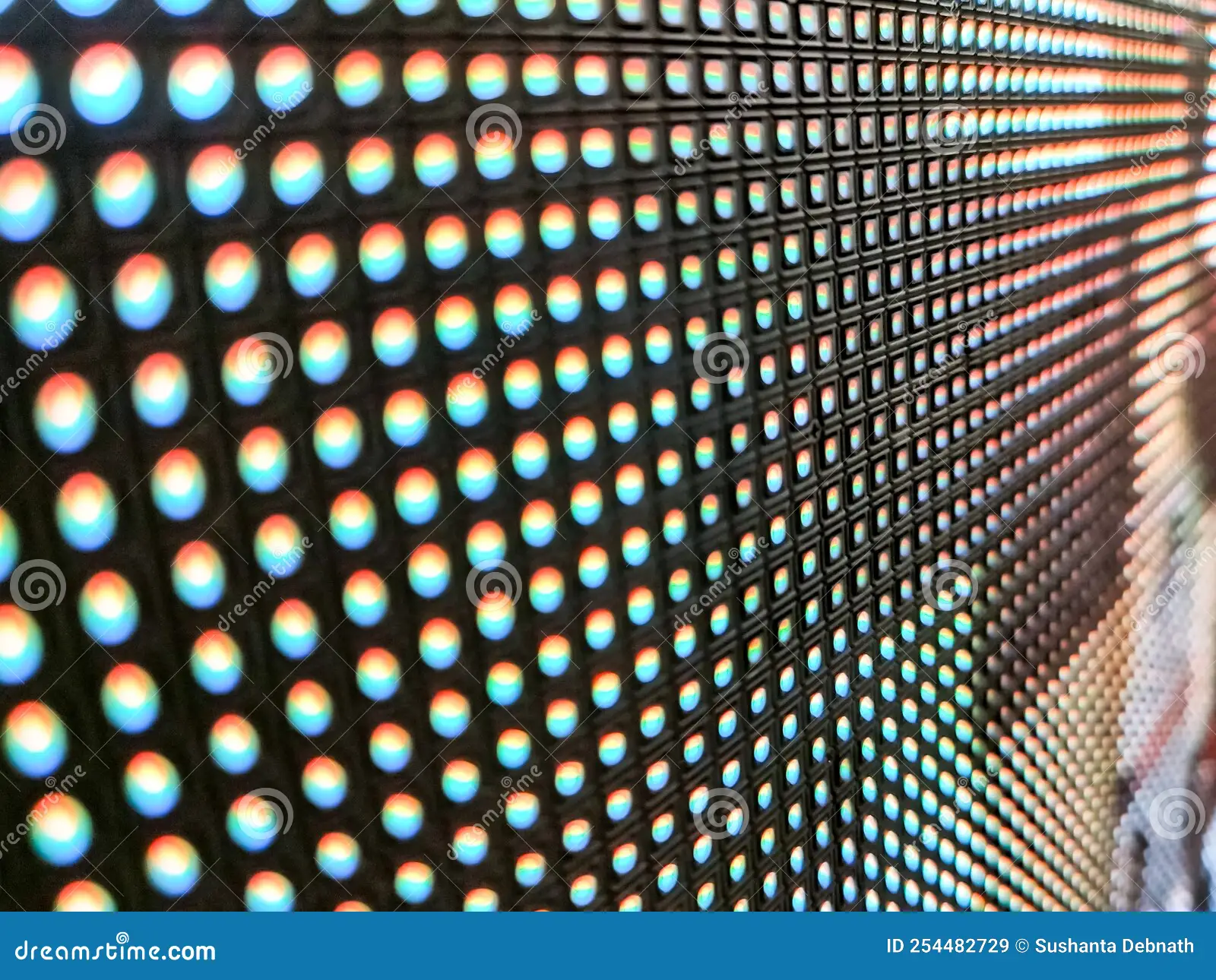
Image source: Bing (Web (fair-use with source credit))
Quick Answer
Mini LED monitors are durable for most users. Backlight lifespan ranges from 30,000 to 50,000 hours per manufacturer claims. They do not suffer from permanent burn-in like OLED panels can.
Mini LED technology is newer, so long-term field data remains limited. For typical use, a mini LED monitor should last 7 to 10 years before noticeable degradation.
How Mini LED Backlighting Actually Works
Mini LED isn't a new panel type. It's a backlighting method that sits behind an existing LCD panel, usually IPS or VA. The "mini" part refers to the size of the individual LED chips, which are smaller than traditional LED backlights but not as microscopic as MicroLED. To see how this holds up against alternate models, explore how do mini led monitors work.
Here's where it gets interesting. A standard LED monitor might have a few dozen lighting zones or even just edge lighting. A mini LED monitor packs in hundreds or even over a thousand tiny LEDs grouped into local dimming zones.
Each zone can brighten or dim independently based on what's on screen.
This is what gives mini LED its impressive HDR performance. When you've got a bright starfield against a dark sky, the zones behind the stars hit peak brightness while the surrounding zones dim way down. The result is a contrast ratio that gets surprisingly close to OLED, without the organic material concerns.
The key durability advantage here is that these are inorganic LEDs. They don't degrade the same way organic compounds in OLED pixels do. Each individual LED chip has its own lifespan, and manufacturers typically rate the backlight at 30,000 to 50,000 hours before brightness drops to half its original output.
That's roughly 10 to 15 years of typical daily use before you'd notice meaningful dimming. For most people, you'll upgrade the monitor for other reasons long before the backlight gives out.
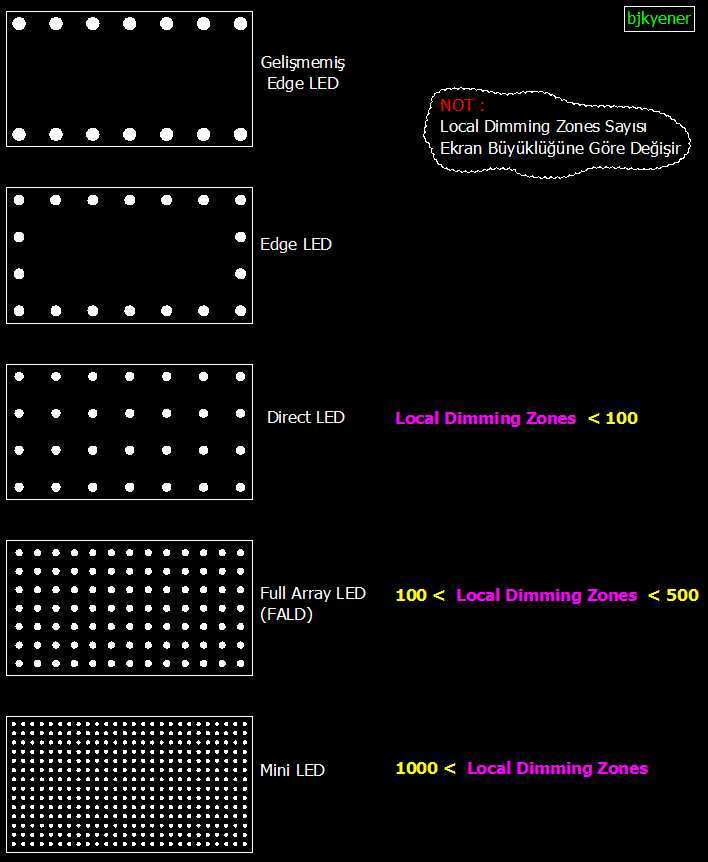
Image source: Bing (Web (fair-use with source credit))
What Makes Mini LED Different From Standard LED and OLED
This is where the durability conversation gets nuanced. Mini LED sits in an interesting middle ground between traditional LED-backlit monitors and OLED displays. Each technology handles aging and wear differently.
Mini LED vs OLED: The Burn-In Question
This is the big one. OLED panels use organic compounds that degrade with use. Display the same static image, a taskbar or a channel logo, for thousands of hours and you can get permanent burn-in.
That's not a maybe. It's a certainty with enough time and the right conditions.
Mini LED monitors use a traditional LCD panel with an inorganic LED backlight. The LCD layer itself doesn't emit light, it just filters it. There's no organic material to degrade unevenly.
You won't get permanent burn-in no matter how long you leave a static image on screen.
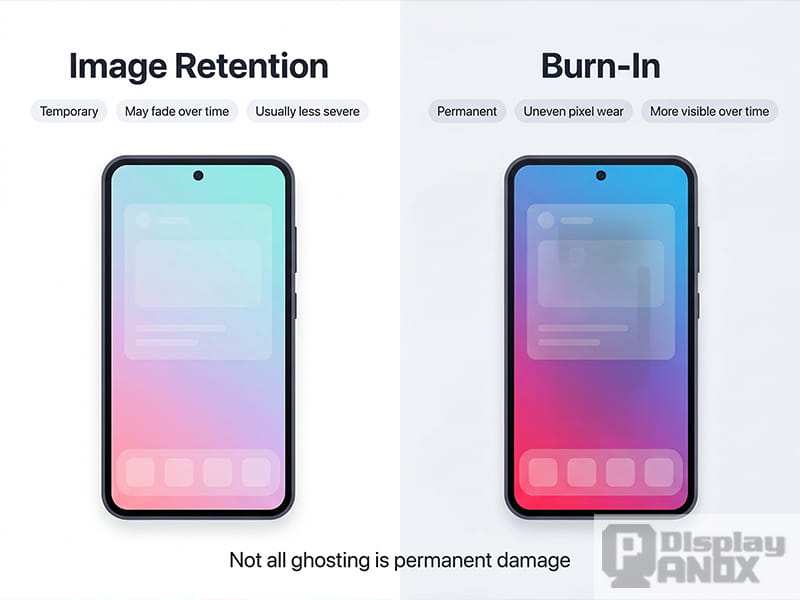
You might see temporary image retention on some LCD panels, but that fades. It's not the same thing as OLED burn-in. For users who keep a monitor for five or more years, this is a significant durability advantage.
The trade-off? Mini LED can't match OLED's per-pixel dimming. You'll see some blooming, a halo of light around bright objects on dark backgrounds.
It's a performance difference, not a durability one, but it's worth knowing about.
Mini LED vs Standard LED: Backlight Longevity
Standard LED monitors have been around for over a decade, so we've got solid long-term data. Their backlights typically last 30,000 to 60,000 hours. Mini LED backlights fall in a similar range, roughly 30,000 to 50,000 hours per manufacturer specifications.
The difference is in heat and complexity. Mini LED packs more LEDs into the same space, which means more heat in a concentrated area. Better thermal design in premium models helps offset this.
Cheaper models with less robust cooling could see faster LED degradation over time.
Standard LED monitors run cooler and have fewer individual components that could fail. But they also can't match mini LED's HDR brightness or contrast performance. You're trading some simplicity for a noticeably better picture.
Mini LED vs QD-OLED: Where Each Wins
QD-OLED combines quantum dot color conversion with OLED's self-emitting pixels. The result is stunning color volume and perfect blacks. But it still carries OLED's burn-in risk, and the quantum dot layer adds another component that could degrade over time.
Mini LED wins on pure longevity confidence. No organic materials, no burn-in risk, and sustained high brightness without the accelerated wear that HDR content causes on OLED panels. QD-OLED wins on image quality, hands down.
If you're choosing based on durability alone, mini LED is the safer bet. If image quality is your top priority and you're okay with some burn-in risk, QD-OLED delivers a better viewing experience.
The Real Durability Factors You Should Care About
Marketing specs tell part of the story. The actual day-to-day durability of a mini LED monitor depends on several factors that don't always show up on the spec sheet.
Backlight Lifespan and LED Degradation
Manufacturer claims of 30,000 to 50,000 hours are based on standardized testing conditions. Real-world lifespan depends heavily on how you use the monitor. Running at maximum brightness constantly will accelerate LED dimming.
Keeping brightness at 60 to 70 percent for typical use can extend backlight life significantly.
LED degradation isn't sudden failure. It's gradual. You'll notice it as the monitor not getting as bright as it used to, or colors looking slightly different than when it was new.
Most people don't notice this happening because it's so slow.
The backlight is usually the first major component to show age on any LED monitor. On mini LED, the sheer number of individual LEDs means that if one fails, it's unlikely to be very noticeable. A single dead LED among hundreds is a non-issue.
Compare that to a CCFL backlight failing, where the whole display goes dark.
Thermal Management and Heat Build-Up
Heat is the enemy of electronics, and mini LED monitors generate more heat than standard LED models. More LEDs in a compact space means more thermal energy to manage. This is where build quality matters a lot.
Premium models from brands like ASUS, Dell, and Samsung typically include robust thermal designs. Heat sinks, ventilation channels, and sometimes even small fans help keep LED temperatures in check. Budget models may cut corners here, leading to higher operating temperatures and potentially faster degradation.
If you're in a warm climate or your room runs hot, this matters more. Keeping the area around your monitor well-ventilated helps. Don't push it flush against a wall if the vents are on the back.
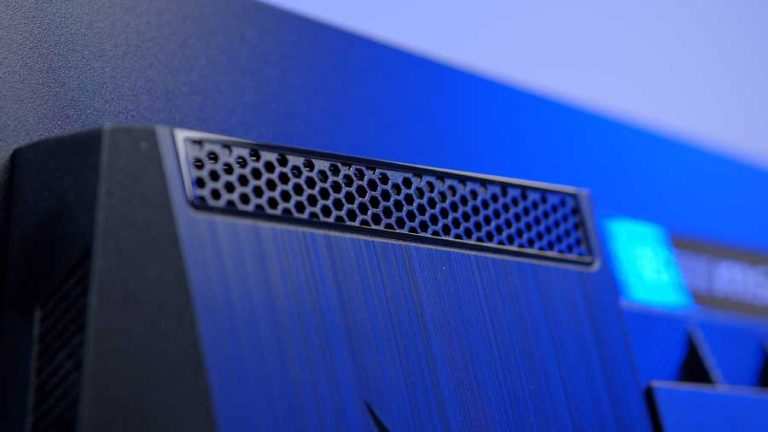
Image source: Bing (Web (fair-use with source credit))
Dimming Zone Wear and Uniformity Over Time
Here's something most reviews don't cover because it takes years to develop. Each local dimming zone on a mini LED monitor ages at a slightly different rate depending on how much it's used. Zones that frequently display bright content, like the top of a browser window or a HUD in a game, will dim faster than zones that mostly show dark content.
Over several years, this can lead to subtle unevenness across the screen. It's not dramatic, but if you're doing color-critical work, you might notice slight brightness variations in different areas of the display.
Regular calibration helps compensate for this. Most professional monitors support hardware calibration, which can adjust per-zone output to maintain uniformity. It's a maintenance task, not a flaw, but it's worth knowing about.
Panel Type Still Matters (IPS, VA, TN)
The mini LED backlight is only half the equation. The LCD panel behind it has its own durability characteristics. IPS panels, the most common pairing with mini LED, offer great color accuracy and viewing angles but can suffer from IPS glow.
VA panels provide better contrast but may have slower response times that cause smearing.
Neither IPS nor VA panels have significant durability issues themselves. The liquid crystal layer is solid-state and essentially lasts forever under normal conditions. The TFT (thin-film transistor) layer that controls each pixel is also extremely reliable.
Where panel type affects longevity is in how it handles the backlight. VA panels typically have higher native contrast, so the local dimming algorithm doesn't have to work as hard. This can mean less stress on the backlight zones over time.
IPS panels let more light through, which can make backlight degradation slightly more visible.
The practical difference is small. Don't choose a panel type based on durability alone. Choose based on your use case and accept that both will last many years under normal conditions.
Side-by-Side Comparison: Mini LED vs the Competition
Here's a straightforward look at how mini LED stacks up against the main alternatives on durability-related factors.
| Factor | Mini LED | Standard LED | OLED | QD-OLED |
|---|---|---|---|---|
| Burn-in risk | None | None | Yes, over time | Yes, over time |
| Backlight lifespan | 30,000–50,000 hrs | 30,000–60,000 hrs | N/A (self-emitting) | N/A (self-emitting) |
| Peak brightness | 1,000–2,000+ nits | 250–400 nits | 800–1,500 nits | 1,000–2,000 nits |
| Heat output | Moderate to high | Low to moderate | Low | Low to moderate |
| Sustained HDR brightness | Excellent | Poor | Good (with ABL) | Good (with ABL) |
| Repair complexity | Moderate | Simple | Complex, expensive | Complex, expensive |
| Long-term field data | Limited (newer tech) | Extensive (10+ years) | Moderate (5–8 years) | Limited (very new) |
| Typical price range | $400–$2,000+ | $150–$600 | $800–$3,000+ | $1,000–$3,000+ |
A few things jump out from this table. Mini LED's burn-in immunity is its biggest durability advantage over OLED variants. Standard LED still wins on simplicity and proven long-term reliability.
QD-OLED matches or exceeds mini LED on brightness but carries the same burn-in concerns as regular OLED.
The heat output row is worth paying attention to. Mini LED runs warmer than the other options, which makes thermal design a real factor in longevity. A well-designed mini LED monitor will last just as long as a standard LED one.
A poorly designed one might show earlier degradation.
Repair complexity is another practical consideration. If something goes wrong with a mini LED backlight, the repair is more involved than swapping out a simple LED strip. It's not a huge deal for most people, but it's worth noting if you plan to keep the monitor for a very long time.
Who Should Buy a Mini LED Monitor (and Who Shouldn't)
Mini LED isn't for everyone. The technology shines in specific scenarios and adds cost that doesn't make sense for others. Here's how to figure out which camp you fall into.
Best For: Content Creators and HDR Professionals
If you edit photos, grade video, or work with HDR content regularly, mini LED gives you something standard LED can't. Sustained high brightness for HDR mastering, without worrying about burn-in during long editing sessions. You can leave your scopes and timelines on screen for hours without losing sleep.
Color accuracy on high-end mini LED models is excellent. Many cover 95% or more of DCI-P3 and support 10-bit color depth. Hardware calibration support on professional models from ASUS ProArt, Dell UltraSharp, and BenQ lines helps maintain accuracy over the monitor's lifespan.
Best For: Gamers Who Keep Monitors for Years
Serious gamers tend to keep their displays for five to eight years. Burn-in from static HUD elements is a real concern for OLED in this use case. Mini LED eliminates that worry entirely while delivering the high refresh rates and HDR that modern games demand.
Models like the Samsung Odyssey Neo series and ASUS ROG Swift mini LED lines offer 240Hz refresh rates with full local dimming. You get the best of both worlds, competitive gaming performance and long-term reliability.
Think Twice: Users Who Prioritize Perfect Blacks Above All
If you watch a lot of movies in a dark room and want absolute perfect blacks, OLED still wins. Mini LED's local dimming zones, even with 1,152 zones, can't match per-pixel dimming. You'll see some blooming in high-contrast scenes.
This isn't a durability issue. It's a performance trade-off. If blooming bothers you more than burn-in risk, OLED or QD-OLED might be the better choice for your viewing habits.
Think Twice: Budget-Conscious Buyers Who Don't Need HDR
If you're primarily doing office work, browsing, or watching YouTube, a standard IPS monitor at $200 to $300 will serve you just fine. Mini LED's advantages only matter when you need high brightness, HDR, or both.
The price premium for mini LED starts around $400 for basic models and climbs quickly. For general productivity, that money is better spent on a larger screen or a better ergonomic stand.
Common Durability Concerns and What Actually Causes Problems
Let's address the specific worries that come up when people research mini LED longevity. Some are legitimate, others are overblown.
Blooming and Haloing: Annoying but Not a Durability Issue
Blooming, that halo of light around bright objects on dark backgrounds, is the most common complaint about mini LED. It happens because each dimming zone covers multiple pixels, so light bleeds slightly into adjacent dark areas.
This is a picture quality limitation, not a sign that your monitor is degrading. It's present from day one and won't get worse over time. Better dimming algorithms and higher zone counts reduce it, but they don't eliminate it entirely.
Backlight Bleeding Over Time
All LED-backlit monitors can develop backlight bleeding, where light leaks around the edges or corners of the panel. On mini LED models, the concentrated backlight can make this slightly more noticeable, especially on VA panels.
Manufacturing quality matters here more than technology type. A well-assembled mini LED monitor will have minimal bleeding from the start. Poor unit-to-unit quality control on some budget models means you might get a unit with noticeable bleeding out of the box.
This doesn't worsen over time in most cases. If it's bad when you first set up the monitor, it'll stay that way. That's why checking return policies and dead pixel guarantees matters.
Dead Zones and LED Chip Failure
With hundreds or thousands of individual LEDs, the statistical chance of one failing is higher than with a simple edge-lit LED strip. In practice, a single dead LED among 500+ is barely noticeable. You'd have to squint to see a tiny dark spot.
Multiple failures in the same area would be more noticeable but also much less likely. Manufacturer defect rates for LED backlights are very low, typically under 1% in the first three years based on aggregate warranty claim data.
If you do experience a cluster of dead LEDs early on, that's a manufacturing defect covered under warranty. Don't wait on it. File a claim promptly.
Firmware and Dimming Algorithm Bugs
This catches people off guard. The hardware might be solid, but firmware bugs can cause flickering, inconsistent dimming, or even temporary brightness locks. These aren't durability issues in the physical sense, but they affect the usable experience.
Manufacturers regularly release firmware updates to address these issues. Check the support page for your specific model and keep the firmware current. A monitor that seems buggy at launch might run perfectly after a firmware update.
How to Maximize Your Mini LED Monitor's Lifespan
You can take a few practical steps to get the most life out of your mini LED monitor. None of this is complicated, but it does make a measurable difference over time.
Brightness and Heat Management Habits
Running your monitor at 100% brightness all day, every day, is the fastest way to accelerate LED dimming. Most people find 60 to 80 percent brightness perfectly adequate for indoor use. You'll extend backlight life significantly with this simple adjustment.
Keep the area around your monitor ventilated. If the rear panel has vents, leave at least four inches of clearance from the wall. In summer or in rooms without good air conditioning, this matters more than you might think.
Avoid placing monitors near heat sources like radiators or direct sunlight. Ambient temperature directly affects LED operating temperature and, by extension, long-term lifespan.
Calibration and Maintenance Routines
Calibrate your monitor every three to six months if you do color-critical work. This isn't just about accuracy. It also helps you catch any backlight uniformity issues early, while they might still be covered under warranty.
Use a hardware colorimeter for best results. Software-only calibration is better than nothing, but it can't account for the specific characteristics of your individual panel.
Keep the screen clean with a microfiber cloth. Avoid pressing hard or using harsh chemicals. The anti-glare coating on most monitors is delicate and can be damaged by aggressive cleaning.
Warranty and Dead Pixel Policy Awareness
Before you buy, read the manufacturer's dead pixel policy carefully. Some brands require five or more dead pixels before they'll honor a replacement. Others have zero-tolerance policies for central dead pixels.
Standard warranties run one to three years. Professional models sometimes offer three to five years. Extended warranties are worth considering if you plan to keep the monitor for a long time.
Register your monitor after purchase. Some manufacturers require registration to activate the full warranty period. Keep your receipt and the original packaging for at least the warranty duration.
What the Numbers Say: Lifespan Data and Manufacturer Claims
Let's look at the actual data behind durability claims. Manufacturer specifications give us a baseline, but independent testing tells a more complete story.
VESA's DisplayHDR certification program includes testing protocols that stress monitors under sustained high brightness. Monitors that pass these tests demonstrate reliable performance under demanding conditions. It's not a lifetime durability test, but it's a useful quality indicator.
MTBF, Mean Time Between Failures, is the standard reliability metric. Most mini LED monitors claim 30,000 to 60,000 hours MTBF. This doesn't mean the monitor will fail at 60,001 hours.
It means that in a large population of units, the average time between failures is that long.
Independent long-term testing for mini LED monitors specifically is limited because the technology is relatively new. We can extrapolate from standard LED backlight data, which shows very low failure rates over 10+ years of use. Mini LED should follow a similar pattern, with the main variable being thermal design quality.
User review aggregation from major retailers shows failure rates for mini LED monitors are comparable to standard LED models in the first two years. Early adopter reports don't show any widespread durability red flags as of 2026.
Frequently Asked Questions
How long do mini LED monitors typically last?
Most mini LED monitors should last 7 to 10 years under normal use before you'd notice significant backlight degradation. The 30,000 to 50,000 hour backlight lifespan translates to roughly that timeframe at 8 to 10 hours of daily use. You'll likely upgrade for other reasons before the monitor fails.
Can mini LED monitors get burn-in?
No. Mini LED monitors use an inorganic LED backlight with an LCD panel. Neither component suffers from permanent burn-in.
You might see temporary image retention on rare occasions, but it always fades. This is a major durability advantage over OLED technology.
Do mini LED monitors lose brightness over time?
Yes, but very gradually. All LED backlights dim slowly with use. At 50,000 hours, you might see brightness drop to about 70 to 80 percent of original output.
Most users never reach that point because they upgrade or replace the monitor well before then.
Are mini LED monitors harder to repair than standard LED?
Slightly. The backlight assembly has more individual components, so diagnosing and replacing a failed zone is more involved. However, backlight failures are uncommon, and most issues that do occur happen within the warranty period when repair cost isn't a concern.
Is mini LED worth the extra cost over standard LED?
It depends on your use case. If you need HDR, high brightness, or color-accurate professional work, yes. If you're doing basic office tasks or casual browsing, a standard IPS monitor at half the price will serve you just as well for general productivity.

Similar Posts





















