Are Mini LED Monitors Better for Spreadsheets
Are mini LED monitors better for spreadsheets? The short answer is: not necessarily, and in many cases, a solid standard LED-backlit IPS monitor will serve you just as well for less money.
Mini LED technology genuinely improves contrast and black levels, which sounds great on paper. But spreadsheets are predominantly bright, text-heavy workloads. The advantages Mini LED brings (HDR, deep blacks) matter far less here than they do for gaming or video editing. For more background on real-world performance, read our breakdown of why are mini led monitors better than normal led.
Meanwhile, the drawbacks (blooming around text, higher cost, coating grain) hit hardest in exactly the scenarios spreadsheet users care about most.
Let's break down what actually matters so you can make the right call for your setup.
Quick Answer
Mini LED monitors are not universally better for spreadsheets. Standard IPS monitors often deliver superior text clarity and value for spreadsheet-focused work. Mini LED excels in contrast and HDR but introduces blooming risks. To see how this holds up against alternate models, explore whether microled monitors better than mini led.
Choose based on your specific workflow and lighting conditions.
Does Mini LED Actually Help for Spreadsheet Work?
Here's the honest truth. Mini LED was designed to solve problems spreadsheet users don't really have.
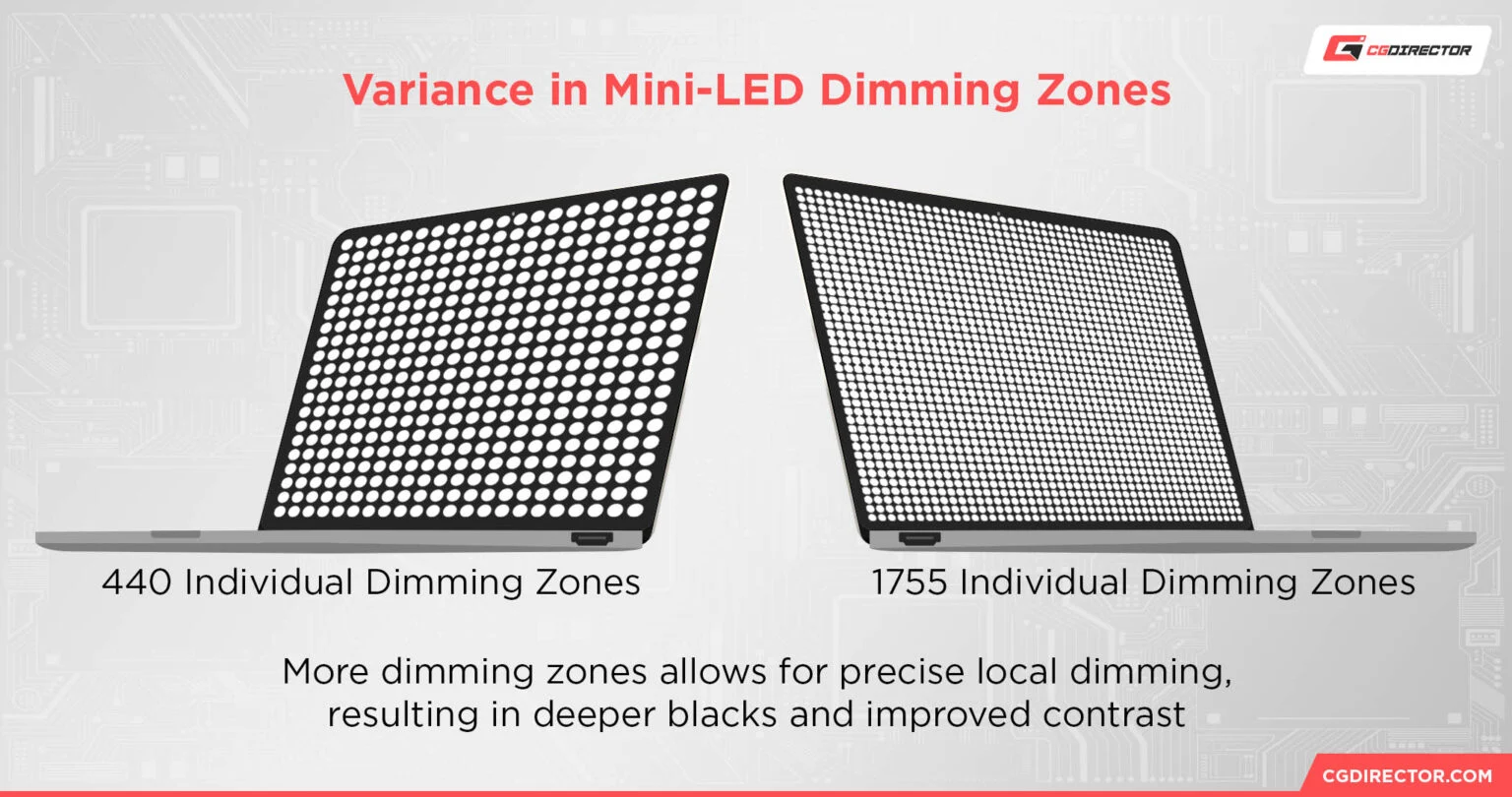
The technology uses hundreds or thousands of small dimming zones behind the screen to control brightness in specific areas. This creates deeper blacks and brighter highlights simultaneously. For watching HDR movies or editing photos, that's a genuine upgrade.
For staring at cells in Excel? Most of what Mini LED does goes unnoticed.
Spreadsheets are dominated by white backgrounds, thin grid lines, and small text. Mini LED's local dimming has very little dark area to work with on a typical sheet. You're paying for contrast performance that sits idle 90% of the time.
There's also the blooming issue. When a bright element sits near a dark area, Mini LED zones can't perfectly contain the light. You get a faint halo effect.
On a spreadsheet with alternating row shading or dark headers on a white sheet, that glow around high-contrast edges can be genuinely distracting.
Does that mean Mini LED is bad for spreadsheets? Not at all. It just means the benefits are situational rather than automatic.
What Mini LED Brings to the Table
To be fair, Mini LED does offer real advantages that can matter in office environments.
Higher peak brightness helps if your workspace has significant ambient light. Many Mini LED monitors hit 600 nits sustained, with peaks well over 1,000 nits. Good luck washing out that screen with afternoon sun streaming through your window.
Better contrast in mixed content matters when your workflow isn't purely spreadsheets. If you're toggling between a bright Excel dashboard and a dark-themed analytics tool, Mini LED handles both more gracefully than a standard edge-lit LED.
No burn-in risk is a practical advantage over OLED. Spreadsheets have static elements (toolbars, frozen paners, row headers) that stay on screen for hours. Mini LED panels don't degrade from static content the way OLED panels can over time.
DisplayHDR certification levels (400, 600, 1000, 1400) give you a standardized benchmark. If you see DisplayHDR 1000 on the spec sheet, you know peak brightness and zone performance meet VESA's requirements. That's more透明 than the marketing claims on standard LED monitors.
Color gamut coverage tends to be stronger on Mini LED models. Many cover 95%+ of DCI-P3. For pure spreadsheet work, sRGB is all you need.
But if your role straddles data and design, that wider gamut is useful.
Zone count is the spec everyone fixates on. Budget Mini LED monitors might have 96 zones. Mid-range models offer 256 to 512.
Premium options hit 1,152 or more. More zones generally mean less visible blooming since each controlled area is smaller. But even 1,152 zones can't match per-pixel dimming.
Where Mini LED Gets Messy on a Spreadsheet
This is where a lot of buyers get surprised. The same technology that makes HDR content pop can actually work against you on a productivity workload.
Blooming on UI elements is the biggest complaint. Column dividers, cell borders, dropdown menus, and scrollbar edges can all show visible halos against contrasting backgrounds. It's most noticeable if you use dark mode in your OS or apply alternating row colors in your spreadsheets.
Matte coating graininess plagues many Mini LED monitors. The aggressive anti-glare treatments needed to handle the bright backlight can make white backgrounds look slightly textured or "sparkly." For text-heavy work, this creates a subtle but persistent sense of fuzziness that standard IPS panels avoid. Check rtings.com or similar outlets for coating assessments before buying.
Text fringing is related to both the coating and the panel's subpixel layout. Some Mini LED monitors use VA-type panels with less-than-ideal subpixel arrangements for text rendering. You may notice slight color fringing on small fonts, particularly along horizontal edges of letters.
ClearType tuning helps but doesn't fully fix it on every model.
Price premium for genuine spreadsheet benefit is hard to justify. A good 27-inch 4K IPS monitor costs around $300 to $450. A comparable Mini LED model starts around $500 and climbs past $800.
That extra money buys contrast and HDR you won't fully utilize on white spreadsheet backgrounds.
Fan noise appears on some actively-cooled Mini LED models. High-zone-count monitors with sustained high brightness can generate enough heat to require a small fan. It's not loud, but in a quiet office, you'll notice it.
HDR overhead in SDR mode is a real annoyance. Windows HDR mode still has color management issues for SDR content. If you enable HDR for any reason, your spreadsheet colors may look oversaturated or washed out until you toggle back.
Mini LED vs. IPS vs. OLED: The Real Comparison for Office Work
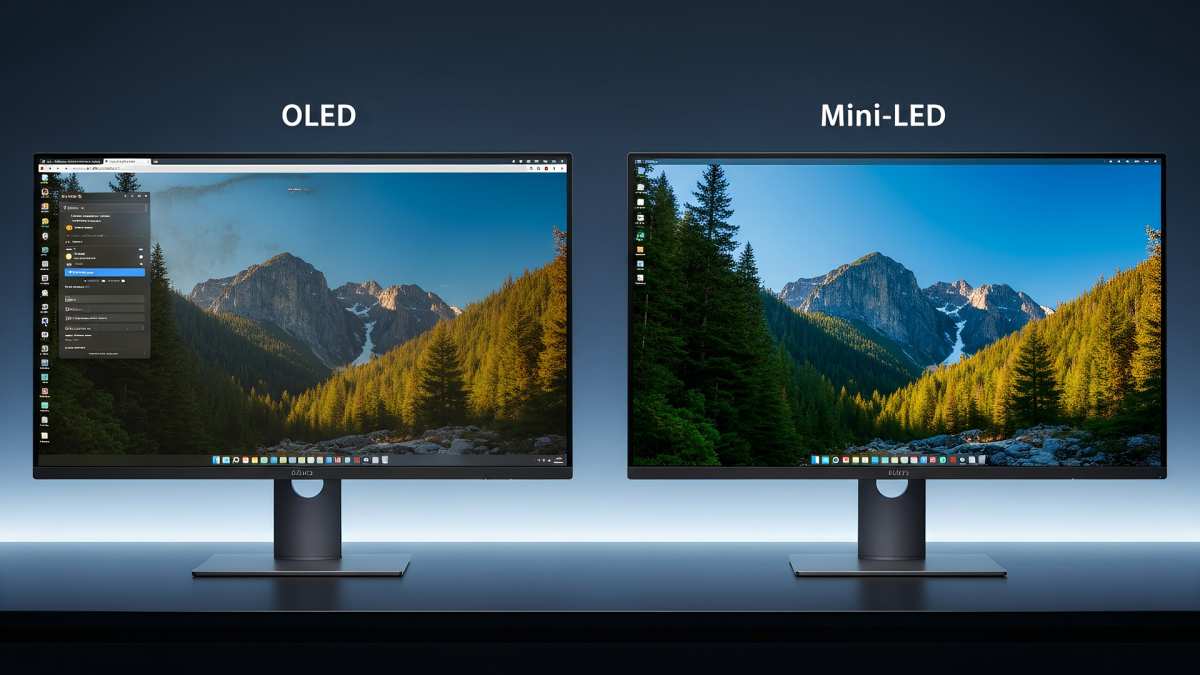
Let's put the three main display technologies head to head for spreadsheet-specific criteria.
| Factor | Mini LED (FALD LED) | Standard IPS LED | OLED |
|---|---|---|---|
| Text clarity | Good to very good (varies by coating) | Excellent | Excellent |
| Blooming risk on UI | Moderate to high | None | None |
| Contrast ratio | 10,000:1 to 1,000,000:1 (dynamic) | 1,000:1 to 1,300:1 | Effectively infinite |
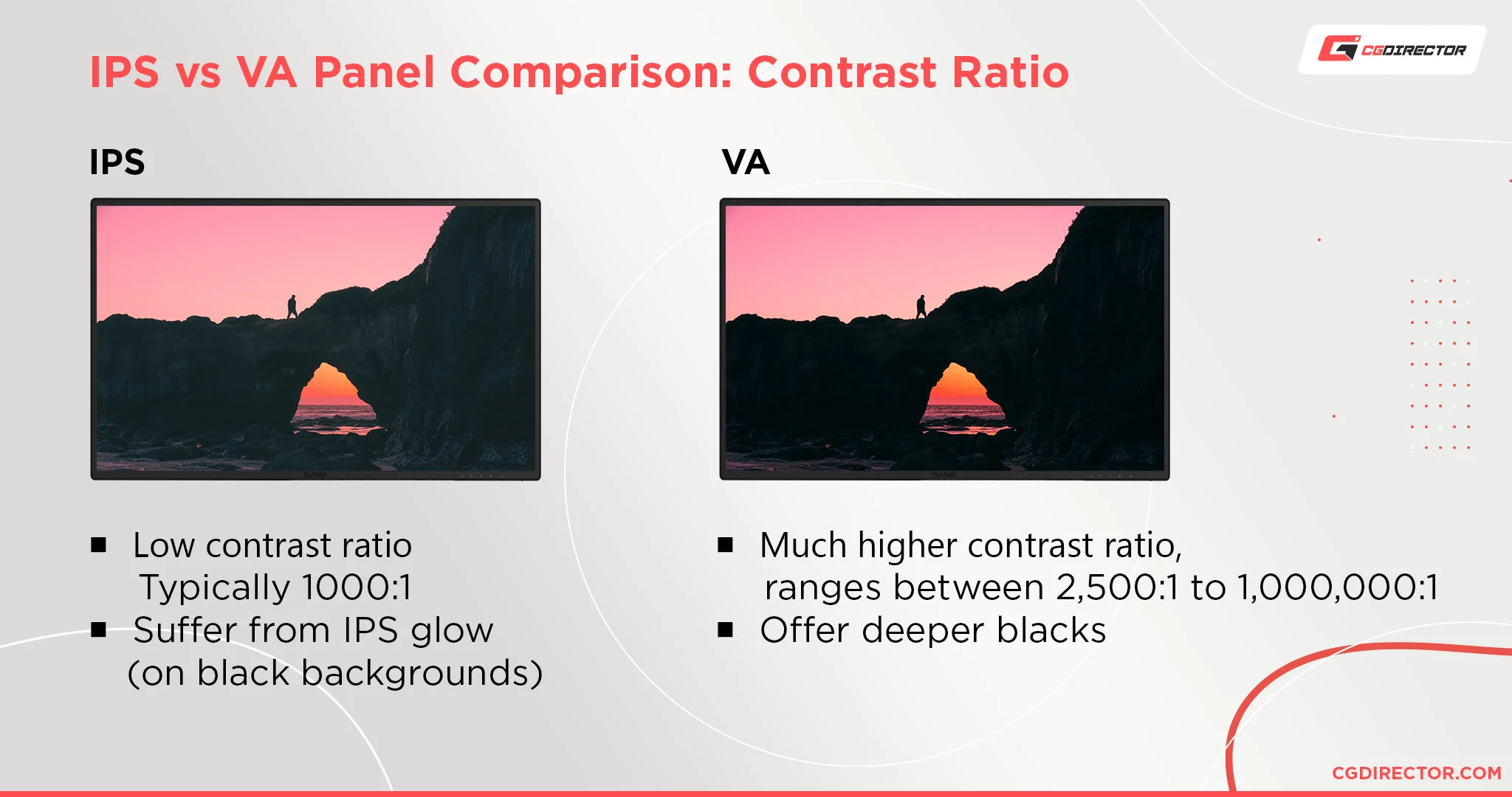
| Black uniformity | Good (zone-dependent) | Moderate (IPS glow) | Perfect |
| Peak brightness (sustained) | 400–800+ nits typical | 250–400 nits typical | 200–350 nits typical (ABL limited) |
| Burn-in risk | None | None | Yes (static UI elements) |
| Price (27" 4K) | $500–$1,200+ | $250–$500 | $600–$1,500+ |
| Color accuracy (sRGB) | Very good to excellent | Good to very good | Excellent |
| Response time | Good (VA types slower) | Good | Excellent |
| Best for spreadsheets? | Sometimes | Often the sweet spot | Yes, if budget allows |
Standard IPS monitors remain the value champion for pure productivity. The text clarity on a matte IPS panel at 4K resolution is hard to beat for reading cells all day. IPS glow exists but is far less distracting than Mini LED blooming because it's uniform rather than localized.
OLED wins on image quality by a wide margin. Perfect blacks, infinite contrast, per-pixel precision. No blooming, no coating grain, no zone issues.
The catch for spreadsheets? Burn-in risk from static toolbars and layout elements, plus lower sustained brightness. As of 2026, newer OLED panels with improved burn-in mitigation are more viable for mixed office use than earlier generations, but the risk hasn't disappeared for users with static content occupying the same screen areas for years.
Mini LED sits in an awkward middle ground for this specific use case. It's better than standard LED for contrast, but it introduces problems (blooming, coating issues, cost) that IPS and OLED don't have. You gain HDR capability you'll rarely use and lose text clarity you'll notice every day.
Here's how to think about it in practical terms.
Choose standard IPS if you want the best balance of text quality, value, and reliability. This is the default recommendation for most spreadsheet users.
Choose OLED if budget allows, your workflow includes mixed media, and you're comfortable managing burn-in risk through habits like auto-hiding taskbars and using screen savers.
Choose Mini LED if you work in a bright room where sustained high brightness matters, you consume HDR media during breaks, or you specifically need the contrast for dark-themed applications alongside your spreadsheet work.
Side-by-Side: Which Display Tech Wins for Spreadsheets
Let's get specific about what matters most when your primary task is spreadsheet work.
Text Clarity Champion: IPS (Standard LED)
Nothing beats a well-tuned 4K IPS panel with a standard matte coating for reading small fonts all day. The pixel density at 27 inches and 4K resolution gives you razor-sharp text. No blooming.
No coating grain. No subpixel weirdness. Just clear, consistent rendering.
Mini LED can match this on models with high-quality coatings and IPS-type panels. But you're paying more for that parity. OLED also excels here because of its per-pixel precision, but the brightness limitations and burn-in concerns give IPS the practical edge for sustained office use.
Contrast Champion: OLED (With Caveats)
For dark-themed spreadsheets or working in dim environments, OLED's perfect blacks create a reading experience that neither Mini LED nor IPS can touch. Text appears to float on a truly black background. Column shading looks clean and intentional rather than gray and washed out.
Mini LED gets closer than standard IPS thanks to local dimming. But even 1,152 zones can't achieve per-pixel control. You'll always see some haloing around high-contrast boundaries.
That's the fundamental architectural limitation of zone-based backlight control.
Value Champion: Standard IPS LED
A $350 27-inch 4K IPS monitor gives you 90% of the spreadsheet experience that a $900 Mini LED provides. The money you save could go toward a second monitor, which provides more actual productivity benefit than a fancier backlight on a single screen.
Double your screen real estate instead of upgrading the backlight technology on one panel. You'll be able to view a full spreadsheet on one screen and reference data on the other.
HDR and Mixed Content Champion: Mini LED
If your day alternates between spreadsheets and HDR video review, color grading, or design work, Mini LED's brightness ceiling and local dimming justify the premium. It's the only option that does HDR well without OLED's burn-in risk.
Overall Productivity Sweet Spot: IPS or Mini LED (Model-Dependent)
For most knowledge workers, a quality standard IPS monitor remains the pragmatic choice. If you specifically want Mini LED, prioritize models with IPS-type panels, high zone counts (500+), and verified minimal coating grain.

Similar Posts





















