Are Curved Gaming Monitors Good for Racing Games
If you've ever sat down at a sim racing rig and wondered whether a curved monitor would give you an edge, you're not alone. The question of whether curved gaming monitors are good for racing games comes up constantly in sim racing communities, and the answer isn't as straightforward as marketing suggests. Your ideal setup depends on your desk space, the games you play, and how seriously you take immersion versus competitive accuracy.
Curved monitors wrap the display around your field of view, which can make the track feel more natural to your eyes. A 1000R curvature, for example, matches the approximate curve of the human eye, reducing the distance your eyes have to travel across the screen. But that same curve introduces geometry distortion that can mess with your depth perception on apexes and braking points.
Let's break down exactly what you're getting into.
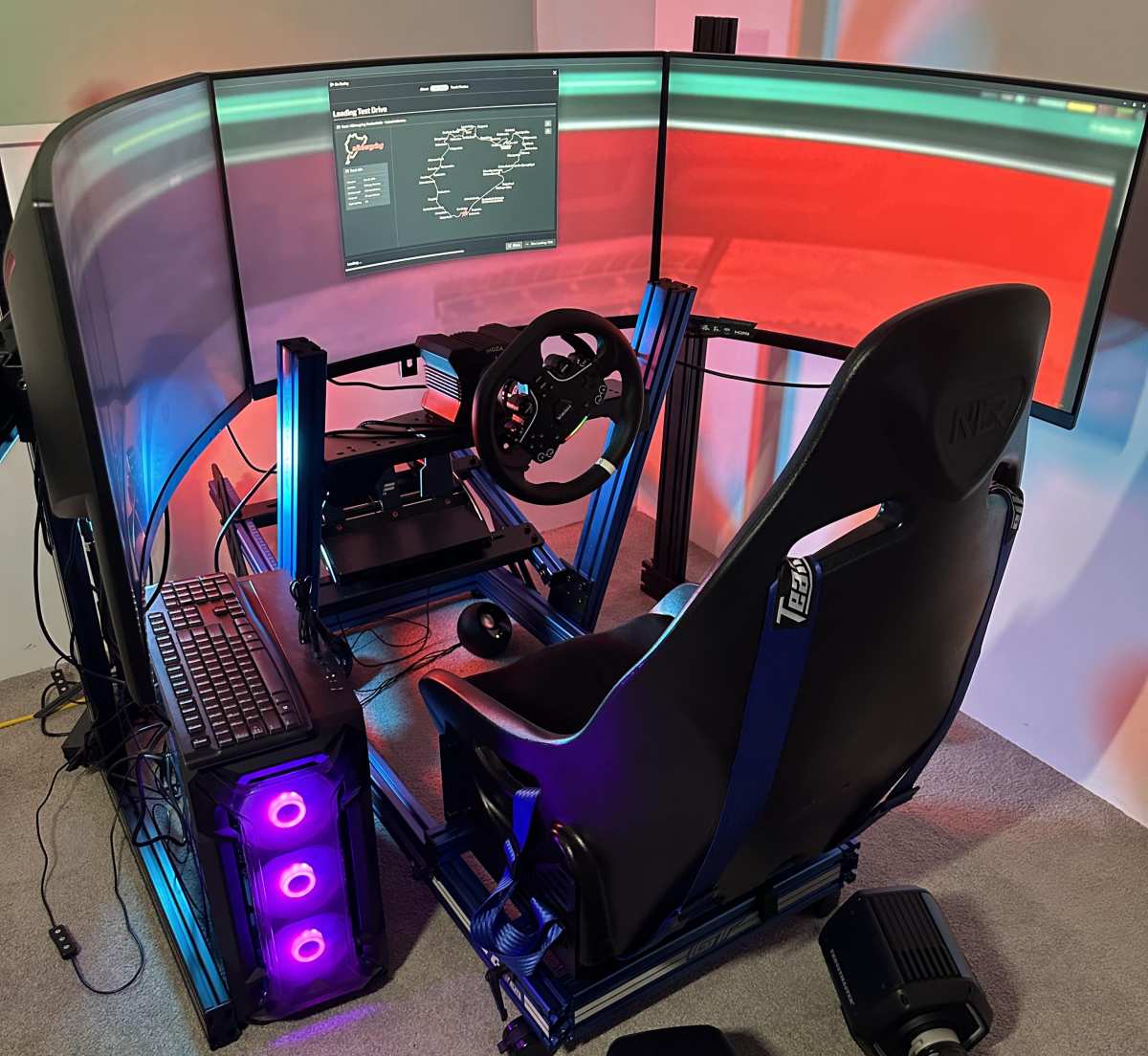
The Quick Answer: Are Curved Monitors Good for Racing Games?
Curved monitors are good for racing games when immersion and peripheral vision matter most. They reduce eye strain during long sessions by keeping a consistent focal distance. However, they introduce slight geometry distortion that can affect precision driving.
For casual and semi-serious racers, the benefits usually outweigh the drawbacks. For competitive sim racers chasing lap-time accuracy, flat screens or VR headsets often win out.
Why Curved Monitors Feel Different in Racing Games
The core appeal of a curved monitor in racing comes down to how your eyes process the image. On a flat screen, the edges sit farther from your eyes than the center. Your eyes constantly refocus as they scan from the apex on the left to the exit on the right.
Over a two-hour endurance race, that adds up to real fatigue.
A curved panel solves this by wrapping the display around you. Every point on the screen sits at roughly the same distance from your eyes. This creates a more natural viewing experience that mimics how you'd look through a windshield in a real car.
The effect is most noticeable on larger screens, 32 inches and above, where the curve actually reaches your peripheral vision.
But here's where it gets tricky. Racing games render straight lines, track edges, and horizon lines with mathematical precision. When those straight lines hit a curved surface, they can appear slightly bent or warped, especially near the edges.
Your brain usually compensates within a few sessions, but some drivers never fully adjust. If you're the type who relies on visual reference points for braking markers and turn-in points, this distortion can cost you consistency.
The curvature rating matters here. A 1800R curve is gentle and barely noticeable. A 1000R curve is aggressive and immersive but amplifies the distortion effect.
Most sim racers in aggregate reviews tend to land on 1500R or 1000R as the sweet spot for racing, depending on screen size and viewing distance.
How Curvature Actually Affects Your Racing Experience
Let's get specific about what changes when you switch from flat to curved for racing.
Peripheral vision and situational awareness. A curved ultrawide monitor, especially a 34-inch 21:9 or 49-inch 32:9, fills more of your side vision. In wheel-to-wheel racing, this helps you spot cars alongside you without relying solely on the virtual mirror or spotter calls. It's a genuine advantage in pack racing where spatial awareness wins positions.
Depth perception and apex accuracy. This is the trade-off. The curve can make it harder to judge exactly where the apex of a corner is, particularly on tight circuits with lots of visual reference points. Flat screens preserve straight lines perfectly, which some drivers prefer for precision work.
If you're running time trials and chasing tenths of a second, this matters.
Eye strain and session length. Curved monitors win here, full stop. The consistent focal distance means less eye movement and less fatigue. For anyone running longer races or practicing for extended periods, the comfort advantage is real and measurable.
Cockpit camera alignment. Most racing games use a cockpit or hood camera that positions your virtual viewpoint low and centered. A curved screen can make this feel more like sitting in an actual car, with the dashboard and A-pillars framing the view naturally. Flat screens can feel more like looking at a window into the game world.
Motion clarity. Curvature itself doesn't affect motion handling, but the panel technology behind most curved monitors often does. VA panels dominate the curved gaming market and offer deep blacks but slower pixel response times compared to IPS alternatives. For fast-paced racing, look for a curved monitor with at least a 144Hz refresh rate and a 1ms response time spec to minimize ghosting during quick head movements.
Curved vs Flat Monitors for Racing: The Honest Breakdown
This is the comparison most sim racers actually care about, so let's lay it out clearly.
| Factor | Curved Monitor | Flat Monitor |
|---|---|---|
| Immersion | High, wraps around your vision | Lower, feels like looking through a window |
| Geometry accuracy | Slight distortion at edges | Perfectly straight lines |
| Eye strain over long sessions | Lower, consistent focal distance | Higher, eyes refocus across the screen |
| Peripheral vision | Better on ultrawide curved panels | Limited to screen width |
| Competitive precision | Good for most racers | Preferred by time-trial specialists |
| Price at equivalent specs | Slightly premium | Generally cheaper |
| Desk space needed | Moderate to deep desk recommended | Works on most desks |
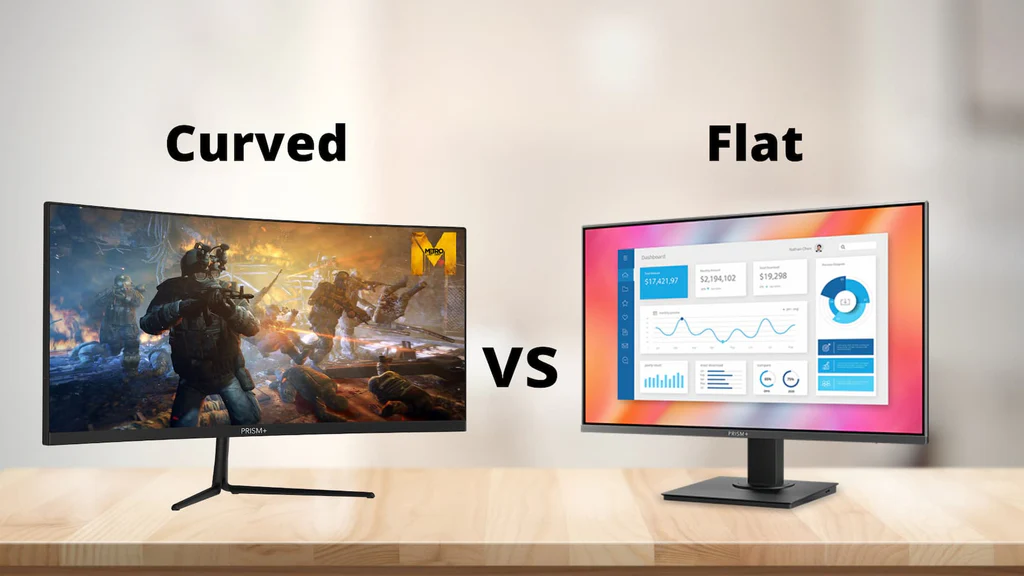
When curved wins. If you're racing for fun, running longer sessions, or want that cockpit feeling without jumping to VR, a curved monitor delivers. It's also the cleaner setup choice. No bezels in the middle of your view, no multi-monitor configuration headaches, just one screen doing the job.
When flat wins. If you're competing in online leagues where every tenth of a second counts, or if you're sensitive to visual distortion, a flat IPS panel gives you pixel-perfect geometry. Flat monitors also tend to offer faster response times and better color accuracy at the same price point, which matters if you're also using the display for content creation or other work.
The middle ground. Many experienced sim racers run a flat primary monitor for serious competition and switch to a curved ultrawide for casual racing and endurance events. It's not an either-or decision for everyone, and your use case should drive the call.
Curved vs Triple Monitor vs VR: Which Setup Wins for Racing?
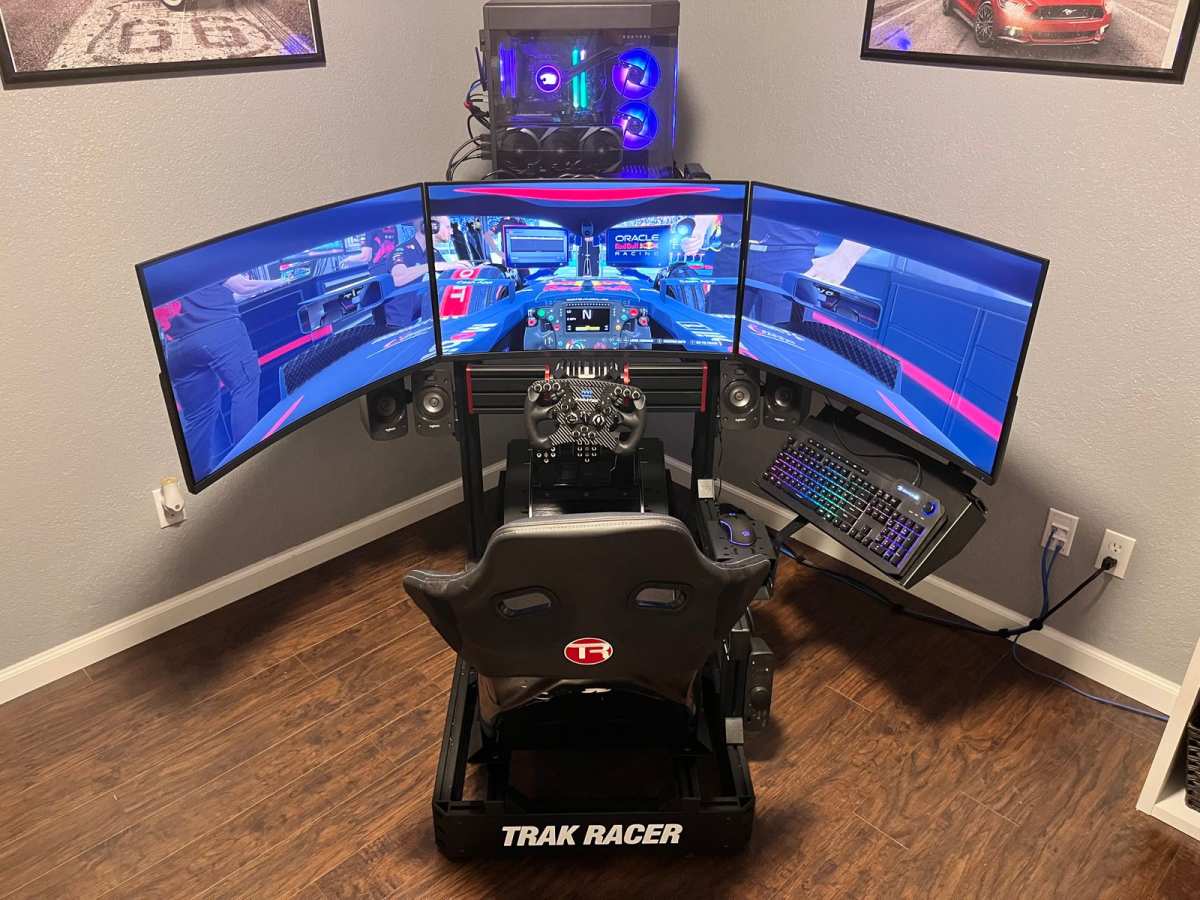
Now let's zoom out and look at the three main display approaches sim racers actually use. Each has a clear profile of who it's right for.
Single curved ultrawide. This is the sweet spot for most people getting into sim racing seriously. A 34-inch 21:9 curved monitor gives you a wider field of view than a standard 16:9 screen without the complexity of running multiple displays. Setup is simple, one cable, one screen, done.
The immersion boost over a single flat screen is noticeable, and you avoid the bezel gap problem entirely.
Triple monitor setup. Three flat monitors, usually 27 inches each, angled around your wheel base. This gives you the widest possible field of view without VR, and many competitive sim racers swear by it. The bezels in the center can be distracting at first, but most drivers tune them out within a week.
The downside is complexity. You need a sturdy mount, enough GPU power to drive three displays, and patience to get the angles and bezel correction configured properly in your sim of choice.
VR headset. A VR headset like the Meta Quest 3 or Valve Index puts you inside the car with full depth perception and head tracking. It's the most immersive option by a wide margin and gives you natural spatial awareness that no flat or curved screen can match. The trade-offs are comfort during long sessions, potential motion sickness for some users, and the need for a powerful PC to maintain stable frame rates.
VR also isolates you from your physical surroundings, which means you can't see your wheel, button box, or keyboard without passthrough cameras.
The honest ranking for most sim racers as of 2026. VR wins on pure immersion and depth perception. Triple monitors win on competitive field of view and flexibility. A single curved ultrawide wins on simplicity, desk space efficiency, and the best balance of immersion versus practicality.
If you're choosing one setup and don't want to fuss with multiple displays or strap a headset to your face, a curved monitor is the move.
Best Curved Monitor Specs for Racing Games
Not all curved monitors are built the same, and the specs that matter for racing differ slightly from what you'd prioritize in a shooter or RPG. Here's what to look for.
Screen size and aspect ratio. A 34-inch 21:9 ultrawide is the most popular choice for sim racing right now. It gives you roughly 33% more horizontal view than a standard 27-inch 16:9 monitor without overwhelming your desk. If you want to go bigger, a 49-inch 32:9 super ultrawide replaces a triple monitor setup entirely, but you'll need a deep desk and a powerful GPU to drive it.
Curvature rating. For racing, 1000R or 1500R hits the sweet spot. A 1000R curve matches the natural curve of your eye and maximizes immersion, but it demands you sit at the right distance, usually 24 to 36 inches from the screen. A 1500R curve is more forgiving if your desk setup puts you closer or farther away.
Anything above 1800R feels barely curved and defeats the purpose.
Refresh rate and response time. Racing games benefit hugely from high refresh rates. 144Hz is the minimum you should consider. 240Hz is better if your PC can push those frames. Look for a 1ms gray-to-gray response time spec to keep motion crisp during quick head turns and fast-paced scenes. AMD FreeSync or NVIDIA G-Sync compatibility helps eliminate screen tearing, which can be distracting when you're tracking fast-moving scenery.
Panel type. VA panels dominate the curved monitor market and offer excellent contrast ratios, which look great in darker racing scenes. However, they tend to have slower pixel response times than IPS panels, which can cause ghosting. If motion clarity is your top priority, look for a curved IPS option or a newer VA panel with a strong overdrive setting.
OLED curved monitors are entering the market as of 2026 and offer the best of both worlds, but they come at a premium price.
Resolution. 3440×1440, the standard resolution for 34-inch ultrawides, strikes a good balance between visual quality and performance. 4K ultrawide monitors exist but demand a high-end GPU to maintain high frame rates. For most sim racers, 1440p ultrawide is the practical choice.
Who Benefits Most from a Curved Racing Monitor
A curved monitor isn't the right call for every type of racer. Here's who gets the most out of one.
Casual and semi-serious sim racers. If you're racing a few times a week for enjoyment, a curved ultrawide gives you the biggest jump in immersion for the least hassle. You plug it in, set your field of view in-game, and you're done. No multi-monitor configuration, no VR headset to adjust.
Endurance and league racers who prioritize comfort. Long races mean long sessions in front of the screen. The reduced eye strain from a curved panel adds up over two, four, or 24-hour events. If you're running something like an iRacing endurance series, comfort matters as much as performance.
Racers with limited desk space. A single curved ultrawide takes up less room than a triple monitor setup and gives you a wider field of view than a single flat screen. If your rig is in a shared space or a smaller room, this is the practical choice.
Drivers who value immersion over absolute precision. If you're the type who races for the feeling of being in the car rather than chasing leaderboard times, a curved monitor delivers that experience better than a flat screen.
Who should skip it. Competitive time-trial specialists who need pixel-perfect geometry, racers on a tight budget who'd rather put money into a wheel base, and anyone who gets motion sick from curved displays should consider flat panels or VR instead.
Common Mistakes People Make with Curved Racing Monitors
Even a great curved monitor can disappoint if the setup is wrong. These are the mistakes that come up most often in sim racing communities.
Sitting too close or too far. A 1000R curve is designed for a specific viewing distance. If you sit too close, the curve feels overwhelming and distortion increases. Too far away and you lose the immersive effect entirely.
Measure your desk depth before buying and match the curvature to your typical seating position.
Ignoring in-game field of view settings. A curved ultrawide gives you more screen real estate, but you still need to set your FOV correctly in each sim. An incorrect FOV can make the track feel warped or tunnel-visioned regardless of your monitor. Use an FOV calculator specific to your sim and screen size to get this right.
Choosing the wrong panel for fast motion. A slow VA panel with poor overdrive can smear during quick head movements, making it harder to track the apex. Check reviews for motion performance, not just static image quality, before buying a curved monitor for racing.
Expecting plug-and-play ultrawide support. Not all racing games support 21:9 or 32:9 aspect ratios natively. Older titles and some console ports may stretch the image or crop the view. Check your game's ultrawide compatibility before committing.
PC sims like iRacing, Assetto Corsa Competizione, and rFactor 2 generally handle ultrawide well, but it's not universal.
Overlooking GPU requirements. Driving a 3440×1440 ultrawide at high refresh rates takes significantly more GPU power than a standard 27-inch 1440p display. Make sure your graphics card can handle the extra pixels before you buy. An NVIDIA RTX 4070 or AMD RX 7800 XT is a reasonable starting point for smooth ultrawide racing at high settings.
Real-World Scenarios: When Curved Makes Sense and When It Doesn't
Let's put this into practical context with a few common situations.
Scenario one: You race primarily on console. PlayStation 5 and Xbox Series X support ultrawide output in very limited titles. Most console racing games are designed for 16:9 displays. A curved ultrawide monitor may work, but you'll likely get black bars on the sides or a stretched image.
For console racing, a standard curved 16:9 monitor is a safer bet.
Scenario two: You're building a dedicated PC sim rig. This is where a curved ultrawide shines. You've got the GPU power, the desk space, and the game library to take full advantage of the wider aspect ratio. Pair a 34-inch curved 1440p display with a solid wheel base and you've got a setup that'll keep you happy for years.
Scenario three: You compete in online leagues and chase lap times. Here, precision matters more than immersion. A flat IPS monitor with fast response times gives you the most accurate visual representation of the track. Some competitive racers use curved monitors and do fine, but the majority of time-trial leaders run flat panels or VR.
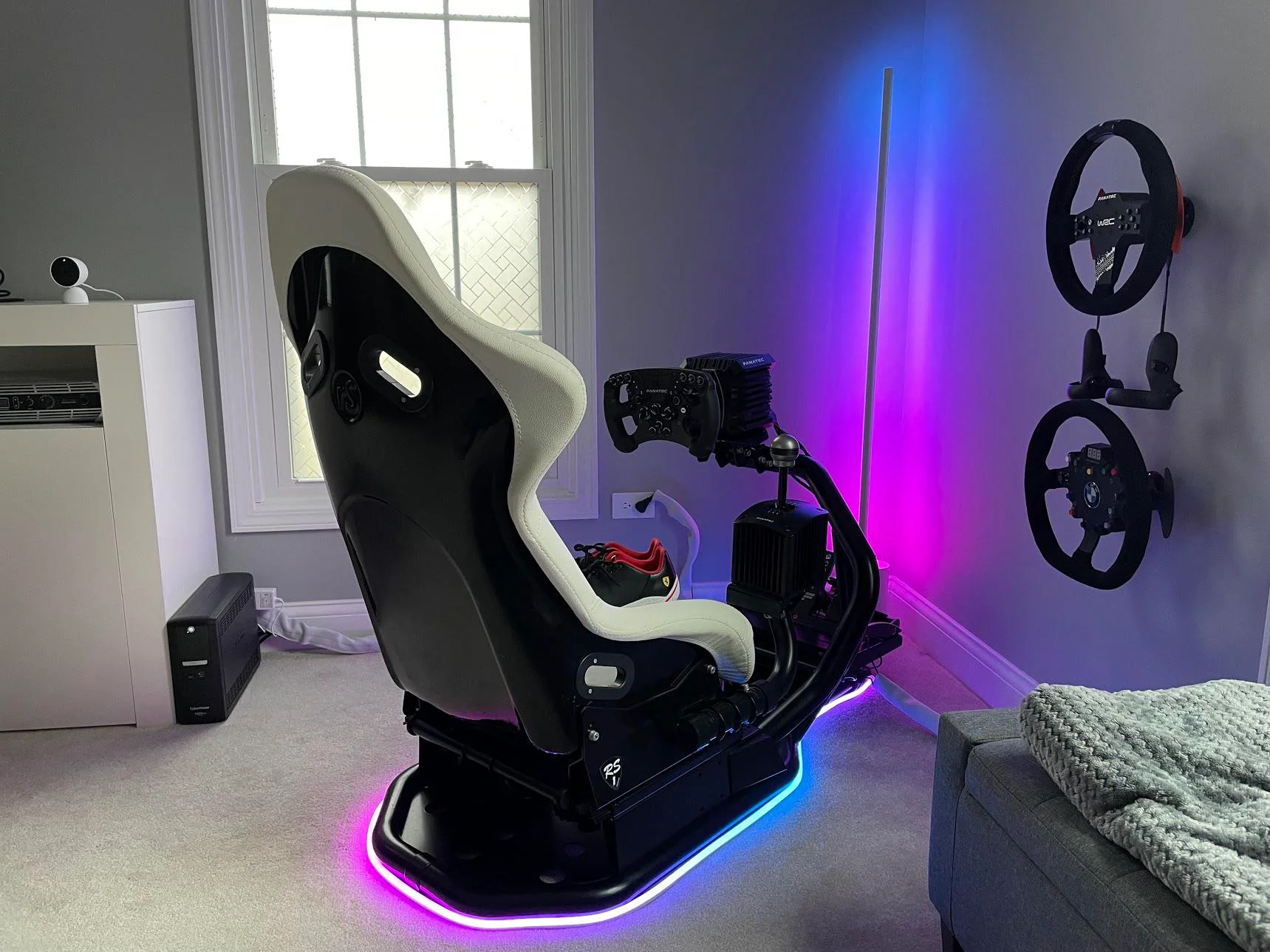
Scenario four: You want maximum immersion and have a powerful PC. If budget isn't the primary concern and you want the most immersive experience possible, a VR headset still beats any monitor. The depth perception and head tracking in VR are unmatched. A curved ultrawide is the best monitor-based alternative, but it's not a replacement for VR if immersion is your top goal.
Scenario five: You split your monitor between racing and productivity. A curved ultrawide doubles as an excellent productivity display. The extra horizontal space is great for multitasking, video editing, or coding. If your monitor needs to pull double duty, a curved ultrawide gives you the best of both worlds.
Expert Tips for Getting the Most Out of a Curved Racing Monitor
Once you've got your curved monitor set up, a few tweaks can make a noticeable difference.
Calibrate your FOV first. Before anything else, use an FOV calculator for your specific sim and screen setup. This single step has the biggest impact on how natural the driving feels. An incorrect FOV can make the track feel too fast, too slow, or distorted regardless of your monitor's curve.
Position the monitor at the right height. The center of the screen should be roughly at eye level when you're seated in your normal driving position. Too high and you're looking up at the horizon. Too low and you lose the sense of sitting in the cockpit.
Enable adaptive sync. Turn on FreeSync or G-Sync in your monitor's on-screen menu and in your GPU's control panel. Racing games often have fluctuating frame rates, and adaptive sync keeps the image smooth without the input lag penalty of traditional V-Sync.
Adjust the in-game camera. Most sims let you move the cockpit camera forward, back, up, and down. Experiment with these settings to find a position that works with your curved display. A slightly lower and more forward camera position often pairs well with the wraparound effect of a curve.
Check your GPU's ultrawide settings. NVIDIA and AMD both have control panel options for ultrawide displays. Make sure scaling is set to "No Scaling" or "Aspect Ratio" so the image isn't stretched. Some games also need a configuration file edit to properly support 21:9 or 32:9 resolutions.
Give yourself an adjustment period. If you're switching from a flat screen, expect a few sessions to adapt to the curve. Your brain needs time to recalibrate depth perception and spatial awareness. Most sim racers report feeling comfortable within a week of regular use.
Frequently Asked Questions About Curved Monitors for Racing
Does a curved monitor give you an advantage in racing games?
A curved monitor improves immersion and reduces eye strain, but it doesn't directly translate to faster lap times. The wider field of view on an ultrawide curved panel helps with spatial awareness in pack racing. For outright speed, the advantage is mostly comfort over long sessions rather than a performance boost.
What curvature is best for sim racing?
For most sim racers, 1000R or 1500R is the sweet spot. A 1000R curve matches the human eye's natural curvature and works well at a typical desk viewing distance of 24 to 36 inches. If you sit farther back, a 1500R curve is more forgiving and still delivers a noticeable immersive effect.
Do racing games support ultrawide curved monitors?
Most modern PC racing sims support 21:9 and 32:9 ultrawide resolutions. Titles like iRacing, Assetto Corsa Competizione, rFactor 2, and Forza Motorsport handle ultrawide well. Console support is more limited.
Older or less mainstream racing titles may not support ultrawide natively and could require community mods or configuration file edits.
Are curved monitors worse for competitive racing?
Not necessarily worse, but not ideal for everyone. The slight geometry distortion can affect depth perception at the edges, which matters for precision driving. Many competitive sim racers prefer flat IPS panels or VR headsets for time-trial events.
For league racing and endurance events, curved monitors are widely used without issue.
How far should I sit from a curved gaming monitor for racing?
For a 1000R curved monitor, aim for 24 to 36 inches between your eyes and the screen. This matches the intended curvature radius and gives you the best balance of immersion and minimal distortion. For a 1500R curve, 30 to 40 inches is a comfortable range.
Is a curved monitor better than VR for racing?
Not objectively better, just different. VR offers unmatched immersion and depth perception but comes with comfort trade-offs and higher GPU demands. A curved monitor is easier to live with day to day, works better for longer sessions without fatigue, and doesn't isolate you from your physical rig.
The best choice depends on your priorities.
Final Verdict: Should You Use a Curved Monitor for Racing Games?
A curved gaming monitor is one of the best upgrades you can make to a sim racing setup if immersion and comfort are your goals. The wider field of view, reduced eye strain, and natural cockpit feeling make it a clear step up from a standard flat screen for most drivers.
Go curved if you're a casual or semi-serious sim racer who wants a cleaner, simpler setup than triple monitors. Pick it if you race on a desk with decent depth and want something that doubles as a productivity display. Choose a 34-inch 21:9 panel with 1000R or 1500R curvature, 144Hz or higher refresh, and a VA or IPS panel with strong motion performance.
Stick with flat if you're chasing competitive leaderboard times and need perfect geometry. Go VR if maximum immersion is your top priority and you have the GPU horsepower to support it.
For most sim racers, a curved ultrawide hits the sweet spot between immersion, practicality, and performance. It's the setup that'll keep you racing longer and enjoying every lap.

Similar Posts





















