Why Are Budget Monitors Important
Most people spend weeks agonizing over which GPU or processor to buy, then grab whatever monitor is on sale that morning. That imbalance costs you more than you'd expect. Understanding why are budget monitors important helps you make smarter decisions with your money, especially when a display is the one component you stare at for hours every day.
The good news is that budget monitors have gotten genuinely good. A solid 24-inch 1080p IPS panel now sits around $90 to $130, and you're getting color accuracy and refresh rates that would have been premium features just a few years ago. Let's break down where your money actually goes and when a budget display is the right call.
Quick Answer
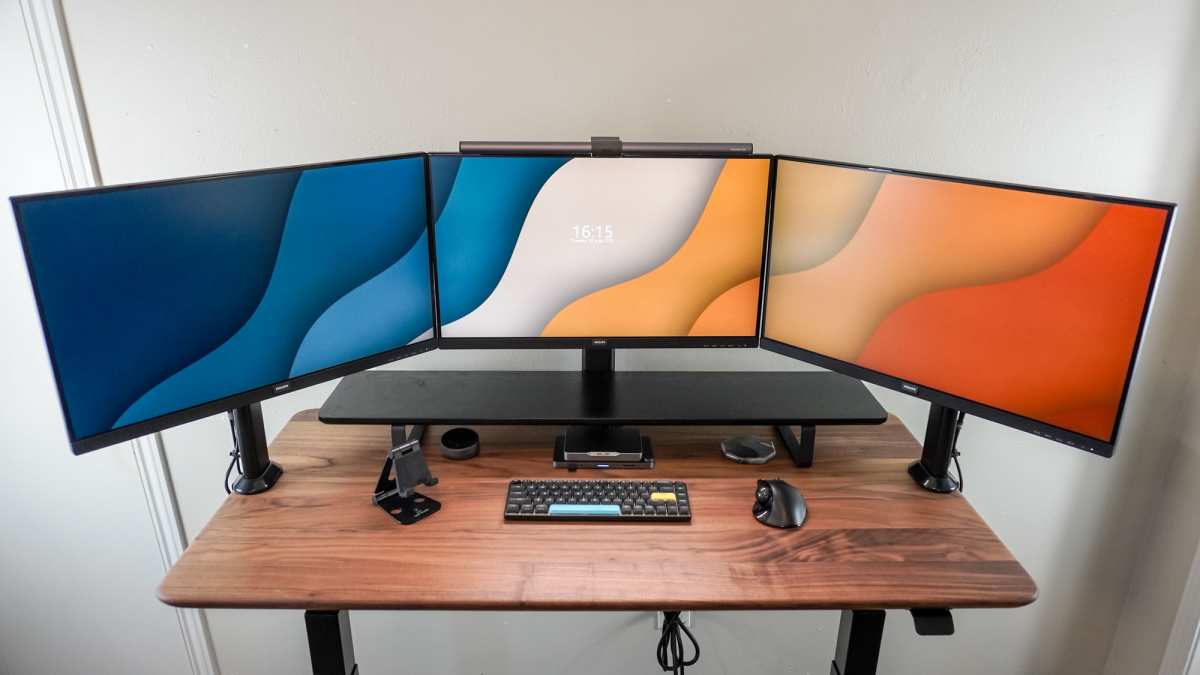
Budget monitors deliver essential display quality at lower prices. They make dual setups affordable for everyday tasks. Modern budget panels offer strong color accuracy and decent refresh rates.
They free up budget for other PC components. They are ideal for students, office workers, and casual gamers.
The Real Reason People Overlook Budget Monitors
There's a weird stigma around the word "budget" when it comes to monitors. People assume cheap means bad, or that you'll regret the purchase within a month. That fear made sense in 2016, when low-cost panels had washed-out colors, terrible viewing angles, and stands that felt like they'd snap if you looked at them wrong.
That's not the case anymore. Panel manufacturing has matured. Factories that once reserved IPS technology for high-end displays now produce excellent budget IPS panels at scale.
The result is that a $100 monitor today outperforms a $300 monitor from five years ago in almost every measurable way.
The real issue is information overload. Shoppers see spec sheets loaded with jargon like "DCI-P3 coverage" and "DisplayHDR 400" and assume they need to spend $400 or more to get something decent. In reality, most people browsing the web, writing documents, streaming video, or playing casual games don't need any of that.
A well-chosen budget monitor handles all of it without complaint.
Where people get burned is not understanding what they're sacrificing. Budget monitors cut corners in specific, predictable areas. If you know what those are, you can decide whether they matter for your situation.
That's what we're here to help with.
What Actually Makes a Monitor "Budget" (And What That Means for You)
A budget monitor isn't just a cheap screen. It's a display where the manufacturer has made deliberate choices to hit a lower price point while keeping the core experience functional. Think of it like a reliable economy car.
It gets you where you need to go, it's comfortable enough, and it doesn't drain your bank account.
Here's what typically defines a budget monitor in 2024 and 2025:
- Resolution capped at 1080p or 1440p. You won't find 4K at true budget prices, and honestly, at 24 inches, 1080p looks sharp enough for most people.
- Refresh rates between 60Hz and 144Hz. Plenty for office work and casual gaming. Competitive esports players will want more, but that's a different conversation.
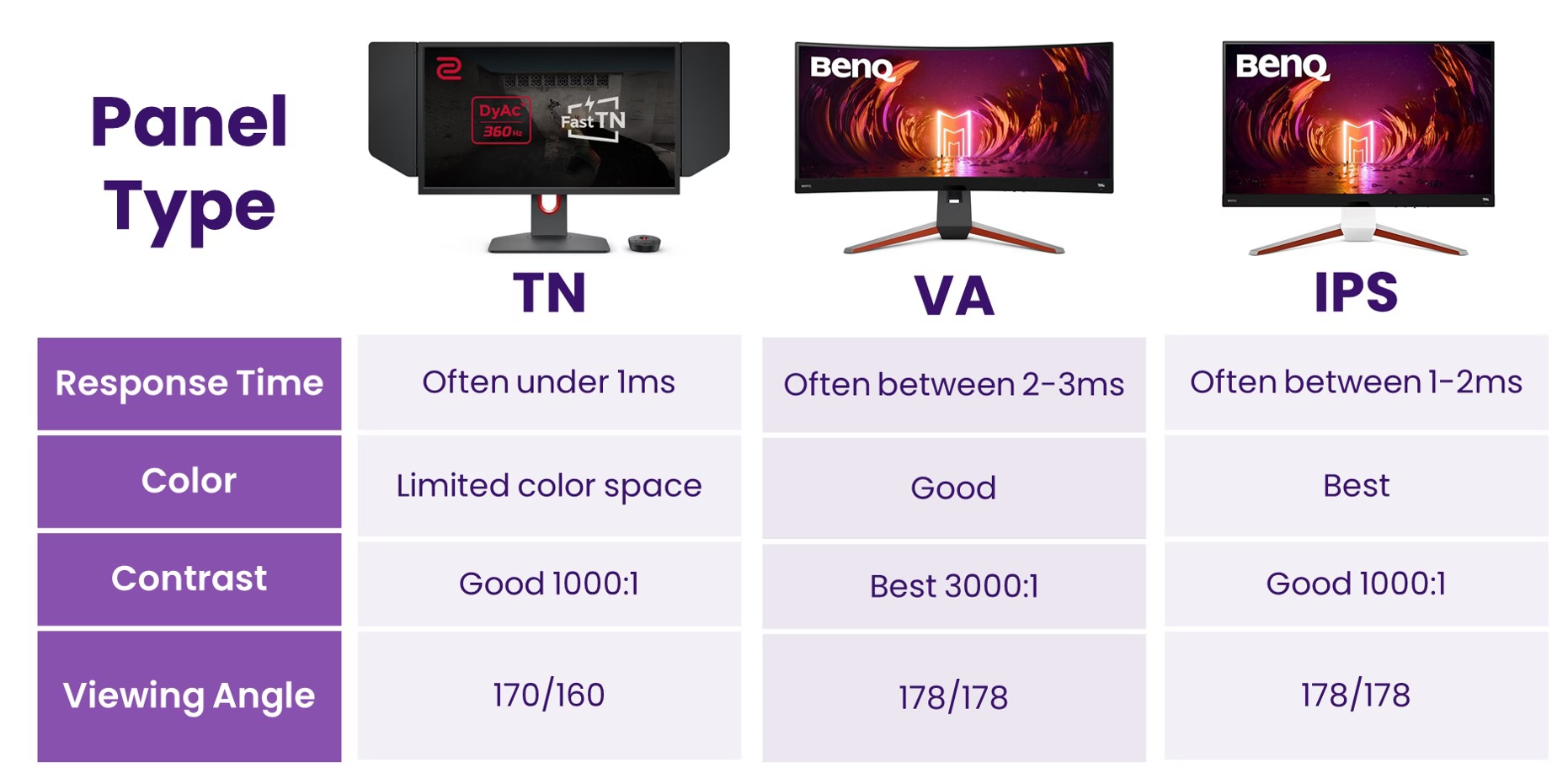
- IPS or VA panel technology. TN panels are fading out because IPS has become affordable enough to dominate the budget space.
- Basic stand with limited adjustment. This is one of the first areas manufacturers cheap out on. Tilt-only stands are common.
- Minimal port selection. One HDMI and one DisplayPort is typical. USB-C with power delivery is still rare under $200.
- No real HDR. You'll see "HDR10 compatible" on the box, but without local dimming or high peak brightness, it's more of a checkbox feature than a real experience.
The important thing to understand is that none of these limitations make a budget monitor bad. They make it specific. If your needs match what a budget panel offers, you're getting excellent value.
If your needs exceed those limits, you'll know exactly where to spend more.
Budget vs Mid-Range vs Premium: Where the Money Actually Goes
This is where things get interesting. The jump from a $100 budget monitor to a $250 mid-range display is noticeable. The jump from $250 to $500 is less dramatic.
And beyond $500, you're paying for diminishing returns unless you have very specific professional needs.
Here's a breakdown of what you're actually getting at each tier:
| Feature | Budget ($80–$200) | Mid-Range ($200–$400) | Premium ($400+) |
|---|---|---|---|
| Resolution | 1080p or 1440p | 1440p or 4K | 4K or ultrawide |
| Panel Type | IPS or VA | IPS, VA, or OLED | OLED or high-end IPS |
| Refresh Rate | 60Hz–144Hz | 144Hz–240Hz | 240Hz–500Hz |
| Color Accuracy | Good (95–99% sRGB) | Very good (95%+ DCI-P3) | Excellent (Delta E < 2) |
| HDR | HDR10 (basic) | DisplayHDR 400–600 | DisplayHDR 1000+ |
| Build Quality | Plastic, basic stand | Better materials, ergonomic stand | Premium build, full adjustment |
| Port Selection | HDMI + DP | HDMI + DP + USB-C | Full hub with USB-C power delivery |
| Response Time | 4–5ms | 1–3ms | <1ms |
The money goes into three main areas as you climb the tiers: panel quality (color accuracy, uniformity, response time), build and ergonomics (stand quality, bezel design, materials), and features (HDR, USB-C, higher refresh rates). For most everyday users, the budget tier covers the essentials well enough that spending twice as much only brings marginal improvements.
Where the mid-range starts earning its keep is for people who do color-sensitive work, want a cleaner desk setup with a better stand, or need higher refresh rates for competitive gaming. Premium monitors are for professionals who need factory-calibrated accuracy or enthusiasts who want the absolute best motion clarity and HDR performance.
What You Get With a Budget Monitor in 2024–2025
Let's talk specifics, because "good enough" is vague and doesn't help you decide. Here's what a well-chosen budget monitor actually delivers in the current market:
Display Quality
A 24-inch 1080p IPS panel at $100 to $130 gives you sharp text, solid color reproduction, and wide viewing angles. You're looking at 95% to 99% sRGB coverage on most models, which is perfectly fine for web browsing, office work, streaming, and light photo editing. Colors won't be reference-grade, but they won't look washed out or inaccurate either.
Gaming Performance
Budget gaming monitors in the $150 to $200 range now offer 144Hz refresh rates with FreeSync or G-Sync compatibility. Response times sit around 4ms to 5ms on IPS panels, which is smooth enough for most gamers. You won't get the 1ms response of a premium TN or Nano IPS panel, but unless you're playing competitive shooters at a high rank, you won't notice the difference.
Ergonomics and Build
This is where budget monitors show their cost-cutting most clearly. Most come with tilt-only stands. Some offer height adjustment at the $180 mark and above.
Build quality is functional but not inspiring. Plastic chassis, thin bezels for a modern look, and lightweight construction. They work fine.
They just don't feel premium.
Connectivity
Expect one or two HDMI 1.4 ports and possibly a DisplayPort 1.2. USB-C is still uncommon in true budget models as of 2025, though it's starting to appear on some models around $180. If you need USB-C connectivity for a laptop, you may need to step up slightly or use an adapter.
Eye Care Features
Most budget monitors now include flicker-free backlighting and a blue light filter mode. These are genuinely useful if you spend long hours in front of the screen. TÜV Rheinland certification for eye comfort is becoming common even at this price point, which is a meaningful quality-of-life benefit.
The bottom line is that a well-picked budget monitor in 2024 covers the needs of probably 70% of computer users without any real compromise. The people who need more, and there are many, know who they are. Everyone else is fine.
The Trade-Offs No One Talks About Honestly
Budget monitors aren't perfect, and pretending they are doesn't help anyone. Here are the real compromises you're making, laid out without sugarcoating:
Panel Lottery
This is the most frustrating part of buying a budget monitor. Because manufacturers source panels from multiple suppliers, you might get a slightly different panel unit than someone else buying the same model. One person gets an IPS panel with great uniformity.
Another gets one with noticeable backlight bleed in the corners. It's not common enough to be a dealbreaker, but it happens enough that you should buy from a retailer with a good return policy.
Fake or Misleading HDR
If you see "HDR10" on a monitor that costs $120, don't get excited. Without local dimming zones and peak brightness above 400 nits, HDR10 support is basically a software toggle that does very little. Some budget models are now labeled "DisplayHDR 400," which is a VESA certification, but even that is the lowest tier of real HDR.
For actual HDR content, you need to spend more or look at OLED.
Limited Adjustability
We touched on this, but it deserves emphasis. A tilt-only stand is annoying if you're setting up an ergonomic workstation. You'll likely want to budget an extra $20 to $30 for a VESA monitor arm or stand, which adds to the total cost.
Factor that in when comparing prices.
Color Accuracy Out of the Box
Budget monitors rarely come calibrated from the factory. Colors might look slightly warm or cool until you adjust them. For casual use, this is fine.
For any kind of photo editing or design work, you'll want to calibrate with a colorimeter, which is another added cost.
Longevity Concerns
Budget monitors typically come with 1 to 3-year warranties, and the backlight may dim faster over the years compared to premium panels. This doesn't mean they'll fail quickly. It means their usable lifespan might be shorter, especially if you run them 8 to 10 hours a day.
For most people, a 4 to 5-year lifespan is acceptable at this price point.
Speaker Quality
If your budget monitor has built-in speakers, they're almost certainly terrible. Tinny, quiet, and lacking any bass. They're fine for notification sounds and YouTube at low volume.
If you care about audio, plan on using external speakers or headphones.
Knowing these trade-offs lets you make an informed decision. The goal isn't to scare you away from budget monitors. It's to make sure you go in with realistic expectations so you're not disappointed on day three.

Similar Posts





















