What Size Curved Monitor Is Best for Gaming
Figuring out what size curved monitor is best for gaming sounds like it should have a simple answer. It really doesn't. The right size depends on how far you sit from your screen, what kinds of games you play, whether you're on PC or console, and honestly, how deep your desk actually is.
Get this wrong and you'll either end up with a screen that feels too close and gives you distortion headaches, or one so massive your GPU can't push frames at the resolution you paid for.
Our research into manufacturer specs and aggregate user feedback consistently shows that 32 inches is the most commonly recommended "sweet spot" for curved gaming in 2025. That said, it's not automatically right for you. Before you click "add to cart," you need to match the screen size and curvature radius to your actual setup and play style, and that's exactly what we'll walk you through.
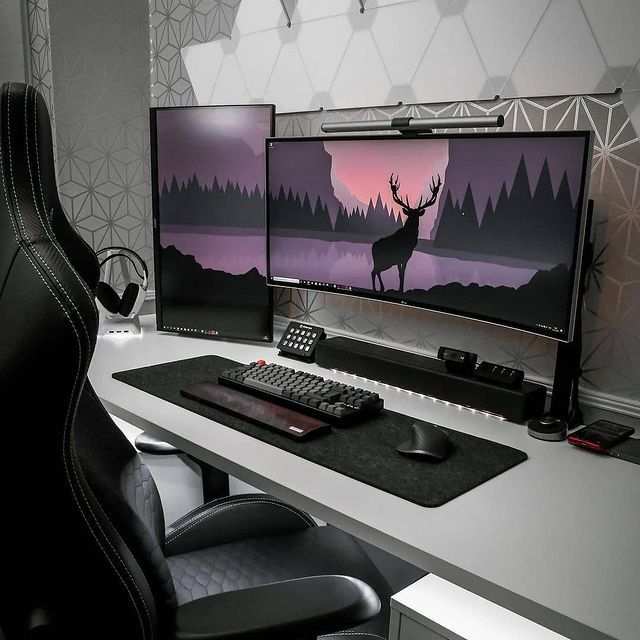
Quick Answer
There's no single best size for every gamer. The most popular curved gaming size is 32 inches at 1000R curvature. Competitive players often prefer 27 inches.
Ultrawide gamers usually choose 34 or 38 inches. Sim racers and flight sim fans tend to go 49 inches or larger.
The Answer Depends on These 4 Things First
Before you even look at product listings, you need to nail down four things. Skip this step and you're guessing, and guessing with monitors costing $400 to $1,500 is a fast way to regret a purchase.
How Far You Actually Sit From Your Screen
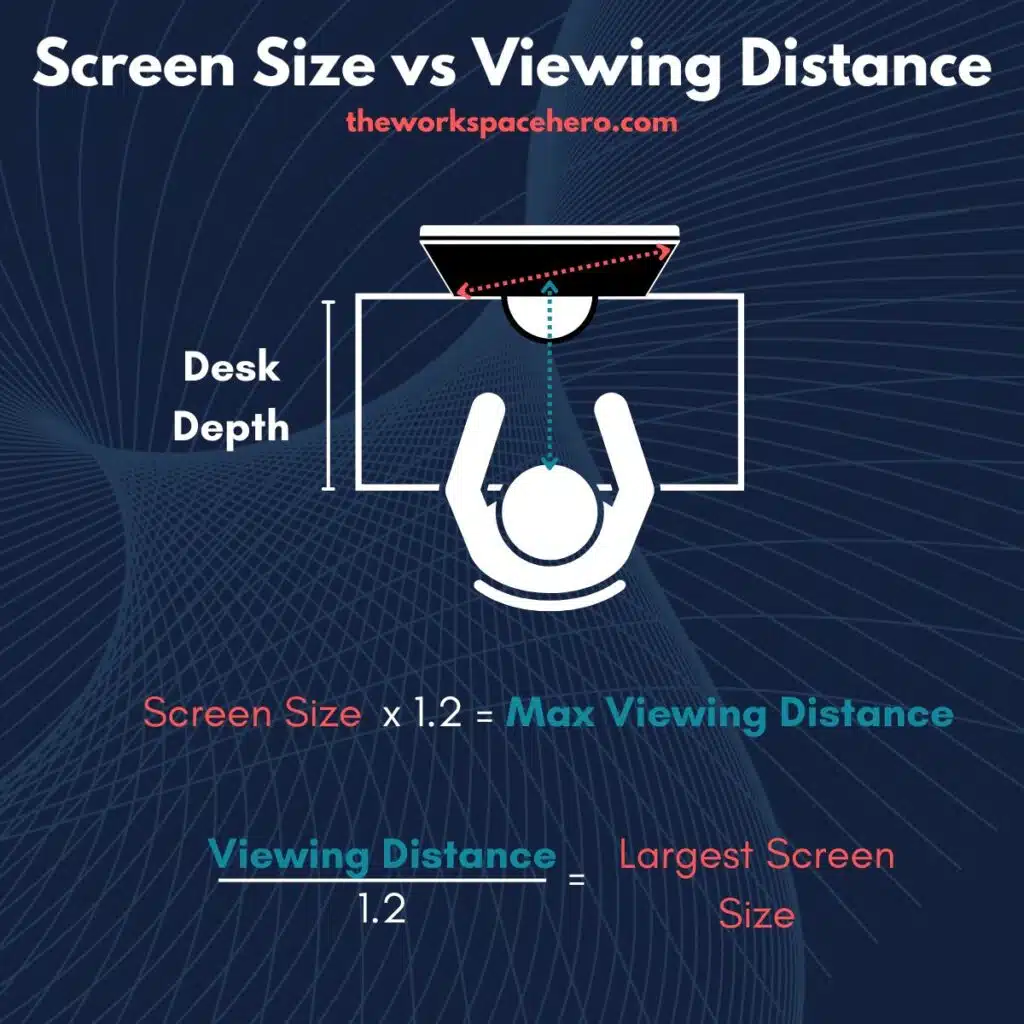
This is the single biggest factor most people ignore. Curved monitors are designed to work at a specific viewing distance. The curve is calculated so that every point on the panel is roughly the same distance from your eyes.
If you sit too close, the edges of the screen will look geometrically distorted. Text will feel warper. Straight lines in games near the edges will look bent outward.
Sit too far away and you lose the immersion benefit entirely. The curve just looks flat from far out.
Here's the general rule of thumb for curved panel comfort:
- 24" to 27" curved works best at 24 to 36 inches from your face
- 32" curved works best at 32 to 48 inches
- 34" to 38" ultrawide curved works best at 34 to 50 inches
- 49" super ultrawide curved works best at 40 to 55 inches
Grab a tape measure and check the distance from where your eyes sit to where the screen will be. That number eliminates half the options immediately.
What Games You Play Most
This matters more than you'd think. If you're grinding ranked matches in CS2, Valorant, or Apex Legends, you want a screen that lets you see everything without turning your head. That means a moderate size with a tighter curve so your peripheral vision catches flanks and movement.
If you're playing open-world RPGs or atmospheric single-player games, immersion is the goal. A larger panel with a stronger curve wraps the world around you and makes a 40-hour playthrough feel less fatiguing on your eyes.
Sim racers and flight sim players sit close to the screen by design. They benefit the most from aggressive curves and maximum width because the screen needs to fill the same field of view a real cockpit would.
Whether You're on PC or Console
This one gets messy fast. As of 2025, PlayStation 5 and Xbox Series X do not support ultrawide resolutions natively. If you buy a 34" 21:9 ultrawide, your console will either output a 16:9 image with black bars on the sides or stretch the image to fill the screen.
PC gamers have full access to whatever resolution and aspect ratio their GPU can drive. Console gamers are essentially locked into 16:9 displays, which means anything wider than that is wasted money unless you also game on PC. Stick with standard widescreen sizes and you'll avoid the headache.
Your Desk Depth (Not Just Width)
Everyone checks if a monitor will fit across their desk. Almost nobody checks if their desk is deep enough. A 34" ultrawide needs at minimum 28 inches of depth from the screen base to the wall behind it.
A 49" super ultrawide needs 30 to 34 inches of depth just to sit at the right distance.
If your desk is only 20 to 22 inches deep, you're looking at 27" maximum, and even that will feel tight. A wall mount solves this for some people, but you need to account for the distance from the wall to your seating position, not just the wall itself.
Curvature Radius Changes Everything — Here's Why
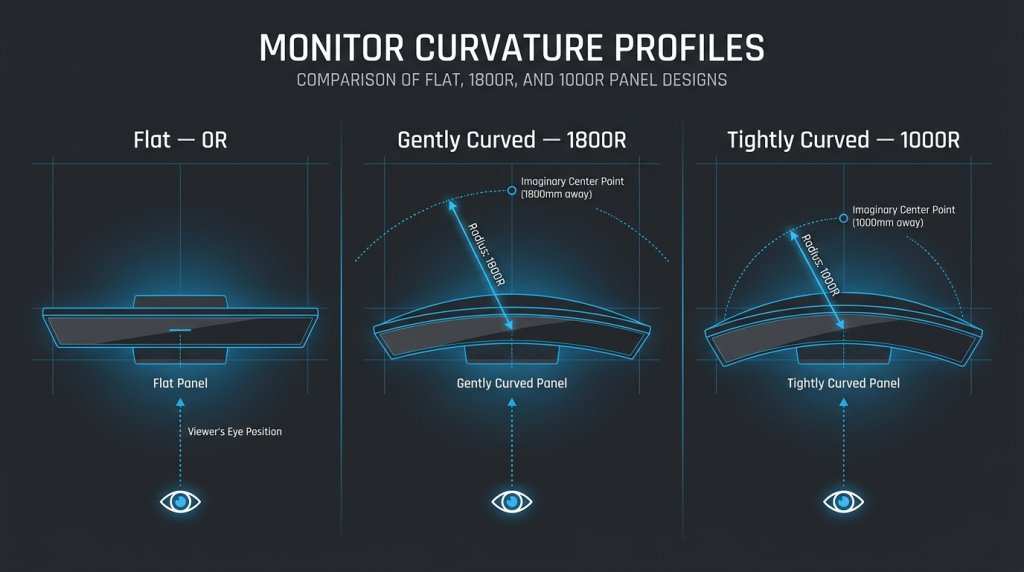
Screen size gets all the attention. Curvature radius is the spec that actually determines how the curve feels, and it's the one most shoppers skip entirely. The "R" number tells you the radius of the circle the curve would form if it kept going.
Smaller number means tighter, more aggressive curve. Larger number means gentler, more subtle curve.
1000R vs 1500R vs 1800R: What the Numbers Actually Mean
Here's how the most common curvature values break down in practice:
| Radius | Curve Feel | Best At This Distance | Common In |
|---|---|---|---|
| 1000R | Aggressive, wraps around you | Less than 3 feet | 27" to 32" gaming monitors |
| 1500R | Moderate, noticeable but comfortable | 3 to 4 feet | 27" to 38" ultrawide monitors |
| 1800R | Subtle, slight wrap | 4 to 5 feet | Budget 27" to 32" curved models |
| 1900R to 2300R | Very gentle, almost flat | 5+ feet | 34" to 40" ultrawide monitors |
A 1000R curve on a 32" monitor matches the natural curvature of the human field of view almost exactly at close range. That's why Samsung, Dell Alienware, and most major gaming brands have shifted their flagship 32" models to 1000R. It genuinely feels like the screen is wrapping around your peripheral vision without distortion, provided you sit at the right distance.
1500R is the old industry standard. It works fine, but it's noticeably less enveloping than 1000R on the same panel size. Most monitors still shipping at 1500R are either budget models or larger panels where a tighter curve would distort the image at achievable viewing distances.
1800R is common on cheaper curved monitors. The effect is mild. You'll see the curve but you won't feel it immersively.
Some people actually prefer this if they split time between gaming and productivity work.
2300R appears on 34" to 40" ultrawides. At those sizes, any tighter and you'd need to sit uncomfortably close for the curve to do its job. The gentle bend here is more about reducing edge-to-edge viewing angle than creating wrap-around immersion.
Bigger Screen + Tighter Curve = Problems If Too Close
This is where people get hurt. A 40" curved 1000R panel sounds amazing on paper. Sit 20 inches from it and you'll notice the edges bending in a way that's genuinely uncomfortable.
The tighter the minimum radius, the less forgiving the tolerances become.
Size and curvature choice is all about matching your viewing distance. Use this logic:
- Desk depth 20" or less (24 to 30" viewing distance): 24" to 27" up to 1500R max
- Desk depth 24 to 28" (32 to 40" viewing distance): 32" 1000R or 34" 1500R
- Desk depth 28 to 36" (40 to 50" viewing distance): 34" to 38" 1500R to 1900R
- Desk depth 36"+ or sim rig with close seating (24 to 60" viewing distance): 49" 1000R to 1800R
Notice how the bigger the screen gets, the more distance you need for the curve to work. This isn't a brand preference or a spec-sheet checkbox. It's basic geometry.
The curve is only your friend if you sit inside its intended focal zone.
Size-by-Size Breakdown: Who Each Size Actually Suits
Now let's walk through each size category and figure out where it makes sense for your gaming.
24" and 27": The Competitive Sweet Spot
Best for: Competitive FPS players, esports, tight budgets, desks under 24" deep
A 27" curved 1000R or 1500R panel at 1440p is widely considered the performance sweet spot in 2025. You get a pixel density around 110 PPI, which looks sharp without demanding a flagship GPU to drive. At 240Hz or 360Hz refresh rates, your frame rate can actually keep up.
And the screen is small enough that your eyes take in the whole thing without moving your head, which matters when you're tracking enemies in a shooter.
24" curved monitors exist but they're less common. The curve on a 24" panel is mostly cosmetic unless you sit very close. If your desk is under 20" deep, it makes sense.
Otherwise, 27" gives you more real estate for a minimal price increase.
You'll typically pay $150 to $400 in this range depending on refresh rate and panel type. VA panels dominate the budget end. IPS gives you better color and viewing angles but often a slightly slower response time.
New OLED options at 27" are starting to appear, though the price jumps significantly.
32": The Immersive All-Rounder (With a Big Caveat)
Best for: Single-player gaming, 4K gaming, general use, mid-to-deep desks
32" curved 4K monitors at 1000R are the most popular "do everything" option right now. Samsung's Odyssey line dominates this space, and for good reason. At 32 inches and 4K resolution, you're looking at roughly 138 PPI, which is extremely sharp for gaming and text alike.
The 1000R curve enhances immersion without being aggressive at a typical desk viewing distance of 36 to 42 inches.
The caveat is GPU demand. 4K at 1440p-level refresh rates requires serious hardware. You're looking at needing an NVIDIA RTX 4080 or AMD Radeon RX 7900 XT or higher to push modern AAA titles above 60 frames at 4K with high settings. At 240Hz 4K, even a top-tier GPU will struggle in demanding titles.
This is the size where buying for your actual GPU matters the most. If you're running a mid-range card like an RTX 4070, you'll be running many games at medium settings or using upscaling to maintain frame rates, which somewhat defeats the purpose of that gorgeous 4K panel.
34" to 38" Ultrawide: The Productivity-and-Play Zone
Best for: Ultrawide gamers, content creators who also game, racing and flight sims, people replacing dual monitors
The 34" 21:9 ultrawide at 3440×1440 resolution is probably the most popular ultrawide choice for gaming as of 2025. It's essentially a wider 27" 1440p monitor, so the pixel density stays close to 110 PPI. Most people sit close enough to a 34" that the 1500R or 1900R curve provides a noticeable but comfortable wrap.
38" ultrawides step up to 3840×1600 and give you even more real estate. They're compelling if you want one screen for work and play and don't want to deal with a multi-monitor setup. The price typically runs $700 to $1,200, and you need a fairly deep desk to sit comfortably.
The big warning for monitor compatibility. Always check whether your favorite games support 21:9 natively. Many competitive multiplayer titles cap the field of view or crop the image.
Elden Ring had launch issues with ultrawide at launch. Some Unreal Engine titles handle it perfectly. It's game by game, and there's no universal rule.
38" to 40": The Enthusiast Tier
Best for: Immersive gaming, high-end setups, those wanting the sharpest ultrawide
This is where you start seeing 5K2K (5120×2160) resolution panels like the Dell U4025QW and ASUS ROG Swift PG49WCD. These give you the sharpness of 4K-class pixel density spread across an ultrawide canvas. For single-player immersion and creative work, these are exceptional.
For gaming, you need a top-tier GPU and realistic expectations about frame rates at native resolution.
MSI, Gigabyte, and ASUS all have 38" to 40" options in their premium lineups. Expect pricing from $900 to $1,500. These are not impulse purchases, and they reward careful measurement of your desk, distance, and hardware capability before you buy.
49" Super Ultrawide: Sim Rigs Only
Best for: Sim racing, flight simulation, maximum immersion, dual-replacement productivity
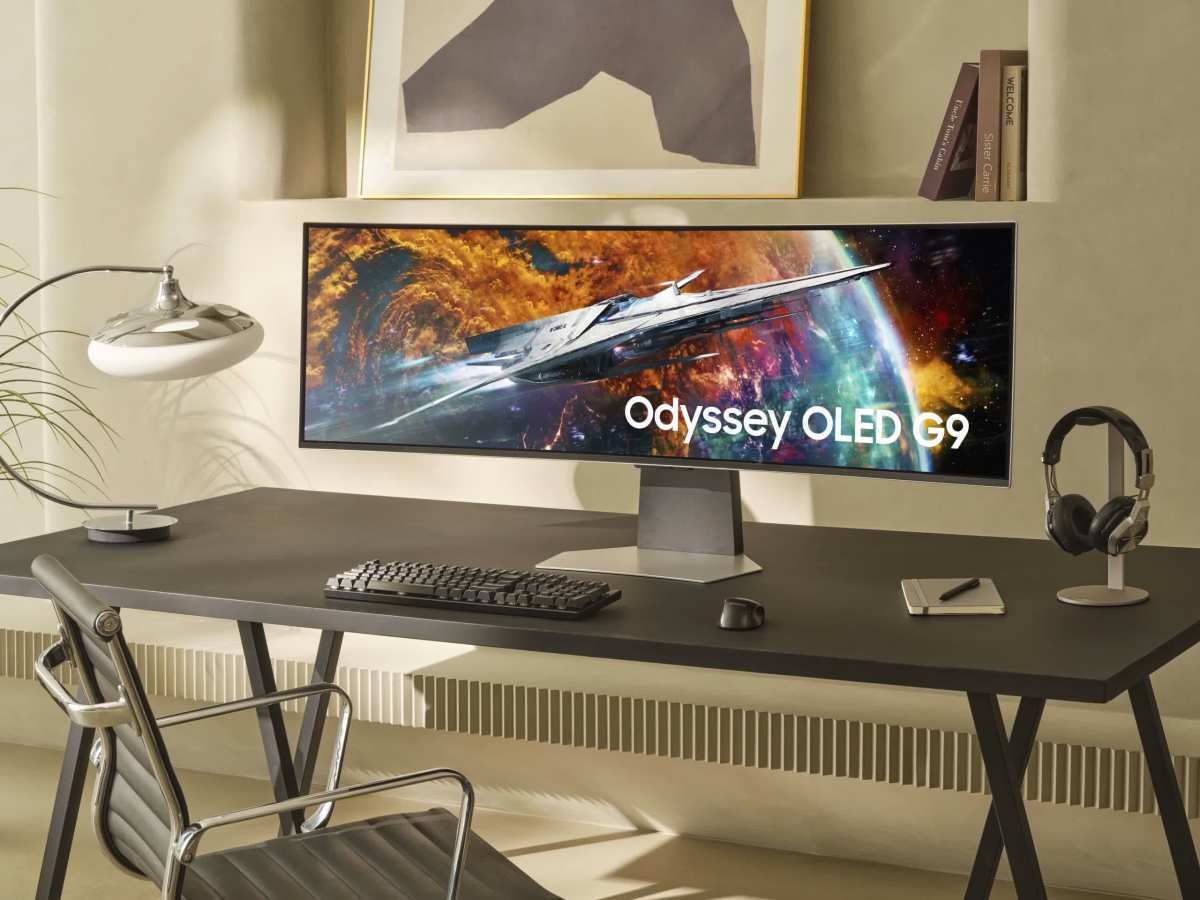
A 49" 32:9 curved monitor like the Samsung Odyssey OLED G9 gives you the equivalent of two 27" 1440p monitors side by side, no bezel gap. At 5120×1440 and 1000R to 1800R curvature, it's an absolute beast for sim racing. You sit close, the screen fills your cockpit-style peripheral vision, and the experience is meaningfully closer to a real driving position than any flat panel manages.
For general gaming, the G9 and its competitors are polarizing. The extreme width means competitive FPS players will be physically turning their head to see minimap elements. Not ideal if you play ranked.
But for first-person exploration, RPGs where atmosphere matters, and especially for games where the wider field of view translates to a genuine advantage (racing, flight multiplayer), nothing short of VR matches it.
Price-wise, expect $800 to $2,000 depending on the specific panel technology and refresh rate. And you absolutely need a desk that is at least 30 inches deep. Anything less and you'll be sitting inside the curve, which becomes uncomfortable within thirty minutes.
The Resolution vs Size Trap (Don't Fall Into This)
Here's a mistake we see constantly. Someone buys a massive curved monitor at a resolution that's too low for that screen size, and everything looks soft and pixelated. Or they buy 4K on a panel their GPU can't actually drive at a playable refresh rate.
Both are frustrating in different ways, and both are avoidable.
The metric you need to look at is pixels per inch, often shortened as PPI. It tells you how sharp the image will look at normal viewing distance. Here's how the common curved gaming size and resolution combinations measure up:
| Size and Resolution | PPI | Sharpness Rating |
|---|---|---|
| 27" at 1080p (1920×1080) | ~82 | Acceptable, soft text |
| 27" at 1440p (2560×1440) | ~110 | Sharp, ideal for this size |
| 32" at 1440p (2560×1440) | ~92 | Fine, slightly soft |
| 32" at 4K (3840×2160) | ~138 | Very sharp |
| 34" ultrawide at 3440×1440 | ~110 | Sharp, ideal for this size |
| 38" ultrawide at 3840×1600 | ~111 | Sharp |
| 49" super ultrawide at 5120×1440 | ~108 | Sharp |
The takeaway is straightforward. Don't buy a 32" 1440p curved monitor and expect it to look as crisp as your phone. At 92 PPI, it's serviceable, but if you're coming from a 27" 1 display you may notice the slight fuzziness on text and fine UI elements.
Either step down to 27" for 1440p clarity or step up to 4K for 32" sharpness. The middle ground here is the least rewarding place to sit.
And the reverse problem is just as real. A 4K 32" monitor mid-range GPU can't drive it properly. You'll end up running games at medium settings or relying on upscaling technologies like NVIDIA DLSS, AMD FSR, or Intel XeSS just to maintain frame rates.
That's not necessarily bad, those upscaling tools have gotten very good, but it's something you need to plan for when setting expectations around image quality versus performance.
PC vs Console: Why Your Platform Narrows the Choice
If you're gaming primarily on PlayStation 5 or Xbox Series X, the "best curved monitor" conversation changes console, quite a bit. Understanding why before you start shopping will save you from a very expensive mismatch.
Console limitations on ultrawide
As of 2025, neither the PS5 nor Xbox Series X supports ultrawide output natively. That 34" or 49" ultrawide monitor you're drooling over? On a console, it will display a standard 16:9 image with black bars on either side.
You're paying for screen real estate you literally cannot use in console mode.
Some monitors have a feature called "aspect ratio control" that stretches a 16:9 image to fill an ultrawide display, but the resulting image is distorted. Circles become ovals. Text looks fat.
Nobody runs this for long.
This means that for console-only gamers, a standard 16: the practical choice. The 27" to 32" range becomes your sweet spot. Curved 16:9 panels in those sizes give you the immersion benefit of the curve without any ultrawide compatibility headaches.
PC flexibility
PC gaming has no such restrictions. Whatever resolution your GPU can output, your monitor can display. This opens up the full range of curved monitor options, from compact 27" 1440p panels up through massive 49" super ultrawides.
It also means you need to be more deliberate about matching your hardware capability to your display ambition. A high-resolution high-refresh curved monitor demands a strong GPU, period.
If you switch between PC and console, get a monitor that works for your PC's maximum output but handles the standard 16:9 console fallback gracefully. Most curved gaming monitors handle both just fine through their onboard scaling, so this is rarely a practical problem. Just confirm it works before assuming, especially if you're eyeing an ultrawide that might stretch the console image awkwardly if you forget to set the aspect ratio correctly.
This brings us right into the next section, where we'll walk through the real-world scenarios of three different gamers and show you how all these factors, desk depth, genre preference, platform, and resolution, come together to point naturally toward the right curved monitor for each situation.
In the meantime, if you're still unsure about a few of these conclusions, let's address the most common hang-ups directly. The question of screen size versus specs, and the right combination for specific play styles, trips up almost everyone trying to make this decision. Don't worry, we've got all of it covered here.
Take a moment to reflect on how much desk space you truly have, what your current gaming setup looks like, and which genres you spend most of your time playing. Once you've got those answers, the right monitor size reveals itself pretty quickly.
Real Scenarios: Three Gamers, Three Different Answers
Let's put all of this together with three common scenarios.
Competitive FPS Player, 24" Deep Desk
Reality: Desk is shallow. GPU is solid but not flagship.
Right pick: 27" curved 1440p 240Hz at 1500R
This player needs to see the entire screen without head movement, and their shallow desk keeps them close to the panel. A 27" 1000R or 1500R curved monitor at 1440p checks every box. The resolution is sharp enough at that size, the refresh rate supports competitive play, and the shallow curve won't distort at the close sitting distance.
Competitive FPS titles like CS2 and Valorant don't benefit from ultrawide anyway. Stick with standard aspect ratio.
RPG Explorer, Mid-Range GPU, 30" Desk
Reality: Wants immersion. GPU is an RTX 4070 or RX 7800 XT.
Right pick: 32" curved 1440p 165Hz at 1000R
A 32" 1440p curved panel is a perfect match for a mid-range GPU. It'll push high frame rates in most titles without breaking a sweat, and the 1000R curve at this size adds genuine immersion in story-driven games. Going 4K would tank the frame rate.
Going ultrawide might exceed what the GPU can handle comfortably.
This is the most common "straight upgrade" curved gaming setup for people coming from a flat 27" display.
Sim Racer, Dedicated Rig, Deep Desk
Reality: Wants maximum field of view. Deep desk, strong GPU, focused use case.
Right pick: 49" super ultrawide 1440p 240Hz at 1000R to 1800R
A sim rig places the screen close to your face by design, almost like sitting in a cockpit. A 49" super ultrawide fills your peripheral vision the way a real windshield would. This is the scenario where the biggest screen genuinely delivers the most immersive experience.
The deep desk accommodates it, and the focused use case (sim racing or flight sim) eliminates the geometric distortion concerns that competitive players would have.
Common Mistakes People Make
- Buying based on size alone. A bigger number doesn't automatically mean a better experience. At the wrong distance, a large curved monitor feels worse than a properly sized smaller one.
- Ignoring desk depth. This catches so many people off guard. Measure before you shop. A monitor that overhangs the back of your desk by four inches isn't staying on there.
- Pairing high resolution with an underpowered GPU. 4K looks fantastic. It also requires a flagship card to run well in 2025. Know your GPU's actual capabilities.
- Assuming all games handle ultrawide. They don't. Check your most played titles for 21:9 support. A stretched or cropped image is a miserable way to start your gaming session.
- Sitting inside the curve. Sitting too close to a tight 1000R panel creates visible geometric distortion. The edge of the screen bends away from you, text warps, and the image feels wrong. Respect the minimum recommended viewing distance. It's a physical, measurable constraint.
- Expecting curved to fix everything. A curve won't save a bad panel. The underlying display technology, pixel response time, backlight quality, and refresh rate determine how games actually look and feel. The curve is a bonus, not the foundation. If a monitor's core performance is mediocre, the shape won't save it.
Quick Decision Guide
Use this if you want the short version:
- Desk depth under 24" + competitive games: 27" curved 1440p 1500R
- Desk depth 24-32" + visual single-player games: 32" curved 1000R
- Desk depth 28-36" + ultrawide compatible games and PC only: 34" to 38" ultrawide 1500R to 1900R
- Dedicated sim setup or maximum immersion priority: 49" super ultrawide 1000R to 1800R
- Console gaming only: 27" to 32" standard widescreen 1000R to 1500R
Check your desk depth, check your primary game genres, check your GPU capability. If those three things align with one of the profiles above, that's your answer.
Frequently Asked Questions
Is a curved monitor actually better for gaming than flat?
It depends on what "better" means to you. Curved monitors reduce edge-to-edge eye movement and create a more immersive visual field at the right viewing distance. They don't improve response time, color accuracy, or refresh rate.
The benefit is comfort and immersion, not raw performance.
Does curve radius matter as much as screen size?
Yes, arguably more. A 1000R 32" panel feels dramatically different from a 1500R 32" panel, even though the size is identical. The radius determines how aggressively the screen wraps around your field of view, and matching it to your viewing distance is critical.
Can I use a curved monitor for work and gaming?
Absolutely. Most curved gaming monitors work fine for productivity. The only exception is precision work like CAD or photo editing where the visible geometric distortion on curved panels bothers some professionals.
For general office use, coding, and document work, a curved monitor is no different from a flat one.
Why does my curved monitor look distorted at the edges?
You're probably sitting too close to a tight curve or too far from a gentle one. The distortion you're seeing happens when your seating position doesn't match the panel's designed focal zone. Adjust your distance, and it should correct itself.
Will a curved monitor work with my console?
It will display an image, but ultrawide monitors lose their advantage on consoles. Unless the console supports 21:9 input (neither PS5 nor Xbox does as of 2025), you'll get black bars or a stretched image on ultrawide panels.

Similar Posts





















