What Refresh Rates Do Mini LED Monitors Support
If you've been shopping for a new display, you've probably asked yourself what refresh rates do mini LED monitors support. It's a fair question, especially since mini LED monitors have exploded in popularity over the past couple of years. The short answer is that refresh rates vary widely depending on the specific model, panel type, and price tier you're looking at.
Mini LED is a backlighting technology, not a panel technology. That distinction matters because the refresh rate depends on the actual display panel sitting behind those tiny LED zones. As of 2026, mini LED monitors range from basic 60Hz office displays all the way up to 360Hz+ competitive gaming panels. For more background on real-world performance, read our breakdown of whether mini led monitors support variable refresh rate.
Let's break down exactly what you'll find at each level.
Quick Answer
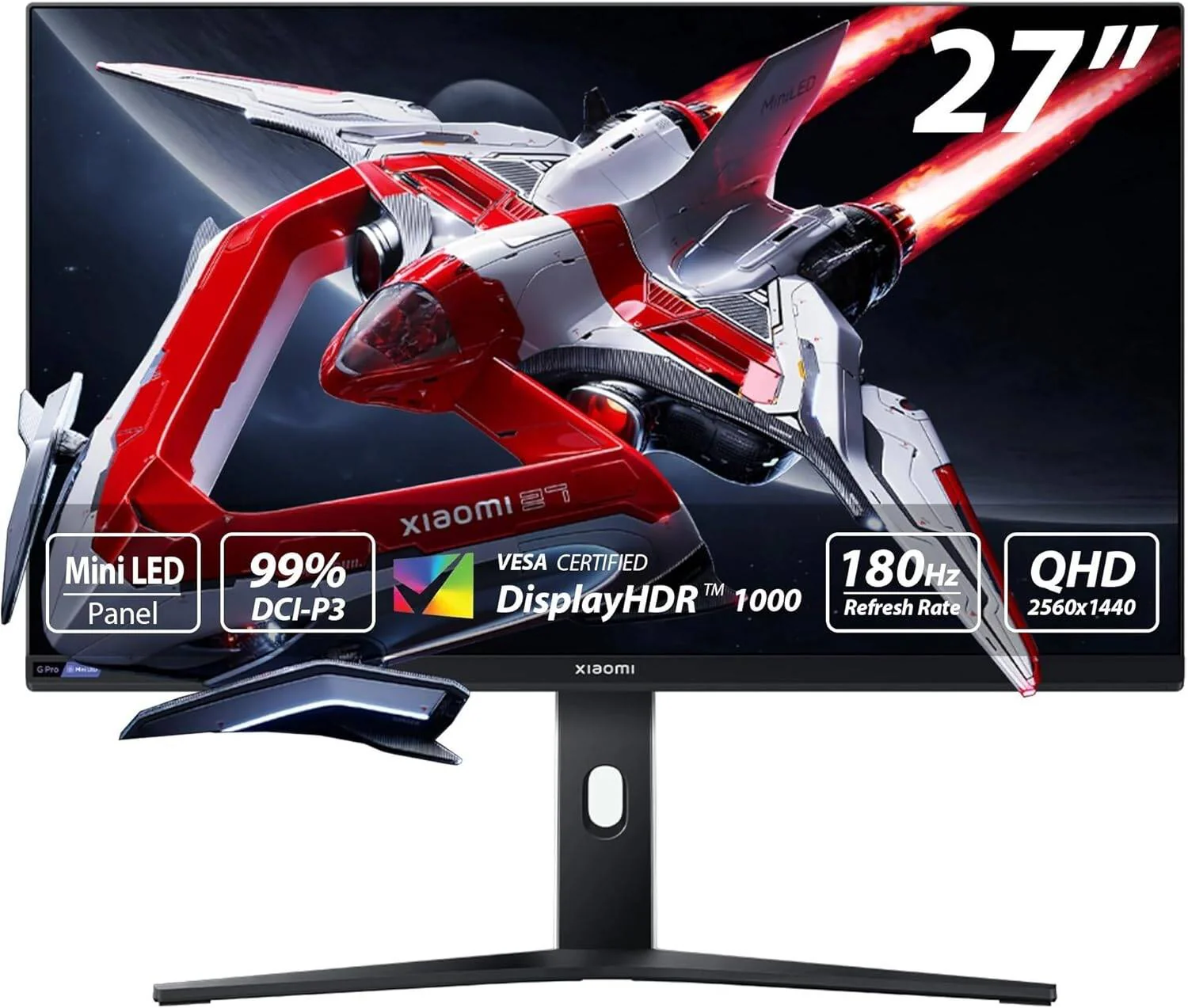
Mini LED monitors support refresh rates from 60Hz to 500Hz. Most models fall between 120Hz and 240Hz. Entry-level options typically offer 60Hz to 144Hz.
Premium gaming models reach 240Hz to 360Hz. The backlight technology does not limit refresh rate capability.
Why Mini LED and Refresh Rate Are Two Different Things
This is where a lot of shoppers get tripped up. Mini LED refers to the backlighting system behind the LCD panel. It uses thousands of tiny LED zones to control brightness and darkness in different areas of the screen. To see how this holds up against alternate models, explore whether microled monitors support high refresh rates.
That's what gives you those deep blacks and bright highlights in HDR content.
Refresh rate, on the other hand, is a function of the liquid crystal panel itself. It measures how many times per second the image on screen updates. A 144Hz panel redraws the image 144 times every second.
A 60Hz panel does it 60 times. The mini LED backlight has almost nothing to do with how fast those crystals can shift.
Think of it like a light bulb and a movie projector. The mini LED is the light bulb making the image bright and vivid. The refresh rate is how fast the projector swaps out frames.
You can pair a super bright light bulb with a slow projector or a fast one. Same idea here.
So when you see a mini LED monitor advertised, don't assume anything about the refresh rate just from the backlight spec. You need to check the panel specs separately. A $400 mini LED monitor and a $1,200 mini LED monitor might share the same backlight technology but have completely different refresh rate capabilities.
The Full Refresh Rate Spectrum in Mini LED Monitors
Mini LED monitors span a wide refresh rate range as of 2026. Here's what you'll actually find on the market right now.
Entry-Level Mini LED: 60Hz to 144Hz
Budget-friendly mini LED monitors typically sit in the 60Hz to 144Hz range. These are the models you'll find in the $300 to $500 bracket. They're aimed at people who want better HDR and contrast than a standard LED monitor but don't need blazing-fast refresh rates.
Most entry-level mini LED panels are IPS-type displays with 144Hz as the ceiling. You'll see 192 to 384 local dimming zones on these models. They're solid for casual gaming, media consumption, and general productivity work.
Mid-Range Mini LED: 144Hz to 240Hz
This is the sweet spot for most gamers. Mid-range mini LED monitors run between $500 and $1,000. They typically offer 165Hz to 240Hz refresh rates with IPS panels and 384 to 1,000+ local dimming zones.
Models in this tier often support DisplayHDR 1000 or DisplayHDR 1400 certification. They handle both competitive gaming and HDR content creation reasonably well. If you're looking for a do-it-all display, this is where you'll probably land.
Premium Mini LED: 240Hz to 360Hz+
High-end mini LED monitors push refresh rates to 240Hz, 360Hz, and beyond. These are purpose-built for competitive gaming and esports. Prices run from $800 to well over $2,000.
Some premium models now advertise 500Hz+ refresh rates, though those are still rare and require compromises in resolution or color depth. These monitors usually pack 1,000+ local dimming zones and target DisplayHDR 1400 or higher certification.
| Tier | Refresh Rate Range | Price Range | Typical Zones | Best For |
|---|---|---|---|---|
| Entry-Level | 60Hz – 144Hz | $300 – $500 | 192 – 384 | Office, casual gaming, media |
| Mid-Range | 144Hz – 240Hz | $500 – $1,000 | 384 – 1,000+ | All-around gaming, content creation |
| Premium | 240Hz – 500Hz+ | $800 – $2,000+ | 1,000+ | Competitive esports, professional |
Best Refresh Rate for Your Situation
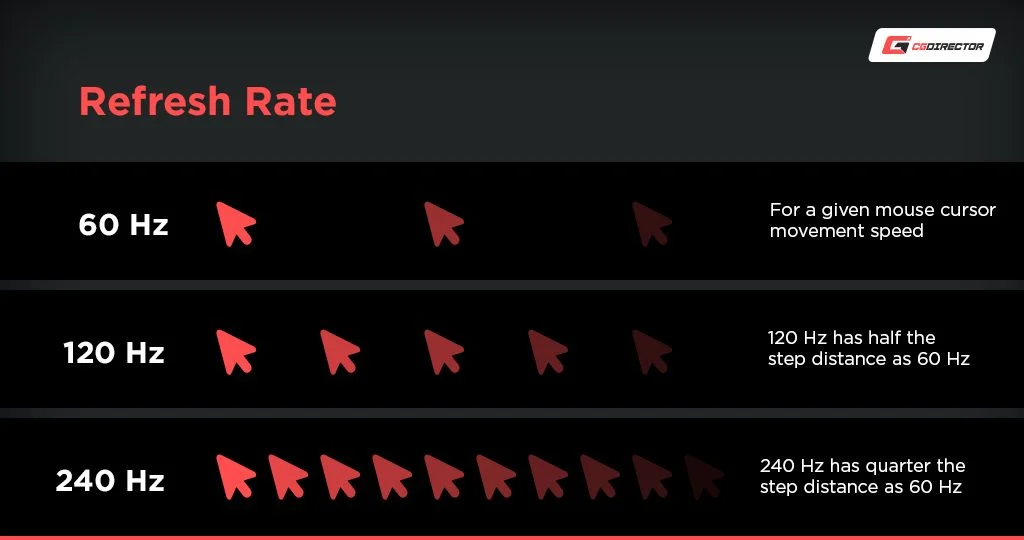
Not everyone needs 360Hz. In fact, most people would never notice the difference between 144Hz and 360Hz in everyday use. Here's how to match a refresh rate to what you actually do.
Competitive Gaming: 240Hz and Above
If you play fast-paced shooters like Valorant, Counter-Strike 2, or Apex Legends at a high level, every frame matters. At 240Hz and above, motion looks noticeably smoother and input lag drops. Professional esports players can perceive differences up to 500Hz.
The trade-off is that you'll likely need to drop to 1080p or 1440p resolution to hit those frame rates consistently. You'll also need a powerful GPU to push that many frames in the first place.
Casual Gaming and Content Creation: 144Hz to 165Hz
For most gamers, 144Hz to 165Hz is the sweet spot. You get smooth motion without needing top-tier hardware. This range also works well for video editing and motion graphics work where timeline scrubbing feels more responsive.
Most mid-range mini LED monitors land right here. You'll get good HDR performance, solid color accuracy, and a refresh rate that feels like a massive upgrade from 60Hz.
Office and General Use: 60Hz to 120Hz
If you're mostly browsing the web, working in spreadsheets, or watching videos, anything above 120Hz is overkill. A 60Hz mini LED monitor will give you the improved contrast and HDR benefits without paying for refresh rates you won't use.
That said, even 120Hz makes desktop navigation and scrolling feel noticeably smoother. It's one of those things that's hard to go back from once you've experienced it.
Console Gaming: 120Hz Sweet Spot
Both the PlayStation 5 and Xbox Series X support 120Hz output at up to 4K resolution. A mini LED monitor with HDMI 2.1 and 120Hz refresh rate is the ideal pairing for console gaming. You'll get the smoothest experience consoles can deliver.
Just make sure the monitor supports 4K at 120Hz over HDMI 2.1. Some monitors only hit 120Hz at lower resolutions or require DisplayPort.
How Panel Type Affects High Refresh Rate Performance
The refresh rate number on the box doesn't tell the whole story. The underlying panel technology plays a huge role in how good that high refresh rate actually looks.
IPS Mini LED: Best All-Rounder
In-Plane Switching panels dominate the mini LED market. They offer wide viewing angles, good color accuracy, and decent response times. Most 144Hz to 240Hz mini LED monitors use IPS panels.
At high refresh rates, modern IPS panels deliver solid motion clarity. You'll see some ghosting in very fast scenes, but it's well-controlled on most models released after 2024. For most users, IPS mini LED is the safest choice.
VA Mini LED: High Contrast, Slower Response
Vertical Alignment panels offer superior native contrast ratios, which pairs well with mini LED backlighting for deep blacks. The downside is slower pixel response times, especially in dark transitions.
At high refresh rates, VA panels can exhibit noticeable smearing or ghosting in dark scenes. This is sometimes called "black smearing." If you play a lot of dark horror games or watch dark movie scenes, it can be distracting. For bright, fast-paced content, it's less of an issue.
TN Mini LED: Fastest but Fading Out
Twisted Nematic panels have the fastest response times of the three main LCD technologies. They were once the go-to for competitive gaming. However, they have poor viewing angles and washed-out colors.
TN panels are becoming rare in the mini LED space. Most manufacturers have shifted to IPS or VA for their mini LED lineups. You'll still find a few TN options at very high refresh rates, but the color trade-offs make them hard to recommend for general use.
| Panel Type | Response Time | Contrast | Viewing Angles | Best Refresh Rate Range |
|---|---|---|---|---|
| IPS | 4-8ms GtG | 1,000:1 | Excellent | 60Hz – 360Hz |
| VA | 6-12ms GtG | 3,000:1+ | Good | 60Hz – 240Hz |
| TN | 1-3ms GtG | 800:1 | Poor | 60Hz – 500Hz |
The Connection Question: Cables and Ports That Actually Support High Refresh
You can have a 240Hz mini LED monitor, but if you're using the wrong cable or port, you'll never see that refresh rate. This catches more people than you'd think.
DisplayPort 1.4 with Display Stream Compression supports 4K at 120Hz and 1440p at 240Hz. Most modern GPUs and monitors support DSC, so this is usually the easiest path to high refresh rates.
HDMI 2.1 supports 4K at 120Hz natively without compression. It also supports 1440p at 240Hz and 1080p at 480Hz. If you're connecting a console, HDMI 2.1 is your only option for 120Hz at 4K.
Here's a quick reference for what each connection supports:
| Connection | Max Resolution at 144Hz | Max Resolution at 240Hz | Max Resolution at 60Hz |
|---|---|---|---|
| DisplayPort 1.4 (with DSC) | 4K | 1440p | 4K |
| HDMI 2.0 | 1080p | 1080p (limited) | 4K |
| HDMI 2.1 | 4K | 1440p | 4K |
| USB-C (DP Alt Mode) | Depends on DP version | Depends on DP version | Depends on DP version |

Common Mistakes When Buying a Mini LED Monitor for Refresh Rate
People make the same handful of mistakes when shopping for high-refresh mini LED monitors. Here's what to watch out for.
Assuming mini LED means high refresh. It doesn't. Plenty of mini LED monitors are 60Hz office displays. Always check the refresh rate spec independently.
Ignoring response time. A 240Hz panel with 12ms response time will look worse in motion than a 144Hz panel with 4ms response time. Look for GtG (gray-to-gray) response times under 5ms for the best experience at high refresh rates.
Overlooking VRR compatibility. Variable Refresh Rate technology like FreeSync or G-Sync prevents screen tearing. Make sure your monitor supports the VRR standard that matches your GPU. NVIDIA users want G-Sync Compatible or G-Sync Ultimate.
AMD users want FreeSync Premium or FreeSync Premium Pro.
Forgetting about the GPU. Your graphics card needs to actually push enough frames to take advantage of a high refresh rate. A 360Hz monitor is wasted if your GPU only manages 90 FPS in your favorite game. Match the monitor to your hardware's realistic output.
Not checking overdrive settings. Most monitors have an overdrive setting that reduces ghosting at high refresh rates. Setting it too high causes inverse ghosting, where bright trails appear behind objects. Setting it too low leaves smearing.
Finding the right balance matters.
Real Monitor Examples: Refresh Rates in Current Models
Let's look at some actual mini LED monitors on the market as of 2026 and where they land on the refresh rate spectrum.
The Samsung Odyssey Neo G8 (S32BG85) is a 32-inch 4K mini LED with a 240Hz refresh rate and IPS panel. It's one of the few 4K mini LED monitors that hits 240Hz. It uses 1,196 local dimming zones and supports both G-Sync Compatible and FreeSync Premium Pro.
The ASUS ROG Swift PG27AQN is a 27-inch 1440p mini LED with 360Hz refresh rate. It's built specifically for competitive gaming with an IPS panel and 576 local dimming zones. Response time is rated at 1ms GtG.
The Acer Predator X32 S is a 32-inch 4K mini LED at 240Hz with 1,152 zones. It targets both gamers and content creators with DisplayHDR 1400 certification and 99% DCI-P3 color coverage.
The Cooler Master Tempest GP27U is a 27-inch 4K mini LED at 144Hz. It's a more affordable option with 576 zones and DisplayHDR 1000 certification. Good for people who want 4K resolution without paying a premium for 240Hz.
The Dell Alienware AW3423DWF uses a QD-OLED panel rather than mini LED, but it's worth mentioning as an alternative at 165Hz for those considering other technologies.
Final Recommendation: Matching Refresh Rate to Your Needs
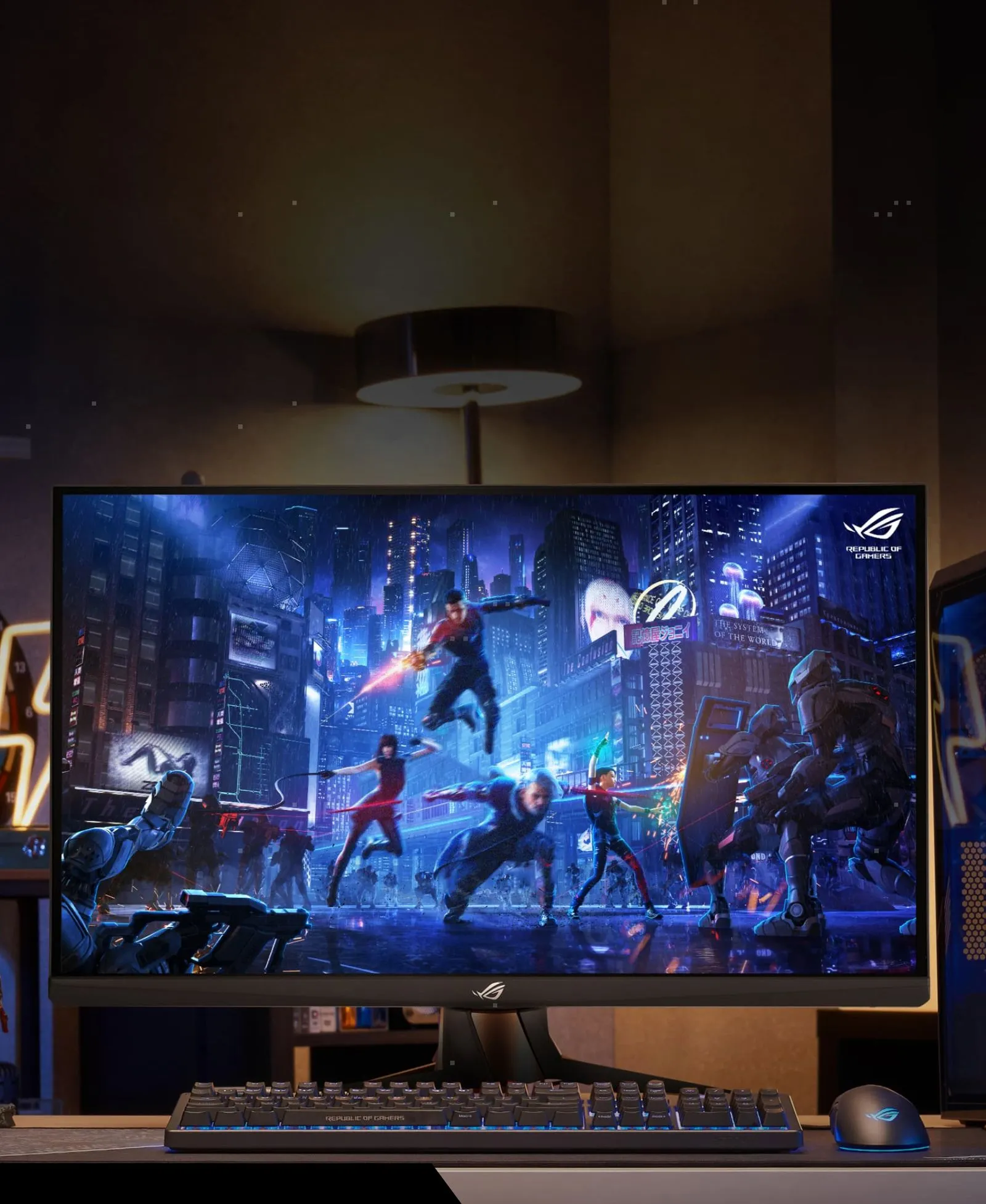
Here's the bottom line. Don't buy based on the highest refresh rate number you can find. Buy based on what your actual use case demands and what your hardware can deliver.
For competitive FPS gamers with strong GPUs, 240Hz to 360Hz mini LED monitors offer a genuine advantage. The combination of fast refresh, good HDR, and local dimming creates an immersive and responsive experience.
For everyone else, 144Hz to 165Hz is the practical sweet spot. You'll get smooth motion, good image quality, and you won't pay a premium for refresh rates you can't fully utilize.
If you're primarily doing office work, photo editing, or watching content, a 60Hz to 120Hz mini LED monitor gives you the contrast and HDR benefits without unnecessary cost. Save that money for a better panel or more local dimming zones.
Frequently Asked Questions
Can a mini LED monitor have 60Hz refresh rate?
Yes. Many mini LED monitors are 60Hz models designed for office use and content consumption. Mini LED refers to the backlight, not the refresh rate.
Always check the spec sheet.
Is 240Hz worth it on a mini LED monitor?
For competitive gaming, yes. The combination of 240Hz refresh and mini LED HDR creates a noticeably better experience than standard LED monitors. For casual use, the difference over 144Hz is minimal.
Does mini LED backlight affect input lag?
No. Mini LED backlighting has no meaningful impact on input lag. Input lag is determined by the panel electronics and processing, not the backlight system.
What is the highest refresh rate available on mini LED monitors?
As of 2026, some models advertise up to 500Hz at 1080p resolution. However, 360Hz is the highest commonly available refresh rate at 1440p. 4K mini LED tops out at 240Hz currently.
Do I need HDMI 2.1 for high refresh rates on mini LED?
For 4K at 120Hz on a console, yes. For PC gaming, DisplayPort 1.4 with DSC handles 4K at 120Hz and 1440p at 240Hz. HDMI 2.1 is only strictly necessary for console 4K 120Hz output.
Final Recommendation: Matching Refresh Rate to Your Needs
Here's the bottom line. Don't buy based on the highest refresh rate number you can find. Buy based on what your actual use case demands and what your hardware can deliver.
For competitive FPS gamers with strong GPUs, 240Hz to 360Hz mini LED monitors offer a genuine advantage. The combination of fast refresh, good HDR, and local dimming creates an immersive and responsive experience.
For everyone else, 144Hz to 165Hz is the practical sweet spot. You'll get smooth motion, good image quality, and you won't pay a premium for refresh rates you can't fully utilize.
If you're primarily doing office work, photo editing, or watching content, a 60Hz to 120Hz mini LED monitor gives you the contrast and HDR benefits without unnecessary cost. Save that money for a better panel or more local dimming zones.

Similar Posts





















