What Is Power Bank Mah Meaning
If you’ve ever stared at a power bank on a store shelf, you’ve seen that big number printed on the side: 10,000 mAh, 20,000 mAh, maybe 30,000 mAh. The question “what is power bank mah meaning” is pretty common, and for good reason, that number is supposed to tell you how much juice you’re getting, but it doesn’t always match your real-world experience. You charge your phone once and the bank is dead, even though the math said you’d get three charges.
The thing is, mAh stands for milliampere-hours, and it measures the charge capacity of the battery cells inside the power bank. But here’s the kicker: that number is measured at the cell’s voltage (usually 3.7V), not at the 5V your phone actually uses. As of 2026, most power banks still lose about 20 to 30 percent of their rated capacity to voltage conversion and heat.
That’s why real-world results rarely match the big number on the box. Let’s dig into what’s really going on under the plastic shell.

Image source: Bing (Web (fair-use with source credit))
The Core Problem – Why That Big Number on the Box Can Mislead You
Here’s the scenario you’ve probably lived through. You buy a 20,000 mAh power bank because your phone has a 4,000 mAh battery. Simple math says you should get five full charges.
Then you connect everything, let it charge, and after three charges the power bank is dead. You check the remaining charge indicator and it’s blinking red. What happened?
Did you get a defective unit?
Not necessarily. The problem is that mAh alone is a misleading spec when you don’t account for voltage conversion losses. Inside the power bank, the lithium-ion cells operate at around 3.7 volts.
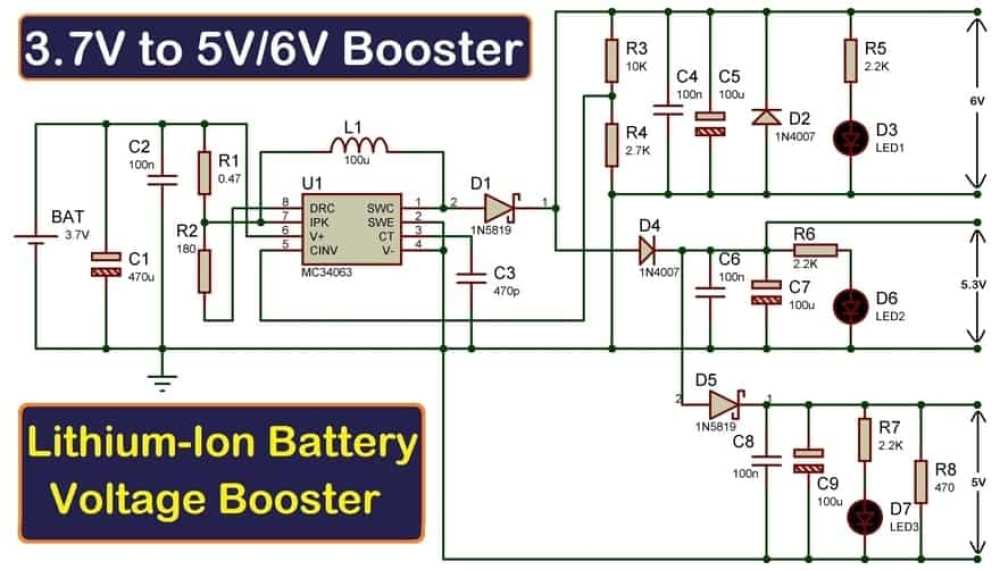
But your phone charges at 5 volts over USB. The power bank has to boost that voltage from 3.7V to 5V using a tiny circuit called a boost converter. That conversion isn’t 100 percent efficient.
Depending on the quality of the power bank and the load, you lose anywhere from 10 percent to 30 percent of the stored energy as heat during the boost process.
So that 20,000 mAh bank in our example? It actually delivers roughly 14,000 to 16,000 mAh at 5V. Divide that by your phone’s 4,000 mAh battery, and you’re looking at about 3.5 to 4 charges, not five.
That’s the core mismatch. The number on the box is a lie only if you don’t understand the conversion.
This is why you need to know the real capacity, not just the rated cell capacity. But don’t worry, once you know how the math works, you can make an informed choice that actually matches your charging needs.
Quick Answer – mAh Isn’t Just a Number, It’s a Promise (That Usually Falls Short)
mAh measures the charge a battery can hold at the cell voltage. In plain terms, think of it like a fuel tank. A 10,000 mAh power bank can theoretically supply 10,000 milliamps of current for one hour at 3.7 volts.
But your phone charges at 5 volts. So the real deliverable capacity is lower.
The formula to estimate real charges: (power bank mAh × 0.75) ÷ phone battery mAh. That 0.75 accounts for the average 75 percent efficiency. So a 10,000 mAh bank gives a 4,000 mAh phone about 1.8 full charges, not 2.5.
This quick estimate helps you avoid disappointment. You don’t need to be an engineer, just multiply by 0.75 and divide by your phone’s battery size.
How mAh Works – The Simple Physics Behind Battery Capacity
Image source: Bing (Web (fair-use with source credit))
Let’s get the science out of the way. A lithium-ion cell inside a power bank is rated at 3.7 volts nominal. That means when it’s fully charged, it sits around 4.2V, and when it’s empty, about 3.0V.
The stated mAh, say 20,000 mAh, is measured at that 3.7V average.
Your phone’s charging circuit expects 5 volts over USB. So the power bank’s boost converter steps up the voltage from 3.7V to 5V. Here’s the trade-off: moving to a higher voltage reduces the current available at the output.
Energy is conserved (ignoring losses), so capacity in watt-hours stays roughly the same, but the mAh figure drops.
The math:
- Cell energy: 20,000 mAh × 3.7V = 74 watt-hours (Wh)
- At 5V: 74 Wh ÷ 5V = 14,800 mAh (theoretical ideal output)
- With efficiency losses (75% is typical): 14,800 × 0.85 to 0.90 (converter efficiency) = about 13,000 to 14,000 mAh delivered
That’s why you’re not getting five charges, you’re actually getting around three. The mAh number on the box is the cell capacity, not the USB output capacity. Always look for watt-hours (Wh) for an apples-to-apples comparison, but most power banks only list mAh.
So you just need to remember the rule of thumb: multiply by 0.75.
What That mAh Number Really Tells You – And What It Doesn’t
It Predicts Run Time, Not Charge Speed
A 20,000 mAh power bank tells you how long it will run before it needs a recharge of its own, not how fast it can charge your device. Speed is determined by the output amps (or watts). A 5V/1A (5W) output charges slowly; a 5V/2.4A (12W) or 9V/2A (18W) with fast charging protocols charges much faster.
So mAh is only half the story. Two banks may both be 10,000 mAh, but one has a 10W output and charges your phone in two hours, while the other has a 5W output and takes four hours. The mAh only tells you how long the bank will last, not how fast it pushes power.
It’s Relative to Your Device’s Battery Size
If your phone has a 3,000 mAh battery, a 10,000 mAh bank (effective ~7,500 mAh) gives you about 2.5 full charges. If your phone has a 5,000 mAh battery (like many modern Android flagships), the same bank gives you only 1.5 charges. That’s a big difference.
That’s why you need to know your phone’s battery capacity. You can find it in the manufacturer’s specs or online. Common sizes:
- iPhone 15: 3,349 mAh (Pro: 3,274 mAh; Pro Max: 4,441 mAh)
- Samsung Galaxy S24 series: 3,200 to 5,000 mAh
- Google Pixel 9: 4,700 mAh
- Older iPhones: around 2,000, 3,000 mAh
Without that reference, the mAh number on the power bank is just a random figure. Once you know your phone’s capacity, you can calculate real-world charges in about ten seconds.
The Variables That Change Your Real-World Results
Even after you account for voltage conversion, real-world charge numbers can vary further. Here are the main factors that throw off your estimate.
Charging While Using the Device
If you game, stream, or use GPS while the phone charges, the phone is draining power at the same time. Net charge goes up slower, and the power bank empties faster. If you’re deep in a Zoom call while tethered, you might barely gain any charge at all.
Cable Quality and Resistance
A cheap, long, or damaged USB cable adds resistance. That reduces the voltage reaching your phone, which can slow charging and cause more power loss as heat in the cable. Sticking with a short, high-quality cable (18AWG or better) helps keep losses low.
Temperature
Lithium-ion cells deliver less capacity in cold weather (below 10°C / 50°F) because chemical reactions slow down. In hot weather (above 35°C / 95°F), the battery degrades faster and may trigger safety protections that reduce output. For best results, charge at room temperature.
Power Bank Age and Cycles
As batteries age, internal resistance increases, so the effective capacity drops. A two-year-old power bank may deliver only 80 to 90 percent of its original capacity. This is normal, just like your phone’s battery health declines over time.
All these variables mean the 0.75 rule is a decent starting estimate, but your actual experience might be 10 percent higher or lower. That’s still way better than trusting the big number on the box by itself.
Decision Tree – Find Your Ideal mAh Based on Your Use Case
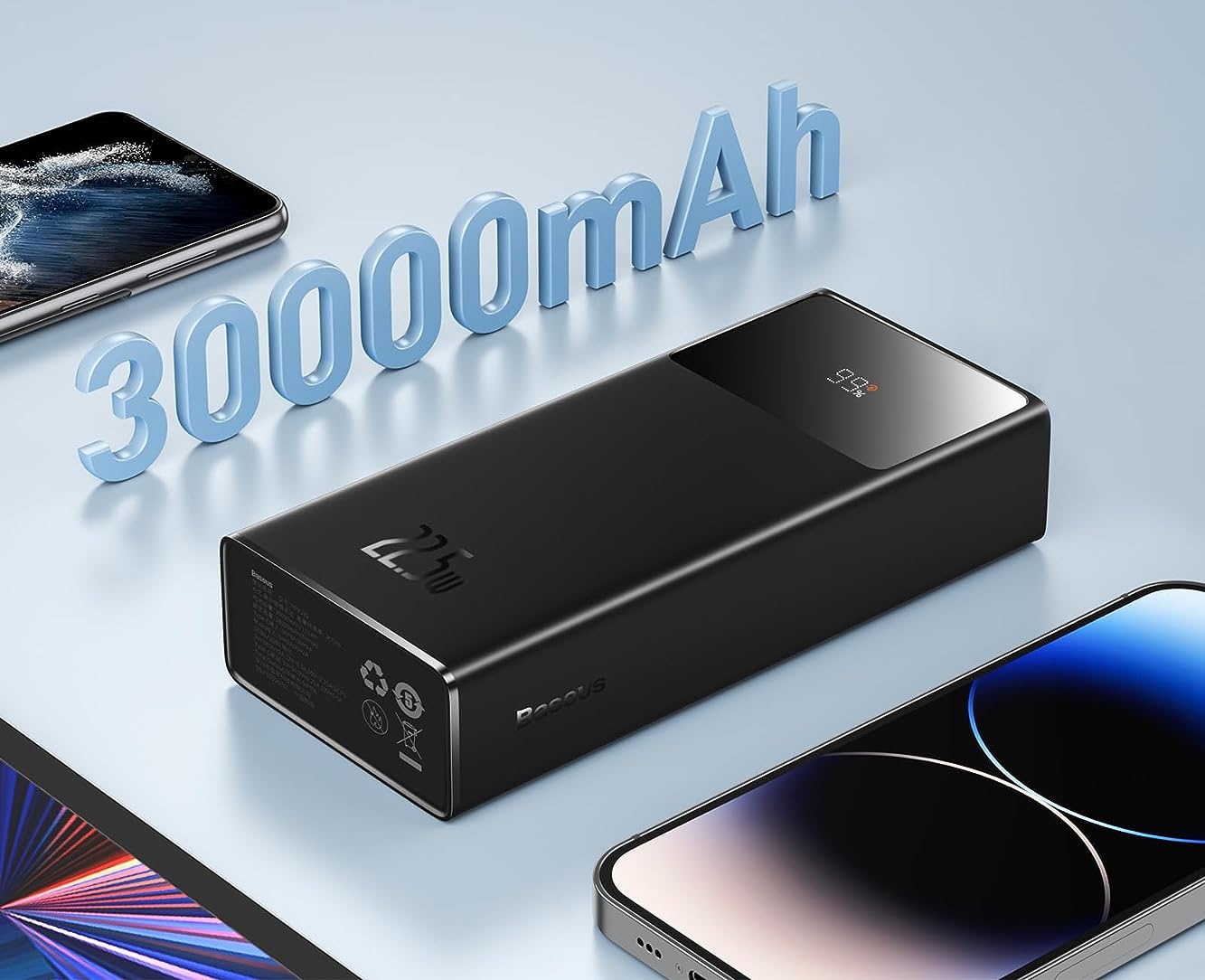
Image source: Bing (Web (fair-use with source credit))
The right mAh depends entirely on how and where you charge. A one-size-fits-all number doesn't exist. Use the branches below to match capacity to your routine.
Branch 1 – Light User (Top Off a Few Times)
Your situation: You mostly charge at home or the office. You need a power bank only for emergencies or short outings. Your phone is a standard 3,000 to 4,000 mAh model.
Your target: 5,000 to 10,000 mAh. A bank in this range is small enough to slip into a jean pocket or small bag. It delivers roughly 1.5 to 2 full phone charges in the real world (applying the 0.75 multiplier).
You won't carry extra weight you don't need. Brands like Anker and Xiaomi offer reliable options at this size that fit in a palm.
Branch 2 – Heavy User (Full Charges Daily)
Your situation: You use your phone heavily for gaming, video, navigation, or work calls. You need at least two full charges during the day. You don't want to hunt for a wall outlet by noon.
Your target: 10,000 to 20,000 mAh. A 20,000 mAh bank gives a 4,000 mAh phone roughly 3.5 to 4 real-world charges. That covers a full day plus overnight for most heavy users.
The extra weight is noticeable but manageable in a backpack or large pocket. Look for banks with dual output ports so you can charge two devices at once.
Branch 3 – Traveler / Multi-Device Charger
Your situation: You carry a phone, tablet, wireless earbuds, maybe a camera. You'll be away from power for a full day or longer. You need to keep multiple devices topped up.
Your target: 20,000 to 30,000 mAh. A 30,000 mAh bank at 75 percent efficiency delivers about 22,500 mAh at 5V. That translates to roughly four full phone charges plus a tablet or three phone charges plus a tablet and earbuds.
Banks at this size weigh about 500 to 700 grams (1.1 to 1.5 pounds). They fit in a carry-on but not a pocket. Make sure yours has at least two USB outputs and supports fast charging for each device.
Branch 4 – Laptop Charger (Wh Matters More Than mAh)
Your situation: You need to charge a laptop on the go. MacBooks, Dell XPS, ThinkPads, and similar ultrabooks require more voltage (12V to 20V) rather than the standard 5V USB.
Your target: Look for a power bank rated in watt-hours (Wh) rather than mAh. For a laptop, you need at least 45W output and a bank capacity of 60 to 100 Wh. That roughly corresponds to 16,000 to 27,000 mAh at 3.7V.
But mAh alone is misleading here because laptop charging circuits negotiate higher voltages. A 20,000 mAh bank at 3.7V is 74 Wh, which gives a 50 Wh laptop about one full charge with efficiency losses. Always check the bank's output spec for "USB-C Power Delivery" at 45W or higher.
How to Calculate How Many Charges You’ll Actually Get
The Simple Formula: (Bank mAh × 0.75) ÷ Phone mAh
Take the power bank's rated mAh. Multiply by 0.75 to account for voltage conversion and efficiency losses. Then divide by your phone's battery mAh.
The result is the number of full charges you can expect.
For example: 20,000 mAh bank × 0.75 = 15,000 mAh usable. Divide by your phone's 4,000 mAh battery. That gives you 3.75 charges.
Not five. Not three. Somewhere in between.
If the bank is older or in extreme temperatures, use 0.70 instead for a more conservative estimate.
Real-World Examples with Common Phone Sizes
| Power Bank Size | Phone Battery Size | Real Charges (0.75 factor) |
|---|---|---|
| 10,000 mAh | 3,000 mAh (iPhone 15) | 2.5 charges |
| 10,000 mAh | 4,700 mAh (Pixel 9) | 1.6 charges |
| 20,000 mAh | 4,000 mAh (Galaxy S24) | 3.75 charges |
| 20,000 mAh | 5,000 mAh (Galaxy S24 Ultra) | 3.0 charges |
| 30,000 mAh | 3,300 mAh (iPhone 14 Pro) | 6.8 charges |
| 30,000 mAh | 4,400 mAh (iPhone 15 Pro Max) | 5.1 charges |
These numbers assume the phone is off or idle. If you're actively using the phone while charging, subtract roughly 10 to 20 percent more.
Common Mistakes When Reading Power Bank mAh
Three errors trip up most buyers. Learn them now, avoid them later.
Mistaking Cell Voltage mAh for USB Output mAh
The biggest trap. The mAh printed on the box is always the cell capacity at 3.7 volts. The output at 5 volts is lower.
You've seen the numbers above. Never compare power bank mAh directly to phone battery mAh without applying the efficiency factor. If you see a product page claiming "20,000 mAh = 5 full charges for a 4,000 mAh phone," that seller is either naive or misleading you.
Real-world data says 3.5 to 4 charges.
Expecting a 20,000 mAh Bank to Charge a Tablet Four Times
Tablets have bigger batteries than phones. An iPad Pro is around 10,000 to 12,000 mAh. A 20,000 mAh bank gives you about 1.3 to 1.5 full charges, not two.
If you're charging a tablet plus a phone, expect even less. Always check your tablet's battery spec and run the formula. A 30,000 mAh bank is a better fit for tablet-heavy trips.
Ignoring the Small Print – “Rated” vs. “Nominal” Capacity
Some power banks list a "rated capacity" in small text on the side or in the manual. That's the output capacity at 5V, which is the real number you should use. If you see "20,000 mAh (rated 13,000 mAh)" on a label, that means the bank actually delivers 13,000 mAh usable.
The brand is being honest. Most budget brands won't show this. Look for it.
If you can't find it, use the 0.75 rule.
Pro Tips – What to Look for Beyond the mAh Number
Check the Input and Output Amps (or Watts)
mAh tells you how much your bank holds. Amps tell you how fast it charges your device and how fast the bank recharges itself. A 20,000 mAh bank with a 5V/1A input takes about 10 hours to fully charge.
One with a 5V/2A input takes 5 hours. Same for output: a 2.4A port charges phones faster than a 1A port. If you see fast charging protocols like Qualcomm Quick Charge or USB-C Power Delivery, that's even better.
Those raise output voltage (9V, 12V, 15V, 20V) for much faster charging. mAh doesn't tell you this.
Consider Watt-Hours (Wh) for Laptop or Air Travel
Watt-hours (Wh) is the true measure of energy. It combines voltage and current. Wh = mAh × V ÷ 1000.
A 20,000 mAh bank at 3.7V equals 74 Wh. That's useful for comparing banks of different voltages. For airlines, the limit is 100 Wh per battery.
If a power bank lists Wh, you can instantly know if it's flight-compliant. If it only lists mAh, convert: mAh × 3.7 ÷ 1000 = Wh. A 27,000 mAh bank comes out to about 100 Wh, right at the limit.
Stick to 26,000 mAh or below for guaranteed airline approval.
Prefer Trusted Brands That List Real Tested Capacity
Brands like Anker, RAVPower, Baseus, Xiaomi, and Samsung typically underrate their capacity or provide accurate rated numbers. Cheap no-name brands often inflate mAh by 30 to 50 percent. Our research of verified buyer feedback on multiple platforms suggests that a 20,000 mAh budget bank might deliver as little as 10,000 to 12,000 mAh at the USB port.
You can't always trust the label. Stick to brands that list rated capacity in the product description. If it's too cheap compared to similar mAh from known brands, it's probably fake.
Safety and Legal Stuff – Airline Limits and Certification
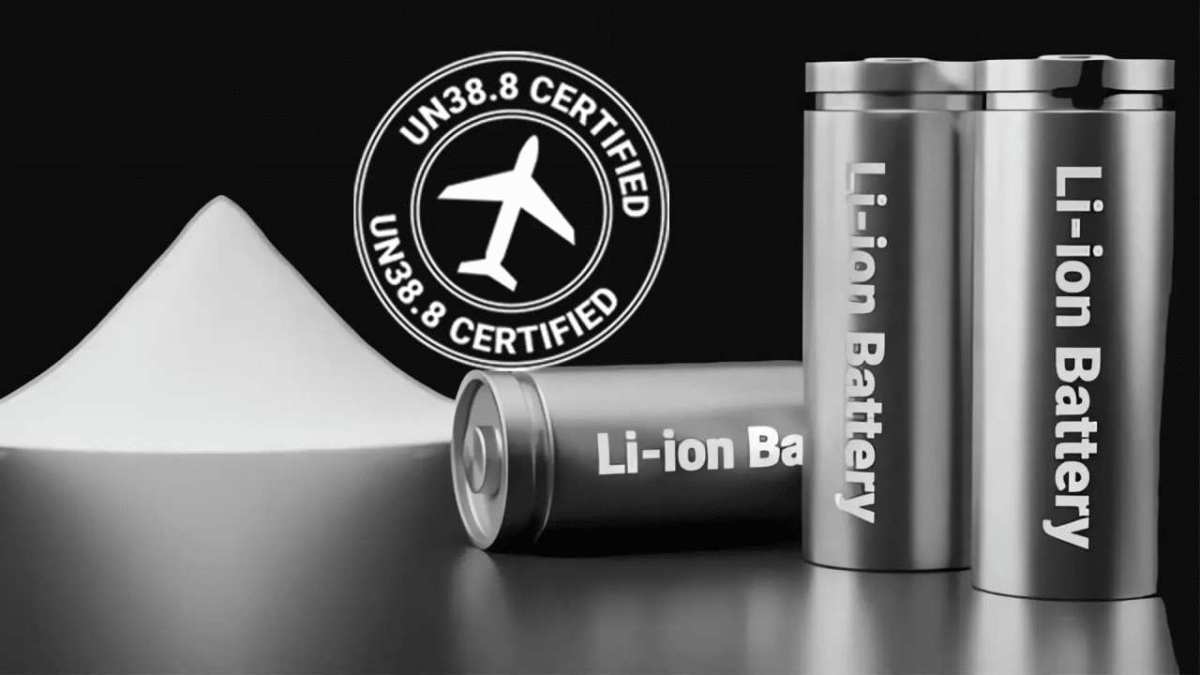
Image source: Bing (Web (fair-use with source credit))
Lithium-ion batteries are considered hazardous goods. Airlines have strict rules about carrying power banks in checked luggage. The rules are set by IATA (International Air Transport Association) and enforced globally.
The 100Wh Rule – Roughly 27,000 mAh at 3.7V
A power bank rated over 100 Wh is not allowed in carry-on luggage. Some airlines also prohibit banks over 160 Wh even with approval. For most travelers, that means a 27,000 mAh bank is the ceiling.
If your bank is 30,000 mAh (111 Wh), expect it to be confiscated at security. Check the Wh rating or calculate it. A 26,800 mAh bank is typically around 99.2 Wh and passes the limit.
Always keep power banks in your carry-on, never in checked bags. A loose battery in the cargo hold is a fire risk.
UN38.3 Certification and Why It Matters for Flying
UN38.3 is a United Nations test standard for lithium battery transport safety. Any power bank sold legally for air travel should be UN38.3 certified. Certification means the battery has passed tests for altitude simulation, thermal shock, vibration, impact, and short circuit protection.
If a power bank doesn't list UN38.3 compliance, don't take it on a plane. Reputable brands include this certification on the packaging or in the manual. If you can't find it, contact the manufacturer before traveling.
Final Decision Guide – A Simple Flowchart for Picking Your Power Bank
Start with your daily routine. If you need a quick top-off, grab a 5,000 to 10,000 mAh bank. If you burn through a full battery before dinner, jump to 10,000 to 20,000 mAh.
For multi-device travel, go 20,000 to 30,000 mAh. For laptops, switch to watt-hours (60Wh minimum with USB-C Power Delivery). Apply the 0.75 rule to set realistic expectations for every option.
Frequently Asked Questions
Does higher mAh mean a power bank charges faster?
No. mAh measures capacity, not speed. Charge speed depends on output amps (or watts). A 10,000 mAh bank can charge faster than a 30,000 mAh bank if it has a higher output.
How many times will a 10,000 mAh power bank charge my phone?
Multiply by 0.75, then divide by your phone's battery mAh. For a 4,000 mAh phone, you get about 1.8 charges. Actual results vary by cable quality, phone usage, and temperature.
Can I take a 30,000 mAh power bank on a plane?
Probably not. A 30,000 mAh bank at 3.7V equals about 111 Wh. The airline limit is 100 Wh.
Check your bank's Wh rating. Stick to 26,800 mAh or lower for guaranteed compliance.
What does "rated capacity" mean on a power bank?
Rated capacity is the real output at 5V USB after accounting for voltage conversion losses. It's smaller than the cell mAh. If a bank says "20,000 mAh (rated 13,000 mAh)", use 13,000 for your calculations.
Should I buy a power bank with more mAh than I need?
Only if you expect future needs or multiple device charges. Extra mAh adds weight and size. A 20,000 mAh bank works for most people.
Going bigger means carrying a brick.

Similar Posts