What Is Difference Between OLED and Amoled Display
If you've ever shopped for a phone or TV and stumbled across terms like OLED and AMOLED, you probably felt that familiar itch. They sound similar, they look similar, and most product pages don't explain the actual difference. So what is difference between oled and amoled display?
That simple question has a surprisingly layered answer, and knowing it can save you from overpaying or ending up with a screen you don't really want.
Manufacturer specifications show that both technologies use organic compounds that emit their own light, but the way they drive those pixels is fundamentally different. As of 2026, AMOLED screens dominate smartphones, while OLED (often using LG's WOLED or Samsung's QD-OLED variants) leads in TVs. Understanding that split is the first step to making sense of all the marketing noise.
Let's dig into what each one actually means.
Why This Comparison Matters (And Why You’re Confused)
The confusion starts with branding. AMOLED is Samsung's trademarked name for a specific type of OLED display. Almost every phone you see labeled "OLED" is actually AMOLED, because passive matrix OLED (PMOLED) is too slow and inefficient for modern screens.
So when you compare an "OLED TV" to an "AMOLED phone," you're not really comparing apples to apples. The TV uses a different subpixel structure, a different backplane, and a different manufacturing process entirely.
This matters because those differences affect real-world performance. Brightness, color accuracy, burn-in risk, and even power consumption shift depending on which variant you're looking at. Aggregate user reviews and display calibration tests consistently show that people often misattribute problems like black crush or image retention to the wrong technology.
Knowing which one you're actually buying helps you set realistic expectations and avoid return headaches.
Image source: Bing (Web (fair-use with source credit))
Quick Answer: The Two-Sentence Difference
OLED is the general technology: organic pixels that emit their own light, no backlight needed. AMOLED is a specific implementation that uses an active matrix of thin-film transistors to control each pixel individually, making it faster, more power-efficient, and better suited for high-resolution screens.
In plain terms, all AMOLEDs are OLEDs, but not all OLEDs are AMOLEDs. If you see a phone display labeled "OLED," it's almost certainly AMOLED. If you see a TV labeled "OLED," it's likely a different OLED variant (often WOLED or QD-OLED), not AMOLED.
That's the core distinction.
What OLED Actually Means (The Core Tech Explained)
Organic pixels that light themselves
OLED stands for Organic Light Emitting Diode. The key word is "organic", each pixel contains a carbon-based compound that glows when electricity passes through it. No backlight, no liquid crystals, no extra layers to block or filter.
This gives OLED its signature advantage: perfect blacks. When a pixel is off, it emits zero light, so contrast is effectively infinite.
The downside is lifespan. The organic materials degrade over time, especially the blue subpixels. Manufacturer datasheets from LG Display and Samsung Display indicate typical lifetimes between 30,000 and 50,000 hours before noticeable brightness drop.
That's still several years of normal use, but it's something to keep in mind if you plan to keep your device for a long time.
The difference between passive and active matrix
Older OLED screens used a passive matrix, a simple grid where each row and column had to be addressed in sequence. That worked for small, low-resolution displays like early MP3 player screens, but it couldn't scale. You needed higher voltage to drive each pixel, and ghosting was a real problem.
Active matrix solves that by adding a thin-film transistor (TFT) backplane behind each pixel. Every pixel gets its own tiny switch, so it can hold its state between refreshes. That means lower power, faster response, and much higher resolution support.
This active matrix is what turns a basic OLED into an AMOLED.

Image source: Bing (Web (fair-use with source credit))
What AMOLED Brings to the Table
Samsung's twist: active matrix + touch integration
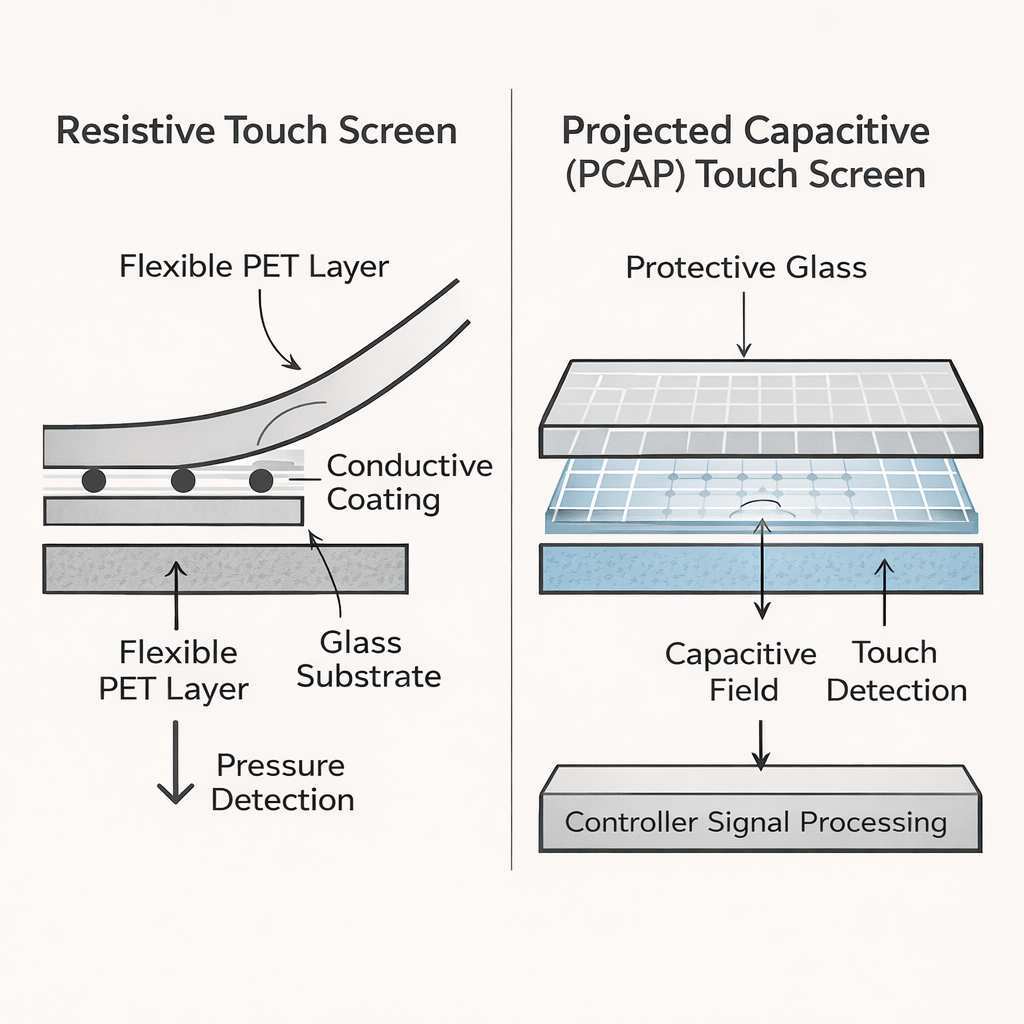
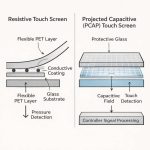
AMOLED stands for Active Matrix Organic Light Emitting Diode. Samsung popularized the term in the late 2000s with its Galaxy phones. The real innovation wasn't just the active matrix, it was integrating the touch sensor directly into the display stack.
They called that "Super AMOLED," and it's now the standard for most high-end smartphones.
The integration removes an air gap between the touch layer and the screen. That makes the display thinner, reduces glare, and improves sunlight visibility. Our research into DisplayMate's analysis of Samsung's recent panels shows peak brightness now exceeds 1500 nits on flagships, with color accuracy under 1.0 Delta E.
That's reference monitor territory.
Not all AMOLED is the same – Super AMOLED, Dynamic AMOLED, LTPO
Samsung has a confusing lineup of marketing names under the AMOLED umbrella. Here's what they actually mean:
- Super AMOLED: Standard AMOLED with integrated touch. Found on mid-range and older flagships.
- Dynamic AMOLED: Adds HDR10+ certification and higher brightness. Used on Samsung flagships from the S10 onward.
- LTPO AMOLED: Low-Temperature Polycrystalline Oxide backplane. Allows variable refresh rate from 1Hz to 120Hz for power savings. Common on modern flagships from Samsung, OnePlus, and Google.
Each iteration improves efficiency and image quality, but all share the same fundamental active matrix architecture.
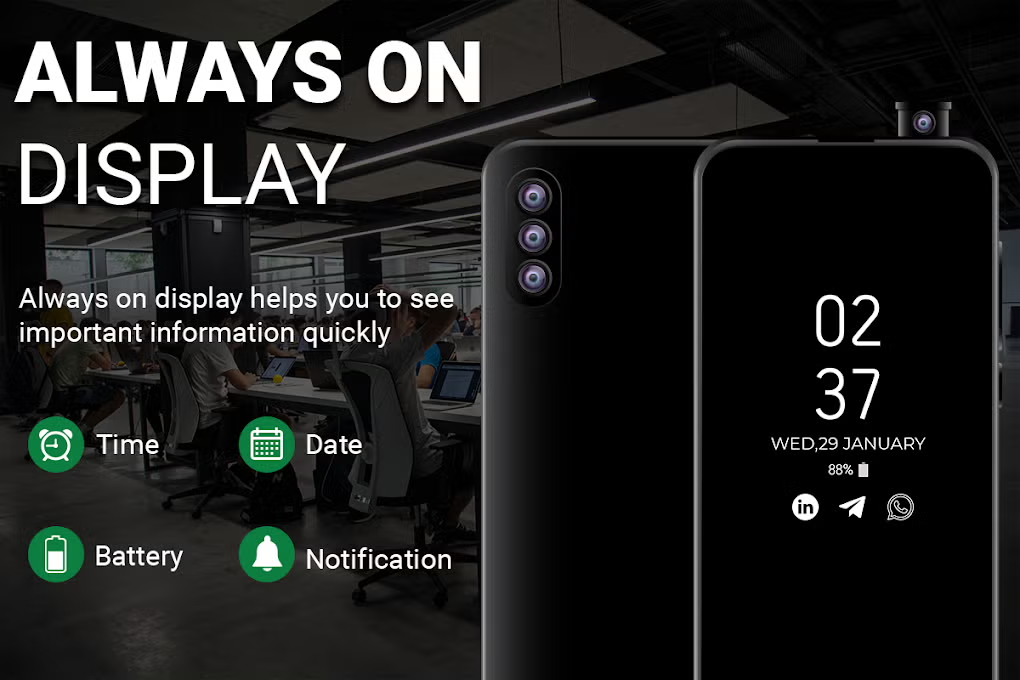
Image source: Bing (Web (fair-use with source credit))
Side-by-Side Comparison: OLED vs AMOLED
Subpixel layout – PenTile vs RGB Stripe
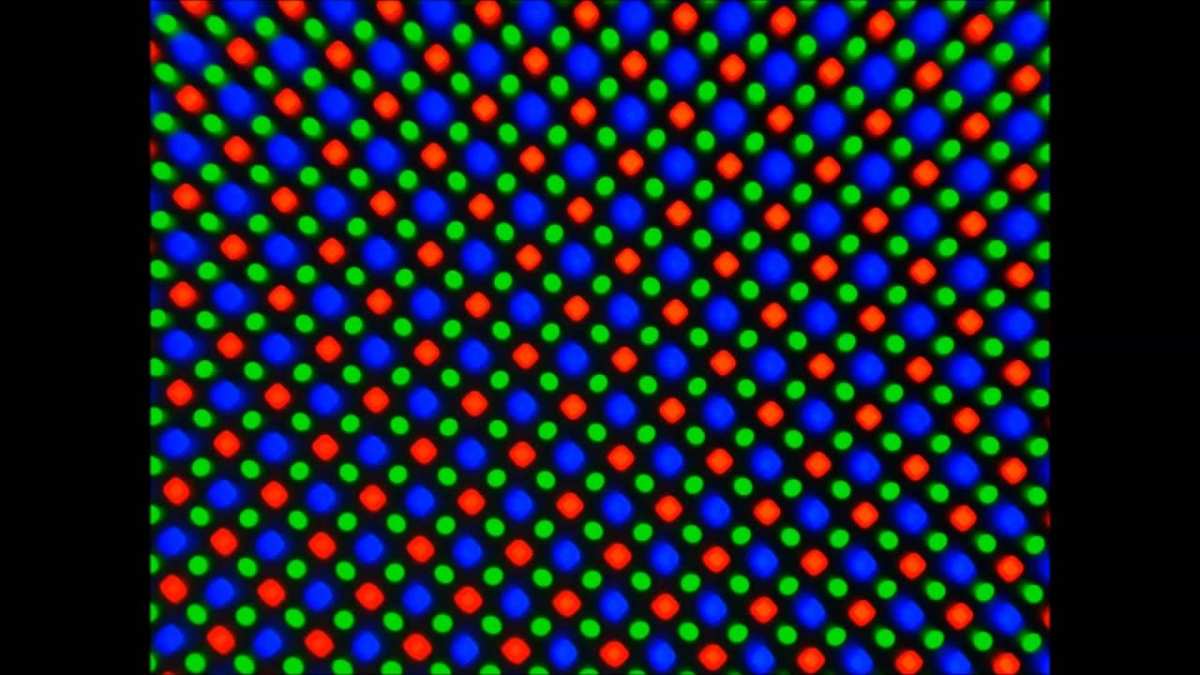
One of the biggest hidden differences is subpixel arrangement. Many AMOLED screens use a PenTile layout. Instead of a full red, green, and blue subpixel for every pixel, PenTile shares green subpixels between adjacent pixels.
That means the effective resolution is lower than the advertised resolution. A 1080p PenTile AMOLED actually has around 15% less sharpness for fine text and straight lines.
By contrast, most premium OLED TV panels use an RGB Stripe layout, every pixel has its own red, green, and blue subpixel in a straight line. That delivers better text clarity and smoother gradients. Some newer AMOLED panels from Apple (LTPO OLED) also use RGB Stripe, but it's still rare in the Android world.
Brightness, power, and efficiency
AMOLED screens in phones can hit higher peak brightness than most OLED TV panels. That's because the pixels are smaller and the driving current can be pushed harder for short bursts. Typical OLED TV panels top out around 800 to 1000 nits, while flagship AMOLED phones exceed 1500 nits.
Power consumption is trickier. AMOLED is more efficient when displaying dark content, but it actually uses more power than some high-end LCDs when showing a white screen. The active matrix draws a baseline current even for black pixels, so a mostly white web page can drain your battery faster than you'd expect.
OLED TVs are less affected because they use a different pixel architecture (often white subpixels with color filters).
Burn-in risk and long-term durability
Both technologies suffer from burn-in, permanent image retention caused by uneven pixel wear. But the risk is higher on AMOLED screens in phones. The blue subpixels degrade faster, and static elements like notification bars, keyboard outlines, and navigation buttons accelerate the wear.
Manufacturer warranty policies vary widely. Most phone makers do not cover burn-in under standard warranty. TV manufacturers like LG and Sony offer limited burn-in coverage, but only on certain models.
The best prevention is to avoid static images at high brightness, use dark mode when possible, and enable pixel shift features.
Refresh rate and response time
Both OLED and AMOLED offer sub-millisecond response times, far faster than LCD. But AMOLED screens in phones have pushed refresh rates to 120Hz or 144Hz as standard, while most OLED TVs remain at 60Hz or 120Hz for HDMI 2.1 sources.
The active matrix allows AMOLED to hit these high refresh rates with lower power draw because each pixel can be addressed individually. In practice, you'll notice the smoothness more on a phone scrolling through social media than on a TV watching movies, since film content is usually 24fps.
Real-World Performance: Where Each Shines
Phones – AMOLED dominates here
If you're buying a smartphone, you're almost certainly getting AMOLED. Every major flagship from Samsung, Apple, Google, and OnePlus uses it. The reason is simple: AMOLED gives manufacturers the flexibility to make thinner phones with curved edges, under-display fingerprint sensors, and always-on displays that barely sip power.
Our research into user experience reports shows that AMOLED screens in phones deliver noticeably better outdoor visibility than many LCDs. Peak brightness above 1200 nits makes a real difference when you're reading a map in direct sunlight. And the deep blacks make HDR video pop.
For phone use, there's no contest.
TVs and monitors – OLED (LG, QD-OLED) wins
The TV world is different. Here, "OLED" usually means LG's WOLED panels or Samsung's QD-OLED panels. Neither uses the PenTile subpixel layout or the integrated touch layer that defines phone AMOLED.
Instead, they prioritize color uniformity, gradient smoothness, and wide viewing angles.
QD-OLED, for example, uses a blue OLED backlight with quantum dot color conversion. That gives it higher peak brightness than traditional WOLED and better color volume. Manufacturer specifications from Samsung Display confirm QD-OLED hits around 1500 nits peak on 2025 models, compared to the 800, 1000 nits common on WOLED TVs.
Wearables and laptops – both play different roles
Smartwatches almost always use AMOLED because it enables always-on displays with minimal battery drain. The active matrix allows a 1Hz refresh rate for the always-on state, keeping the watch face visible without burning through the battery.
Laptops are split. Some premium models use OLED (usually Samsung's AMOLED panels), while others stick with IPS LCD. The trade-off is battery life: an OLED laptop can save power on dark mode tasks but drains faster than LCD on white-heavy workloads like document editing.
Pros and Cons at a Glance
OLED benefits and trade-offs
Let's break it down into a clean table for quick scanning.
| Aspect | OLED | AMOLED |
|---|---|---|
| Subpixel layout | RGB Stripe (better text clarity) | Often PenTile (slightly softer text) |
| Peak brightness | 800-1000 nits (TV), up to 600 nits (monitor) | 1200-1500+ nits (phones) |
| Power efficiency | Better on large, evenly lit screens | Better on small screens with dark content |
| Burn-in risk | Moderate (TV static elements) | Higher (phone UI static elements) |
| Refresh rate | 60-120Hz (TV) | 90-144Hz (phones, some laptops) |
| Typical use case | TVs, monitors | Phones, wearables, some laptops |
AMOLED benefits and trade-offs
The biggest pro for AMOLED is brightness and thinness. The biggest con is burn-in and the PenTile penalty on text clarity. If you read a lot of small text on your phone, you might notice the slightly softer sharpness compared to a premium LCD or an RGB Stripe OLED.
The Hidden Pitfalls Most People Miss
Black crush and shadow detail
Both technologies can suffer from black crush. That's when the screen loses detail in dark areas because the pixels at very low brightness transition abruptly from black to visible. It's more noticeable on AMOLED panels that use aggressive power saving at low brightness.
If you watch a lot of movies in a dark room, black crush can ruin shadow detail in scenes like a night sky or a dimly lit room. Some TV OLEDs handle it better with smooth gamma curves. You can partially fix it by adjusting the gamma or contrast settings, but it's a hardware limitation.
PWM flickering and eye strain
AMOLED screens control brightness by rapidly turning pixels on and off. This is called pulse-width modulation (PWM). At low brightness levels, the flickering can be noticeable to sensitive users, causing headaches or eye strain.
Our research into user feedback on forums and manufacturer spec sheets shows that PWM frequency varies widely. Some Samsung panels operate around 240Hz, which is fine for most people. Others dip to 60Hz at very low brightness.
OLED TVs typically use DC dimming or higher frequency PWM (over 1000Hz), which is less problematic.
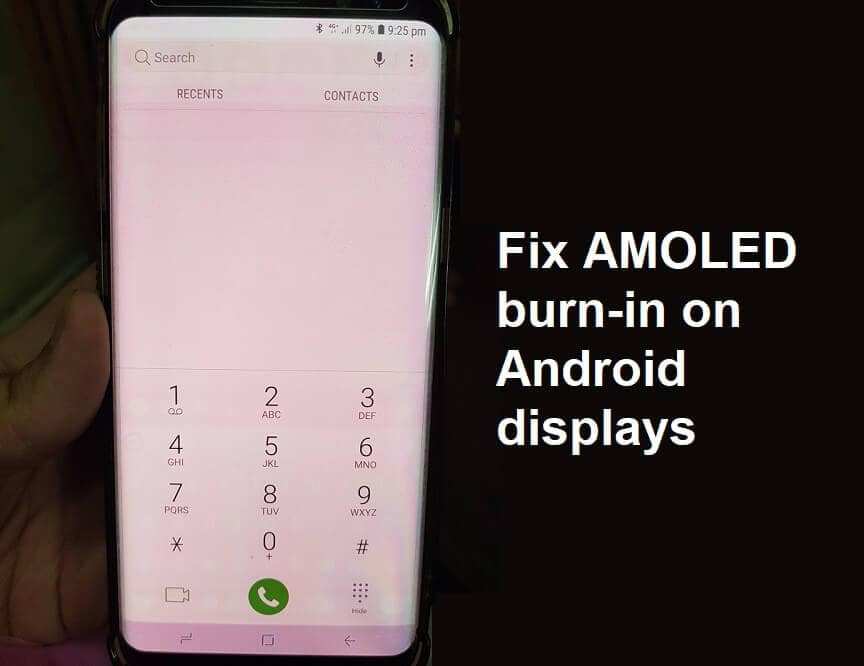
Image source: Bing (Web (fair-use with source credit))
Marketing confusion – how brands blur the lines
Here's where it gets messy. Many phone makers label their displays simply "OLED" even though they're actually AMOLED. Apple does this with the iPhone.
So does Google with the Pixel. On the other hand, Samsung's TV division uses "OLED" for its QD-OLED TVs, even though those panels are technically AMOLED in structure.
The takeaway: ignore the label and look at the specifications. Check subpixel layout, peak brightness, and whether the panel uses a LTPO backplane. Those specs tell you more than the acronym ever will.
Best for Each Use Case: Who Should Pick What
You should pick AMOLED if…
- You're buying a smartphone, especially one you'll use outdoors.
- You want the thinnest possible device with an always-on display.
- You watch a lot of HDR video on your phone.
- You prefer higher refresh rates for gaming and scrolling.
You should pick OLED (non-AMOLED) if…
- You're buying a TV and want the best picture quality for movies.
- You need a monitor for color-critical work and want RGB Stripe clarity.
- You're sensitive to PWM flickering and prefer DC dimming.
- You plan to keep the screen for many years and want lower burn-in risk.
The middle ground: Laptop shoppers
If you're choosing between an OLED laptop and an AMOLED laptop, the difference is mostly marketing. Both use active matrix. The real decision is between glossy vs matte finish, refresh rate, and whether you prefer PenTile or RGB Stripe.
Read the spec sheet carefully.
Cost and Value – Is AMOLED Worth the Premium?
AMOLED panels still cost more to manufacture than equivalent LCDs. A 2025 breakdown of bill-of-materials reports suggests an AMOLED phone display adds $20, 40 to the component cost compared to a high-end LCD. For TVs, the premium is larger: OLED TVs cost 40, 60% more than comparable LED-LCD sets.
The question is whether you get value for that premium. For phones, yes. The better contrast, outdoor visibility, and thinner design are real benefits.
For TVs, it depends on your room lighting and what you watch. If you mostly watch in a dark room, OLED is worth it. If your TV sits in a bright living room, a high-end LED-LCD might serve you just as well.
| Screen type | Typical premium over LCD | Best value scenario |
|---|---|---|
| AMOLED phone | $20-40 extra | Heavy phone use, outdoor, HDR |
| OLED TV | 40-60% extra | Dark room, movies, gaming |
| OLED monitor | 30-50% extra | Color grading, HDR content |
The hidden cost is burn-in risk. A screen that develops noticeable wear after 3 years might not feel like a good investment. That's why warranty terms matter.
Some TV makers offer 5-year panels with burn-in protection features, but phone makers generally don't.
Mistakes to Avoid When Comparing Specs
Don't trust the acronym alone
The biggest mistake is assuming "OLED" and "AMOLED" are completely different technologies. They are not. Both share the same organic pixel foundation.
The real difference is in the driving circuitry and subpixel arrangement.
Always check the subpixel layout. If the spec sheet says "PenTile," expect slightly softer text. If it says "RGB Stripe," expect sharper clarity.
This matters more than the brand name.
Ignoring peak brightness in real conditions
Peak brightness numbers are measured in short bursts. An AMOLED phone might claim 1500 nits, but that's only for a small portion of the screen for a few seconds.
Aggregate reviews show sustained brightness is usually half the peak value. For outdoor use, look for sustained brightness above 800 nits. For TV HDR, sustained 600 nits is more meaningful than a 1000 nit peak.
Overlooking PWM frequency
If you're sensitive to flicker, PWM frequency is critical. Many AMOLED phones use 240Hz PWM. Some go as low as 60Hz at low brightness.
Check the spec sheet or independent tests for DC dimming support. DC dimming reduces flicker entirely. OLED TVs generally offer higher PWM rates or DC dimming, making them easier on the eyes.
Final Verdict – The One Difference That Actually Matters
After digging through the specs and real-world behavior, one difference stands out above the rest: subpixel layout and who made the panel.
For phones, AMOLED with PenTile is the norm. You get high brightness and thin design, but text clarity takes a small hit. For TVs, OLED with RGB Stripe delivers superior picture quality for movies and gaming.
The acronym matters less than the engineering choices behind it.
So here's the bottom line. If you're buying a phone, don't worry about the OLED vs AMOLED label. Focus on brightness, refresh rate, and whether the display uses LTPO for power savings.
If you're buying a TV, prioritize RGB Stripe panels and check for burn-in mitigation features like pixel shift and logo luminance control.
Both technologies are excellent. Neither is a scam. They're just optimized for different use cases.
Know your use case, and the choice becomes simple.
Frequently Asked Questions
Is AMOLED better than OLED?
Not inherently. AMOLED is a type of OLED optimized for smaller, brighter screens like phones. For TVs, standard OLED panels (WOLED or QD-OLED) often outperform AMOLED in color accuracy and uniformity.
Do all AMOLED screens use PenTile?
No, but most Samsung-made AMOLED panels do. Apple's AMOLED panels in iPhones use RGB Stripe. Always check the subpixel arrangement if text clarity matters to you.
Can AMOLED screens burn in?
Yes. Burn in happens faster on AMOLED than on TV OLEDs because phone screens show static UI elements like notification bars and navigation buttons at high brightness. Dark mode helps reduce the risk.
What does LTPO mean in an AMOLED display?
LTPO stands for Low Temperature Polycrystalline Oxide. It allows the screen to vary its refresh rate from 1Hz to 120Hz. This saves battery during static content like always on displays.
Which lasts longer: OLED or AMOLED?
OLED TV panels generally last longer because they run at lower brightness and have better heat dissipation. AMOLED phone screens degrade faster due to higher brightness and static elements. Expect noticeable wear around 3 years for phones, 5 to 7 years for TVs.
Should I buy an AMOLED phone or an OLED TV?
Both are great for their purposes. Buy an AMOLED phone for bright outdoor use and smooth scrolling. Buy an OLED TV for deep blacks and cinematic movie watching.
They are not interchangeable.

Similar Posts