Is Mini LED Good for Esports Monitors
Is Mini LED good for esports monitors? The honest answer is: it depends on what you're playing and what matters most to you. Mini LED technology gives you significantly better HDR performance and contrast than traditional LED monitors, with peak brightness reaching 1,000 to 1,400+ nits.
For competitive gaming specifically though, you need to weigh those visual gains against a few trade-offs that can actually affect your gameplay. Let's break it down properly so you know exactly what you're getting into. This directly compares with our findings on why are mini led monitors good for hdr content.
Mini LED uses thousands of small backlight zones to control brightness across the screen independently. As of 2026, this is the backbone of most high-end HDR monitors hitting VESA DisplayHDR 1000 and DisplayHDR 1400 certifications. The question is whether those spec sheet numbers translate into a real competitive advantage or just better-looking screenshots.
Quick Answer
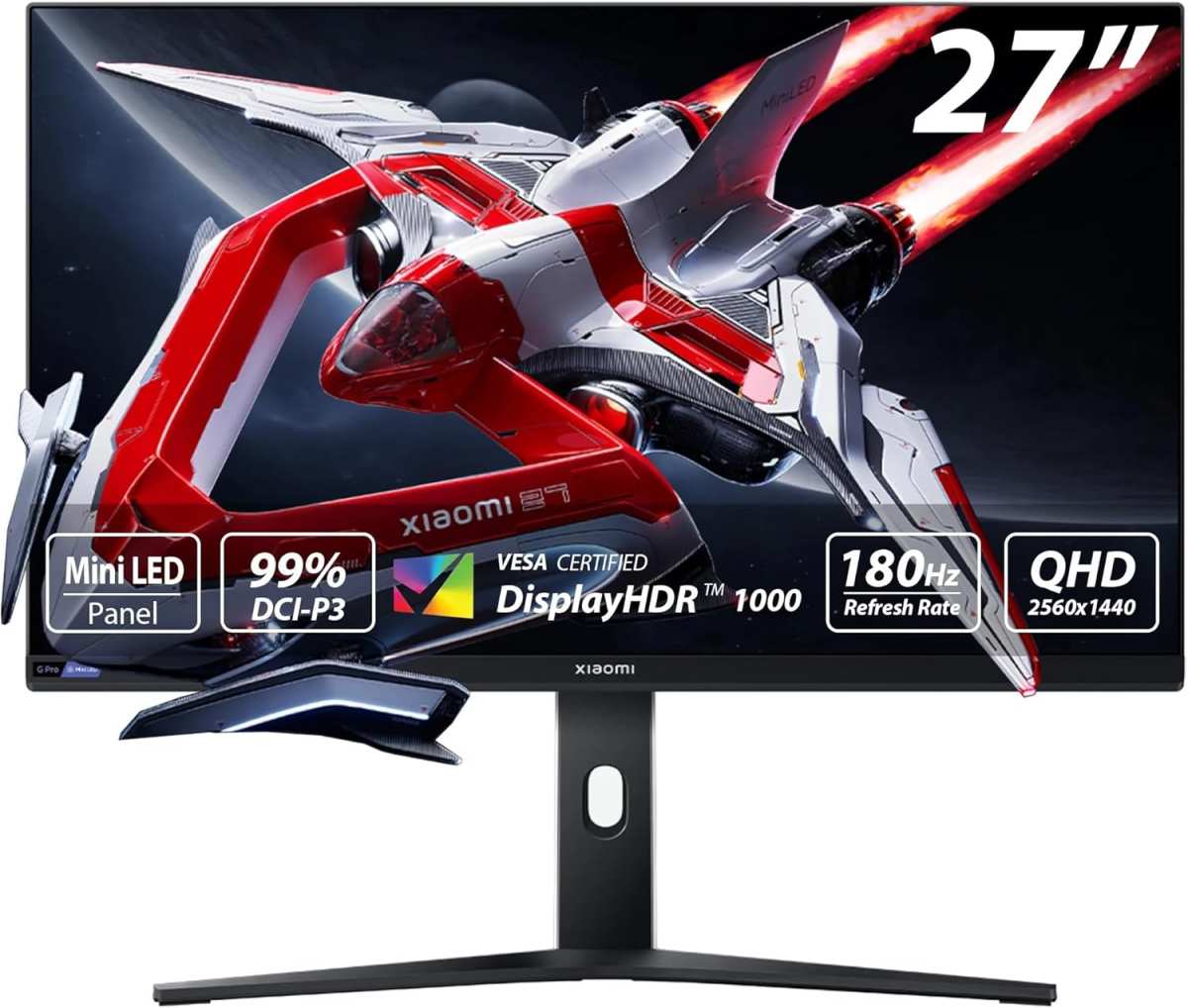
Mini LED monitors work well for esports if you play competitive and cinematic games. They deliver excellent HDR and high peak brightness without burn-in risk. However, backlight blooming can distract in dark scenes.
Pure competitive players might prefer OLED or high-refresh traditional LED instead. Readers evaluating this setup should also consider whether mini led monitors good for netflix for comparative benchmarks.
How Mini LED Actually Works (And Why It Matters for Gaming)
Mini LED is a backlighting technology, not a panel type. The display panel underneath is usually IPS or VA, but what makes Mini LED different is what's behind it. Instead of a few dozen large LED zones along the edges or directly behind the screen, Mini LED packs in hundreds or even thousands of tiny LED zones.
Each zone dims or brightens independently based on what's happening on screen.
This local dimming is what creates that "wow" moment. When you're looking at a dark scene with a bright explosion, the zones behind the explosion fire up while the surrounding zones stay dim. You get deeper blacks and brighter highlights in the same frame.
For HDR content, this is transformative.
The zone count matters a lot. Budget Mini LED monitors might have 192 zones, while premium models push 576 or 1,152 zones. More zones mean finer control and less visible blooming, but also higher cost.
Manufacturer specs for current high-end models like the Samsung Odyssey OLED (hybrid approach) and ASUS ROG Swift PG27AQN show zone counts ranging from 384 to over 1,000 at premium price points. The sweet spot for most gamers in 2026 sits around 384 to 576 zones at 27 to 32 inches.
Here's where it gets relevant for esports. Your standard gaming monitor test focuses on response time, input lag, and refresh rate. Those metrics still apply here.
But Mini LED adds another layer. The local dimming processor has to analyze each frame and adjust zones in real time. That processing step introduces a variable that traditional LED monitors simply don't have.
Most manufacturers keep this processing fast enough that it's negligible. But in our research, some competitive players report a subtle difference in motion handling. It's not necessarily input lag in the traditional sense.
It's more about how cleanly transitions happen between bright and dark areas during fast movement. Something worth knowing about.
The Real Trade-Offs You Need to Understand
Backlight Blooming and Halo Effect
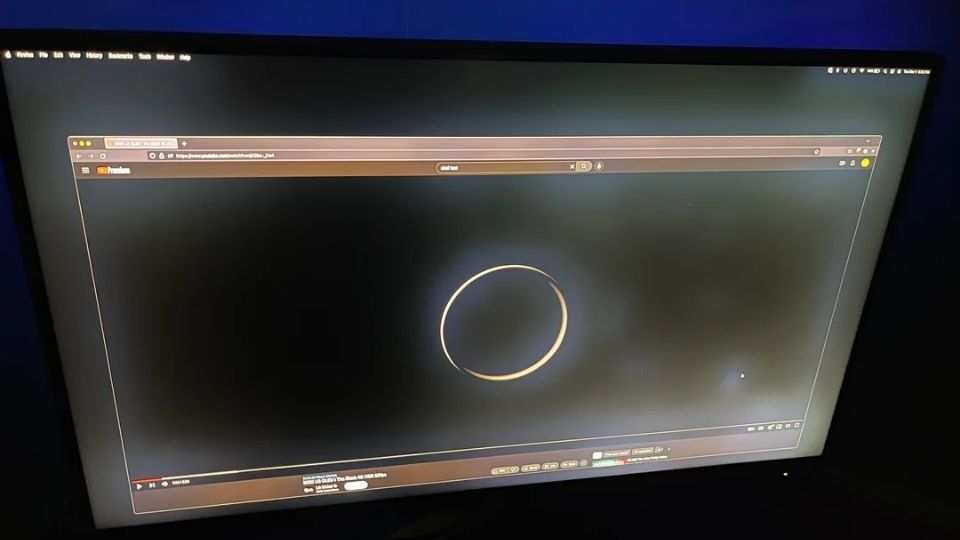
This is the big one. When a bright object appears against a dark background, the LED zone lighting it up spills slightly beyond the object's edge. You get a faint halo or glow around bright text, crosshairs, and UI elements against dark scenes.
We call this blooming, and it's Mini LED's most visible weakness.
In practice, this means if you're playing a dark map in CS2 or Valorant and there's a bright flashlight or muzzle flash, you'll see a soft glow bleeding into the surrounding darkness. For casual play, it's barely noticeable. For competitive players who've trained their eyes to spot tiny movements in shadow areas, blooming can be genuinely distracting.
Higher zone counts reduce this effect. A 1,152-zone Mini LED will show noticeably less blooming than a 192-zone model. But even the best implementations can't fully eliminate it the way OLED can, since OLED controls brightness at the pixel level with no backlight zones at all.
Input Lag Concerns — What the Marketing Won't Tell You
Let's be precise here. Mini LED technology itself doesn't inherently add significant input lag. The local dimming processing is typically handled by a dedicated chip on the monitor's scalar board.
Total input lag on quality Mini LED gaming monitors generally sits in the 2 to 5 ms range, which is competitive with standard LED gaming monitors.
Where things get slightly more nuanced is in the interaction between local dimming and adaptive sync. When G-Sync or FreeSync is active and local dimming is running simultaneously, some monitors show slightly less consistent frame delivery at very low frame rates. This isn't input lag exactly, but perceived smoothness can vary.
Manufacturer specifications for premium models like the ASUS ROG Swift PG32UQX list input lag at approximately 4 ms. Independent testing confirms these numbers are generally accurate. For reference, professional esports players typically want total system latency under 10 ms.
Mini LED doesn't push you above that threshold on its own, but it's worth making sure you're testing with local dimming enabled, since that's how you'll actually be playing.
Mini LED vs OLED vs Traditional LED: The Full Comparison
This is where most people actually need clarity. Mini LED isn't the only option for esports. OLED has entered the gaming monitor market aggressively, and traditional LED IPS panels haven't gone anywhere.
Each approach gives you something different.
Side-by-Side Breakdown Table
| Factor | Mini LED | OLED | Traditional LED IPS |
|---|---|---|---|
| Peak Brightness | 1,000 to 2,000 nits | 400 to 1,000 nits | 300 to 600 nits |
| Black Levels | Very good (FALD) | Perfect (per-pixel) | Moderate (IPS glow) |
| Blooming | Visible at edge of zones | None | Not applicable |
| Burn-In Risk | None | Possible over time | None |
| Response Time | 1 to 3 ms GtG | 0.03 to 0.1 ms | 1 to 4 ms GtG |
| Input Lag | 2 to 5 ms | 2 to 4 ms | 2 to 5 ms |
| Price Range | $500 to $1,500 | $800 to $2,000+ | $200 to $600 |
| HDR Quality | Excellent | Excellent to Outstanding | Basic to Moderate |
| Refresh Rate Support | Up to 500Hz | Up to 240Hz (as of 2026) | Up to 500Hz+ |
| Best For | Hybrid comp + cinematic | Visual quality purists | Pure esports / budget |
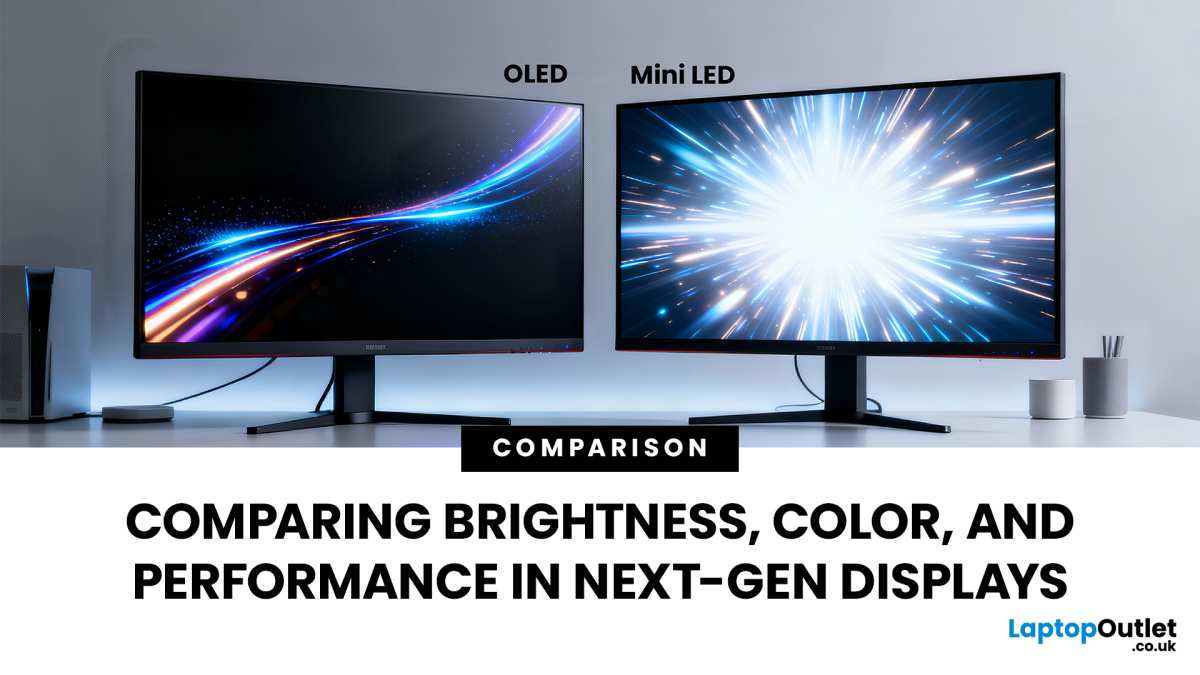
The landscape as of 2026 has shifted. OLED gaming monitors from manufacturers like ASUS, Dell Alienware, and Samsung (via QD-OLED) now offer response times that are practically instantaneous. That 0.03 ms figure on OLED isn't marketing fluff.
It's measurably faster than any Mini LED or traditional LED panel can achieve. But OLED carries the well-documented risk of burn-in with static HUD elements, something esports players who stare at the same UI for hours should consider seriously.
Mini LED's sweet spot is the player who does both. You compete in ranked Valorant sessions during the day and watch HDR movies or play Cyberpunk at night. You get genuinely superior HDR performance over traditional LED, with none of the burn-in anxiety that comes with OLED.
Traditional LED IPS remains the workhorse for pure esports. High-refresh 360Hz and 500Hz IPS panels deliver rock-solid motion clarity with zero blooming and no burn-in risk. If you only play competitive shooters and never touch HDR content, there's compelling logic in sticking with proven IPS technology.
What the Specs Actually Mean for Competitive Play
Refresh Rate and Response Time Reality
Mini LED monitors have reached the high-refresh party. As of 2026, you can find Mini LED gaming monitors running at 240Hz, 360Hz, and even 500Hz in 1080p. The ASUS ROG Swift 360Hz PG27AQN and Cooler Master Tempest GP27U are solid examples that pair Mini LED backlighting with competitive refresh rates.
On paper, these numbers match what traditional LED IPS offers.
Response time is where panel pairing matters. Most Mini LED gaming monitors use IPS panels, which deliver the 1 ms GtG response time that competitive players expect. VA-based Mini LED models exist too but tend to show more smearing in dark transitions.
If you're considering a Mini LED monitor for esports, verify that it uses an IPS panel. VA's superior contrast doesn't offset the slower pixel transitions in fast-paced competitive titles.
Zone Count — Does More Always Mean Better?
More zones give you finer control over the backlight. That's the theory. In practice, there's a point of diminishing returns.
Going from 192 to 384 zones is a dramatic improvement in blooming control. Going from 576 to 1,152 is more subtle. Most people won't notice the difference unless they're specifically looking for it in dark test patterns.
The more important factor is the dimming algorithm. A well-tuned 384-zone implementation can look better than a poorly tuned 576-zone system. This is where manufacturer software quality matters more than raw specs.
BenQ's approach with their gaming monitors tends to prioritize fast zone response over maximum zone count. Samsung and ASUS lean toward higher counts with aggressive dimming. Neither approach is clearly superior; it depends on what bothers you more: slight blooming or slight zone transition lag.
HDR Brightness vs Competitive Advantage
HDR brightness sells monitors. It does not directly improve your competitive performance. A 1,400-nit peak brightness HDR display looks stunning when you're exploring a sunlit open world.
In a competitive CS2 match, you're typically playing with HDR off anyway, because SDR gives you more predictable performance and lower latency.
That said, there's an indirect benefit. Higher peak brightness means your desktop, browser, and streaming overlays remain visible in brightly lit rooms. Esports tournament environments often have strong stage lighting.
A monitor that can push 1,000+ nits keeps your UI readable when the room lighting would wash out a dimmer display.
The HDR advantage has real value for non-competitive sessions though. If you play story-driven games or watch a lot of content, Mini LED gives you HDR that genuinely looks next-generation compared to standard LED. It won't win you more rounds, but it makes everything outside of competition look significantly better.
Who Should Actually Buy a Mini LED Esports Monitor?
Best Fit Scenarios
You're in Mini LED's target zone if your gaming life includes a healthy mix of competitive play and everything else. Streaming HDR content, playing AAA titles with ray tracing, doing creative work that needs color accuracy. You want one monitor that handles all of it well without the burn-in concerns that come with OLED.
Mini LED fits this use case better than any alternative.
Content creators who also compete are another strong match. If you're recording or streaming your gameplay and want HDR output for YouTube or your editing workflow, Mini LED gives you that capability natively. Switching between a separate HDR monitor and a competitive display gets old fast.
One Mini LED panel covers both bases.
Gamers in bright rooms benefit too. If your gaming space has large windows or strong overhead lighting, Mini LED's higher peak brightness keeps the picture punchy where a standard LED would look washed out. It's a practical advantage that spec sheets don't always communicate.
Who Should Look Elsewhere
Pure competitive FPS players who exclusively play Valorant, CS2, or Apex Legends at the highest level should look at OLED (if burn-in risk is acceptable) or a proven high-refresh IPS panel. When every millisecond of response clarity matters and you never use HDR, Mini LED adds cost and complexity without proportional competitive gain.
Budget-conscious players should also think carefully. Good Mini LED gaming monitors start around $500 to $600 as of 2026. You can get an excellent 360Hz IPS panel for $300 to $400.
That $200 to $300 difference buys a lot of peripherals or game credits. IfHDR isn't a priority for you, the money might be spent elsewhere.
If burn-in genuinely worries you and you also want perfect blacks, you're in a tough spot. Mini LED gets you close to OLED's contrast with deeper blacks than traditional IPS. You won't get pixel-perfect darkness since the zones still create some light bleed.
But for most people, the trade-off is very reasonable. You gain peace of mind and practical brightness without sacrificing too much visual quality.
What to Look for When Shopping
Choosing a Mini LED esports monitor means checking beyond the obvious "Mini LED" label. Here's what actually determines whether you'll be happy with your purchase.
Prioritize zone count and panel type together. A 384-zone Mini LED with a quality IPS panel outperforms a 576-zone model with a mediocre VA panel for competitive play. Check whether the manufacturer discloses the panel supplier.
LG Display and AUO IPS panels in current Mini LED monitors tend to have the most consistent response time performance.
Verify the input lag spec is measured with local dimming enabled. Some manufacturers quote their best-case number with local dimming off, which isn't how you'll actually use the monitor. Independent review testing from communities like rtings or RTINGS (when available) gives you more reliable real-world numbers than spec sheets alone.
Adaptive sync compatibility matters too. Make sure the monitor fully supports your GPU brand's variable refresh rate technology. NVIDIA G-Sync Ultimate or AMD FreeSync Premium Pro certification is a good baseline indicator that HDR and VRR work together properly.
Without it, you may experience flickering or inconsistent frame delivery when local dimming and adaptive sync try to work simultaneously.
Look for firmware update support. Local dimming algorithms improve over time through software patches. Manufacturers who actively update their monitor firmware give you a better long-term experience.
Samsung and ASUS in particular have pushed meaningful firmware updates that reduce blooming and improve zone response on existing models.
Finally, check the return policy. Blooming is subjective. Some people find it completely invisible.
Others can't unsee it once they notice it. Buying from a retailer with a solid return window lets you evaluate the blooming behavior in your own environment, games you actually play. That's worth more than any spec sheet comparison.
Frequently Asked Questions
Is Mini LED good for competitive gaming?
Yes, with caveats. Mini LED works well for competitive gaming when paired with an IPS panel at high refresh rates. For pure esports, OLED or a high-refresh IPS may offer slight competitive advantages in response time and motion clarity.
Does Mini LED cause input lag?
No, not significantly. Quality Mini LED monitors deliver 2 to 5 ms input lag, competitive with standard LED gaming monitors. This is typically measured with local dimming enabled on current models.
Is Mini LED better than OLED for gaming?
Neither is categorically better. OLED has faster response times and perfect blacks with no blooming. Mini LED has higher peak brightness and no burn-in risk.
Your priorities between visual perfection and practical safety determine the winner.
Can you use HDR in competitive games on Mini LED?
Yes. HDR is supported on competitive titles that implement it. Some competitive players prefer SDR for consistency and lower latency, but HDR is available and functional when desired.
Final Verdict: Making Your Decision
If you mainly play esports and want the absolute cleanest motion with the fastest response, go OLED or a high-refresh TN/IPS panel. Mini LED is a compromise that favors visual brightness over the last millisecond of motion purity. If you want one monitor that handles competitive play, HDR gaming, and general use without burn-in risk, Mini LED is the safer pick.
It won't give you a competitive edge, but it won't hold you back either.

Similar Posts





















