Is HDR Monitor Necessary for Designers
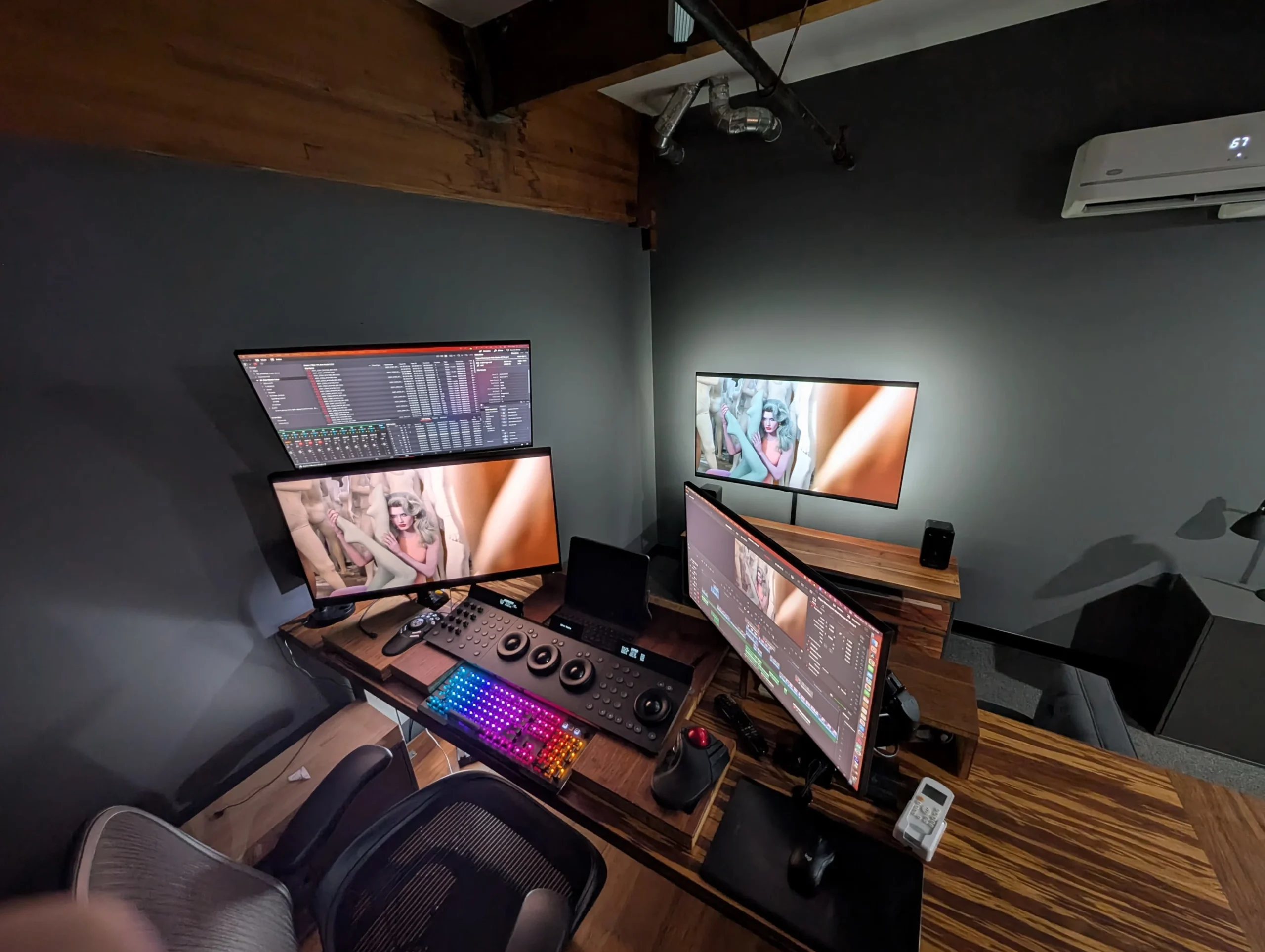
Is an HDR monitor necessary for designers? The honest answer is: it depends entirely on what kind of design work you do and where your final output actually ends up. For some designers, an HDR display is a genuine workflow upgrade that changes how you evaluate color, contrast, and detail.
For others, it's an expensive spec that looks great on a product page but delivers almost zero practical benefit day to day.
VESA's DisplayHDR certification program has been around since 2017, and HDR-capable monitors now range from $300 budget panels to $5,000 professional reference displays. That's a massive spread, and the marketing around HDR doesn't make it any easier to figure out what actually matters. Let's cut through the noise and walk through this step by step so you can make the right call for your specific situation.
The Quick Answer
No, an HDR monitor is not necessary for most designers. If you work primarily in print, UI, or standard web design, a high-quality SDR monitor serves you better. HDR becomes essential when your deliverables are viewed on HDR displays, like streaming video or broadcast content.
Your specific workflow determines whether the investment makes sense.
What HDR Actually Means for Design Work (Beyond the Marketing Hype)
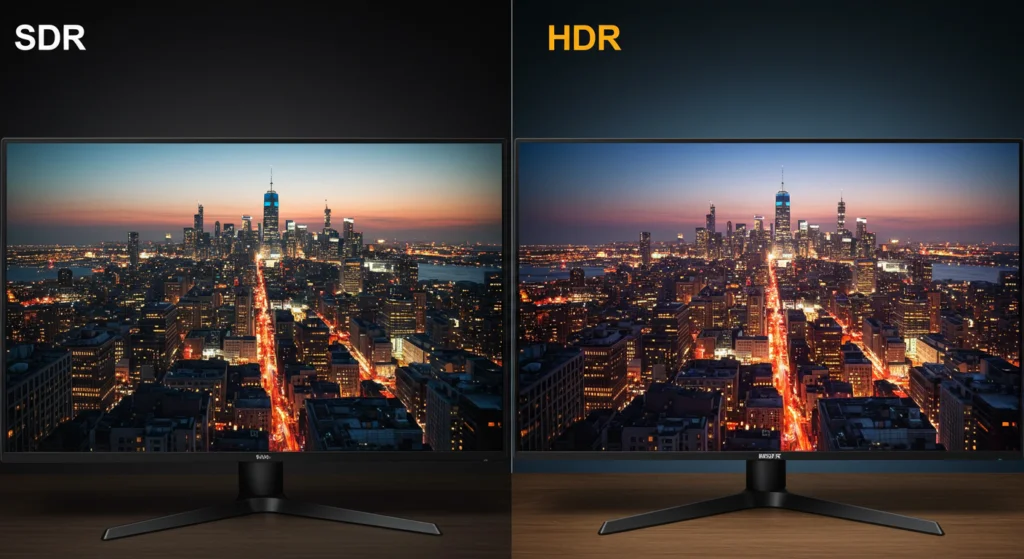
HDR stands for High Dynamic Range. In practical terms, it means a display can show deeper blacks, brighter highlights, and more detail in between than a traditional SDR (Standard Dynamic Range) monitor. We're talking about peak brightness levels that can hit 1,000 nits or more compared to the 250-350 nits typical of standard monitors.
But here's what the marketing slides don't emphasize. HDR isn't just one thing. It's a collection of technologies working together: wider color gamut coverage, higher bit depth for smoother gradients, and a higher luminance ceiling.
A monitor that barely meets the entry-level DisplayHDR 400 certification delivers a fundamentally different experience than a DisplayHDR 1400 panel with full-array local dimming.
For design work, the real value of HDR comes down to one question: does your audience see your work in HDR? If you're designing a magazine spread that gets printed on matte paper, HDR brightness is irrelevant. Your output tops out at whatever the paper reflects.
But if you're color grading a short film destined for Netflix or Apple TV+, you absolutely need to see what those highlights and shadows actually look like on an HDR display.
The color volume concept matters here too. HDR doesn't just make things brighter. It expands the range of colors available at different brightness levels.
A saturated red at 400 nits looks different from that same red at 100 nits. If you're creating content that will be viewed on HDR screens, you need to see those color shifts to make accurate creative decisions.
The Key Factors That Determine Whether You Need HDR
Before you spend a single dollar, run yourself through these four questions. Your answers will tell you almost everything you need to know.
What Type of Design Work Do You Actually Do?
This is the single most important factor. Not all design work benefits from HDR, and assuming it does is how people waste money.
Here's a straightforward breakdown:
| Design Discipline | HDR Monitor Need | Why |
|---|---|---|
| Video color grading / editing | Essential | Deliverables viewed on HDR screens; need accurate preview |
| Photography (HDR client delivery) | Strongly recommended | Clients increasingly request HDR output; need to preview accurately |
| Motion graphics for broadcast/streaming | Strongly recommended | HDR delivery specs are becoming standard |
| Game art / 3D rendering | Recommended | HDR displays show lighting and material detail more accurately |
| Photo editing (web/social only) | Optional | Most end users still view on SDR screens |
| Graphic design for print | Not needed | Print has its own color space; HDR brightness is irrelevant |
| UI/UX design (web & app) | Not needed (yet) | The vast majority of user devices are still SDR |
| Social media content creation | Situational | Only if you're specifically creating HDR content for platforms that support it |
Who Is Viewing Your Final Output?
Think about where your work actually lands. If you're designing websites that get viewed on office monitors and phones, those screens are overwhelmingly SDR as of 2026. Your HDR monitor would show you a version of your work that most of your audience never sees.
On the other hand, if you're delivering video content to a streaming platform, working on digital signage with HDR displays, or creating content for clients who specifically request HDR deliverables, you need to see what you're producing. Working blind to HDR is like designing for print without ever seeing a proof.
What's Your Current Monitor Setup?
If you're already working on a high-quality SDR monitor with good color accuracy (Delta E below 2), solid gamut coverage, and regular calibration, the jump to HDR is less urgent. A well-calibrated ASUS ProArt, Eizo ColorEdge, or BenQ SW series monitor handles most design work beautifully.
But if your current monitor is a budget panel with poor color accuracy and limited gamut coverage, you'll get more improvement from upgrading to a better SDR display than from jumping to a mediocre HDR one. The foundation matters first.
What's Your Budget Reality?
HDR monitors cost more. That's just the reality. A solid professional HDR display with meaningful performance starts around $800-1,000 and climbs quickly.
True reference-grade HDR monitors like the Eizo ColorEdge CG310X or high-end ASUS ProArt displays run $2,000-5,000.
If your budget is tight, spend on calibration equipment and a quality SDR display first. You can always add an HDR preview monitor later when the work demands it.
When an HDR Monitor Is Worth the Investment
Let's get specific about the situations where HDR genuinely changes your workflow for the better.
Video Colorists and Motion Graphics Artists
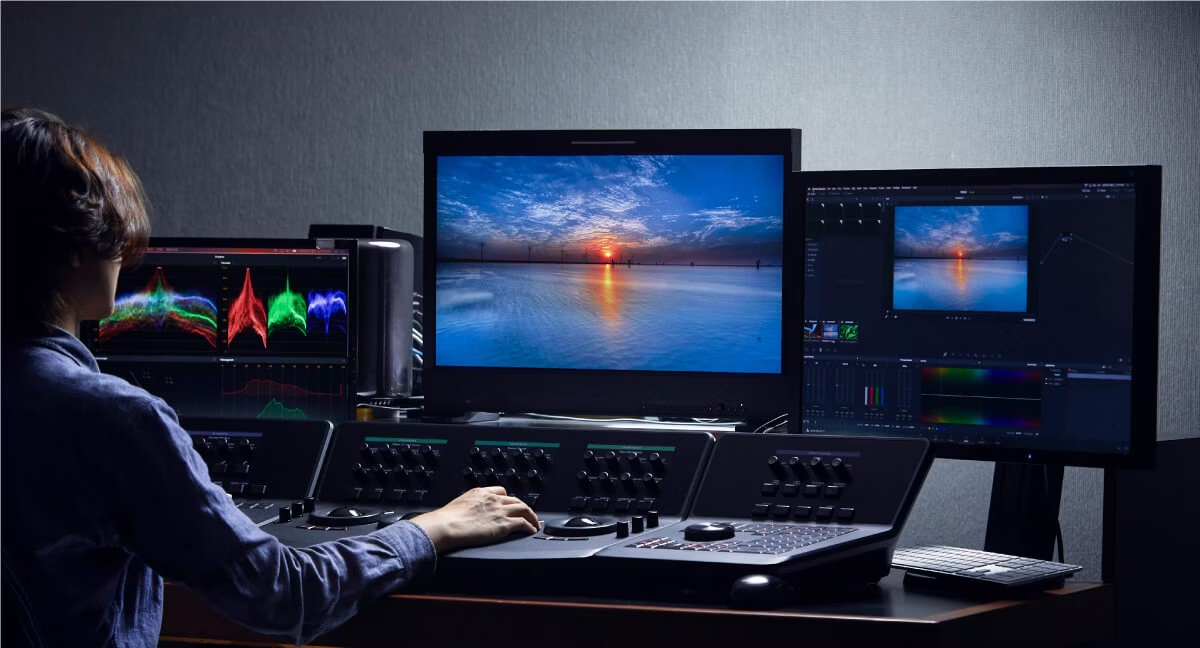
If you're working in DaVinci Resolve, Premiere Pro, or Final Cut Pro delivering HDR content, an HDR monitor isn't a luxury. It's a requirement. You need to see what those highlights actually look like when they hit 1,000 nits on a client's OLED TV.
Soft-proofing in SDR and hoping it translates is not a professional workflow.
Netflix, Amazon, and Apple all have specific HDR delivery specs. If you're working on content for these platforms, you need a display that can show you what you're actually delivering.
Photographers Delivering to HDR Clients
This is a growing niche. High-end real estate photographers, fine art photographers, and commercial shooters increasingly deliver HDR files for display on HDR-capable screens, digital signage, and premium web experiences. If your clients are asking for this, you need to preview it accurately.
For most photography work though, a calibrated SDR monitor with wide Adobe RGB or DCI-P3 coverage handles the job. The HDR monitor is only necessary when the deliverable specifically calls for it.
Game Artists and 3D Renders
If you're creating assets for game engines that support HDR rendering, seeing your work on an HDR display helps you evaluate lighting, material response, and environmental detail more accurately. The way light bounces, how highlights bloom on metallic surfaces, and how shadows hold detail all look different on HDR.
This is especially true for artists working in Unreal Engine 5 with its HDR-capable output pipeline. What you see on an SDR screen is a compressed version of what the engine can actually produce.
Designers Working on Streaming/Broadcast Deliverables
Any design work that ends up as video content on HDR-capable platforms falls into this category. Title sequences, broadcast graphics, streaming overlays, and digital out-of-home advertising displayed on HDR screens all benefit from HDR preview during creation.
When You Can Safely Skip HDR (And Sleep Fine at Night)
Now let's be honest about where HDR doesn't matter. Plenty of design work has zero need for it.
Print Designers
Your output is ink on paper. Paper doesn't emit light. The dynamic range of a printed piece is determined by the whitest paper stock and the darkest your ink can go.
An HDR monitor showing you 1,000-nit highlights is showing you something that physically cannot exist in print.
Invest instead in a monitor with excellent Adobe RGB coverage and hardware calibration support. Pair that with regular proof prints from your print service. That's your real workflow.
UI/UX Designers (For Now)
As of 2026, the overwhelming majority of end-user devices viewing web and mobile interfaces are SDR screens. Office monitors, budget laptops, mid-range phones, and tablets are all SDR. Designing on an HDR monitor means you're seeing your interface in conditions that most of your users don't have.
This will change over time. HDR displays are becoming more common in laptops and phones. But right now, for most UI work, a good SDR monitor with accurate sRGB coverage is the right tool.
Web and Social Media Designers
Unless you're specifically creating HDR video content for platforms that support it, standard web and social content is designed for SDR viewing. Your Instagram posts, website hero images, and display ads are all consumed primarily on SDR screens.
A calibrated sRGB monitor handles this work perfectly. Save the HDR budget for when your clients start asking for HDR deliverables.
Generalist Freelancers on a Budget
If you're juggling print, web, social, and maybe some video work, and your monitor budget is under $800, skip HDR entirely. Get the best SDR display you can afford, buy a calibration tool, and focus on nailing your color management fundamentals. Those fundamentals matter more than any HDR spec.
The HDR Monitor Trap: What Most Reviews Won't Tell You
Here's where things get frustrating. Not all HDR monitors are created equal, and the marketing around them is genuinely misleading.
DisplayHDR 400 Is Not Real HDR
VESA's DisplayHDR certification has tiers, and the entry level is DisplayHDR 400. It requires 400 nits peak brightness, but it does not require local dimming or a wide color gamut. Many budget HDR monitors hit this badge without delivering a meaningful HDR experience.
The result is a monitor that can technically accept an HDR signal but can't actually show you the expanded dynamic range that makes HDR worthwhile. You get a slightly brighter image with the same limited contrast. That's not HDR in any meaningful sense.
If you're considering HDR, look at DisplayHDR 1000 or higher. That's where you start seeing full-array local dimming, genuine contrast improvement, and real highlight detail. The jump from 400 to 1000 is not incremental.
It's the difference between a checkbox and an actual tool.
Windows HDR Desktop Experience Is Still Rough
Windows 11 improved HDR handling, but it's still not seamless for design work. When you enable HDR in Windows, the desktop itself often looks washed out. SDR content gets tone-mapped, and the results vary wildly between applications.
Many design applications still don't handle HDR output properly. You might find yourself toggling HDR on and off constantly, which defeats the purpose of having it available. macOS handles this somewhat better on Apple's own displays, but the Mac HDR ecosystem is more limited in monitor choice.
OLED Burn-In Risk With Static Design UI
OLED panels deliver the best HDR performance. Perfect blacks, infinite contrast, pixel-level dimming. But OLED panels are susceptible to burn-in with static elements.
If you're a UI designer with toolbars, palettes, and fixed interface elements on screen for hours every day, that's a real concern. Manufacturer specs indicate modern OLED panels have mitigation measures, but the risk is not zero. For UI-heavy workflows, a Mini-LED HDR display with local dimming offers a safer middle ground.
Calibration Headaches You Didn't Expect
Calibrating an HDR monitor is more complex than calibrating an SDR display. You're dealing with tone mapping curves, peak brightness targets, and often separate calibration states for SDR and HDR modes.
Some monitors require different ICC profiles for each mode. Hardware calibration support varies. And the calibration tools themselves need to support HDR measurement capabilities, which not all do at a professional level.
HDR Monitor vs. High-Quality SDR: The Real Comparison
This is the comparison that actually matters. Not HDR versus a cheap monitor. HDR versus a genuinely good SDR display.
| Factor | Quality SDR Monitor | HDR Monitor |
|---|---|---|
| Color accuracy (SDR workflow) | Excellent, proven | Excellent, but varies by model |
| Peak brightness | 250-350 nits | 400-2,000+ nits |
| Contrast ratio | 1,000:1 to 3,000:1 | 10,000:1 to 1,000,000:1+ |
| HDR content preview | Not available | Available and accurate |
| Price (professional grade) | $400-1,200 | $800-5,000+ |
| Calibration simplicity | Straightforward | More complex |
| Best for print/web/UI | Yes | Overkill |
| Best for video/HDR delivery | No | Yes |
A calibrated mid-range SDR monitor gives you better color accuracy for print and web work than a mediocre HDR panel. The HDR advantage only activates when you're working with HDR content. For everything else, you're paying for specs you won't use.
Practical Specs to Look For (If You Decide to Buy)
If your workflow does call for HDR, here's what actually matters when shopping.
- DisplayHDR 1000 minimum: Skip anything below this tier. DisplayHDR 600 is a marginal improvement over good SDR. The 1000 tier is where local dimming and genuine contrast come in.
- Local dimming zones: More zones mean less haloing around bright objects on dark backgrounds. Look for at least 384 zones for professional work. Fewer than 100 zones and you'll see blooming.
- 10-bit color depth: Essential for smooth gradients. Most HDR panels are 10-bit natively, but verify this. 8-bit plus FRC (frame rate control) is acceptable but not ideal.
- DCI-P3 coverage: 95% minimum. HDR content is typically graded in DCI-P3, so you need to see that gamut accurately.
- Hardware calibration support: Look for monitors with built-in LUTs that calibration software can write to directly. This keeps your calibration accurate across different modes.
- Connectivity: DisplayPort 1.4 with DSC (Display Stream Compression) or HDMI 2.1 for full bandwidth at 4K HDR with 10-bit color. Don't bottleneck your display with the wrong cable.
How to Set Up an HDR Workflow Without Wasting Time
Getting HDR working properly for design takes more than just plugging in a monitor.
Step 1: Enable HDR in your OS display settings. In Windows, that's Settings > Display > HDR. On macOS, it's in Displays settings when connected to an HDR-capable panel.
Step 2: Set up separate calibration profiles for SDR and HDR modes. Most calibration software lets you create and switch between profiles. You'll want one for each mode since the display behaves differently in each.
Step 3: Configure your design application's color management. Applications like Photoshop, DaVinci Resolve, and After Effects need to be set to recognize the HDR output. Check the app's color management or output settings specifically.
Step 4: Test with known HDR content. Use reference HDR clips or images to verify your setup is displaying correctly. If highlights look blown out or shadows are crushed, something in the chain is misconfigured.
Step 5: Toggle as needed. Most designers we've researched don't work in HDR mode full time. They toggle it on when reviewing HDR deliverables and work in SDR for everything else. This avoids the washed-out desktop issue and keeps SDR work accurate.
Real Designer Scenarios: What I'd Actually Do
Scenario 1: Freelance photographer, mostly web delivery, occasional print.
Skip HDR. Invest in a calibrated ASUS ProArt PA279CRV or BenQ SW272U. Spend the remaining budget on a good colorimeter.
Your web and print work will improve more from accurate SDR calibration than from HDR specs you won't use.
Scenario 2: Video editor delivering to streaming platforms.
Get an HDR monitor. A BenQ SW322U or ASUS ProArt PA32UCG gives you accurate HDR preview for grading. Budget for calibration software that supports HDR measurement.
The time saved in revision rounds pays for the monitor.
Scenario 3: UI/UX designer at a tech company.
Stick with a high-quality SDR display. Your users are on SDR screens. Focus on sRGB accuracy and consistent calibration.
Revisit HDR when your company's user analytics show significant HDR device adoption.
Scenario 4: Motion graphics artist working on broadcast and digital signage.
HDR is worth it here. Broadcast specs increasingly include HDR, and digital signage displays are often HDR-capable. A DisplayHDR 1000 monitor with good local dimming serves you well.
The Decision Framework: Your 5-Minute Self-Assessment
Answer these questions honestly. Tally your results.
- Does your final output get viewed primarily on screens? (Yes = continue, No = skip to question 4)
- Do your clients or deliverable specs require HDR content? (Yes = get HDR monitor)
- Does your work involve video, photography for digital display, or game art? (Yes = get HDR monitor)
- Is your work primarily print, web UI, or social media graphics? (Yes = skip HDR, invest in quality SDR)
- Can you afford a DisplayHDR 1000 monitor at minimum, plus calibration tools? (No = get a better SDR monitor first)
If you answered yes to questions 2 or 3, and yes to question 5, an HDR monitor is a sound investment for your workflow. If you answered yes to question 4, your money goes further on a quality SDR setup.
Frequently Asked Questions
Can I use an HDR monitor for regular SDR design work?
Yes. Most HDR monitors function perfectly well in SDR mode. You can toggle between modes depending on the task.
Just be aware that color accuracy in SDR mode varies by monitor, so verify it meets your standards before relying on it.
Is HDR important for photo editing?
Only if your photos are destined for HDR display. For web, social media, or print delivery, a calibrated SDR monitor with wide gamut coverage is more useful. HDR photo editing is a niche need, not a universal one.
Do I need HDR for graphic design?
For print graphic design, no. For digital graphic design viewed on screens, not yet for most work. The exception is if you're creating content specifically for HDR platforms or digital signage with HDR displays.
How much should I budget for a good HDR monitor?
Plan on $800-1,500 for a solid professional HDR display with meaningful performance. Below that, you're likely getting a DisplayHDR 400-600 panel that doesn't deliver a true HDR experience. True reference-grade HDR starts around $2,000.
Will HDR become standard for all design work eventually?
Likely, but not imminently. HDR display adoption is growing in laptops, phones, and TVs. Desktop monitors and the workflows around them will follow.
For now, it's a specialized tool, not a universal requirement.
So… Should You Buy One or Not?
Here's the bottom line. If your work involves video, HDR photography delivery, game art, or broadcast content, yes, an HDR monitor is a necessary professional tool. Get a DisplayHDR 1000 panel with local dimming and 10-bit color.
Budget $800-1,500 minimum.
If you work in print, UI/UX, web graphics, or social media content, no, skip it. Invest in a quality SDR monitor with wide gamut coverage and hardware calibration instead. Put the savings toward a good colorimeter and regular recalibration.
The honest truth is that most designers don't need HDR yet. The ones who do really do. Your specific workflow is the only thing that matters here.

Similar Posts





















