Is 144Hz Monitor Good for Console Gaming
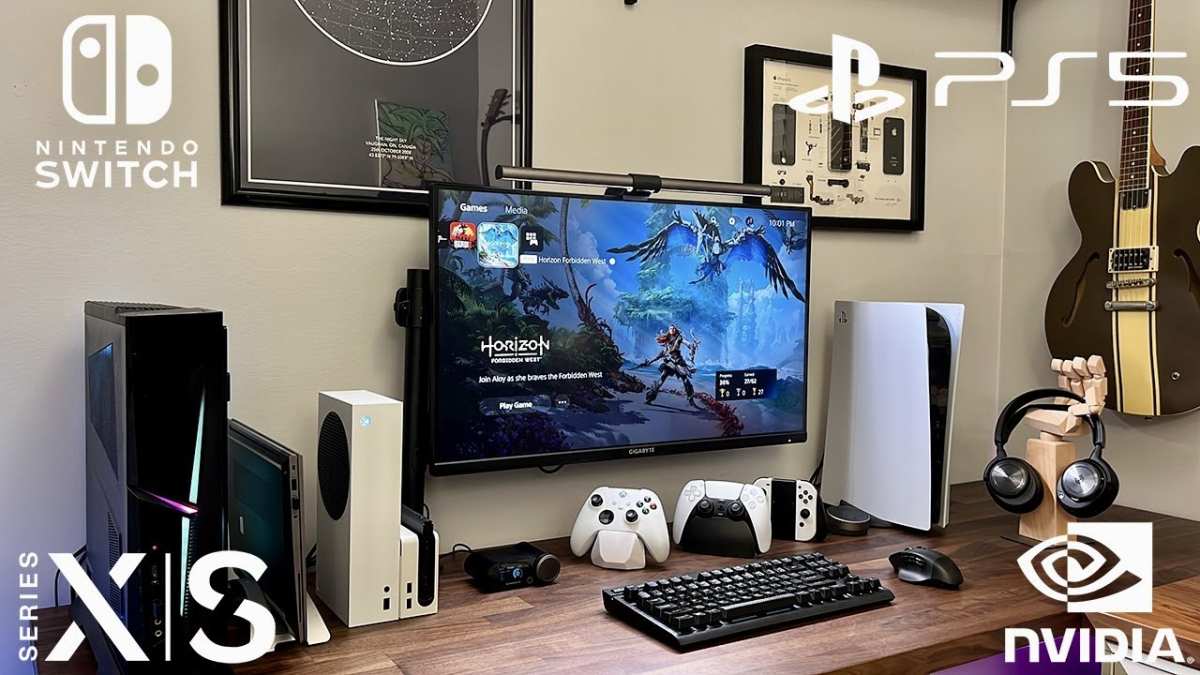
Is 144Hz monitor good for console gaming? The short answer is yes, but with a catch you need to understand before spending money. Current consoles cap their output at 120Hz, so you won't actually use that full 144Hz capability.
You still benefit from the faster panel and lower input lag, though.
Here's the thing. A 144Hz monitor is typically a better overall display than a basic 120Hz panel. You get improved response times, better motion clarity, and often lower input lag.
The question isn't whether it's good. It's whether the premium over a 120Hz option makes sense for your specific setup.
Quick Answer
A 144Hz monitor works well for console gaming. Current consoles max out at 120Hz output. You won't use the full 144Hz, but you still benefit from faster response times.
It's a solid choice if you also game on PC.
Why the Answer Depends on Your Console
Not every console can push high refresh rates. This is where most people get tripped up. You see "144Hz" on the box and assume it'll work at full speed.
That's not how it works with consoles. Each platform has its own output limits, and those limits determine whether a high-refresh monitor is even worth considering.
PS5 Refresh Rate Limits
The PlayStation 5 supports a maximum output of 120Hz. Sony confirmed this in their official hardware specifications. You can enable 120Hz output in the PS5 settings menu, and compatible games will run at up to 120 frames per second.
But the console cannot output 144Hz. That extra 24Hz on your monitor simply goes unused.
Per Sony's support documentation, the PS5 supports 4K at 120Hz over HDMI 2.1. It also supports 1080p at 120Hz and 1440p at 120Hz with the latest system updates. The key takeaway is that 120Hz is the ceiling.
A 144Hz monitor will work perfectly fine. It just won't run faster than 120Hz when connected to a PS5.
Xbox Series X|S Refresh Rate Limits
Microsoft's Xbox Series X and Xbox Series S also cap output at 120Hz. The Series X can push 4K at 120Hz over HDMI 2.1. The Series S maxes out at 1440p at 120Hz.
Neither console supports 144Hz output.
Xbox has been more flexible with refresh rate options in some regions. The console supports 60Hz and 120Hz natively. Some monitors with FreeSync Premium can handle variable refresh rates with Xbox, which we'll cover later.
But the hard cap remains 120Hz.
Nintendo Switch: Not Relevant
The Nintendo Switch outputs at a maximum of 60Hz. This applies to both the original model and the OLED version. A 144Hz monitor provides zero refresh rate benefit for Switch gaming.
You'd be paying for a feature you literally cannot use.
The Switch's hardware simply doesn't support higher frame rates or output signals beyond 60Hz. If you're primarily a Switch gamer, save your money and get a good 60Hz 4K monitor or TV instead.
The 144Hz vs. 120Hz Reality Check
This is where the marketing gets ahead of the specs. Monitor manufacturers love slapping "144Hz" on the box because it sounds better than 120Hz. For PC gamers running a full desktop setup, that difference matters.
For console gamers, it mostly doesn't.
Why 144Hz Doesn't Give You More on Console
Your console sends a signal. Your monitor receives it. If the console maxes out at 120Hz, the monitor displays 120Hz.
Period. The monitor's maximum capability doesn't force the console to output more frames. It just means the monitor has headroom it'll never use with that specific device.
Think of it like buying a 200-watt speaker for a 100-watt amplifier. The speaker can handle more power, but the amplifier can't push that much. The system runs at the lower capability.
Same principle here.
Where You'll Actually See the Benefit
Here's the good news. 144Hz monitors generally have faster pixel response times than budget 60Hz panels. You'll notice smoother motion even at 120Hz because the pixels change color faster. This reduces ghosting and motion blur in fast-paced games.
Input lag is another factor. Most 144Hz gaming monitors have input lag between 1 and 5 milliseconds. A typical TV sits around 10 to 30 milliseconds.
That difference is noticeable in competitive shooters and racing games. Even if you're only running at 120Hz, the monitor's processing speed works in your favor.
The other real benefit is dual-use. If you also game on a PC that can push 144 frames per second, you'll use the full capability there. A 144Hz monitor serves both your console and your PC without compromise.
Can Your Console Even Output 120Hz?
Before you get excited about high refresh rates, you need to check your hardware chain. The console, the cable, the monitor's HDMI port, and the resolution you want all play a role. Miss one link and you're stuck at 60Hz.
HDMI 2.0 vs. HDMI 2.1: The Hidden Bottleneck
This trips up more people than any other issue. Not all HDMI ports are created equal. The version of HDMI on your monitor determines what resolution and refresh rate combination you can actually run.
Here's the breakdown:
| HDMI Version | Max Bandwidth | 4K Refresh Rate | 1440p Refresh Rate | 1080p Refresh Rate |
|---|---|---|---|---|
| HDMI 2.0 | 18 Gbps | 60Hz | 120Hz (with compromises) | 144Hz |
| HDMI 2.1 | 48 Gbps | 120Hz | 120Hz+ | 240Hz+ |
If your 144Hz monitor only has HDMI 2.0, you can't run 4K at 120Hz. You'd need to drop to 1080p or 1440p to hit higher refresh rates. Many budget 144Hz monitors ship with HDMI 2.0 ports to keep costs down.
Always check the spec sheet before buying.
The PS5 and Xbox Series X both require HDMI 2.1 for 4K at 120Hz. If your monitor lacks HDMI 2.1, you're making a resolution sacrifice to get that high refresh rate. Some gamers prefer 1440p at 120Hz over 4K at 60Hz.
Others don't. It depends on your priorities.
Resolution vs. Refresh Rate Trade-Offs
Let's say you have a 144Hz monitor with HDMI 2.0. Here are your realistic options on console:
- 1080p at 120Hz: Works fine over HDMI 2.0. Good for competitive gaming where speed matters more than sharpness.
- 1440p at 120Hz: Possible over HDMI 2.0 on some monitors, but not guaranteed. Check your specific monitor's supported modes.
- 4K at 60Hz: The fallback. You get maximum resolution but no high refresh rate benefit.
The PS5 and Xbox Series X will let you choose your preferred resolution and refresh rate in the system settings. But the hardware chain has to support the combination you pick. If it doesn't, the console will default to the highest compatible setting.
This is why HDMI 2.1 monitors cost more. They give you full flexibility. You can run 4K at 120Hz without compromise.
If you're buying a monitor specifically for a PS5 or Xbox Series X and you want 4K, HDMI 2.1 is not optional. It's required.
Step-by-Step: Enabling 120Hz on Your Console
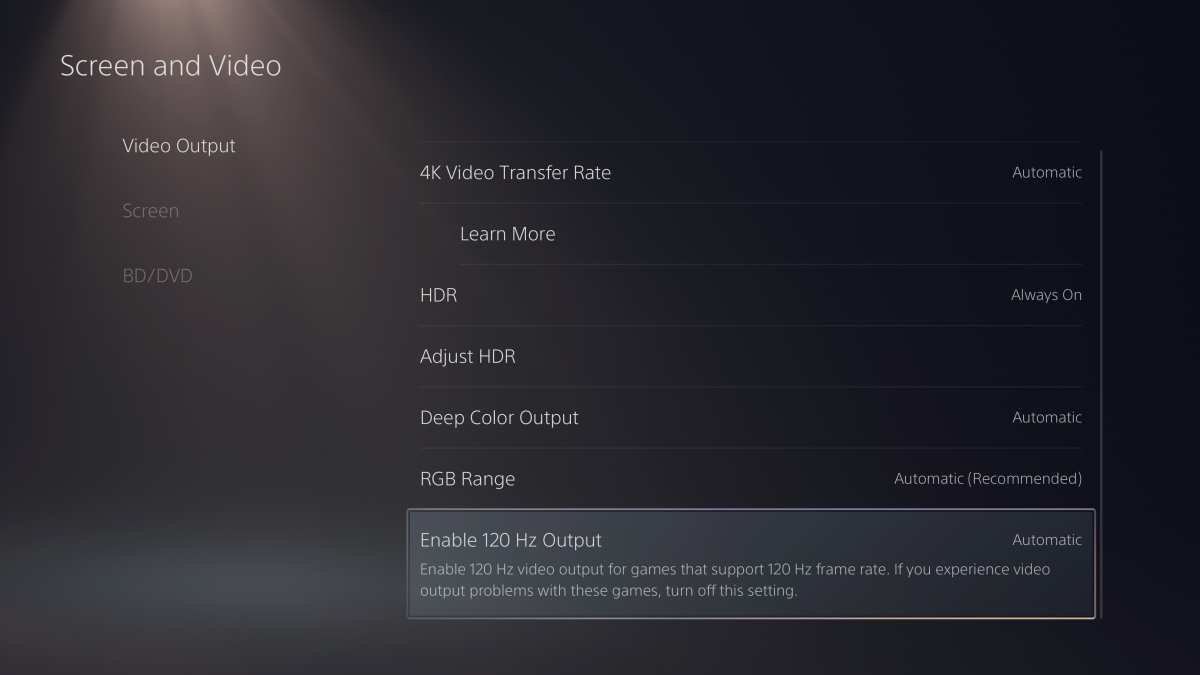
Buying the monitor is only half the work. You also need to tell your console to actually output at 120Hz. Both Sony and Microsoft ship their consoles set to 60Hz by default.
If you skip this step, you'll never see the benefit of your new display.
PS5 120Hz Setup
Follow these steps on your PlayStation 5:
- Go to Settings (gear icon in the top right).
- Select Screen and Video.
- Select Video Output.
- Set Enable 120Hz Output to Automatic.
- The PS5 will test your display's compatibility. If supported, it will output 120Hz in compatible games.
Some games have a specific "Performance Mode" in their in-game settings. You need to enable that mode to unlock 120fps gameplay. The console setting alone isn't enough.
Check each game's display or graphics settings for a performance toggle.
Xbox Series X|S Setup
Here's how to enable 120Hz on Xbox:
- Press the Xbox button to open the guide.
- Go to Profile & System > Settings.
- Select General > TV & Display Options.
- Select Refresh Rate and change it from 60Hz to 120Hz.
Xbox also supports Variable Refresh Rate if your monitor has FreeSync or G-Sync Compatible. To enable it:
- Go to TV & Display Options > Video Modes.
- Check Allow Variable Refresh Rate.
This syncs the monitor's refresh rate to the console's frame output in real time. It eliminates screen tearing without adding input lag. If your monitor supports it, turn it on.
Verifying It's Actually Working
Don't assume it's working just because you changed the setting. Verify it.
Most 144Hz monitors have an on-screen display (OSD) that shows the current refresh rate. Open the monitor's menu and look for "Information" or "Status." It should display "120Hz" when running a compatible game.
You can also use the UFO Test at testufo.com on a connected device to visually confirm the refresh rate. If you see smooth motion without stuttering, you're good.
If the monitor still shows 60Hz, check these common issues:
- The HDMI cable isn't Ultra High Speed certified.
- The monitor's HDMI port is HDMI 2.0, not 2.1.
- The game doesn't support 120fps or you haven't enabled Performance Mode.
- The console setting didn't save properly. Try toggling it off and back on.
144Hz Monitor vs. 120Hz Monitor vs. Gaming TV
You've got three main options for console gaming displays. Each one wins in different areas. The right pick depends on what games you play, where you play, and whether you also use the display for other devices.
Side-by-Side Comparison
| Feature | 144Hz Monitor | 120Hz Monitor | Gaming TV |
|---|---|---|---|
| Max Console Refresh | 120Hz | 120Hz | 120Hz (HDMI 2.1) |
| Input Lag | 1–5ms | 3–8ms | 10–30ms |
| Typical Size | 24–27 inches | 24–32 inches | 43–65 inches |
| 4K Support | Varies | Varies | Standard |
| VRR Support | FreeSync/G-Sync | FreeSync/G-Sync | FreeSync/HDMI VRR |
| Price Range (2026) | $150–$400 | $130–$350 | $300–$1,500+ |
| Best Use | Desk, competitive | Desk, hybrid | Living room, cinematic |
When a Gaming TV Makes More Sense
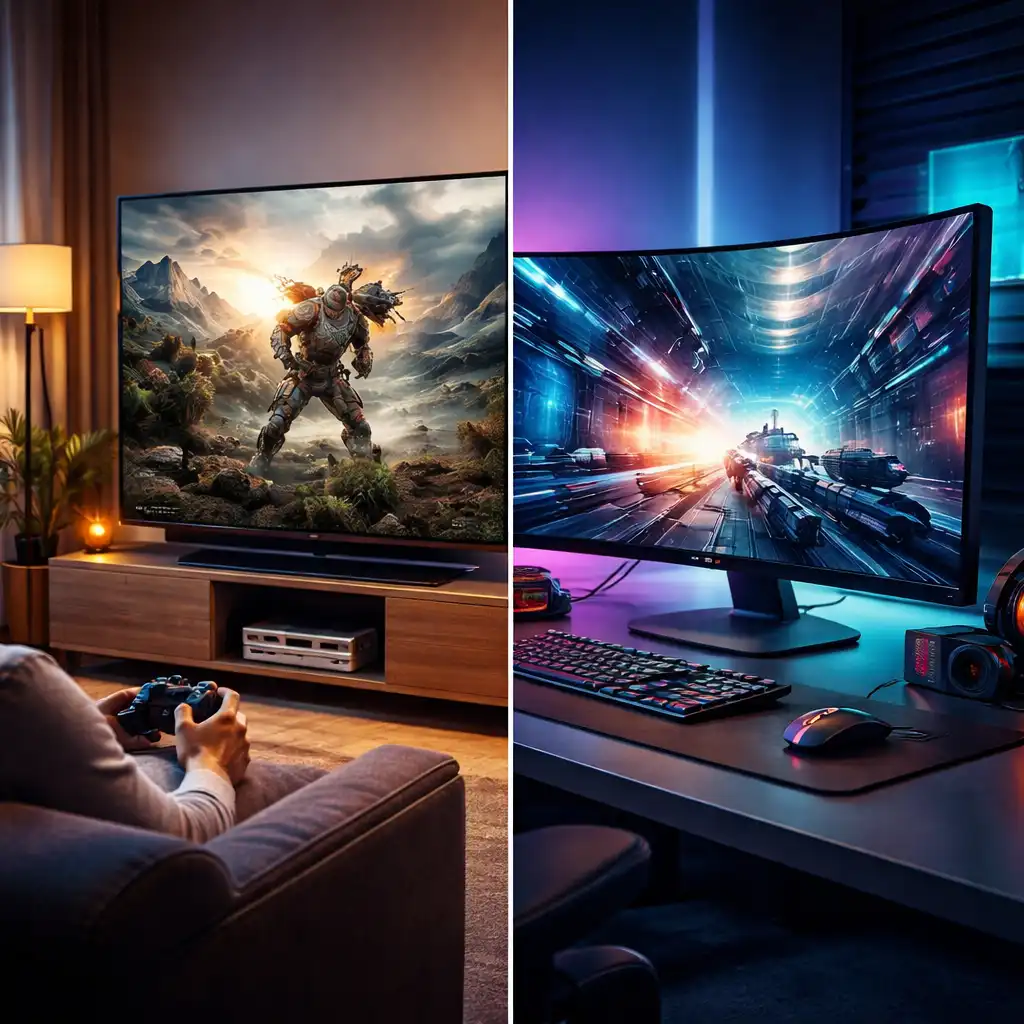
A gaming TV wins for couch play and single-player experiences. The larger screen makes open-world games and cinematic titles feel more immersive. Modern OLED TVs from LG have input lag as low as 6ms at 120Hz.
That's competitive with many monitors for casual play.
The tradeoff is cost. A good 4K 120Hz HDMI 2.1 TV costs $800 or more for a 48-inch model. A 27-inch 144Hz monitor with similar performance costs around $200.
If you sit at a desk within arm's length of the screen, the monitor is the smarter buy.
Some gamers split the difference with a 32-inch 4K 144Hz monitor. It gives you a larger screen than a typical desk monitor while keeping the low input lag of a gaming panel. These run around $350 to $500 in 2026 pricing.
Who Should Buy a 144Hz Monitor for Console Gaming
Not everyone needs one. Here's who gets real value from a 144Hz gaming monitor on console.
Competitive FPS and Racing Gamers
If you play Call of Duty, Fortnite, Apex Legends, or Rocket League on console, a 144Hz monitor gives you a tangible edge. At 120fps, motion looks noticeably smoother than 60fps. You can track moving targets more smoothly during fast turns.
The lower input lag matters here too. Shaving 10 milliseconds off response time doesn't sound like much. In a gunfight, it can matter.
Aggregate review data from Rtings shows competitive gamers consistently prefer monitors over TVs for fast titles.
Hybrid PC and Console Gamers
If you game on a PS5 or Xbox at your desk and also have a gaming PC, a 144Hz monitor serves both systems perfectly. Your console runs at 120Hz. Your PC can push the full 144Hz or higher depending on your hardware.
One monitor, two systems, no compromise.
This is arguably the strongest use case. You're not paying for wasted refresh rate capability. You're using it half the time and benefiting from the monitor's speed the other half.
Gamers Upgrading from a 60Hz TV
Moving from a 60Hz TV to any high-refresh display is a big jump. Even if you only gain 60Hz in practice (going from 60 to 120), the difference is immediately obvious. Menus feel snappier.
Camera movement feels smoother. Aiming feels more responsive.
If you've been gaming on a basic TV and want to level up without spending on a full new setup, a 144Hz monitor is a solid middle step.
Who Should Skip It
Some gamers won't benefit enough to justify the cost. Here's when a 144Hz monitor isn't the right call.
Single-Player, Cinematic Gamans
Most story-driven games on console run at 30fps or 60fps. Titles like God of War, Horizon, and The Last of Us don't support 120fps modes. You won't see a refresh rate benefit in these games.
A 4K TV or a 4K 60Hz monitor gives you better visual fidelity for the same money. Higher resolution and HDR matter more than refresh rate in cinematic games.
Nintendo Switch Owners
The Switch caps at 60Hz output. A 144Hz monitor provides zero refresh rate benefit. You'd be paying for a feature that literally cannot be used on that hardware.
A good 4K 60Hz monitor or a portable setup makes more sense for Switch-dominant gamers. Save the high-refresh money for when Nintendo releases hardware that supports it.
Budget-Conscious Casual Gamers
If you mostly play casual games, sports titles, or indie games at 60fps, a 144Hz monitor is overkill. A decent 60Hz IPS monitor with good color accuracy serves you better at lower cost.
The sweet spot for casual console gaming is a 27-inch 4K 60Hz IPS panel. These run around $150 to $250. You get sharp image quality and good viewing angles without paying for speed you won't use.
Common Mistakes People Make
These are the errors we see most often. Avoid them and you'll save money and frustration.
Buying a 144Hz Monitor Without Checking HDMI Version
This is the number one mistake. You buy a 144Hz monitor, plug in your PS5, and wonder why you can't get 4K at 120Hz. The monitor has HDMI 2.0, not 2.1.
You're stuck at 1440p 120Hz or 4K 60Hz.
Always check the HDMI port version before buying. If the spec sheet doesn't clearly state HDMI 2.1, assume it's HDMI 2.0. Manufacturers love to highlight the refresh rate while downplaying the port limitation.
Using the Wrong HDMI Cable
The cable that came in your monitor box might not support 4K at 120Hz. Many monitors ship with HDMI 2.0 cables even if the monitor itself supports higher refresh rates at lower resolutions.
You need an Ultra High Speed HDMI cable for 4K 120Hz over HDMI 2.1. These cables are certified for 48 Gbps bandwidth. Look for the "Ultra High Speed" label on the packaging or cable itself.
They typically cost $10 to $20.
Forgetting to Enable 120Hz in Console Settings
Both PS5 and Xbox default to 60Hz output. You have to manually change the setting. If you skip this step, your fancy 144Hz monitor runs at 60Hz and you never know what you're missing.
After connecting your monitor, go into your console's display settings and switch to 120Hz. Then verify it's working through the monitor's OSD or a test pattern.
Assuming All 120fps in Monitor Specs Means 120fps in Games
A monitor that supports 120Hz doesn't mean every game runs at 120fps. The game itself has to support it. Most console games run at 30fps or 60fps.
Only select titles offer 120fps modes.
Check the game's settings or online database for 120fps support before expecting it. Popular 120fps console titles include Call of Duty: Modern Warfare III, Fortnite, Rocket League, Halo Infinite multiplayer, and Rainbow Six Siege.
Cost Breakdown and Value
Typical 144Hz Monitor Pricing for Console Gaming
Here's what you can expect to spend in 2026 pricing:
| Monitor Type | Size | Resolution | Refresh Rate | HDMI | Price Range |
|---|---|---|---|---|---|
| Budget 1080p | 24" | 1080p | 144Hz | 2.0 | $120–$180 |
| Mid-range 1440p | 27" | 1440p | 144Hz | 2.0 | $180–$280 |
| 1440p HDMI 2.1 | 27" | 1440p | 144Hz | 2.1 | $250–$350 |
| 4K HDMI 2.1 | 27–32" | 4K | 144Hz | 2.1 | $350–$500 |
Is the Premium Worth It?
A 120Hz monitor often costs within $30 to $50 of a 144Hz model with similar specs. If you're only gaming on console, that extra cost buys you nothing in refresh rate. You're paying for a number the console can't use.
The value comes from the overall panel quality. 144Hz monitors tend to have better response times and lower input lag than cheaper 60Hz alternatives. You're buying speed and responsiveness, not just the headline number.
If you also game on PC, the 144Hz capability becomes fully useful. That changes the value equation significantly. A dual-purpose monitor at $250 to $350 is a solid investment for hybrid gamers.
Final Decision Guide: Should You Buy One?
Simple Flow
Ask yourself these questions in order:
- Do you own a PS5 or Xbox Series X|S? If no, a 144Hz monitor provides no console benefit.
- Do you also game on PC? If yes, a 144Hz monitor is a strong buy.
- Do you play competitive shooters or racing games? If yes, the lower input lag and 120Hz support are worth it.
- Does your monitor have HDMI 2.1? If no, you'll face resolution tradeoffs at high refresh rates.
- Do you sit at a desk? If yes, a monitor makes sense. If no, consider a gaming TV instead.
Best Picks by Use Case
- Competitive console gaming: 27-inch 1440p 144Hz with HDMI 2.1, around $250 to $350.
- Hybrid PC and console: 27-inch 4K 144Hz with HDMI 2.1, around $350 to $500.
- Budget console upgrade: 24-inch 1080p 144Hz with HDMI 2.0, around $120 to $180.
- Living room couch gaming: Skip the monitor. Get a 48-inch OLED TV with HDMI 2.1 instead.
Frequently Asked Questions
Can PS5 run at 144Hz?
No. The PS5 maxes out at 120Hz output. A 144Hz monitor will work with PS5, but it'll only display up to 120Hz.
The extra 24Hz capability goes unused.
Is 144Hz overkill for Xbox Series X?
For Xbox alone, yes. Xbox Series X caps at 120Hz output. The monitor's full 144Hz is only useful if you also connect a gaming PC that can push higher frame rates.
Do I need HDMI 2.1 for 120Hz on console?
It depends on the resolution. For 4K at 120Hz, yes, you need HDMI 2.1. For 1440p at 120Hz, HDMI 2.0 can sometimes handle it.
For 1080p at 120Hz, HDMI 2.0 is sufficient.
Will a 144Hz monitor reduce input lag on PS5?
Yes, compared to most TVs. Gaming monitors typically have 1 to 5 milliseconds of input lag. Most TVs sit at 10 to 30 milliseconds.
The monitor's processing speed benefits you regardless of refresh rate.
Is a 144Hz monitor worth it if I only play single-player games?
Probably not. Most single-player console games run at 30fps or 60fps. You won't see a refresh rate benefit.
A 4K 60Hz display with good HDR and color accuracy serves single-player gaming better at similar cost.
Can I use VRR with a 144Hz monitor on PS5?
Yes, if the monitor supports HDMI Forum VRR or FreeSync over HDMI. PS5 added VRR support in a system software update. Not all monitors are compatible.
Check your monitor's VRR compatibility with PS5 before relying on it.

Similar Posts





















