Do OLED Monitors Come with Speakers
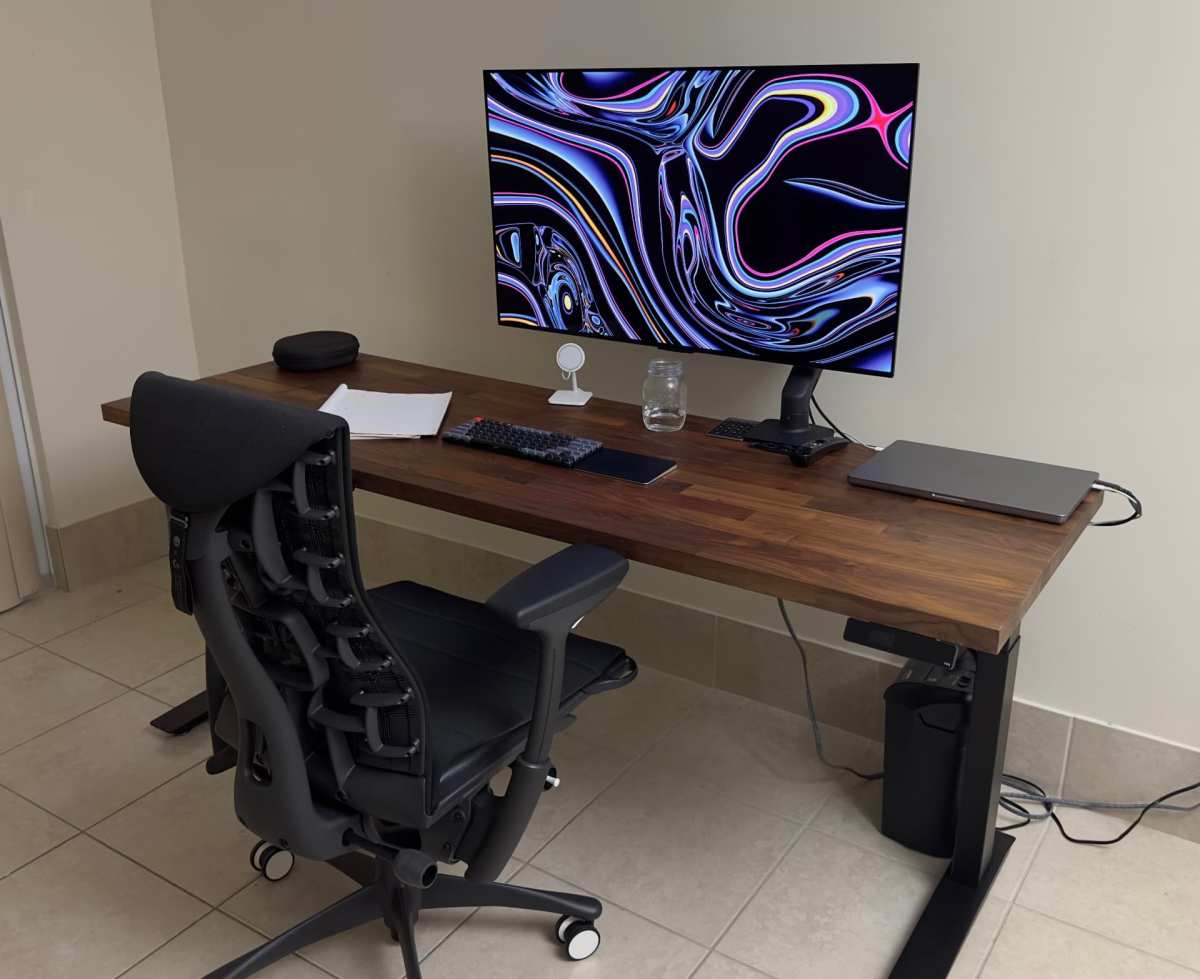
Image source: Bing (Web (fair-use with source credit))
Do OLED monitors come with speakers? It's one of those specs that's easy to overlook until you plug everything in and hear absolutely nothing. The short answer is that most OLED monitors don't ship with built-in speakers, but there are a handful of exceptions worth knowing about.
As of 2026, manufacturer specifications across the major OLED monitor lines confirm that fewer than 10% of models include integrated audio. That means if you're buying an OLED panel expecting sound straight out of the box, you'll probably need a backup plan. Let's break down exactly what's going on.
Quick Answer
Most OLED monitors do not come with built-in speakers. The vast majority rely on external audio output. A few gaming and productivity models do include integrated speakers.
Those speakers typically run 5 to 7 watts per channel. You'll always get better sound quality from external speakers or a headset.
Why Most OLED Monitors Skip Built-In Speakers
Here's the thing about OLED panels. Manufacturers are obsessed with keeping them thin. Every millimeter of thickness matters when you're marketing a premium display.
Built-in speakers need physical driver units, and those take up real internal space.
There's also the heat factor. OLED panels are sensitive to thermal stress. Packing speaker drivers and their amplification circuitry inside an already tight chassis adds heat that the cooling system has to manage.
Most brands just don't want to deal with that trade-off.
Then there's the target buyer. People spending $800 to $3,000 on an OLED monitor usually already have audio sorted. They're running studio monitors for color-graded work or a gaming headset for competitive play.
Built-in speakers feel like a downgrade to that crowd.
So the default choice is no speakers. You get a headphone jack on the back or bottom, and sometimes audio passthrough over USB-C or DisplayPort. But the panel itself stays silent.
The OLED Monitors That DO Have Speakers (And What They're Like)
A few models break the mold. They're mostly gaming-focused or all-in-one productivity displays where convenience wins over audiophile expectations.
LG OLED Monitor Line
LG has experimented with integrated audio on select models, particularly in their UltraGear gaming lineup. These typically feature downward-firing or rear-firing stereo speakers in the 2×5W range. They're fine for system sounds and casual YouTube watching.
They won't impress anyone who's heard a decent pair of desktop speakers.
ASUS ProArt OLED Models
ASUS has included built-in speakers on certain ProArt OLED displays aimed at creators who want a simpler desk setup. The audio quality here is slightly better tuned than gaming models, with a flatter frequency response that works okay for reference checks. Still, no one should color-grade video relying solely on these.
Dell Alienware OLED Gaming Monitors
The Alienware AW3225QF is probably the most well-known OLED monitor with built-in speakers as of 2026. Dell included a more robust speaker system here because gaming monitors tend to attract buyers who might not own a headset yet.
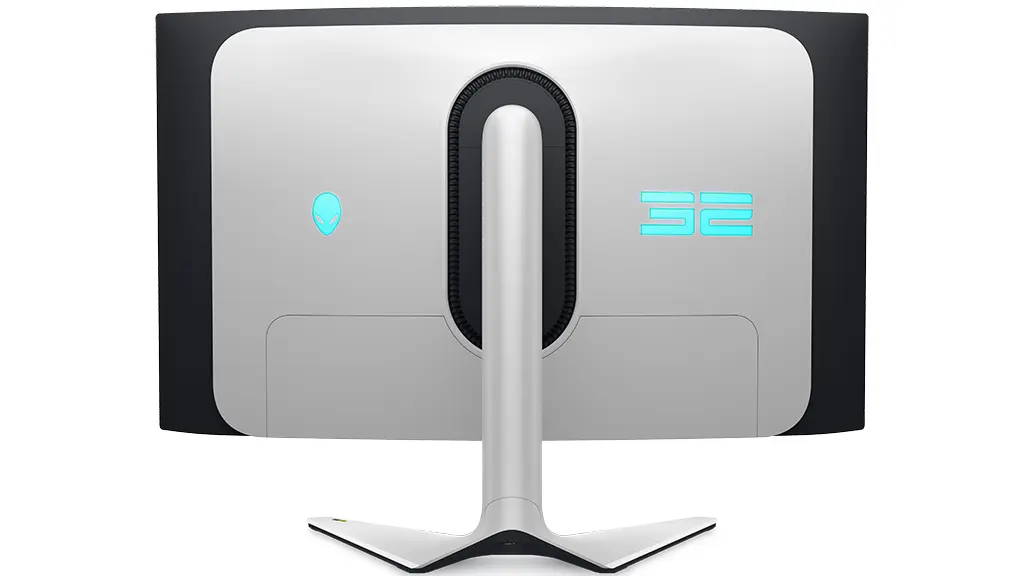
Image source: Bing (Web (fair-use with source credit))
The AW3225QF's speakers push slightly more volume than average. They handle game audio and music at moderate levels without distortion. Bass is still weak, though.
That's just physics when your speaker drivers are sitting inside a thin monitor frame.
| Model | Speaker Output | Configuration | Target User |
|---|---|---|---|
| Alienware AW3225QF | 2×7W | Downward-firing stereo | Gamers |
| LG UltraGear OLED (select) | 2×5W | Rear-firing stereo | Casual gamers |
| ASUS ProArt OLED (select) | 2×5W | Forward-firing stereo | Creatives |
| Samsung Odyssey OLED (most) | None | Headphone jack only | General use |
Built-In Monitor Speakers vs. External Audio Options
Let's be honest about what you're getting either way. Built-in monitor speakers and external audio solutions live in completely different leagues.
Built-In Speakers vs. Desktop Speakers
A decent pair of desktop speakers like the Creative Pebble or Audioengine A2+ will absolutely demolish any built-in monitor speaker. We're talking 2×15W or more, with actual bass response down to 80 Hz or lower. Monitor speakers typically roll off around 150 Hz.
That means you're missing the low end of music, explosions in games, and vocal warmth in videos.
The convenience factor is real, though. No extra cables, no desk space eaten up, no power brick to find a plug for. If you just need notification sounds and the occasional podcast, built-in speakers get the job done.
Built-In Speakers vs. Gaming Headsets
This isn't even a contest. A gaming headset gives you spatial audio, a microphone, and zero desk footprint. Built-in speakers can't compete with any of that.
The only reason to use monitor speakers for gaming is if you hate wearing headsets or need to hear your surroundings.
Built-In Speakers vs. Studio Monitors
For creative work, studio monitors are the only serious choice. Built-in monitor speakers lack the frequency accuracy and stereo imaging that photo editors, video producers, and musicians need. Even a budget pair of Presonus Eris 3.5s will outperform any integrated monitor audio.
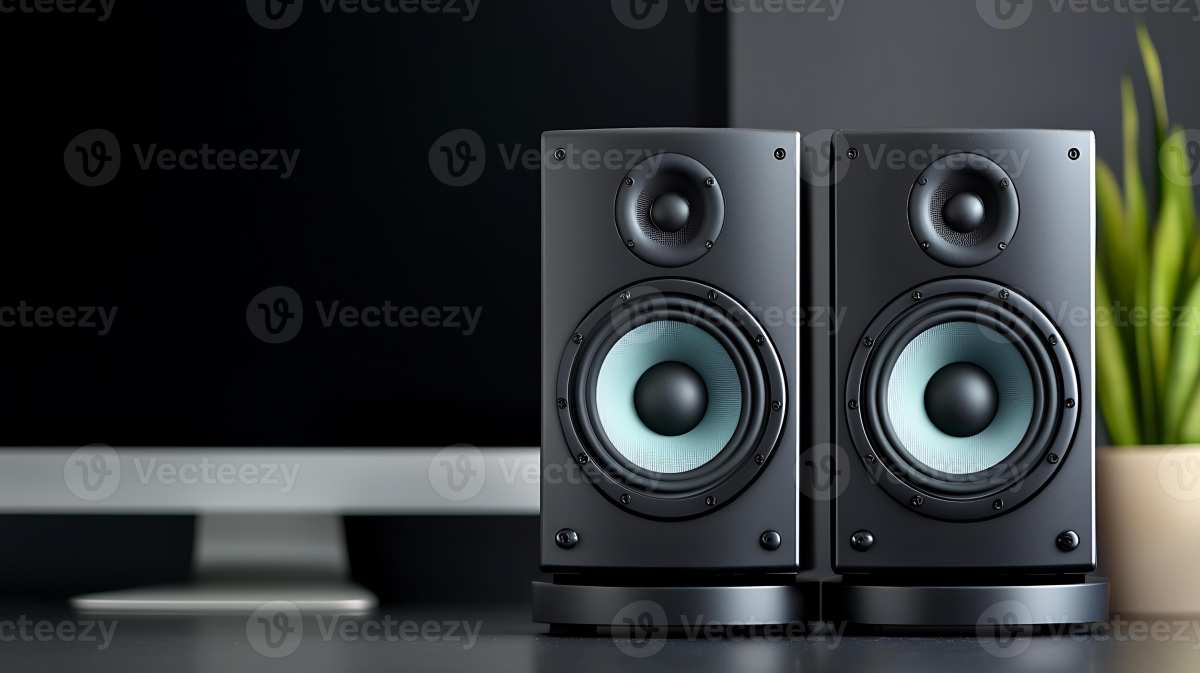
Image source: Bing (Web (fair-use with source credit))
Who Should Rely on Built-In OLED Monitor Speakers
Not everyone needs external audio. Some use cases make built-in speakers perfectly acceptable.
Perfect For: Casual Use and Clean Desk Setups
If your monitor is in a living room or home office where you mainly browse the web, check email, and watch the occasional video, built-in speakers are genuinely fine. You're not analyzing audio. You just need sound to come out.
A clean, cable-free desk setup also looks great, and integrated speakers help achieve that.
Conference rooms are another solid use case. When you're running a quick presentation and don't want to fuss with external audio, built-in speakers keep things simple.
Not Ideal For: Gamers, Creatives, and Media Enthusiasts
If you're doing any of the following, plan on external audio from day one:
- Competitive gaming where spatial awareness matters
- Video editing or audio production
- Music production or mixing
- Movie watching where you want actual bass
- Any situation where sound quality affects your work or enjoyment
Built-in speakers on OLED monitors are a convenience feature, not a quality feature. Treat them as your backup plan, not your primary audio solution.
How to Check Whether Your OLED Monitor Has Speakers Before Buying
Don't wait until unboxing to find out. A few quick checks will save you the headache of a silent setup.
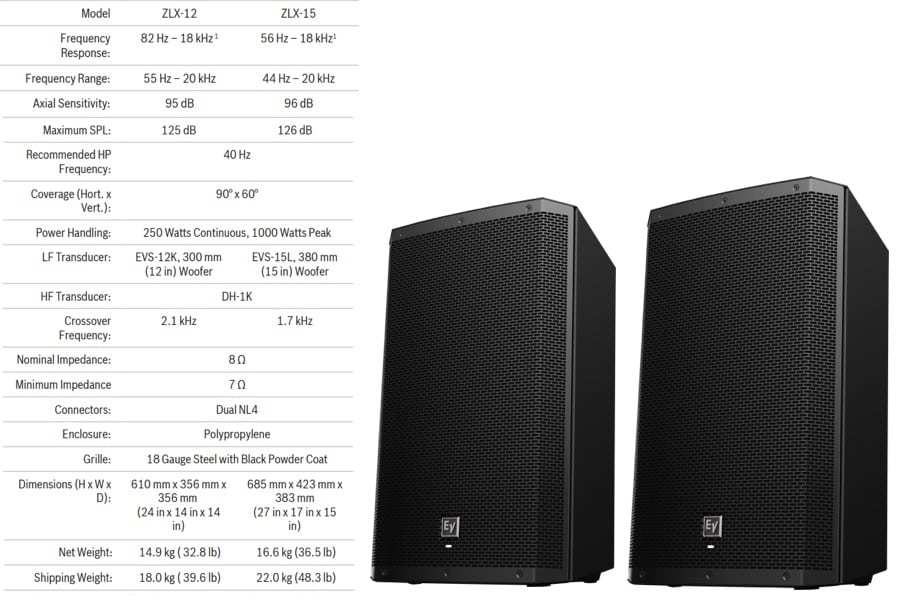
Image source: Bing (Web (fair-use with source credit))
First, pull up the manufacturer's official spec sheet. Look for terms like "internal speakers," "audio output," or "built-in audio." If the spec sheet lists a wattage figure like "2×5W" or "2×7W," you're good. If audio isn't mentioned at all, assume there are no speakers.
Second, check the physical ports. A 3.5mm headphone jack on the monitor means audio is supported in some way, either through built-in speakers or at least a passthrough. No headphone jack at all is a strong signal that audio is handled entirely by your GPU and routed to external devices.
Third, search the model number on the manufacturer's support page. Product manuals and detailed Q&A sections often confirm speaker presence or absence in plain language. User manuals will show speaker settings in the on-screen display menu if speakers exist.
Here's a quick checklist to run through:
- Does the spec sheet mention internal speakers or audio output wattage?
- Is there a 3.5mm audio jack on the monitor itself?
- Does the OSD (on-screen display) menu show volume or audio settings?
- Do verified buyer reviews mention sound coming from the monitor?
- Is there a teardown or hardware review confirming speaker drivers inside?
What to Do If Your OLED Monitor Has No Sound
So you've got a brand-new OLED monitor and nothing's coming out of it. Before you panic, run through the basics.
Most OLED monitors without built-in speakers will pass audio through the video cable to an external device. That means your GPU is handling the audio, not the monitor. Check your sound output settings in Windows or macOS.
You might be sending audio to the wrong device.
In Windows, right-click the speaker icon in the taskbar and open Sound Settings. Look for the correct output device. It might show up as your GPU's audio controller (like "NVIDIA Output" or "AMD High Definition Audio") rather than the monitor's name.
Select it and test.
On macOS, go to System Settings then Sound then Output. Pick the correct device from the list. If the monitor is connected via USB-C and supports audio passthrough, it should appear here.
If no audio device shows up at all, try these steps:
- Reseat the video cable at both ends.
- Try a different cable, especially one that supports audio (HDMI 2.1 or USB-C with DisplayPort Alt Mode).
- Update your GPU drivers. Outdated drivers often break audio passthrough.
- Restart the computer with the monitor already powered on.
- Check the monitor's OSD for any audio-related settings that might be muted or disabled.
If none of that works, the monitor genuinely may not support audio output. In that case, plugging a pair of powered speakers or headphones into your computer's audio jack is the simplest fix.
Common Mistakes People Make With Monitor Audio
The most common mistake is assuming all monitors have speakers. They don't. OLED monitors are especially likely to skip them.
Always verify before you buy.
Another frequent issue is connecting via DisplayPort and wondering why audio isn't working. Not all DisplayPort implementations carry audio by default. Your GPU needs to support DisplayPort audio passthrough, and the monitor needs to accept it.
HDMI is more reliably plug-and-play for audio.
People also forget to check the OSD volume. Some monitors with built-in speakers ship with the volume set to zero or muted in the on-screen menu. You'd be surprised how many "broken" monitors just need a volume adjustment in the settings.
Using the wrong cable is another easy trap. A cheap HDMI cable that doesn't support the full spec can carry video but drop audio entirely. Stick with certified cables that match your connection standard.
Finally, don't expect monitor speakers to replace a proper audio setup. Built-in speakers are a convenience. They're not a feature you should base your purchasing decision around.
If audio quality matters to you at all, budget for external speakers or a headset from the start.
Real Scenarios: How People Actually Use OLED Monitor Audio
Let's look at a few real-world situations where this question actually comes up.
A home office worker buys a 32-inch OLED monitor for photo editing. They don't care about built-in speakers because they use studio monitors for color-checked audio and a headset for calls. The monitor's lack of speakers is irrelevant to them.
They just need the panel to display accurately.
A college student picks up an OLED gaming monitor for their dorm. They're on a tight budget and can't afford a headset right away. The built-in speakers on their Alienware AW3225QF are good enough for casual gaming and YouTube until they save up for better audio.
A conference room gets a large-format OLED display for presentations. The built-in speakers are perfect for playing video clips during meetings without needing a separate sound system. Nobody's editing music in there.
They just need clear, audible sound for short clips.
A console gamer connects a PS5 to an OLED monitor via HDMI. They expect audio through the monitor and get silence because the monitor has no speakers. They end up running a separate soundbar off the console's optical output or using a headset.
It's an annoying extra step that could have been avoided by checking the specs first.
Each scenario comes down to the same thing. Know what you're buying before you buy it. Built-in speakers are a nice bonus when they exist.
They're a frustrating absence when they don't and you were counting on them.
Final Verdict: Should You Count on Built-In Speakers With an OLED Monitor?
No, you shouldn't count on it. The vast majority of OLED monitors on the market as of 2026 do not include built-in speakers. The few that do offer basic audio that's fine for casual use but won't satisfy anyone who cares about sound quality.
If you're buying an OLED monitor and you know you'll need audio, plan for external speakers or a headset. A pair of powered desktop speakers costs as little as $30 and will sound dramatically better than any built-in monitor audio. A gaming headset runs $50 to $150 and gives you a mic plus spatial audio.
The only situation where built-in speakers are worth relying on is casual, non-critical use. Notifications, quick video clips, background music at low volume. That's it.
Anything more demanding needs external audio.
Before you click "buy," check the spec sheet one time. Look for speaker wattage or the words "internal speakers." If you don't see them, assume they're not there. It takes ten seconds and saves you a lot of frustration later.
Frequently Asked Questions
Do any OLED monitors have good built-in speakers?
No. The ones that exist are adequate for basic use. None compete with even budget external speakers.
Monitor speaker quality is limited by physical space constraints inside thin OLED panels.
Why don't most OLED monitors have speakers?
Manufacturers prioritize thin designs and thermal management. Built-in speakers take up internal space and generate heat. Most OLED buyers already use external audio, so brands skip the speakers to keep the panel slim.
Can I add speakers to an OLED monitor that doesn't have them?
Yes. You can connect powered speakers to your computer's headphone jack or to a USB audio adapter. You can also use Bluetooth speakers paired directly to your computer.
The monitor itself doesn't need to handle audio.
Does HDMI or DisplayPort carry audio to the monitor?
Both can carry audio. HDMI handles audio more reliably out of the box. DisplayPort audio depends on your GPU supporting it.
Either way, the audio goes to the monitor's speakers if they exist, or passes through to a headphone jack.
Is the Alienware AW3225QF the only OLED monitor with speakers?
No, but it's the most prominent one as of 2026. LG and ASUS also include speakers on select models. The AW3225QF just gets the most attention because it's a popular gaming display.
Will future OLED monitors be more likely to include speakers?
Possibly. As monitor designs mature and audio technology shrinks, we may see more models with integrated speakers. But for now, the trend still favors external audio for quality-conscious buyers.

Similar Posts