Do Mini LED Monitors Come Curved
Do mini LED monitors come curved? It's a fair question, especially when you've seen how popular curved displays have gotten for gaming and productivity. The short answer is yes, but the selection is still pretty narrow compared to flat models.
Mini LED technology itself has exploded since 2020, with manufacturers packing thousands of tiny backlight zones into LCD panels for HDR brightness that rivals OLED. Curved screens, meanwhile, have become the go-to for immersive gaming and ultrawide setups. As of 2026, the two technologies do overlap, but you'll need to know exactly what you're looking for because curved mini LED monitors remain a niche within a niche. This directly compares with our findings on why are mini led monitors better than normal led.
Let's break it all down.
Quick Answer: Yes, But Your Options Are Limited
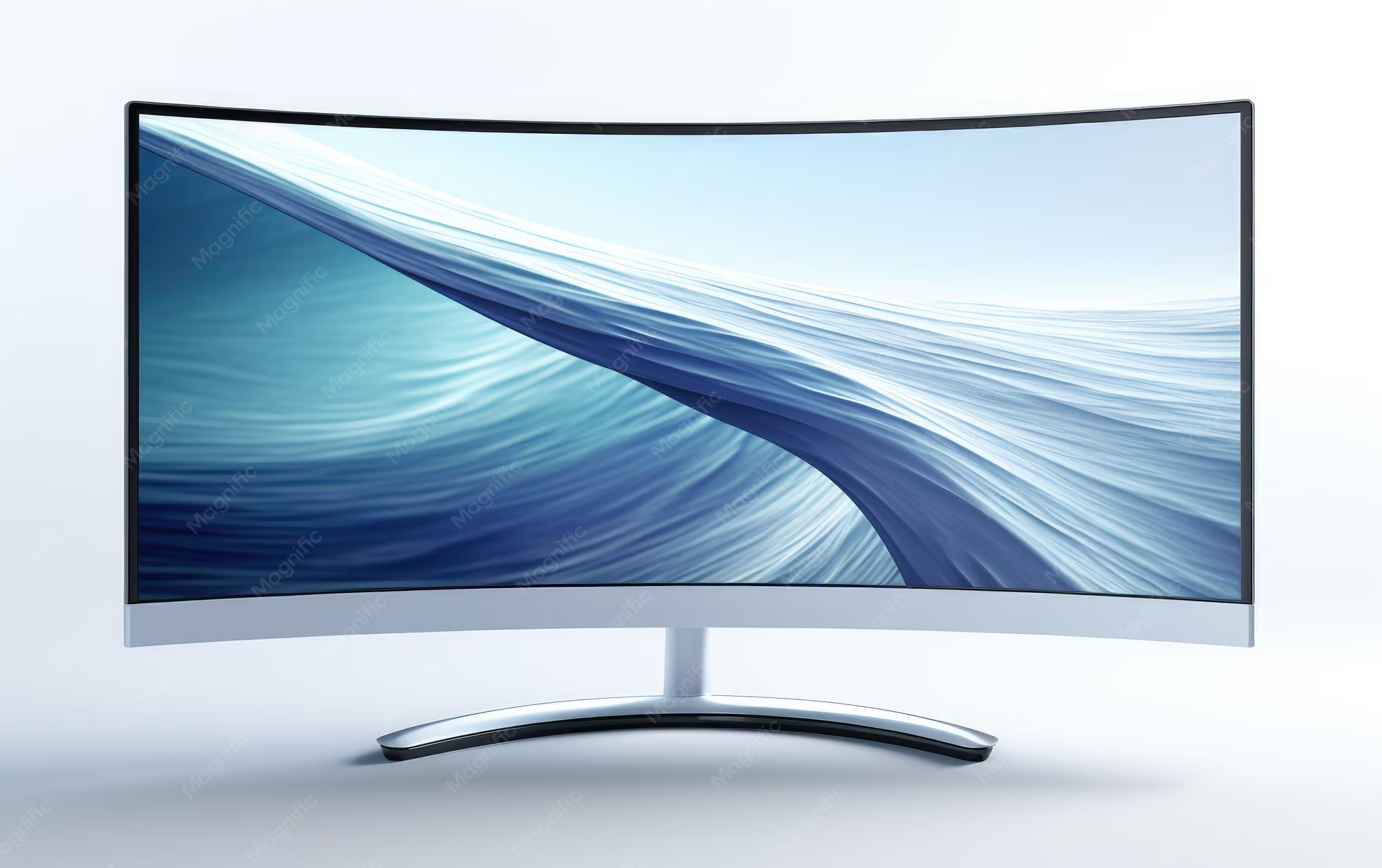
Curved mini LED monitors do exist. They combine local dimming backlight zones with a curved panel. The curve radius typically ranges from 1000R to 1800R.
You'll find fewer models than flat mini LED options. Most are large, ultrawide, or high-end gaming displays.
What Is Mini LED and Why Does It Matter?
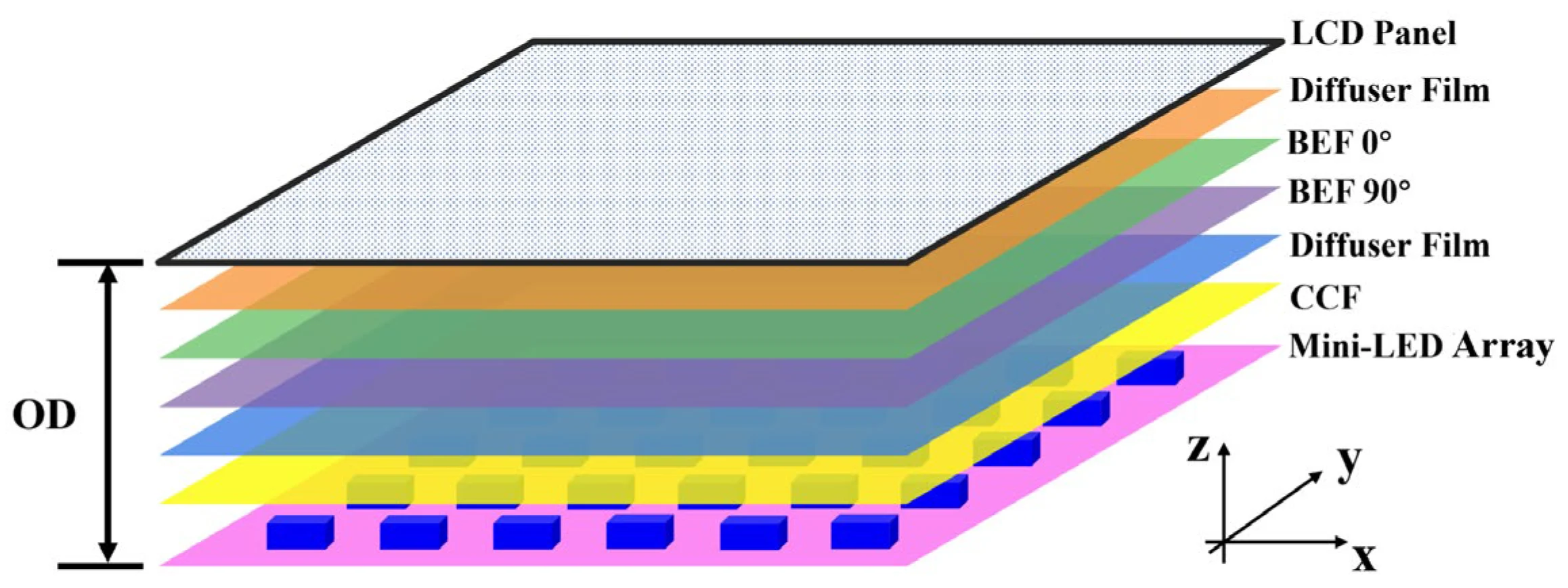
Mini LED is a backlighting technology, not a panel type. It uses thousands of small LED zones behind an LCD panel to control brightness in specific areas. This approach delivers much deeper blacks and higher peak brightness than standard edge-lit or direct-lit LED monitors. Readers evaluating this setup should also consider how do mini led monitors work for comparative benchmarks.
A standard LED monitor might have a handful of dimming zones or none at all. A mini LED monitor packs anywhere from 384 zones to over 5,000 zones, depending on the model and price. More zones mean finer control over which parts of the screen are bright and which are dark.
This is what makes Mini LED so good for HDR content. When you're watching an HDR movie or playing an HDR game, the display can push 1,000+ nits of peak brightness in highlights while keeping shadow areas genuinely dark. Standard LCD panels can't do that because the entire backlight is either on or off.
The panel underneath can be IPS, VA, or even OLED in some hybrid designs. VA panels are the most common in curved mini LED monitors because they naturally offer higher contrast ratios. IPS variants exist but are less common in curved form.
Curved vs Flat Mini LED: What's Actually Available Right Now
Here's where things get interesting. The mini LED monitor market has grown fast, but curved models still make up a small slice of the overall lineup.
Most flat mini LED monitors target professional and creative users. These are your 27-inch and 32-inch 4K displays with 576 to 1,152 zones, built for color grading, photo editing, and general productivity. Brands like ASUS ProArt, Dell UltraSharp, and Apple dominate this space with flat panels.
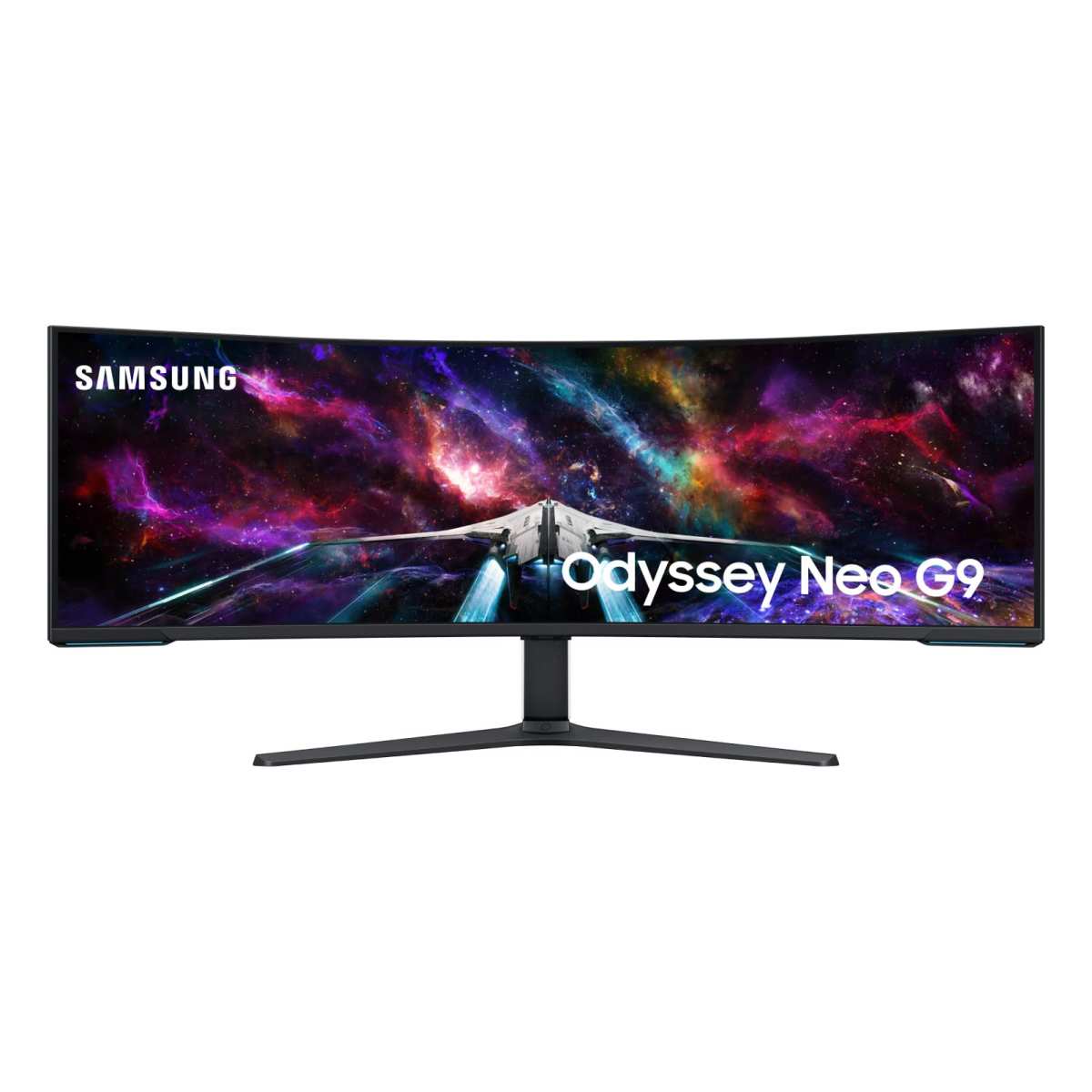
Curved mini LED monitors, on the other hand, skew heavily toward the gaming and ultrawide segment. You're typically looking at 34-inch, 43-inch, or 49-inch panels with aggressive curves (1000R to 1800R) and high refresh rates. The Samsung Odyssey Neo line is probably the most well-known example.
The reason for this split comes down to use case. Curved screens wrap around your field of vision, which is great for immersion but problematic for color-critical work where geometric accuracy matters. Flat screens are better for design, editing, and any task where straight lines need to look straight.
Side-by-Side Comparison: Curved vs Flat Mini LED Monitors
Let's put the two form factors head to head across the categories that actually matter.
Picture Quality and HDR Performance
Both curved and flat mini LED monitors use the same underlying backlight technology. The number of dimming zones, peak brightness, and color gamut coverage depend on the specific model, not the curve.
That said, VA panels dominate the curved mini LED space. VA technology offers contrast ratios around 3,000:1 to 5,000:1, compared to roughly 1,000:1 for IPS. This means curved mini LED monitors often look more dramatic in HDR content because their native contrast gives blacks more depth.
Flat mini LED monitors using IPS panels can achieve excellent color accuracy and wider viewing angles. For professional work where you need consistent color across the entire screen, flat IPS mini LED displays are hard to beat.
Immersion and Field of View
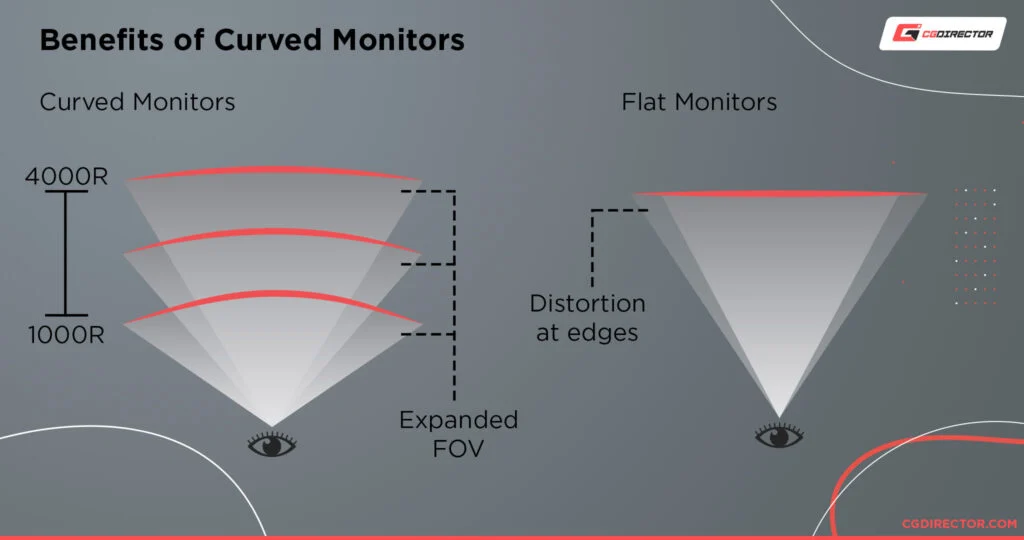
Curved screens pull you into the content. At 1000R or 1500R curvature, the edges of the display sit closer to your eyes, which reduces the slight dimming and color shift you'd notice on a flat screen's periphery.
This effect is most noticeable on ultrawide panels (34 inches and up). A flat 49-inch ultrawide forces your eyes to work harder to focus on the far edges. A curved 49-inch wraps that content around you naturally.
For gaming, movies, and simulation content, the curve adds genuine value. For spreadsheet work or coding, it's more of a personal preference.
Productivity and Color-Critical Work
Flat wins here, and it's not close. Any work that involves straight lines, geometric precision, or accurate color representation benefits from a flat panel. Video editors, graphic designers, and architects should stick with flat mini LED displays.
Curved screens introduce slight geometric distortion. A horizontal line across the screen will appear to bow slightly. For most people doing general office work, this is barely noticeable.
For someone retouching photos or editing video timelines, it's a real problem.
Price and Value
Curved mini LED monitors tend to cost more than their flat counterparts with similar specs. The curve adds manufacturing complexity, and many curved models bundle premium features like 240Hz refresh rates and ultrawide aspect ratios.
You can find flat mini LED monitors starting around $600 to $800 for a 27-inch model with 384 zones. Curved mini LED options typically start around $900 to $1,200 and climb quickly from there.
Here's a quick comparison table to summarize:
| Factor | Curved Mini LED | Flat Mini LED |
|---|---|---|
| Best For | Gaming, movies, immersion | Design, editing, productivity |
| Panel Type | Mostly VA | IPS or VA |
| Zone Count | 576 to 2,304 | 384 to 5,000+ |
| Price Range | $900 to $5,000+ | $600 to $4,000+ |
| Availability | Limited models | Wide selection |
| Color Accuracy | Good (VA) | Excellent (IPS) |
| Immersion | High | Moderate |
| Geometric Accuracy | Slight distortion | Perfect |
Best Curved Mini LED Monitors Currently Available
The curved mini LED market is small but growing. Here are the standout options worth knowing about as of 2026.
Samsung Odyssey Neo G9 (57-inch, 7680×2160)
This is the flagship. Dual 4K resolution, 240Hz refresh rate, 1ms response time, and a 1000R curve that wraps around you like a cockpit. It uses a VA panel with Mini LED backlighting and delivers peak brightness around 2,000 nits in HDR.
The price hovers around $1,300 to $1,600 depending on sales.
Samsung Odyssey Neo G8 (43-inch, 7680×2160)
A newer addition with the same dual 4K concept in a slightly more manageable 43-inch size. Same 1000R curve, 240Hz refresh, and excellent HDR performance. Priced around $1,000 to $1,300.
Cooler Master Tempest GP27U (27-inch, 4K)
A more compact option with 576 dimming zones and a gentler 1500R curve. It's one of the few 27-inch curved mini LED monitors available, making it a solid choice for desk setups where a 49-inch would be overkill. Around $700 to $900.
AOC Agon AG493UCX2 (49-inch, 5120×1440)
A budget-friendly ultrawide curved mini LED with 1800R curvature and 165Hz refresh. The zone count is lower (around 576), so HDR performance isn't as dramatic as the Samsung options, but it's a solid entry point at around $800 to $1,000.
It's worth noting that new models launch regularly in this space. Samsung, Acer, Dell, and ASUS have all released or refreshed curved mini LED options since 2024. Always check current specs and pricing before buying, because this segment moves fast.
The key takeaway: if you want curved mini LED, you're mostly looking at gaming-oriented ultrawide monitors. Professional-grade curved mini LED displays for color-critical work are still rare. That gap is slowly closing, but it hasn't closed yet.
Who Should Choose Curved and Who Should Stay Flat
The right choice depends entirely on what you do with your monitor. Let's break it down by use case so you can figure out which camp you fall into.
Best For Curved Mini LED
Gamers playing single-player or immersive titles. If you play RPGs, racing games, flight simulators, or open-world adventures, a curved mini LED display pulls you into the scene. The curve plus HDR brightness creates an experience that flat screens genuinely can't match.
Movie and media consumers. Watching HDR content on a curved 49-inch mini LED is close to a home theater experience. The wraparound effect makes you feel like you're sitting in a small cinema. Peak brightness above 1,000 nits makes highlights pop in a way standard TVs can't.
Multitaskers who hate multi-monitor setups. A 34-inch or 49-inch curved ultrawide replaces two or three flat monitors. You get one seamless display with no bezels breaking up your workspace. For traders, streamers, and developers who need lots of screen real estate, this is a clean solution.
Simulation enthusiasts. Flight sims, driving sims, and space sims benefit enormously from a curved display. The peripheral vision effect makes you feel like you're actually inside the cockpit or cockpit-like environment.
Best For Flat Mini LED
Video editors and colorists. Color accuracy and geometric precision are non-negotiable here. A flat panel ensures that what you see is what you get, with no curve-induced distortion affecting your judgment of straight lines or color gradients.
Graphic designers and illustrators. Any work involving precise shapes, grids, or layouts needs a flat screen. Even slight curve distortion can throw off alignment work or make designs look different on other displays.
Photo editors and retouchers. Similar to video work, photo editing demands accuracy across the entire frame. Flat mini LED monitors with IPS panels and high zone counts deliver exactly that.
Users with shallow desks. Curved monitors, especially 1000R models, push the center of the screen toward you significantly. If your desk is less than 24 inches deep, a curved 49-inch might feel uncomfortably close. Flat monitors work fine at shorter viewing distances.
Common Mistakes When Buying a Curved Mini LED Display
People get excited about the specs and overlook practical issues. Here are the most common pitfalls we've seen in user reviews and buyer feedback.
Ignoring desk depth requirements. A 49-inch 1000R curved monitor needs at least 28 to 30 inches of desk depth for comfortable viewing. Measure your desk before you buy. If you're working with a standard 24-inch-deep desk, consider a 34-inch curved model or a flat alternative instead.
Assuming all mini LED is equal. Zone count varies wildly. A monitor with 384 zones will show more blooming than one with 1,152 zones. Always check the dimming zone count, not just the "mini LED" label.
More zones mean finer control and less haloing around bright objects on dark backgrounds.
Overlooking the curve radius. 1000R is aggressive. 1800R is subtle. 1500R sits in the middle. If you've never used a curved monitor before, jumping straight to 1000R can feel overwhelming. A gentler 1500R or 1800R curve might be a better starting point.
Expecting OLED-level blacks. Mini LED is impressive for LCD technology, but it still can't match per-pixel dimming. In scenes with small bright objects on a black background, you'll see some blooming. This is normal.
It's the trade-off for getting much higher peak brightness than OLED can sustain.
Buying based on size alone. Bigger isn't always better. A poorly implemented 43-inch mini LED with only 384 zones will look worse than a well-implemented 32-inch with 1,152 zones. Prioritize zone count and panel quality over raw screen size.
Forgetting about viewing position. Curved monitors are designed for a single viewer sitting centered. If you frequently share your screen with colleagues or family members sitting beside you, they'll see a distorted image. Flat screens handle multi-viewer scenarios much better.
Mini LED vs OLED: The Real Comparison You Need to Understanding
This comes up constantly, and it's worth addressing directly because the two technologies compete in the same premium space.
Mini LED is an LCD-based technology with a full backlight array of tiny LEDs. It achieves high brightness and good HDR through local dimming zones. OLED uses self-emitting pixels that can turn off completely for perfect blacks.
Here's the honest breakdown:
Mini LED wins on peak brightness. Mini LED monitors can sustain 1,000 to 2,000+ nits. OLED monitors typically top out around 500 to 1,000 nits for full-screen content. In bright rooms or for HDR highlights, Mini LED has a clear advantage.
OLED wins on per-pixel precision. Each OLED pixel controls its own brightness independently. There's zero blooming. Mini LED's zones, even when numbering in the thousands, are still larger than individual pixels.
This means OLED handles fine detail in dark scenes better.
Mini LED wins on burn-in resistance. OLED panels can develop permanent image retention from static elements like taskbars or channel logos. Mini LED LCD panels don't have this problem. For users who leave their screen on for hours with static content, Mini LED is the safer long-term choice.
OLED wins on response time. OLED pixels change state almost instantly, typically under 0.1ms. Mini LED monitors, even with fast IPS or VA panels, usually sit around 1ms to 4ms. For competitive gaming where every millisecond counts, OLED has an edge.
Mini LED wins on price for large sizes. A 43-inch or 49-inch mini LED monitor costs significantly less than an equivalent OLED. Large OLED monitors remain premium-priced, while Mini LED has brought big-screen HDR performance down to more accessible price points.
The bottom line: if you prioritize brightness, longevity, and value at larger sizes, Mini LED is the smarter pick. If you want the absolute best contrast and response time and are willing to pay for it, OLED is still the king.
Pricing Breakdown: What You'll Actually Pay
Mini LED monitors span a wide price range. Here's what you can expect as of 2026.
Entry-level flat mini LED (27-inch, 384 zones, 4K): $600 to $900. These are solid for general use and casual gaming. Models like the Cooler Master Tempest GP27U or KTC M27T60 fall here.
Mid-range flat mini LED (32-inch, 576 to 1,152 zones, 4K): $900 to $1,500. This is the sweet spot for most users. Good HDR, strong color accuracy, and enough zones to minimize blooming.
ASUS ProArt and Dell UltraSharp models dominate this tier.
Premium flat mini LED (32-inch, 1,152+ zones, 4K, professional): $1,500 to $4,000. These are reference-grade displays for color-critical work. Apple's Pro Display XDR and ASUS ProArt PA32UCG sit in this range.
Entry-level curved mini LED (34-inch, 384 to 576 zones, ultrawide): $800 to $1,200. Decent HDR and immersion, but zone counts are modest. Blooming will be visible in demanding content.
Premium curved mini LED (43 to 57-inch, 1,152+ zones, high refresh): $1,200 to $2,500. This is where the Samsung Odyssey Neo models live. Strong HDR, high refresh rates, and aggressive curves.
Ultra-premium curved mini LED (57-inch+, 2,304+ zones, dual 4K): $2,500 to $5,000+. Niche products for enthusiasts who want the absolute best. The Samsung Odyssey Neo G9 57-inch sits here.
The price gap between curved and flat is real but narrowing. Two years ago, curved mini LED commanded a significant premium. Now, prices are much closer, especially in the mid-range.
Shop around and watch for sales, because this segment sees frequent discounts.
Final Verdict: Should You Go Curved or Flat?
If you game, watch movies, or want an ultrawide replacement for multiple monitors, curved mini LED is genuinely great. The immersion factor is real, and the HDR performance matches or beats most LCD alternatives. Just make sure you have the desk space for it and you're comfortable with the curve radius.
If your work involves color-critical editing, geometric precision, or frequent screen sharing, stay flat. Flat mini LED monitors offer better accuracy, wider viewing angles, and more model options across every price tier. You'll also save money at most specs levels.
For everyone else, the choice comes down to personal preference and desk setup. Both technologies deliver excellent image quality. The curve is a feature, not a requirement.
Pick the form factor that matches how you actually use your screen.
Frequently Asked Questions
Are all mini LED monitors flat?
No. Curved mini LED monitors exist, but they represent a small portion of the overall market. Most mini LED monitors are flat, especially in professional and creative product lines.
Curved models are concentrated in the gaming and ultrawide segments, with brands like Samsung Odyssey Neo leading the way.
Is curved or flat better for gaming?
Curved is generally better for immersive single-player gaming and ultrawide setups. The curve pulls your peripheral vision into the experience. Flat is better for competitive gaming where geometric accuracy and consistent viewing angles matter more.
It depends on what you play and how you play it.
Does the curve affect color accuracy on mini LED monitors?
The curve itself doesn't directly affect color accuracy. However, most curved mini LED monitors use VA panels, which have slightly narrower viewing angles than IPS panels. Color shift is more noticeable when viewing a VA curve from off-center positions.
IPS panels handle color consistency better across the screen.
How many dimming zones should I look for in a mini LED monitor?
For basic use, 384 zones is acceptable. For good HDR performance, look for 576 to 1,152 zones. For excellent HDR with minimal blooming, aim for 1,152 or more.
More zones mean finer control over brightness zones, which directly reduces haloing and blooming artifacts.
Can I use a curved mini LED monitor for photo editing?
You can, but it's not ideal for critical work. The curve introduces slight geometric distortion that can affect how you perceive straight lines and alignment. For casual or hobbyist photo editing, it's perfectly fine.
For professional work where accuracy matters, a flat IPS mini LED monitor is the better choice.
Do curved mini LED monitors cost more than flat ones?
Generally yes, though the gap has narrowed. Curved models tend to carry a premium because they bundle gaming features like high refresh rates and ultrawide panels. At similar specs and zone counts, expect to pay 10 to 20 percent more for the curved version.
The premium varies by brand and model year.

Similar Posts





















