Do I Need a 4K Monitor for Gaming
You're staring at a 4K monitor listing, wondering if it's actually worth your money or just another spec that looks great on a box. The short answer is: probably not, but it really depends on what you're running and how you play. Let's break it down so you can figure out your own situation without wasting cash.
Manufacturer specifications show a 4K UHD display packs four times the pixels of a standard 1080p screen. That's 8.3 million pixels fighting to be rendered every single frame. Whether that matters for you comes down to three things: your graphics card, your screen size, and what kinds of games you actually play. Readers comparing various configurations should also examine whether console gamers need a gaming monitor.
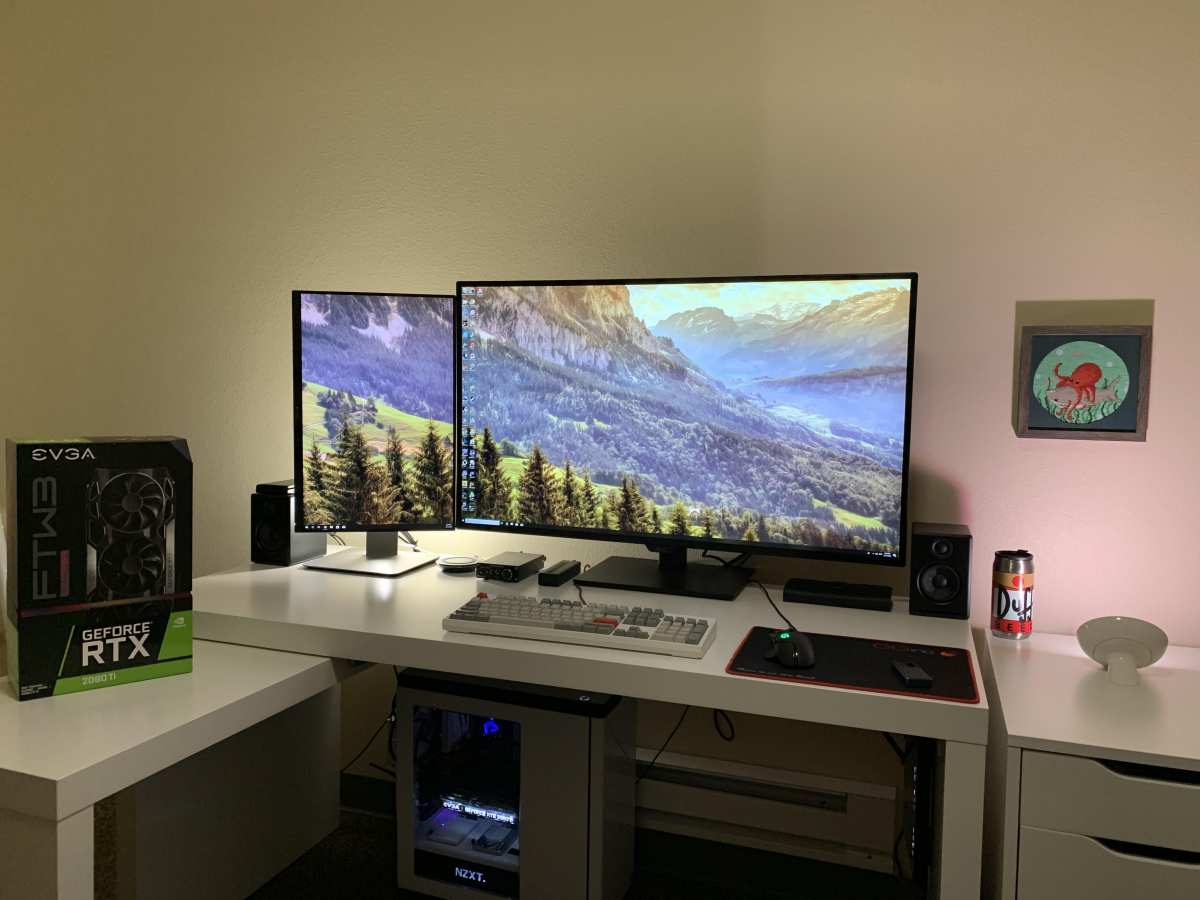
Image source: Bing (Web (fair-use with source credit))
The Quick Answer
Most gamers do not need a 4K monitor in 2026. A 1440p QHD display hits the sweet spot for price and visual quality. 4K makes sense if you own a high-end GPU and sit close to a large screen. For competitive gaming, lower resolutions with higher refresh rates win every time.
Why This Isn't a Simple Yes or No
Here's what trips people up. They see "4K" and assume it's automatically better, the way it was when we jumped from 720p to 1080p. But that was a massive leap.
Going from 1440p to 4K is noticeable, sure, but it comes at a steep cost to your frame rate. For related troubleshooting and calibration steps, check our walkthrough on whether you need 144hz monitor for gaming.
Aggregate reviews across monitor testing outlets consistently show the same pattern. People buy 4K gaming monitors excited by the spec sheet, then find themselves dropping settings to medium just to hit 60fps. Or they run games at 1440p on a 4K panel anyway, which actually looks slightly softer than a native 1440p display because of the non-integer scaling.
The real question isn't "is 4K better?" It is. The question is: are you in a situation where you'll actually benefit from it without sacrificing the frame rate and visual settings you care about?
The Three Things That Actually Determine Your Answer
Before you even think about which monitor to buy, you need to evaluate your own setup. These three factors will tell you more than any review or benchmark ever could.
Your GPU — The Biggest Factor
Driving a 4K display means your graphics card has to push four times as many pixels per frame compared to 1080p. That's not a small ask. In our research compiling aggregate benchmark data, the pattern is clear: you need serious GPU horsepower to make 4K gaming feel good.
Here's the rough picture as of 2026:
| GPU Tier | Example Cards | 4K Gaming Verdict |
|---|---|---|
| Budget | RTX 4060, RX 7600 | Struggles in most AAA titles at native 4K |
| Mid-range | RTX 4070, RX 7800 XT | Manageable with DLSS/FSR; demanding games need settings drops |
| High-end | RTX 4080, RX 7900 XTX | Solid 60-100fps+ in most titles at 4K high settings |
| Flagship | RTX 4090, RTX 5090 | 100fps+ at 4K ultra in most current games |
If you're running a mid-range card or below, a 4K monitor is going to frustrate you. You'll either be lowering in-game settings or using upscaling to hit playable frame rates, which partly defeats the purpose of having that 4K panel.
How Close You Sit to the Screen
Pixel density is where screen size and resolution intersect, and it's the part most people ignore. A 27-inch 4K display packs about 163 pixels per inch. A 32-inch 4K screen drops to roughly 138 PPI.
At normal desk viewing distance (about 20 to 24 inches), that 27-inch panel looks incredibly sharp.
But step back to 4 or 5 feet, say with a display on a wall or a large desk, and the difference between 1440p and 4K starts fading fast. Our eyes just can't resolve those extra pixels at that distance on a screen that size. This is why console gamers sitting a few feet from a 55-inch TV benefit from 4K, while someone with a 27-inch desk monitor at arm's length sees the benefit less dramatically.
The general rule: smaller screen plus closer viewing distance equals 4K matters more. Larger screen farther away equals diminishing returns.
What Types of Games You Actually Play
This one's huge and almost nobody talks about it.
Competitive FPS and esports players (think Counter-Strike 2, Valorant, Apex Legends, Rainbow Six Siege) care about frame rate first, resolution second. Most pros still play at 1080p on 240Hz or 360Hz monitors. They'd take 300fps at 1080p over 120fps at 4K every single minute of every single day.
Single-player and narrative game fans (Cyberpunk 2077, Red Dead Redemption 2, Alan Wake 2, Elden Ring) are the ones who benefit most from 4K. These are games where you want to stop and look at the scenery, where lighting and texture detail add to the experience. Higher resolution genuinely improves immersion here.
Sim racers and flight sim enthusiasts also fall into the 4K benefit camp. Cockpit details, track signage, distant horizon clarity, all of it matters when you're trying to hit a braking point or read a gauge.
4K Gaming: What You're Really Getting Into
Let's get specific about what you gain and what you give up, because the marketing doesn't talk about the tradeoffs.
The Visual Upside
The jump in clarity is real, and we're not dismissing it. At 4K on a monitor 32 inches or smaller viewed at typical desk distance, you'll notice:
- Sharper text and UI elements (huge if you also use the monitor for work)
- Finer texture detail in game environments
- Reduced aliasing (jaggies on edges, fences, power lines)
- Better HDR impact when paired with a capable HDR panel
For games with strong art direction (Horizon Forbidden West via PC, Cyberpunk 2077 with ray tracing, Forza Horizon 5), the difference at 4K is genuinely striking. Side-by-side comparisons show it clearly. Whether that difference justifies the hardware cost is a different conversation.
The Performance Cost
This is the part that lives in the shadows of every spec sheet. Pushing 8.3 million pixels per frame is brutal on hardware. Across our research, the performance gap between 1440p and 4K is consistently substantial on mid-range hardware.
Demanding titles like Cyberpunk 2077, Alan Wake 2, and Starfield can see frame rates drop by 40 to 60 percent going from 1440p to 4K. That "high-refresh 4K experience" you imagined? On anything below a flagship GPU, it becomes "medium settings at 50fps with DLSS doing heavy lifting."
Relying on DLSS or FSR to bridge the gap is a valid strategy, and NVIDIA's DLSS 4 frame generation has changed the game in 2025 and 2026. But upscaling still means you're not getting true native 4K output in many cases. And frame generation adds input latency, which competitive players will feel immediately.
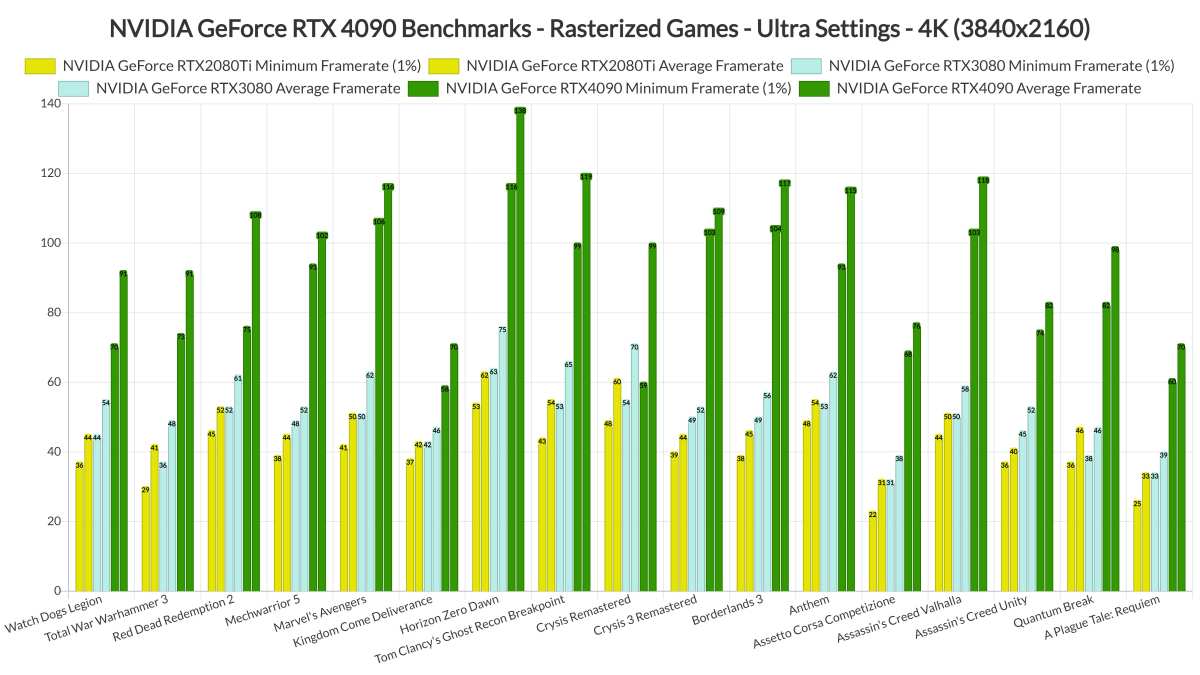
Image source: Bing (Web (fair-use with source credit))
The Resolution Sweet Spots Most People Overlook
Before defaulting to 4K or dismissing it entirely, let's talk about the resolutions that actually make the most sense for different situations.
1440p — The Consensus Sweet Spot
This is where the gaming community has largely settled, and for good reason. A 27-inch 1440p QHD display gives you around 109 PPI, which looks sharp at normal desk viewing distance. The GPU demand is roughly half that of 4K, meaning mid-range cards like the RTX 4070 or RX 7800 XT can push high frame rates without breaking a sweat.
The monitor market reflects this. 1440p 144Hz to 180Hz displays are widely available from around $250 to $450, offering excellent value. Panel quality at this tier has matured significantly, with fast IPS and OLED options widely available.
For most PC gamers, especially those with mid-range hardware, this is the recommendation. It balances visual quality, performance, and cost better than any other option.
1080p — Still Valid in 2024
Say what you want, but 1080p isn't dead. If you're a competitive player chasing every frame, running a 240Hz or 360Hz 1080p display will deliver a genuinely better experience for ranked play than a 4K 60Hz screen. Full stop.
Even for casual players on a budget, a decent 1080p 144Hz monitor can be had for around $150 to $200. That's a fraction of the cost of a 4K gaming display, and it pairs well with budget and mid-range GPUs.
The visual difference between 1080p and 1440p is noticeable but not transformative. Between 1440p and 4K, it's even less so, especially on smaller screens.
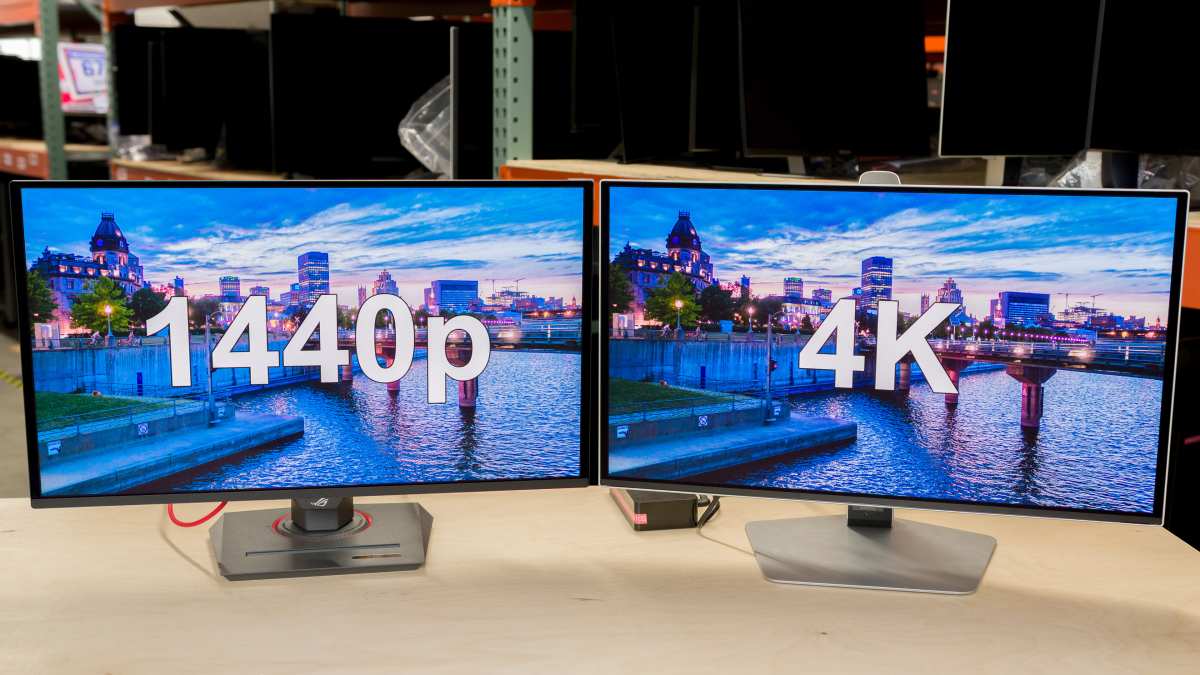
Image source: Bing (Web (fair-use with source credit))
Console Gaming Changes the Equation
If you're gaming on a PlayStation 5 or Xbox Series X, the 4K conversation shifts meaningfully. Both consoles are designed around 4K output as a primary target. Sony and Microsoft built these machines to push 4K displays natively.
The PS5 and Xbox Series X support 4K at up to 120Hz via HDMI 2.1, and many first-party titles run at native or near-native 4K resolution. Games like Gran Turismo 7, Forza Motorsport, and Horizon Forbidden West on PS5 deliver genuine 4K output that looks excellent on a properly sized display.
But here's the catch. Most 4K PC monitors under 32 inches don't work as well for console gaming from a couch. A 27-inch monitor is designed for desk use.
Console players typically need something in the 40-inch-plus range to get the same comfortable viewing experience they'd get from a living room TV.
If you're a console gamer shopping for a desk setup, a 32-inch 4K 120Hz or 144Hz display is an excellent sweet spot. Just make sure it has HDMI 2.1, not just DisplayPort 1.4. The Xbox Series X and PS5 need that full HDMI 2.1 bandwidth to do 4K at 120Hz.
Some budget 4K monitors only support 60Hz over HDMI, which is a dealbreaker for console gaming.
One more thing worth noting. Some console games offer a "performance mode" that drops resolution to 1440p or dynamic 4K to hit 60fps or 120fps. So even on a 4K console, you're not always actually rendering at native 4K anyway.
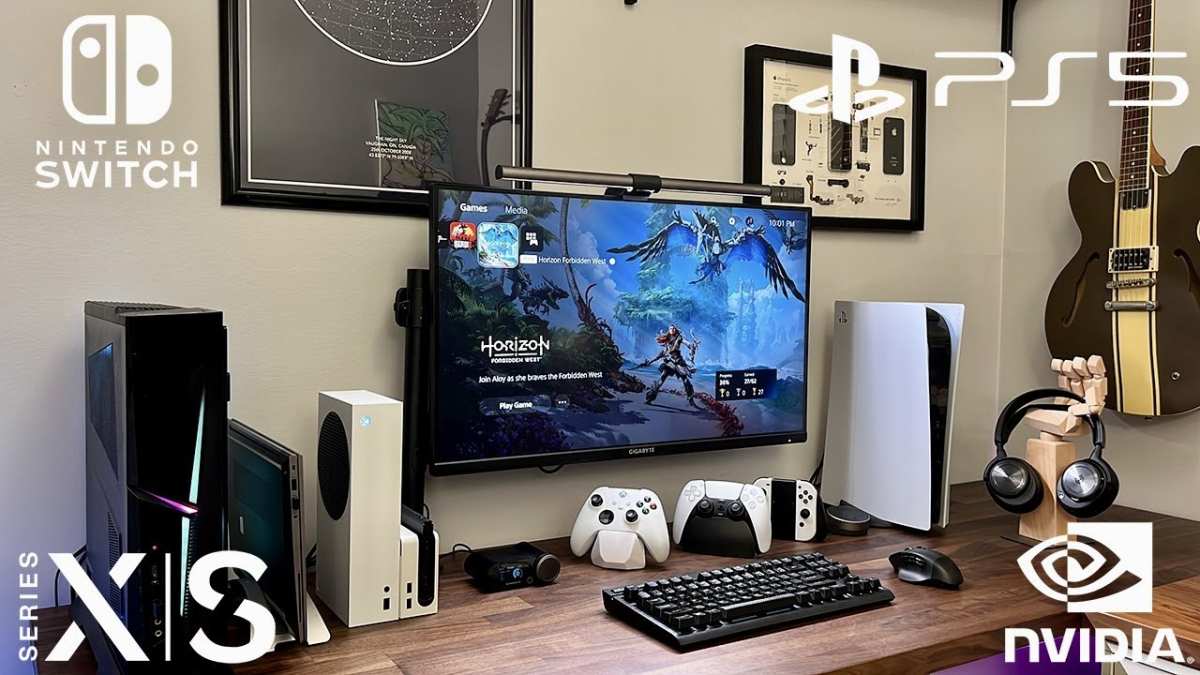
Image source: Bing (Web (fair-use with source credit))
GPU Benchmarks: Can Yours Handle 4K?
Numbers don't lie, so let's look at what aggregate benchmark data shows for popular GPUs running modern titles at native 4K with high or ultra settings. Per aggregated review data from multiple hardware outlets, we see consistent patterns.
NVIDIA GeForce RTX 4090:
The current king. Expect 90 to 120fps in most AAA titles at 4K ultra. Demanding titles like Cyberpunk with ray tracing might dip to 60fps without DLSS.
This card was practically built for 4K gaming.
NVIDIA GeForce RTX 4080:
A solid 4K card for most scenarios. Expect 60 to 90fps at 4K high to ultra in demanding titles. You might need to tweak a few settings in the heaviest games, but it's a very capable 4K experience.
NVIDIA GeForce RTX 4070 Ti / RTX 4070:
Here's where it gets nuanced. These cards can handle 4K, but you'll be making compromises. Expect 45 to 70fps at 4K high settings in most titles.
Dropping to medium or using DLSS becomes necessary for the most demanding games. A capable 4K card, but not a comfortable one for everyone.
AMD Radeon RX 7900 XTX:
NVIDIA's main competitor at this tier. Performance lands between the RTX 4070 Ti and RTX 4080 at 4K, depending on the title. A strong option for 4K gaming if you're in the AMD camp.
AMD Radeon RX 7800 XT / RTX 4060 Ti:
These are firmly 1440p cards. They can output a 4K signal and lighter games will run fine, but modern AAA titles at native 4K will push them below 30 to 40fps even at medium settings. You'd be relying on FSR upscaling and rendering below native resolution.
The takeaway from this benchmark data is straightforward. If you don't own at least an RTX 4080 or RX 7900 XTX, buying a 4K gaming monitor for native 4K gaming doesn't make sense. You'd be paying for a display your hardware can't properly drive.
Monitor Specs That Matter Beyond Resolution
If you've made it this far and 4K still makes sense for your setup, don't stop at resolution. These specs matter just as much, sometimes more.
Refresh rate:
A 4K 60Hz monitor is fine for cinematic single-player gaming. Anything competitive demands at minimum 120Hz, ideally 144Hz. The problem is that 4K at high refresh rates costs money.
Expect to pay $400 and up for a quality 4K 144Hz display, and $900-plus for the latest 4K OLED 240Hz panels.
Panel technology:
IPS panels offer great color and viewing angles but can't match the contrast of VA or OLED. VA panels give deeper blacks but often have slower response times. OLED delivers the best image quality hands down but costs significantly more.
For 4K gaming, fast IPS and OLED are the two most common choices as of 2026.
HDR:
Don't just look for "HDR10" on the box. That's the bare minimum and often barely distinguishable from SDR. Look for at least DisplayHDR 600 certification for a noticeable HDR experience.
True HDR impact requires local dimming, which OLED handles natively and LED displays achieve with full-array local dimming.
Connectivity:
If you need high refresh rate at 4K, you need DisplayPort 1.4 with DSC (Display Stream Compression) or HDMI 2.1. Double-check your GPU and monitor both support the right standard. Using the wrong cable or port can silently cap your refresh rate.
Response time:
At 4K, look for 1ms GTG (gray-to-gray) or at least 4ms. Some early 4K gaming panels had response times in the 8 to 10ms range, which introduces ghosting that cancels out the clarity benefit of higher resolution. Manufacturer-specified response times are best verified through independent reviews.
Common Mistakes People Making When Choosing
After looking at thousands of user reviews and build discussions, we keep seeing the same errors repeated.
Buying 4K without checking GPU capability:
The most common mistake. Someone pairs an RTX 4060 with a 4K 144Hz monitor then wonders why they're getting 40fps in Starfield. Match the monitor to what your hardware can actually deliver.
Prioritizing resolution over refresh rate for competitive play:
If you mainly play ranked multiplayer, a 1080p 240Hz display will improve your performance more than a 4K 60Hz panel. Higher frame rates mean smoother input and lower system latency. Those things win gunfights.
Ignoring cable and port specifications:
HDMI 2.0 can't do 4K at 120Hz. You need HDMI 2.1 or DisplayPort 1.4 with DSC. People buy a premium 4K high-refreshMonitor then connect it with an old cable and wonder why it's stuck at 60Hz.
Scaling issues on small 4K displays:
Windows and some games handle 4K scaling on a 27-inch panel poorly by default. Text can become tiny unless you use display scaling, and not all applications respect system scaling. At 150 percent scaling on a 27-inch 4K screen, your effective workspace is roughly equivalent to 1440p, which is actually fine.
But some users find the inconsistency between apps annoying.
Assuming console gaming equals 4K gaming:
As we covered, many console games use dynamic resolution or performance modes that render below 4K. Your PS5 isn't always outputting a native 4K signal. The 4K capability is there, but it's not the default for every title.
Decision Guide: Your Situation, Your Answer
Let's make this concrete. Find your scenario below and that's your answer.
You play competitive FPS or esports games primarily.
Verdict: Skip 4K.
You want the highest frame rate and lowest input lag possible. A 1080p 240Hz or 1440p 240Hz display will serve you better. Every frame matters more than every pixel here.
You play single-player narrative games and own an RTX 4080 or better.
Verdict: 4K is worth it.
Your GPU can handle it, and the visual improvements in cinematic games are genuinely impactful at this hardware level. A 4K 144Hz display gives you both clarity and smooth motion.
You play single-player games with a mid-range GPU (RTX 4070 / RX 7800 XT).
Verdict: 1440p is your sweet spot.
You technically can use a 4K monitor, but you'll either be upscaling from 1440p or running lower settings. A good 1440p 144Hz to 180Hz panel is the smarter buy.
You sit more than 3 feet from your monitor.
Verdict: Diminishing returns on 4K.
At normal desk viewing distance on a 32-inch screen, the perceptual difference between 1440p and 4K narrows considerably. Spend that money on a better panel type or higher refresh rate instead.
You're gaming on PS5 or Xbox Series X.
Verdict: 4K makes sense, with caveats.
A 32-inch 4K 120Hz display with HDMI 2.1 is excellent for current-gen consoles. Avoid anything smaller than 32 inches if your viewing distance is more than 2 feet.
You also use your monitor for work or content creation.
Verdict: 4K earns its keep here even if your GPU can't max it out for gaming.
The productivity benefit of a 4K display, sharper text, more screen real estate, better for photo and video work, is real and immediate. Gaming at lower settings on a 4K panel while enjoying crisp desktop text is a legitimate tradeoff.
Budget is under $300.
Verdict: Stick with 1440p.
Quality 4K gaming monitors at this price point as of 2026 typically compromise on refresh rate, panel quality, or both. A $250 to $300 1440p display will give you a better overall gaming experience than a budget 4K panel.
Frequently Asked Questions
Is a 4K monitor good for gaming?
A 4K monitor is excellent for gaming if your GPU can actually drive it at acceptable frame rates. You need at least an RTX 4080 or RX 7900 XTX to run modern AAA titles at 4K with high settings and smooth frame rates. If your hardware can't keep up, you'll be better served by a 1440p display.
Is 4K worth it over 1440p for gaming?
It depends on your GPU and what you play. For single-player cinematic games with a high-end graphics card, yes, the visual upgrade is noticeable and worthwhile. For competitive gaming or mid-range hardware, 1440p is the better overall choice for the price-to-performance ratio.
What GPU do I need for 4K 60fps gaming?
For consistent 60fps at 4K with high settings in modern titles, you're looking at an RTX 4080 or RX 7900 XTX at minimum. Lighter games and esports titles can run at 4K on weaker cards, but demanding AAA games need that flagship-tier horsepower.
Is a 4K 60Hz monitor good for gaming?
It's fine for single-player and casual gaming. For anything competitive, 60Hz is a meaningful limitation. Most buyers shopping for a 4K gaming monitor in 2026 should aim for at least 120Hz, ideally 144Hz, for a smooth experience.
Can I play 1440p on a 4K monitor?
Yes, but it won't look as sharp as a native 1440p display. Because 1440p doesn't divide evenly into 4K pixels, the image goes through a scaling process that introduces slight softness. It's usable, and many people don't mind it, but it's not pixel-perfect the way integer scaling would be.
Does PS5 support 4K 120Hz?
The PS5 supports 4K output at up to 120Hz via HDMI 2.1. You need a compatible display with full HDMI 2.1 support and a certified Ultra High Speed HDMI cable. Many PlayStation titles offer a 120fps performance mode, though often at reduced resolution.

Similar Posts





















