Are Touchscreen Monitors Reliable
So you're eyeing a touchscreen monitor and wondering whether these things actually hold up or if you're going to regret the purchase in six months. It's a fair question. The short answer is yes, touchscreen monitors are reliable in 2026, but only if you pick the right type for your situation and buy from a brand that knows what it's doing.
Not all touchscreens are built the same. The technology behind them varies a lot, and the gap between a quality unit and a budget special is wider than you might expect. Let me break down what actually matters so you can make a smart call. If you are exploring similar hardware setups, see our detailed guide on whether microled monitors reliable long term.
Quick Answer
Touchscreen monitors are reliable when you choose quality units from reputable brands. Most modern touchscreens last 5 to 7 years without issues. PCAP technology offers the best durability for consumer use.
Your reliability depends heavily on build quality and usage conditions.
The Honest Answer (It's Not a Simple Yes or No)
Here's the thing. "Touchscreen monitor" isn't one single product category. It's an umbrella term covering several different technologies, each with different strengths, weaknesses, and failure modes.
Lumping them all together and asking if they're "reliable" is like asking if "cars" are reliable without distinguishing between a Toyota and a kit car from the 1990s. For related troubleshooting and calibration steps, check our walkthrough on why are touchscreen monitors useful.
In our research, aggregate user reviews and manufacturer spec sheets paint a pretty clear picture. Quality touchscreen monitors from established brands deliver solid, dependable performance. The failure rates are low, the touch responsiveness holds up well over time, and most units run for years without issues.
But budget units? That's a different story. We've seen consistent reports of phantom touches, dead zones, and touch controller failures on cheaper panels within the first year.
The touch technology itself isn't the problem. The implementation is.
The other factor people overlook is usage context. A touchscreen in a clean home office is going to have a very different lifespan than one in a dusty workshop, a humid restaurant kitchen, or a retail kiosk getting poked by hundreds of strangers daily. Environment matters as much as the hardware itself.
So the real answer is: touchscreen monitors are reliable when you match the right technology to the right use case and you don't cheap out on the purchase. Everything else flows from that.
Touchscreen Tech Isn't One Thing: PCAP vs. IR vs. Optical Explained
This is where most people get tripped up, and honestly, it's where a lot of the confusion about reliability comes from. When someone says their touchscreen "stopped working," the first question should be: what kind of touchscreen was it?
There are three main technologies used in touchscreen monitors right now. Each one detects your touch differently, and each one has a different reliability profile.
Projected Capacitive (PCAP)
PCAP is what your smartphone uses. It's the dominant technology in consumer touchscreen monitors as of 2026, and for good reason.
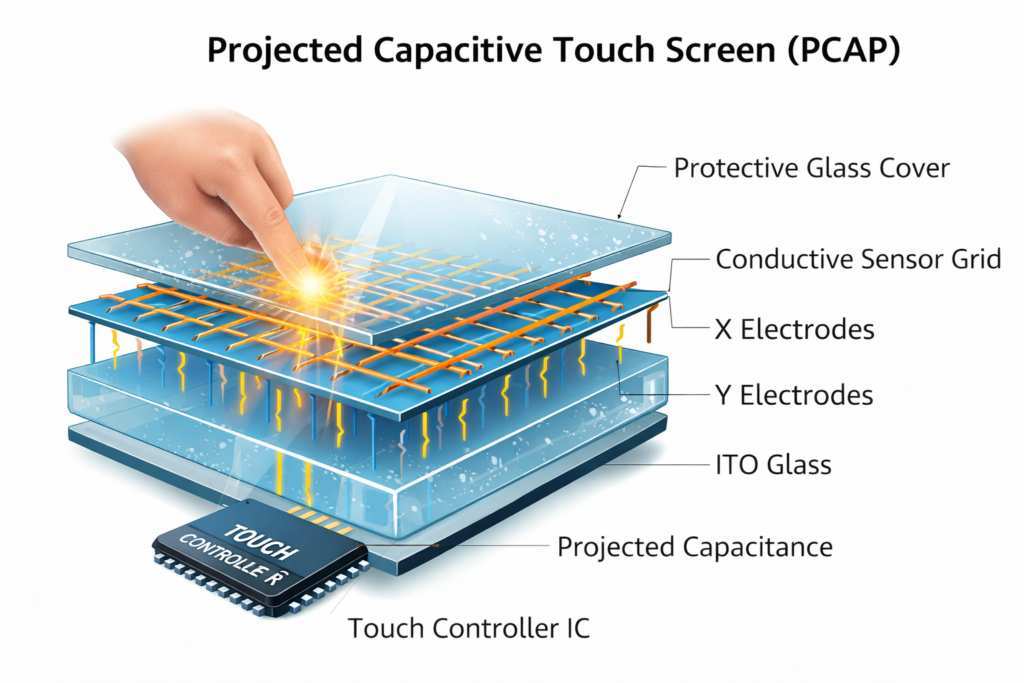
The screen has a grid of tiny electrodes embedded in the glass. Your finger (which conducts electricity) disrupts the electrostatic field at that point. The controller detects exactly where that disruption happened and registers a touch.
Why it's reliable:
- No moving parts. No layers to wear out mechanically.
- The sensor is bonded to or embedded in the glass, so it's protected.
- Excellent accuracy, typically within ±1mm on quality units.
- Supports multi-touch (10-point, 20-point, even 40-point on some models).
- Very fast response time, usually under 10ms.
Where it struggles:
- Doesn't work with standard gloves. You need conductive gloves or bare fingers.
- Very dry fingers can occasionally cause issues, especially in winter.
- More expensive than other technologies.
- Can be affected by significant electromagnetic interference.
PCAP is the gold standard for consumer use. If you're buying a touchscreen monitor for home or office use, this is almost certainly what you want.
Infrared (IR) Touch
IR touchscreens use a different approach entirely. A frame around the screen contains infrared LEDs and photodetectors that create an invisible grid of light beams across the surface. When your finger breaks those beams, the system calculates the touch point.
Why it's reliable:
- Works with anything. Fingers, styluses, gloved hands, pens, whatever.
- No overlay on the display, so image clarity is excellent.
- Very durable in controlled environments.
- Common in commercial and industrial applications.
Where it struggles:
- Dust and dirt can accumulate in the bezel gaps where the IR emitters sit. This causes false triggers or missed touches.
- Bright ambient light, especially direct sunlight, can overwhelm the IR sensors.
- The raised bezel frame is more vulnerable to physical impact.
- Not ideal for dirty or outdoor environments.
IR is the workhorse of kiosks, point-of-sale systems, and industrial panels. It's extremely reliable in the right setting. Put it in a dusty warehouse and you'll have problems.
Optical Touch Technology
Optical systems use small cameras embedded in the bezel corners to detect touch. When your finger approaches the surface, the cameras see it and software calculates the position.
Why it's reliable:
- Cost-effective for large-format displays (55 inches and up).
- Good image clarity since there's no overlay film.
- Scales well to very large sizes.
Where it struggles:
- The cameras need a clear line of sight. Obstructions cause problems.
- Ambient light interference can affect accuracy.
- Slightly less precise than PCAP for fine detail work.
- More common in digital signage than personal monitors.
Optical touch is niche for personal monitors. You'll mostly see it in large interactive displays and digital signage.
Which Technology Is Most Reliable?
For consumer and prosumer use, PCAP wins on reliability. It's simpler mechanically, the sensor is protected by glass, and it handles daily use extremely well. Manufacturer MTBF ratings for PCAP panels typically range from 30,000 to 50,000 hours.
That's 3.4 to 5.7 years of continuous operation, and most people won't run their monitors 24/7.
IR is equally reliable in controlled environments but has more environmental vulnerabilities. Optical is reliable for its specific use case (large displays) but isn't really competing in the personal monitor space.
What Actually Breaks: Real Failure Modes and Reliability Risks
Let's talk about what goes wrong. Not theoretical problems, actual failure modes that show up consistently in user reviews and manufacturer service data.
The Touch Controller Board
This is the number one point of failure in touchscreen monitors, especially budget models. The touch controller is a small printed circuit board that processes the raw signals from the touch sensor and translates them into data your computer understands.
On quality monitors, these controllers are well-designed with proper firmware support. On cheap monitors? They're often underpowered, poorly shielded, and running buggy firmware.
When the controller fails, you get phantom touches, complete touch loss, or erratic behavior that makes the monitor unusable.
The frustrating part is that the display itself might be perfectly fine. It's just the touch function that's dead. And on many monitors, the controller isn't user-replaceable.
Digitiser Delamination
The digitiser is the touch-sensitive layer. In some monitors, especially budget models, this layer is laminated onto the display using adhesive. Over time, heat and humidity can cause that adhesive to fail.
You'll see this as bubbling, visible separation at the edges, or dead zones where touch stops registering. Once delamination starts, it tends to spread. This is a hardware failure that usually means replacing the entire panel.
Quality monitors use better bonding processes. Some use optical bonding, where the layers are fused with optically adhesive resin. This eliminates air gaps and dramatically reduces delamination risk.
Firmware and Driver Issues
This isn't a hardware problem, but it sure feels like one. Touchscreens rely on firmware and drivers to function. When those break, the touch stops working.
The most common scenario: a Windows update changes something in the input stack, and suddenly your touchscreen doesn't respond. Or the multi-touch gestures get janky. Or the palm rejection stops working.
This is more common than people think, and it's almost exclusively a problem with cheaper manufacturers who don't invest in proper driver support and firmware updates. Established brands like Dell, ViewSonic, and ASUS maintain their drivers and push updates when OS changes cause issues.
Physical Wear and Tear
Touchscreens take physical abuse that standard monitors don't. Fingers pressing, tapping, swiping, sometimes with rings or watches that scratch the surface.
Quality touchscreens use hardened glass (often rated 7H or higher on the Mohs hardness scale) with anti-fingerprint coatings. Budget units might use softer glass or inferior coatings that wear down within months, leaving a smudgy, scratched surface that's harder to use and less accurate for touch detection.
Environmental Factors
Heat is the enemy. Sustained high temperatures accelerate adhesive degradation and can affect the touch controller. Humidity can cause condensation issues in IR monitors.
Dust is a real problem for IR systems with exposed bezel gaps.
If your monitor sits in direct sunlight for hours a day, or operates in a room without climate control, expect shorter lifespan regardless of the technology.
Touchscreen vs. Standard Monitor: The Trade-Offs Nobody Talks About
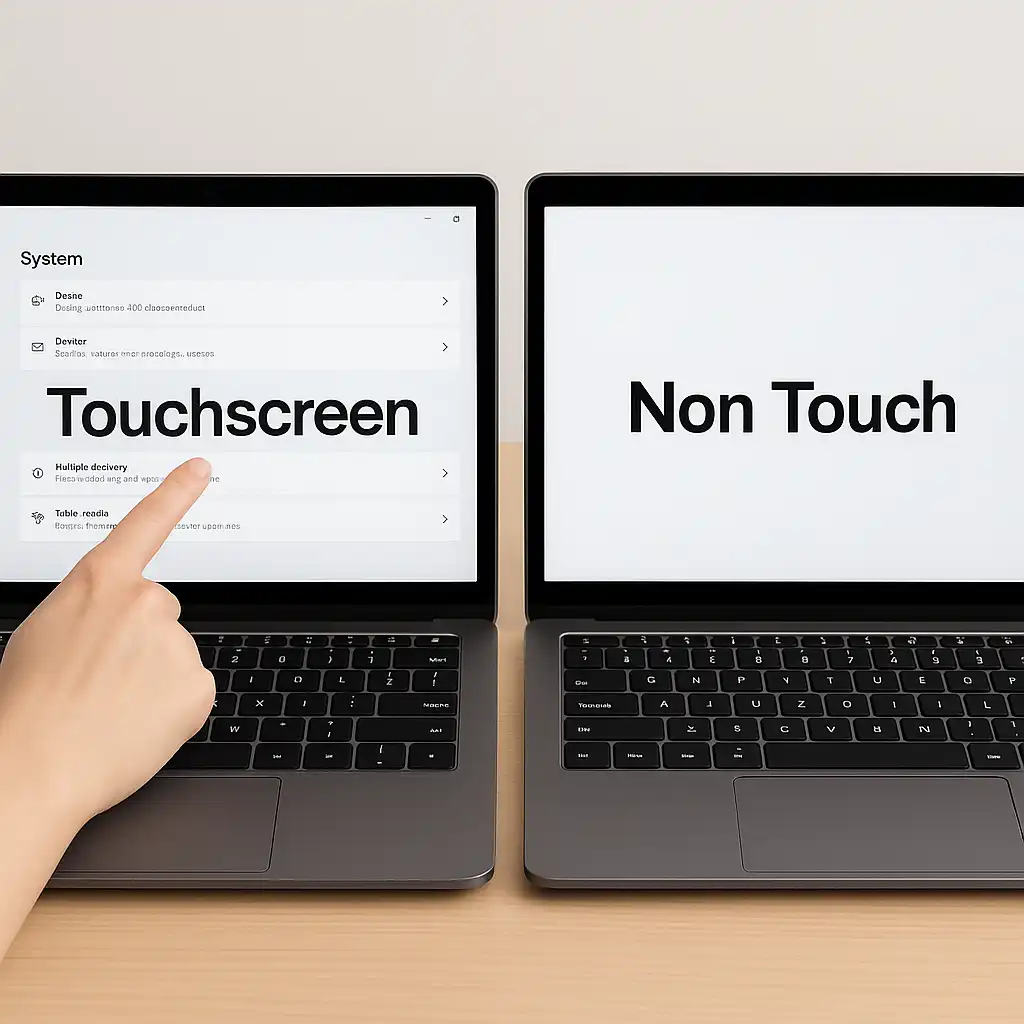
If you're trying to decide between a touchscreen monitor and an equivalent non-touch model, you need to understand what you're gaining and what you're giving up. It's not a free upgrade.
Display Clarity
Every touchscreen has some kind of touch-detecting layer on top of the display. Even with the best optical bonding, that layer affects light transmission slightly. Manufacturer specs typically show 85% to 95% light transmission through the touch layer.
In practice, this means a touchscreen will be very slightly less bright and may have a tiny bit more reflection than the same panel without touch. Most people won't notice this in normal use. But if you're doing color-critical work where every bit of accuracy matters, it's worth knowing.
Price Premium
Touchscreen versions of otherwise identical monitors cost more. Usually $50 to $200 more, depending on size and technology. That's a real cost, and if you won't actually use the touch functionality, it's money wasted.
Reliability Risk
A touchscreen has more components that can fail. The touch sensor, the controller board, the connecting cables, the firmware. A standard monitor has none of that.
All else being equal, a standard monitor is slightly more reliable simply because there's less to go wrong.
But "slightly more reliable" doesn't mean touchscreens are unreliable. It means the failure probability is marginally higher. For a quality unit, the difference is small enough that it shouldn't drive your decision.
Lifespan
Standard monitors routinely last 7 to 10+ years. Touchscreen monitors typically last 5 to 7 years for quality units. Budget units might start having issues within 2 to 3 years.
The display panel itself usually outlives the touch components. It's the touch system that ages first.
The Versatility Factor
Here's where touchscreens earn their premium. The ability to interact directly with what's on screen changes how you work. Pinch to zoom in photo editors.
Tap to select in presentations. Draw directly in creative apps. Annotate documents by hand.
For some workflows, touch isn't just a nice-to-have. It's a genuine productivity improvement. For others, it's a gimmick you'll use for a week and then forget exists.
The honest question isn't "is this reliable?" It's "will I actually use the touch function enough to justify the cost and marginal reliability trade-off?"


Similar Posts





















