Is OLED Monitor Good for Streaming Netflix
So you're wondering, is OLED monitor good for streaming Netflix? The short answer is yes, it delivers arguably the best picture quality you'll get on a desktop display. But there's a real trade-off you need to know about before spending that kind of money.
OLED technology gives you perfect black levels and incredible contrast that makes movies look stunning. The risk of burn-in from static elements like Netflix's interface is real, though. Modern panels have mitigation features, and as of 2026, they're more durable than ever. If you are exploring similar hardware setups, see our detailed guide on whether oled monitors good for streaming.
Let's break down whether it's the right choice for your setup.
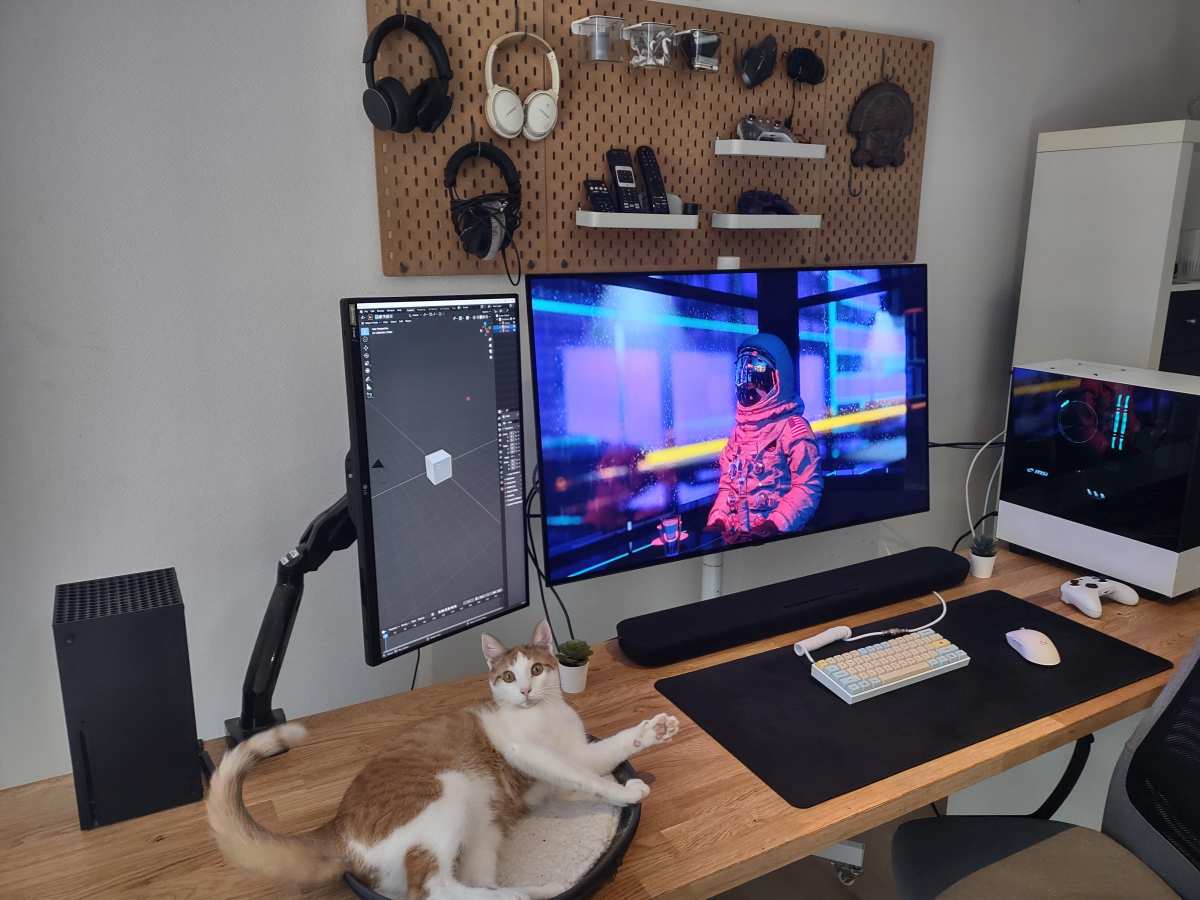
Quick Answer: Should You Stream Netflix on an OLED Monitor?
OLED monitors are excellent for Netflix streaming. They deliver perfect blacks and infinite contrast ratio. The main drawback is burn-in risk from static UI elements.
For mixed use with varied content, most users will be fine. If you only browse spreadsheets and never watch movies, a standard LED monitor makes more financial sense.
The Core Trade-Off: Cinematic Brilliance vs. Burn-In Risk
Here's the deal with OLED monitors. They produce the best image quality you can get on a desktop display, hands down. Every single pixel generates its own light and can turn off completely. To see how this holds up against alternate models, explore whether oled monitor good for stock trading.
That means true black, not just "really dark gray" like on LED monitors.
But that perfection comes with a catch. The organic compounds in OLED pixels degrade over time. When static images stay on screen for hours, those pixels wear out faster than others.
This creates what's called burn-in, a faint ghost image that stays visible even when content changes.
For Netflix specifically, the concerns are real but manageable. The bright red Netflix logo sits in the corner. The progress bar appears at the bottom.
The "Are you still watching?" prompt is basically a burn-in torture test. Modern OLED panels from LG Display and Samsung Display include pixel shifting, screen savers, and automatic brightness limits to combat this. Most people who stream a few hours a day with varied content won't see issues for years.
How OLED Creates That "Watching a Premium TV" Feeling
The reason OLED looks so good for movies comes down to two things: contrast and pixel response. These aren't just spec sheet numbers. They fundamentally change how content looks on your desk.
Perfect Blacks and Why They Matter for Dark Shows
When a scene goes dark on an OLED monitor, those pixels simply turn off. You're looking at absolute black, measured at 0 nits. On an LED monitor, the backlight stays on, so blacks look grayish, especially in a dark room.
This matters enormously for Netflix content. Shows like Ozark, The Witcher, or Stranger Things have long dark sequences. On OLED, shadows have depth and detail you literally cannot see on a standard monitor.
The image pops in a way that feels almost three-dimensional.
Why HDR Highlights "Pop" More on OLED
HDR content on Netflix relies on contrast between the brightest and darkest parts of the image. OLED excels here because it can display a bright highlight right next to a true black pixel. There's no blooming or halo effect around bright objects.
Manufacturer specifications for current OLED monitors indicate peak brightness around 1,000 nits for small HDR highlights. Full-screen white tops out closer to 200-250 nits due to power and heat limitations. For streaming movies with varied scenes, this works beautifully.
You get specular highlights on sunlight, explosions, or neon signs that genuinely catch your eye.
The Real Problems You Need to Weigh
Let's talk about the downsides honestly. OLED isn't perfect, and some of these issues might be dealbreakers depending on how you use your setup.
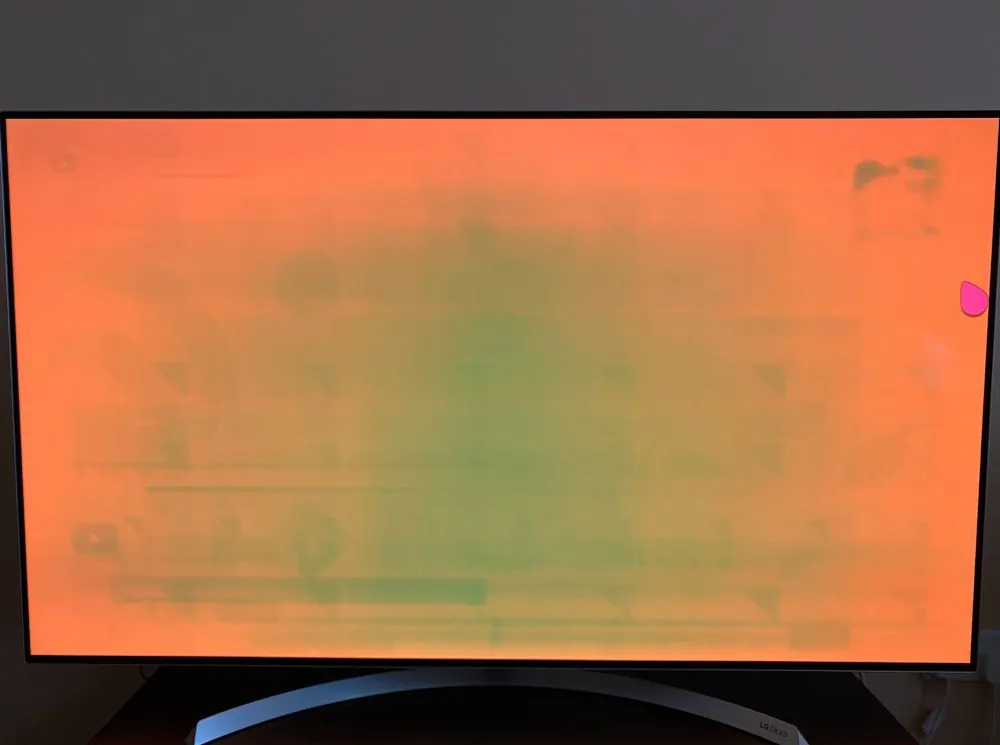
Burn-In: The Elephant in the Room (and That Bright Netflix Logo)
Burn-in remains the biggest concern. It's not a question of "if" but "when" and "how bad." Static elements cause uneven pixel degradation. The Netflix logo, Windows taskbar, and browser tabs all contribute.
Modern OLED monitors include several protective measures:
- Pixel shifting: Moves the entire image slightly to distribute wear
- Static screen dimming: Detects unchanged content and reduces brightness
- Panel refresh cycles: Run periodically to even out degradation
- Logo dimming: Specifically targets static bright elements
For someone who streams Netflix for two hours a night and uses the computer normally otherwise, burn-in risk is low. For someone who leaves the same paused screen visible for hours daily, it's a genuine concern.
Text Clarity and Office Use Concerns
Most OLED monitors use WRGB or QD-OLED subpixel layouts. These differ from the standard RGB stripe on typical LED monitors. The result is slight color fringing on small text, especially at lower resolutions.
At 4K on a 27-inch or 32-inch display, this is barely noticeable during normal use. If you're doing extensive text work, coding, or reading documents, it can become fatiguing for some people. ClearType tuning in Windows helps, but it doesn't eliminate the issue entirely.
Brightness Limitations in Sunlit Rooms
OLED monitors struggle in bright environments. The Automatic Brightness Limiter kicks in during large bright scenes, reducing overall luminance. In a sunny room with windows, you might find yourself squinting.
For dedicated home theater setups in dim or dark rooms, this is irrelevant. For a desk near a window with no light control, a high-brightness LED or Mini-LED monitor serves you better.
OLED vs. Mini-LED: The Two Main Premium Contenders
If you're considering OLED, you're probably also looking at Mini-LED. Both are premium technologies, but they solve different problems.
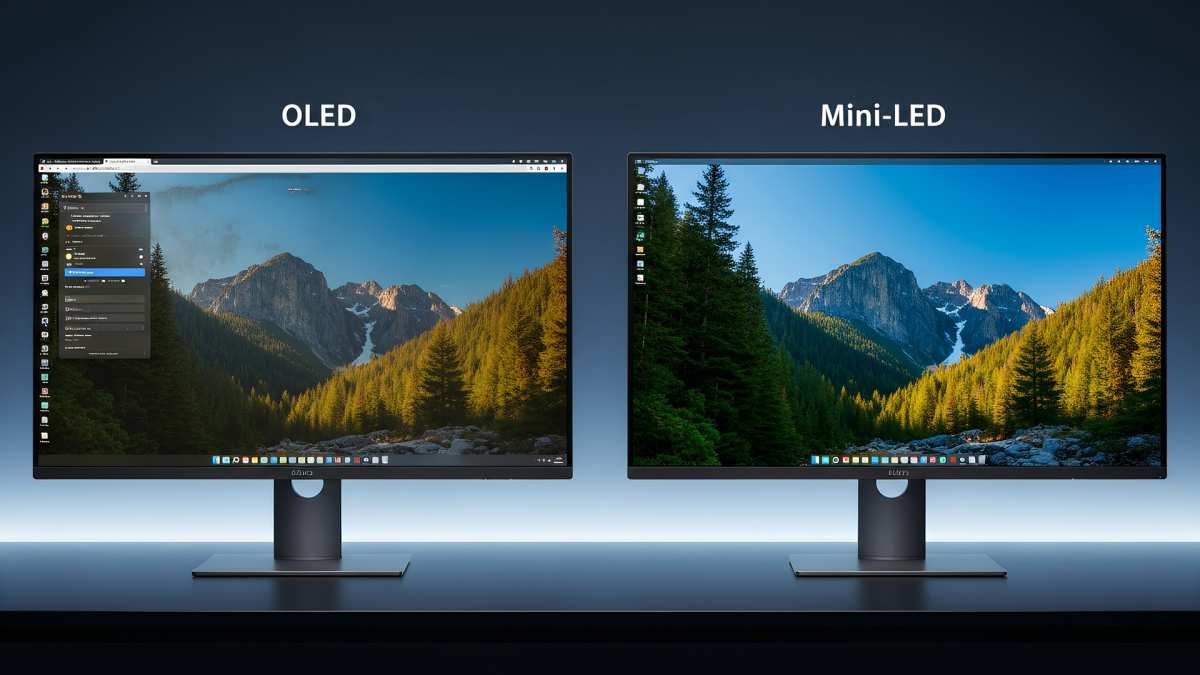
Mini-LED uses thousands of small backlight zones to dim specific areas of the screen. It gets much brighter than OLED and has zero burn-in risk. The trade-off is blooming, where bright objects on dark backgrounds create a visible halo.
Here's how they compare for Netflix streaming:
| Feature | OLED Monitor | Mini-LED Monitor |
|---|---|---|
| Black Levels | Perfect (0 nits) | Very good, slight glow in dark scenes |
| Burn-in Risk | Yes, with static content | None |
| Peak Brightness (HDR) | ~1,000 nits (small area) | ~1,500-2,000+ nits |
| Full Screen Brightness | ~200-250 nits | ~600-1,000+ nits |
| Blooming/Haloing | None | Visible around bright objects |
| Text Clarity | Slight fringing possible | Excellent, standard RGB layout |
| Price (27-32" 4K) | $800-$1,500+ | $500-$1,200+ |
| Best For | Dark room movie watching | Bright rooms, mixed productivity use |
For pure cinematic Netflix enjoyment in a dark room, OLED wins. For a versatile monitor that handles streaming, office work, and bright environments, Mini-LED offers fewer compromises.
OLED vs. Standard LED/LCD: The Value Perspective
Not everyone needs to spend $800+ on a monitor. Standard LED-backlit LCD monitors have improved significantly. For many Netflix viewers, they represent the smarter buy.
The current generation of IPS panels with direct LED backlighting gets reasonably bright. Many hit 400-600 nits sustained, enough for comfortable viewing in most room conditions. Colors look good, and modern HDR implementations, while not OLED-level, still enhance the viewing experience.
The main advantage of LED over OLED is peace of mind. You can leave any static image on screen indefinitely. You can use it as a productivity workhorse all day and stream movies at night without ever worrying about panel degradation.
For budget-conscious buyers, a good 27-inch 4K IPS monitor costs $300-$500. That's a significant savings over any OLED. If your Netflix viewing is casual and you value versatility, the money saved might buy you a better sound system or a Netflix Premium subscription for years.
Side-by-Side Comparison: Which Setup Actually Wins?
Let's put the options head-to-head for the specific use case of streaming Netflix at a desk.
| Factor | OLED Monitor | Mini-LED Monitor | Standard LED/LCD |
|---|---|---|---|
| Movie immersion in dark room | Excellent | Very Good | Good |
| HDR impact | Excellent | Excellent | Fair to Good |
| Bright room performance | Fair | Excellent | Very Good |
| Burn-in concern | Moderate | None | None |
| Text clarity for work | Good (slight fringing) | Excellent | Excellent |
| Price for 27-32" 4K | $800-$1,500+ | $500-$1,200+ | $300-$500 |
| Best Netflix use case | Dedicated movie watching | Mixed use, bright rooms | Casual streaming, budget builds |
The winner depends entirely on your room and habits. A dark home theater setup? OLED destroys everything else.
A bright bedroom with windows? Mini-LED or even a good LED monitor serves you better for less money.
Who Actually Benefits from an OLED for Streaming?
Not every Netflix viewer needs OLED. Let's break down who gets the most value and who should probably look elsewhere.
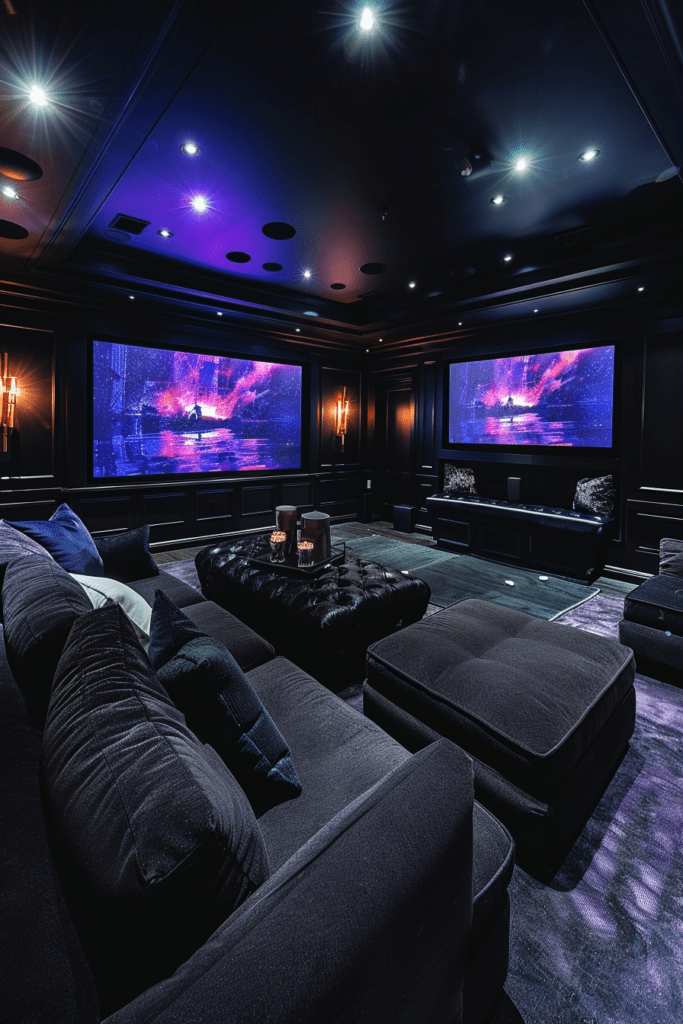
Ideal Users: The Home Theater Crowd
If you watch Netflix in a dim or dark room, OLED transforms the experience. The perfect blacks and infinite contrast make cinematic content feel genuinely immersive. This is the use case where OLED justifies its premium.
You'll benefit most if you:
- Watch primarily movies and cinematic TV shows
- Have a dedicated viewing space with controlled lighting
- Appreciate image quality enough to pay a premium
- Use the monitor for varied content, not just one static screen
For this user, no other technology matches what OLED delivers. The viewing experience is that much better.
Think Twice Users: The Office/Hybrid Worker
If your monitor spends eight hours a day displaying a web browser, spreadsheets, or code editor, OLED introduces unnecessary risk. Those static UI elements are exactly what cause burn-in over time.
You should probably skip OLED if you:
- Use your monitor primarily for work with static interfaces
- Leave your computer on for extended periods with paused content
- Don't want to think about screen care habits
- Need maximum brightness for a sunlit room
A good Mini-LED or IPS monitor serves this workflow better. You still get a great Netflix experience after hours, without the anxiety.
The "Best of Both Worlds" Setup: Dual Monitor Life
Some users run a dual monitor setup. They use an OLED for media consumption and a standard LED monitor for productivity. This is arguably the smartest approach if your budget allows it.
The OLED handles Netflix, YouTube, and gaming. The LED monitor handles email, documents, and web browsing. You get the best image quality where it matters and zero burn-in risk during work hours.
This setup costs more upfront. For people who split their time evenly between work and entertainment, it eliminates all the compromises.
Practical Setup and Care for Longevity
If you do go OLED, a few setup choices and habits make a real difference in both picture quality and panel lifespan.
Enabling Proper HDR and Color for Streaming
Getting HDR working correctly on Windows or macOS requires a few specific steps. First, ensure your monitor's HDMI or DisplayPort input is set to the correct bit depth and color format. Most OLED monitors need you to manually enable 4:4:4 chroma or full RGB in their on-screen display menu.
In Windows, go to Settings > System > Display > HDR and toggle it on. For Netflix specifically, use the Netflix app from the Microsoft Store rather than a browser. The app supports Dolby Vision and HDR10, while browser support is limited to 4K SDR on most systems.
macOS handles this more seamlessly. If your OLED monitor supports HDR, it usually works automatically through Safari or the Netflix app. Just make sure your cable supports the necessary bandwidth.
A certified Ultra High Speed HDMI 2.1 cable or DisplayPort 1.4 cable is essential for 4K HDR at 60Hz.
Simple Habits to Minimize Burn-In Risk
You don't need to baby your OLED. A few straightforward habits significantly reduce any burn-in risk.
- Enable pixel shift and screen saver features in the monitor's settings menu. These are on by default on most models.
- Use dark mode for your operating system and applications. Dark backgrounds mean fewer static bright pixels.
- Hide the taskbar when not needed, or set it to auto-hide.
- Set your screen to turn off after 5-10 minutes of inactivity.
- Vary your content. Don't leave the same paused Netflix screen visible for hours.
- Run the pixel refresh cycle when prompted. Most monitors do this automatically during standby.
Modern OLED panels from LG Display and Samsung Display are more resilient than earlier generations. Manufacturer specifications for 2026 models typically rate panels for tens of thousands of hours before any noticeable degradation under normal use conditions. Treat it reasonably, and it'll last.
Frequently Asked Questions
Does Netflix look better on OLED?
Yes, noticeably. The perfect blacks and per-pixel dimming create a more cinematic image. Dark scenes in shows like Ozark or Wednesday have depth that LED monitors simply cannot match.
HDR highlights also appear more impactful against true black backgrounds.
Will watching Netflix burn in my OLED monitor?
Not under normal use. Burn-in requires prolonged exposure to static images over many months. Streaming varied content for a few hours daily, with built-in mitigation features active, poses minimal risk.
Avoid leaving static screens paused for extended periods.
Is OLED worth it just for watching movies?
If you watch movies in a dark room and care about image quality, absolutely. The viewing experience is significantly better than any LED alternative. For casual viewing in a bright room, the premium is harder to justify.
How long do OLED monitors last before burn-in becomes an issue?
Current generation panels are rated for 30,000 to 50,000+ hours under normal mixed-use conditions. With reasonable habits, most users will upgrade their monitor before burn-in becomes noticeable. Heavy static content use accelerates this timeline.
Can I use an OLED monitor for both work and streaming?
Yes, but take precautions. Use dark mode, hide the taskbar, and vary your screen content. Consider a dual monitor setup if your work involves static interfaces for long periods.
The risk is manageable with awareness.
What size OLED monitor is best for Netflix?
27-inch and 32-inch 4K models are the sweet spot for desk use. At typical viewing distances of 2-4 feet, 4K resolution looks sharp and the screen fills a good portion of your field of view. Larger sizes exist but cost significantly more and work better at greater distances.

Similar Posts





















