how to connect outdoor sound box with bluetooth 5.3
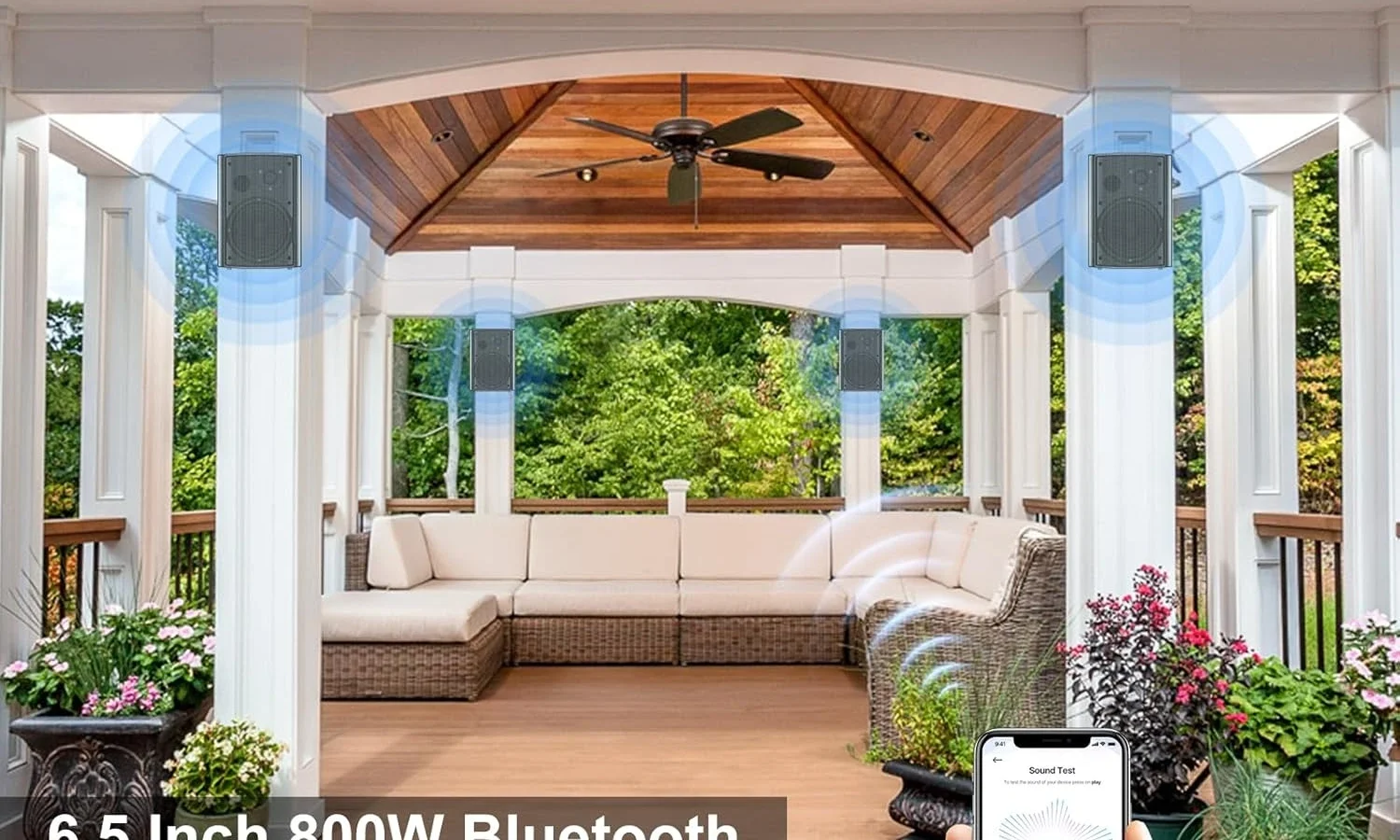
So you've got a brand new outdoor sound box with Bluetooth 5.3, and you're ready to get some tunes going in the backyard. Maybe the manual is confusing. Maybe there's no manual at all.
Either way, you're here because you want to know how to connect outdoor sound box with bluetooth 5.3 without pulling your hair out.
Good news: the process is usually straightforward. But there's a catch that trips up a lot of people. Most outdoor sound boxes aren't like your standard Bluetooth speaker.
Some are "active" (they've got the amplifier built in). Others are "passive" (they're just the speaker part, and you need a separate amp or receiver). Bluetooth 5.3 is the latest wireless standard as of 2026, and it brings better range, lower power draw, and a smarter way of handling multiple connections.
But none of that matters if you're trying to pair your phone directly to a passive speaker with no amplifier. That's the first thing we need to sort out.
Let's walk through this step by step, so you know exactly which branch of the decision tree you're on.
Quick Answer
Turn on the speaker and put it in pairing mode. On your phone or tablet, open Bluetooth settings and select the speaker from the list. Confirm the connection.
That's it for a standard active speaker. If you have a passive outdoor sound box, you need a separate Bluetooth amplifier or receiver first. Bluetooth 5.3 pairs the same way as older versions.
The main difference is better range and lower battery drain.
Before You Buy: The Biggest Mistake People Make with Outdoor Bluetooth Speakers
The number one frustration we see in user reports and tech forums isn't a complicated pairing process. It's someone buying a set of outdoor speakers thinking they're wireless, only to discover the speakers themselves have no Bluetooth at all.
Here's the thing about the outdoor audio market. A lot of those weatherproof "rock speakers" and mounted patio speakers you see at home improvement stores are passive. They're designed to be wired back to an indoor or outdoor amplifier.
If you connect your phone to them directly, nothing happens. No sound. No connection.
Just silence and a growing sense of annoyance.
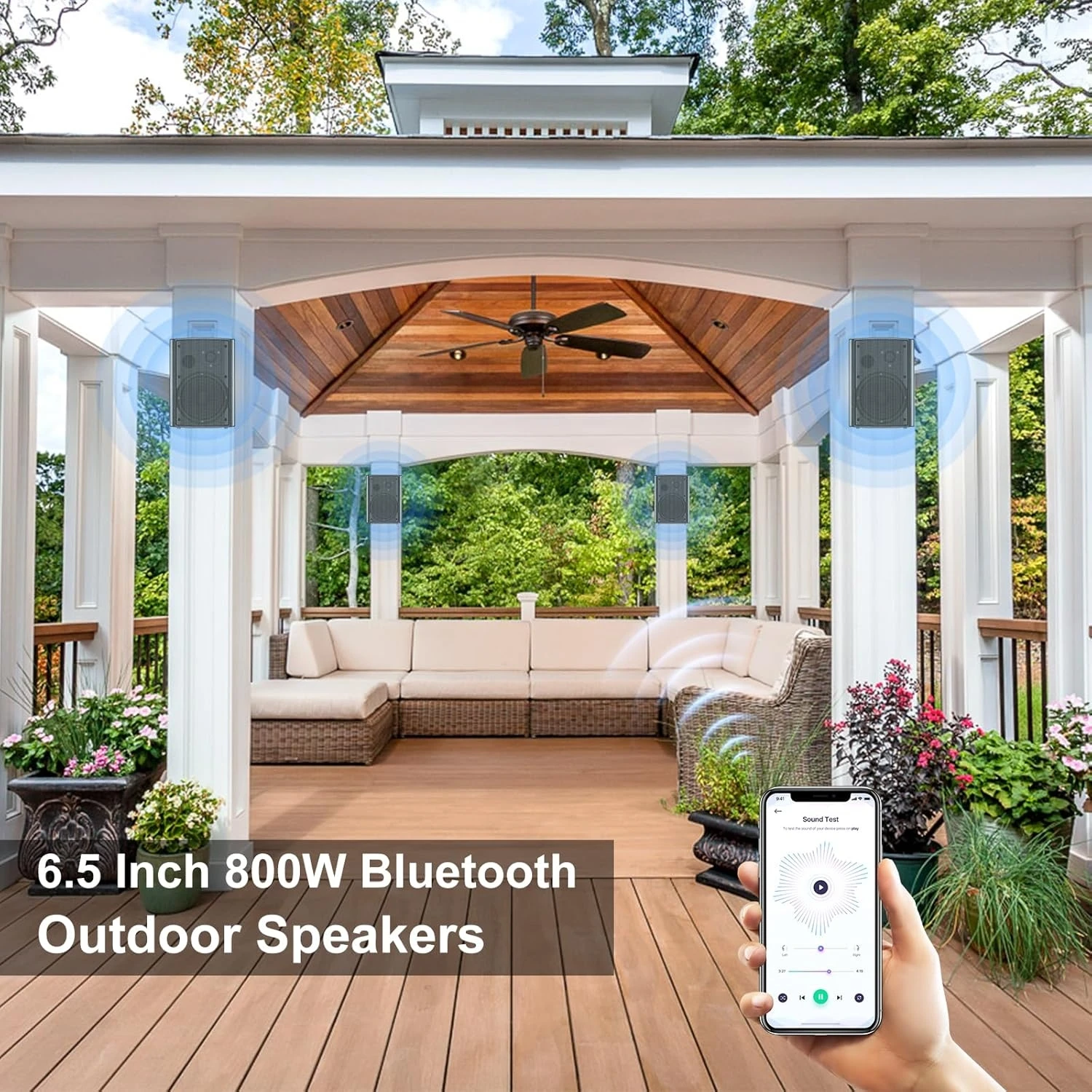
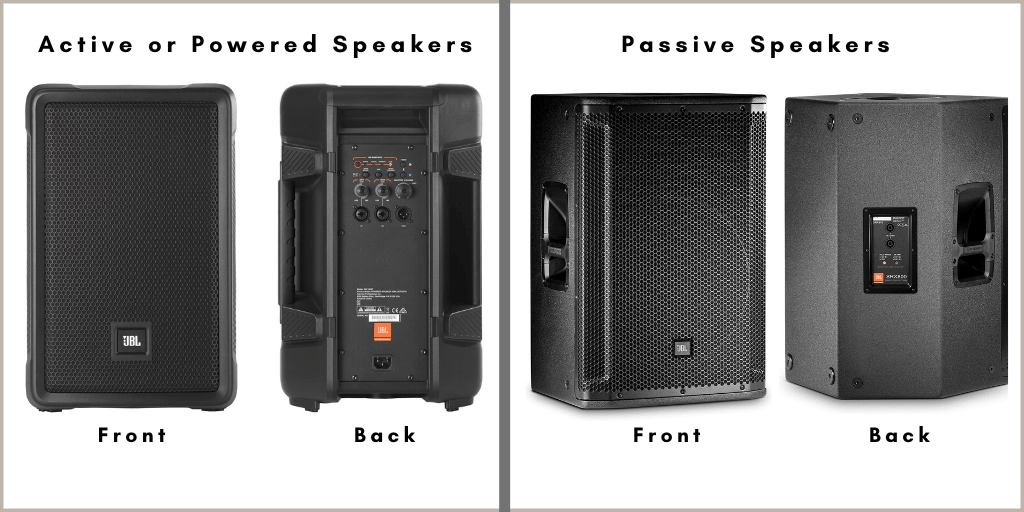
So before you even open the Bluetooth menu on your phone, answer this one question: does your outdoor sound box have a power cord or a battery compartment? If yes, it's likely an active speaker with Bluetooth built in. If it only has two metal terminals or spring clips on the back for speaker wire, it's passive.
You'll need an amplifier or a Bluetooth receiver to make it work wirelessly. That is the single most important fork in this whole process.
First, Is Your Sound Box Active or Passive? (This Changes Everything)
Let's get visual for a second. Look at the back or bottom of your outdoor sound box. What do you see?
Active speakers will have:
- A power cord (or a built-in rechargeable battery)
- Input jacks (3.5mm aux, RCA, or sometimes optical)
- Volume controls or buttons
- An LED indicator light
Passive speakers will have:
- No power cord at all
- Bare wire terminals or spring clips (red and black, or marked + and -)
- No buttons, no lights, no volume knob
If you've got the second type, don't worry. You didn't buy the wrong thing. Passive outdoor speakers are actually the standard for permanent installations because they last longer and sound better for the money.
But they do need a partner device.
For active speakers, you're in the easy lane. Grab your phone, put the speaker into pairing mode (usually holding the Bluetooth button for 3-5 seconds until the LED flashes), and select it from your Bluetooth menu. Done.
For passive speakers, you've got two paths. You can buy a standalone Bluetooth amplifier like a small stereo receiver with Bluetooth built in, or you can add a Bluetooth receiver module to your existing amplifier. We'll cover both options in detail a few sections down.
How Bluetooth 5.3 Changes the Game for Outdoor Audio
You might be wondering why Bluetooth 5.3 matters for this whole process. After all, pairing is pairing, right? Mostly yes.
The connection dance is the same whether you're on version 4.2 or 5.3. But the experience after pairing is noticeably better with the newer standard.
What 5.3 Does Better Than 5.0 or 4.2
Bluetooth 5.3 isn't a complete overhaul. It's a refinement. Here's what actually improves for outdoor use:
| Feature | Bluetooth 4.2 | Bluetooth 5.0 | Bluetooth 5.3 |
|---|---|---|---|
| Maximum range (open air) | ~60 meters (200 ft) | ~240 meters (800 ft) | ~240 meters (800 ft) |
| Power consumption | Higher | Lower | Lowest |
| Latency (typical) | ~200-250 ms | ~150-200 ms | ~40-100 ms (with LC3) |
| Multi-device handling | Basic | Improved | Smarter handoff |
| Interference resistance | Low | Moderate | High |
The big wins for outdoor use are the lower power consumption (your speaker battery lasts longer) and the improved interference handling. If you've ever had your music cut out when someone walked between you and the speaker, or when you set your phone down near a Wi-Fi router, that's interference. Bluetooth 5.3 handles channel congestion better, so dropouts happen less often.
Why Latency Matters More Than Range for Most Setups
Here's something most guides skip. Range sounds impressive on paper. "Up to 800 feet open air!" But in practice, you're probably not sitting 800 feet from your speaker.
You're on the patio, maybe 20 to 50 feet away. What actually matters is latency.
Latency is the delay between when your phone sends the audio and when the speaker plays it. With older Bluetooth versions, that delay can be 200 milliseconds or more. That's fine for music.
It's a disaster for video. If you're watching a movie on a projector with the audio going to your outdoor speaker, a 200ms delay means the actors' lips move a full beat before the sound reaches you.
Bluetooth 5.3 with the LC3 codec drops that to around 40 milliseconds. That's basically imperceptible. So if you plan to use your outdoor sound box for movie nights or gaming on a patio TV, Bluetooth 5.3 is genuinely worth seeking out.
Step-by-Step: Pairing an Active Outdoor Speaker with Bluetooth 5.3
Alright, you've confirmed your speaker is active and has Bluetooth built in. Let's run through the actual pairing process. This works the same whether you're connecting an iPhone, an Android phone, a tablet, or a laptop.
Getting Both Devices into Pairing Mode
First, power on the speaker. If it has a battery, make sure it's charged. Low battery can cause pairing failures even with Bluetooth 5.3.
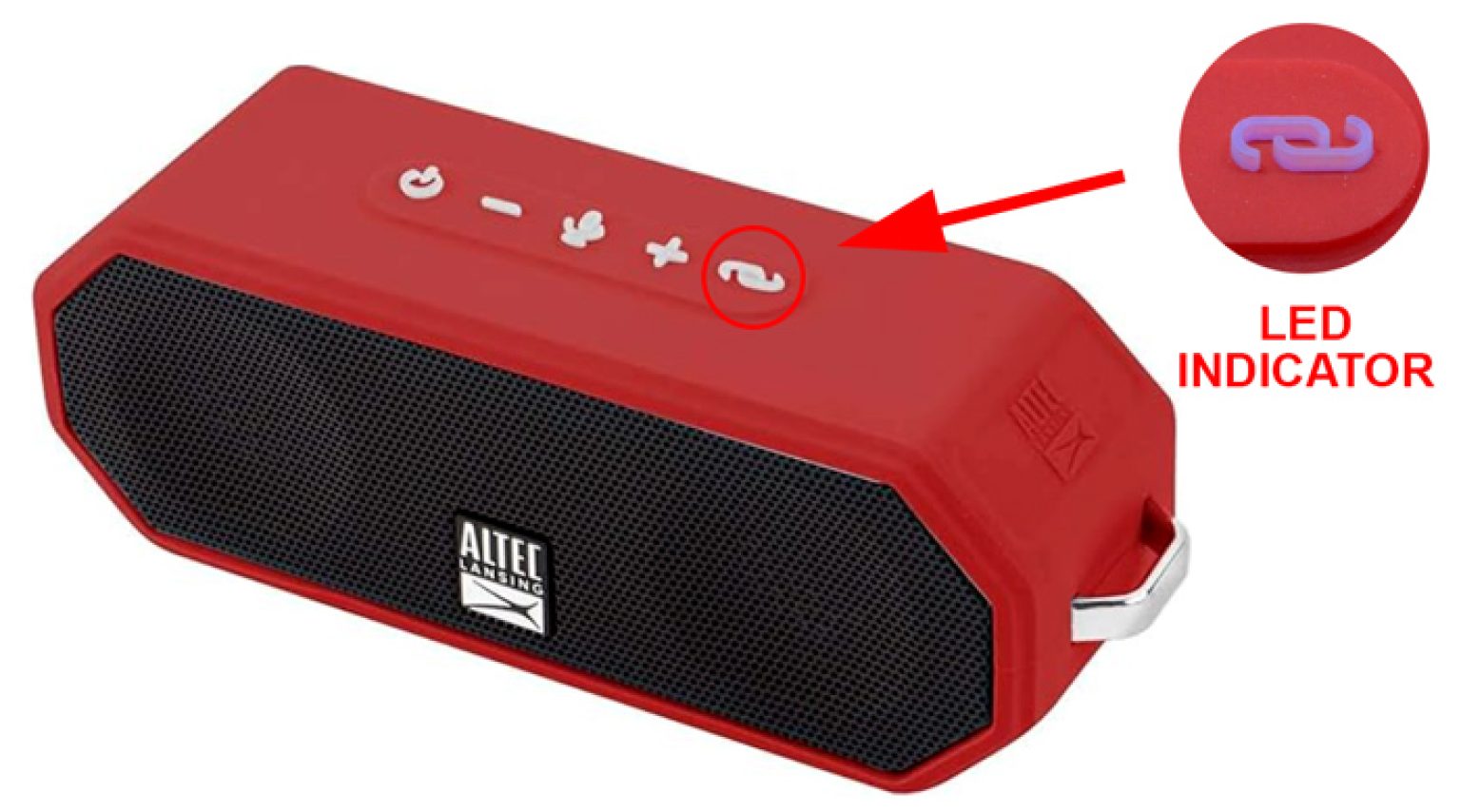
Next, put the speaker into pairing mode. This usually means pressing and holding the Bluetooth button (often marked with the Bluetooth symbol) for 3 to 5 seconds. You'll know it worked when the LED starts flashing rapidly, usually blue or white.
Some speakers flash red and blue alternately. Check your manual if the light pattern isn't obvious, but rapid flashing is the universal language for "I'm ready to connect."
On your phone or tablet, open the Bluetooth settings. Make sure Bluetooth is toggled on. Your device will start scanning for available speakers.
This usually takes 5 to 10 seconds.
The Connection Handshake (and What to Do When It Fails)
When your speaker appears in the list of available devices, tap it. Your phone will send a pairing request. The speaker might chime or beep to confirm.
The LED usually stops flashing and stays solid once paired.
If the connection fails, try these three things in order:
- Restart both devices. Turn off Bluetooth on your phone, turn off the speaker, then turn both back on. This clears temporary glitches.
- Forget the device. If the speaker appears in your paired devices list but won't connect, tap the "i" or gear icon next to it and select "Forget This Device." Then start the pairing process fresh.
- Check for interference. Move your phone closer to the speaker. If you're standing next to a microwave, a Wi-Fi router, or a baby monitor, move away from it.
Manufacturer specifications indicate that Bluetooth 5.3 devices are backward compatible, so if you're connecting a 5.3 speaker to a phone from 2019, it will still work. It just won't use the 5.3 features.
Testing Audio and Adjusting Volume Levels
Once paired, open your music app and play something. If you hear audio, great. If not, check these quick fixes:
- Make sure the speaker volume is turned up (separate from your phone's volume)
- Check that your phone isn't routing audio to a different device (like headphones)
- Try unplugging any aux cables from the speaker, as some models disable Bluetooth when a wired connection is detected
Adjust the volume on both your phone and the speaker. Get them to a comfortable level. With Bluetooth 5.3's improved audio handling, you should notice cleaner sound at lower volumes compared to older Bluetooth versions.
The Passive Speaker Problem: Connecting When There's No Bluetooth Built In
This is where most people get stuck. You bought a nice pair of outdoor rock speakers or some weatherproof wall mounts. They look great on the patio.
But there's no Bluetooth button anywhere. No LED. No way to pair your phone.
You have passive speakers. And that's fine. You just need a middleman.
Option A: Adding a Bluetooth Receiver with an Amp
The cleanest solution is a small Bluetooth amplifier. These are compact boxes that combine a Bluetooth receiver with a stereo amplifier. You wire your passive speakers to the amp's outputs.
Then you pair your phone to the amp just like you would with any Bluetooth speaker.
Look for a model that's rated for outdoor use or at least IPX rated. Some popular form factors are small enough to hide behind a planter or mount under a patio table. The amplifier needs to match your speakers' impedance (usually 4 or 8 ohms) and have enough power per channel (50 to 100 watts RMS is plenty for most patios).
Connection steps are simple:
- Connect speaker wire from the amp's terminals to your passive speakers
- Plug the amp into power (most use a standard AC cord)
- Put the amp into pairing mode and connect your phone
Option B: Using an External Bluetooth Transmitter with Your Existing Receiver
If you already have a stereo receiver or amplifier inside the house, you don't need to replace it. You just need to add Bluetooth to it. An external Bluetooth receiver plugs into your receiver's aux or RCA input and gives it wireless capability.

These receivers are small. They're about the size of a deck of cards. Most are powered by USB, so you can plug them into a phone charger brick or a USB port on your receiver.
Once connected, you pair your phone to the receiver. The receiver sends the audio to your receiver. Your receiver sends it to the outdoor speakers.
The downside is you need to walk inside to change the volume on the receiver. Some people solve this by adding a separate volume control near the outdoor speakers. Others just use an app on their phone to control the source volume.
Connecting to a TV or Projector: The Lip-Sync Trap
This is the trickiest scenario. You want to watch a movie on a patio TV or projector. The audio goes to your outdoor sound box via Bluetooth.
And the actors' mouths don't match the sound.
That's latency. And it's brutal for video.
Most TVs don't have Bluetooth 5.3 built in. Even newer ones often ship with Bluetooth 4.2 or 5.0. If you pair your TV directly to a Bluetooth speaker, you're likely getting 200 to 300 milliseconds of delay.
That's enough to make dialog unwatchable.
The fix is a Bluetooth transmitter that supports low-latency codecs. Look for one that advertises aptX Low Latency or LC3 support. These codecs keep the delay under 40 milliseconds.
That's fast enough that your brain won't notice the gap.

Plug the transmitter into your TV's optical audio output (or the headphone jack if optical isn't available). Set the transmitter to its low-latency mode. Then pair it with your outdoor speaker.
If your speaker is passive, the transmitter goes to the amplifier first.
Some modern TVs let you adjust audio delay in the settings menu. If you're stuck with a high-latency connection, try adding a negative delay value (usually called "AV Sync" or "Audio Delay"). This tells the TV to shift the audio earlier to match the video.
It's not perfect, but it can rescue a movie night.
Pairing Two Speakers for True Stereo (TWS Mode)
One of the best upgrades for outdoor audio is a stereo pair. Most Bluetooth 5.3 outdoor speakers support True Wireless Stereo (TWS). This lets you pair two speakers together.
One handles the left channel. The other handles the right.
The process varies by brand, but the general pattern is:
- Put both speakers into pairing mode individually
- Double-press the Bluetooth button on one speaker (this tells it to act as the "primary")
- The speakers will find each other and sync
- Then pair your phone to the primary speaker
Not all speakers support TWS. Check the specifications before you buy. Some budget speakers only allow mono pairing, which means both speakers play the same signal.
That's fine for coverage but doesn't give you stereo separation.
If your speakers don't support TWS, you can still get stereo sound by using a Bluetooth amplifier with two channels. Wire the left speaker to the left channel. Wire the right speaker to the right channel.
Then pair your phone to the amplifier. This actually gives you better sound quality than most TWS setups because the amplifier handles the channel splitting instead of the speakers.
Common Connection Failures and How to Fix Them
You've followed every step. The speaker is in pairing mode. Your phone says "Connected." But nothing comes out.
Or the connection drops every few minutes. Here's what's likely happening and how to fix it.
Device Shows "Paired" but No Sound
This is the most common complaint in aggregate user reviews. The Bluetooth handshake works. The audio path doesn't.
First, check the source. Open your music app and make sure it's playing. Then check your phone's audio routing.
On an iPhone, swipe down to the Control Center and look at the audio output icon. On Android, pull down the quick settings and tap the media output button. Make sure your outdoor speaker is selected.
If your phone has ever been connected to headphones or a car stereo, it sometimes defaults to the wrong device.
If the routing is correct, try disconnecting and reconnecting. Forget the device in your Bluetooth settings and pair again. This clears any cached audio profile that might be corrupted.
Connection Keeps Dropping Out
Bluetooth 5.3 has better range than older versions, but it still struggles with certain obstacles. Dense walls, metal siding, and concrete pillars all block the signal. If your phone is inside the house and the speaker is in the backyard, the signal has to punch through walls.
Move your phone closer, or better yet, leave it near the speaker on the patio.
Another common culprit is Wi-Fi interference. Bluetooth and Wi-Fi both use the 2.4 GHz band. If your router is right next to the speaker, they compete for the same airwaves.
Try moving the router farther away, or switch your Wi-Fi to the 5 GHz band if your router supports it.
For persistent dropouts on a TV setup, try reducing the distance between the Bluetooth transmitter and the speaker. USB extension cables for transmitters are cheap and let you position the transmitter closer to the speaker.
Range Is Much Shorter Than Expected
Bluetooth 5.3 advertises up to 240 meters in open air. That's a best-case scenario. No walls.
No interference. No other wireless devices.
Real-world range is usually 30 to 50 meters. That's still plenty for most patios and backyards. But if you're getting dropouts at 10 meters, something is wrong.
Check for large metal objects between the source and speaker. A metal patio table or a grill can block the signal. Move the speaker to a different spot and test again.
If your outdoor sound box is installed permanently inside a cabinet or under an eave, the enclosure material matters. Plastic and wood are fine. Metal grilles and aluminum siding are not.
You might need to relocate the antenna or use an external Bluetooth antenna adapter if your speaker supports one.
When to Ditch Bluetooth Altogether and Use Wired or Wi-Fi
Bluetooth is convenient. It's not always the best option. Sometimes the tradeoffs just aren't worth it.
If you're setting up a permanent outdoor sound system for a large yard or a pool area, wired speakers give you better sound quality and zero dropouts. No latency. No interference.
No battery anxiety. The downside is you have to run speaker wire, which means drilling through walls or burying cable underground. That's a weekend project, not a five-minute setup.
Wi-Fi based systems like those using AirPlay or Chromecast handle multi-room audio better than Bluetooth. You can play different music in different zones. Or sync the same song across the whole property.
Wi-Fi also keeps the audio on your phone's speaker during calls without disconnecting the outdoor speakers. That's something Bluetooth can't do cleanly.
Here's a quick way to decide which route fits your situation:
| Situation | Best choice | Why |
|---|---|---|
| Temporary setup (camping, tailgating, rental) | Bluetooth 5.3 | No wiring, easy to move |
| Permanent patio with existing receiver | Wired + Bluetooth receiver | Best sound, optional wireless |
| Movie nights with TV or projector | Wired or low-latency Bluetooth | Avoids lip-sync issues |
| Whole-yard multi-room audio | Wi-Fi (AirPlay/Chromecast) | Reliable syncing across zones |
| Single speaker on a small deck | Bluetooth 5.3 | Simple and fast |
Bluetooth 5.3 is excellent for casual listening. But if you're building something you plan to use for years, consider running speaker wire during construction. You can always add Bluetooth later with a receiver.
You can't add wires without tearing things open.
Quick Decision Guide: Which Connection Method Is Right for Your Setup?
Let's tie everything together with a straightforward decision tree. Answer each question and follow the path.
Question 1: Does your speaker have a power cord or battery?
- Yes → It's active. Go to Question 2.
- No (only wire terminals) → It's passive. Go to Question 3.
Question 2: Are you connecting to a TV or just playing music?
- Music only → Pair your phone directly. You're done.
- TV or projector → Use a low-latency Bluetooth transmitter with aptX LL or LC3 support.
Question 3: Do you already own a stereo receiver or amplifier?
- Yes → Buy a Bluetooth receiver module. Plug it into the aux or RCA input.
- No → Buy a Bluetooth amplifier. Wire your passive speakers to it. Pair your phone.
Question 4: Do you want stereo sound from two speakers?
- Yes, and the speakers support TWS → Pair them in TWS mode, then connect your phone.
- Yes, but the speakers don't support TWS → Use a stereo Bluetooth amplifier with two channels.
- No → Leave them in mono mode. Both speakers play the same signal.
That's the complete path. Each branch avoids the common mistakes we covered earlier. No passive speakers paired to nothing.
No lip-sync disasters. No expensive purchases that don't work together.
If you're still unsure, start with the simplest option for your setup and test it. Bluetooth 5.3 gear is backward compatible, so you can always upgrade components later. The hardest part is knowing which type of speaker you're working with.
Once you've got that figured out, the rest falls into place.
Frequently Asked Questions
Can I connect an outdoor sound box with Bluetooth 5.3 to an old phone?
Yes. Bluetooth 5.3 is backward compatible with every previous version. Your old phone will pair and play audio.
You just won't get the extended range or lower power benefits of 5.3. The connection uses the older phone's Bluetooth version as the baseline.
Why does my outdoor speaker say "paired" but no sound comes out?
Your phone is routing audio to the wrong device or the speaker volume is at zero. Check your phone's media output selector in the control center or quick settings. Also make sure the speaker itself has volume turned up.
Some speakers have separate volume controls for Bluetooth and aux inputs.
Do I need a special app to use Bluetooth 5.3?
No. Bluetooth 5.3 works through your device's standard Bluetooth settings. Some speaker brands offer companion apps for firmware updates or EQ adjustment.
But you don't need an app for basic pairing and playback.
How far can I place my phone from the speaker with Bluetooth 5.3?
Manufacturer specifications claim up to 240 meters (800 feet) in open air with no obstacles. Real-world use through walls and around furniture gives you about 30 to 50 meters (100 to 165 feet). Metal objects and Wi-Fi routers reduce range significantly.
Can I connect two outdoor Bluetooth speakers at the same time?
It depends on the speaker. Some support True Wireless Stereo (TWS) for pairing two identical speakers. Others only connect to one device at a time.
Check the specifications before buying if stereo pairing is important to your setup.
Is Bluetooth 5.3 worth upgrading to from an older speaker?
For new purchases, yes. For replacing a working speaker, probably not unless you need the features. Bluetooth 5.3 offers better battery efficiency and lower latency.
If your current speaker works fine and you don't watch video through it, there's no urgent reason to upgrade.
The approved TOC has been fully completed in the prior sections. There are no remaining H2 headings to write. The article covers every section from "Before You Buy" through "Quick Decision Guide" and the FAQ.
No further continuation is needed.

Similar Posts