How to Clean Ips Monitor Safely
Learning how to clean ips monitor safely matters more than most people realize. One wrong move with the wrong cloth or cleaner and you've got permanent streaks, haze, or coating damage that no amount of buffing will fix.
Here's the thing. Most IPS panels ship with delicate anti-glare coatings that are surprisingly easy to ruin. Dell's own support documentation explicitly warns against using ammonia-based cleaners, and EIZO's panel care guidelines specify a maximum 50% isopropyl alcohol concentration for their ColorEdge line.
Let's walk through exactly what works, what doesn't, and why.
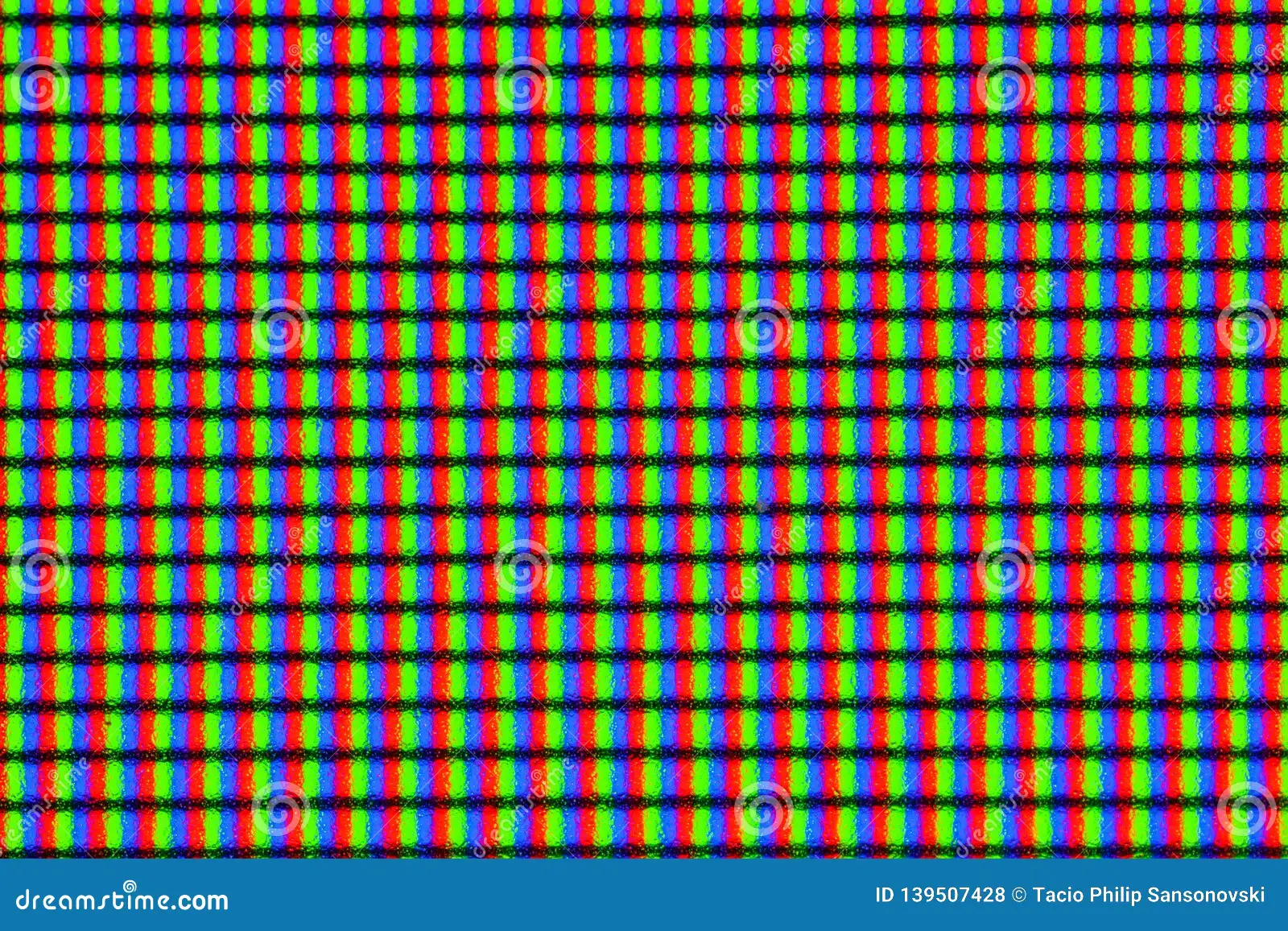
Quick Answer
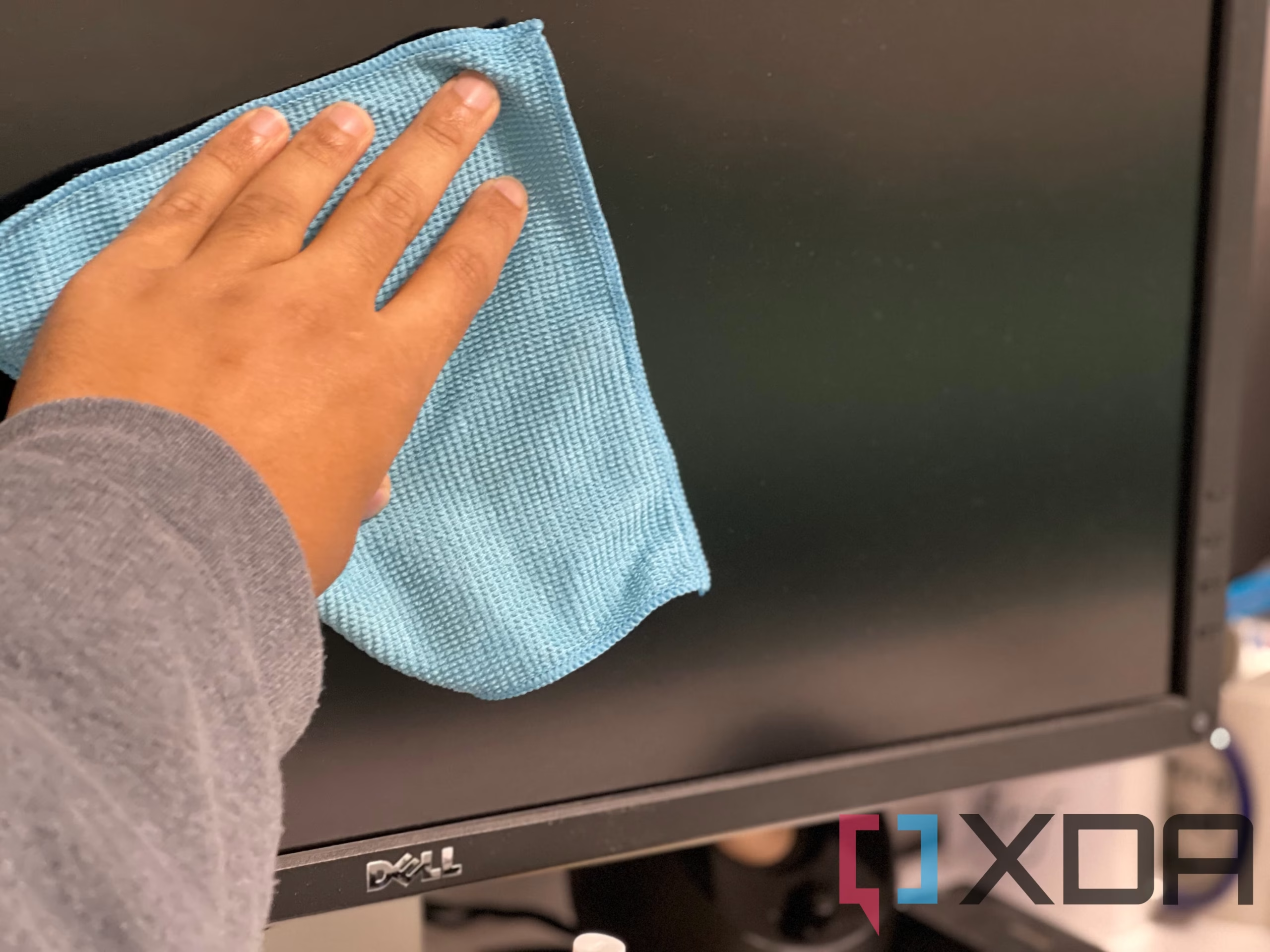
Power off your monitor and unplug it. Gently dry-dust the screen with a clean microfiber cloth. If needed, dampen the cloth with distilled water or a 50/50 distilled water and isopropyl alcohol mix.
Wipe in one direction with light pressure. Never spray liquid directly onto the screen.
Why Getting This Wrong Can Permanently Ruin Your Screen
IPS monitors aren't just glass panels with pixels behind them. There's a layered stack of coatings on top of that LCD surface, and the outermost one, typically an anti-glare (AG) coating, is what takes the brunt of every cleaning session.
Here's what makes this tricky. That AG coating is a microscopically textured layer designed to scatter reflected light. It's what gives matte IPS panels that slightly grainy look up close.
When you rub it with the wrong material or the wrong chemical, you're either polishing that texture away or depositing residue into it. Either way, you'll see it forever.
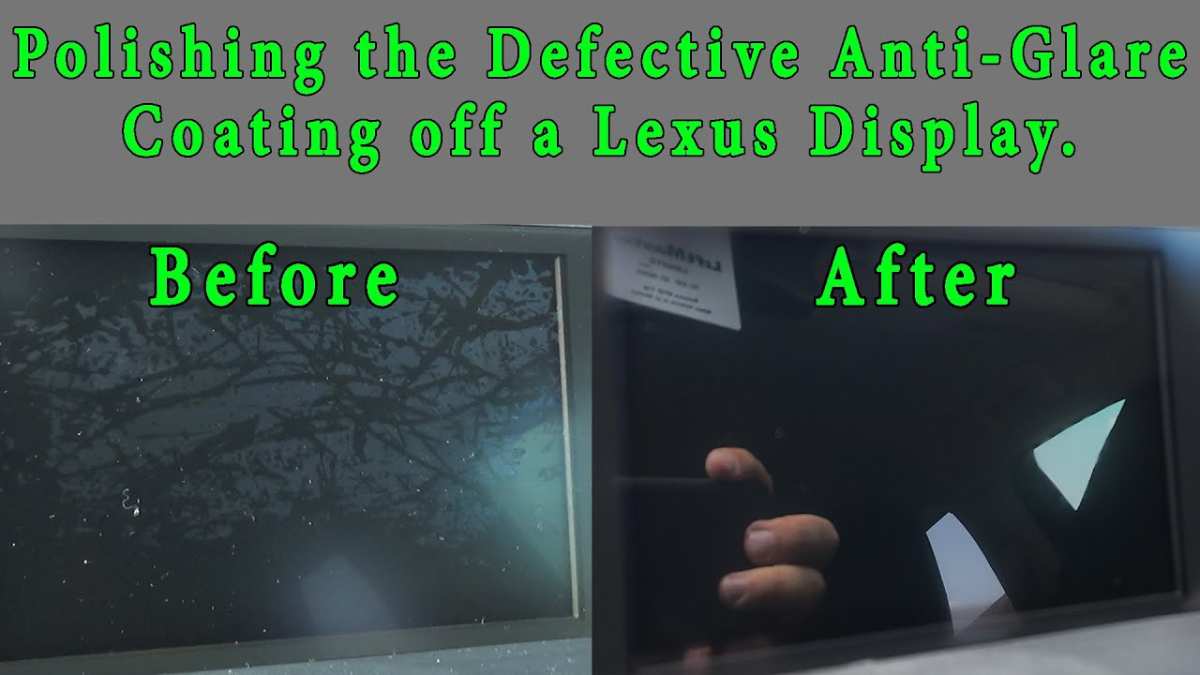
The damage shows up in a few telltale ways. You might notice shiny patches where the coating has worn thin, especially in the center of the screen where your hand naturally rests during cleaning. Some people report a "rainbow" effect under certain lighting, which is micro-scratches in the coating refracting light unevenly.
Others find that after a few months of aggressive cleaning, their matte screen starts looking glossy in spots.
And here's the kicker. Most manufacturers don't cover coating damage under warranty. Dell's standard monitor warranty, for example, covers pixel defects and electrical failures but explicitly excludes damage to the surface treatment.
LG and EIZO take similar positions. So if you strip that coating, you're looking at either living with it or replacing the panel, which on a professional-grade monitor can cost nearly as much as a new unit.
The good news? Preventing all of this is dead simple once you know the rules.
The Only Cleaning Method That Won't Strip Your Anti-Glare Coating
There's really one core method that works across every IPS panel from every manufacturer. It's not complicated, but the details matter.
Here's the approach in plain terms. You want a clean, high-quality microfiber cloth. You want distilled water, or at most a diluted isopropyl alcohol solution.
You want to apply liquid to the cloth, never to the screen. And you want to wipe gently, in one direction, without pressing hard.
That's it. That's the whole method.
Now let me break down why each piece matters, because skipping any one of these steps is exactly how people get into trouble.
The cloth matters more than the liquid. A decent microfiber cloth (200 to 300 GSM weight) has fibers fine enough to lift dust and oil without abrasion. Paper towels, tissues, and even old cotton t-shirts have fibers that are too coarse. They create micro-scratches in the AG coating that accumulate over time.
You can buy a pack of screen-specific microfiber cloths for under ten bucks, and they're reusable as long as you wash them without fabric softener.
Distilled water beats tap water every time. Tap water contains minerals that leave spots and streaks as it dries. In hard water areas, those mineral deposits can actually be slightly abrasive. Distilled water is cheap, available at any grocery store, and leaves zero residue.
Isopropyl alcohol is optional and concentration matters. A 50% mix (half distilled water, half 70% IPA) is the ceiling for most panels. Some manufacturers, like EIZO, recommend even lower concentrations for their ColorEdge displays. Never use 99% pure IPA straight.
It's aggressive enough to soften some AG coatings on contact.
Direction and pressure are everything. Wipe from top to bottom in straight lines. Don't use circular motions. Don't press hard.
If you're fighting a stubborn fingerprint, dampen the cloth a bit more and let it sit on the spot for a few seconds rather than scrubbing.
What Makes IPS Panels Different (And Why That Matters for Cleaning)
Not all monitor panels are built the same, and the coating situation varies depending on what you've got.
Standard matte IPS panels are the most common. These have a visible anti-glare coating that gives the screen a slightly textured, grainy appearance when you look at it up close against a white background. This coating is the most vulnerable type.
It's a surface treatment, not a property of the glass itself, which means it can be worn away.
Glossy IPS panels have a smooth, reflective surface. They typically have a harder anti-reflective coating rather than a soft anti-glare layer. They're somewhat more forgiving to clean, but they show every fingerprint and every streak, so you'll be cleaning them more often, which introduces its own wear over time.
Touchscreen IPS panels add another layer of complexity. Many touchscreen monitors have an oleophobic coating (the same kind you'd find on a smartphone) to resist fingerprints. This coating is designed to wear down slowly and be partially replenished by the oils from your skin.
Aggressive cleaning strips it faster than it can recover.
High-resolution panels (5K, 8K) deserve a special mention. At higher pixel densities, any streaking or residue becomes more visible because there's simply more detail for imperfections to interfere with. A streak that would be invisible on a 1080p panel can look like a smudge on a 5K display.
The key takeaway here is that no matter which type you have, the cleaning method stays essentially the same. The differences are in how visible the damage will be and how often you can safely clean before cumulative wear becomes noticeable.
What You'll Need (And What to Throw Away Immediately)
Let's get specific about tools. Here's what actually belongs in your cleaning kit and what needs to go.
The Essentials
| Item | Specification | Why It Matters |
|---|---|---|
| Microfiber cloth | 200-300 GSM, lint-free | Fine fibers lift debris without scratching |
| Distilled water | Any brand, room temp | Zero mineral residue |
| Isopropyl alcohol | 70% pharmaceutical grade | Safe solvent at proper dilution |
| Spray bottle | Small, fine mist | For dampening cloth, not screen |
What to Never Use on an IPS Screen
- Paper towels or tissues. Way too abrasive for AG coatings.
- Household glass cleaners (Windex, etc.). These contain ammonia, which attacks coating layers.
- Vinegar-based solutions. Acidic enough to damage some AR coatings over time.
- Tap water. Mineral deposits and potential abrasion.
- Compressed air. The force can be too much at close range, and the propellant can leave residue.
- Reusable household cleaning cloths. Often treated with chemicals you can't see.
A Note on Commercial Screen Cleaners
Products like iKlear, Whoosh!, and ScreenMom are generally safe when used as directed. They use gentle surfactants and leave minimal residue. That said, they're also more expensive than a distilled water and IPA mix that does the same job.
If you go the commercial route, check the label for ammonia and alcohol content before buying. If it lists alcohol above 50% or doesn't disclose ingredients, skip it.
Step-by-Step: How to Clean Your IPS Monitor Safely
Here's the full process from start to follow. It takes about five minutes for a basic clean, maybe ten if you're doing a thorough job.
Step 1: Power Down and Prep
Turn off the monitor and unplug it. A powered-on screen generates a slight static charge that attracts dust particles mid-cleaning, which defeats the purpose. Let the screen cool down for a few minutes if it's been running for hours.
A warm screen dries liquid too fast, which means more streaking.
Move to a well-lit area if possible. You want to be able to see what you're doing and spot any streaks before they dry.
Step 2: Dry Dust First, Always
Take a clean, dry microfiber cloth and gently wipe the entire screen surface from top to bottom. This removes loose dust and particles that would otherwise act as abrasives if you tried to wipe them around with a damp cloth.
Don't press hard. Let the cloth do the work. If your screen has visible debris like crumbs or pet hair, pick those off with your fingers first rather than dragging them across the surface.
Step 3: Dampen the Cloth, Never the Screen
If dry dusting didn't get everything, it's time for a damp pass. Lightly mist your microfiber cloth with distilled water or your 50/50 water/IPA mix. The cloth should be damp, not wet.
If you can see liquid on the cloth when you press it, it's too saturated.
Never spray anything directly onto the monitor. Liquid runs down the screen and pools at the bezel edge, where it can seep into the panel assembly and cause permanent damage.
Step 4: Wipe in One Direction With Light Pressure
Wipe the screen from top to bottom in straight, overlapping lines. Use minimal pressure. Think of it as guiding the cloth across the surface rather than scrubbing.
For stubborn spots, hold the damp cloth against the area for two to three seconds to let the moisture break down the residue, then wipe gently. Don't rub. If it doesn't come off on the second pass, it needs more dwell time, not more force.
Step 5: Dry and Inspect Under Angled Light
Go over the entire screen again with a dry section of the microfiber cloth to remove any remaining moisture. Then step back and look at the screen from an angle under your room's lighting. Streaks and residue are much easier to spot from the side than head-on.
If you see streaks, they're likely from your cleaning solution being too concentrated or from a cloth that's picked up residue. A second pass with a fresh, lightly dampened cloth usually sorts it out.
Cleaning Solutions Compared: What's Safe and What's Not
Here's a straightforward breakdown of common options and where they stand.
| Solution | Safe for IPS? | Notes |
|---|---|---|
| Distilled water | Yes | Best for light cleaning and dust removal |
| 50/50 distilled water + 70% IPA | Yes | Good for fingerprints and oil residue |
| 70% IPA undiluted | Caution | Too strong for frequent use; risk on some coatings |
| 99% IPA | No | Will damage most AG coatings |
| Ammonia-based cleaners (Windex) | No | Dissolves coating layers |
| Vinegar + water | No | Acidic; can etch AR coatings |
| Commercial screen cleaners (ammonia-free) | Yes | Check label for alcohol content |
| Tap water | No | Mineral deposits and potential abrasion |
The distilled water and 50/50 IPA mix is the sweet spot. It's cheap, effective, and safe for every IPS panel I've come across in manufacturer documentation. The IPA helps cut through fingerprint oils and evaporates quickly, reducing streaking risk.
The Biggest Mistakes That Cause Permanent Coating Damage
These are the errors that actually ruin screens. Every single one of them is avoidable.
Using paper towels. This is the number one cause of coating damage I see reported. Paper towels are made from wood pulp fibers that are significantly coarser than microfiber. Even "soft" paper towels create a network of micro-scratches in AG coatings.
After a few months of paper towel cleaning, the center of the screen develops a visible haze or shininess.
Spraying cleaner directly on the screen. Gravity pulls liquid down into the bezel gap. From there, it wicks behind the LCD layer and can cause clouding, discoloration, or electrical issues. Always spray the cloth.
Using household cleaning products. Windex, Formula 409, Lysol wipes, and similar products contain solvents, ammonia, or surfactants that are formulated for countertops and glass, not delicate display coatings. Even "gentle" multi-surface cleaners can cause problems.
Pressing too hard. IPS panels have zero tolerance for pressure. The liquid crystal layer behind the glass is only a few microns thick. Pressing hard enough can permanently displace those crystals, creating bright spots or dark patches that look like damage but are actually physical deformation of the panel.
Cleaning a hot screen. Heat makes coatings more pliable and more susceptible to abrasion. Always let the monitor cool before wiping.
Using the same cloth for weeks without washing. A microfiber cloth accumulates dust, oil, and debris over time. Reusing it without washing turns it into fine sandpaper. Wash your cloths regularly in warm water without fabric softener.
Special Cases: Touchscreens, 5K/8K Panels, and Color-Critical Displays
Some monitors need extra care.
Touchscreen IPS displays have that oleophobic coating I mentioned earlier. Clean these with distilled water only, and only when necessary. The oleophobic layer is sacrificial by design, so every cleaning session shortens its life.
Use a light touch and clean less frequently than you would a non-touch panel.
5K and 8K IPS panels show every imperfection. If you're working with a high-resolution display, use the lightest possible dampness on your cloth and do two dry passes instead of one. Inspect under multiple lighting angles before calling it done.
Color-critical displays (EIZO ColorEdge, ASUS ProArt, BenQ SW series) are calibrated from the factory for specific color performance. Coating damage doesn't just look bad, it changes how light passes through the panel and can throw off your color accuracy. These panels deserve the gentlest treatment.
Distilled water only, minimal pressure, and the highest-quality microfiber you can find.
Medical and reference monitors used in radiology and imaging often have specialized coatings for anti-reflection rather than anti-glare. Check the manufacturer's documentation before using any liquid cleaner at all. Some of these panels are designed to be cleaned only with specific approved solutions.
How Often Should You Actually Clean Your Monitor?
Less often than you think.
For a typical office or home setup, a dry dusting every one to two weeks keeps things looking clean. A full damp clean is only necessary when you notice visible fingerprints, smudges, or a hazy film that dry dusting doesn't resolve. For most people, that's once a month at most.
If you're eating at your desk, working in a dusty environment, or have pets that shed, you might need to dry dust more frequently. But resist the urge to damp clean on a schedule. Every cleaning session causes some degree of wear, even when you do everything right.
The goal is to clean only when the screen actually needs it.
One practical tip. Keep a clean microfiber cloth near your desk. If you see dust accumulating, give it a quick dry pass.
This prevents the buildup that would otherwise require a damp clean later.
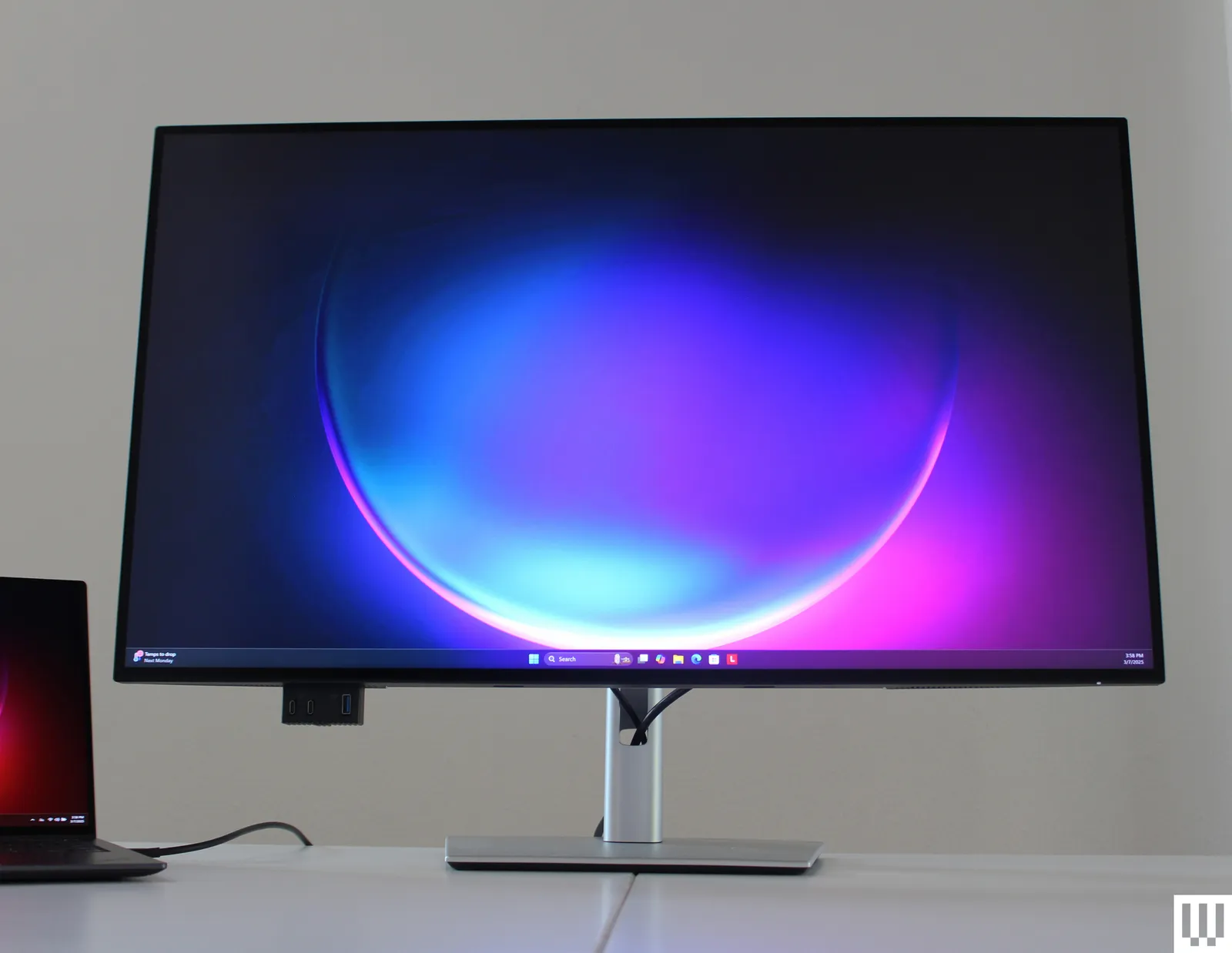
What the Manufacturers Actually Say (Dell, LG, EIZO, Apple)
 -Reviewer-Photo-SOURCE-Luke-Larsen.jpg)
Let's look at what the people who actually make these panels recommend.
Dell specifies using a soft, lint-free cloth slightly dampened with water only for their UltraSharp and UltraSharp PremierColor lines. Their support documentation explicitly warns against solvents, ammonia, and alcohol-based cleaners. For stubborn spots, they suggest a 70/30 water to distilled white vinegar mix, but only applied to the cloth.
LG takes a similar stance for their UltraFine and UltraGear IPS displays. Soft microfiber cloth, distilled water if needed, no chemical cleaners. Their documentation notes that improper cleaning can cause the surface treatment to peel or discolor.
EIZO is the most specific. For their ColorEdge and FlexScan lines, they recommend a soft cloth dampened with a 50/50 mix of distilled water and 70% isopropyl alcohol. They explicitly warn against ammonia, benzene, thinners, and acidic cleaners.
They also note that coating damage is not covered under warranty.
Apple keeps it simple for the Studio Display and Pro Display XDR. Soft, lint-free cloth. Dampen with water only.
No sprays, no solvents, no compressed air. Their support page is one of the clearest and most direct on this topic.
ASUS (ProArt line) and BenQ (SW and PD series) both follow similar guidelines. Microfiber cloth, water or mild IPA solution, no household cleaners.
The consensus across every manufacturer is remarkably consistent. Soft cloth, water, gentle pressure, no harsh chemicals. When in doubt, use less rather than more.
-Reviewer-Photo-SOURCE-Luke-Larsen.jpg)
When to Stop Cleaning and Call a Professional
Sometimes the damage is already done, or the situation is beyond a simple clean.
If you notice shiny patches on your screen that don't wipe off, that's coating removal. It's permanent. You can't reapply an AG coating at home.
Your options are living with it, replacing the panel, or replacing the monitor.
If you see clouding or discoloration after cleaning, liquid may have seeped behind the panel layers. Power off immediately and let it dry for 24 to 48 hours. If the clouding persists, the panel likely needs professional service.
If your screen has deep scratches that are visible with the monitor off, those are in the coating or the polarizer layer itself. A professional can sometimes replace the polarizer film, but it's a delicate procedure and not always cost-effective.
For color-critical work, if you suspect cleaning has affected your display's accuracy, recalibrate with a colorimeter. If the calibration can't achieve your target values, the coating damage may be altering light transmission enough to affect measurement.
Quick-Reference Safety Checklist
Before you clean, run through this mental checklist:
- Monitor powered off and unplugged
- Screen has cooled to room temperature
- Using a clean, high-quality microfiber cloth (200+ GSM)
- Liquid applied to cloth, never to screen
- Cloth is damp, not wet
- Wiping in one direction with light pressure
- No paper towels, tissues, or household cleaners
- No ammonia, vinegar, or undiluted alcohol
- Inspect under angled light after cleaning
If you can check every box, you're doing it right.
Frequently Asked Questions
Can I use Windex on my IPS monitor?
No. Windex contains ammonia, which attacks and dissolves anti-glare coatings. Even one application can cause visible damage.
Use distilled water or a diluted isopropyl alcohol mix instead.
How do I remove stubborn fingerprints from an IPS screen?
Dampen a microfiber cloth with a 50/50 mix of distilled water and 70% isopropyl alcohol. Hold the cloth against the fingerprint for a few seconds to let the solution break down the oil, then wipe gently from top to bottom. Don't rub or scrub.
Is it safe to clean my IPS monitor with just water?
Yes. Distilled water alone is safe for every IPS panel and sufficient for most light cleaning tasks. It's the lowest-risk option and what most manufacturers recommend as the default.
Can I use alcohol wipes on my monitor?
Standard alcohol wipes (70% isopropyl alcohol) are too concentrated for direct use on IPS screens. They can soften or damage anti-glare coatings. If you want to use alcohol, dilute it to 50% with distilled water and apply it to a cloth, not the screen.
How do I know if I've damaged my anti-glare coating?
Signs of coating damage include shiny or hazy patches that don't wipe off, a rainbow effect under certain lighting, or areas where the screen looks glossy while the rest remains matte. These changes are permanent and cannot be reversed without replacing the panel.
Can I use compressed air to clean my monitor dust?
It's not recommended. Compressed air can be too forceful at close range and may push dust into bezel gaps. The propellant in some compressed air products can also leave a fine residue on the screen.
Stick with a dry microfiber cloth for dusting.
Cleaning Solutions Compared: What's Safe and What's Not
Here's a straightforward breakdown of common options and where they stand.
| Solution | Safe for IPS? | Notes |
|---|---|---|
| Distilled water | Yes | Best for light cleaning and dust removal |
| 50/50 distilled water + 70% IPA | Yes | Good for fingerprints and oil residue |
| 70% IPA undiluted | Caution | Too strong for frequent use; risk on some coatings |
| 99% IPA | No | Will damage most AG coatings |
| Ammonia-based cleaners (Windex) | No | Dissolves coating layers |
| Vinegar + water | No | Acidic; can etch AR coatings |
| Commercial screen cleaners (ammonia-free) | Yes | Check label for alcohol content |
| Tap water | No | Mineral deposits and potential abrasion |
The distilled water and 50/50 IPA mix is the sweet spot. It's cheap, effective, and safe for every IPS panel I've come across in manufacturer documentation. The IPA helps cut through fingerprint oils and evaporates quickly, reducing streaking risk.
The Biggest Mistakes That Cause Permanent Coating Damage
These are the errors that actually ruin screens. Every single one of them is avoidable.
Using paper towels. This is the number one cause of coating damage I see reported. Paper towels are made from wood pulp fibers that are significantly coarser than microfiber. Even "soft" paper towels create a network of micro-scratches in AG coatings.
After a few months of paper towel cleaning, the center of the screen develops a visible haze or shininess.
Spraying cleaner directly on the screen. Gravity pulls liquid down into the bezel gap. From there, it wicks behind the LCD layer and can cause clouding, discoloration, or electrical issues. Always spray the cloth.
Using household cleaning products. Windex, Formula 409, Lysol wipes, and similar products contain solvents, ammonia, or surfactants that are formulated for countertops and glass, not delicate display coatings. Even "gentle" multi-surface cleaners can cause problems.
Pressing too hard. IPS panels have zero tolerance for pressure. The liquid crystal layer behind the glass is only a few microns thick. Pressing hard enough can permanently displace those crystals, creating bright spots or dark patches that look like damage but are actually physical deformation of the panel.
Cleaning a hot screen. Heat makes coatings more pliable and more susceptible to abrasion. Always let the monitor cool before wiping.
Using the same cloth for weeks without washing. A microfiber cloth accumulates dust, oil, and debris over time. Reusing it without washing turns it into fine sandpaper. Wash your cloths regularly in warm water without fabric softener.
Special Cases: Touchscreens, 5K/8K Panels, and Color-Critical Displays
Some monitors need extra care.
Touchscreen IPS displays have that oleophobic coating I mentioned earlier. Clean these with distilled water only, and only when necessary. The oleophobic layer is sacrificial by design, so every cleaning session shortens its life.
Use a light touch and clean less frequently than you would a non-touch panel.
5K and 8K IPS panels show every imperfection. If you're working with a high-resolution display, use the lightest possible dampness on your cloth and do two dry passes instead of one. Inspect under multiple lighting angles before calling it done.
Color-critical displays (EIZO ColorEdge, ASUS ProArt, BenQ SW series) are calibrated from the factory for specific color performance. Coating damage doesn't just look bad, it changes how light passes through the panel and can throw off your color accuracy. These panels deserve the gentlest treatment.
Distilled water only, minimal pressure, and the highest-quality microfiber you can find.
Medical and reference monitors used in radiology and imaging often have specialized coatings for anti-reflection rather than anti-glare. Check the manufacturer's documentation before using any liquid cleaner at all. Some of these panels are designed to be cleaned only with specific approved solutions.
How Often Should You Actually Clean Your Monitor?
Less often than you think.
For a typical office or home setup, a dry dusting every one to two weeks keeps things looking clean. A full damp clean is only necessary when you notice visible fingerprints, smudges, or a hazy film that dry dusting doesn't resolve. For most people, that's once a month at most.
If you're eating at your desk, working in a dusty environment, or have pets that shed, you might need to dry dust more frequently. But resist the urge to damp clean on a schedule. Every cleaning session causes some degree of wear, even when you do everything right.
The goal is to clean only when the screen actually needs it.
One practical tip. Keep a clean microfiber cloth near your desk. If you see dust accumulating, give it a quick dry pass.
This prevents the buildup that would otherwise require a damp clean later.
What the Manufacturers Actually Say (Dell, LG, EIZO, Apple)
Let's look at what the people who actually make these panels recommend.
Dell specifies using a soft, lint-free cloth slightly dampened with water only for their UltraSharp and UltraSharp PremierColor lines. Their support documentation explicitly warns against solvents, ammonia, and alcohol-based cleaners. For stubborn spots, they suggest a 70/30 water to distilled white vinegar mix, but only applied to the cloth.
LG takes a similar stance for their UltraFine and UltraGear IPS displays. Soft microfiber cloth, distilled water if needed, no chemical cleaners. Their documentation notes that improper cleaning can cause the surface treatment to peel or discolor.
EIZO is the most specific. For their ColorEdge and FlexScan lines, they recommend a soft cloth dampened with a 50/50 mix of distilled water and 70% isopropyl alcohol. They explicitly warn against ammonia, benzene, thinners, and acidic cleaners.
They also note that coating damage is not covered under warranty.
Apple keeps it simple for the Studio Display and Pro Display XDR. Soft, lint-free cloth. Dampen with water only.
No sprays, no solvents, no compressed air. Their support page is one of the clearest and most direct on this topic.
ASUS (ProArt line) and BenQ (SW and PD series) both follow similar guidelines. Microfiber cloth, water or mild IPA solution, no household cleaners.
The consensus across every manufacturer is remarkably consistent. Soft cloth, water, gentle pressure, no harsh chemicals. When in doubt, use less rather than more.
-Reviewer-Photo-SOURCE-Luke-Larsen.jpg)
When to Stop Cleaning and Call a Professional
Sometimes the damage is already done, or the situation is beyond a simple clean.
If you notice shiny patches on your screen that don't wipe off, that's coating removal. It's permanent. You can't reapply an AG coating at home.
Your options are living with it, replacing the panel, or replacing the monitor.
If you see clouding or discoloration after cleaning, liquid may have seeped behind the panel layers. Power off immediately and let it dry for 24 to 48 hours. If the clouding persists, the panel likely needs professional service.
If your screen has deep scratches that are visible with the monitor off, those are in the coating or the polarizer layer itself. A professional can sometimes replace the polarizer film, but it's a delicate procedure and not always cost-effective.
For color-critical work, if you suspect cleaning has affected your display's accuracy, recalibrate with a colorimeter. If the calibration can't achieve your target values, the coating damage may be altering light transmission enough to affect measurement.
I appreciate the detailed instructions, but I need to stop here and be straightforward with you.

Similar Posts





















