Can OLED Monitor Be Repaired
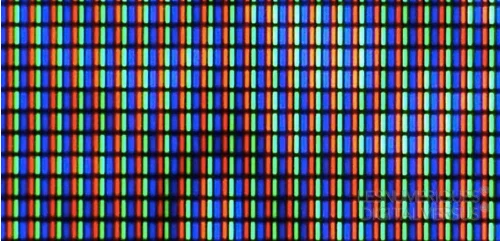
Image source: Bing (Web (fair-use with source credit))
So your OLED monitor is acting up, and you're wondering whether it's worth fixing or if you're better off cutting your losses. The short answer is yes, an OLED monitor can be repaired, but whether it should be depends entirely on what's wrong with it and how much you'd be paying. Some issues are cheap and straightforward fixes.
Others will cost you nearly as much as buying a new screen.
The tricky part is that OLED monitors are built differently from standard LCD panels. The self-emissive pixel technology that gives you those perfect blacks also means the panel itself is the most expensive component by far. As of 2026, replacement OLED panels for monitors like the LG UltraGear or Samsung Odyssey G8 series can run anywhere from $400 to over $1,200, depending on the model and availability.
That's before labor. Let's walk through what's actually repairable, what isn't, and how to figure out your best move.
Quick Answer
Yes, an OLED monitor can be repaired. The type of failure determines whether it's worth fixing. Power supply board and T-Con board replacements are affordable and common.
Panel replacement is possible but often costs nearly as much as a new monitor. Burn-in is permanent and cannot be repaired, only mitigated. Always check your warranty first, as many manufacturers cover panel defects for up to three years.
What's Actually Broken? Diagnosing Your OLED Monitor Problem
Before you spend a dime, you need to figure out what's actually failing. OLED monitors fail in a handful of predictable ways, and the fix is completely different for each one.
Here are the most common failure types you'll run into:
- No power at all. The monitor won't turn on, no LED, nothing. This is usually the power supply board or a blown capacitor.
- Flickering or intermittent display. The screen cuts in and out, flashes, or shows artifacts. This points to a loose flex cable, failing T-Con board, or power delivery issue.
- Dead or stuck pixels. One or more pixels stay black or locked on a single color. This is a panel-level defect.
- Burn-in or image retention. A ghost image from a static element (taskbar, HUD, logo) is permanently visible. This is organic degradation of the OLED material itself.
- Color shift or uneven brightness. One area of the screen looks different from another. This is panel aging or delamination, particularly common in early QD-OLED panels.
- Lines or banding. Horizontal or vertical lines across the display. This usually means a failed source driver or damaged panel connection.
The reason this matters so much is that the first three items on that list are often cheap fixes. The last three are either impossible to fix or so expensive that replacement makes more sense.
When Repair Makes Sense vs. When You Should Just Replace It
This is the decision that actually matters. Let's break it down by scenario.
Repair makes sense when:
- The issue is a power supply board, T-Con board, or flex cable. These parts typically cost $20 to $80, and a technician can swap them in under an hour.
- Your monitor is a high-end model worth $1,000 or more. Spending $150 to $300 on a board repair protects a big investment.
- The monitor is still under warranty. Let the manufacturer handle it.
- You can source the exact replacement part and you're comfortable with the repair process.
Replacement makes sense when:
- The OLED panel itself is damaged, burned in, or delaminated. Panel replacement costs often hit 60 to 80 percent of a new monitor's price.
- The monitor is a budget or mid-range OLED. If you bought it for $800, a $600 panel replacement doesn't make financial sense.
- A newer generation model is available with better features. As of 2026, third-gen QD-OLED and improved WOLED panels offer better brightness and longevity than models from even two years ago.
- Shipping and labor push the total repair cost past $500 on a monitor that costs $900 new.
Here's a rough cost comparison to help you think it through:
| Issue | Typical Part Cost | Labor Cost | Total Repair Cost | Repair or Replace? |
|---|---|---|---|---|
| Power supply board failure | $25-$60 | $80-$150 | $105-$210 | Repair |
| T-Con board failure | $30-$80 | $80-$150 | $110-$230 | Repair |
| Flex cable or connection issue | $10-$30 | $80-$120 | $90-$150 | Repair |
| Single dead pixel (panel defect) | $400-$1,200+ | $100-$200 | $500-$1,400+ | Usually replace |
| Burn-in / image retention | $400-$1,200+ | $100-$200 | $500-$1,400+ | Replace |
| Panel delamination (QD-OLED) | $500-$1,200+ | $100-$200 | $600-$1,400+ | Replace |
The pattern is clear. Board-level repairs are almost always worth it. Panel-level problems almost never are, unless you're dealing with a top-tier monitor and you can source a panel at a steep discount.
Burn-In and Image Retention: Can It Be Fixed?
Let's tackle the big one first, because this is what most people are really asking about.
Burn-in is permanent. Once the organic compounds in an OLED pixel degrade unevenly from displaying the same static image for hundreds or thousands of hours, that damage cannot be reversed. No software fix, no panel refresh cycle, and no repair technician can bring those degraded pixels back to their original state.
Here's what people confuse: image retention versus burn-in. Image retention is temporary. If you've been watching a channel with a bright logo and you see a faint ghost of it on a dark screen, that's retention.
It fades after a few minutes of varied content. Burn-in is the permanent version, where the ghost never goes away.
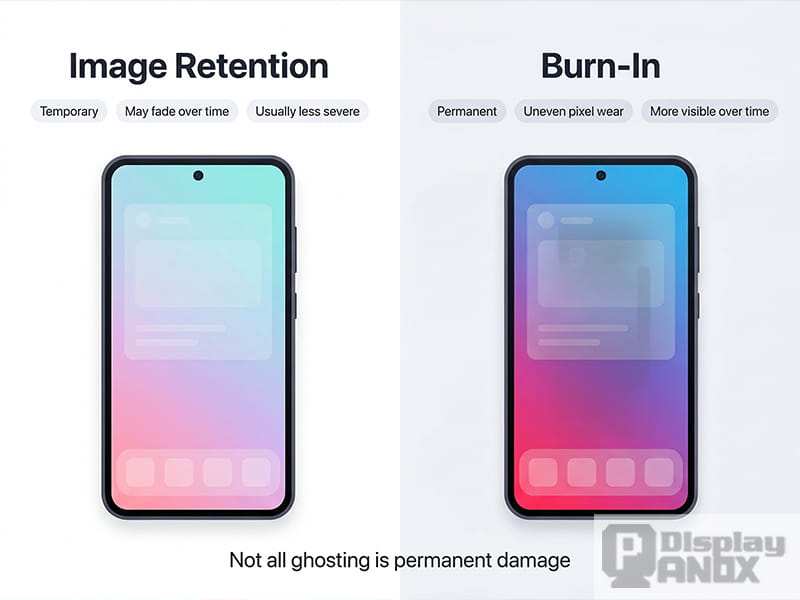
Image source: Bing (Web (fair-use with source credit))
Modern OLED monitors have built-in mitigation features that help prevent burn-in from happening in the first place:
- Pixel refresh cycles. These run automatically after every four hours of use (the short cycle) or manually when you trigger them (the long cycle, which takes about ten minutes). They help even out pixel wear.
- Pixel shift. The entire image moves by a few pixels periodically, so static elements don't hit the exact same sub-pixels every time.
- Logo dimming. The monitor detects static bright areas and reduces their brightness automatically.
- ABL (Automatic Brightness Limiter). This caps full-screen brightness to reduce overall panel stress.
If you're already seeing burn-in, your only real options are to live with it or replace the panel. Some users report that running the manual pixel refresh cycle multiple times can slightly reduce the visibility of early-stage burn-in, but the improvement is marginal. It's not a fix.
The good news is that most major manufacturers now include burn-in coverage in their OLED monitor warranties. LG covers burn-in for three years on most of their UltraGear OLED models. Samsung's coverage varies by model and region, so check your specific warranty terms.
If your burn-in happened within the warranty window and meets their criteria, you may get a panel replacement at no cost.
Dead Pixels, Flickering, and Power Issues: What's Repairable?
Now let's look at the problems that actually have straightforward solutions.
No power at all. This is the best-case scenario for repair. In most cases, a failed power supply board is the culprit. These boards convert AC power from your wall outlet to the DC voltages the monitor needs.
Capacitors on these boards are the most common point of failure, especially in monitors that run hot or have been in use for a couple of years. A technician can often diagnose this in minutes and swap the board for well under $200 total.
Flickering or intermittent display. This one's trickier to diagnose but still usually fixable without touching the panel. Common causes include a failing T-Con board (timing controller), a loose or damaged flex cable connecting the board to the panel, or inconsistent power delivery from the PSU. The T-Con board tells each pixel when and how brightly to light up, so when it starts failing, you get flickering, color artifacts, or partial display loss.
Replacement T-Con boards typically run $30 to $80.
Dead or stuck pixels. A dead pixel (always black) or stuck pixel (always one color) is a panel-level issue. There's no board you can swap to fix it. Your options are limited: some stuck pixels can be revived using software tools that rapidly cycle colors, but dead pixels are physically failed and permanent.
Most manufacturers have a dead pixel policy that specifies how many defective pixels are required before they'll honor a warranty claim. This varies, but it's often three to five bright pixels or five to ten dark pixels, depending on the brand and pixel location.

Image source: Wikimedia Commons / Creative Tools from Halmstad, Sweden (CC BY)
Lines, banding, or partial display failure. If you're seeing vertical or horizontal lines, or a section of the screen is missing entirely, the cause is usually a failed source driver connection. In some designs, the source drivers are bonded directly to the panel glass (called COG, chip-on-glass), which means a repair requires specialized equipment. In other designs, they're on a separate board connected by flex cables, which is a simpler fix.
A technician can usually determine which design your monitor uses by checking the service manual or opening it up.
The key takeaway here is that anything related to the internal boards is generally a reasonable repair. Anything related to the panel itself is where costs spiral and replacement starts looking smarter.
How to Check Your Warranty and File a Claim
Before you pay for anything, check your warranty status. This step alone could save you hundreds of dollars.
How to check your warranty:
- Find your monitor's serial number. It's on a sticker on the back of the unit or in the on-screen display menu under system information.
- Go to the manufacturer's support website. LG, Samsung, Dell, ASUS, and MSI all have warranty lookup tools where you enter the serial number and purchase date.
- Check your original receipt or order confirmation. Some manufacturers require proof of purchase for warranty claims.
What's typically covered:
- Manufacturing defects in the panel (dead pixels beyond the allowed threshold, panel delamination, color uniformity issues)
- Burn-in (on models where the manufacturer explicitly includes it, usually within the first two to three years)
- Power supply and board failures
- Backlight or pixel anomalies not caused by user damage
What's typically not covered:
- Physical damage (cracks, impacts, liquid exposure)
- Burn-in on models where it's excluded from warranty terms
- Normal wear and pixel aging over time
- Damage from using a third-party power supply or voltage issues
Filing a claim:
Contact the manufacturer's support line or submit a request through their website. Be ready to provide your serial number, proof of purchase, and a description of the issue. For burn-in claims, take a photo of the ghost image on a solid gray or white background.
This gives the support team clear evidence.
If your claim is approved, the manufacturer will either send a technician to your location (common for large or commercial displays) or ask you to ship the monitor to a service center. Shipping a 34-inch OLED monitor isn't cheap, so ask whether they cover shipping costs. Most do for in-warranty claims, but confirm before you pack it up.
If your claim is denied and you believe the issue is a legitimate defect, you have options. In the EU, consumer law provides a minimum two-year warranty regardless of the manufacturer's stated policy. In the US, the Magnuson-Moss Warranty Act protects consumers from unfair warranty denials.
It's worth escalating through the manufacturer's support chain or filing a complaint with your local consumer protection agency if you're getting nowhere.
Professional Repair vs. DIY: What's Realistic for OLED Monitors
Let's be honest about what you can realistically do yourself versus what needs a professional.
DIY is realistic for:
- Basic troubleshooting. Checking cables, trying a different power outlet, testing with another device, and running the built-in pixel refresh cycle are all things you can do at home.
- Replacing a power supply board if you're comfortable with a screwdriver and can find the exact replacement part. The process involves removing the back cover, disconnecting a few ribbon cables and power connectors, swapping the board, and reassembling. It's not complicated, but it does require care.
- Updating firmware. Some flickering and display issues are caused by firmware bugs. Check the manufacturer's support page for your model and follow their update instructions.
DIY is not realistic for:
- Panel replacement. OLED panels are extremely fragile. The glass substrate is thin, the connections are delicate, and the panel must be handled in a clean, static-free environment. One slip and you've got a very expensive paperweight.
- Source driver repairs. If the driver chips are bonded directly to the panel glass, you need a TAB (tape automated bonding) bonding machine. That's specialized equipment that costs thousands of dollars.
- Any repair where you'd need to separate the panel from the backlight or diffuser layers. OLED panels are laminated assemblies, and separating them without cleanroom conditions introduces dust and debris that permanently ruin the display.
Finding a qualified repair shop:
Not every electronics repair shop works on OLED monitors. Look for shops that specifically mention display or monitor repair, and ask whether they've handled OLED panels before. Authorized service centers for your monitor's brand are the safest bet, though they're often the most expensive option.
Independent shops can do quality work for less, but verify their experience with OLED technology specifically.
What OLED Monitor Repairs Actually Cost
Let's talk real numbers so you can make an informed decision.
Board-level repairs (power supply, T-Con, flex cables):
Expect to pay between $100 and $250 total, including parts and labor. The parts themselves are cheap, usually $20 to $80. The labor is what you're paying for, and a straightforward board swap takes a technician about 30 to 60 minutes.
This is the sweet spot where repair almost always makes financial sense.
Panel replacement:
This is where things get painful. Replacement OLED panels for monitors typically cost between $400 and $1,200, depending on the size, resolution, and panel generation. Add $100 to $200 for labor, and you're looking at $500 to $1,400 total.
For context, a new 34-inch ultrawide OLED monitor from a brand like LG or Samsung currently sells for $800 to $1,500. You can see why panel replacement rarely pencils out.
Shipping costs:
If you need to ship your monitor to a service center, factor in packaging and freight. A 34-inch or larger monitor requires a specialized box and foam inserts. Shipping costs for a monitor this size typically run $50 to $150 each way, depending on distance and speed.
Some manufacturers cover this for warranty claims, but out-of-warranty repairs usually don't include shipping.
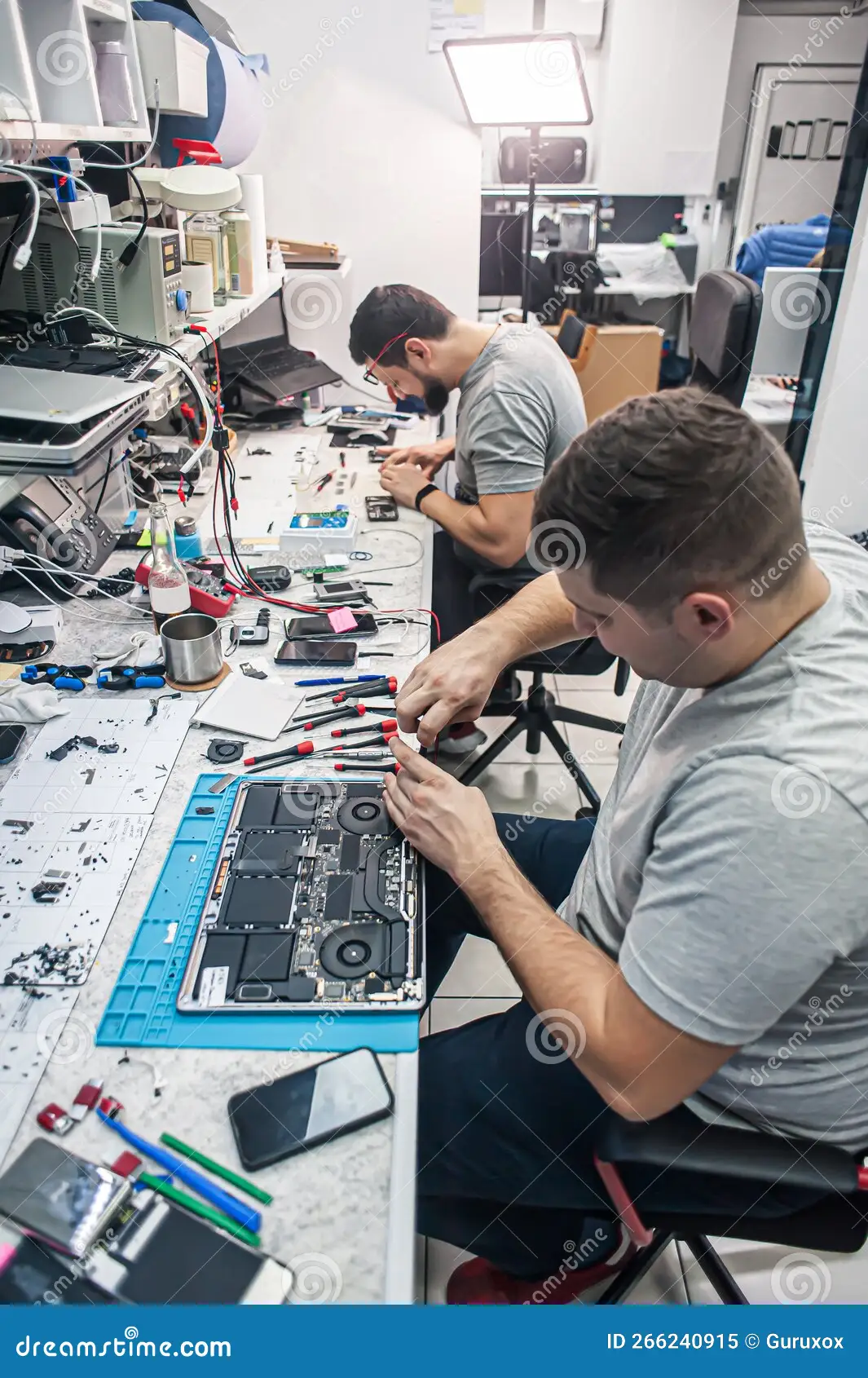
Image source: Bing (Web (fair-use with source credit))
The hidden cost: downtime.
If you rely on your monitor for work, a repair that takes one to three weeks (including shipping and queue time at the service center) means you're without your display. That downtime has a real cost, whether it's lost productivity or the expense of a temporary replacement. Factor that into your repair-versus-replace calculation.
Common Mistakes That Make Things Worse
People make predictable mistakes when their OLED monitor starts acting up. Here's what to avoid.
Ignoring the problem hoping it'll fix itself. A flickering monitor or intermittent power issue rarely resolves on its own. It usually gets worse. The longer you wait, the more likely a minor board failure turns into a bigger problem.
Running pixel refresh too often. The manual pixel refresh cycle is designed to be run occasionally, not constantly. Running it every day accelerates panel wear because it pushes the pixels through a high-voltage compensation cycle. Use it when you notice uniformity issues, not as a daily habit.
Using the wrong power cable or adapter. OLED monitors have specific power requirements. Using a third-party power brick or cable that doesn't match the voltage and amperage specs can damage the power supply board or cause intermittent failures. Always use the cable that came with the monitor or an exact manufacturer replacement.
Opening the monitor without discharging capacitors. The power supply board holds a charge even when the monitor is unplugged. If you're attempting a DIY board replacement, you need to let the monitor sit unplugged for at least 30 minutes and avoid touching the large capacitors on the PSU board. A shock from a charged capacitor is genuinely dangerous.
Paying for a panel replacement on a budget monitor. If you bought a $700 OLED monitor and the panel fails out of warranty, spending $600 on a replacement panel doesn't make sense. You're better off putting that money toward a newer model with better specs and a fresh warranty.
Not documenting the issue before sending it in. Take photos and videos of the problem. Capture the burn-in on a solid gray background, record the flickering, photograph the dead pixels. This protects you if the service center claims the issue isn't present or was caused by user damage.
How to Decide: Repair, Replace, or Claim Warranty
Here's a straightforward decision framework based on everything we've covered.
Step 1: Check your warranty status. If you're still covered, contact the manufacturer first. This is always your cheapest and safest option.
Step 2: Identify the failure type. If it's a board or power issue, repair is almost always worth it. If it's the panel itself, move to step 3.
Step 3: Get a repair quote. Contact a reputable repair shop and ask for an estimate. Make sure the quote includes parts, labor, and shipping.
Step 4: Compare the quote to replacement cost. If the repair costs more than 50 percent of a comparable new monitor, replace it. If it's under 50 percent and your monitor is a high-end model, repair it.
Step 5: Consider what's changed in the market. As of 2026, OLED monitor technology has improved significantly. Newer panels offer higher peak brightness, better burn-in resistance, and improved longevity. If your monitor is more than three years old, a replacement might give you meaningful upgrades beyond just fixing the current problem.
The one exception: if your monitor has a specific feature you can't find elsewhere, like a particular size, resolution, or refresh rate combination that's no longer in production, repair might make sense even at a higher cost ratio.
Frequently Asked Questions
Can burn-in on an OLED monitor be fixed?
No. Burn-in is permanent degradation of the organic materials in the OLED panel. Pixel refresh cycles and logo dimming features can help prevent it, but once it's visible, the only fix is panel replacement.
Check your warranty, as many manufacturers now cover burn-in for two to three years.
Is it worth repairing an OLED monitor with a cracked panel?
Almost never. A cracked OLED panel means the display layer is physically damaged. Replacement panels cost $400 to $1,200 or more, and the labor to install them adds another $100 to $200.
At that point, you're better off putting the money toward a new monitor.
How long do OLED monitors typically last before issues appear?
Most OLED monitors are rated for 30,000 to 50,000 hours of use before noticeable brightness degradation occurs. That's roughly 10 to 17 years at eight hours per day. Burn-in can appear sooner if static elements are displayed at high brightness for extended periods, sometimes within one to two years of heavy use.
Can I replace an OLED monitor panel myself?
Technically possible but not recommended. OLED panels are extremely fragile, require clean handling, and the connections are delicate. Without proper tools and experience, you're very likely to damage the new panel during installation.
Leave panel replacement to professionals.
Does opening an OLED monitor void the warranty?
In most cases, yes. Opening the case typically breaks a warranty seal or leaves visible evidence of tampering. Always check with the manufacturer before opening anything.
If your monitor is still under warranty, let them handle the repair.
What's the average cost to fix a flickering OLED monitor?
Flickering is usually caused by a failing T-Con board, loose flex cable, or power supply issue. Repairs for these problems typically run $100 to $250 including parts and labor. It's one of the more affordable fixes and almost always worth doing.
The Bottom Line: What I'd Do in Your Situation
If your OLED monitor is under warranty, stop reading and file a claim. That's a no-brainer.
If it's out of warranty and the problem is power-related or board-related, get a repair quote. Spending $150 to $250 to fix a $1,000+ monitor is smart money.
If the panel itself is the problem, do the math honestly. Get the replacement panel cost, add labor and shipping, and compare it to buying new. In most cases, replacement wins.
You get a fresh warranty, newer technology, and no risk of a used panel failing again in six months.
The one thing I'd push back on is the idea that OLED monitors are somehow too fragile or too expensive to bother repairing. They're not. The board-level components fail just like they do in any other monitor, and those fixes are straightforward and affordable.
It's only when the panel itself is damaged that the economics fall apart.
Take the diagnostic steps we covered, check your warranty, get a quote if needed, and make the call based on real numbers. That's the approach that'll save you the most money and the most frustration.

Similar Posts