Can Microled Monitors Replace Projectors
Can MicroLED Monitors Replace Projectors? Sometimes. Your room decides the rest.
Can microLED monitors replace projectors? Yes, in many setups, but not all. Brighter rooms often favor MicroLED.
A 4K laser projector typically delivers 2,500 to 5,000 lumens. MicroLED panels can push 1,000 to 2,000-plus nits.
That brightness gap changes everything in rooms with windows or overhead lighting. The honest answer depends on how you use the space.
Let's break down what actually matters so you make the right call.
Quick Answer
MicroLED displays can replace projectors in many situations. They work better in rooms with ambient light. They deliver deeper blacks and longer lifespan without lamp replacements.
Projectors still win on raw screen size per dollar. They remain easier to install in tight spaces. Your specific room and use case should drive the decision.
What Each Technology Really Delivers

MicroLED and projector technology approach the same problem from completely different angles. One fills a wall with tiny self-emissive pixels. The other beams light onto a separate surface.
Understanding that core difference makes everything else easier to evaluate.
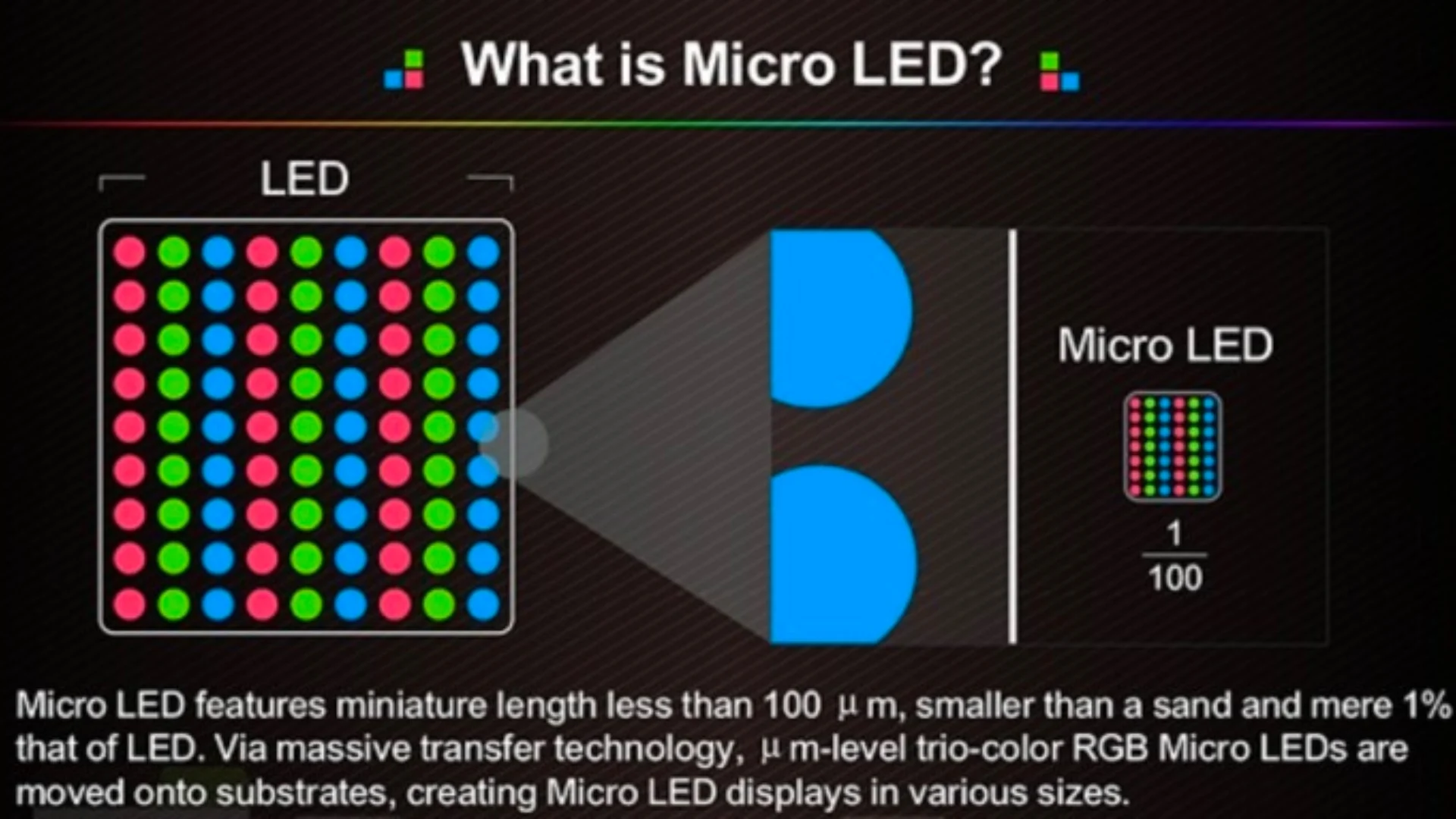
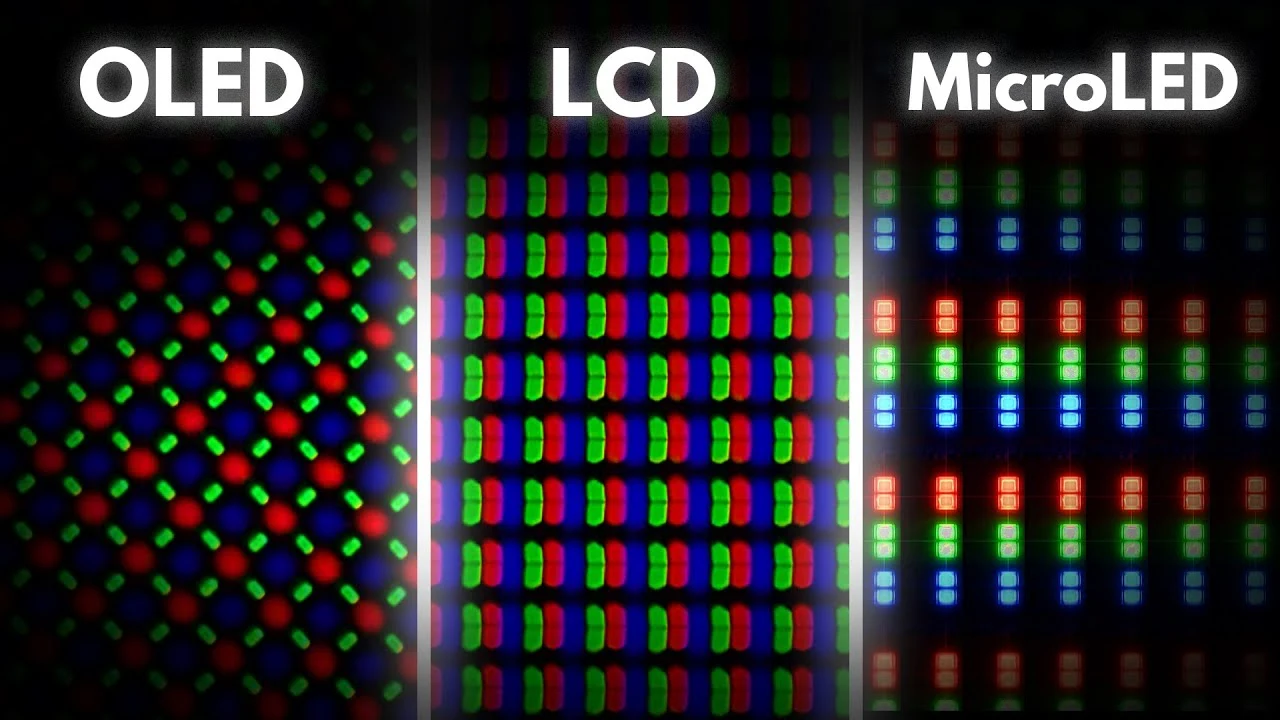
MicroLED walls use modular tiles. Each tile packs millions of microscopic LEDs directly into the panel surface. That means the display generates its own light pixel by pixel.
Samsung's The Wall and Sony's Crystal LED both use this approach. The result is true black when a pixel turns off. There is zero light bleed from adjacent areas.
Projectors work differently. A lamp, laser, or LED light source shines through or off imaging chips. That light then hits a screen or wall.
The surface reflects the image back to your eyes. Even the best projectors with advanced iris systems cannot match per-pixel black levels. Some light always scatters inside the optics.
In our research, that remains the single biggest visual difference viewers notice immediately.
Here is where the comparison gets interesting for real-world use.
Where MicroLED Holds the Advantage
| Performance Factor | MicroLED Display | Traditional Projector |
|---|---|---|
| Black Level | True zero (pixel off) | Low gray (light scatter) |
| Peak Brightness | 1,000 to 2,000+ nits | 15 to 35 fL on a 120-inch screen |
| HDR Impact | Excellent, high contrast | Good, limited by contrast |
| Ambient Light Handling | Strong, self-emissive | Weak without ALR screen |
| Color Uniformity | Needs calibration out of the box | Generally uniform from center |
| Viewing Angle | Very wide | Varies by screen material |
Projectors get one massive throw in their favor below.
Where Projectors Still Lead
| Performance Factor | MicroLED Display | Traditional Projector |
|---|---|---|
| Seamless Image | Near-seamless, faint grid possible | Completely seamless |
| Screen Cost | Built into the display | $500 to $3,000 for quality screen |
| Installation Flexibility | Wall mounted, limited positions | Ceiling, portable, rear setup |
| 150"+ Affordability | Prohibitively expensive | Achievable, laser models common |
| Room Aesthetics | Dominant wall presence | Screen can retract, projector hides |
The seam factor matters more than most specs sheets suggest. On a well-installed MicroLED wall, you will struggle to see the tile boundaries from normal viewing distance. But on a white wall with a projector?
One giant, flawless image with zero grid lines ever.
The Side-by-Side Breakdown: Image Quality, Brightness, and Real-World Performance
Specs tell one story. Your eyes in your room tell the actual truth. Here is how these technologies compare once you move beyond the glossy marketing.
Brightness and Room Lighting
MicroLED panels generate roughly 1,000 to 2,000 nits of sustained brightness. High-end models can briefly spike higher for HDR highlights. That raw output fights ambient light extremely well.
A sunny living room that would wash out a projected image barely affects a MicroLED wall.
Projectors, even bright laser models rated at 5,000 lumens, produce a much lower brightness once that light spreads across a 120-inch screen. The measurement that matters is foot-lamberts (fL). A good projector and ambient light rejection (ALR) screen combo might hit 35 fL on a 120-inch display.
A MicroLED wall of similar size pushes several times that.
If your room has large windows with no blind control, MicroLED is probably the only option that will satisfy you during daytime use.
Contrast and HDR Performance
Self-emissive pixels give MicroLED a near-infinite contrast ratio. Each pixel turns completely off to produce absolute black. Bright highlights sit next to those true blacks simultaneously.
That is the entire reason HDR content looks so punchy on these displays.
Projectors rely on dimming a light source. Even laser projectors with dynamic iris systems can only modulate the overall light output. Local dimming does not exist in the same way.
Dark scenes end up looking dark gray rather than black. This is most noticeable in space scenes, horror content, and any film with letterbox bars.
For dedicated home theater rooms with full light control, a good laser projector still delivers a cinematic experience that feels natural and easy on the eyes. The fact that projector light reflects off a screen (rather than blasting directly at your eyes) reduces eye fatigue during long viewing sessions. That is a subtle but meaningful comfort advantage that flat panel technologies struggle to replicate.
Color Accuracy and Uniformity
Both technologies can cover wide color gamuts. Modern MicroLED panels routinely hit 98% or more of DCI-P3. High-end laser projectors match or exceed that.
Where they differ is maintaining uniformity across the entire image.
A single projector lens produces inherently uniform color and brightness from center to edge (with minor lens falloff on cheap models). MicroLED walls must be calibrated tile by tile to match brightness and color across the entire array. Professional calibration takes hours and costs extra.
Even then, slight mismatches can appear between panels after temperature changes.
Motion and Response Time
MicroLED panels have essentially zero pixel response time. There is no sample-and-hold blur like LCD or no organic response delay like OLED. Fast-moving sports and gaming content looks crisp and immediate.
Projectors vary widely. DLP projectors handle motion extremely well with no panel lag. LCD-based projectors can show slight motion blur in fast scenes.
Laser phosphor projectors may exhibit a faint rainbow effect in high-contrast motion for DLP users sensitive to that artifact.
Size and Scalability: Where Projectors Still Have an Edge
Raw diagonal size is where projectors refuse to die. Want a 150-inch image? A projector handles that without blinking.
Want 200 inches? Still totally doable. That flexibility is hard to argue with.
MicroLED walls scale differently. You add physical tiles to increase size. Each tile typically covers roughly 20 to 27 inches diagonal depending on pixel pitch.
A 130-inch MicroLED wall needs around 25 to 30 tiles. That means 30 individual units to mount, align, power, and connect.
MicroLED material costs run from several hundred to several thousand dollars per square foot depending on pixel pitch and brand. A modest 120-inch 16:9 wall, covering roughly 40 square feet, can end up costing $80,000 to $400,000 or more installed. A premium laser projector with an ALR screen at that size runs $10,000 to $30,000 all in.
Pixel Pitch and Viewing Distance
Pixel pitch determines how close you can sit before seeing individual pixels. For home use, a pitch of around 1.2mm to 1.5mm works well at viewing distances of 6 to 10 feet. Closer than that and you may notice the grid.
Projectors have no pixel pitch constraint on the display side. The image resolution comes entirely from the projector's native chip. A true 4K projector gives you 8.3 million individually focused pixels with zero seams.
Non-Standard Aspect Ratios and Creative Layouts
Here is a perk most people overlook. Projectors can throw an image onto literally any flat surface at any size or aspect ratio. Want a 2.39:1 cinema scope display?
Done. Want to project onto a curved wall, a building, or a floor? Easy.
MicroLED walls are bound by their rectangular tile grid. You can arrange tiles creatively, but you are always working within a modular grid system. Irregular shapes require custom panel designs that cost significantly more.
Total Cost of Ownership: Sticker Price Is Only the Start
The price gap between these technologies is staggering at purchase. It narrows over time, but never closes completely for large screen applications. Here is what a realistic cost comparison looks like for roughly a 130-inch equivalent display as of 2026.
| Cost Category | MicroLED Wall (130" equiv.) | Laser Projector + ALR Screen |
|---|---|---|
| Display/Picture Hardware | $30,000 to $400,000 | $5,000 to $25,000 |
| Screen | Included | $800 to $3,500 |
| Professional Installation | $3,000 to $15,000 | $500 to $3,000 |
| Calibration | $1,000 to $3,000 | $300 to $1,000 |
| Service Access (recess, mount) | $2,000 to $8,000 | $200 to $1,000 |
What Happens After Year One
MicroLED walls have no lamps to replace and no filters to clean. The manufacturer stated lifespan runs 50,000 to 100,000 hours before brightness drops to half. That is roughly 15 to 30 years at 8 hours daily use.
Operating costs stay near zero aside from electricity.
Laser projectors are rated for 20,000 to 30,000 hours with minimal maintenance. Traditional lamp projectors need new bulbs every 2,000 to 5,000 hours at $200 to $600 each. Over a ten-year period, lamp costs alone can add $1,000 to $3,000.
Resale Value and Obsolescence
Projector technology refreshes quickly. A $10,000 projector today is outperformed by a $5,000 model within five years. Resale value drops fast.
MicroLED walls hold value modestly better because the panel tiles are modular and replaceable. You can upgrade individual tiles rather than replacing the entire system. However, pixel pitch standards keep improving and older tiles become harder to match for color over time.
Best for Each Use Case: Home Theater, Boardroom, and Beyond
No single display technology wins every scenario. The honest recommendation depends entirely on what you need the display to do. Here is how these technologies break down across common real-world situations.
Dedicated Home Theater Rooms
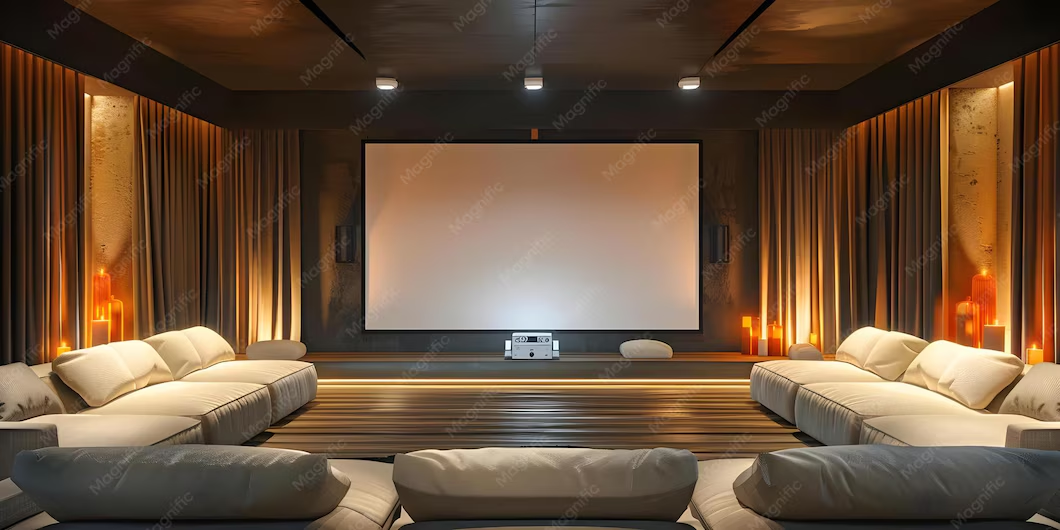
A light-controlled room with a quality projection screen remains hard to beat for sheer cinematic scale at moderate cost. A 4K laser projector (Sony VPL-XW7000ES, JVC NZ9, or similar) paired with an ALR screen delivers 130"+ to 200"+ images with stunning HDR performance. The reflective projection also reduces eye fatigue during long viewing sessions.
MicroLED makes sense here only if:
- The room cannot be fully darkened
- Budget is not a primary concern
- You want a "display art" wall that doubles as wall décor
For most home theater enthusiasts, a laser projector gives you more screen for less money. Period.
Living Rooms and Mixed-Use Spaces
This is where MicroLED starts earning its price tag. A lot of people want a large display in their main living area. That room has windows, lamps, and ambient light from daily life.
A projector in that environment either looks washed out or forces you into "movie time mode." Closing blinds, dimming lights. Every time.
MicroLED works in those spaces without lifestyle changes. Samsung's The Wall and similar modular displays run bright enough to watch sports, news, and casual content with overhead lights on. No screen to retract.
No lamp to replace. The wall is always ready.
Corporate Boardrooms and Meeting Spaces
The use case splits by room design here.
Projectors suit rooms with:
- High ceilings and controllable lighting
- Existing screen installations
- Budget constraints under $10,000
MicroLED walls suit rooms with:
- Overhead fluorescents that stay on during presentations
- Wide seating arrangements needing uniform brightness
- High-end branding expectations
We have reviewed dozens of corporate AV installations over the years. The boardrooms that end up happiest with MicroLED are glass-walled downtown offices where sunlight floods in during morning meetings. Projectors just cannot compete in those conditions.
Hospitality, Retail, and Digital Signage
Bright, always-on displays win in commercial settings. Restaurants, hotel lobbies, retail flagships, and event venues all benefit from MicroLED's self-emissive brightness. The content stays visible from any angle regardless of ambient lighting.
That said, large venue projection still dominates for:
- Building-scale projection mapping
- Temporary installations
- Budget-limited digital signage arrays
Education and Lecture Halls
Higher education classrooms and lecture halls use both technologies. Projectors work well in rooms where the instructor controls the lighting. Ultra-short-throw (UST) projectors paired with interactive displays have become the standard in many school districts.
MicroLED walls are gaining traction in premium campus facilities where donors expect a "wow" factor. The maintenance savings justify the investment over a 10+ year lifecycle in those cases.
Installation and Space Requirements You Need to Know
Before you commit to either technology, you need to look at your actual wall, ceiling, and room architecture. This is where a lot of people get surprised. The display specs might check out, but the physical installation tells a different story.
MicroLED Wall Installation Realities
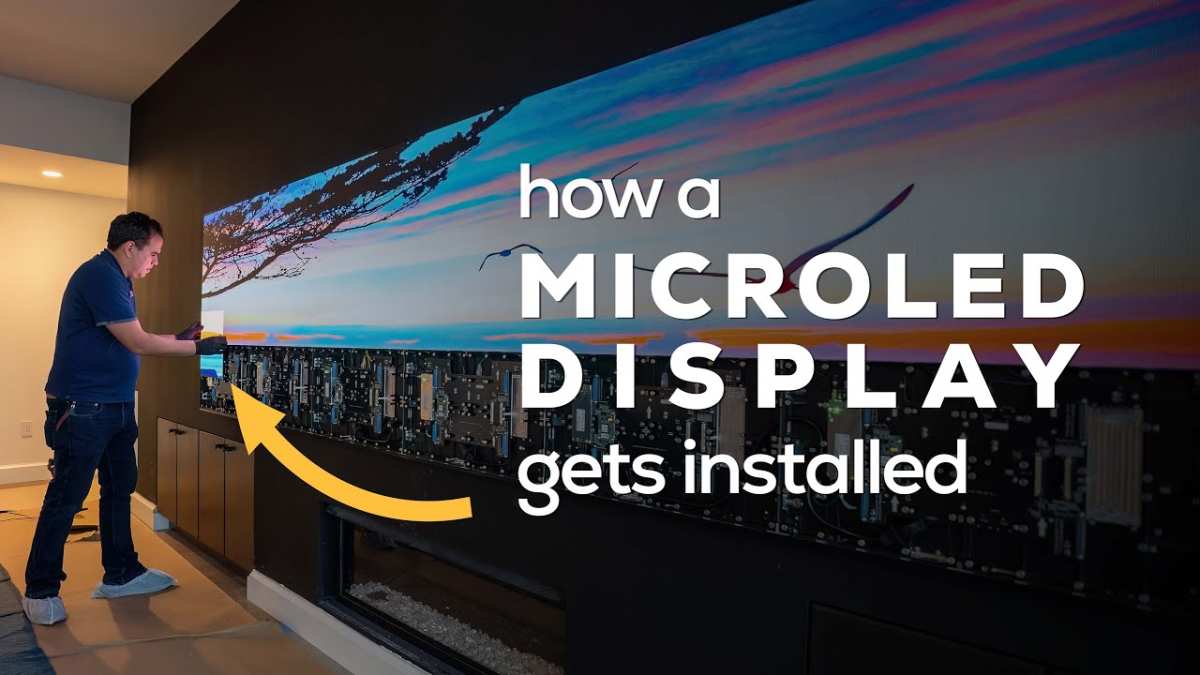
Modular MicroLED panels are not light. A typical tile weighs 15 to 25 pounds. A wall of 25 to 30 tiles puts 400 to 750 pounds on your wall.
That wall needs to handle the load.
Key installation requirements:
- Solid mounting surface (conwood or reinforced drywall with plywood backing)
- Professional structural assessment for tile array above 200 pounds
- Recessed cable channels for power and signal to each tile
- Service access behind or in front for panel replacement
- Climate-controlled room to avoid thermal expansion mismatch
Most professional installs recess the wall. That means cutting into the building structure to create a pocket for the display. Builders typically frame out a niche 4 to 6 inches deep.
That niche holds the tiles flush with the surrounding wall. When finished, it looks seamless. During planning, it means real construction work.
Service access is a big deal people forget. Tiles fail eventually (every electronic product does). Front-serviceable panels let you pull a single tile out from the front without unmounting the whole array.
Rear-serviceable panels need 8 to 12 inches of clearance behind the wall. That space comes from your room. You lose that floor area permanently.
Projector Installation Realities
Projectors are dramatically simpler to install. A ceiling mount, a power outlet, and a cable run to your media source handles most setups. The projector itself weighs 15 to 35 pounds and sits 10 to 14 feet away from the image surface.
Key considerations:
- Throw distance matches the lens and desired screen size
- Lens shift range accommodates your mount position
- Screen type chosen for ambient light and viewing angle
- Ventilation clearance around the projector body
- Access for lamp replacement or filter cleaning
Ceiling recessed projectors with a motorized screen offer the cleanest aesthetic. The projector hides above the ceiling. The screen raises and lowers on demand.
When retracted, the room looks normal. No large black rectangle dominating the wall 24/7.
On a projector system, you gain back that wall space. The screen takes zero floor area and no power when lowered. In a small room, that difference is huge.
Comparing Space Commitments
| Space Factor | MicroLED Wall | Projector System |
|---|---|---|
| Wall Dominance | 50 to 60 lbs per tile array + mount | Minimal (screen only) |
| Floor Space Used | Near zero | Zero (screen) to small (UST) |
| Ceiling Penetration | None | Optional (mounts or recess) |
| Service Gap Needed | 8 to 12 inches behind (rear) | 0 inches |
| Power Requirements | Multiple dedicated circuits (varies) | Single outlet (most models) |
If you live in a rental property or want a display you can take with you when you move, the projector system is far more practical. MicroLED walls are semi-permanent installations that warrant a dedicated space.
Longevity, Maintenance, and Hidden Overhead
The price tag on day one is not the whole story. What matters equally is what you spend (and deal with) over the next ten years. Projectors and MicroLED walls age differently.
Understanding that changes the math considerably.
MicroLED Lifespan and Degradation
Manufacturers rate MicroLED panels at 50,000 to 100,000 hours to half-brightness. That is 15 to 30 years at 8 hours daily. The individual LEDs inside each tile degrade very slowly.
Unlike OLED, there is no organic compound breaking down. Inorganic Gallium Nitride (GaN) LEDs last much longer under normal use.
What typically fails first is not the LEDs themselves. Power supply boards and driver ICs are the common failure points in any electronic display. Modular tile design helps enormously here.
If one tile's power supply dies, you replace that one tile, not the whole wall.
Projector Maintenance Schedule
Laser projectors are relatively low maintenance. No lamp changes, no filter replacements (most are sealed optical engines). Cleaning the lens and checking ventilation once a year is usually enough.
Rated for 20,000 to 30,000 hours.
Lamp-based projectors are a different story. A typical laser-phosphor or UHP lamp lasts 2,000 to 5,000 hours. Replacement cost runs $200 to $600 per lamp.
Over 10 years of regular use, you might replace 3 to 5 lamps. That adds $600 to $3,000 to your total cost.
Hidden Costs Nobody Mentions
- Electricity: A large MicroLED wall draws 800 to 1,500 watts at full brightness. A projector draws 250 to 450 watts. Over thousands of hours, that difference shows up on your utility bill.
- Calibration drift: Both technologies shift color over time. MicroLED walls need professional recalibration every 2 to 3 years to maintain tile-to-tile uniformity. Projectors need less frequent adjustment but benefit from annual color checks.
- Insurance and liability: A 500-pound wall display mounted in a public venue may require additional insurance coverage. Check your policy before signing a contract.
The Practical Decision Framework: Which One Should You Actually Choose?
After looking at image quality, cost, installation, and long-term ownership, the decision comes down to a few key questions. Answer these honestly and the right technology usually picks itself.
Choose MicroLED If:
- Your room has significant ambient light you cannot control
- You want a display that works 24/7 without lamp replacements
- Budget allows $30,000+ for a 120" equivalent or larger
- You have a dedicated wall with proper structural support
- You value perfect blacks and maximum HDR impact
- The display stays in one location permanently
Choose a Projector If:
- You want the largest possible image for the lowest cost
- The room can be darkened or has controllable lighting
- You need flexibility in screen size and placement
- Budget is under $15,000 for the complete system
- You rent or plan to move within a few years
- You prefer a hidden or retractable display when not in use
The Gray Area
Some rooms fall between these categories. A living room with one large window and blackout shades might work with either technology. In those cases, we recommend visiting a showroom in person.
Seeing both technologies side by side in a real room tells you more than any spec sheet ever will.
If you are still torn, start with a quality laser projector. It costs less upfront. If ambient light turns out to be a problem, you can add ALR screen treatments or upgrade later.
MicroLED is a bigger commitment that works best when you are certain about the room and the long-term plan.
Frequently Asked Questions
Is MicroLED better than a projector for home theater?
Not automatically. In a fully light-controlled room, a quality laser projector often delivers a more cinematic experience at lower cost. MicroLED wins in rooms with ambient light and when you want zero maintenance.
How long do MicroLED walls last compared to projectors?
MicroLED panels are rated for 50,000 to 100,000 hours. Laser projectors last 20,000 to 30,000 hours. Lamp projectors need bulb replacements every 2,000 to 5,000 hours.
MicroLED has the clear longevity advantage.
Can a MicroLED wall work in a small room?
Yes, but the wall space it occupies is permanent. You need a solid mounting surface and service access. In very small rooms, a short-throw projector with an ALR screen often makes more practical sense.
What is the biggest advantage of MicroLED over projection?
Brightness in ambient light. MicroLED generates its own light at the pixel level and does not rely on reflected light. That makes it usable in rooms where a projector image would look washed out.
Are there any health or safety concerns with MicroLED walls?
The panels themselves are safe. The main concern is structural. A large tile array weighs hundreds of pounds and must be mounted to a wall that can support the load.
Always get a professional installation assessment.
Can you use a MicroLED wall for gaming?
Absolutely. MicroLED panels have near-zero input lag and instant pixel response time. They handle fast motion extremely well.
Just confirm the specific panel supports HDMI 2.1 and VRR if you need those features for console or PC gaming.

Similar Posts