Can I Get My Iphone Screen Fixed: Your Repair Options

Can I Get My iPhone Screen Fixed? Everything You Need to Know
Understanding When Your iPhone Screen Needs Repair
If your iPhone screen is cracked, shattered, or unresponsive, you might wonder if it can be fixed. The good news is that most damaged screens can be repaired or replaced entirely. Recognizing signs of damage early can save you time and money in the long run. Common issues include cracks, dead pixels, touch sensitivity problems, and display discoloration.Types of iPhone Screen Damage
Different kinds of damage affect repair options and costs. These include:- Cracked Screens: Usually from drops, cracks might not affect functionality but can worsen over time.
- Shattered Glass: Severe cracks that break the glass into multiple pieces, making the device unsafe to handle.
- Touch Screen Malfunctions: Loss of touch responsiveness due to damage or internal issues.
- Display Issues: Includes flickering, dead pixels, or discoloration caused by internal damage.
Can You Repair an iPhone Screen at Home?
Many people ask if they can fix their broken iPhone screen themselves. While DIY repair kits are available, they are not recommended for most users. Apple screens are delicate, and improper handling can lead to further damage. Plus, DIY repairs usually void your warranty and may cause issues with water resistance.Professional vs. DIY Screen Repair
Choosing between professional repair and DIY depends on several factors.Professional Repair Benefits
- Expertise and experience that ensure quality work
- Access to genuine replacement parts
- Warranty on the repair work
- Preservation of your device’s value
DIY Repair Risks
- Potential for further damage if not done correctly
- Use of third-party, non-genuine parts which may affect performance
- Voiding your warranty or AppleCare coverage
- Longer repair time if mistakes are made
How to Find a Reliable Repair Service
Not all repair centers are equal; selecting the right one is essential. Look for:- Authorized Apple Service Providers (AASPs)
- Apple Store Genius Bar appointments
- Certified third-party repair shops with good reviews
- Warranty on repairs and genuine parts assurance
Pricing and Cost of iPhone Screen Repairs
Repair costs vary depending on your iPhone model and the extent of damage. For example:| iPhone Model | Screen Replacement Cost at Apple | Cost at Third-Party Shops |
|---|---|---|
| iPhone 13 | Approx. $199 | $150 – $180 |
| iPhone 11 | Approx. $199 | $120 – $160 |
| iPhone SE (2020) | Approx. $129 | $80 – $120 |
What to Expect During an iPhone Screen Repair
Most repairs take between 30 minutes to a few hours, depending on complexity. When you visit, the technician will diagnose the damage, then replace the screen using professional tools. Before completing the repair, ensure they test all functions including touch sensitivity, display clarity, and responsiveness.Post-Repair Care and Tips
- Use a protective case and screen protector
- Avoid exposing your device to extreme temperatures
- Handle your iPhone carefully to prevent future drops
- Keep your software updated for optimal performance
Replacing vs. Repairing Your iPhone Screen
In some cases, a screen might be beyond repair. For older models, it might be more practical to consider upgrading your device. When looking at upgrades for other tech, like a PC setup, you might wonder what makes a monitor good for gaming. However, for most recent iPhones, a replacement is usually cost-effective and restores the device to near-original condition.Are There Any Alternatives to Repair?
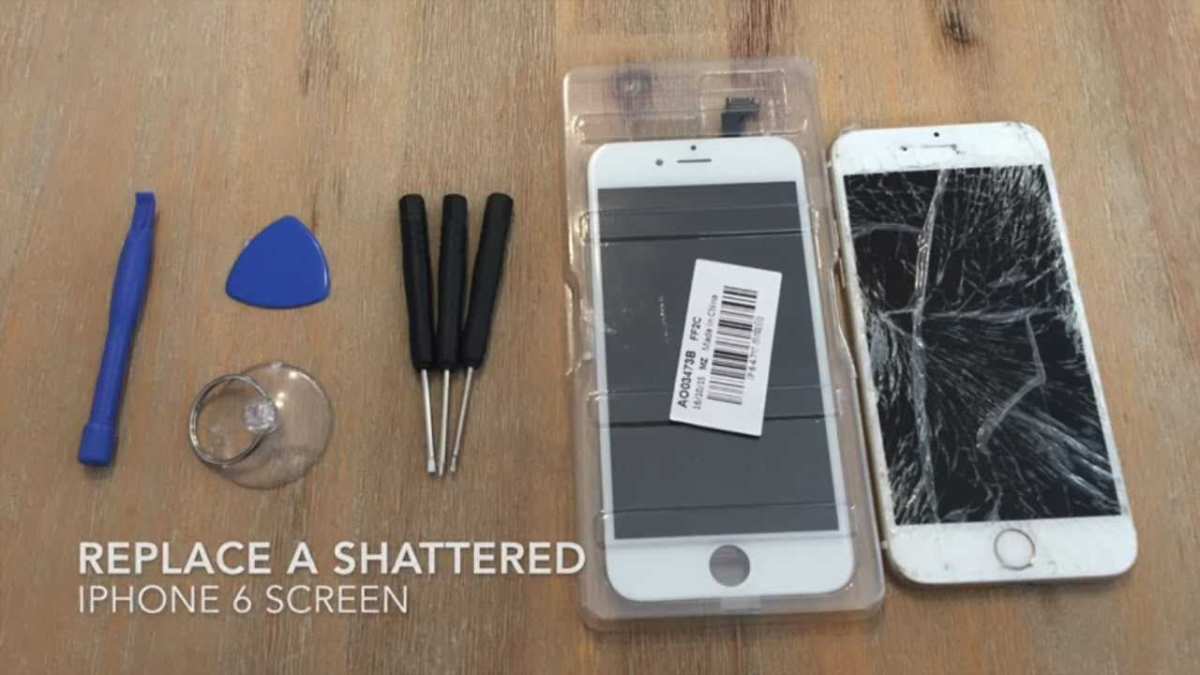
If the cost of repair is too high or your warranty is expired, consider third-party options or refurbished replacements. These alternatives can be more affordable but may come with risks like substandard parts or shorter warranty periods. Speaking of tech decisions, many gamers often ask themselves, do you need a 4K monitor for gaming? Getting your iPhone screen fixed is generally possible and feasible. Whether through Apple or trusted third-party experts, ensuring genuine parts and professional service is key. Remember that timely repairs can prevent further damage and save money in the long run. Taking good care of your device after repair also helps prolong its lifespan and maintain performance.3 Steps To Fix Any iPhone | iPhone Screen Replacement
Frequently Asked Questions
What are the common signs that my iPhone screen needs repair?
If your iPhone screen has cracks, dead pixels, or touch sensitivity issues, it likely needs repair. Any visible damage or display abnormalities can interfere with normal use and should be addressed promptly to prevent further damage.
How long does it typically take to fix an iPhone screen?
The repair time varies depending on the model and the repair shop’s workflow. In most cases, a screen replacement can take anywhere from 30 minutes to a few hours. Some shops offer same-day repairs, making it convenient to get your device back quickly.
Is it better to repair my iPhone screen at an authorized service center or a third-party shop?
Authorized service centers use genuine parts and follow official repair procedures, which can ensure the quality and warranty of your device. However, third-party shops often offer more affordable prices and faster service. Consider your priorities regarding quality and cost when choosing where to get your screen fixed.
Can I replace my iPhone screen myself, or should I seek professional help?
Replacing an iPhone screen requires technical skills and specialized tools. Attempting a DIY repair can risk damaging your device further or voiding the warranty. It’s generally safer to have a trained technician handle the repair to ensure proper installation and avoid additional issues.
What warranty options are available after getting my iPhone screen fixed?
Many repair providers offer a limited warranty on their screen replacements, typically covering defects or issues caused by the repair within a specific period. Always ask about warranty coverage and what it includes before proceeding with the repair.
Final Thoughts
You can get your iPhone screen fixed at authorized service centers, third-party repair shops, or through Apple’s official support. Check whether your warranty covers the repair or if you need to pay out of pocket. Many repair options offer quick turnaround times and quality parts. Ultimately, the decision depends on your budget and urgency. Can I get my iPhone screen fixed? Yes, you certainly can, and numerous options exist to get it done efficiently. Taking prompt action ensures your device remains functional and looks good as new.
Similar Posts