Get An Iphone Screen Fixed: Essential Tips For Fast Repair
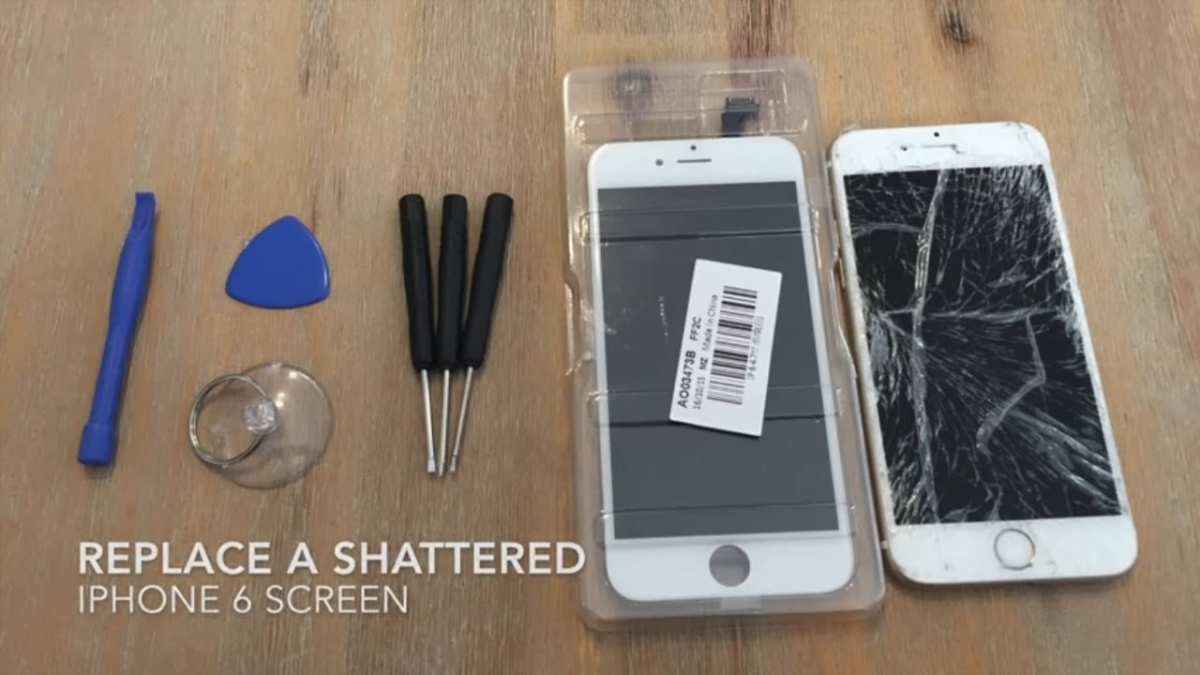

Get an iPhone Screen Fixed: Your Complete Guide to Restoring Your Device
When your iPhone screen cracks, shatters, or stops responding, it can feel overwhelming. Your phone is more than just a gadget; it’s your communication hub, camera, and often your lifeline to the world. But don’t worry — fixing your iPhone screen isn’t as complicated or costly as you might think. In this guide, we’ll walk you through everything you need to know about getting your iPhone screen fixed, from understanding the types of damage to choosing the right repair options, and what to expect during the process.Understanding Why iPhone Screens Break
Knowing how and why your iPhone screen gets damaged can help you prevent future mishaps and make better decisions when it’s time for a repair.Common Causes of iPhone Screen Damage
Many factors can lead to a cracked or broken iPhone screen, including:- Accidental drops or falls onto hard surfaces
- Applying too much pressure on the device
- Impact from objects like keys or coins in your pocket or bag
- Poor handling during cleaning or repairs
Signs Your iPhone Screen Needs Repair
Sometimes, the damage isn’t immediately obvious. Keep an eye out for:- Cracks or hairline fractures
- Unresponsive touch areas
- Discolored or dead pixels
- Bleeding colors or lines on the display
- Screen flickering or stuttering
Deciding When to Fix Your iPhone Screen
It might be tempting to ignore minor cracks, but delaying repairs can lead to further damage or even pose safety risks.Why Timely Repair Matters
Getting your screen fixed promptly can:- Prevent further cracking or shattering
- Keep your device fully functional
- Save you money in the long run by avoiding additional repairs
- Protect your eyes from broken glass or flickering screens
When Should You Consider Professional Repair
If your screen has extensive cracks, dead pixels, or touch responsiveness issues, it’s a good idea to seek professional help. DIY fixes may seem tempting but often come with risks like damaging internal components or voiding your warranty.Options for Fixing Your iPhone Screen
You have several options depending on your budget, preferences, and urgency.Apple Store Repair Services
Apple offers official repair services through its stores and authorized service providers. Benefits include:- Genuine Apple parts for quality and durability
- Expert technicians trained specifically on iPhones
- Warranty on repairs and parts
Third-Party Repair Shops
Many local shops offer quick and lower-cost options for screen replacement. Keep in mind:- Verify their reputation and reviews before choosing
- Ensure they use quality or genuine parts
- Ask about the warranty on their repairs
DIY Screen Replacement Kits
For those comfortable with technical work, DIY kits are available online. This route is:- Cost-effective but risky
- Suitable only if you have experience with electronics
- Potentially voids your warranty and could damage your device if done improperly
How to Choose the Right Repair Option
When selecting a repair method, consider these factors:- Cost: How much are you willing to spend?
- Speed: Do you need your phone fixed urgently?
- Quality: Do you prefer genuine parts and professional service?
- Warranty: Does the repair come with a guarantee?
Preparing for Your iPhone Screen Repair
Before taking your device in, follow some simple steps to ensure the process goes smoothly.Back Up Your Data
Always back up your iPhone data either via iCloud or iTunes before repair. This secures your photos, contacts, and other important data in case anything happens during the repair.Remove Accessories and SIM Card
Take out your case, screen protector, and SIM card. This makes the repair process easier and prevents damage.Check Your Warranty and Insurance
Verify if your device is still under warranty or if you have AppleCare+ or other insurance plans. These options can significantly reduce repair costs.The Repair Process Step-by-Step
Understanding what happens during the repair can help ease your worries.Diagnosis and Quotation
The technician examines your phone to assess the damage and provides a cost estimate.Disassembly of the Device
The repair specialist carefully opens your iPhone, following strict procedures to avoid internal damage.Screen Replacement
The broken screen is removed and replaced with a new, high-quality display.Reassembly and Testing
The device is reassembled, and the technician tests the touch response, display quality, and overall functionality.Final Check and Return
Once everything runs smoothly, your iPhone is returned, ready to use.What to Expect After Your Screen Fix
Post-repair, keep these tips in mind:- Test the new screen thoroughly for responsiveness and clarity
- Follow proper handling tips to avoid future damage
- Monitor the device for any issues, and contact the repair shop if problems arise
- Keep the repair receipt and warranty information handy
Preventing Future Screen Damage
While repairs can restore your device, prevention is better.Use a Protective Case
A sturdy case absorbs shock and reduces the impact if you drop your phone.Apply a Screen Protector
A tempered glass screen protector adds an extra layer of defense against scratches and cracks.Handle Your Phone Carefully
Avoid placing your iPhone in risky situations, like balancing it on uneven surfaces or leaving it in the pocket with keys.Keep Your Phone Away from Excessive Pressure
Don’t sit on or crush your device, and keep it safe in your bag or pocket. Getting your iPhone screen fixed is a straightforward process once you understand your options and what to expect. Whether you choose an official Apple service, a reliable third-party shop, or consider a DIY fix, acting promptly will save you money and prevent further damage. Remember to take care of your device post-repair to prolong its lifespan and keep it looking and functioning like new. With proper handling and timely repairs, your iPhone can serve you well for years to come.Frequently Asked Questions
How can I tell if my iPhone screen needs professional repair?
If you notice persistent cracks, dead pixels, or touch responsiveness issues, it’s a sign that your screen may require expert attention. Additionally, if your display is flickering or showing discoloration, a professional assessment helps determine if a repair or replacement is necessary to avoid further damage.
What are the benefits of opting for a certified repair service for my iPhone screen?
Choosing a certified repair service ensures that technicians use genuine parts and follow quality standards. This often results in a longer-lasting repair, preserves your device’s original performance, and maintains any remaining warranty. Certified services also reduce the risk of additional damage during the repair process.
How long does it typically take to fix an iPhone screen?
Most screen repairs can take between 30 minutes to a few hours, depending on the model and the extent of the damage. Some repair shops offer walk-in service with immediate turnaround, while others might require scheduling an appointment. It’s best to check with the repair provider beforehand to get an accurate estimate.
Is it better to repair or replace an iPhone with a cracked screen?
If your device is relatively new and in good condition otherwise, fixing the screen usually offers a more affordable option. However, if your iPhone has multiple issues or is quite old, replacing the device might be more cost-effective in the long run. Consider the extent of the damage and consult a technician for advice.
What steps should I take before getting my iPhone screen repaired?
Back up your data to prevent loss during the repair process. Turn off your device to avoid further damage, and remove any accessories or cases. If possible, note any other issues with your phone so the technician can assess the overall condition and provide the best solution.
Final Thoughts
Getting your iPhone screen fixed quickly is essential to keep your device functional and looking new. Choose a trusted repair service with experienced technicians to ensure quality work. Prompt repairs prevent further damage and extend your iPhone’s lifespan. In summary, get an iphone screen fixed promptly to restore your device’s appearance and performance efficiently. Prioritizing professional repair saves time and guarantees a reliable fix.
Similar Posts































