Will Replacing Iphone Screen Fix Touch Screen Issues
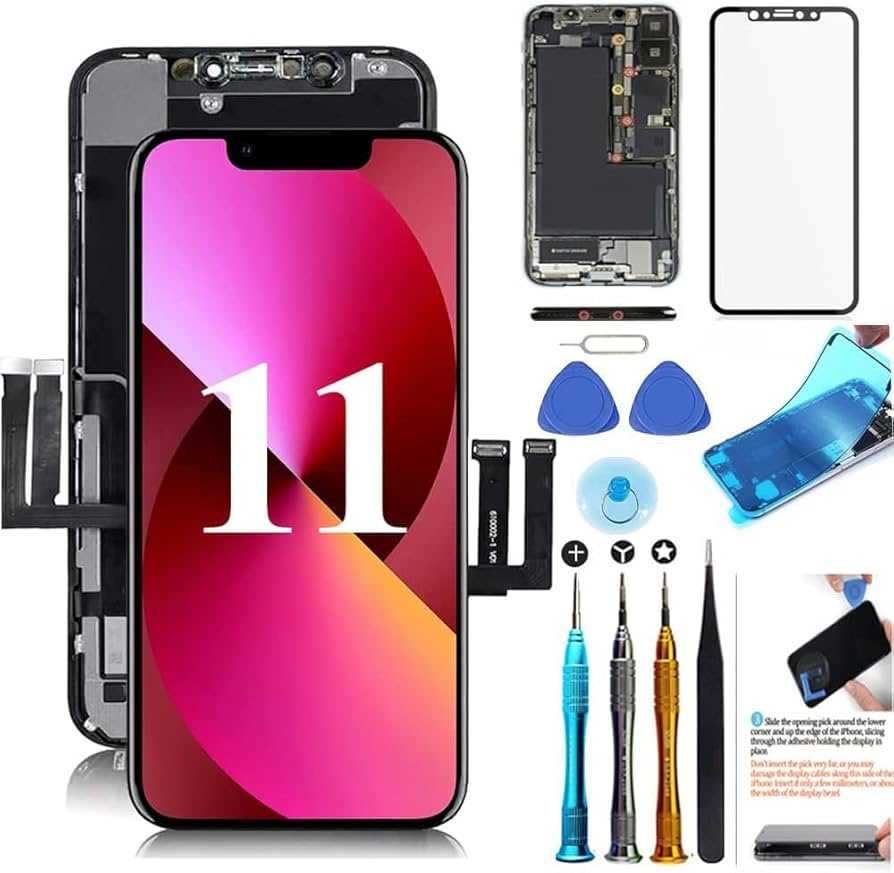

Will Replacing iPhone Screen Fix Touch Screen Issues? Everything You Need to Know
Understanding the Connection Between iPhone Screen Replacement and Touch Screen Functionality
Replacing an iPhone screen can often restore proper touch functionality, but it’s important to understand why. A damaged screen can cause unresponsive touch areas, ghost touches, or complete touch failure. When you replace the screen, you are essentially swapping out the broken display, which can repair these issues. However, if touch problems persist after replacement, other factors might be involved.Common Reasons for Touch Screen Problems in iPhones
Touch screen issues are usually caused by:- Physical damage: cracks, dents, or shattered screens
- Battery swelling: putting pressure on the display and touch components
- Water exposure: leading to corrosion or short circuits
- Software glitches: bugs or outdated iOS versions
- Internal hardware failure: damaged connectors or damaged touch sensors
Does Replacing the Screen Always Fix Touch Problems?
In most cases, replacing the screen can resolve touch issues caused by physical damage or malfunctioning display components. When the touchscreen controller or digitizer is damaged, a new screen usually restores proper response. However, if the problem stems from internal hardware or software issues, replacing the screen alone might not resolve the touch problem.When Replacing the Screen Is Usually Effective
- The touch issues are caused by visible screen damage
- The iPhone responds normally when the screen is undamaged
- The device was working fine before the screen was broken
When Replacing the Screen Might Not Fix Touch Issues
- The device has a swollen battery causing screen pressure
- Touch problems persist after screen replacement
- Internal hardware damage or software issues are suspected
- The device has water damage affecting internal components
Steps Involved in iPhone Screen Replacement
Replacing an iPhone screen is a detailed process. It involves removing the broken display, disconnecting delicate connectors, and installing a new screen carefully. It’s best performed by professionals using proper tools, but with the right guidance, some experienced DIYers can also do it.Basic Procedure for Replacing an iPhone Screen
- Power off the device to prevent electrical damage
- Use specialized tools to remove the screen securely
- Disconnect the front panel connectors
- Remove and replace the damaged screen assembly
- Reconnect all cables and test the new display
- Seal the device back together and verify functionality
Impact of Screen Quality on Touch Responsiveness
The quality of replacement screens varies widely. OEM (original equipment manufacturer) parts tend to provide the best fit and touch sensitivity. Aftermarket or third-party screens may be cheaper but can lead to inconsistent touch response or display quality.Types of Replacement Screens
- OEM Screens: Genuine Apple parts, highest quality
- Third-Party Screens: Less expensive, variable quality
- Refurbished Screens: Recycled OEM parts, a middle ground
Common Problems After Screen Replacement and How to Fix Them
Sometimes, even after replacing the screen, you might face issues like unresponsive touch or flickering. These problems are often due to improper installation, incompatible parts, or internal hardware issues.Troubleshooting Tips
- Ensure all connectors are securely attached
- Check for software updates or resets if touch issues persist
- Verify the replacement screen is compatible with your iPhone model
- Inspect for damage to internal components during disassembly
- Consider professional diagnosis if problems continue
Can a Software Update or Reset Fix Touch Problems?
Sometimes, touch issues aren’t hardware-related. Software glitches, outdated iOS versions, or settings can cause unresponsiveness or erratic touch behavior.Recommended Software Solutions
- Update iOS to the latest version to fix known bugs
- Perform a factory reset if issues started after software changes
- Reset all settings to restore default configurations
- Restore the device using iTunes or Finder for a clean start
The Cost of Replacing an iPhone Screen and Its Effectiveness
The price of screen replacement varies depending on the iPhone model, repair location, and parts used. OEM replacements tend to be more expensive but offer better performance. Aftermarket screens are cheaper but might compromise touch responsiveness.Cost Breakdown
| iPhone Model | OEM Screen Price | Aftermarket Screen Price |
|---|---|---|
| iPhone 13 | $150-$250 | $80-$150 |
| iPhone 12 | $140-$240 | $70-$130 |
| Older Models | Less expensive, varies | Lower prices, quality varies |
Why Professional Repair Is Recommended for Touch Screen Problems
While DIY fixes are tempting, professional repair guarantees correct installation, high-quality parts, and warranty coverage. Skilled technicians also diagnose hidden problems that might not be obvious.Benefits of Professional Service
- Proper diagnosis of hardware or software issues
- Use of high-quality OEM parts
- Minimized risk of further damage
- Warranty on the repair work
Related Topics to Consider When Fixing Your iPhone Touch Screen
- Battery replacement and its impact on display pressure
- Water damage repair options
- Software troubleshooting for touchscreen issues
- Screen protector and case choices to prevent future damage
- When to replace your entire iPhone instead of just the screen
Apple May Have Banned This Cheap Screen Replacement…? #Shorts
Frequently Asked Questions
Does replacing the iPhone screen ensure the touch functionality is restored?
Replacing the iPhone screen can often restore touch functionality if the issue stems from a broken or damaged display. However, if the touch problems are caused by internal hardware failures or issues with the device’s internal components, replacing the screen alone may not resolve the problem. It’s important to diagnose the underlying cause before proceeding with a replacement.
Can a damaged touch screen be fixed without replacing the entire display?
Yes, in some cases, the touch issues are caused by adhesive or minor hardware faults that can be repaired without replacing the entire display. For example, certain faults related to the digitizer can sometimes be fixed via specialized repairs. Still, if the damage involves shattered glass or internal component failure, replacing the whole screen is usually the most effective solution.
Will a new screen eliminate all touch responsiveness problems?
Replacing the screen often improves responsiveness if the issue is solely due to a damaged display or digitizer. However, if the touch problems relate to the device’s logic board or other internal components, a screen replacement might not resolve the issue. Professional diagnosis can help determine the root cause of the problem.
Are there other reasons why the touch screen might not respond apart from physical damage?
Yes, issues such as software glitches, iOS updates, or internal hardware malfunctions can cause touch responsiveness problems. Sometimes, a simple restart or software update can fix the issue. If the problem persists after software troubleshooting, hardware issues may be involved, and replacing the screen might be necessary if physical damage is present.
How can I tell if my touchscreen issue is due to a hardware problem or software glitch?
You can troubleshoot by restarting your device, updating the software, and performing a force restart. If these steps don’t resolve the problem, and the touch issues occur in specific areas or after drops or impacts, hardware damage is likely. In such cases, replacing the screen or consulting a professional technician will help identify the exact cause.
Final Thoughts
Replacing an iPhone screen often resolves touch screen issues caused by physical damage or malfunction. It is a practical solution that restores the device’s responsiveness and functionality. Will replacing iPhone screen fix touch screen? Yes, in most cases, it does. If your touch problems stem from a broken or damaged display, a replacement typically restores full touch capabilities. However, if the issue persists after replacing the screen, other hardware components may be causing the problem. Consulting a professional can help determine the exact cause and prevent unnecessary repairs.
Similar Posts































