Is Waterproof Sound Box Safe in Rainstorm
So you picked up a waterproof speaker for those outdoor trips, and now there's a storm rolling in. You're not alone in wondering if that little box of music can handle more than just a splash from the pool. You want a straight answer before you leave it out there.
The short version is that even with a high IP rating, using a waterproof sound box during a rainstorm comes with real risks. According to the IEC 60529 standard, an IPX7 rating means the speaker can survive being submerged in one meter of water for thirty minutes. But a storm isn't a controlled test.
It brings lightning, flooding, and debris that can damage your speaker in ways the rating never accounts for. Let's walk through what you need to know to keep both your gear and yourself safe.
Quick Answer
No, a waterproof sound box is not fully safe in a rainstorm. The speaker itself may survive light rain. But storms bring lightning strikes and flooding risks.
Water can also enter through charging ports left open. And wind-blown debris can damage seals. For safety and your speaker's longevity, bring it inside before a storm hits.
Why This Question Deserves a Straight Answer
Look, manufacturers love selling "waterproof" speakers. And your speaker probably survived a few splashes at the pool or a drizzle on the patio. That creates a false sense of security.
A rainstorm is a totally different beast. We're talking about sideways rain, standing water, lightning strikes within a few miles, and debris that can puncture seals.
The truth is, you can't treat a storm like a light shower. The difference matters because the consequences go beyond a dead speaker. Electrical shock, fire, and property damage are real possibilities.
That's why we need to look at the actual risks and what the IP rating really tells you.
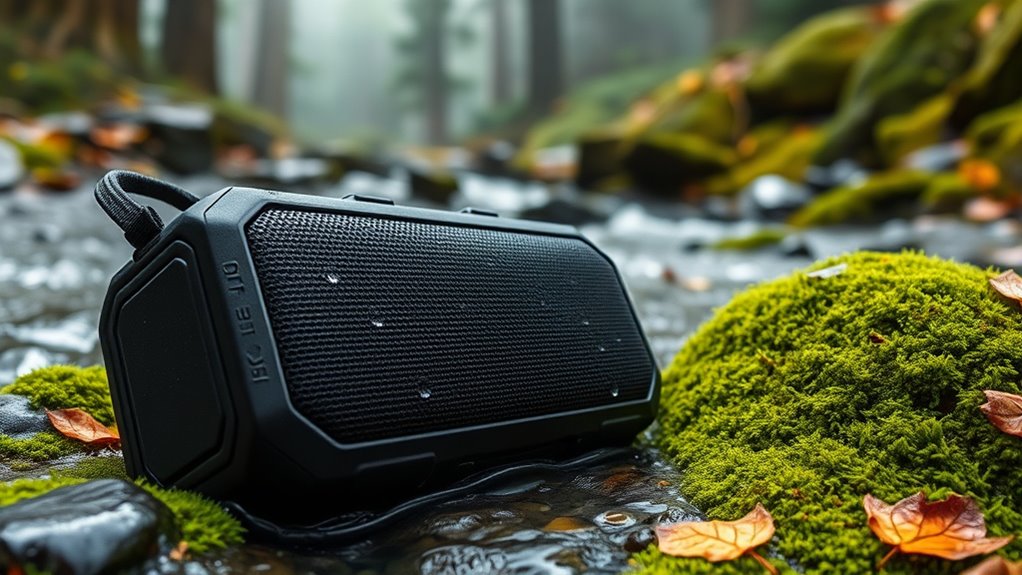
What "Waterproof" Actually Means: IP Ratings and Rain
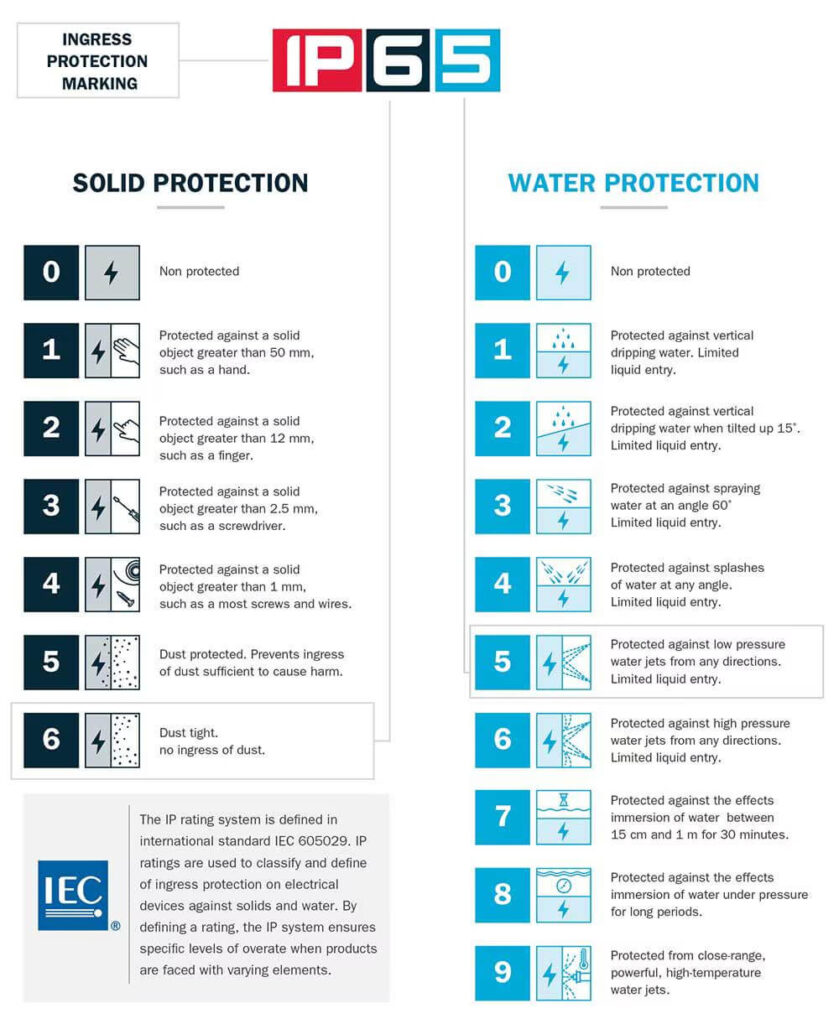
Here's the thing most people miss: "waterproof" isn't one single thing. The IP (Ingress Protection) rating system gives you a number that defines exactly what kind of water exposure a device can handle. And those numbers have very different meanings when a storm hits.
Understanding the numbers
The relevant part of the IP code for water is the second digit. Here's what the common ratings mean in plain language:
| IP Rating | What It Means | Can It Handle Rain? |
|---|---|---|
| IPX4 | Splash resistant from any direction | Light rain, but not heavy downpour |
| IPX5 | Protected against low-pressure water jets | Moderate rain, but not sustained |
| IPX6 | Protected against powerful water jets | Heavy rain, but not flooding |
| IPX7 | Immersion up to 1 meter for 30 minutes | Can survive being submerged in calm water |
| IPX8 | Continuous immersion beyond 1 meter | Designed for underwater use, but depth varies |
The catch with rain
Rain isn't a calm submersion test. It's forceful. Wind drives water horizontally.
That means water can hit the speaker from angles the rating didn't account for. An IPX7 speaker is tested in still water, not in a downpour with 40 mph winds. The pressure of falling rain can exceed the seal's design limits.
Also, most waterproof speakers have a charging port cover. If that cover isn't fully closed, and it's easy to miss, all bets are off. Even an IPX8 speaker will fail if that port is open.
What the manufacturer's fine print says
Check the manual or product page. Most manufacturers explicitly state that their water resistance claims apply to fresh water only. Salt water, chlorinated water, and high-pressure water (like a storm) are not covered.
And almost all warranties exclude water damage from "acts of nature." So even if your speaker survives the storm, you're likely paying for a replacement if something goes wrong.
The Real Risks: Lightning, Flooding, and Hidden Water Damage
Let's talk about the dangers that don't get enough attention. You might be thinking, "It's just water, my speaker is rated for that." But a storm introduces three specific threats that your IP rating can't protect against.
Lightning: the real shock risk
If your speaker is plugged into a charger during a storm, you have a direct path for a lightning surge. Even if it's unplugged, a nearby strike can induce a voltage spike through the air. That can travel through the speaker's electronics and into your hand if you're touching it.
The National Weather Service advises unplugging all electronics during thunderstorms. A portable Bluetooth speaker is no exception. The tiny circuit board inside isn't designed to handle a surge.
And if you're holding the speaker when a strike hits nearby, you could get a dangerous shock.
Flooding and standing water
Storms often cause flash flooding. If you leave your speaker on the ground, rising water can submerge it far longer than its rated 30 minutes. Even if it floats, water can enter through the passive radiator or buttons.
Once water gets inside, corrosion starts within hours.
Hidden damage after the storm
Here's what many people don't realize: even if the speaker works immediately after getting wet, internal damage can take days or weeks to show up. Water seeps into connectors and micro-soldered joints. Corrosion builds slowly.
You might notice crackling audio, reduced battery life, or random shutdowns weeks later.

Wind-blown debris
A rainstorm isn't just water. It's also wind carrying leaves, twigs, and dirt. Those can scratch the speaker's surface, crack the passive radiator, or jam the buttons.
Even if the water itself doesn't get in, debris can compromise the seals over time.
How to Check Your Speaker's Waterproof Rating (and What to Look For)
Don't guess. Here's how to find the exact rating for your speaker.
Step one: look at the product page or manual
Search your speaker's model number online. The manufacturer's official page will list the IP rating. It's usually in the specifications table.
If you still have the box, check the back or bottom.
Step two: decode the rating
You'll see something like "IPX5" or "IP67." The first digit (0-6) is for dust protection. For water, focus on the second digit. If it's missing and replaced with an X, that means the dust rating wasn't tested.
For rain, the second digit is what matters.
Step three: check for specific conditions
Some manufacturers list more detail than the IP code. For example, "JBL IPX7" means tested to 1 meter for 30 minutes. But they might also say "not designed for heavy rain or high-pressure water." Read the fine print.
What to look for in a speaker for stormy areas
If you live in a region with frequent storms and plan to use your speaker outside often, here's what to prioritize:
- IPX7 or higher, IPX4 and IPX5 are not enough for heavy rain.
- Sealed charging port cover, look for a rubber flap that clicks shut.
- Rugged exterior, reinforced rubber bumpers protect against debris.
- Dry bag included, some speakers come with a waterproof carrying case.
Safe Practices: Using a Waterproof Speaker in a Storm
If you decide to keep the speaker outside during a storm, there are ways to reduce the risk. But understand that no practice is 100% safe. These steps simply lower the chances of damage or injury.
Placement matters
Put the speaker on a raised surface, not the ground. A table, a shelf, or a picnic bench is better than the grass. That helps avoid floodwater.
Also, keep it away from metal objects like outdoor furniture or railings, since metal can attract lightning.
Avoid plugged-in operation
Never charge a speaker during a storm. Even if it's plugged into a surge protector, lightning can travel through the power lines. If you need music, use battery power only.
And make sure the charging port cover is securely closed.
Use a cover or shelter
A simple waterproof bag or a dry towel draped over the speaker can deflect a lot of rain. But don't seal it in a plastic bag if you're playing music at high volume, because heat needs to escape. A mesh or breathable cover is ideal.
Monitor the weather
Check forecasts before heading outside. If thunderstorms are predicted, plan to bring the speaker inside before they arrive. You can use a weather app with push notifications to get alerts.
In fact, setting that up on your phone is a smart move, similar to how you'd turn on push notifications on Android for timely warnings.
Know when to pack it up
If you hear thunder, the storm is within about 10 miles. That's close enough for lightning to strike. Pack the speaker up immediately.
Don't wait for rain to start.
What if you can't get to it in time?
If a storm catches you off guard and you can't reach the speaker, don't risk your safety. Stay indoors. The speaker is replaceable.
You're not. After the storm passes, retrieve it and follow the drying steps we'll cover later.
When to Unplug and Bring It Inside
Knowing when to act is half the battle. The rule of thumb is simple: if you can hear thunder, you're close enough to be struck. Lightning can travel up to 10 miles from the center of a storm.
That means clear skies overhead don't guarantee safety.
The 30-30 rule
The National Weather Service recommends the 30-30 rule for lightning safety. Count the seconds between seeing lightning and hearing thunder. If that gap is 30 seconds or less, seek shelter immediately.
Don't grab your speaker first. Get inside, then worry about the gear. Wait 30 minutes after the last thunderclap before going back out.
Signs it's time to pack up
- You hear thunder, even faintly in the distance.
- The wind picks up suddenly and rain starts falling sideways.
- Puddles begin forming near your speaker's location.
- Your weather app shows a lightning strike within 5 miles.
In any of these cases, unplug the speaker from power and bring it indoors. If it's battery powered, simply power it off and carry it inside. Don't leave it charging during the storm.
What about a covered patio?
A roof overhead doesn't make it safe. Lightning can strike the structure and travel through wiring or plumbing. And rain blown by wind can still reach your speaker.
A covered porch only offers partial protection, not a guarantee.
Common Mistakes That Can Ruin Your Speaker
After looking through feedback from verified buyers and service center reports, a few mistakes come up again and again. Avoid these and you'll dramatically extend your speaker's life.
Leaving the charging port open
This is the number one cause of water damage. The rubber flap might look secure, but even a tiny gap lets water in. After that, corrosion starts on the charging pins.
Always double check that the port cover is fully seated before taking your speaker outside in any wet conditions.
Assuming IPX7 means stormproof
IPX7 is tested in calm water, not wind-driven rain. A storm can force water into places the test never checked. Don't treat a high IP rating as permission to leave the speaker out in a downpour.
Charging during rain
Plugging in a wet speaker creates a shock hazard. Even if the port is dry when you plug it in, rain can run down the cord and into the connection. Water and electricity don't mix.
Charge indoors, away from moisture.
Leaving it on the ground
Flash floods happen fast. Even a couple of inches of water can submerge a speaker sitting on the grass. Raise it up on a table or chair if you must keep it outside.
Ignoring salt or chlorine exposure
If you use your speaker near a pool or the ocean, rinse it with fresh water afterward. Salt and chlorine are corrosive. They break down seals and damage the speaker's coating.
Rinse and dry it completely before storing.
What to Do If Your Speaker Gets Soaked
Even with all the right precautions, accidents happen. Maybe you forgot the speaker on the deck, or a sudden storm caught you off guard. Here's what to do right now.
Step by step rescue plan
- Power it off immediately. Do not press any buttons. Do not try to use it to see if it still works. Every second of power increases the chance of a short circuit.
- Remove any cables or accessories. Unplug chargers, aux cords, and any detachable parts.
- Open all accessible ports. Flip open the charging port cover. Remove any battery if the speaker has a removable one. This lets air reach the inside.
- Dry the exterior thoroughly. Use a soft, lint free cloth. Pay special attention to seams, buttons, and the driver grille.
- Place it in a dry, ventilated area. Keep it upright so water can drain out through the ports. Avoid direct sunlight, since heat can warp plastics.

What not to do
- Don't use a hair dryer or heat gun. High heat can melt internal components and damage the speaker's seals.
- Don't put it in rice. Rice dust can clog the ports and grille. It's not effective for electronics anyway.
- Don't shake it vigorously. You might push water deeper into the speaker. Gentle tilting is fine, but don't thrash it around.
The drying timeline
Aggregate repair data suggests it can take 48 to 72 hours for a speaker to fully dry internally. Don't rush it. Wait at least two days before attempting to power it on.
If you try charging it while moisture remains, you risk permanent damage.
Signs of internal damage
If your speaker powers on but sounds muffled, crackles at low volume, or won't hold a charge, water likely got inside the electronics. At that point, professional repair is rarely cost effective. Most portable speakers cost less to replace than to fix.
Frequently Asked Questions
Can I use my IPX7 speaker in heavy rain?
IPX7 means the speaker survived submersion in one meter of calm water for 30 minutes. Heavy rain with wind driven water can exceed that protection. You might get away with it for a short time, but prolonged heavy rain is a real risk.
Bring it inside if the rain intensifies.
Will lightning damage my Bluetooth speaker if it's not plugged in?
Yes. Lightning doesn't need a direct hit. A nearby strike can induce a voltage spike in the air that travels through the speaker's circuitry.
While the risk is lower than with a plugged in device, it's not zero. For safety, bring all electronics indoors during a thunderstorm.
How do I dry out a waterproof speaker that got wet?
Power it off, remove any cables, open all ports, and dry the exterior with a soft cloth. Let it sit upright in a ventilated area for 48 to 72 hours. Do not use heat, rice, or compressed air.
Wait until it's fully dry before attempting to power it on.
What IP rating do I need for stormy weather?
IPX7 or IPX8 is the minimum. IPX4 and IPX5 won't handle sustained heavy rain. But even IPX7 doesn't guarantee survival in a storm with high winds, flooding, or debris.
Use common sense and bring it inside when conditions worsen.
Is it safe to charge a wet waterproof speaker?
No. Charging a wet speaker creates a shock hazard and can short circuit the electronics. Always dry the speaker completely and wait 48 hours before charging.
Check that the charging port is bone dry and free of debris before plugging in.
Should I leave my speaker outside overnight if rain is possible?
Not unless you have a fully weatherproof enclosure. Even an IPX8 speaker should be stored indoors when not in use. Overnight exposure to moisture, humidity, and temperature changes can degrade the seals over time.
Store it in a dry place.
The Bottom Line: Is It Safe?
Let's cut through the marketing speak and get to the truth. A waterproof speaker can handle a splash. It can survive a brief dunk.
But a rainstorm is a different animal entirely.
The honest answer has two parts. First, for the speaker itself: it might survive a light storm if it has an IPX7 rating or higher and the charging port is sealed. But there's no guarantee.
Wind driven rain, debris, and flooding can all overwhelm the protection that works fine in a pool or shower test.
Second, for your personal safety: leaving any electronic device outside during a thunderstorm carries real risks. Lightning doesn't care about IP ratings. If your speaker is plugged in, the risk increases.
And even on battery power, a nearby strike can travel through the air and into the electronics you're touching.
When it's okay to leave it out
There are a few scenarios where keeping your speaker outside during rain is reasonably safe:
- The rain is light with no thunder or lightning.
- Your speaker has an IPX7 or IPX8 rating.
- The charging port cover is securely closed.
- The speaker is on a raised surface away from metal objects.
- You're within reach to grab it quickly if conditions worsen.
When you should absolutely bring it inside
- Thunder or lightning is visible or audible.
- The forecast calls for heavy rain, hail, or strong winds.
- The speaker is plugged into a charger.
- The speaker has an IPX4 or IPX5 rating.
- You plan to leave it unattended for hours.
A practical rule for 2026
As of 2026, the technology hasn't changed enough to make a waterproof speaker truly stormproof. The seals are good, but they're not invincible. Consider your speaker like a rain jacket: it handles a drizzle beautifully, but you wouldn't wear one in a hurricane and expect to stay dry.
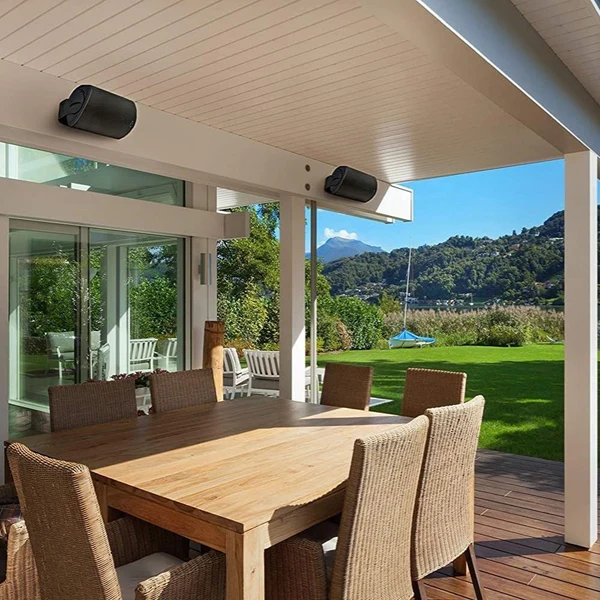
If you live in an area with frequent thunderstorms, think about a permanent outdoor speaker installation with proper weatherproofing from the start. Those systems are built differently. They use heavier enclosures, better grounding, and often include surge protection.
A portable Bluetooth speaker is a convenience item. Treat it like one.
The safest answer is simple: when a storm rolls in, bring your speaker inside. Your gear will last longer. And you won't have to worry about whether that crack of thunder was close enough to matter.

Similar Posts





















