How Do You Know If Airpods Are Real Tips To Verify?

How Do You Know If AirPods Are Real? A Complete Guide
Checking the Packaging
Start by examining the packaging closely. Official AirPods come in a sturdy box with clear, crisp printing and high-quality materials. Fake packaging often looks blurry or poorly printed, with spelling errors or misaligned text. Make sure the label on the box matches the model you purchased. Authentic AirPods will have detailed information, including serial numbers, model numbers, and barcodes. Pay attention to the packaging’s weight and feel. Genuine boxes are solid and well-constructed, while counterfeit ones may feel flimsy or cheap.Inspecting the Physical Appearance
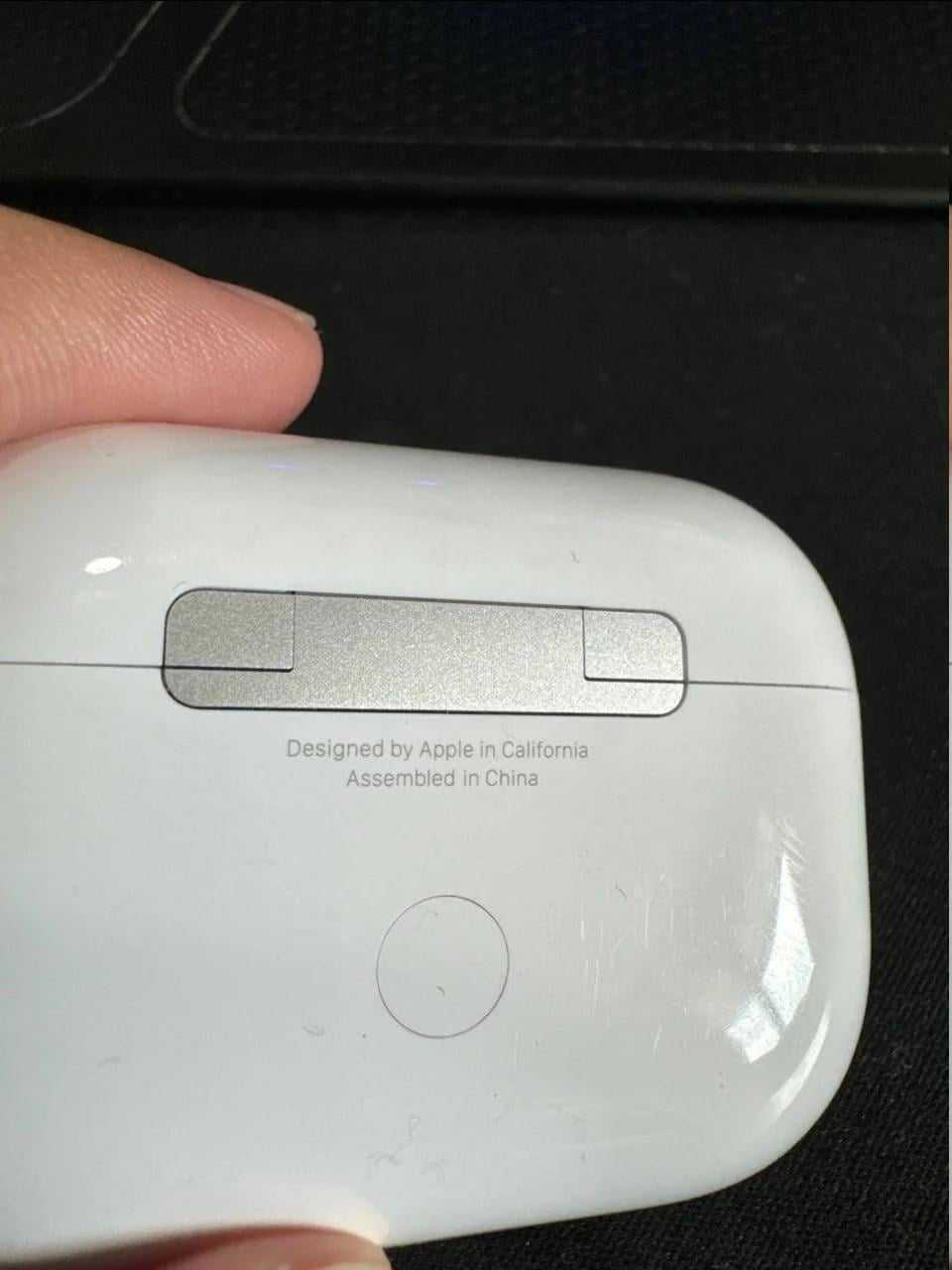
Look at the AirPods themselves. Real AirPods have a sleek, seamless finish with no rough edges or uneven seams. The logo should be clear and precisely printed on the case. Check the size and shape of the earbuds. Fake AirPods often have slight differences in dimensions or design. Real AirPods have a certain weight and feel that conveys quality. Observe the LED indicator light. On genuine models, it is located on the front of the charging case and glows either amber or green depending on the charge status. Fake cases may have inconsistent or missing LEDs.Verifying the Serial Number
Every pair of authentic AirPods has a unique serial number. Find this number on the inside of the charging case lid or on the original packaging. Visit Apple’s official website or use their support app to verify the serial number. Entering the number should give you information about the product, such as model and warranty status. Counterfeit serial numbers often do not match Apple’s database or may not be recognized at all. This is a key step in confirming authenticity.Testing the Functionality
Pair your AirPods with your device. Authentic AirPods connect quickly and effortlessly through Bluetooth. Fake AirPods may struggle to pair or disconnect frequently. Check the sound quality. Genuine AirPods deliver clear, balanced audio with deep bass and crisp treble. Fake versions often have poor sound quality and inconsistent volume. Test the sensors and touch controls. Authentic AirPods respond promptly to taps or gestures. Fake models may not have responsive controls or may react inaccurately.Examining the Charging Case
Open the case and observe the interior. Real AirPods cases have a clean, well-made interior with precise placement of components. The magnets that hold the earbuds in place are strong and aligned. Look at the charging port. Genuine cases feature a Lightning port that fits securely and is well-constructed. Fake cases might have loose or poorly fitted ports. Charge the case fully. Authentic AirPods cases support fast and reliable charging, with indicator lights showing the charging status clearly. Fake cases may have faulty charging capabilities or inconsistent lights.Assessing the Price and Seller
Be cautious with unusually low prices. Genuine AirPods are priced consistently across authorized retailers. If a deal seems too good to be true, it probably is. Purchase only from authorized Apple stores or reputable sellers. Avoid unknown websites or third-party marketplaces with inconsistent reviews. Verify the seller’s reputation. Look for reviews, ratings, and return policies. Trusted sellers are more likely to provide authentic products.Using Apple’s Find My App
Once paired, use the Find My app to track your AirPods. Genuine AirPods are compatible and show their location accurately. Fake AirPods may not appear or may show incorrect information in the app. This feature is a helpful tool to differentiate real products from fakes.Additional Tips for Verification
Observe the overall build quality. Authentic AirPods are made from premium materials with attention to detail. Compare your AirPods with official images from Apple’s website. Small differences in logo placement, button design, or case details can reveal counterfeits. Check for firmware updates. Genuine AirPods can receive updates via the connected device, improving performance over time. Fake versions do not have this capability.Summary Table of Key Differences
| Feature | Real AirPods | Fake AirPods |
|---|---|---|
| Packaging Quality | High-quality, well-printed, sturdy | Blurry printing, flimsy materials |
| Serial Number | Unique, verified on Apple’s website | Missing or invalid serials |
| Sound Quality | Clear, balanced, rich bass | Poor quality, tinny sound |
| Pairing Process | Fast, seamless connection | Slow or inconsistent pairing |
| Build and Design | Seamless, premium finish | Uneven seams, cheap material |
| Charging Case | Strong magnets, accurate LEDs | Loose fit, faulty LEDs |
| Price | Consistent with retail price | Significantly lower |
DIFFERENCE BETWEEN REAL AIRPODS PRO AND FAKE
Frequently Asked Questions
What signs indicate the authenticity of AirPods during physical inspection?
Check for precise printing on the AirPods and case, ensuring the font and logo match Apple’s official design. Feel the quality of the build; genuine AirPods have a smooth finish with no rough edges. Examine the pairing button’s placement and size—authentic models have a well-defined, responsive button. Also, inspect the charging port for correct placement and design consistent with official models. Authentic AirPods usually come with clean serial numbers that can be verified on Apple’s website.
How can the serial number help confirm if AirPods are real?
Locate the serial number either on the inside of the lid of the charging case or on the underside of the AirPods. Visit Apple’s official warranty website or use their serial number checker to verify it. If the serial number isn’t recognized or appears invalid, chances are the AirPods are counterfeit. Genuine serial numbers are unique and registered with Apple, so validating it through official channels is a reliable method.
What features or responses differentiate real AirPods from fake ones?
Authentic AirPods seamlessly connect to Apple devices and support features like automatic ear detection, quick pairing, and spatial audio (on compatible models). Fake versions often lack these features or have limited functionality. Test the pairing process—genuine AirPods instantly appear in Bluetooth devices list and connect quickly. Also, play audio to ensure clarity and proper functioning of microphones and speakers. Fake models may produce distorted sound or have poor connectivity performance.
What should I consider about the packaging and accessories?
Genuine AirPods come in high-quality packaging with sharp printing, correct fonts, and official branding. The box includes a charging cable, documentation, and sometimes additional accessories, all neatly arranged. Counterfeit packaging may have misspellings, blurry images, or inconsistent fonts. Additionally, compare the overall feel of the box and accessories; authentic packaging feels sturdy and well-made, while fake packaging often feels cheap or flimsy.
How do software and firmware updates help identify authentic AirPods?
Original AirPods receive firmware updates directly from Apple to improve features and performance. When connected to an Apple device, genuine AirPods can be updated via iOS or macOS. Fake AirPods usually don’t support firmware updates or have outdated, unmodifiable software. If your device shows that your AirPods can be updated or if firmware details are accessible via the device, you likely have authentic ones. Conversely, the absence of update options may indicate a counterfeit product.
Final Thoughts
Knowing if your AirPods are genuine involves checking several key details. Examine the build quality, ensuring the logo and text are clear and properly aligned. Test the features like seamless pairing and sound quality, which genuine AirPods excel at. In conclusion, how do you know if AirPods are real? Pay attention to branding, functionality, and packaging to verify authenticity easily.
Similar Posts