Do Microled Monitors Support Hdr600 and HDR1000
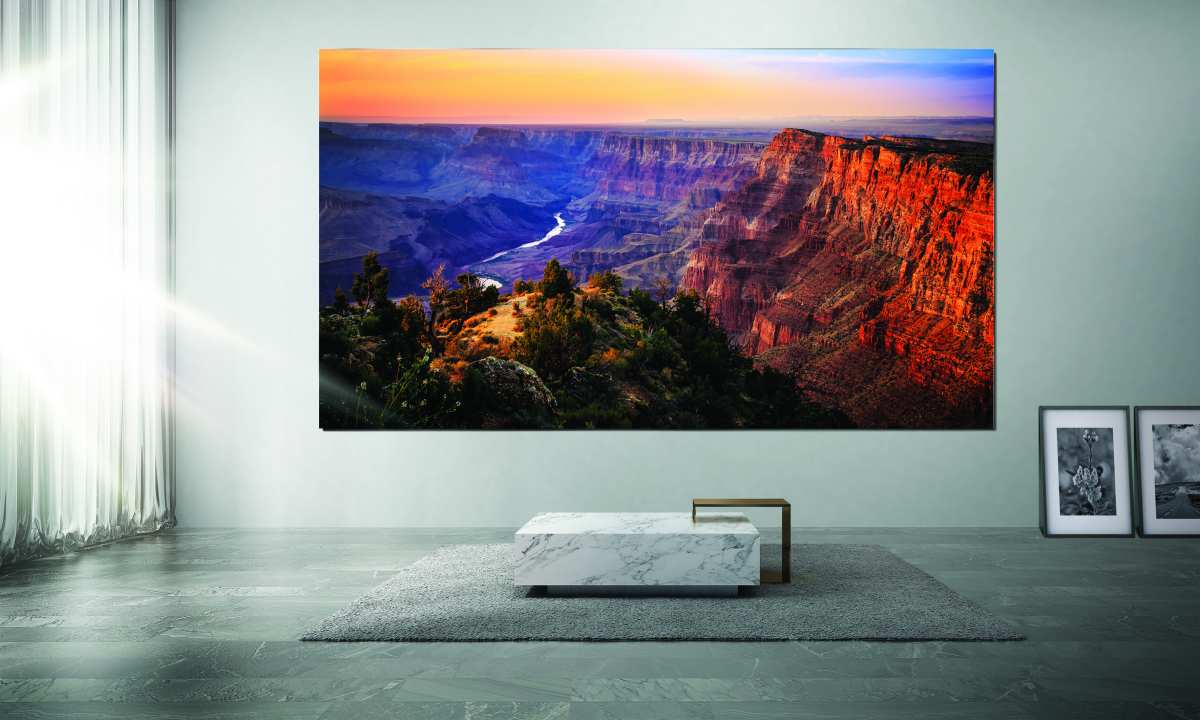
Yes, MicroLED monitors support both HDR600 and HDR1000, but the answer comes with a big caveat most buyers miss. The VESA DisplayHDR certification tiers don't tell you the full picture when you're dealing with self-emissive MicroLED panels. What matters is how the underlying technology actually performs, not just what the badge says on the box.
MicroLED is a fundamentally different display technology from the LCD panels those HDR certifications were originally designed around. Per-pixel emissive luminance control, zero backlight bleed, and true black levels change the game entirely. So let's break down what these HDR tiers actually mean on MicroLED, where the certifications fall short, and which tier makes sense for your use case.
Quick Answer
MicroLED monitors support both HDR600 and HDR1000 certification levels. The technology's self-emissive nature gives it inherent HDR advantages over LCD. An HDR600 MicroLED often outperforms an HDR1000 LCD in real contrast.
Your choice depends on content workflow, ambient lighting, and budget.
Why HDR600 vs HDR1000 Gets Complicated on MicroLED
Here's where most buyers get tripped up. VESA designed the DisplayHDR standard around LCD display limitations. The tiers assume you're working with a backlight and local dimming zones.
MicroLED doesn't play by those rules at all.
Each MicroLED pixel emits its own light. There's no backlight. No dimming zones.
No blooming around bright objects on dark backgrounds. That means the certification testing methodology doesn't fully capture what you're actually seeing on screen.
A MicroLED panel certified at HDR600 can deliver perceived contrast that rivals or exceeds a DisplayHDR 1000 LCD. The spec sheet says one thing. Your eyes say another.
This gap between certification and perceived quality is the single most important thing to understand before spending five figures on a display.
How MicroLED Actually Handles HDR Differently Than LCD
The Self-Emissive Advantage
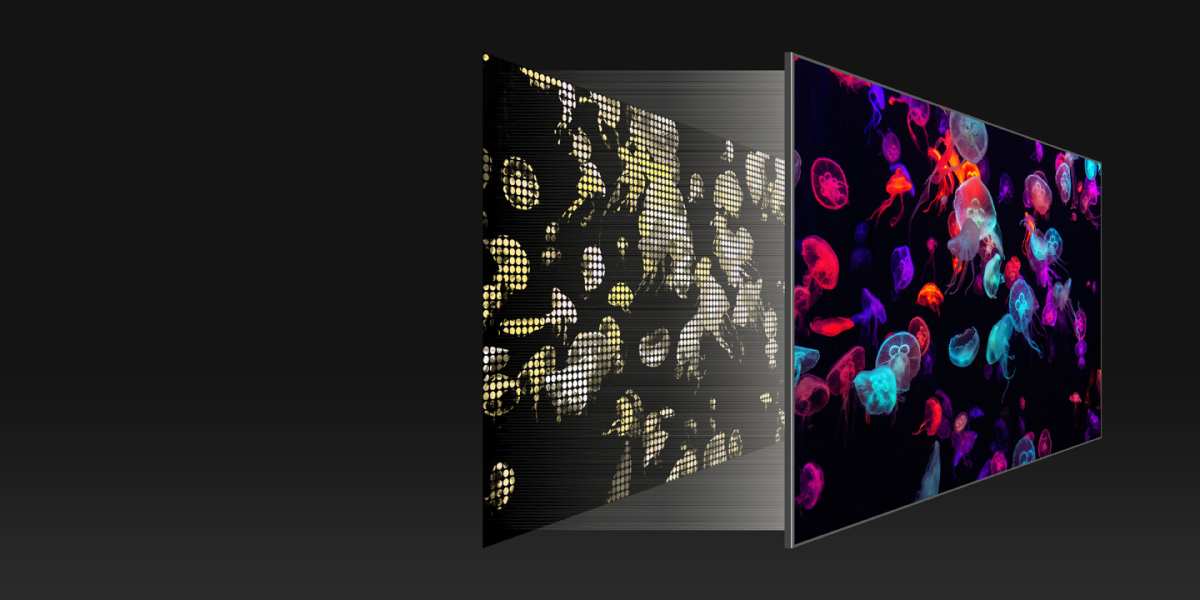
Every single pixel on a MicroLED display is its own light source. When the image calls for black, that pixel turns off completely. There's no light leakage, no glow, no halo effect around bright elements.
This is the same advantage OLED has over LCD. But MicroLED uses inorganic gallium nitride (GaN) LED chips instead of organic compounds. That means you get the perfect blacks without the burn-in risk that keeps some buyers away from OLED.
Peak brightness per pixel is controlled independently. A specular highlight in a dark scene hits its target luminance while surrounding pixels sit at or near zero. LCD panels with full-array local dimming (FALD) try to approximate this, but even the best FALD implementations with hundreds of zones can't match per-pixel precision.
Why Per-Pixel Dimming Changes Everything
Think about what HDR is actually supposed to do. It's supposed to give you a wider range between the darkest darks and the brightest highlights. The certification tiers measure peak luminance and black level, but they don't weight spatial contrast nearly enough.
MicroLED wins on spatial contrast by default. You get maximum contrast at the pixel level, not the zone level. This matters more for perceived image quality than most spec sheets suggest.
Blooming is the telltale sign of LCD HDR limitations. White subtitles on a black background, stars in a night scene, UI elements over dark content. All of those show visible halos on even the best FALD panels.
MicroLED eliminates this entirely because there's no backlight to bleed through.
HDR600 vs HDR1000: What Each Certification Actually Requires
Let's look at what VESA actually tests for each tier. These numbers matter, but they also have blind spots when applied to self-emissive technology.
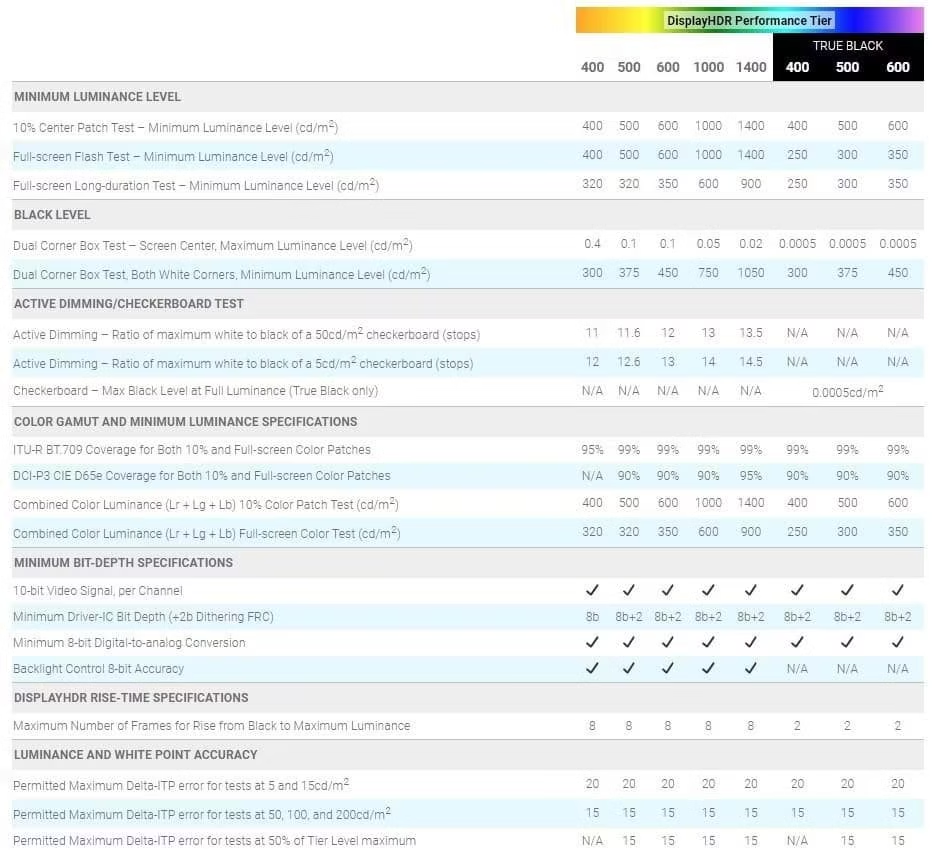
VESA DisplayHDR 600 Specifications
DisplayHDR 600 is the mid-tier certification in VESA's lineup. Here's what it demands:
- Peak luminance: 600 nits sustained over a 10% window
- Black level: 0.05 nits or below
- Color gamut: 95% DCI-P3 minimum
- Bit depth: 10-bit processing (8-bit panel with FRC acceptable)
- Response time: Pixel response within a specified threshold
For LCD panels, hitting 600 nits with acceptable black levels requires a decent FALD backlight. Edge-lit panels generally can't meet this tier. The certification was designed to separate mid-range HDR-capable displays from basic HDR400 panels.
On MicroLED, hitting 600 nits is relatively straightforward. The challenge isn't peak brightness. It's managing power consumption and heat at higher luminance levels across the full panel area.
VESA DisplayHDR 1000 Specifications
DisplayHDR 1000 is where things get serious. The requirements jump significantly:
- Peak luminance: 1000 nits sustained over a 10% window
- Black level: 0.05 nits or below
- Color gamut: 99% DCI-P3, 90% Rec. 2020 minimum
- Bit depth: 10-bit native preferred
- Local dimming: Must meet strict contrast ratio thresholds
- Response time: Tighter requirements than HDR600
This tier was designed for professional HDR mastering and high-end consumer displays. LCD panels need extensive FALD arrays with hundreds of zones to pass. The power draw and heat generation at 1000 nits across a full panel is substantial.
MicroLED panels at this tier face different challenges. Sustained 1000 nits output requires robust thermal management. The individual LED chips must maintain color consistency at high drive currents.
But the black level and contrast advantages come for free.
Side-by-Side: HDR600 vs HDR1000 on MicroLED Panels
Here's where we put the two tiers head-to-head specifically for MicroLED technology.
| Specification | HDR600 MicroLED | HDR1000 MicroLED |
|---|---|---|
| Peak luminance | 600 nits | 1000 nits |
| Black level | ~0.0001 nits (pixel off) | ~0.0001 nits (pixel off) |
| Contrast ratio | Effectively infinite | Effectively infinite |
| Blooming | None | None |
| Color gamut | 95-99% DCI-P3 | 99%+ DCI-P3, 85-90% Rec. 2020 |
| Power draw | Moderate | High |
| Heat output | Manageable | Requires active cooling |
| Sustained brightness | Full panel capable | May throttle at full-panel white |
| Price premium | Baseline | 30-60% higher |
| Best for | Controlled lighting, mixed content | Bright rooms, HDR mastering |
The contrast and black level rows are identical. That's the MicroLED advantage. Both tiers deliver per-pixel dimming.
The differences come down to peak brightness headroom, color gamut requirements, and the thermal/power trade-offs at higher luminance.
HDR1000 on MicroLED gives you more headroom for specular highlights in bright environments. If your room has large windows or you can't fully control ambient light, that extra 400 nits matters. For a light-controlled home theater or editing suite, HDR600 often delivers the same perceived impact at lower cost and power draw.
Why an HDR600 MicroLED Can Beat an HDR1000 LCD
This is the comparison that actually matters for most buyers. You're not choosing between HDR600 and HDR1000 MicroLED. You're choosing between a MicroLED at one tier and a high-end LCD at the other.
Contrast and Black Levels
An HDR600 MicroLED has a black level around 0.0001 nits. That's the pixel being completely off. An HDR1000 LCD might spec at 0.05 nits black, which is 500 times brighter.
That difference is visible. In a dark scene, the LCD's black level looks like dark gray. The MicroLED looks like the display is off in those areas.
This is the single biggest factor in perceived HDR quality.
The contrast ratio on MicroLED is functionally infinite. LCD panels, even with FALD, measure in the tens of thousands to low millions. Your eyes perceive the difference immediately.
Blooming and Halo Artifacts
Blooming is the bane of FALD LCD HDR. Any bright object on a dark background creates a visible halo. The size of the halo corresponds to the size of the dimming zone.
MicroLED has zero blooming. A single bright star in a black sky is just one lit pixel surrounded by dead pixels. No halo.
No glow. No light bleed.
This matters for content with high spatial frequency HDR. Subtitles, UI overlays, starfields, cityscapes at night. All of these look cleaner on MicroLED regardless of certification tier.
Color Volume and Saturation
HDR1000 LCD panels typically deliver wider color volume at peak brightness. The higher luminance headroom lets them maintain saturated colors at brighter levels. HDR600 panels, whether LCD or MicroLED, may show some desaturation at peak highlights.
But MicroLED's color performance at its native peak is excellent. The inorganic LED chips maintain color purity at high drive currents better than many alternatives. For most content, the difference is subtle.
Where MicroLED pulls ahead is color accuracy in the dark end of the tonal range. Colors near black remain accurate because there's no backlight contamination. LCD panels can show color shifts in dark scenes due to backlight non-uniformity across zones.
Which MicroLED Monitors Actually Exist Right Now
The MicroLED monitor market is still tiny as of 2026. You're looking at a handful of products, almost all aimed at commercial or ultra-high-end residential buyers. Consumer-grade desk monitors using MicroLED aren't really a thing yet.
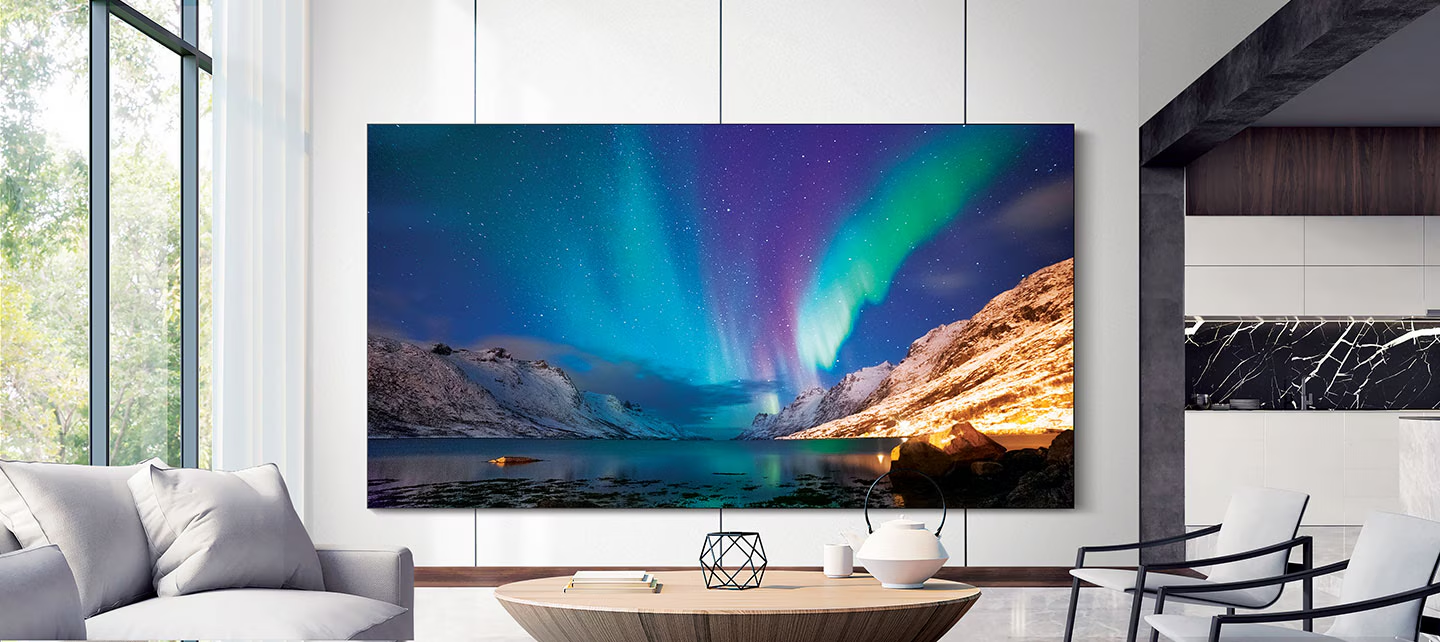
Samsung The Wall (Consumer and Professional)
Samsung's "The Wall" is the most visible MicroLED product line. It uses modular MicroLED panels that tile together to create custom display sizes. You can configure everything from 110 inches up to 292 inches in the professional version.
The consumer version ships in fixed configurations. Peak brightness sits in the HDR1000 range for newer modules. Samsung advertises 2000 nits peak on the latest generation.
Color coverage hits nearly full DCI-P3.
Pricing starts around $150,000 for the consumer 110-inch configuration. The professional modular versions cost significantly more depending on size and installation complexity. Availability is through custom AV installers, not retail shelves.
Sony Crystal LED
Sony's direct-view MicroLED system targets commercial installations and high-end residential. It uses a similar modular panel approach with very fine pixel pitch. The 1.2mm pitch on current modules delivers seamless imagery even at close viewing distances.
Sony's system is primarily sold through professional channels. Broadcast studios, production houses, and luxury residential integrators are the main buyers. Pricing is comparable to or higher than Samsung's professional line.
The Crystal LED system supports HDR content but Sony doesn't heavily market specific VESA certification tiers. Their focus is on color accuracy and uniformity across the modular array. For professional color grading work, that matters more than a certification badge.
Emerging and Upcoming Options
Several Chinese display manufacturers are developing MicroLED products. BOE has demonstrated MicroLED prototypes at trade shows. Tianma and others have shown small-format MicroLED panels for wearable and AR applications.
Apple reportedly invested heavily in MicroLED R&D but hasn't shipped a product as of 2026. The technology remains in development with ongoing challenges around manufacturing yield and cost reduction at smaller panel sizes.
True consumer MicroLED monitors at desk-friendly sizes (27-42 inches) are still years away. The manufacturing challenges of transferring millions of microscopic LED chips onto a substrate at yields high enough for affordable pricing haven't been solved yet.
Best Use Cases for Each HDR Tier on MicroLED
HDR600 MicroLED: Who It It Right For
If you're installing a MicroLED display in a light-controlled environment, HDR600 delivers excellent results. Home theaters with blackout curtains, editing suites with controlled lighting, and dark media rooms all fall into this category.
The 600-nit peak is plenty for most HDR content. Most mastered HDR content targets 1000 nits as the creative intent, but the perceptual difference between 600 and 1000 nits in a dark room is smaller than you'd expect. Your eyes adapt to the reference white level.
HDR600 MicroLED panels run cooler and draw less power. That means quieter cooling fans or potentially passive cooling in some configurations. For always-on commercial signage or displays that run for hours every day, the lower thermal load improves longevity.
Budget-conscious buyers who still want MicroLED's core advantages should target HDR600-certified modules. You get the per-pixel dimming, the perfect blacks, and the zero blooming. You're just giving up some peak brightness headroom.
HDR1000 MicroLED: When You Actually Need It
Bright rooms demand higher peak luminance. If your display faces windows, sits in an open-concept living space, or operates in a corporate lobby with ambient light, HDR1000 gives you the headroom to maintain HDR impact.
Professional HDR mastering requires 1000-nit reference displays. Colorists and post-production houses need to see exactly what the content will look like on consumer HDR1000 displays. An HDR600 MicroLED can't serve as a reference monitor for HDR1000 content.
High-end home theater enthusiasts who want the absolute best specs also gravitate toward HDR1000. If you're spending six figures on a display system, you want the top certification tier. There's a legitimate argument for future-proofing at this price point.
Digital signage in bright commercial environments benefits from the extra luminance. Outdoor-adjacent installations, glass-walled lobbies, and atrium displays all need that 1000-nit punch to remain visible against ambient light.
Common Mistakes When Shopping for HDR on MicroLED
Trusting the Certification Label Alone
The biggest mistake is assuming DisplayHDR tier directly translates to image quality. A DisplayHDR 1000 badge on an LCD tells you about that LCD's capabilities. The same badge on MicroLED tells you something different.
MicroLED's inherent contrast advantage means the certification understates what you'll perceive. Conversely, some MicroLED modules may be certified at HDR600 but outperform HDR1000 LCDs in real-world viewing. The certification is a starting point, not the whole story.
Always ask for real-world measurements. Check reviews that measure black level, contrast ratio, and spatial HDR performance. Don't rely solely on the VESA badge.
Ignoring Sustained Brightness vs Peak Brightness
Certification tests measure peak brightness on a small window pattern. A 10% window at 1000 nits is very different from a 50% window or full-panel white. Many displays throttle brightness as more of the panel lights up.
MicroLED panels are particularly susceptible to this because each pixel generates its own heat. Full-panel sustained brightness may be 40-60% of the peak window spec. Ask manufacturers for sustained brightness figures at 25%, 50%, and 100% APL (average picture level).
For content with lots of bright areas, sports, bright UI elements, daylight scenes, the sustained brightness matters more than peak. A display that hits 1000 nits on a 10% window but drops to 400 nits at 50% APL won't deliver the HDR punch you expect in real content.
Forgetting About Content Availability
Here's a practical reality check. Most streaming HDR content is mastered at 1000 nits or below. Very little content actually uses the full 4000-nit headroom that HDR1000 displays can theoretically support.
If you're buying a MicroLED display primarily for streaming content, the difference between HDR600 and HDR1000 may be minimal in practice. The content itself doesn't push beyond what HDR600 can display.
Where HDR1000 matters is for HDR10+ and Dolby Vision content that targets higher luminance ranges. Some premium Blu-ray discs and select streaming titles use these formats. If that's your primary use case, the extra headroom is justified.
Real-World Pricing and What You're Actually Paying For
MicroLED pricing in 2026 remains firmly in the ultra-premium category. Here's what you're looking at:
| Configuration | Approximate Price Range | HDR Tier |
|---|---|---|
| Samsung The Wall 110" (consumer) | $150,000 – $180,000 | HDR1000+ |
| Samsung The Wall 146" (consumer) | $250,000 – $300,000 | HDR1000+ |
| Sony Crystal LED (per sq ft) | $2,000 – $4,000 | Varies by config |
| Professional installation (labor) | $10,000 – $50,000+ | N/A |
| Calibration and setup | $2,000 – $10,000 | N/A |
These prices include the display modules, controller hardware, and basic installation. Custom framing, structural modifications, and advanced calibration add to the total. A full turnkey installation for a 146-inch The Wall can easily exceed $350,000.
At these prices, the HDR600 vs HDR1000 question becomes almost irrelevant to the purchase decision. The cost difference between tiers is small relative to the total system price. You're buying the form factor, the size, and the MicroLED technology itself.
The HDR tier is a secondary consideration.
For commercial installations, the calculation is different. Rental and staging companies, corporate lobbies, and digital signage operators evaluate based on total cost of ownership. Lower power draw and reduced cooling requirements of HDR600 modules can meaningfully impact operating costs over a 100,000-hour lifespan.
Expert Tips Before You Buy
Questions to Ask the Installer or Manufacturer
Before committing to a MicroLED purchase, get clear answers on these points:
- What is the sustained brightness at 50% APL? Don't accept peak window specs alone.
- How does the system handle thermal management at sustained high brightness?
- What is the module replacement process if a pixel or panel fails?
- Is the calibration uniform across all modules, or will you see seams?
- What HDR formats are supported natively (HDR10, HDR10+, Dolby Vision, HLG)?
- What is the expected luminance degradation curve over the rated lifespan?
These questions separate serious professional installations from flashy demos. A reputable installer will have detailed answers ready.
Calibration Considerations
MicroLED modular displays require calibration across modules to ensure uniform color and brightness. This isn't a one-time setup. Modules can age at different rates, especially in large arrays.
Professional calibration equipment and software capable of per-module adjustment is essential. Budget for ongoing calibration, at least annually, for critical color work. Some manufacturers offer built-in calibration sensors that automate parts of this process.
For home theater use, a one-time professional calibration after installation typically suffices. The color accuracy of modern MicroLED modules is excellent out of the box. Fine-tuning gets you that last 5-10% of accuracy that matters for reference-grade work.
Final Verdict: Which HDR Tier Makes Sense for You?
For most MicroLED buyers, HDR1000 is the sensible choice if you're already committed to the technology. The price difference between tiers is small relative to the total system cost. You're investing in a display that should last 100,000 hours or more.
If your installation is in a controlled environment and you want to minimize power consumption and heat output, HDR600 delivers nearly the same visual impact for everyday content. The money saved can go toward professional calibration or better content sources.
Professional users doing HDR mastering or color-critical work should insist on HDR1000. They need the reference-grade luminance headroom. There's no substitute for seeing content at the brightness level it was mastered for.
For commercial signage and always-on displays, HDR600 often makes more operational sense. The lower thermal load extends component life and reduces cooling costs over years of continuous operation.
Frequently Asked Questions
Can a MicroLED monitor run HDR100 content at full quality?
Yes. MicroLED displays with HDR100 certification handle HDR10 content natively. The per-pixel dimming actually gives MicroLED an advantage over FALD LCDs at the same certification tier.
Is DisplayHDR 1400 available on any MicroLED displays?
As of 2026, no commercially available MicroLED monitor carries DisplayHDR 1400 certification. Some prototype and demonstration panels have hit that brightness level, but shipping products top out in the HDR1000 to HDR1000+ range.
Does MicroLED HDR performance degrade over time?
MicroLED panels use inorganic GaN LED chips that degrade more slowly than OLED organic materials. Manufacturer specifications indicate 100,000+ hours to half-brightness. Color shift over time is typically uniform, which helps maintain calibration accuracy across the panel.
How does MicroLED HDR compare to QD-OLED HDR?
MicroLED matches QD-OLED's per-pixel dimming and adds higher sustained peak brightness without burn-in risk. QD-OLED currently offers wider color volume at extreme brightness levels. The technologies compete at the high end, with MicroLED winning on size scalability and QD-OLED winning on desktop-format availability.
Do MicroLED monitors need special HDR content?
No. They accept standard HDR10, HDR10+, Dolby Vision, and HLG signals like any other HDR display. No special content or proprietary format is required to get HDR functionality.
What viewing distance is ideal for MicroLED HDR content?
Most manufacturers recommend a distance of 1.5 times the display diagonal for HDR content. For a 146-inch MicroLED, that puts you around 18 feet away. At closer distances, the modular construction may become perceptible under uniform content.

Similar Posts