Do Curved Gaming Monitors Support Freesync
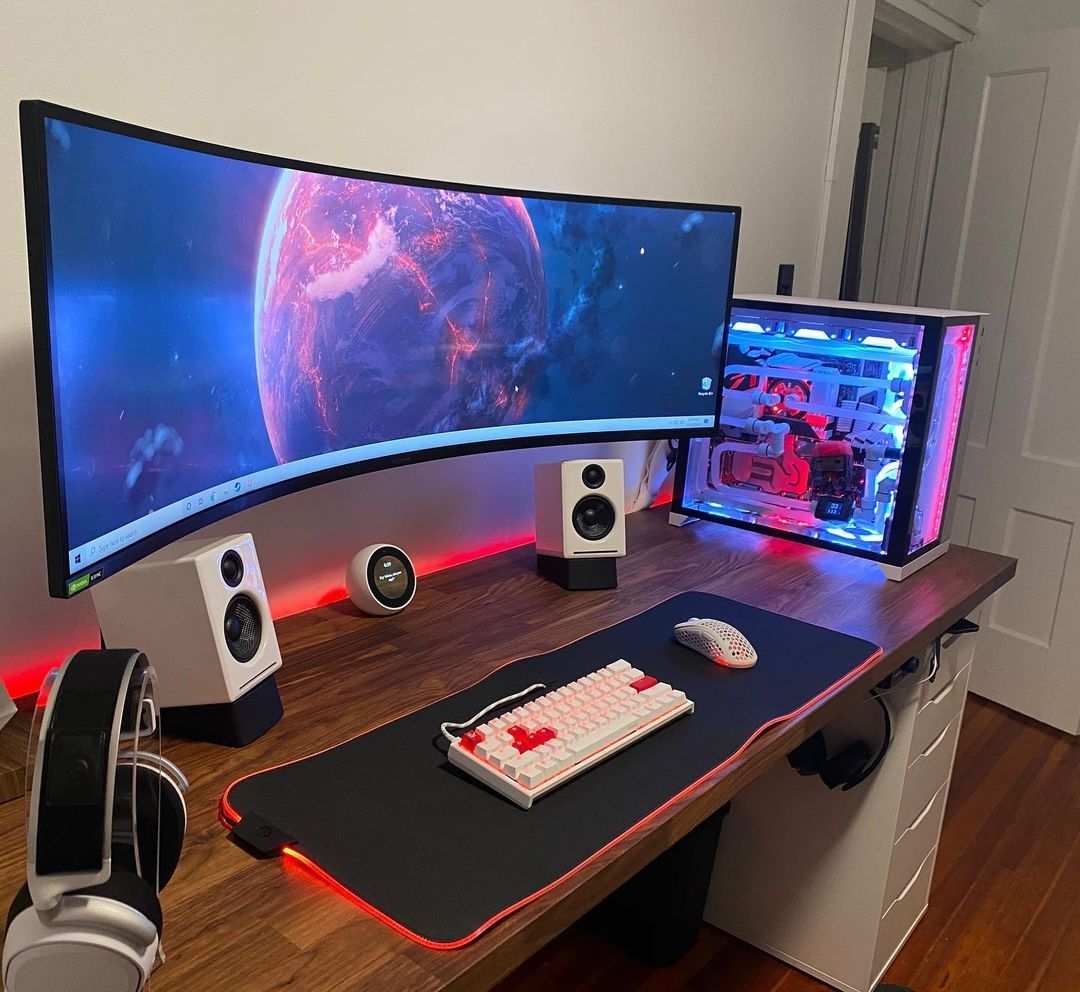
Image source: Bing (Web (fair-use with source credit))
Do curved gaming monitors support FreeSync? Yes, they absolutely can, but the curve itself has nothing to do with it. FreeSync compatibility depends entirely on the specific monitor model, its internal scaler, and whether the manufacturer implemented AMD's adaptive sync protocol.
Plenty of curved monitors run FreeSync beautifully. Plenty of others don't support it at all.
The confusion makes sense. Manufacturers market curved displays as "gaming monitors," so buyers assume adaptive sync comes standard. It doesn't.
FreeSync requires specific hardware and certification per VESA's DisplayPort Adaptive-Sync standard. Let's break down what actually matters before you buy.
")
Quick Answer
Yes, many curved gaming monitors support FreeSync. The curve rating does not determine compatibility. FreeSync depends on the monitor's scaler chip and firmware.
Always verify FreeSync support on the specific model's spec sheet before purchasing. Both budget and premium curved monitors offer FreeSync across various refresh rate ranges.
Why Curved and FreeSync Get Confused
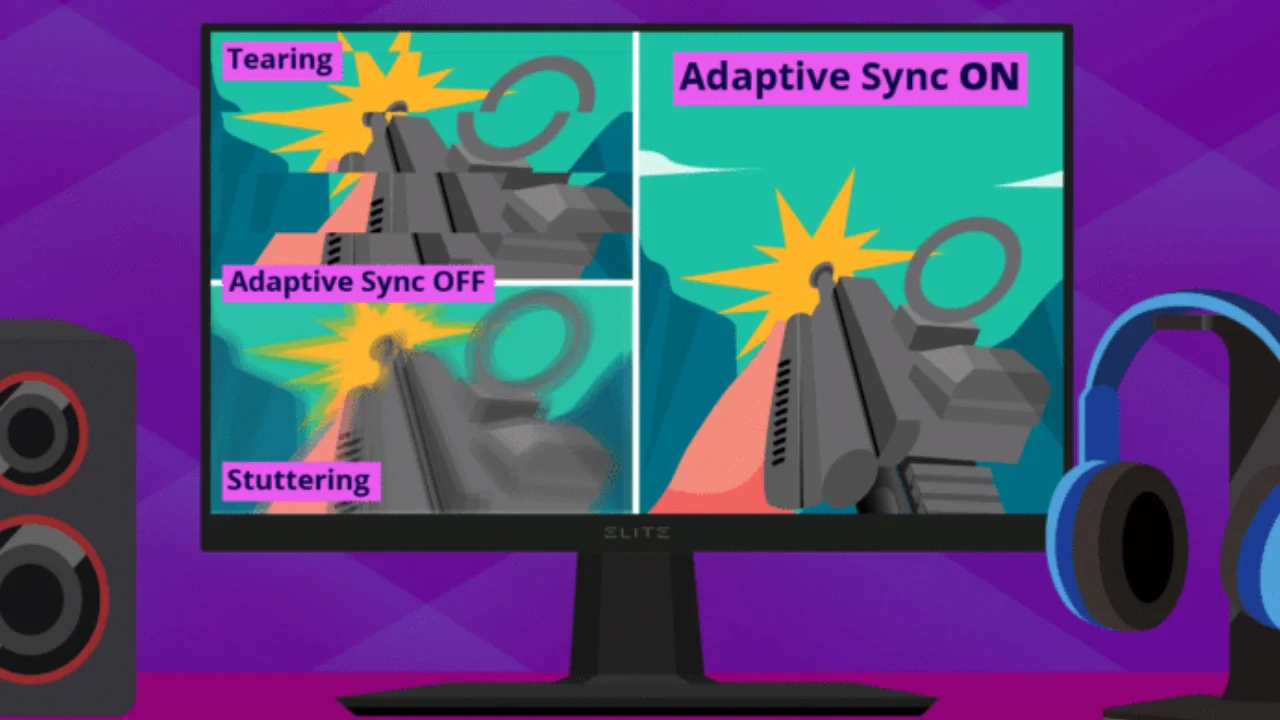
Image source: Bing (Web (fair-use with source credit))
Here's the core issue. "Curved" describes the physical shape of the panel. "FreeSync" describes a communication protocol between your graphics card and the display.
They're completely independent features that happen to coexist on many gaming monitors.
Think of it this way. A car can have leather seats and a sunroof. But buying a car with leather seats doesn't guarantee it has a sunroof.
Same logic applies here. A curved panel affects viewing geometry and immersion. FreeSync affects frame delivery smoothness.
One doesn't require the other.
Marketing blurs this line further. Box labels scream "GAMING CURVED DISPLAY" in giant lettering. FreeSync might appear as a small badge on the packaging or a single line in the spec table.
Shoppers see "gaming" and assume all gaming features are included. That assumption costs people money.
")
The actual compatibility comes down to the monitor's internal hardware. Specifically, the scaler chip must support VESA Adaptive-Sync. AMD then certifies that implementation under the FreeSync program.
Curved monitors using compatible scalers get FreeSync. Those using cheaper or older scalers don't. The curve rating, whether 1000R or 3000R, plays zero role in this decision.
How FreeSync Actually Works on Curved Panels
FreeSync operates through your DisplayPort or HDMI connection. It lets the monitor refresh exactly when your GPU sends a new frame, instead of running at a fixed rate. This eliminates screen tearing without the input lag penalty of traditional V-Sync.
The technology relies on VESA's Adaptive-Sync standard, built into DisplayPort 1.2a and later. HDMI 2.1 added a similar variable refresh rate capability. Your monitor, cable, and GPU all need to support the relevant standard.
The Curve Rating Has Nothing to Do With FreeSync
Curvature is measured in "R" values like 1000R or 1500R. The lower the number, the more aggressive the curve. A 1000R curve matches the natural curvature of the human field of view.
A 3000R curve is barely perceptible.
These numbers describe physical geometry only. They tell you nothing about the electronics inside. A 1000R curved monitor with a basic scaler chip might lack FreeSync entirely.
A subtle 3000R curved monitor with a modern scaler might support FreeSync Premium Pro with HDR.
What Actually Determines FreeSync Compatibility
Three things matter here:
- Scaler chip: The monitor's internal processor must support VESA Adaptive-Sync or HDMI VRR
- Firmware: The manufacturer must enable and properly implement the feature
- Connection: You need DisplayPort 1.2a+ or HDMI 2.1 depending on the implementation
Check the official spec sheet for the exact model. Look for "AMD FreeSync," "Adaptive-Sync," or "VRR" listed under features. If it's not there, the monitor doesn't support it regardless of price or curve.
FreeSync Tiers Explained: What You're Actually Getting
AMD certifies FreeSync at three distinct levels. Each tier has specific minimum requirements. Knowing the difference saves you from overpaying or underbuying.
| Tier | Max Refresh at Min Resolution | LFC Required | HDR | Typical Price Range |
|---|---|---|---|---|
| FreeSync | Varies by model | No | No | $200-$400 |
| FreeSync Premium | 120Hz at 1080p | Yes | No | $350-$600 |
| FreeSync Premium Pro | 120Hz at 1080p | Yes | Yes | $500-$900+ |
Standard FreeSync
The baseline certification. The monitor supports variable refresh rate within a specified range. No LFC requirement means frame rates below the minimum range may stutter.
Fine for mid-range builds where frame rates stay consistently above 60fps.
FreeSync Premium
Adds two critical requirements. First, Low Framerate Compensation must work. LFC duplicates frames when your FPS drops below the monitor's minimum refresh range, keeping smoothness intact.
Second, 120Hz minimum at 1080p ensures a genuinely fluid experience.
FreeSync Premium Pro
The top tier. Combines FreeSync Premium requirements with HDR support. The monitor must handle HDR metadata and maintain adaptive sync while displaying HDR content.
Best choice if you play HDR-capable games and want one monitor for everything.
Curved Monitor Panel Types and FreeSync Performance
The panel technology inside your curved monitor affects both image quality and sometimes FreeSync behavior. Each type has distinct characteristics worth understanding.
VA Panels (Most Common Curved Option)
VA panels dominate the curved monitor market. They offer strong contrast ratios, typically 3000:1 or better. Deep blacks and rich colors make them excellent for immersive single-player games.
FreeSync implementation on VA panels is generally solid. Most curved VA gaming monitors from major brands support at least standard FreeSync. Response times can be slower than IPS, which occasionally causes ghosting during fast motion.
This isn't a FreeSync issue. It's a panel characteristic.
IPS Panels (Curved IPS Exists)
Curved IPS monitors exist but cost more. They offer superior color accuracy and faster response times compared to VA. Viewing angles are excellent even with the curve.
FreeSync support on curved IPS tends to be excellent. Many models carry FreeSync Premium certification with wide VRR ranges. The best options hit 165Hz or 240Hz with LFC kicking in smoothly at low frame rates.
TN Panels (Rare in Curved)
TN panels are uncommon in curved displays. They offer the fastest response times but suffer from poor color reproduction and narrow viewing angles. The curve actually helps offset the viewing angle limitation somewhat.
FreeSync support varies wildly on curved TN options. Budget models may lack it entirely. Higher-end gaming-focused TN curved monitors usually include FreeSync, often at the Premium tier.
Check specs carefully with this panel type.
Side-by-Side: Curved FreeSync Monitors vs Alternatives
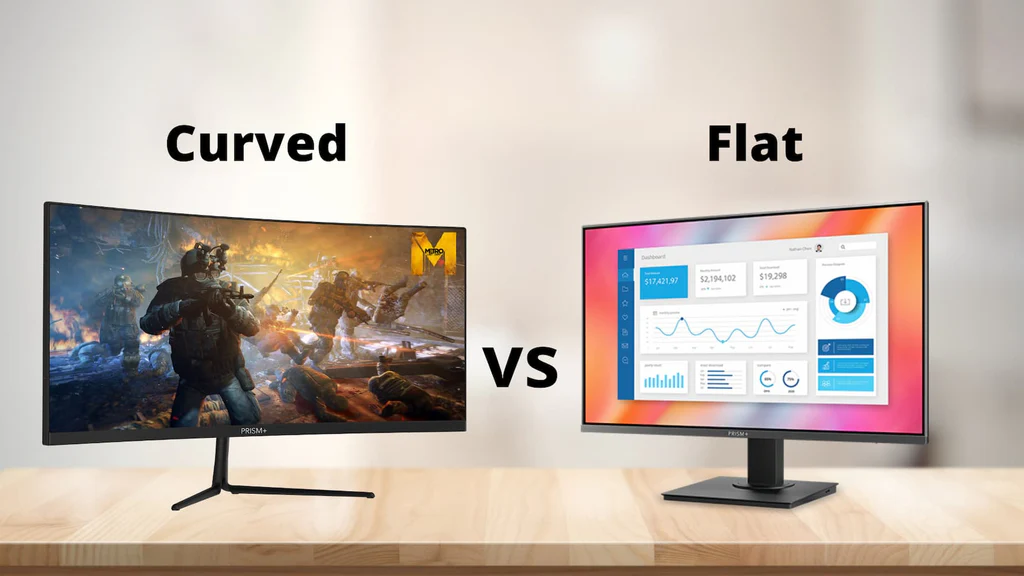
Image source: Bing (Web (fair-use with source credit))
Choosing the right display means understanding how curved FreeSync options stack up against other configurations.
")
Curved FreeSync vs Flat FreeSync
| Factor | Curved FreeSync | Flat FreeSync |
|---|---|---|
| Immersion | Higher, especially at 32"+ | Standard |
| Competitive gaming | Less ideal for competitive shooters | Preferred by esports players |
| Viewing distance | Best at arm's length | Flexible |
| Price | Slight premium for curve | Generally cheaper |
| FreeSync performance | Identical when same panel/scaler | Identical when same panel/scaler |
The FreeSync experience is identical between curved and flat monitors using the same internal hardware. Choose based on your gaming preferences and desk setup, not on adaptive sync concerns.
FreeSync vs G-Sync Compatible on Curved Displays
NVIDIA GPUs can use Adaptive-Sync monitors through the "G-Sync Compatible" program. Many curved FreeSync monitors work perfectly with NVIDIA cards. Some exhibit minor flickering or blanking issues.
If you have an NVIDIA GPU, verify the specific curved monitor appears on NVIDIA's validated list. If it does, you get adaptive sync without buying a G-Sync module monitor. If it doesn't, you may still get it working, but without guaranteed stability.
How to Verify FreeSync Works on Your Curved Monitor
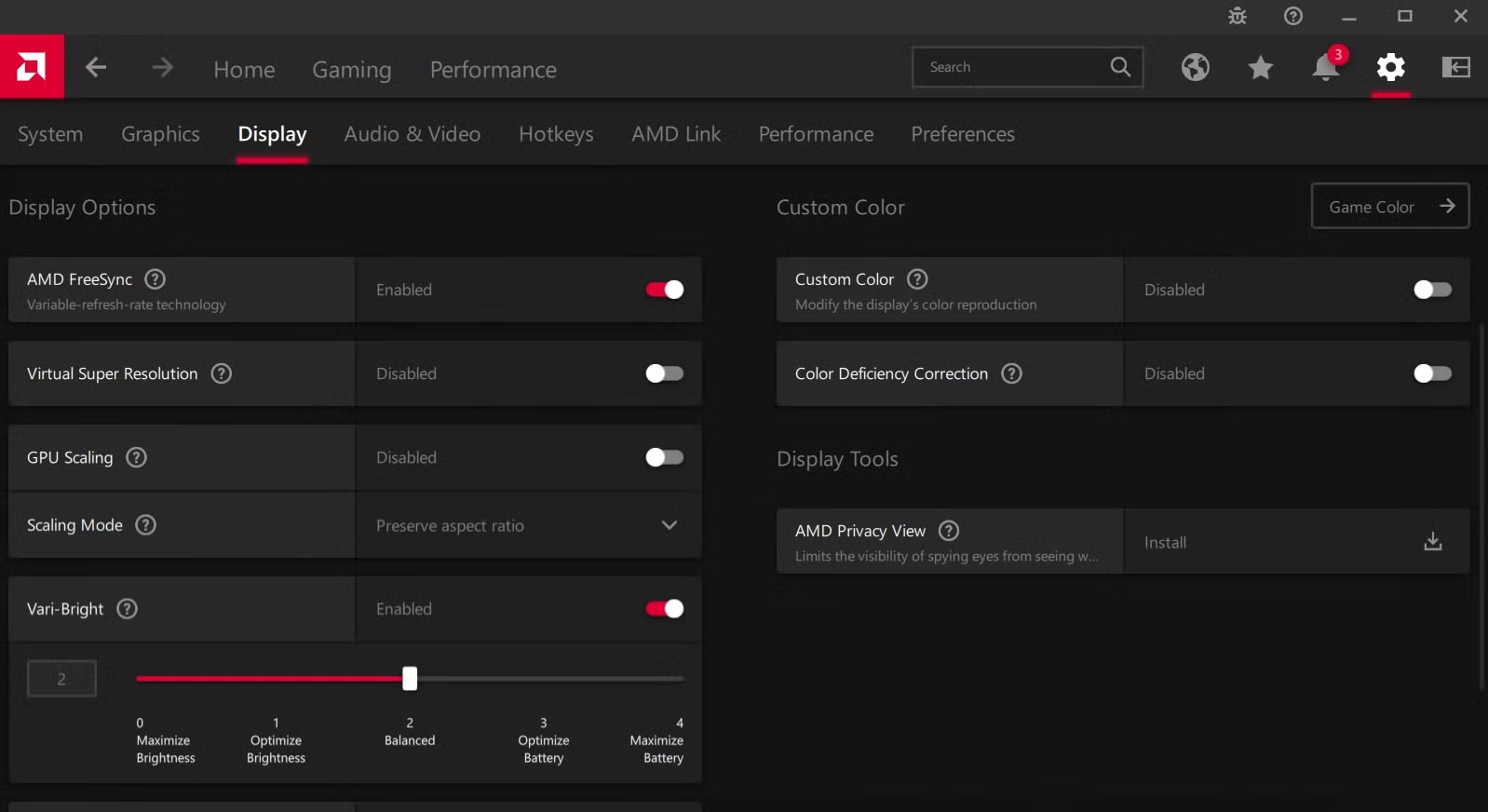
Image source: Bing (Web (fair-use with source credit))
Setting up FreeSync correctly requires checking three places. Miss one and it won't work.
Step 1: Check Your Port and Cable
FreeSync requires DisplayPort 1.2a or later. Some monitors also support it over HDMI 2.1. Use the cable that came with your monitor or a certified high-quality alternative.
Cheap cables cause handshake failures that block FreeSync entirely.
Step 2: Enable FreeSync in the Monitor OSD
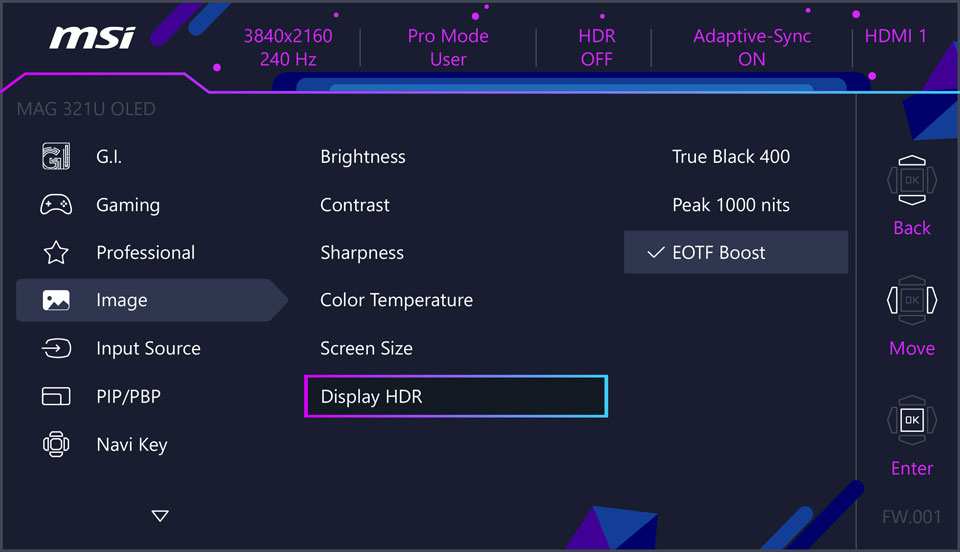
Navigate your monitor's on-screen display menu. Look for "FreeSync," "Adaptive-Sync," or "VRR" in the gaming or display settings. Toggle it on.
Some monitors disable it by default.
Step 3: Enable FreeSync in AMD Radeon Software
Open AMD Radeon Software. Navigate to Display settings. Toggle AMD FreeSync to enabled.
The option only appears when the monitor reports FreeSync capability over the active connection.
")
Step 4: Confirm Active Status in the Driver
In Radeon Software, check that FreeSync shows as "Enabled" rather than "Not Supported." Run a game or benchmark and watch the refresh rate counter. It should fluctuate with your frame rate, not lock to a fixed value.
Common Problems and Fixes
Even when everything should work, FreeSync sometimes acts up. Here are the most frequent issues and their solutions.
FreeSync Not Showing as Available
First, confirm you're using DisplayPort. Many monitors only support FreeSync over DP, not HDMI. Second, update your GPU drivers.
Third, check that FreeSync is enabled in the monitor OSD. Fourth, try a different cable. Faulty cables cause more problems than people realize.
Flickering at Low Frame Rates
This usually means LFC isn't engaging. Your frame rate dropped below the monitor's minimum FreeSync range. On standard FreeSync monitors without LFC, this is expected behavior.
On FreeSync Premium monitors, verify LFC is supported and that your frame rate actually falls below the minimum range.
FreeSync Working Over DisplayPort but Not HDMI
Some monitors implement FreeSync on DisplayPort only. Others support it on both but with different refresh ranges. Check your monitor's manual for port-specific FreeSync specifications.
The HDMI implementation might have a narrower VRR range or require HDMI 2.1 specifically.
Best Curved FreeSync Monitors by Use Case
Different gamers need different things. Here's how to match a curved FreeSync monitor to your priorities.
Best for Immersive Single-Player Gaming
Look for 34" or 49" ultrawide curved VA panels with 1000R or 1500R curvature. FreeSync Premium with HDR support enhances visual storytelling in games like Cyberpunk 2077 or Baldur's Gate 3. Prioritize contrast ratio and color depth over raw refresh rate.
Best for Competitive Gaming on a Budget
A 27" or 32" curved VA panel with FreeSync Premium and 144Hz refresh works well. You get smooth adaptive sync without paying for premium features you won't use. Response time matters more than resolution here.
Look for 1ms MPRT specifications.
Best for Console Gaming (PS5/Xbox Series X)
Both current PlayStation and Xbox consoles support HDMI VRR. Choose a curved monitor with HDMI 2.1 and confirmed HDMI VRR support. FreeSync over HDMI and console VRR often work together on the same hardware.
Verify compatibility with your specific console before buying.
What to Check Before You Buy
Don't trust marketing copy. Verify these specifications directly from the manufacturer's product page or user manual.
The Specs That Actually Matter
- FreeSync tier: Standard, Premium, or Premium Pro
- FreeSync range: The minimum and maximum refresh rates where adaptive sync works (e.g., 48-144Hz)
- LFC support: Required for FreeSync Premium and above
- Connection type: DisplayPort, HDMI, or both for FreeSync
- Panel type: VA, IPS, or TN based on your priorities
Red Flags to Watch For
- "FreeSync compatible" without official certification
- No mention of FreeSync range in specifications
- Only HDMI 1.4 when the monitor claims high refresh rates
- User reviews mentioning flickering or black screen issues
- Significantly cheaper than comparable models with the same specs
Frequently Asked Questions
Does the curve affect FreeSync performance?
No. The curve is purely a physical panel shape. FreeSync depends on the scaler chip and firmware.
A curved and flat monitor with identical internals perform exactly the same for adaptive sync.
Can I use FreeSync on a curved monitor with an NVIDIA GPU?
Yes, in most cases. NVIDIA supports Adaptive-Sync monitors through its G-Sync Compatible program. Check NVIDIA's validated monitor list for your specific model.
Many curved FreeSync monitors work flawlessly with NVIDIA cards.
Why does my curved FreeSync monitor flicker?
Flickering usually happens at very low frame rates below the FreeSync range minimum. This indicates LFC isn't engaging or isn't supported. On standard FreeSync monitors, this is a known limitation.
Updating drivers sometimes helps.
Is FreeSync Premium worth the extra cost over standard FreeSync?
For most gamers, yes. FreeSync Premium guarantees LFC and a 120Hz minimum refresh rate. These features meaningfully improve the experience when frame rates drop.
The price difference is usually $50-$100.
Do all curved gaming monitors have FreeSync?
No. Many budget curved monitors lack FreeSync entirely. Some mid-range models include it but don't advertise it prominently.
Always verify on the official spec sheet rather than assuming based on price or marketing.
Can FreeSync work over HDMI on curved monitors?
It depends on the monitor. Some support FreeSync over HDMI 2.1. Others only support it over DisplayPort.
A few support it on both but with different refresh ranges. Check your specific model's manual for port-specific capabilities.
Final Verdict: Should You Get a Curved FreeSync Monitor?
Curved gaming monitors and FreeSync make excellent partners. The curve enhances peripheral immersion while FreeSync keeps motion smooth. Neither feature compromises the other.
The key takeaway is simple. The curve doesn't determine FreeSync compatibility. The specific monitor model does.
Always verify FreeSync support, tier level, and range on the exact product before purchasing. Don't let marketing assumptions cost you features you need.
If you play primarily on PC with an AMD GPU, a curved FreeSync Premium monitor hits the sweet spot of price and performance. Console gamers should prioritize HDMI VRR support alongside FreeSync. Competitive players might prefer flat displays, but curved works fine if immersion matters to you.
Check the specs. Enable the feature in both your monitor and driver. Enjoy tear-free gaming on a display that wraps around your field of view.
That's the whole equation.
Best Curved FreeSync Monitors by Use Case
Different gamers need different things from their display. Here's how to match a curved FreeSync monitor to your specific priorities.
Best for Immersive Single-Player Gaming
Look for 34" or 49" ultrawide curved VA panels with 1000R or 1500R curvature. FreeSync Premium with HDR support enhances visual storytelling in titles like Cyberpunk 2077 or Baldur's Gate 3. Prioritize contrast ratio and color depth over raw refresh rate.
VA panels naturally deliver deeper blacks, which pairs well with HDR content.
Best for Competitive Gaming on a Budget
A 27" or 32" curved VA panel with FreeSync Premium and 144Hz refresh handles competitive play well. You get smooth adaptive sync without paying for premium features you won't fully utilize. Response time matters more than resolution here.
Look for 1ms MPRT specifications in the product details.
Best for Console Gaming (PS5 and Xbox Series X)
Both current PlayStation and Xbox consoles support HDMI VRR. Choose a curved monitor with HDMI 2.1 and confirmed HDMI VRR support. FreeSync over HDMI and console VRR often work together on the same hardware.
Verify compatibility with your specific console before purchasing, since implementation varies by manufacturer.
What to Check Before You Buy
Marketing copy doesn't always tell the full story. Verify these specifications directly from the manufacturer's product page or user manual.
The Specs That Actually Matter
- FreeSync tier: Standard, Premium, or Premium Pro
- FreeSync range: The minimum and maximum refresh rates where adaptive sync operates (e.g., 48-144Hz)
- LFC support: Required for FreeSync Premium and above
- Connection type: DisplayPort, HDMI, or both for FreeSync
- Panel type: VA, IPS, or TN based on your priorities
Red Flags to Watch For
Watch for these warning signs when shopping. "FreeSync compatible" without official certification often means inconsistent performance. No mention of FreeSync range in specifications suggests a narrow or poorly tested VRR window.
Only HDMI 1.4 when the monitor claims high refresh rates is a mismatch that causes problems. User reviews mentioning flickering or black screen issues should give you pause. Significantly cheaper pricing compared to comparable models with identical specs sometimes indicates cut corners on the scaler or firmware.
Frequently Asked Questions
Does the curve affect FreeSync performance?
No. The curve is purely a physical panel shape. FreeSync depends on the scaler chip and firmware.
A curved and flat monitor with identical internals perform exactly the same for adaptive sync.
Can I use FreeSync on a curved monitor with an NVIDIA GPU?
Yes, in most cases. NVIDIA supports Adaptive-Sync monitors through its G-Sync Compatible program. Check NVIDIA's validated monitor list for your specific model.
Many curved FreeSync monitors work flawlessly with NVIDIA cards.
Why does my curved FreeSync monitor flicker?
Flickering usually happens at very low frame rates below the FreeSync range minimum. This indicates LFC isn't engaging or isn't supported. On standard FreeSync monitors, this is a known limitation.
Updating drivers sometimes helps reduce the severity.
Is FreeSync Premium worth the extra cost over standard FreeSync?
For most gamers, yes. FreeSync Premium guarantees LFC and a 120Hz minimum refresh rate. These features meaningfully improve the experience when frame rates drop during demanding scenes.
The price difference is usually $50-$100.
Do all curved gaming monitors have FreeSync?
No. Many budget curved monitors lack FreeSync entirely. Some mid-range models include it but don't advertise it prominently.
Always verify on the official spec sheet rather than assuming based on price or marketing.
Can FreeSync work over HDMI on curved monitors?
It depends on the monitor. Some support FreeSync over HDMI 2.1. Others only support it over DisplayPort.
A few support it on both but with different refresh ranges. Check your specific model's manual for port-specific capabilities.
Final Verdict: Should You Get a Curved FreeSync Monitor?
Curved gaming monitors and FreeSync make excellent partners. The curve enhances peripheral immersion while FreeSync keeps motion smooth. Neither feature compromises the other.
The key takeaway is simple. The curve doesn't determine FreeSync compatibility. The specific monitor model does.
Always verify FreeSync support, tier level, and range on the exact product before purchasing. Don't let marketing assumptions cost you features you need.
If you play primarily on PC with an AMD GPU, a curved FreeSync Premium monitor hits the sweet spot of price and performance. Console gamers should prioritize HDMI VRR support alongside FreeSync. Competitive players might prefer flat displays, but curved works fine if immersion matters to you.
Check the specs. Enable the feature in both your monitor and driver. Enjoy tear-free gaming on a display that wraps around your field of view.
That's the whole equation.

Similar Posts