Which Generation Is Good On Ipad A Guide For Users
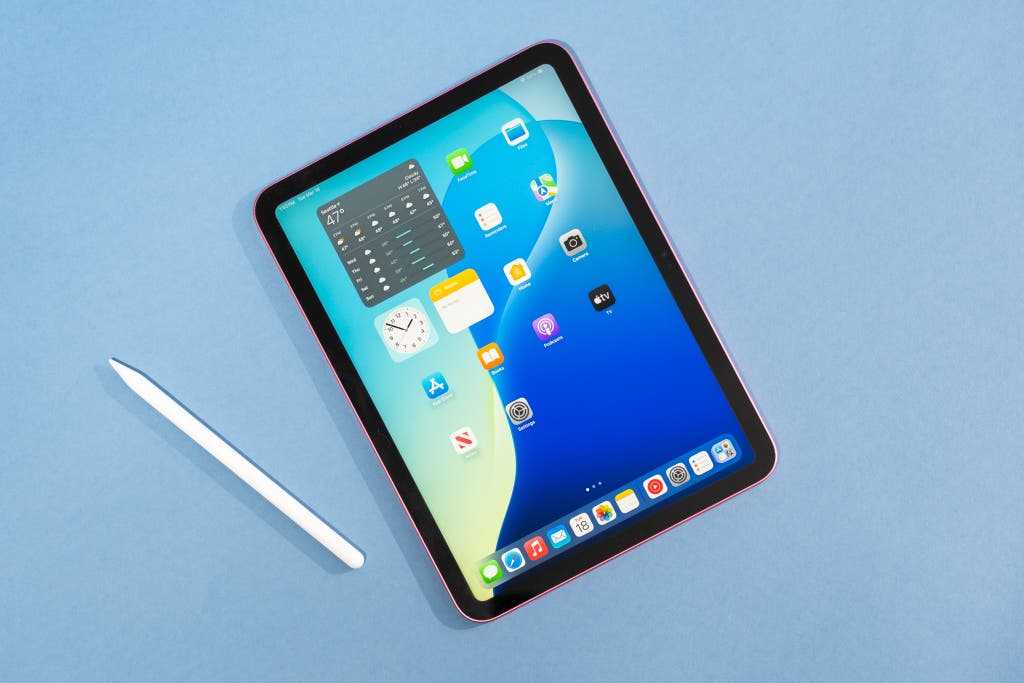

Which Generation Is Good on iPad?
Understanding iPad Generations and Their Features
Choosing the right iPad depends heavily on understanding the different generations and what each offers. Each generation introduces improvements in speed, display, camera, and accessories. Knowing these differences helps users pick the device that fits their needs best.First Generation iPad
The original iPad launched in 2010. It features a 9.7-inch display and an A4 processor. While it’s outdated now, it set the foundation for later models.Second and Third Generations
These models improved performance a little but kept the same screen size. They are rarely used today due to limited specs.Fourth Generation and Next Improvements
The iPad Fourth Generation brought a faster processor and a better display. These early models are generally not recommended for current use because they lack recent updates.Middle Generation iPads: The Sweet Spot
The iPad fifth to eighth generations offer a good balance of price and performance. They introduced key upgrades that make them suitable for many users.Fifth Generation iPad (2017)
This model features a 9.7-inch Retina display and the A9 chip. It handles most basic tasks well and is affordable.Sixth and Seventh Generations
These versions added support for the Apple Pencil and improved display quality. They are great choices for students and casual users.Eighth Generation iPad
The Eighth Generation offers an A12 Bionic chip and a larger 10.2-inch screen. It supports accessories like the Smart Keyboard, making it good for work and play.High-End and Latest iPads: Best for Heavy Users
The ninth, tenth, and new models bring high performance and advanced features.Ninth Generation iPad (2021)
This device has an A13 Bionic chip and a 10.2-inch Retina display. It’s perfect for multitasking and creative activities.Tenth Generation iPad (2022)
The Tenth Generation features a larger 10.9-inch display, a newer A14 chip, and a modern design. It supports Apple Pencil (1st generation) and Magic Keyboard, making it ideal for students, professionals, and artists.Upcoming and Current Models
Latest models often include better processors, enhanced displays, and compatibility with more accessories. They are the best options if you want longevity and advanced features.Choosing the Best iPad for Different Users
Different users have different needs, so understanding which iPad generation suits each can help.For Students and Casual Users
Models from the fifth to eighth generations are perfect. They are affordable, support styluses, and handle web browsing, streaming, and school projects easily.For Creative Professionals and Heavy Users
The ninth and tenth-generation iPads or the iPad Air provide faster processors, better displays, and compatibility with Apple Pencil and keyboards. They support multitasking and content creation.For Business Use
Select models with higher processing power and accessory support. The latest iPads with cellular options are suitable for on-the-go professionals.Evaluating Performance: Speed and Display
Performance is essential for a good experience. Older models may struggle with newer apps, but newer generations handle multitasking smoothly.Speed and Processing Power
The A13 and A14 chips in recent iPads offer much faster performance than earlier generations. They enable multiple apps to run simultaneously without lag.Display Quality
Retina displays in newer models provide crisper images and better color reproduction. Larger screens are more suitable for multitasking and media viewing.Compatibility with Accessories and Apps
Newer iPads support the latest accessories, including the Apple Pencil, Magic Keyboard, and Smart Keyboard.Apple Pencil Support
The first-generation Apple Pencil is compatible with older models like the sixth and seventh generations. The latest models support the second-generation Pencil.Keyboard Compatibility
Larger and newer iPads support more diverse keyboard options. The tenth-generation iPad has a USB-C port for versatile connectivity.Price Considerations and Value for Money
Older models are more affordable but may lack the latest features. Newer generations cost more but provide longevity and better performance.Budget-Friendly Options
Models like the fifth and sixth generations are ideal for budget-conscious buyers. They offer good performance for everyday tasks.Premium Choices
Latest models like the tenth-generation offer the best features but come at a higher price. They are more suitable for users needing intensive device use.Battery Life and Durability
All iPads are built to last, but newer models have improved battery efficiency and durability.Battery Performance
Newer models typically offer longer battery life — often up to 10 hours of continuous use.Build Quality and Durability
Recent iPads feature stronger glass and better resistance to everyday wear. They are also compatible with protective cases.Summary: Which Generation Is Best on iPad?
The best iPad generation depends on your needs and budget. For most casual users and students, models from the fifth to eighth generations are excellent. Power users and creative professionals may prefer the latest versions from the ninth and tenth generations. Always consider compatibility, performance, and price when selecting an iPad. Knowing these details helps you find a device that works well for your activities and lasts for years.Frequently Asked Questions
What features should I consider when choosing a good iPad generation for everyday use?
When selecting an iPad for daily activities, focus on processing power, display quality, battery life, and compatibility with accessories. Newer generations typically offer faster processors, improved screens, and longer battery life, making them better suited for multitasking and media consumption. It’s important to choose a model that balances performance with your specific needs, such as note-taking, drawing, or media editing.
Are the latest iPad models better for educational purposes?
Yes, the most recent iPad models usually include updated features that support educational use, such as faster processors, enhanced Apple Pencil support, and better front-facing cameras. These improvements make note-taking, online learning, and interactive activities more efficient. If you want a device that keeps pace with educational apps and multitasking, opting for the latest generation can be a beneficial choice.
How does the iPad Air compare to the standard iPad in terms of performance?
The iPad Air generally offers stronger performance thanks to its more advanced processor and higher-quality display. It is lightweight and slim, making it convenient for portability. If you plan to use demanding applications, creative tools, or multitask frequently, the iPad Air provides a more powerful experience. However, the standard iPad remains a reliable option for casual use and affordability.
Which iPad generation is best suited for professional creative work?
Is it worthwhile to buy an older iPad generation for budget considerations?
Purchasing an older iPad can be a smart choice if you want a device that performs well for basic tasks without paying for the latest features. Older models still support most apps and updates, but they may lack newer enhancements like faster processors, improved displays, or advanced accessories. Consider your usage needs and whether the features in a recent generation are critical for your activities.
Final Thoughts
The latest iPad models, like the 10th or 11th generation, offer excellent performance for everyday use. They feature improved screens and faster processors, making tasks smooth and enjoyable. Older generations, such as the 7th or 8th, still serve well for basic functions but lack some modern features. Which generation is good on iPad? Overall, newer generations provide better performance and longevity, making them the best choice for most users.
Similar Posts































