Which Ipad Generation Is Best For Your Needs
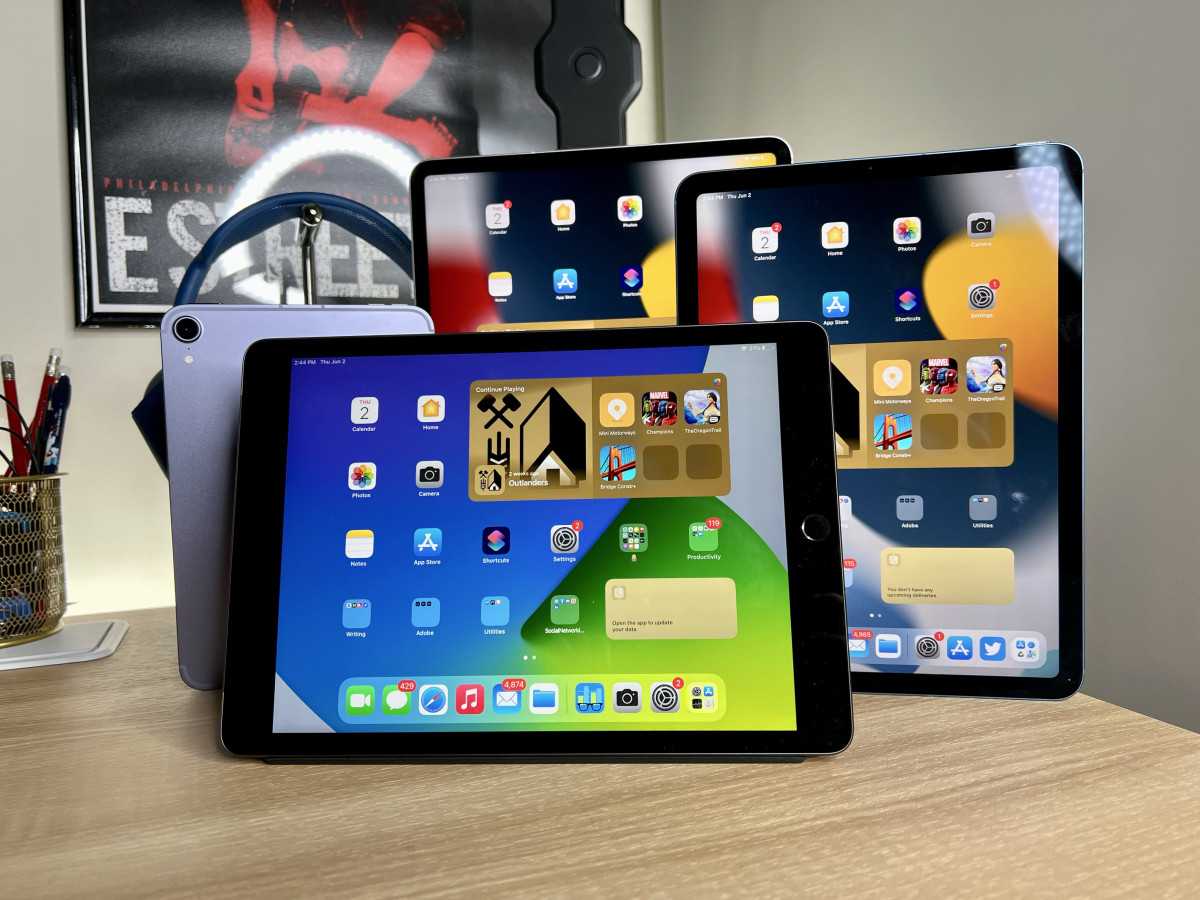

Which iPad generation is best?
Understanding the Evolution of iPads
The iPad has evolved significantly since it first launched in 2010. Each new generation brings updates in design, performance, and features. Knowing these differences helps you choose the best iPad for your needs.Key Factors to Consider When Choosing an iPad
Before diving into specific models, think about what you need from an iPad. Do you want it for work, entertainment, or creative projects? Your answer guides your choice.- Performance: Faster processors and better graphics matter for gaming or editing.
- Display: Larger or higher-resolution screens improve viewing experience.
- Portability: Thinner, lighter models are easier to carry around.
- Battery Life: Longer battery life allows for extended usage without recharging.
- Price: Budget options vary per generation, so decide how much you’re willing to spend.
Comparing Different iPad Generations
It’s helpful to see how various iPad models stack up side by side. Here, we compare key features across popular generations.| Model | Release Year | Display Size | Processor | Storage Options | Price Range |
|---|---|---|---|---|---|
| iPad (9th generation) | 2021 | 10.2 inches | A13 Bionic | 64GB, 256GB | Affordable |
| iPad Air (5th generation) | 2022 | 10.9 inches | M1 chip | 64GB, 256GB | Mid-range |
| iPad Pro (6th generation, 12.9-inch) | 2022 | 12.9 inches | M2 chip | 128GB, 256GB, 512GB, 1TB, 2TB | Premium |
| iPad Mini (6th generation) | 2021 | 8.3 inches | A15 Bionic | 64GB, 256GB | Compact & Portable |
Best iPad for Different Users
The ideal iPad varies based on user needs. Here are some recommendations.For Students and Casual Users
The iPad (9th generation) is perfect for students. It offers a great balance of performance, price, and size. Its 10.2-inch display is good for browsing, watching videos, and taking notes.For Professionals and Creatives
The iPad Pro (6th generation) shines in professional settings. Its powerful M2 chip handles multitasking and creative apps easily. The larger display enhances productivity and creative work.For Portability and One-Hand Use
The iPad Mini (6th generation) is best for on-the-go use. Its compact size and lightweight design make it easy to carry in a bag or even a pocket.Design and Display Improvements Across Generations
Design changes are noticeable from one generation to another. The latest models feature slimmer bezels and more colorful options.Display Technology and Resolution
Recent iPads use Liquid Retina displays with True Tone and P3 Wide Color. The iPad Pro models have ProMotion technology, offering smoother scrolling with a 120Hz refresh rate.Size and Portability
Size preferences depend on usage. The smaller iPad Mini suits portable needs, while larger iPad Pro models are ideal for multitasking and content creation.Processing Power and Performance Enhancements
Processing power is vital for speed and multitasking. Newer iPads come with updated chips, offering better performance and energy efficiency.Processor Generations and Their Impact
The A13 Bionic in the 9th generation is quite capable for everyday tasks. The M1 and M2 chips in the iPad Air and Pro deliver desktop-level performance.Multitasking and Creative Work
More powerful processors handle demanding applications like Adobe Photoshop, video editing, and 3D modeling smoothly.Camera and Audio Features
While iPads are not primarily camera devices, improvements in camera quality are notable.Camera Capabilities Over the Years
Latest models have improved FaceTime cameras with Center Stage and better front-facing cameras for video calls.Audio Enhancements
Larger iPads, especially the iPad Pro, include four speakers for richer sound, making media consumption more enjoyable.Compatibility and Accessory Support
Compatibility with accessories like Apple Pencil and keyboards enhances usability.Apple Pencil Support
Most recent iPads support the second-generation Apple Pencil, ideal for artists and note-takers.Smart Keyboard Folio and Other Accessories
The iPad Pro and iPad Air support smart keyboards, transforming the tablet into a laptop-like device.Operating System and Software Compatibility
All recent iPads run iPadOS, which offers multitasking, handwriting recognition, and other features. Newer generations benefit from the latest updates.Future-Proofing Your Choice
Choosing a newer model ensures compatibility with upcoming software updates and apps for several years.Price and Value for Money
Price varies by generation, with older models being more affordable. Consider your budget and needs for the best value.Cost Breakdown of Top iPad Generations
The iPad (9th generation) starts around $329. The iPad Air is approximately $599, and the iPad Pro begins at $799. The iPad Mini costs about $499.Which iPad Generation Is Right for You?
Your choice depends on your budget, usage habits, and preferences. Assess what features matter most, like performance, size, or camera quality.Balancing Cost and Features
If you need a basic device for browsing and streaming, the 9th-gen iPad is a good choice. For better performance and features, consider the Air or Pro.Future Expectations and Longevity
Investing in a newer model ensures longer software support and better resale value.Extra Tips for Buying an iPad
Always check for deals, consider refurbished units for savings, and buy from authorized sellers to prevent scams.Refurbished vs. New
Refurbished iPads are often like new and cheaper, with warranties included. They are a smart way to save money.Where to Purchase
Buy directly from Apple or authorized retailers for the latest models and reliable after-sales support. In summary, choosing the right iPad depends on your specific needs, budget, and preferences. Understanding the differences between generations helps you make an informed decision, ensuring your investment provides the best possible experience. Whether you value portability, power, or affordability, there’s an iPad that fits perfectly with what you’re looking for.Frequently Asked Questions
How does the latest iPad compare to earlier models for daily use?
The newest iPad offers faster performance, improved battery life, and enhanced display quality, making it ideal for everyday tasks like browsing, note-taking, and media consumption. Older models may still perform well for basic activities but might lack support for the latest apps and features, which can limit their usefulness over time.
Which iPad generation provides the best value for students?
The recent mid-range iPad provides a good balance between affordability and performance. It includes features such as a capable processor, a high-quality display, and support for accessories like the Apple Pencil, making it suitable for note-taking, research, and casual use without a high price tag.
Are there specific iPad models better suited for creative professionals?
Yes, the iPad Pro models, especially the latest versions, come with advanced processors, larger Retina displays, and support for high-precision Apple Pencil, making them suitable for professional-grade design, illustration, and video editing. These models also offer better multitasking capabilities and storage options to handle demanding creative workflows.
What should I consider when choosing an older iPad generation?
When selecting an older iPad, evaluate its compatibility with current apps and software updates. Check the processor speed, display quality, and battery condition to ensure it meets your needs. Older models may lack some of the latest features, but they can still serve well for simple tasks if they are in good condition.
Is it worth investing in the newest iPad if I only use it for basic functions?
If your primary use involves browsing the web, email, and light media consumption, the latest iPad might offer more power than you need. In such cases, a previous generation or a more affordable model can provide sufficient performance and good battery life at a lower cost. Consider your specific needs before choosing a model.
Final Thoughts
The best iPad generation depends on individual needs and budget. The latest models offer advanced features and improved performance, ideal for multitasking and creative work. Older generations remain reliable choices for casual users or those seeking affordability. They provide a good balance of functionality without the high price tag. Which iPad generation is best? It ultimately depends on your priorities. For most users, the newest model offers the best value, but each generation serves different needs effectively.
Similar Posts































