What To Do If Airpods Get Wet And How To Dry Them?
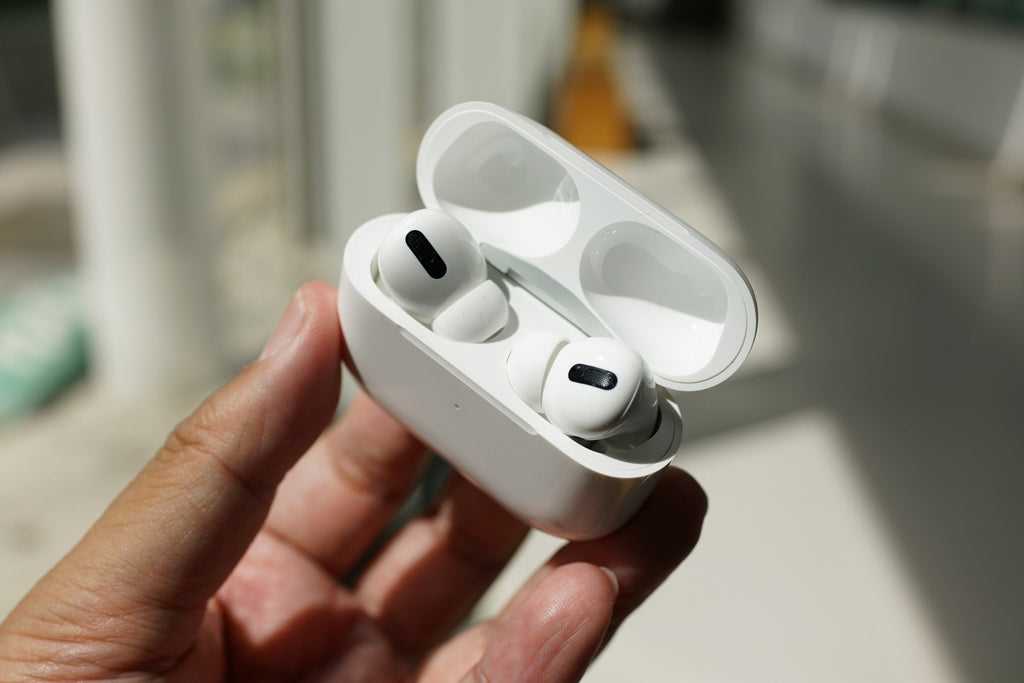

What to Do If AirPods Get Wet
Understanding the Risks of Water Damage to AirPods
Water and electronic devices rarely mix well, and AirPods are no exception. When they come into contact with water, damage can occur to the internal components, affecting sound quality or causing complete failure. Knowing the risks helps you act quickly and prevent further harm to your device. AirPods are water-resistant but not waterproof, meaning they can handle some moisture but not extensive exposure.Immediate Steps to Take When Your AirPods Get Wet
The first thing you should do is remove your AirPods from the water as soon as possible. Gently wipe off any excess moisture with a soft, dry cloth. Avoid shaking or blowing air into them, which can push moisture deeper inside. The goal is to minimize water penetration and start the drying process quickly.How to Properly Dry Out Wet AirPods
Drying is crucial after water exposure. Here are effective methods to dry your AirPods properly:- Use a soft, lint-free cloth to wipe the surface gently.
- Place your AirPods in a warm, dry area away from direct sunlight or heat sources.
- Consider using silica gel packets if available, as they absorb moisture efficiently. Place the AirPods in a sealed container with silica gel for several hours.
- Avoid using a hairdryer or other heating devices, which can damage delicate components.
Using Rice or Other Absorbent Materials: Fact or Fiction?
Many believe that placing wet electronics in rice helps draw out moisture. However, research shows that rice is not the most effective method for drying AirPods. Rice can also leave dust or small particles inside the device, potentially causing more harm. Instead, silica gel packets provide a superior moisture-absorbing environment.Assessing Internal Damage After Water Exposure
After drying, check your AirPods for visible signs of damage or corrosion. If you notice discoloration or a strange smell, internal damage may be present. Test pairing your AirPods with your device and listen for sound clarity or any distortion. If they don’t work correctly, professional repair or replacement might be necessary.How Long Should You Wait Before Reusing Your AirPods?
It is recommended to wait at least 24 to 48 hours after water exposure before attempting to use your AirPods again. This waiting period ensures that all internal moisture has evaporated, reducing the risk of short circuits or further damage. Patience can save you money and extend the life of your device.Preventive Tips to Protect Your AirPods from Water Damage
Prevention is better than cure. Follow these tips to keep your AirPods dry:- Use protective covers or cases designed for water resistance.
- Be cautious during outdoor activities or at the beach.
- Avoid wearing AirPods in rainy or humid conditions.
- Remove AirPods before swimming or showering.
What to Do If Your AirPods Do Not Function After Drying
If your AirPods still do not work after drying, try resetting them. To reset:- Put your AirPods in their charging case and close the lid.
- Wait 30 seconds, then open the lid.
- Locate the setup button on the case and press and hold it until the status light flashes amber, then white.
Professional Repair Options for Water-Damaged AirPods
Sometimes, DIY methods are not enough to fix water damage. Authorized repair centers can assess the internal components for corrosion or damage. If your AirPods are under warranty or covered by AppleCare+, repair costs may be reduced. Keep in mind that water damage is often not covered, so weigh the costs carefully.When to Consider Replacing Your AirPods
If your AirPods sustain severe water damage or repeatedly encounter issues after drying, replacement might be the best option. Modern AirPods are designed to resist minor splashes, but they are not waterproof. To avoid ongoing issues, investing in a water-resistant case or newer model with better water resistance can be wise.Additional Tips for Water-Resistant AirPods
To make the most of your AirPods’ water resistance:- Check the IP rating to understand their level of water resistance.
- Perform regular maintenance to ensure seals are intact.
- Stay updated with firmware updates that improve resistance features.
Related Topics: Water Damage Prevention and Care
Besides handling water exposure, consider:- Cleaning your AirPods properly to maintain sound quality.
- Understanding the differences between water resistance and waterproofing.
- Choosing protective accessories for outdoor use.
- Proper storage and handling tips to minimize accidental damage.
Frequently Asked Questions
How can I effectively dry my AirPods after they get wet?
Remove your AirPods from the water immediately and gently wipe them with a soft, dry cloth. Avoid using heat sources like a hairdryer, as high temperatures can damage the internal components. Place your AirPods in a well-ventilated area and allow them to air dry naturally for at least 24 hours before attempting to use them again. To speed up the drying process, you can also place them in a container filled with uncooked rice or silica gel packets, which help absorb moisture.
Should I try to turn on my AirPods if they are wet?
It is best to avoid turning on your AirPods until you are certain they are completely dry. Powering them on while they are still damp can lead to short circuits or corrosion inside the device. Wait at least 24 hours, or until you’re confident that all moisture has evaporated. If you need to test them sooner, consider gently wiping away any visible water and inspecting for leftover moisture before attempting to turn them on.
What steps can I take to prevent damage if my AirPods get wet?
Act quickly to remove the moisture by drying off the external surfaces with a soft cloth. Do not insert any objects or use excessive force to dry the interior. Keep your AirPods in a dry, ventilated space, away from direct sunlight or heat sources. Using moisture-absorbing agents like silica gel packets can help draw out remaining moisture. Remember, patience is key—wait long enough for the device to dry thoroughly before reusing.
Is it safe to use my AirPods after they have been exposed to water?
Only use your AirPods once they have dried completely and show no signs of moisture or condensation. Turning them on prematurely can cause internal damage and reduce their lifespan. If you notice any irregular behavior or audio issues afterward, contact Apple Support for further assistance. Prevent future water damage by keeping your AirPods away from liquids and avoiding exposure during activities involving moisture.
Final Thoughts
If your AirPods get wet, act quickly to minimize damage. Remove them from water immediately and dry with a soft, lint-free cloth. Avoid using heat sources like a hairdryer, which can cause further harm. Let the devices dry naturally in a warm, dry environment for at least 24 hours. Do not attempt to charge or use them until fully dried to prevent short circuits. What to do if Airpods get wet? Follow these steps to dry them properly and avoid permanent damage. Patience ensures your AirPods stay functional and ready to use again.
Similar Posts































