How To Repair Iphone Broken Screen: Step-By-Step Guide


How to Repair an iPhone Broken Screen
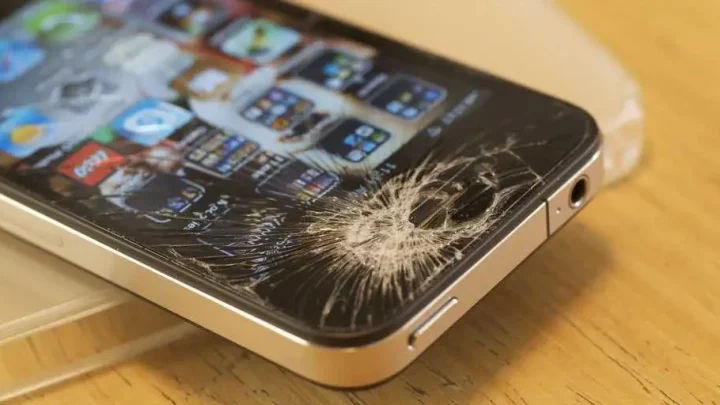
When your iPhone screen gets cracked, shattered, or unresponsive, it can feel like a big problem. Luckily, fixing a broken iPhone screen is something you can do, whether you’re comfortable with small repairs or prefer to leave it to a professional. In this section, we will walk you through every step you need to know to repair your iPhone screen effectively. From understanding the types of damage to choosing the right repair method, this guide will cover all the important points so you can make an informed decision and restore your phone’s look and functionality.Understanding the Types of Screen Damage
Before jumping into repairs, it’s important to identify what kind of damage your iPhone screen has. Not all cracks are the same, and knowing which one you’re dealing with can help you choose the best repair method.Surface Cracks or Minor Scratches
– Small cracks or scratches usually appear as thin lines or blemishes on the screen surface. – Often caused by accidental drops or bumps. – These may not affect touch sensitivity but can worsen over time if not repaired.Cracked Glass with Functional Touch
– The screen glass is cracked, but the touch response still works normally. – You might see spiderweb cracks or large shards. – The display might be slightly affected but still usable.Display Damage or Dead Pixels
– The LCD or OLED display shows black spots, flickering, or no image at all. – Touch responsiveness may be lost. – Usually indicates internal damage that requires more than just glass replacement.Completely Shattered Screen
– Glass is broken into many pieces. – The touch screen and display might be unresponsive. – Often the most urgent to fix to prevent further damage.Deciding Between DIY Repair or Professional Service
Once you understand the damage, the next step is to decide whether to repair the screen yourself or seek professional help.Benefits of DIY Repair
- Lower cost — usually cheaper than going to a repair shop
- Enjoy the process of fixing your own device
- Quick turnaround — often same day if you have the right tools
Risks of DIY Repair
- Potential for further damage if not done carefully
- Voiding your warranty or AppleCare plan
- May not get the same quality parts as official repairs
Advantages of Professional Repair
- Expertise and experience with iPhone models
- Guarantee or warranty on repair work
- Use of genuine parts, ensuring durability and performance
Gathering the Necessary Tools and Parts
Whether you decide to repair your screen yourself or have a professional do it, knowing what tools and parts to use is essential.Tools You Will Need
- Small Phillips screwdriver
- Pentalobe screwdriver (specific for iPhone screws)
- Plastic opening tools or prying tools
- Suction cup
- Tweezers
- Spudger or plastic pry tool
- Adhesive strips or glue for reassembly
Choosing the Right Replacement Screen
– Opt for high-quality or genuine Apple parts if possible. – Compatibility with your specific iPhone model is crucial. – Be cautious with cheap third-party screens, as they may not last as long or fit properly.Step-by-Step Guide to Repair Your iPhone Screen
Now, let’s look at a detailed process you can follow to replace a broken iPhone screen safely and effectively. Remember, patience and careful handling are key.Backing Up Your Data
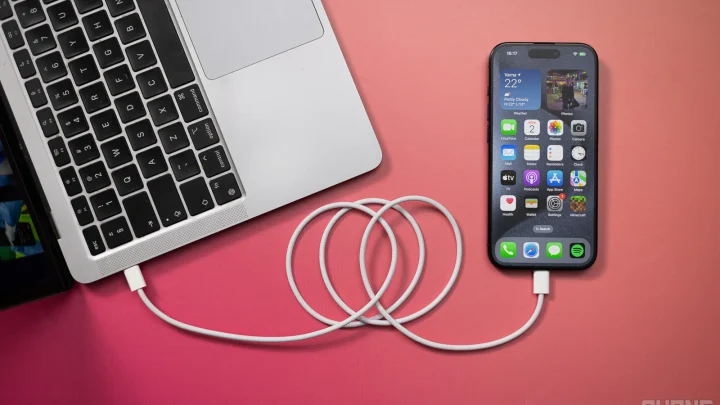
Before starting any repair, back up your iPhone to iCloud or your computer. This step protects your important data from accidental loss during the repair process.Powering Off the Device
– Press and hold the power button. – Slide to power off. – Never attempt to repair your screen while the device is powered on.Removing the Pentalobe Screws
– Use the appropriate pentalobe screwdriver. – Remove the screws at the bottom of the iPhone to detach the screen.Heating the Device (if necessary)
– Gently heat the edges of the phone with a heat gun or hairdryer. – This softens the adhesive that holds the screen in place, making it easier to pry off.Using the Suction Cup to Lift the Screen
– Place the suction cup near the bottom edge. – Gently pull to create a gap between the screen and the phone body. – Insert a plastic prying tool into the gap to carefully loosen the adhesive.Disconnecting the Screen Connectors
– Remove the shield covering the display connectors. – Use the plastic spudger or pry tool to disconnect the flex cables connecting the screen to the logic board. – Take your time and keep track of each connector.Removing the Broken Screen
– Carefully lift the damaged display away from the device. – Be cautious of remaining adhesive and glass shards.Installing the New Screen
– Connect the new screen’s flex cables to the logic board. – Ensure each connector clicks into place securely. – Place the shield back over the connectors.Reassembling the iPhone
– Gently press the new screen into the frame. – Replace the pentalobe screws at the bottom. – Power on the device to check the display and touch responsiveness.Testing and Final Checks
– After assembly, turn on your iPhone. – Test the touch function across the entire screen. – Check for display clarity, color accuracy, and responsiveness. – If issues persist, consider re-running the repair process or seeking professional help.Tips for a Successful Screen Repair
– Work in a clean, well-lit environment to avoid losing small parts. – Keep track of all screws and components as you remove them. – Use quality tools designed for electronics repair. – Take your time, and don’t rush through steps. – If at any point you feel unsure, consult tutorials or seek expert assistance.Preventing Future Screen Damage
To keep your iPhone safe and avoid costly repairs:- Use a sturdy protective case
- Apply a tempered glass screen protector
- Avoid placing your phone in risky situations—like pockets with keys or crowded bags
- Handle your device with care, especially when dropping or bumping it
Frequently Asked Questions
What are the basic steps to replace an iPhone screen at home?
Replacing an iPhone screen at home involves carefully removing the damaged display, disconnecting the necessary connectors, and then installing the new screen. Start by powering off your device completely. Use appropriate tools like a pentalobe screwdriver and a plastic pry tool to open the device without damaging internal components. Disconnect the display connectors gently, remove the broken screen, and then attach the new screen, ensuring all connectors are firmly in place. Finally, reassemble your iPhone and test the new display thoroughly before closing the device entirely.
What safety precautions should I take when repairing my iPhone screen?
Always work in a clean, static-free environment to prevent damage to sensitive components. Use proper tools designed for electronic repairs, and handle parts with care to avoid causing further damage. Wear anti-static wristbands if available, and keep track of all screws and small components. Make sure the iPhone is completely powered off before opening it, and avoid excessive force during disassembly. If you’re uncertain or uncomfortable with the process, consider consulting a professional repair service to ensure safety and quality.
How can I tell if my iPhone screen needs professional repair instead of a DIY fix?
If your screen has extensive cracks, dead pixels, or touch responsiveness issues that persist after basic troubleshooting, it is wise to seek professional repair. Complex internal damage, such as damage to the display connectors or LCD, can require specialized tools and expertise. Additionally, if you experience issues with the device after attempting a DIY repair, visiting a certified technician can help prevent further damage and ensure your iPhone functions correctly.
What should I consider when choosing a replacement screen for my iPhone?
Select a screen that matches the specifications of your iPhone model to ensure compatibility. Opt for high-quality or OEM (Original Equipment Manufacturer) parts to guarantee durability and display clarity. Check reviews of the supplier or manufacturer, and verify if the replacement includes necessary components such as new adhesive or digital connectors. Investing in a reliable part can save you time and money by reducing the need for additional repairs or adjustments later.
How long does it usually take to repair an iPhone screen professionally?
Professional iPhone screen repairs typically take between 30 minutes to a few hours, depending on the technician’s experience and the repair shop’s workflow. Some places offer same-day service, especially for common models. If the repair involves additional issues or requires complex component replacement, it might take longer. Scheduling an appointment in advance or visiting a reputable repair center can help ensure a smooth and timely process.
Final Thoughts
To repair an iPhone broken screen, gather the necessary tools like a small Phillips screwdriver, a plastic pry tool, and a screen replacement kit. Turn off your device and carefully remove the screws around the screen. Gently lift the screen using the pry tool, disconnect the connectors, and replace the broken display with a new one. Reassemble your iPhone by reversing these steps. In conclusion, knowing how to repair iPhone broken screen allows you to save money and time. Follow these steps carefully to ensure a successful repair.
Similar Posts