How To Get The Most Out Of Airpods For Better Sound
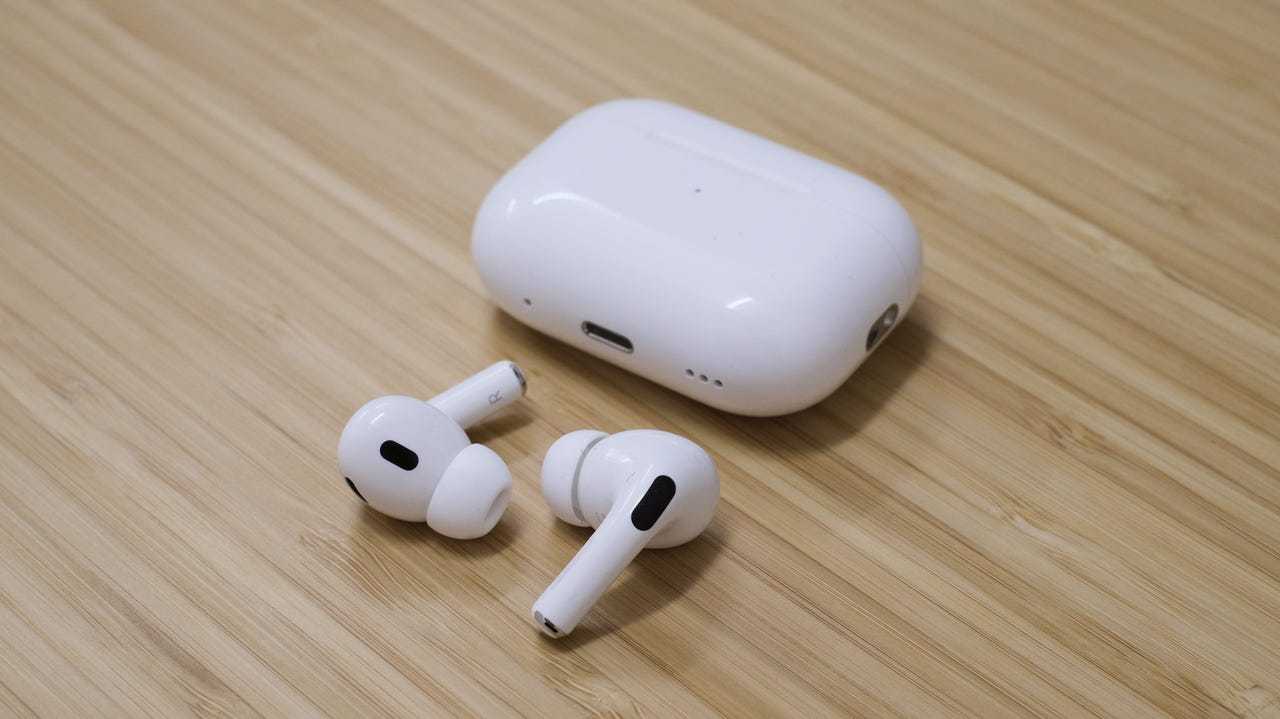

How to Get the Most Out of AirPods
Understanding Your AirPods Features
Getting the most out of your AirPods starts with knowing what they can do. AirPods come with a variety of features that can improve your listening experience. For example, they detect when you put them in your ears and pause playback automatically. Familiarize yourself with features like noise cancellation, transparency mode, and customizable controls. Reading the user manual or exploring the settings on your device helps you unlock their full potential. This way, you won’t miss out on any of the key functionalities.Optimizing Fit for Better Sound and Comfort
A secure fit is essential for rich sound quality and comfort. AirPods come with different sizes of tips and tips for newer models. Try out various sizes to find the one that fits snugly without causing discomfort. A proper fit also blocks out ambient noise, which enhances listening and makes features like noise cancellation more effective. Consider using ear tip fitting testers available on Apple’s website to ensure the best fit possible.Managing Battery Life Effectively
Battery life impacts how much you can use your AirPods each day. To extend battery life, avoid letting them drain completely often. Instead, charge them regularly and store them in their case when not in use. Use the battery widget on your device to monitor charge levels quickly. When charging, ensure you’re using a reliable charger and cable to avoid unnecessary wear on the battery.Using Custom Settings and Controls
Customizing controls allows you to manage playback, calls, and voice assistants easily. On your iPhone or iPad, go to Bluetooth settings and connect your AirPods. You can assign functions like double-tap or press and hold to specific commands such as skipping tracks, activating Siri, or toggling noise cancellation. Personalizing these controls helps you access features quickly without needing your device every time.Maintaining Your AirPods
Cleanliness impacts sound quality and longevity. Gently wipe your AirPods with a soft, lint-free cloth to remove dirt and earwax. Avoid using liquids or abrasive materials. Regular maintenance also includes checking the mesh covers over the speakers for debris. If needed, use a soft-bristled brush or a dry toothbrush to clear out any buildup.Leveraging Device Compatibility
Your AirPods work best when paired with compatible Apple devices. Connect your AirPods to your iPhone, iPad, Mac, or even Apple Watch for seamless experience. Using Settings like automatic device switching, you can move effortlessly between devices. Ensure your software is up to date for the latest features and security improvements.Utilizing Advanced Audio Settings
Accessing audio settings lets you customize your listening experience further. For example, you can enable Spatial Audio for immersive sound during movies and music. Adjust the volume, equalizer, and sound balance directly from your device to suit your preferences. Exploring these options ensures you get the best audio quality from your AirPods.Exploring Siri Integration
Using Siri with your AirPods offers hands-free control for many tasks. Say “Hey Siri” to activate voice commands without touching your device. You can ask Siri to change volume, select songs, make calls, or get directions. This feature makes your experience more convenient and safer, especially when on the go.Maximizing Listening Time with Battery-Saving Tips
Save battery by turning off features when not needed. For instance, disable Automatic Ear Detection if you don’t want playback to pause when you remove your AirPods. Adjust volume levels to prevent unnecessary battery drain. Keep your AirPods in their charging case when not in use to maintain battery health and readiness for your next session.Introducing Accessibility Features
AirPods support accessibility features like Live Listen and VoiceOver. Live Listen can turn your AirPods into a remote microphone for better hearing in noisy environments. Enable these features through your device’s accessibility menu to support users with hearing difficulties. They make your AirPods more versatile for various needs.Updating Firmware for Better Performance
Keeping your AirPods firmware updated ensures you get the latest features and bug fixes. Firmware updates are usually installed automatically when your AirPods are charging nearby your device. Check your AirPods version in Bluetooth settings and ensure they’re running the latest software. This small step can enhance connectivity, sound quality, and stability.Using Third-Party Accessories
Investing in accessories like protective cases or custom skins can keep your AirPods safe. Other gadgets, such as portable chargers and ear hooks, enhance usability and comfort. Choose accessories that are compatible and well-reviewed to avoid damaging your AirPods. These additions can also personalize your style while providing extra protection.Optimizing for Different Activities
Adjust your settings based on activity type. For instance, enable noise cancellation during commutes for better focus, or switch to transparency mode when walking outdoors to stay aware of your surroundings. For workouts, consider using secure ear hooks or tips to prevent slipping. Tailoring your AirPods to your daily activities maximizes their usefulness.Related Topics
For a complete experience, explore related topics like syncing your AirPods with other Apple devices, troubleshooting common issues, and understanding different AirPods models and their features. These areas can help you get even more from your AirPods. By staying informed and experimenting with settings, accessories, and features, you can enjoy your AirPods to the fullest. Whether for music, calls, or entertainment, these tips make your listening experience more enjoyable, convenient, and personalized.AirPods 4 Tips, Tricks & Hidden Features | YOU MUST KNOW!
Frequently Asked Questions
How can I improve the battery life of my AirPods during daily use?
To extend your AirPods’ battery life, avoid exposing them to extreme temperatures and ensure they are fully charged before use. Using only one AirPod at a time for calls or listening can also conserve power. Additionally, turn off features like Active Noise Cancellation and Transparency mode when they are not needed to reduce battery consumption.
What settings should I adjust to optimize sound quality with my AirPods?
Adjust your device’s equalizer settings through the music app to suit your preferences better. Enable Spatial Audio if supported, for a more immersive listening experience. Also, keep your AirPods updated with the latest firmware to benefit from sound improvements and bug fixes provided by updates.
How do I ensure my AirPods stay securely in my ears for active use?
Choose the right size of ear tips (if your model supports them) to fit comfortably and securely. Try different tips to find the most comfortable and snug fit. Wear your AirPods with a slight tilt forward to help keep them in place during movement and avoid inserting them too deeply into your ears.
What are some tips to manage and customize controls on my AirPods?
Customize the double-tap or press-and-hold actions through your device’s Bluetooth settings to perform specific functions like skipping tracks or adjusting volume. Use the Control Center on your device to access playback controls quickly. Familiarize yourself with the options to make your interaction with AirPods more intuitive.
How can I maintain the cleanliness and longevity of my AirPods?
Regularly clean your AirPods using a soft, dry cloth and avoid using liquids or abrasive materials. Remove earwax and debris from the speaker meshes with a dry brush or a soft-bristled toothbrush. Store your AirPods in their case when not in use to prevent damage and keep them protected from dust and moisture.
Final Thoughts
Getting the most out of AirPods involves customizing settings to fit your preferences and keeping firmware updated for optimal performance. Use double-tap or tap-and-hold features to access your favorite functions quickly. Regularly clean your AirPods to maintain sound quality and comfort. Charging them properly ensures they last longer throughout the day. Take advantage of the Find My app to locate lost AirPods efficiently. Following these tips will help you maximize your AirPods’ potential and enjoy seamless audio experiences.
Similar Posts































