How To Get The Most Bass Out Of Airpods For Better Sound

How to Get the Most Bass Out of AirPods
Understanding AirPods and Bass Quality
AirPods are designed primarily for convenience and clear sound quality, but many users want more bass for a richer listening experience. The bass depends on multiple factors such as the AirPods model, fit, and software settings. Knowing how these elements work together helps you get the best sound.Choose the Right AirPods Model for Bass
Not all AirPods are built the same when it comes to bass performance. For example, AirPods Pro and AirPods Max are equipped with features that enhance bass delivery. The AirPods Pro have active noise cancellation, which helps isolate sound and improve bass response. The AirPods Max, being over-ear headphones, naturally produce deeper bass.Comparing Different AirPods Models
| Model | Bass Quality | Best For |
|---|---|---|
| Standard AirPods (2nd Generation) | Moderate | Everyday casual listening |
| AirPods Pro | Enhanced | Active noise cancellation and bass boost |
| AirPods Max | Deep and powerful | High-fidelity sound experience |
Fitting and Seal: The Key to Better Bass
Proper fit is crucial for optimal bass performance. Loose or ill-fitting AirPods can lead to sound leakage and weak bass response. Using the correct ear tips or adjusting the fit helps create a seal that enhances bass vibrations.Tips for Achieving a Better Fit
- Try different sizes of silicone ear tips if available.
- Insert AirPods snugly into your ears without feeling uncomfortable.
- Make sure the AirPods are centered and stable in your ears.
- Use ear hooks or accessories if needed for a more secure fit.
Optimizing Software Settings for Bass Boost
The software settings of your device can significantly influence bass levels. Adjusting equalizer (EQ) settings and enabling specific features can enhance low-frequency sounds.Adjusting EQ Settings on iPhone or iPad
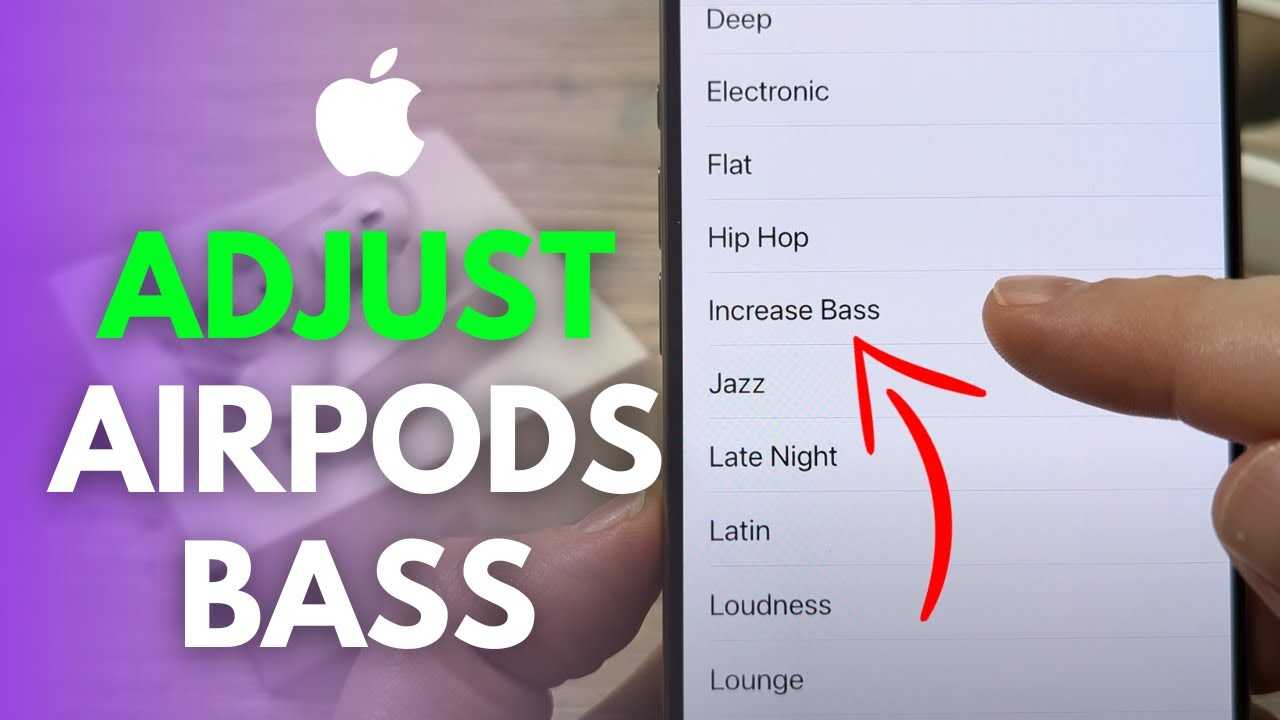
Navigate to Settings > Music > EQ. Here you can select options like “Bass Booster” or “Late Night” which can deepen the bass. For more control, use third-party EQ apps compatible with your device for custom adjustments.Using Built-in Audio Enhancements
Some devices or apps include features for sound enhancement, such as “Sound Check” or “Volume Limit.” Enabling these can help maintain consistent bass levels during playback.Using Third-Party Apps for Better Bass
If default settings don’t provide enough bass, consider downloading EQ apps like Equalizer + or Boom. These apps give you advanced controls over how the audio plays, letting you boost the bass frequencies specifically.Steps to Use EQ Apps Effectively
- Download and install a trusted EQ app compatible with your device.
- Connect your AirPods to your device and open the EQ app.
- Adjust the bass sliders or frequencies to your preference.
- Save your personalized profile and enjoy enhanced bass every time.
Managing External Factors for Better Bass
Environmental conditions impact how you experience bass through your AirPods. External noise and background sounds can hinder the perception of low frequencies.Use Noise Cancellation Features
AirPods Pro and AirPods Max have active noise cancellation (ANC) features. Turning ANC on reduces ambient noise, allowing you to perceive bass more clearly. Make sure ANC is enabled in your device settings for the best experience.Minimize Background Noise
Listening in a quiet environment enhances bass perception. Avoid noisy places where external sounds mask the low frequencies. Using noise-isolating tips further improves this effect.Maintaining Your AirPods for Optimal Sound
Regular cleaning and proper care keep your AirPods functioning at their best. Dirt, earwax, and debris can block sound and diminish bass response.Cleaning Tips for Better Sound
- Use a soft, dry cloth to wipe the surfaces.
- Remove wax or debris from speaker meshes with a small brush or foam applicator.
- Avoid using liquids or sharp objects that can damage the components.
Additional Accessories for Enhanced Bass
Special accessories can also improve bass performance. Ear tips designed for a better seal or external amplifiers can add depth to your listening experience.Using Ear Tips and Comply Foam Tips
Silicone or foam tips create a tighter seal in your ears. They help increase bass resonance and block outside noise. Always choose the size that fits comfortably and securely.External Amplifiers and DACs
While less common with wireless AirPods, using external digital-to-analog converters can sometimes improve overall sound if you connect your device via a wired adapter. This setup may provide better bass response for audiophiles.Experimenting and Fine-Tuning for Personal Preference
Everyone’s ears and preferences differ, so don’t hesitate to experiment. Adjust settings, try different tips, and listen to various music genres to find what delivers the best bass for you.Practical Tips for Personal Tuning
- Test different EQ presets with your favorite songs.
- Adjust the volume for better bass perception without distortion.
- Switch between models if possible to compare sound qualities.
Summary of Key Strategies to Maximize Bass
To get the most bass from your AirPods:- Choose the right model with superior bass capabilities.
- Ensure a proper fit and seal in your ears.
- Optimize software settings with EQ adjustments and noise cancellation.
- Utilize third-party apps for custom EQ tuning.
- Minimize external noise and environmental interference.
- Maintain your AirPods regularly for pristine sound quality.
- Consider accessories like ear tips and external amplifiers for added depth.
- Personalize your listening experience through experimentation.
Make your AIRPODS sound better 🎧
Frequently Asked Questions
How can I improve the bass response on my AirPods through settings?
Adjust the equalizer settings in your device’s music app to enhance bass. On iOS devices, go to Settings > Music > EQ and select options like ‘Bass Booster’ or ‘Late Night’ to emphasize low frequencies. Additionally, ensure that the sound balance is centered and that volume levels are appropriately high, as higher volumes can make bass sounds more prominent.
What impact does the choice of audio source have on bass performance?
Using high-quality audio files or streams significantly affects bass clarity and depth. Compressed formats like MP3s may diminish bass response, whereas lossless or high-resolution formats preserve richer low-frequency sounds. Connecting your AirPods to devices that support these formats ensures you get the most out of your music’s bass elements.
Are there physical factors that can enhance bass when using AirPods?
Wearing your AirPods snugly can improve bass by creating a better seal around your ears or in your ear canal. For AirPods with customizable or different ear tips, try using the ones that fit most securely. Also, keeping your AirPods clean and free of debris helps maintain optimal sound quality, including the bass response.
How does the choice of music genre affect the perception of bass with AirPods?
Listening to genres that emphasize low frequencies, like electronic, hip-hop, or reggae, can give you a better sense of bass. Selecting tracks with prominent bass lines or bass-heavy mixes allows you to evaluate and enjoy the lower-end performance of your AirPods more thoroughly.
Can the use of external accessories or apps help enhance bass on AirPods?
While AirPods lack physical bass-boosting accessories, you can use third-party equalizer apps to fine-tune sound output precisely. These apps provide customized presets and controls over bass levels, allowing you to better tailor the listening experience to your preferences. Always ensure compatibility with your device before downloading such apps.
Final Thoughts
To get the most bass out of AirPods, focus on selecting the right ear tips for a secure fit, which enhances sound quality. Adjust your device’s equalizer settings to boost bass frequencies. Using a bass-boosting app can also improve low-end output. Consistently keeping your AirPods clean and updated ensures optimal sound performance. Following these steps will help you maximize bass and enjoy richer audio from your AirPods.
Similar Posts































