How To Fix Iphone Screen Coming Off Effectively

How to Fix iPhone Screen Coming Off
Understanding Why iPhone Screens Come Off
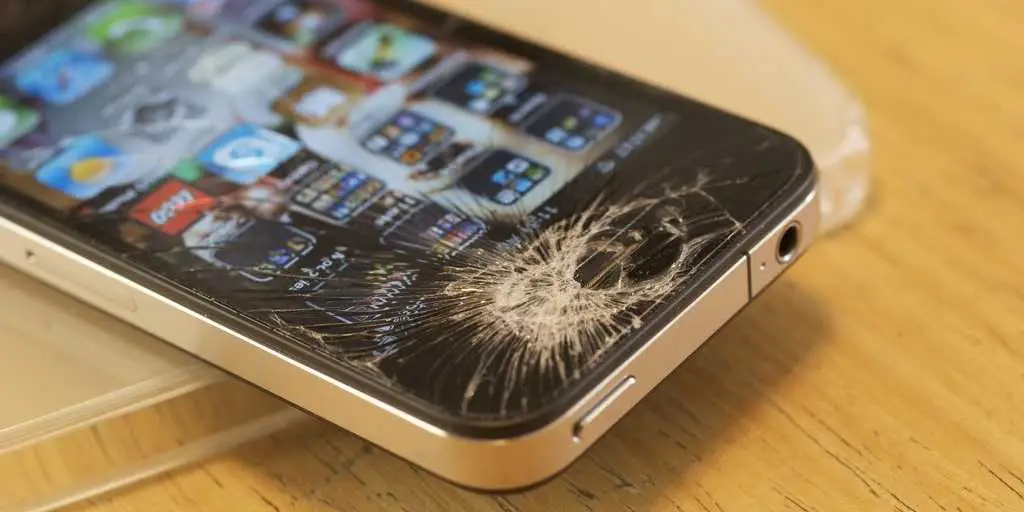
The most common reason iPhone screens detach is due to **physical damage**. Dropping your phone or applying excessive pressure can weaken the adhesives that hold the screen in place. Over time, heat and age can also cause the adhesive to lose its grip. Recognizing these causes helps you prevent future issues and decide when a repair is necessary.Signs Your iPhone Screen Is Coming Off
It’s important to know what to look for. Signs include:Precautions Before You Start Repairing
Before attempting any fixes, take these safety steps:- Power down your iPhone completely
- Remove the SIM card tray
- Work in a clean, dust-free environment
- Prepare necessary tools: pry tools, suction cup, adhesive strips, and a repair kit
Tools and Materials Needed for Fixing a Coming Off Screen
Having the right tools simplifies the repair. Essential items include:- Precision screwdrivers (pentalobe, Phillips)
- Plastic pry tools or opening picks
- Suction cup
- Replacement adhesive strips or glue
- Heat gun or iOpener tool
- Microfiber cloth
Step-by-Step Guide to Fixing an iPhone Screen That Is Coming Off
Step 1: Power Off Your iPhone
Turn off your device to prevent electrical shorts. This is especially important when working with internal components.Step 2: Remove the Screws Near the Bottom
Use a pentalobe screwdriver to remove the screws adjacent to the charging port. Keep these screws safe as they are tiny.Step 3: Use a Suction Cup to Create a Gap
Place the suction cup near the bottom edge and gently pull to create space between the screen and the casing. Don’t force it to avoid cracking the screen.Step 4: Insert a Plastic Pry Tool
Once there’s a small gap, insert a plastic pry tool into the space. Carefully slide around the edges to loosen the adhesive. Take your time to prevent damaging internal cables.Step 5: Remove the Old Adhesive
After opening the device, peel away any remaining adhesive strips. Clean the edges with a microfiber cloth. Warm the device slightly with a heat gun or iOpener to soften dried glue.Step 6: Apply New Adhesive Strips
Place new adhesive strips carefully along the edges of the frame. Ensure they are aligned properly for a secure fit.Step 7: Reassemble the iPhone
Reattach the screen by carefully pressing it into place. Replace the screws and verify the screen’s attachment. Power on your device to check for touch responsiveness and display clarity.Additional Tips for a Successful Fix
– Always work slowly and gently to avoid cracks. – Use a heat source sparingly; excessive heat can damage internal components. – Avoid touching the adhesive surface with your fingers to keep it clean. – If the screen is severely damaged or won’t stay attached, consider professional repair options.When to Seek Professional Repair Services
If you feel uncomfortable fixing the screen yourself or encounter complex internal damage, take your iPhone to a certified repair shop. Professionals have specialized tools and expertise to ensure your device is properly fixed without risking further issues.Preventing Future Screen Dislodgement
To avoid your iPhone screen coming off again:- Use a sturdy protective case
- Avoid dropping your device
- Keep your phone away from extreme heat and pressure
- Handle your device with care during cleaning or repairs
Additional Methods to Fix a Loose iPhone Screen
Besides replacing adhesive, some users opt for:- Professional repair services involving screen replacement
- Using strong double-sided tape as a temporary solution
- Glue specific to electronics for a more permanent fix
Understanding the Costs of Repair
The cost to fix a coming off iPhone screen varies based on:| Repair Method | Cost Range |
|---|---|
| DIY with adhesive strips | $20 to $50 |
| Professional repair at Apple Store | $129 to $329 depending on model and warranty |
| Third-party repair shops | $80 to $200 |
Summary of Key Points
– Recognize signs of a loose or coming off screen early. – Gather the proper tools before beginning the repair process. – Follow detailed, step-by-step instructions carefully. – Use quality adhesives to ensure a lasting fix. – Seek professional help when needed. – Prevent future issues with proper device handling and protection. Addressing an iPhone screen that is coming off requires patience and attention to detail but can often be fixed at home with the right approach. Taking time to repair your device properly prevents further damage and extends its lifespan, saving you money and hassle in the long run.iphone screen lifting/separating – cause & fix
Frequently Asked Questions
What steps can I take to reattach a loose iPhone screen temporarily?
If your iPhone screen is starting to come off, stop using it immediately to prevent further damage. Carefully clean the edges of both the screen and the phone body to remove any dust or debris. Use a small amount of clear, strong adhesive or specialized phone repair glue around the edges of the screen. Press the screen firmly back into place and hold for several minutes to ensure the adhesive bonds well. Keep the device steady during this period, and avoid opening or moving it until the glue sets completely. Remember, this is a temporary fix, and scheduling a professional repair as soon as possible is essential for a permanent solution.
How can I prevent my iPhone screen from detaching again after a repair?
To prevent your iPhone screen from coming loose again, handle your device carefully and avoid dropping it. Use a protective case that absorbs shocks and minimizes impact on the edges of the device. Keep the device away from extreme temperatures, which can weaken adhesives over time. When cleaning or repairing, ensure that you use the correct tools and adhesives designed specifically for smartphone screens. Additionally, regularly inspect your device for signs of wear or looseness, and address any issues promptly through professional repairs to maintain a secure fit.
When should I seek professional repair instead of attempting a fix myself?
If your iPhone screen is significantly damaged, cracked, or completely detached, seek professional repair services. DIY fixes, especially those involving adhesives or opening the device, can risk damaging internal components or voiding your warranty if not done correctly. Qualified technicians have the proper tools and expertise to securely reattach or replace the screen without causing additional harm. If you notice signs like unresponsive touchscreen, discoloration, or persistent loosening, visiting a certified repair shop provides a safer and more durable outcome.
Final Thoughts
To fix iPhone screen coming off, start by turning off your device and carefully removing the damaged screen. Use a proper tool kit to detach the old adhesive and clean the edges thoroughly. Apply fresh adhesive or double-sided tape for a secure fit. Ensure you press the new screen firmly and hold it in place for a few minutes. If unsure, visit a professional repair service to avoid further damage. In summary, knowing how to fix iPhone screen coming off involves careful disassembly, proper adhesive application, and securing the screen correctly. Properly fixing this issue can restore your phone’s functionality and prevent future problems.
Similar Posts