Best Way To Put Airpods Pro In Ears For Optimal Comfort
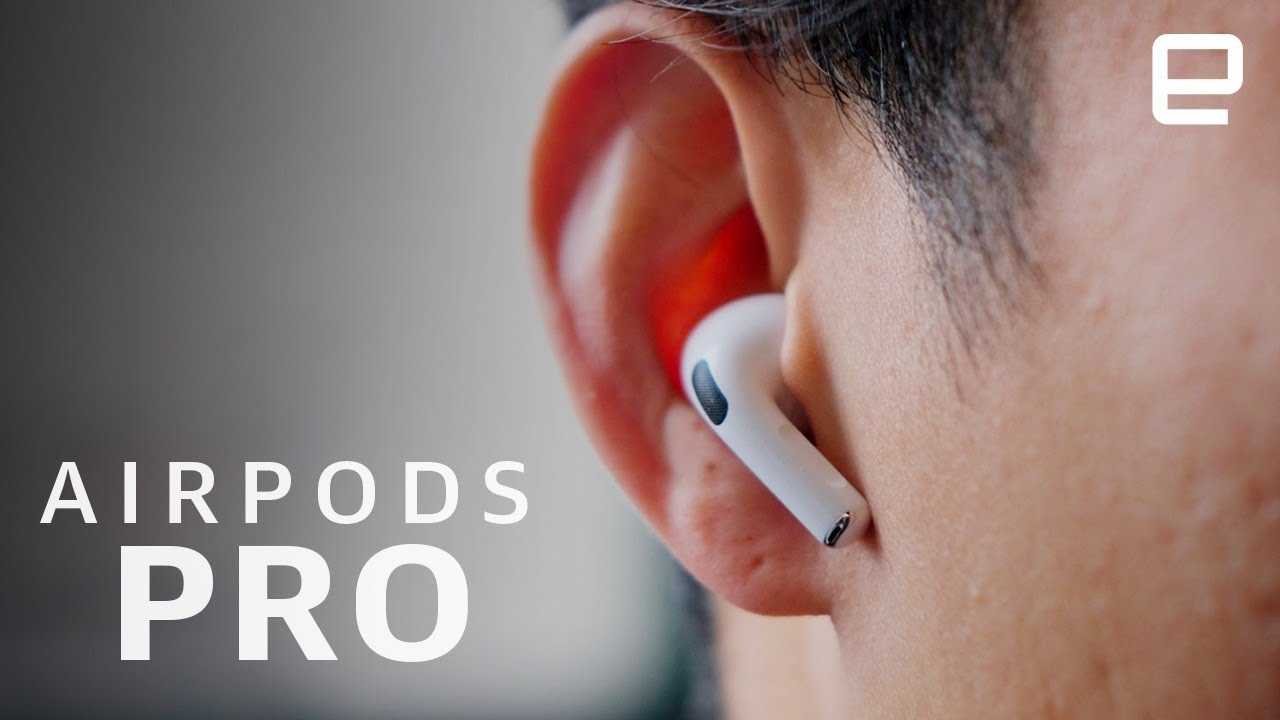

Best Way to Put AirPods Pro in Ears
Putting AirPods Pro in your ears might seem simple, but doing it correctly can improve sound quality and comfort. Proper placement ensures better noise cancellation and a more secure fit. Here’s a detailed guide on the **best way to put AirPods Pro in ears** for optimal performance.
Understanding the Design of AirPods Pro
AirPods Pro features a compact, ergonomic design with a silicone tip. This design aims to provide a snug fit and good sound isolation. The earbuds are built to conform to different ear shapes, but they still require proper placement for maximum benefit.
The Importance of Fit and Seal
A proper seal is vital for sound quality and active noise cancellation. When inserted correctly, the silicone tips create a seal that blocks outside noise. This improves listening experience and reduces the need to turn up the volume.
Preparing to Insert Your AirPods Pro
Before putting them in, make sure your AirPods Pro are clean and the silicone tips are undamaged. Gentle cleaning keeps the earbuds hygienic and maintains a good seal. Also, check that the earbuds are charged and functioning properly.
Selecting the Correct Silicone Tip Size
- AirPods Pro come with three sizes of silicone tips: small, medium, and large.
- Choose the size that fits snugly without causing discomfort or pressure.
- Try different sizes to find the best seal for your ears.
Step-by-Step Guide to Properly Insert AirPods Pro
Follow these simple steps to insert your AirPods Pro correctly:
Step 1: Hold the Earbud Correctly
Grip the AirPods Pro by the stem, ensuring the silicone tip is pointing downward. Handle gently to avoid damaging the tip or the stem.
Step 2: Position the Silicone Tip
Align the silicone tip with your ear canal entrance. The rounded side should face inward, with the flat side facing outward.
Step 3: Insert Into Your Ear
gently twist the AirPod into your ear canal, following the natural curve of your ear. The tip should fill the ear canal comfortably, creating a seal. Do not force it into place.
Step 4: Adjust for Comfort
After insertion, gently rotate or reposition the AirPods Pro to find the most comfortable fit. They should sit securely without causing pain or pressure.
Ensuring a Proper Fit for Optimal Sound and Noise Cancellation
A good fit enhances sound quality and noise cancellation. Use the Ear Tip Fit Test available on your device to verify if your AirPods Pro are sealed properly. If the test indicates a poor seal, try a different silicone tip size or adjust the placement.
Tips for Better Fit and Comfort
- Insert the earbuds at a slight angle, following the natural shape of your ear canal.
- Use the smallest silicone tip that creates a comfortable seal.
- Ensure the earbuds are symmetrical and balanced in your ears.
- Take breaks if you feel discomfort after extended use.
Common Mistakes to Avoid
- Forcing the earbuds deep into your ears, which can cause discomfort or damage.
- Using the wrong size silicone tips, leading to poor sound quality.
- Ignoring discomfort; a snug but comfortable fit is key.
- Not cleaning the earbuds regularly, which can affect fit and hygiene.
Additional Tips for Inserting AirPods Pro
Using Ear Tips Correctly
Ensure the silicone tip covers the ear canal entirely without causing pain. The goal is a gentle, snug seal for the best experience.
Trial and Error for Best Fit
Experiment with different silicone tip sizes and insertion angles to find what feels best. Even small adjustments can improve fit and sound quality.
Maintaining the Fit During Use
Check periodically if your AirPods Pro are still securely in place, especially during physical activities. Adjust as needed for comfort and security.
Related Topics and Additional Advice
Cleaning and Maintenance of AirPods Pro
Clean the silicone tips regularly with a soft, damp cloth. Keep the openings free of earwax and debris for consistent performance.
Using Ear Tips for Different Ear Shapes
If standard silicone tips don’t fit well, consider custom or third-party options designed for specific ear shapes. This can give a better seal and more comfort.
When to Seek Professional Help
If you experience persistent discomfort or difficulty inserting your AirPods Pro, consult an audiologist or Apple support. Proper fit is essential for safety and performance.
Summary
Putting AirPods Pro in ears correctly involves selecting the right silicone tip size, handling the earbuds gently, and adjusting them for comfort. A proper fit enhances sound quality, noise cancellation, and overall listening experience. Practice and patience will help you find the perfect placement for your ears, making every listening session more enjoyable.
Keep AirPod Pro 2 from falling out of your ears! – How to wear AirPod pros
Frequently Asked Questions
How can I ensure a secure and comfortable fit when inserting AirPods Pro?
To achieve a secure and comfortable fit, gently insert the AirPods Pro into your ears with the silicone tips facing downward. Rotate them slightly until they sit snugly, creating a seal that enhances sound quality and noise cancellation. If they feel uncomfortable, try switching to different sizes of the silicone tips to find the most comfortable fit for your ears.
What is the best technique to insert AirPods Pro without causing discomfort?
Hold the stem of the AirPods Pro and gently insert the silicone tip into your ear canal. Avoid forcing them in, and instead, gently twist or rotate the earbuds until they feel secure. Taking your time and adjusting the placement can prevent discomfort and ensure optimal sound performance.
How can I verify if my AirPods Pro are properly positioned in my ears?
Once inserted, you should feel a slight pressure without pain, and the earbuds should stay firmly in place during movement. Listen for clear audio without excessive outside noise, which indicates a good seal. If sound leaks or they feel loose, try adjusting the angle or switching to a different silicone tip size for a better fit.
Are there tips for inserting AirPods Pro in different ear shapes?
Yes, different ear shapes may require adjusting the insertion technique or switching silicone tip sizes. Experiment with the various sizes to find the most comfortable and secure fit. Slightly twisting or angling the earbuds can also help them conform better to the unique contours of your ears.
Should I clean the AirPods Pro before inserting them into my ears?
Yes, ensure that the silicone tips and the earbuds themselves are clean and free from debris. Use a soft, dry cloth to wipe them down regularly. Clean silicone tips with water or a gentle disinfectant, making sure they are completely dry before use. Clean earbuds help maintain good hygiene and optimal sound quality.
Final Thoughts
The best way to put AirPods Pro in ears is to gently lift your ear, insert the tip, and ensure a snug fit. Adjust the position slightly until they feel comfortable and secure. Proper placement enhances sound quality and comfort. Remember, a correct fit makes a noticeable difference in your listening experience.
Similar Posts































