When Is The Best Time To Charge Airpods For Optimal Battery

When is the Best Time to Charge AirPods
Understanding the Charging Cycle of AirPods
AirPods are small, wireless earbuds that rely on a rechargeable battery to keep them working. Knowing how and when to charge them helps extend their lifespan. Typically, AirPods use lithium-ion batteries, which perform best when charged correctly. These batteries have a limited number of charge cycles, so proper care is important.Why Timing Matters for Charging AirPods
Charging your AirPods at the right times can prevent unnecessary battery wear. If you wait until the battery is completely dead before charging, it can stress the battery. Conversely, charging too often without letting the battery deplete slightly may also impact battery health. Finding the balance helps keep the battery healthy for longer periods.Optimal Charging Levels for AirPods
The ideal charge level for AirPods is around 20% to 80%. Charging within this range minimizes battery aging. Avoid letting your AirPods sit fully drained or fully charged for extended periods, as both states can damage the batteries over time. If possible, recharge before the battery drops below 20%.Charging Before Long Periods of Non-Use
If you plan not to use your AirPods for a few days or longer, it’s best to charge them to around 50% before putting them away. This prevents over-discharge, which can harm the battery. Also, storing them in a cool, dry place preserves battery health.Charging During Daily Use
For everyday use, it’s okay to recharge AirPods whenever they reach about 20%. This keeps the battery in a healthy charge range and avoids deep discharges. Charging early also prevents loss of listening time when the battery runs out unexpectedly.Best Times of Day to Charge AirPods
Charging your AirPods at consistent times can help maintain their battery health. Many users prefer to charge them overnight or during breaks. Avoid charging immediately after heavy use, as the battery may need a moment to cool down.Morning Charging Routine
Charging in the morning while getting ready ensures your AirPods are ready for the day. This method helps position the battery at an optimal 40-80% range before use. It’s convenient and encourages regular charging habits.Charging During the Day
If your AirPods run out during the day, recharge them at a convenient break. Waiting until the battery is almost empty can reduce overall battery life, but topping off in moderation is safe. Use the charging case to give a quick boost when needed.How to Maximize Battery Life Through Proper Charging Habits
Adopting good charging practices helps extend both your AirPods’ and their charging case’s lifespan. Avoid leaving AirPods plugged in for extended periods after they’re fully charged. Also, don’t expose your device to extreme temperatures during charging.Avoid Overcharging and Deep Discharges
Unplug your AirPods once they reach 100% to prevent overcharging. Deep discharges—letting the battery go below 10%—can stress lithium-ion batteries. Regular, small charges are better than waiting for total depletion.Use Quality Charging Accessories
Always use the charging case provided by Apple or certified accessories. Low-quality chargers can provide inconsistent power and damage the battery. This guarantees safe, efficient charging that maintains battery health.Impact of External Factors on Charging Timing
External factors like temperature and usage patterns also influence the best time to charge AirPods.Temperature Considerations
Avoid charging your AirPods in very hot or cold environments. Extreme temperatures can impair battery capacity and cause damage. The ideal charging temperature is between 20°C and 25°C (68°F and 77°F).Usage Patterns and Charging
If you use your AirPods intensively every day, consider charging more frequently. If you use them less often, a mid-range charge level during storage is sufficient. Keeping track of usage helps plan optimal charging times.Additional Tips for Battery Management
Proper storage and maintenance complement good charging habits.- Store AirPods in a cool, dry place when not in use for long periods.
- Avoid exposing them to direct sunlight or heat sources during charging.
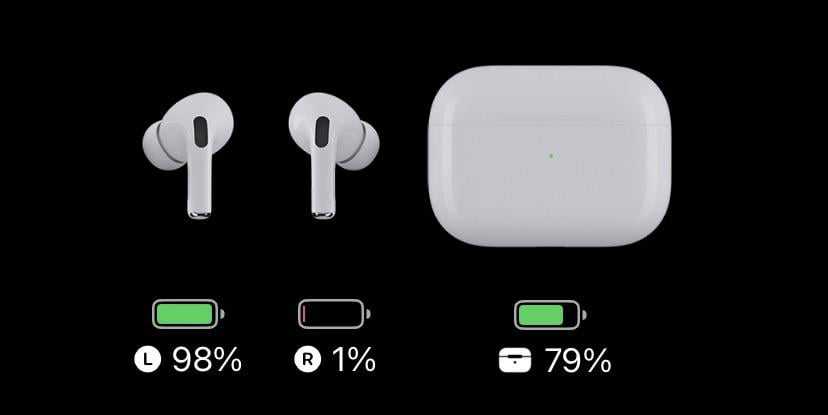
- Check the battery status regularly using your device’s settings to avoid unexpected shutdowns.
- Update the firmware when prompted, as updates may improve battery management.
Summary of Best Charging Practices
For the best battery health:- Charge when battery levels drop to around 20%
- Avoid letting the batteries fully discharge or stay fully charged too long
- Charge during cooler parts of the day if in a hot environment
- Use certified chargers and avoid overcharging
- Store batteries properly if not used for extended periods
Related Topics to Consider
Besides knowing the best time to charge AirPods, understanding related topics can improve your user experience:- How to check AirPods battery health
- Best practices for charging the AirPods case
- Battery maintenance tips for wireless earbuds
- Understanding lithium-ion batteries and their lifespan
How to Charge AirPods Pro 2 & Check Battery %!
Frequently Asked Questions
What signs indicate when my AirPods need to be charged?
Pay attention to the audio quality and battery indicator on your device. If the sound becomes muffled or cuts out frequently, or if the battery indicator shows a low level, it’s time to charge your AirPods. Listening for a declining battery level can help you prevent sudden disconnections during use.
How does daily usage affect the optimal charging schedule of AirPods?
Using your AirPods daily means you should charge them regularly to keep the battery healthy. Charging them after each use or at the end of the day ensures they are ready for your next activity. Avoid letting the battery completely drain before charging, as this can wear out the battery over time.
Is it better to charge AirPods overnight or during the day?
Charging AirPods overnight is convenient and ensures they are fully charged for the day ahead. However, if you prefer to use them throughout the day, charge them in shorter sessions when battery levels drop. Avoid leaving them unplugged for extended periods after they are fully charged to prevent unnecessary battery aging.
What is the ideal battery level to aim for when charging AirPods?
Keeping your AirPods between 20% and 80% charge can help prolong their battery lifespan. It’s best to avoid fully discharging or constantly maintaining a full charge, as these extremes can negatively affect battery health over time.
Should I wait until both AirPods are low before recharging the case?
It is advisable to recharge the case when the battery level drops below 20%. Recharging the case regularly ensures it can adequately power your AirPods and maintains the overall battery health of both the case and the earbuds.
Final Thoughts
The best time to charge AirPods is when their battery drops to around 20-30%. Charging early prevents battery wear and ensures your earbuds are always ready for use. Avoid waiting until they are completely drained, as this can reduce battery lifespan. Maintaining this habit keeps your AirPods functioning optimally and ready whenever you need them.
Similar Posts