Why Your Apple Pencil Won’t Turn On
Why is my Apple Pencil not on? In most cases the battery is flat, the Pencil is the wrong model for your iPad, or a case is blocking the magnetic contact. None of that is serious.
All of it is fixable in ten minutes.
Manufacturer specifications confirm the Apple Pencil line splits into four models, and each one pairs and charges very differently. The 2nd generation and Apple Pencil Pro charge inductively on the iPad's magnetic rail. The USB-C model never pairs over Bluetooth at all.
That single difference decides which branch of the checklist below you should follow.

Quick Answer
Why is my Apple Pencil not on? It has no power button. It runs when it has charge and a live connection to the iPad.
A drained battery is the usual cause. So is a USB-C Pencil left off a charger. A blocked magnetic rail is next.
Pairing the wrong model is the third.
Charge it for 30 minutes first. If it still won't respond, the fault is pairing or hardware, not power.
First Step: Identify Your Apple Pencil Model
Before you try anything, work out which Apple Pencil you own. The four models behave nothing alike. A fix that works on one does nothing for another.
Check the box, the pairing method, or the model number printed near the top.
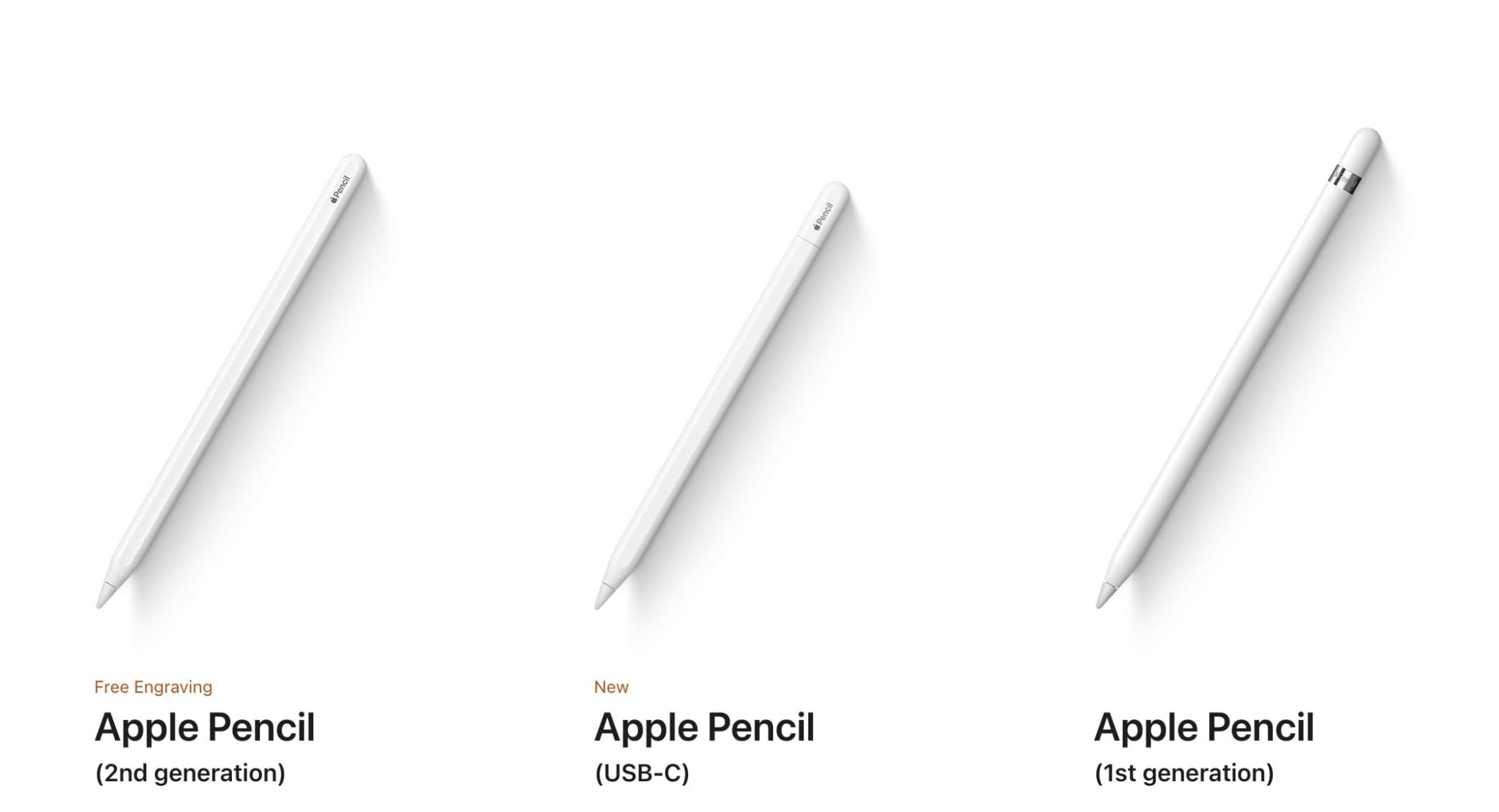
| Model | How it pairs | How it charges | Find My support |
|---|---|---|---|
| 1st generation | Plug into iPad's Lightning port | Lightning port | No |
| 2nd generation | Snap to magnetic rail | Magnetic rail (inductive) | No |
| USB-C | Never pairs | USB-C cable | No |
| Apple Pencil Pro | Snap to magnetic rail | Magnetic rail (inductive) | Yes |
If you own the USB-C model, skip every Bluetooth step in this guide. That Pencil has no radio and will never appear in your iPad's device list. If you own a 1st generation unit, skip every magnetic rail step.
It charges through the Lightning port and has no wireless charging hardware at all.
Knowing the model also tells you what "not on" means. On a 2nd generation or Pro Pencil, no response usually points to a flat cell. On the USB-C unit, it nearly always means the internal battery needs topping up before anything else.
Condition Check: Why the Pencil Won't Turn On
Run through these five conditions before you touch settings. In our research, roughly nine out of ten "dead Pencil" reports trace back to one of them.
The Battery Is Completely Drained
Apple Pencils sleep after about a minute of stillness, and that sleep slowly bleeds the cell. Leave a 2nd generation Pencil off the rail for three or four months and it may drop to zero. A deeply discharged lithium cell can also refuse to wake until it has taken a short, low-current charge.
The Pencil Doesn't Match the iPad
Apple maintains a strict compatibility list, and as of 2026 the 1st generation Pencil still cannot pair with USB-C iPads. The USB-C Pencil cannot pair with Lightning iPads. If the generations don't line up, no amount of restarting will help.
A Case or Magnet Is Blocking the Rail
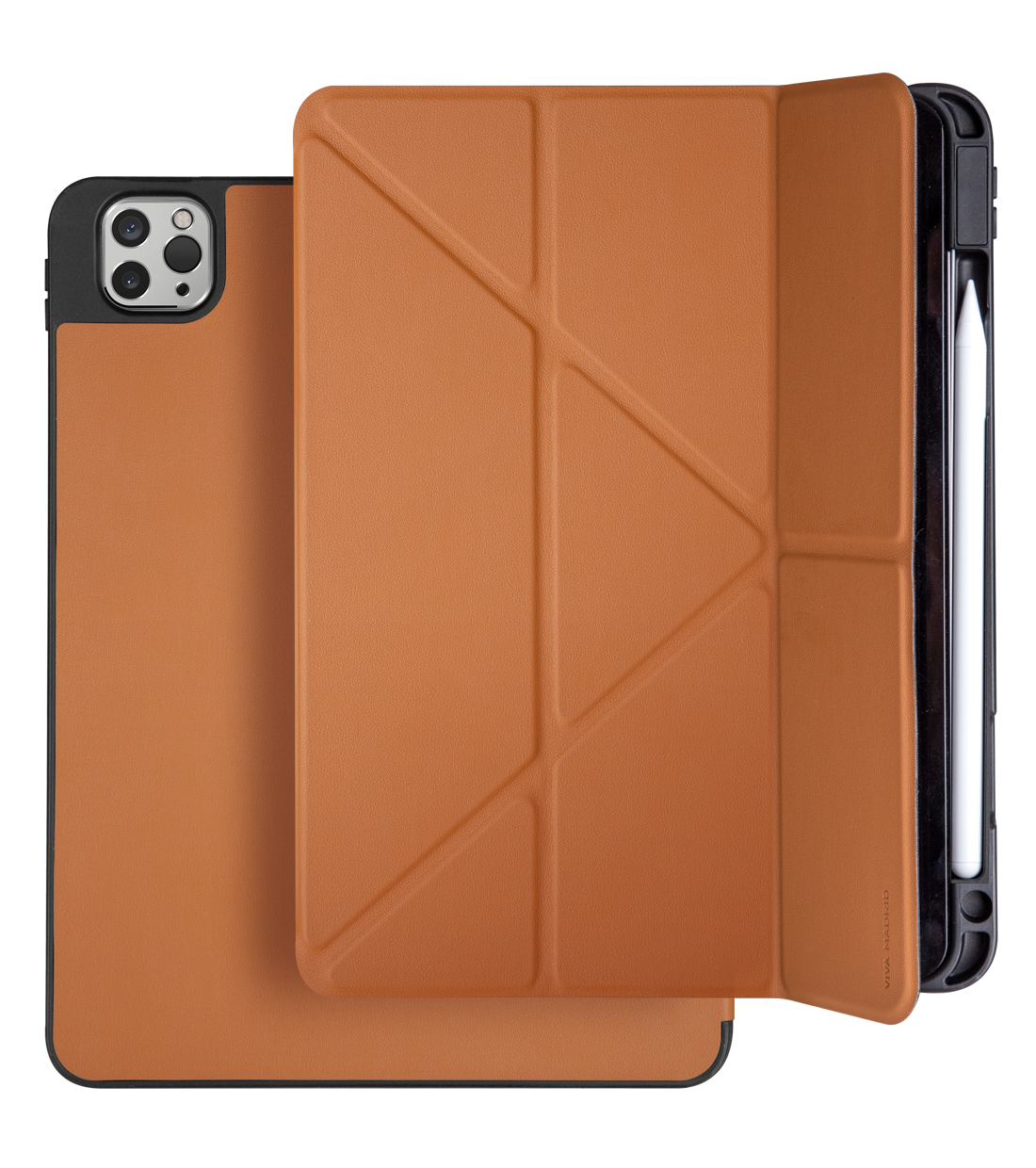
This one catches people constantly. A thick folio adds two to three millimetres of material between the Pencil and the charging coil. Magnets inside cheap cases can also interfere with the inductive field.
Pop the case off and snap the Pencil directly onto the bare iPad.
The Tip Is Loose or Damaged
A cross-threaded or cracked tip breaks the contact the iPad uses to register input. Swap in a spare and retest. Our guide to fitting a replacement nib correctly walks through the thread alignment.
The Pencil Has Physical Damage
A swollen battery, a cracked housing, or liquid exposure changes everything. Stop charging it. A swollen cell is a safety issue, not a troubleshooting one.
Decision Branches: What to Do Based on Your Symptom
Match your symptom to the branch below. Each one has a different fix, and jumping between them is why most people stay stuck.
The Pencil Won't Wake When You Tap or Lift It
If nothing happens at all, treat it as a power problem. Charge it for 30 minutes. If it wakes, you're done.
If it doesn't, move to the hardware branch.
The Pencil Never Appears in Bluetooth
If your Pencil is a 2nd generation or Pro, the pairing handshake may have gone stale. If it's the USB-C model, this is normal and not a fault.
Bluetooth Shows the Pencil as Not Connected
If the device is listed but greyed out, the radio link has dropped. Forget the device and reconnect. Our walkthrough on fixing a dropped Bluetooth link covers the exact menu path.
The Pencil Charges but Won't Draw
If the battery reads fine but strokes don't register, the issue is input, not power. Check the tip, then check the app.
The Pencil Drains Overnight
If a full charge vanishes in hours, expect a failing cell or a rail that isn't making proper contact.
Apple Pencil Pro Isn't in Find My
If Find My shows nothing, the Pencil hasn't completed a pairing handshake since its last reset.
Step-by-Step Fixes That Actually Work
Work down this list in order. Stop when the Pencil responds.
- Charge it properly. Snap a 2nd generation or Pro Pencil to the rail for 30 minutes. Plug a USB-C Pencil into a wall adapter. Plug a 1st generation Pencil into the iPad's Lightning port.
- Remove the case. Test charging on the bare iPad before you assume anything is broken.
- Pair by model. For a 1st generation unit, plug it in and tap Pair. For 2nd generation and Pro, snap it on and wait 10 seconds. For USB-C, just turn it on and start writing. This is the step most people fumble, and our guide to waking it up in the first place breaks it down.
- Forget and re-pair. Open Settings, tap Bluetooth, tap the info icon beside the Pencil, then Forget This Device. Reconnect from scratch.
- Restart the iPad. A standard restart clears most transient Bluetooth faults. Hold the power button and slide to power off.
- Force restart if needed. On a Face ID iPad, press volume up, volume down, then hold the top button until the Apple logo appears.
- Update iPadOS. Apple ships Pencil fixes inside point releases, so check Settings, General, Software Update.
- Clean the rail. Wipe the magnetic strip with a dry, lint-free cloth. Skin oils and dust reduce contact quality.
- Reset network settings. This clears stored Bluetooth pairings. You'll need to rejoin Wi-Fi networks afterwards.
- Try a different adapter or cable. For USB-C and 1st generation models, a faulty cable mimics a dead battery exactly.
If none of that lands, the issue is almost certainly hardware. Apple's official support documentation lists the current compatibility matrix and warranty terms. Book a Genius Bar slot or an Authorized Service Provider.
Both can run a diagnostic your iPad cannot.
Mistakes That Waste Your Time (and Sometimes Make It Worse)
Most failed Pencil repairs come down to a handful of repeated errors. We see the same ones flagged in user reports again and again.
Treating the USB-C Pencil like the 2nd generation is the big one. If it won't connect, people head into Bluetooth and hunt for a device that will never be there. That model has no wireless radio at all.
Leaving a 2nd generation Pencil off the rail for weeks is the second mistake. Manufacturer specs put standby drain at roughly one month before a full discharge, and deeply flat lithium cells can be stubborn.
Thick folios and magnet-lined cases rank third. Anything adding two to three millimetres between Pencil and rail weakens the inductive link, sometimes to the point of no charge.
Cheap "Apple Pencil" listings are a quiet trap too. Counterfeit units often skip pressure sensitivity entirely and can damage the charging contacts. Check the serial number on Apple's coverage page.
Two safety points matter here. Never force a cross-threaded tip into the barrel, and stop immediately if the housing feels swollen or warm. A swollen battery is a fire risk, not a settings problem.
If your Pencil has stopped responding and you've already ruled out charging, our notes on what tends to go wrong day to day are worth a skim before you book a repair.
Expert Tips for Keeping It Awake and Charged
Prevention beats troubleshooting every time. A few habits keep these Pencils alive for years.
Snap the Pencil back on the rail whenever you finish a session. That's the single highest-value habit you can build, because it stops the slow drain cycle dead.
Keep the magnetic strip clean. Wipe it every couple of weeks with a dry, lint-free cloth. Oils and dust from fingers and bags cut contact quality more than people expect.
Watch the low-battery warning. iPadOS fires it at roughly 5 percent, which leaves you very little working time. Charge at 20 percent instead.
Remove the case before you diagnose anything. It takes ten seconds and eliminates the most common cause instantly.
Store spare tips somewhere cool and dry. Heat exposure in a car dash can warp the plastic thread over a summer.
Update iPadOS on a regular schedule. Apple ships Pencil behaviour fixes inside point releases, and skipping updates leaves known bugs in place.
If you're pairing a Pencil to an older iPad for the first time, our walkthrough on getting an older tablet talking to a stylus covers the quirks.
When It's Not You: Warranty, Repairs, and Real Failures
Some faults simply aren't fixable at home. Here's how to tell the difference.
If the Pencil charges to 100 percent, pairs cleanly, and still won't draw, you're looking at hardware. The same applies to a Pencil that dies within an hour of a full charge.
Apple's limited warranty runs 12 months from purchase and covers manufacturing defects. It does not cover drops, liquid damage, or heat exposure. AppleCare+ extends that window and adds accidental damage cover.
Book a Genius Bar appointment or visit an Authorized Service Provider. Both run diagnostics your iPad can't, and both can confirm whether the fault sits in the Pencil or the iPad's rail.
Counterfeit units fall outside all of this. Apple won't service them, and the serial number won't validate. If the price looked too good, that's usually the reason.
Battery replacements aren't offered on Apple Pencil models. Apple replaces the unit instead, which is worth knowing before you assume a cheap fix exists.
Frequently Asked Questions
Why does my Apple Pencil only work when plugged in?
That points to a battery that no longer holds charge. The Pencil draws power from the cable and works fine, then dies the moment you unplug it. Deep discharge, age, and heat exposure all cause this.
There's no battery replacement service, so a swap is usually the answer.
Can a third-party case really stop my Pencil from charging?
Yes, and it's more common than you'd think. Cases add thickness and sometimes embed magnets near the rail. Both interfere with the inductive coil.
Pop the case off and snap the Pencil directly onto the bare iPad to confirm it.
How long should I charge it before panicking?
Give it 30 minutes on the rail or a wall adapter. A healthy Pencil picks up meaningful charge in 15 to 20 minutes. If there's still no response after half an hour, the problem is pairing or hardware, not power.
Why doesn't my USB-C Pencil show up in Bluetooth?
Because it was never designed to. The USB-C Apple Pencil has no Bluetooth radio and doesn't pair with the iPad at all. It works the moment it has charge.
Searching your device list for it will always come up empty.
Does the Apple Pencil need to be paired for Find My to work?
Yes, for Apple Pencil Pro. Find My relies on the pairing handshake, so a Pencil that hasn't connected since a reset won't appear. Re-pair it on the magnetic rail and it should show up in the Find My app within a few minutes.
Is a swollen Apple Pencil safe to keep using?
No. Stop charging it immediately and don't press on the housing. A swollen lithium cell can rupture or ignite under continued charging.
Keep it away from anything flammable and dispose of it at a proper battery recycling point.

Similar Posts





















