How To Get The Best Out Of Airpods Pro 2 For Sound Quality
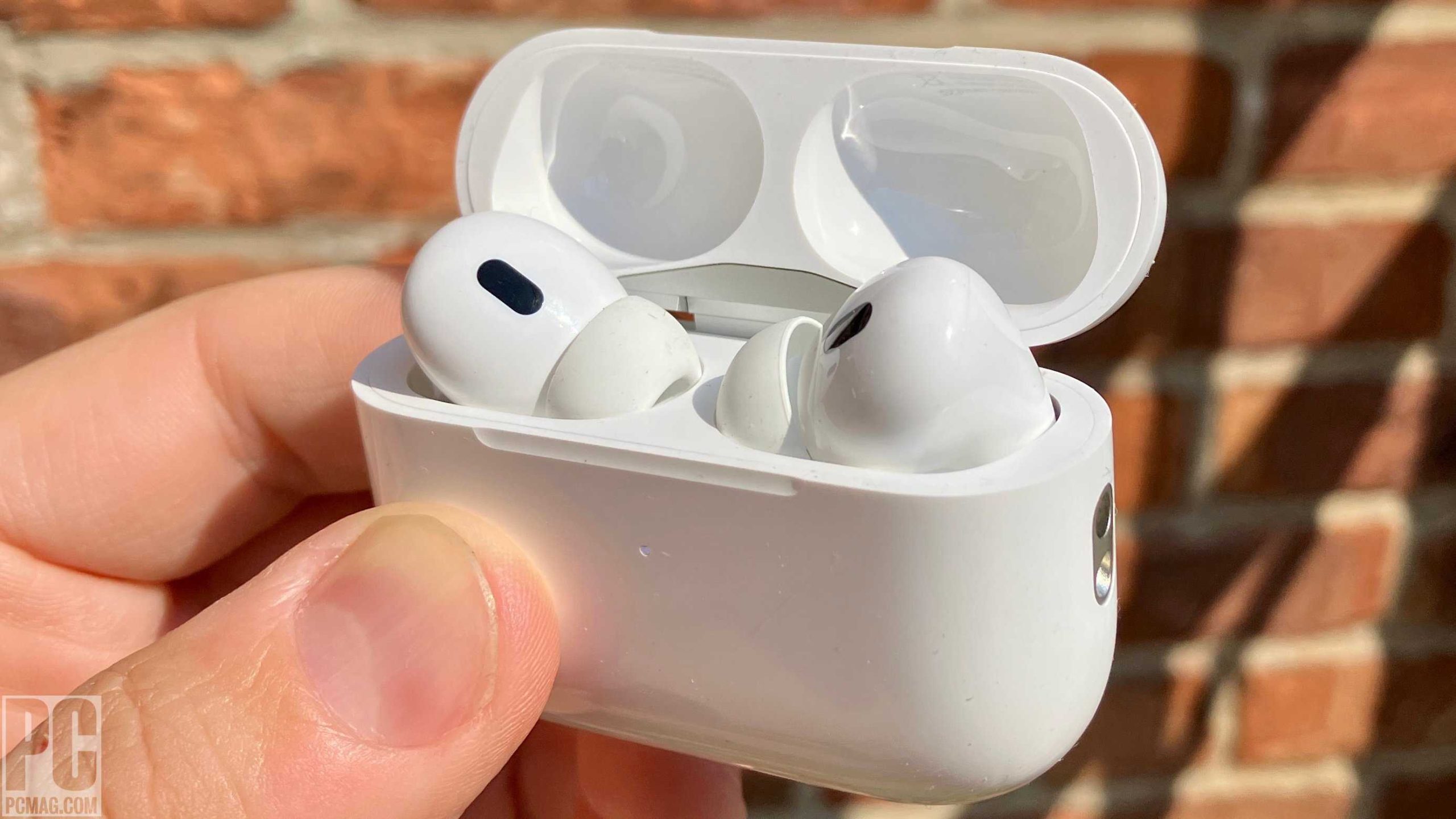
To maximize your AirPods Pro 2 experience, make sure to customize your settings, keep them updated, and practice proper cleaning and storage. Using features like Transparency Mode and spatial audio can also elevate your listening experience. A little experimentation with fit and controls can make a huge difference in comfort and sound quality.
To get the most out of your AirPods Pro 2, optimize settings, stay updated with the latest firmware, and personalize your fit and controls for a tailored audio experience. Exploring features like noise cancellation and spatial audio will truly unlock their full potential.
Unlocking the full potential of your AirPods Pro 2 is easier than you think. These sleek earbuds are packed with features that can significantly enhance your listening and call experience, but only if you take a few simple steps to customize and maintain them. From adjusting fit for the best noise cancellation to leveraging advanced features like Transparency Mode and spatial audio, a little effort goes a long way in elevating your sound experience. Keep your firmware up-to-date for optimal performance, and don’t forget to regularly clean and properly store your AirPods to ensure longevity and consistent sound quality. Whether you use them for music, calls, or immersive audio, mastering these tips will help you enjoy your AirPods Pro 2 to the fullest.

How to Get the Best Out of AirPods Pro 2
Understanding the Features of AirPods Pro 2
AirPods Pro 2 come packed with innovative features that make listening more enjoyable. From active noise cancellation to personalized spatial audio, knowing what your AirPods can do helps you use them effectively. Familiarize yourself with the different modes, such as Transparency Mode and Adaptive EQ, to optimize your listening experience.
Customizing Fit and Comfort for Better Sound
The AirPods Pro 2 include multiple ear tip sizes to ensure a secure and comfortable fit. Proper fit not only guarantees comfort during long use but also enhances sound quality and noise cancellation. Try different sizes until you find the most snug fit that seals your ear canal effectively.
Selecting the Right Ear Tips
Pick ear tips that fill your ear canal without causing discomfort. Use the silicone tips provided and test them by playing music at different volumes. Remember that a good seal improves bass response and overall clarity.
Maintaining Comfort for Extended Use
Avoid overly tight tips that can cause discomfort after prolonged wear. Adjust the position of your AirPods when necessary and give your ears short breaks to prevent fatigue.
Optimizing Sound Quality with Settings and Features
Maximize audio quality by adjusting the settings on your iPhone or other connected devices. Enable features like Spatial Audio and Personalize your listening profile for an immersive experience. Use the Ear Tip Fit Test within the Settings app to verify the best seal and sound output.
Using Spatial Audio Effectively
Spatial Audio creates a surround sound effect that makes music and videos more immersive. To get the most out of this feature, ensure your content supports it and that your AirPods Pro 2 are properly aligned with your head orientation.
Adjusting Noise Cancellation and Transparency Mode
Switch between Noise Cancellation and Transparency Mode based on your environment. Noise Cancellation blocks out background noise, ideal for focus or commuting. Transparency Mode allows external sounds in, perfect for staying aware of your surroundings.
Managing Battery Life and Charging Techniques
Good battery management prolongs your AirPods Pro 2’s usability. Use the charging case wisely and keep your devices charged for uninterrupted listening. Enable features like optimized battery charging to extend the battery’s lifespan.
Charging Strategies for Longevity
Charge your AirPods and case before they reach low battery levels. Avoid leaving them plugged in for long periods after they are fully charged to prevent battery wear.
Monitoring Battery Status
Check your battery life regularly through the device widget or the Settings app. Set alerts to notify you when the battery is running low, so you can recharge promptly.
Connecting and Customizing Controls
Efficiently managing your AirPods Pro 2 involves understanding how to connect and customize gestures. Use the Settings app to tailor controls to your preferences for easier operation.
Pairing with Multiple Devices
AirPods Pro 2 can connect seamlessly to multiple Apple devices using iCloud. Switch effortlessly between your iPhone, iPad, and Mac without needing to reconnect each time.
Setting Up Double-Tap and Press Controls
Customize the double-tap or press-and-hold functions to control playback, activate Siri, or switch noise modes. Access these options in the Bluetooth settings under your AirPods.
Using Siri for Hands-Free Control
Leverage Siri to handle calls, change volume, or control playback without touching your device. Enable “Hey Siri” for voice-activated commands and practice clear voice commands for best results.
Tips for Effective Voice Commands
Speak clearly and naturally when using Siri. Use specific commands like “Play my workout playlist” or “Skip this song” for quick and accurate responses.
Maintaining Your AirPods Pro 2
Proper cleaning and storage extend the lifespan of your earbuds. Keep your AirPods free from wax, dirt, and debris, and store them in their case when not in use.
Cleaning Tips for Optimal Hygiene and Performance
Use a soft, dry cloth to wipe the earbuds regularly. Avoid using liquids or harsh cleaners that can damage the device. Gently remove wax or debris from the headphone mesh with a small brush or a lint-free cloth.
Storing Your AirPods Effectively
Place your AirPods in their case when not in use to protect them from damage and dust. Keep the case in a cool, dry place away from direct sunlight or extreme temperatures.
Troubleshooting Common Issues
Despite their reliability, issues may arise with your AirPods Pro 2. Basic troubleshooting can resolve most common problems like connectivity issues, audio glitches, or battery problems.
Resolving Connectivity Problems
Ensure your device’s Bluetooth is active. Reset the AirPods by placing them in the case, closing the lid, and holding the setup button until the LED flashes amber and white. Re-pair if necessary.
Fixing Audio or Sound Issues
Check for debris in the mesh or ear tips. Restart your device and reconnect your AirPods. If problems persist, resetting your AirPods may help.
Enhancing Your Listening Experience with Accessories
Adding accessories can improve comfort and convenience during use. Consider investing in a protective case, ear hooks, or wireless charging pads for better handling and charging.
Recommended Accessories for AirPods Pro 2
Look for soft carrying cases, ear hooks for sports activities, or silicone covers for additional protection. Wireless chargers provide quick and cable-free recharging options.
Using Apps to Customize Your Experience
Third-party apps can offer extra features, such as equalizer settings, custom gestures, or detailed battery monitoring. Explore reputable apps compatible with your device for a tailored listening experience.
By applying these tips and tricks, you can make the most out of your AirPods Pro 2 and enjoy high-quality sound, comfort, and seamless connectivity every time you use them. Taking the time to understand and optimize settings ensures you get the best out of this advanced audio device.
AirPods Pro 2 – First 14 Things To Do!
Frequently Asked Questions
How can I optimize the noise cancellation feature on my AirPods Pro 2?
To get the most out of the noise cancellation, ensure your AirPods Pro 2 are properly fitted in your ears for a snug seal. Use the ear tip fit test available in the Bluetooth settings on your iPhone to confirm a good fit. Additionally, keep your device’s firmware updated, as improvements are often released that enhance noise cancellation performance. Adjust the noise control settings in the Control Center to switch between noise cancellation and transparency modes based on your environment.
What settings should I customize for the best audio quality on AirPods Pro 2?
Customize the equalizer settings via your device for an optimal listening experience. Ensure that “Spatial Audio” and “Adaptive Transparency” are enabled to enhance sound clarity and spatial awareness. Turn on “Personalized Spatial Audio” if your device supports it for tailored sound profiles. Regularly clean the ear tips to maintain sound quality and prevent muffling. Using the volume limit settings can also help protect your hearing while enjoying high-quality audio.
How can I extend the battery life of my AirPods Pro 2 during daily use?
To maximize battery life, avoid leaving your AirPods Pro 2 in their case unused for extended periods. Adjust the settings to turn off features like automatic ear detection when not needed, which can drain the battery. Reduce the volume to conserve power during extended listening sessions and disable active noise cancellation when not necessary. Additionally, keep the charging case topped up and store your AirPods in a cool, dry place to preserve battery health.
What is the best way to maintain the sound quality over time?
Regularly clean the ear tips and the microphone meshes to prevent debris buildup that can impact sound quality. Store your AirPods Pro 2 in their case when not in use to protect them from dust and damage. Keep your device’s software updated to benefit from performance improvements. Avoid exposing your AirPods to excessive moisture or extreme temperatures, as this can degrade sound quality and hardware durability.
Final Thoughts
To get the best out of AirPods Pro 2, focus on customizing the fit with different ear tips for optimal comfort and noise cancellation. Keep your firmware updated to access new features and improvements. Use the control settings to easily switch between noise modes and customize your listening experience. Practicing these steps will enhance overall sound quality and usability. Remember, how to get the best out of Airpods Pro 2 lies in fine-tuning the device to suit your preferences efficiently.

Similar Posts































