How To Fix Airpods Pro Ear Tips For Better Comfort
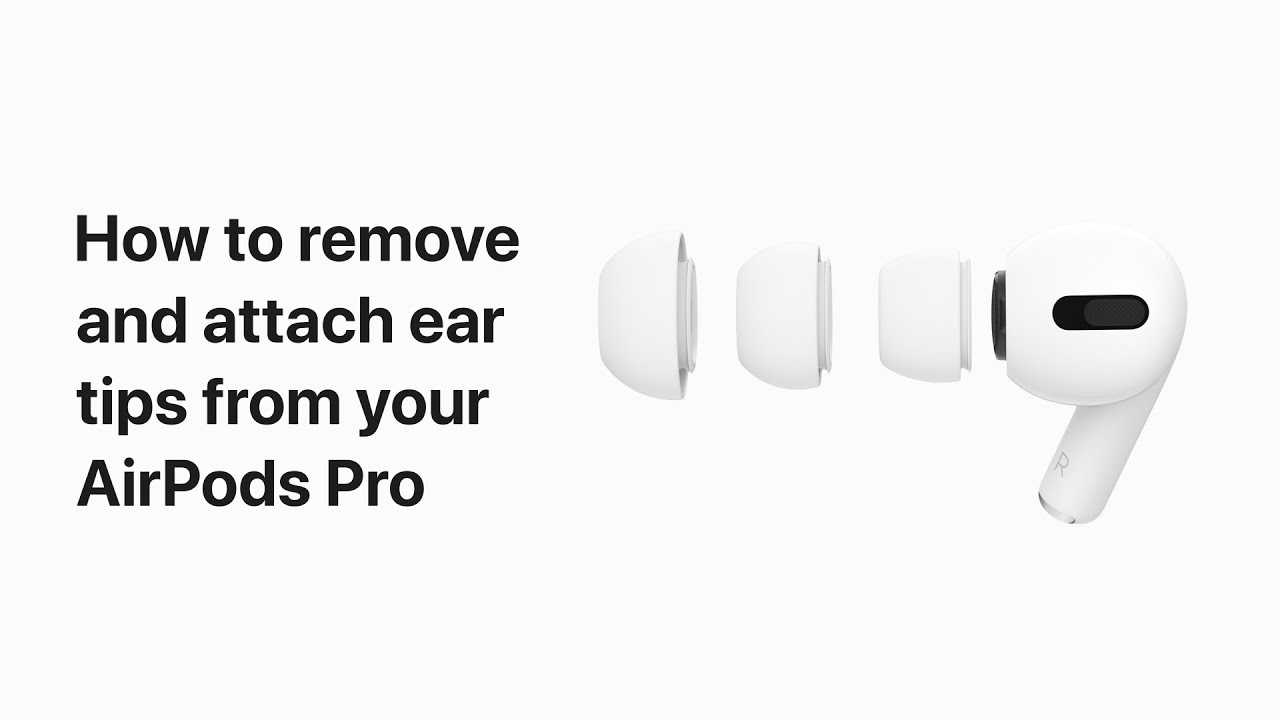

How to Fix AirPods Pro Ear Tips
Understanding the Importance of Proper Ear Tips
Good fit and comfort are essential for the best experience with AirPods Pro. The ear tips directly influence sound quality, noise cancellation, and comfort levels. When ear tips don’t fit properly, users may encounter issues like poor sound, discomfort, or the ear tips falling off.Common Problems with AirPods Pro Ear Tips
Many users face problems such as ear tips getting loose, tearing, or not fitting well. These issues can cause audio to become muffled or cause the AirPods to feel uncomfortable. Understanding these issues helps in knowing how to address them effectively.Choosing the Right Ear Tips
Selecting the proper size is the first step to solving ear tip problems. AirPods Pro come with three sizes: small, medium, and large. Always try each size to see which fits snugly without causing discomfort.How to Find the Correct Size
- Insert the ear tip into your ear softly.
- Pull gently on the tip to check for a secure fit.
- Test with different sizes to see which provides the best seal.
Cleaning Your AirPods Pro Ear Tips
Dirt, earwax, or debris can cause ear tips to loosen or lose effective sealing. Regular cleaning maintains hygiene and improves performance.Step-by-Step Cleaning Guide
- Remove the ear tips from the AirPods Pro.
- Use a soft, dry cloth or a cotton swab to clean the tips.
- For stubborn dirt, gently wash the tips with warm water and mild soap.
- Dry the tips thoroughly before reattaching.
Replacing Worn or Damaged Ear Tips
Over time, ear tips may tear or lose elasticity. Replacing them ensures comfort and proper sound quality.Where to Find Replacement Ear Tips
- Official Apple store or website
- Authorized resellers
- Certified third-party sellers
How to Properly Attach Ear Tips
Correct attachment prevents the ear tips from falling off and ensures a proper seal.Step-by-Step Attachment Process
- Align the ear tip with the stem of the AirPods.
- Press firmly until you hear a click or feel it snap into place.
- Gently tug to confirm it is securely attached.
Troubleshooting Loose or Falling Ear Tips
If ear tips keep falling off, it might be due to incorrect fitting or worn tips.Tips to Improve Fit
- Switch to a different size ear tip.
- Adjust the placement inside your ear for a better seal.
- Check for damage or tears in the ear tip material.
Preventing Ear Tips from Tearing or Wearing Out
Proper care extends the life of your ear tips. Avoid exposing them to excessive heat or harsh chemicals.Maintenance Tips
- Clean regularly to prevent buildup of dirt and earwax.
- Avoid pulling or stretching the ear tips unnecessarily.
- Replace ear tips every six to twelve months depending on usage.
Upgrading to Foam or Third-Party Ear Tips
Some users prefer foam tips for better noise isolation or different materials for comfort.Benefits of Foam Ear Tips
- Better sealing due to conforming to ear shape
- Enhanced noise cancellation
- Potentially improved sound quality
How to Clean and Maintain Foam or Third-Party Ear Tips
Foam tips require gentle cleaning to maintain their shape and functionality.Cleaning Foam Tips
- Remove from the ear and rinse with water.
- Gently squeeze out excess water.
- Allow tips to air dry completely before reattaching.
Addressing Sound and Noise Issues Related to Ear Tips
Poor fit can lead to muffled sound or poor noise cancellation. Ensuring a tight seal is key.How to Test Your Seal
- Play music and listen carefully for clarity.
- Try speaking near the microphone to see if you can be heard clearly.
- Adjust the ear tip for a better fit if sound quality is compromised.
Using Ear Tip Fit Test on AirPods Pro
Apple offers a built-in feature to assess ear tip fit, ensuring optimal performance.Steps to Use the Fit Test
- Connect your AirPods Pro to your iPhone.
- Go to Settings > Bluetooth and find your AirPods.
- Tap the “i” icon and select “Ear Tip Fit Test.”
- Follow the prompts to start the test.
Final Tips for Maintaining Perfect Ear Tips
Regular maintenance ensures your AirPods Pro function well and feel comfortable.Summary of Key Tips
- Select the correctly sized ear tips for your ears.
- Clean ear tips frequently to prevent dirt buildup.
- Replace worn or damaged tips promptly.
- Ensure proper attachment for a secure fit.
- Use the ear tip fit test to optimize performance.
How to remove and replace the ear tips on your AirPods Pro – Apple Support
Frequently Asked Questions
How can I ensure my AirPods Pro ear tips fit securely?
To secure your AirPods Pro ear tips properly, first select the right size that fits snugly in your ear canal. Press the tips firmly onto the AirPods until you hear a click. Adjust the position slightly for a comfortable and firm seal, ensuring that they stay in place during movement. Using the correct size not only enhances comfort but also improves sound quality and noise cancellation.
What steps should I follow if my ear tips keep falling off?
If your ear tips frequently fall off, remove them and inspect for any damage or dirt. Clean both the tips and the AirPods with a soft, lint-free cloth and a small amount of alcohol if needed. Reattach the tips, making sure they fit tightly and securely. If the fit remains loose, consider trying a different size or type of ear tip designed for better grip and comfort.
How do I replace worn-out or damaged ear tips?
To replace worn or damaged ear tips, gently remove the old tips from your AirPods Pro. Select new ear tips compatible with your model, then align and press them onto the AirPods until they click into place. Make sure the new tips are secure and comfortable. Replacing damaged tips restores optimal sound quality and comfort, ensuring your listening experience remains enjoyable.
Should I clean my AirPods Pro ear tips regularly, and how?
Yes, regularly cleaning your ear tips helps maintain hygiene and improves performance. Remove the tips from your AirPods, then wash them with warm water and a mild soap. Avoid using harsh chemicals or immersing the electronic parts. Let the tips air dry completely before reattaching them. Proper cleaning prevents buildup of debris that can cause discomfort or sound issues.
Can the material of the ear tips affect how they fit in my ear?
Yes, the material of your ear tips significantly impacts fit and comfort. Silicone tips are flexible and conform to ear shapes, providing a secure fit. Foam tips, on the other hand, expand inside the ear canal for a tight seal, often improving noise cancellation. Choosing the right material based on your ear shape and preferences ensures a better fit and enhances your overall listening experience.
Final Thoughts
Fixing AirPods Pro ear tips involves checking for dirt or debris that may affect fit and comfort. Remove the tips carefully and clean them with a gentle cloth. Reattach the tips securely to ensure a snug fit. If the tips still don’t fit well, try different sizes to find the most comfortable seal. Ensuring a proper fit improves sound quality and noise cancellation. In conclusion, understanding how to fix AirPods Pro ear tips helps maintain comfort and audio performance. Proper cleaning and fitting techniques are vital for optimal use.
Similar Posts































